Print the guide and keep it next to your phone while you do the steps.
Tip: untick “Headers and footers” in the print dialog to leave out the web address.
Which language should the printout be in?SvenskaEnglishSuomiالعربية (Arabiska)Bosanski/Hrvatski/Srpskiفارسی (Persiska)PolskiEspañol
Make the text larger on your phone
Mobile phone and tablet
 iPhone
Scan to listen to the guide
 1Step 1 of 5 · iPhone
Vi ska nu lära oss att göra text och andra saker på skärmen lättare att se.
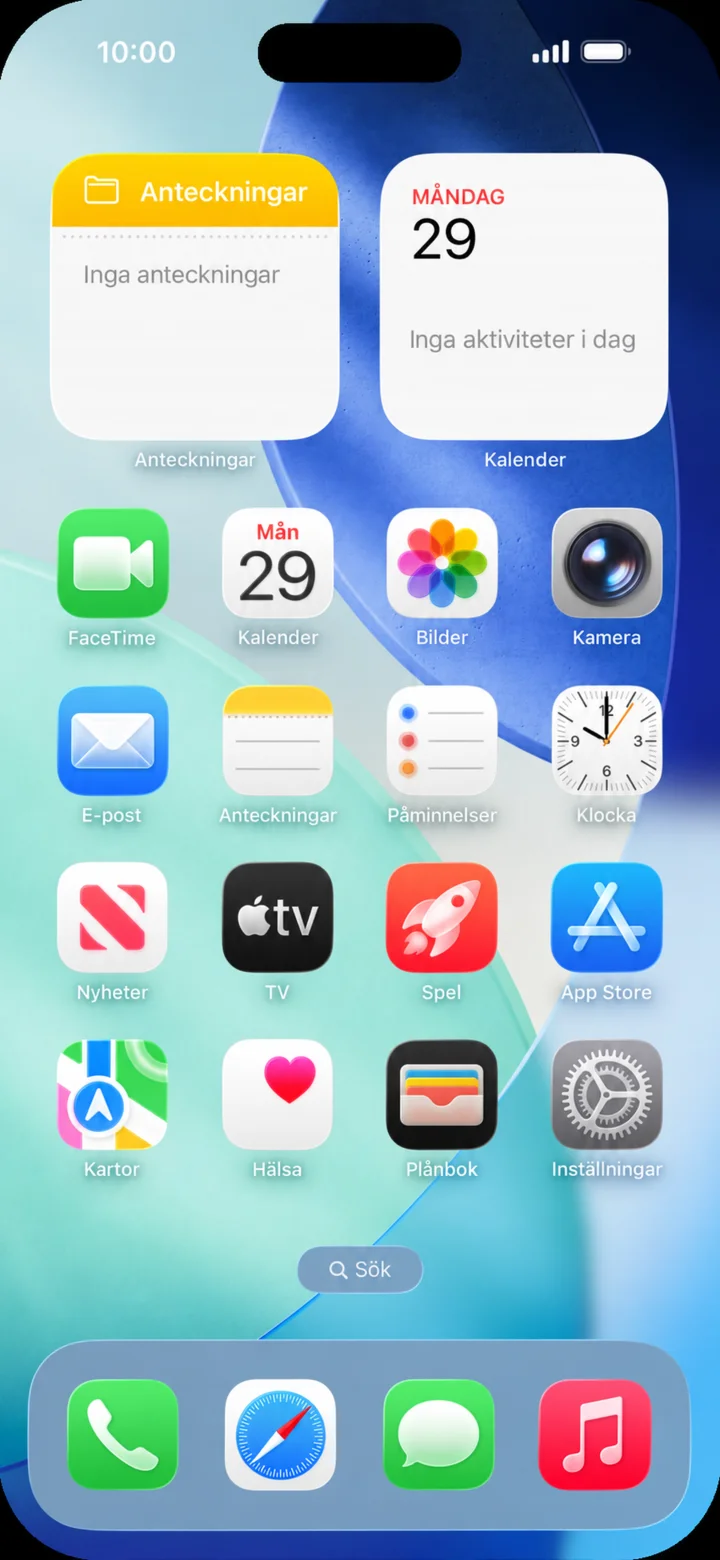 2Step 2 of 5 · iPhone
Start from the home screen. Tap ”Inställningar” (Settings).
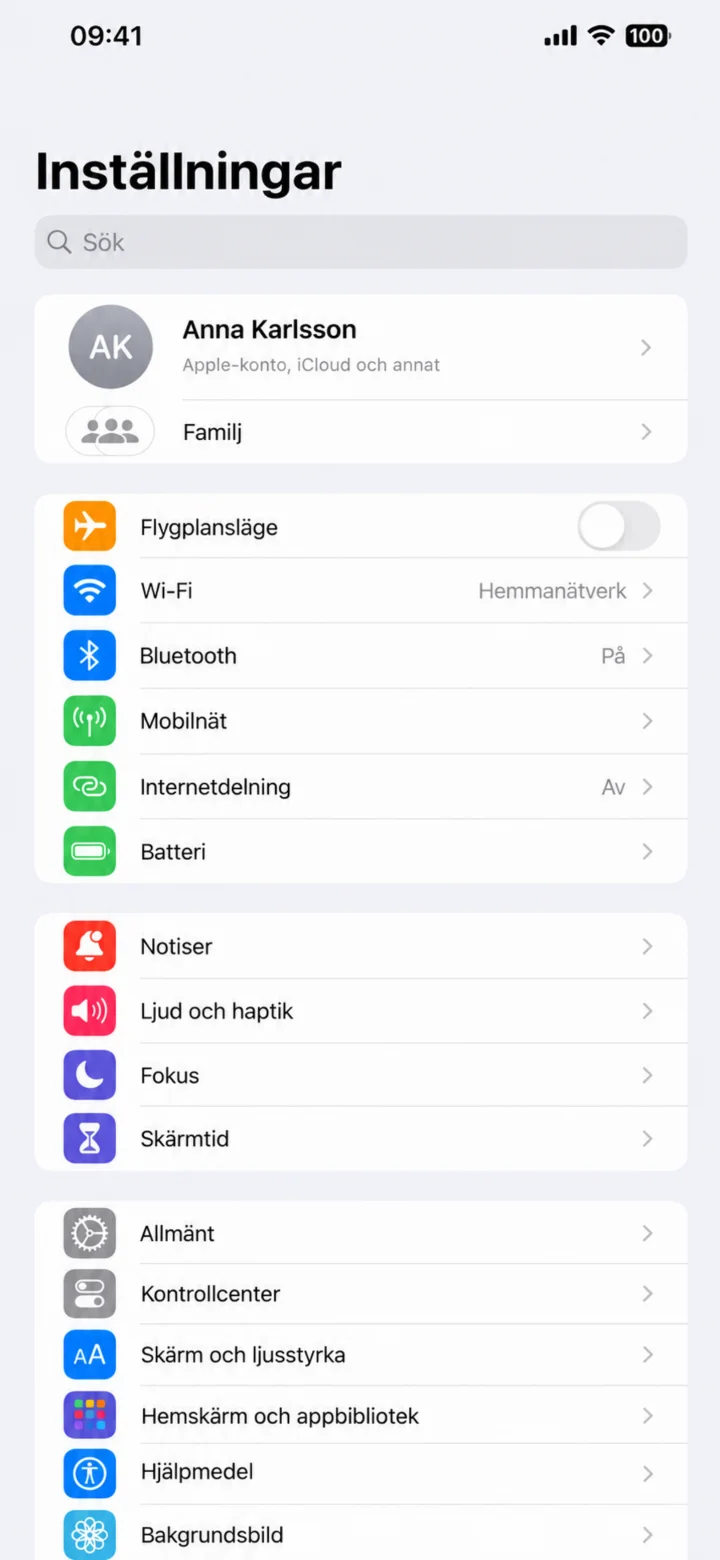 3Step 3 of 5 · iPhone
In ”Inställningar” (Settings), choose ”Skärm och ljusstyrka” (Display and brightness).
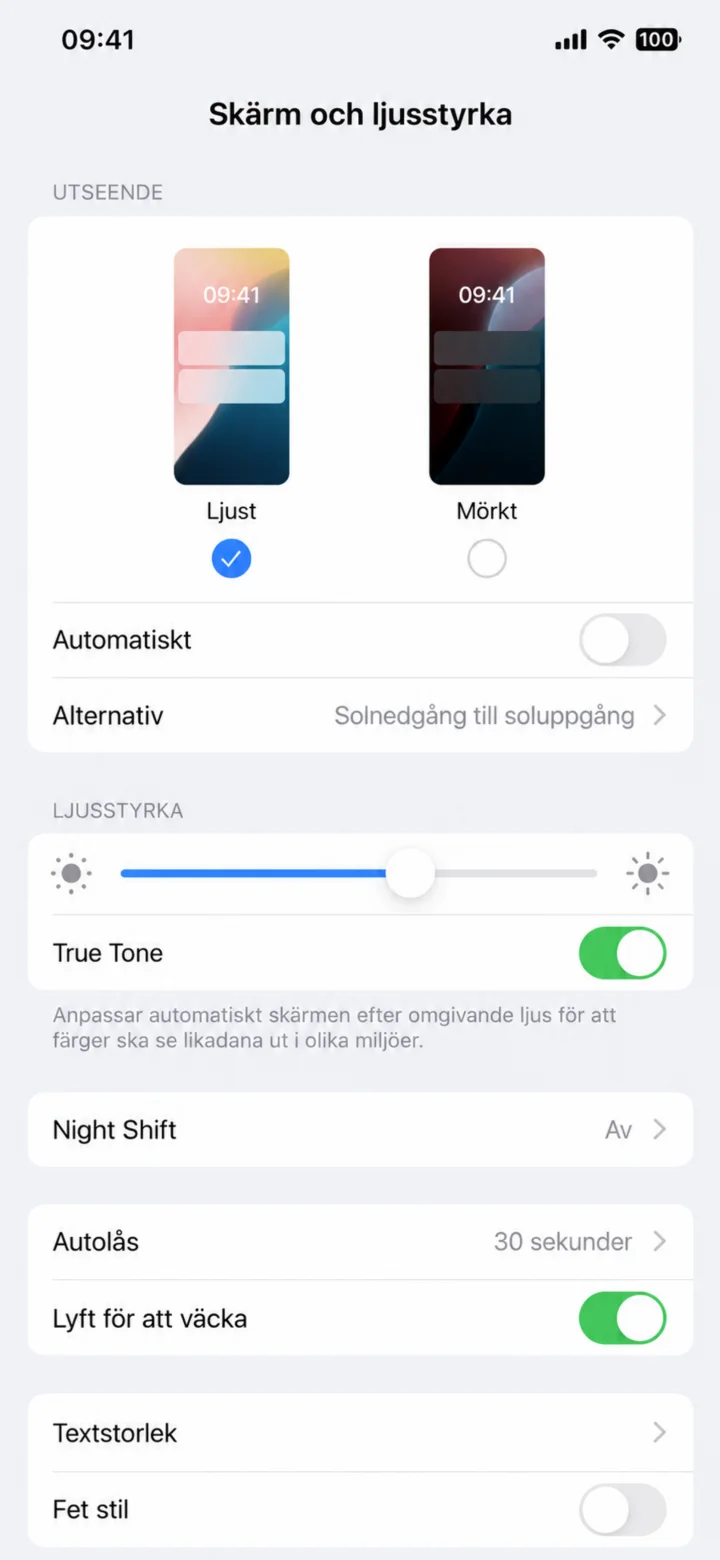 4Step 4 of 5 · iPhone
Scroll down and choose ”Textstorlek” (Text size).
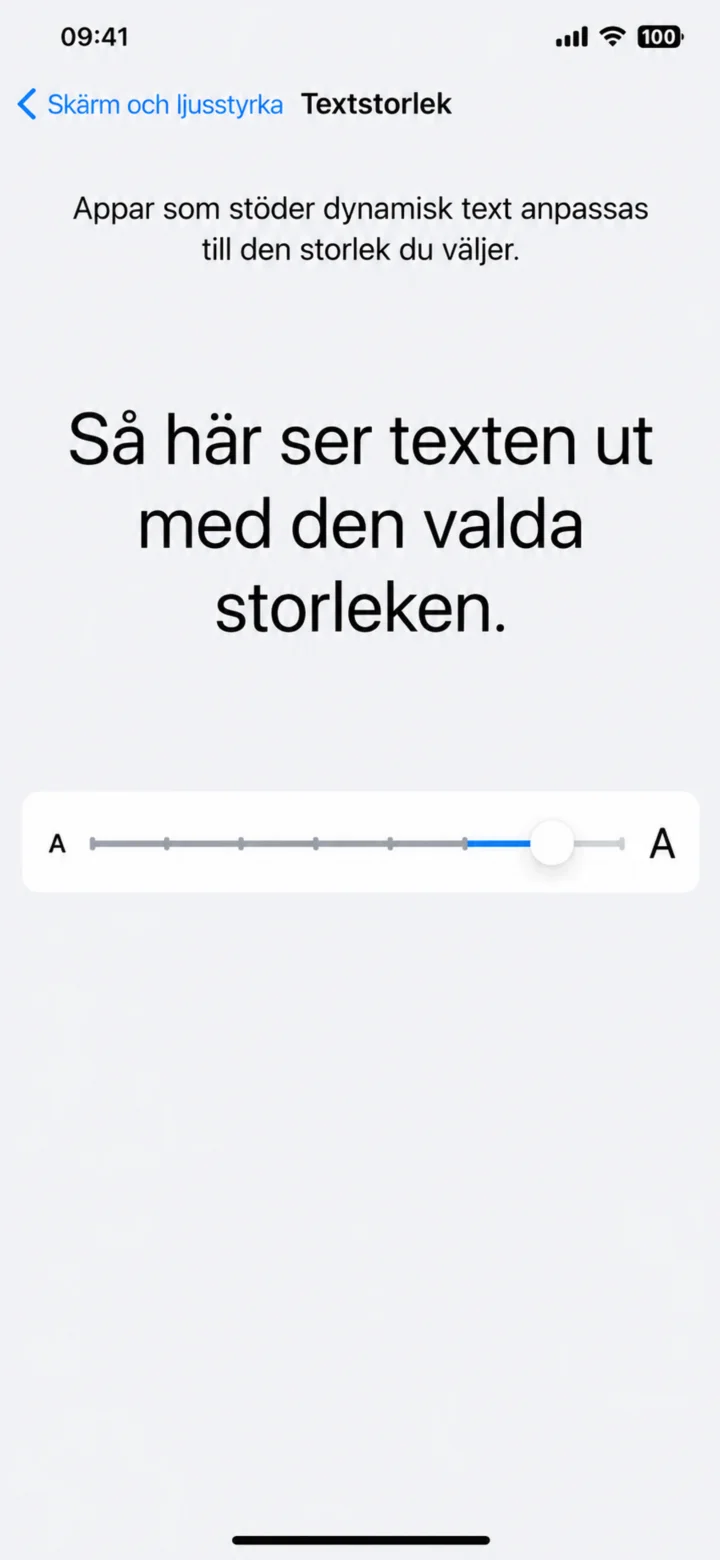 5Step 5 of 5 · iPhone
Drag the slider to the right until the text is just the right size.