Print the guide and keep it next to your phone while you do the steps.
Tip: untick “Headers and footers” in the print dialog to leave out the web address.
Connect a Bluetooth speaker or headphones
Mobile phone and tablet
 Android
 1Step 1 of 8 · Android
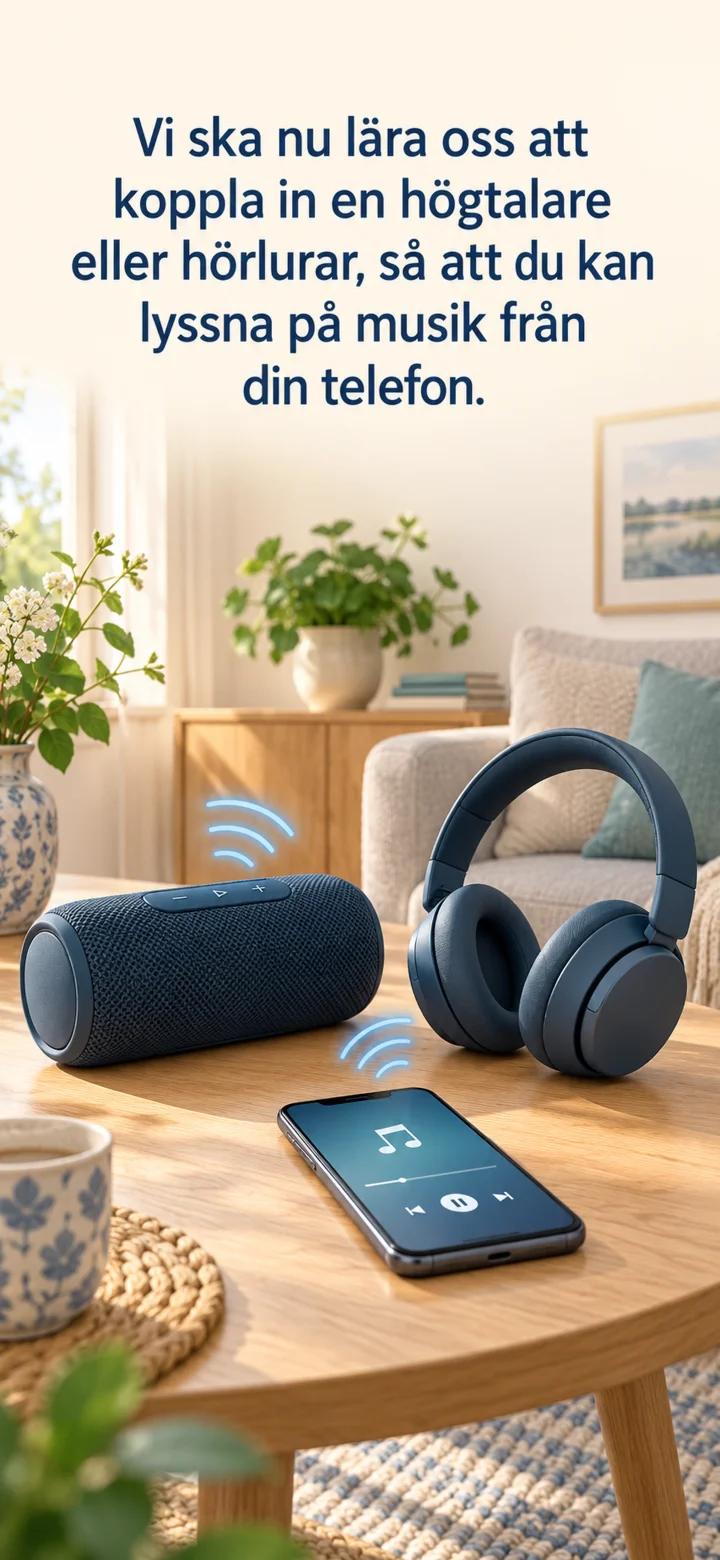
Now, we're going to learn how to connect a speaker or headphones so you can listen to music from your phone. Start the accessory and hold down the Bluetooth or power button until the light starts blinking.
 2Step 2 of 8 · Android
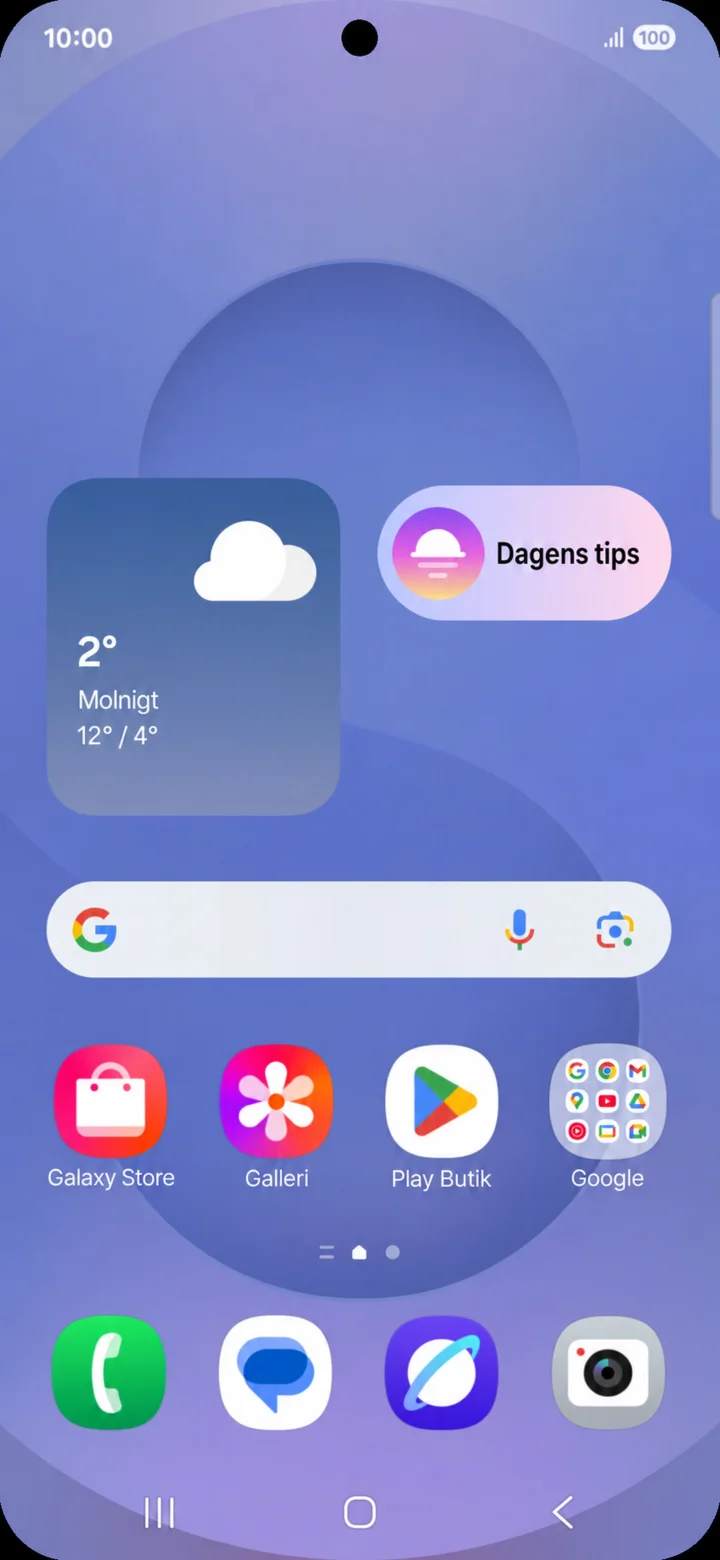
Start on the home screen. Drag down from the top right edge of the screen.
 3Step 3 of 8 · Android
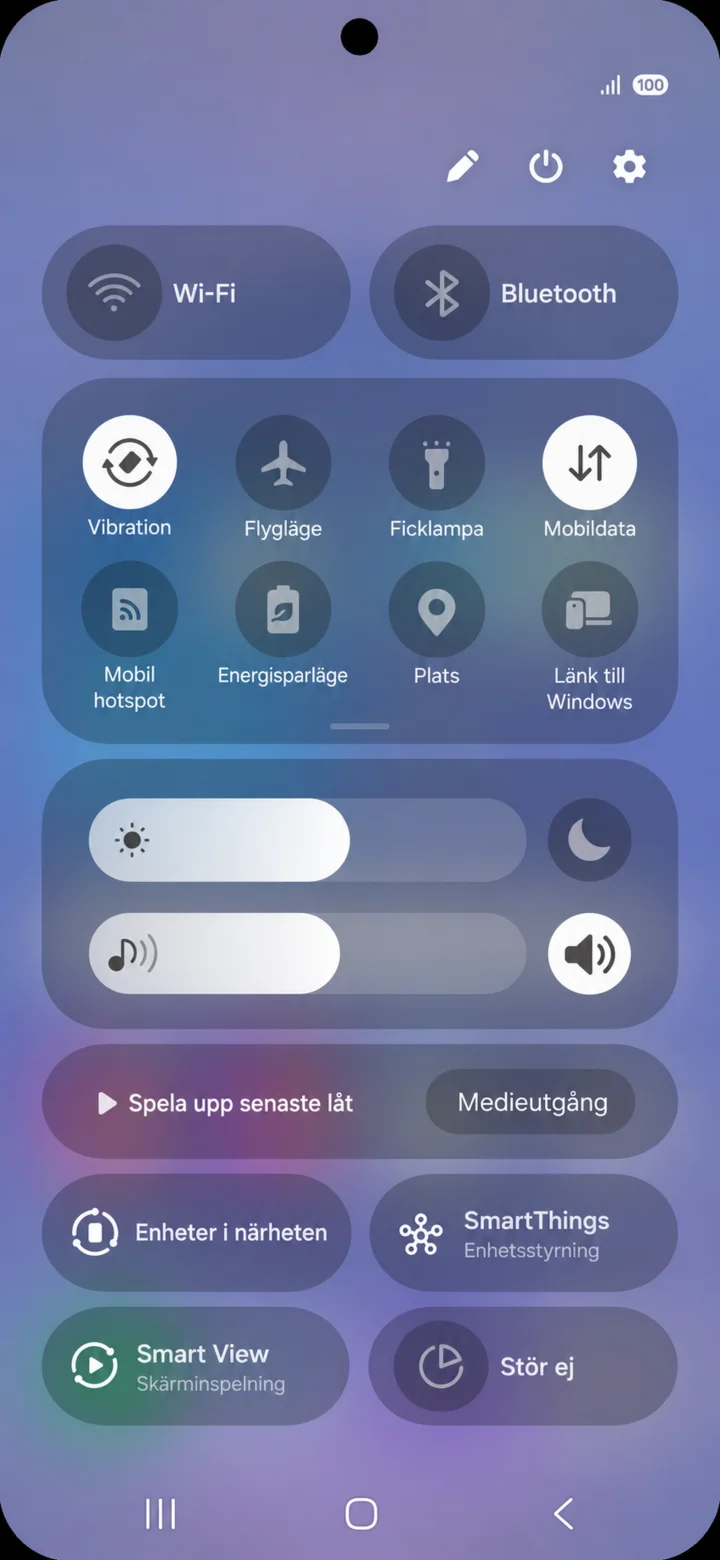
The Quick Panel opens. Tap on the cogwheel in the top right.
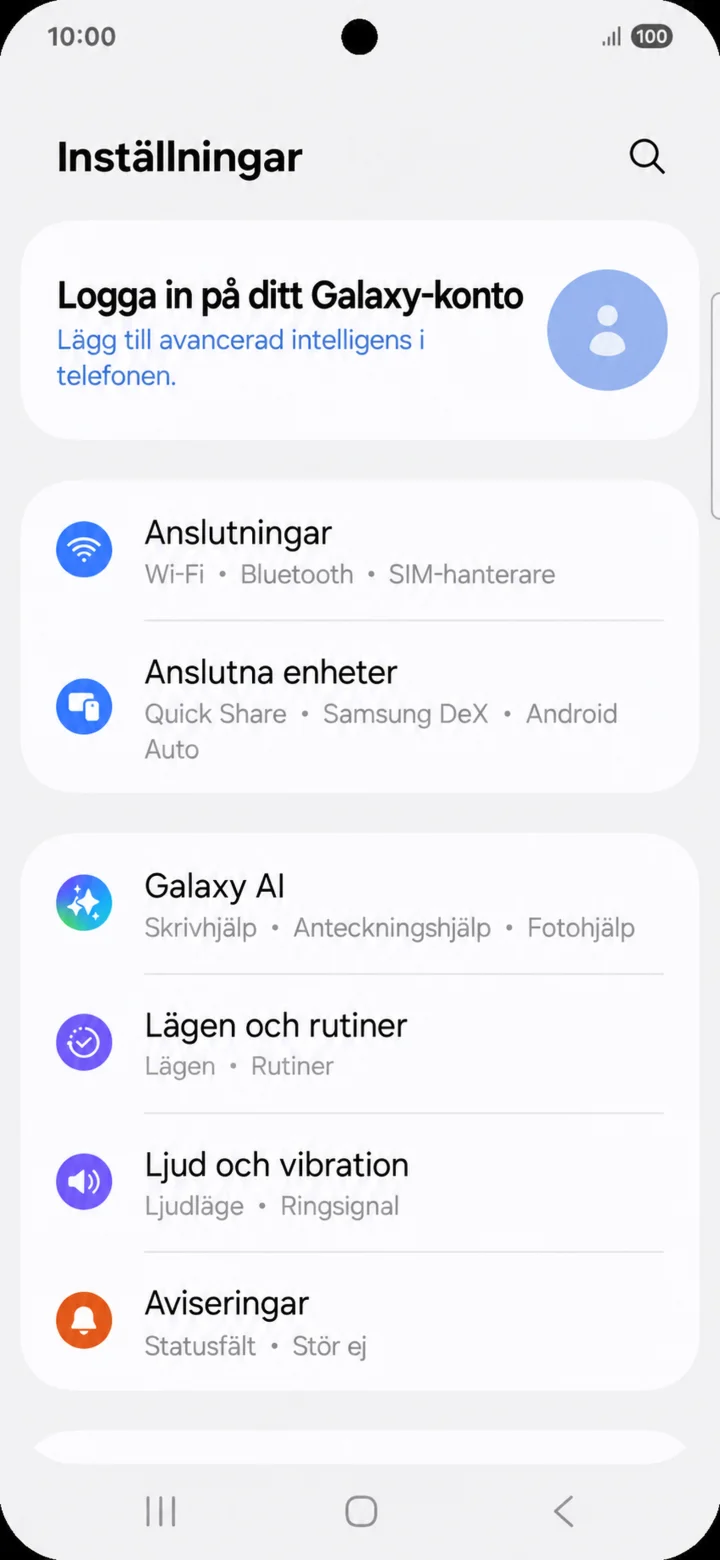 4Step 4 of 8 · Android
In Inställningar (Settings), tap on Anslutningar (Connections).
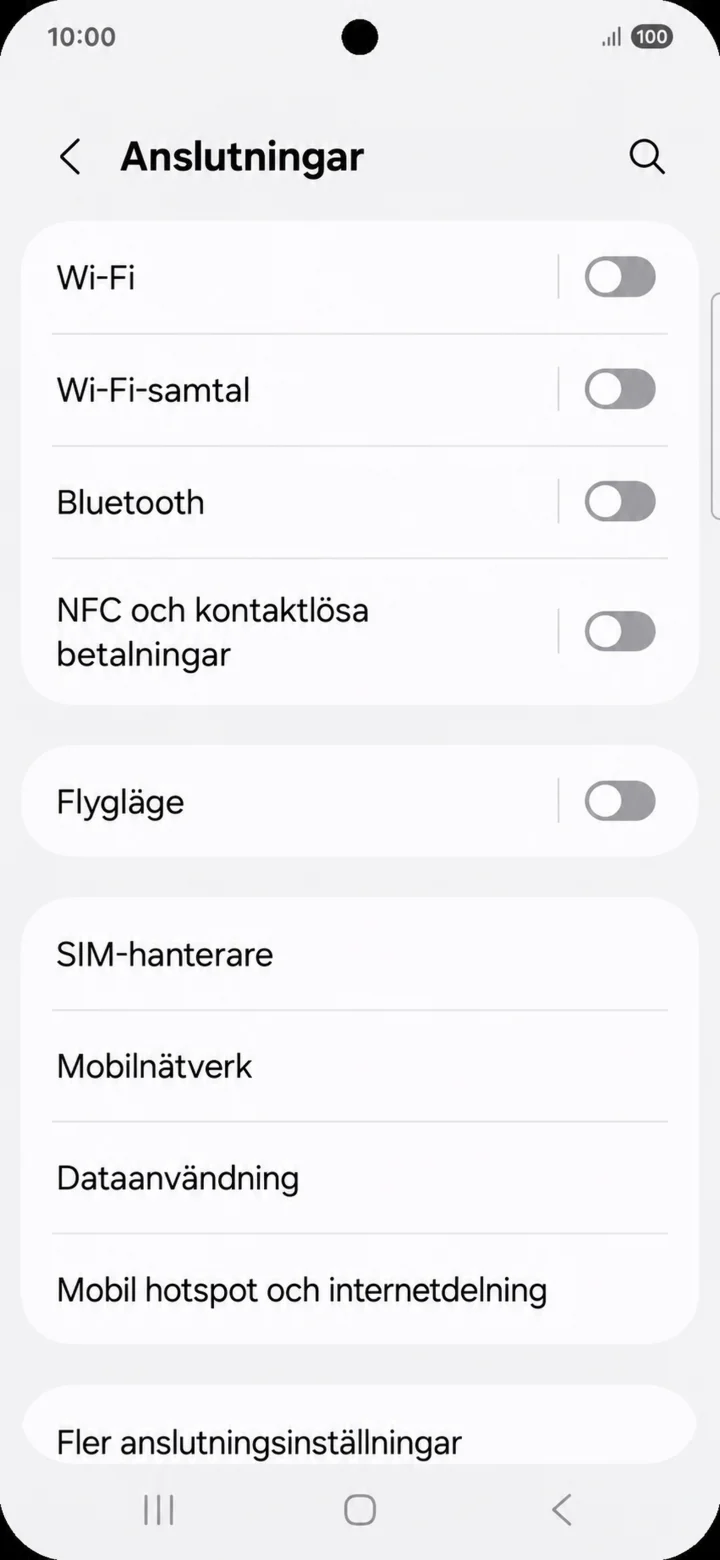 5Step 5 of 8 · Android
Tryck på Bluetooth.
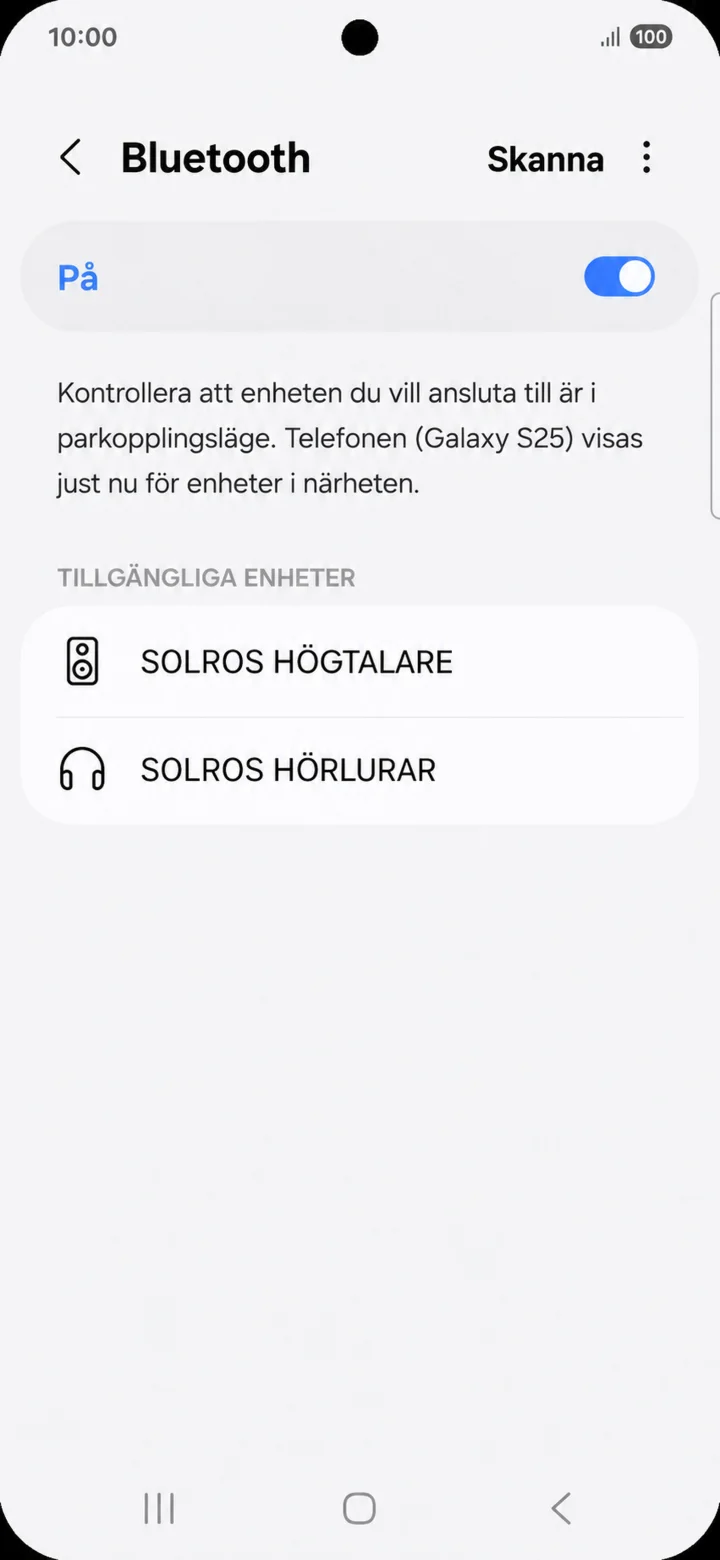 6Step 6 of 8 · Android
Check that Bluetooth is on. Tap on the name of your speaker or headphones.
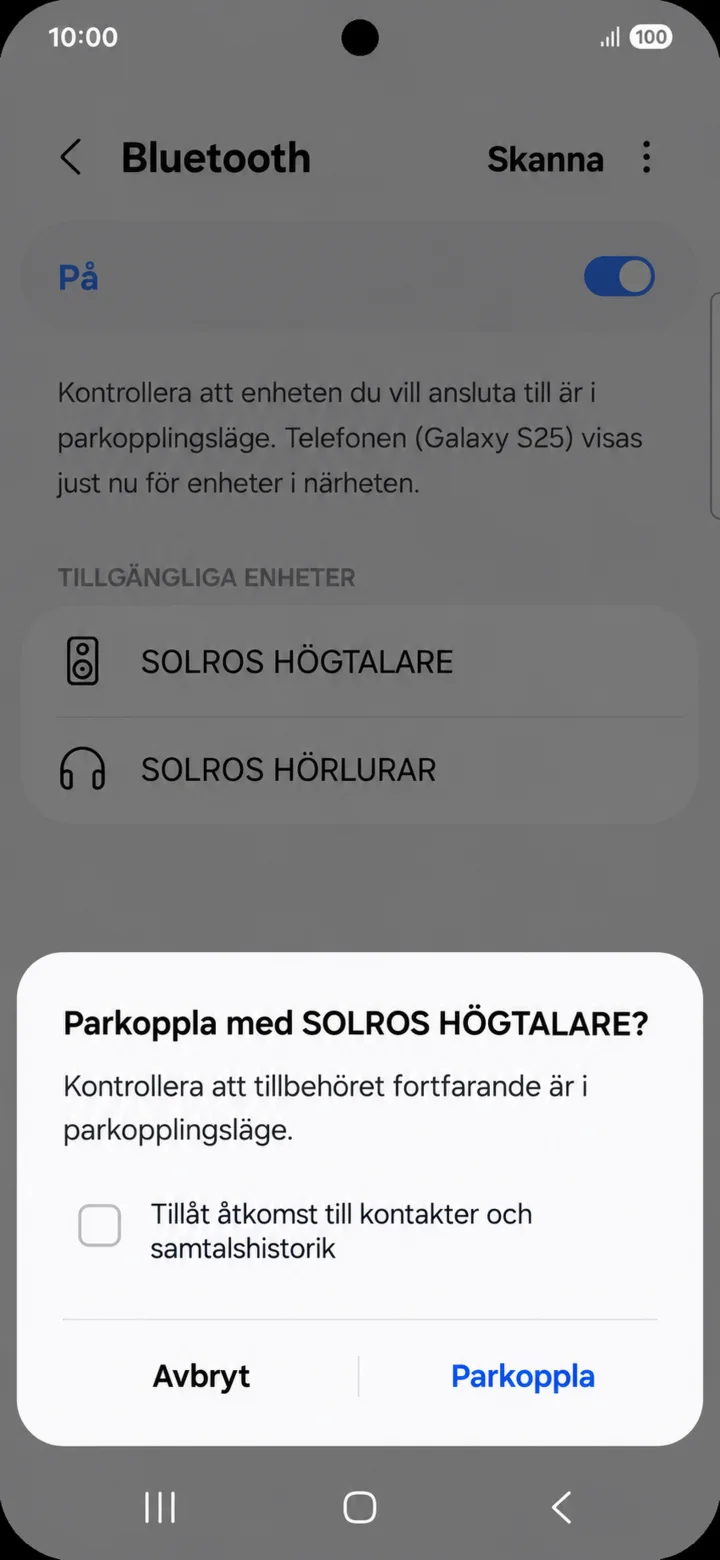 7Step 7 of 8 · Android
Check the name and tap on Parkoppla (Pair). Do not allow access to contacts if the accessory is only meant to play music.
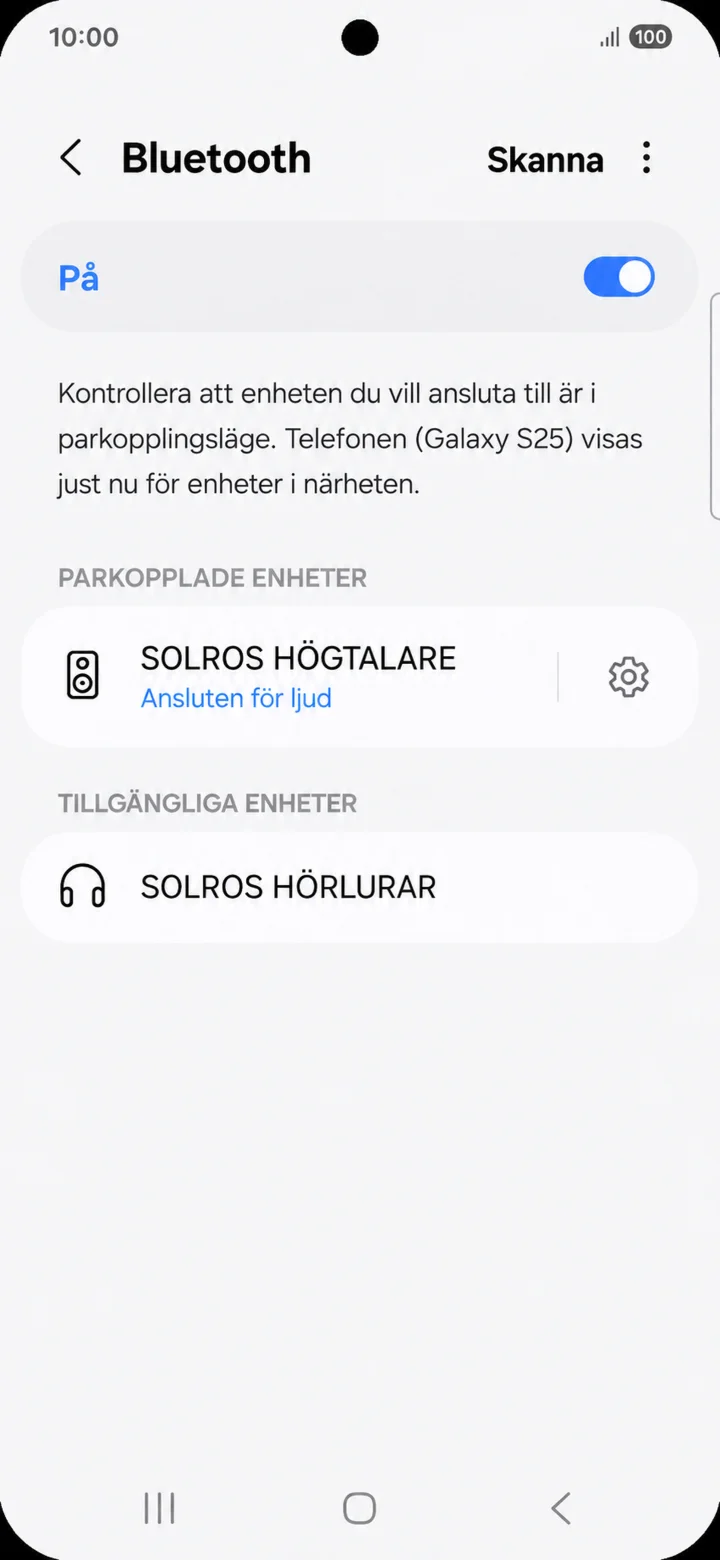 8Step 8 of 8 · Android
The text Ansluten för ljud (Connected for audio) shows that the accessory is ready to use.