Print the guide and keep it next to your phone while you do the steps.
Tip: untick “Headers and footers” in the print dialog to leave out the web address.
Download, install, and get started with SVT Play
Useful apps
 iPhone
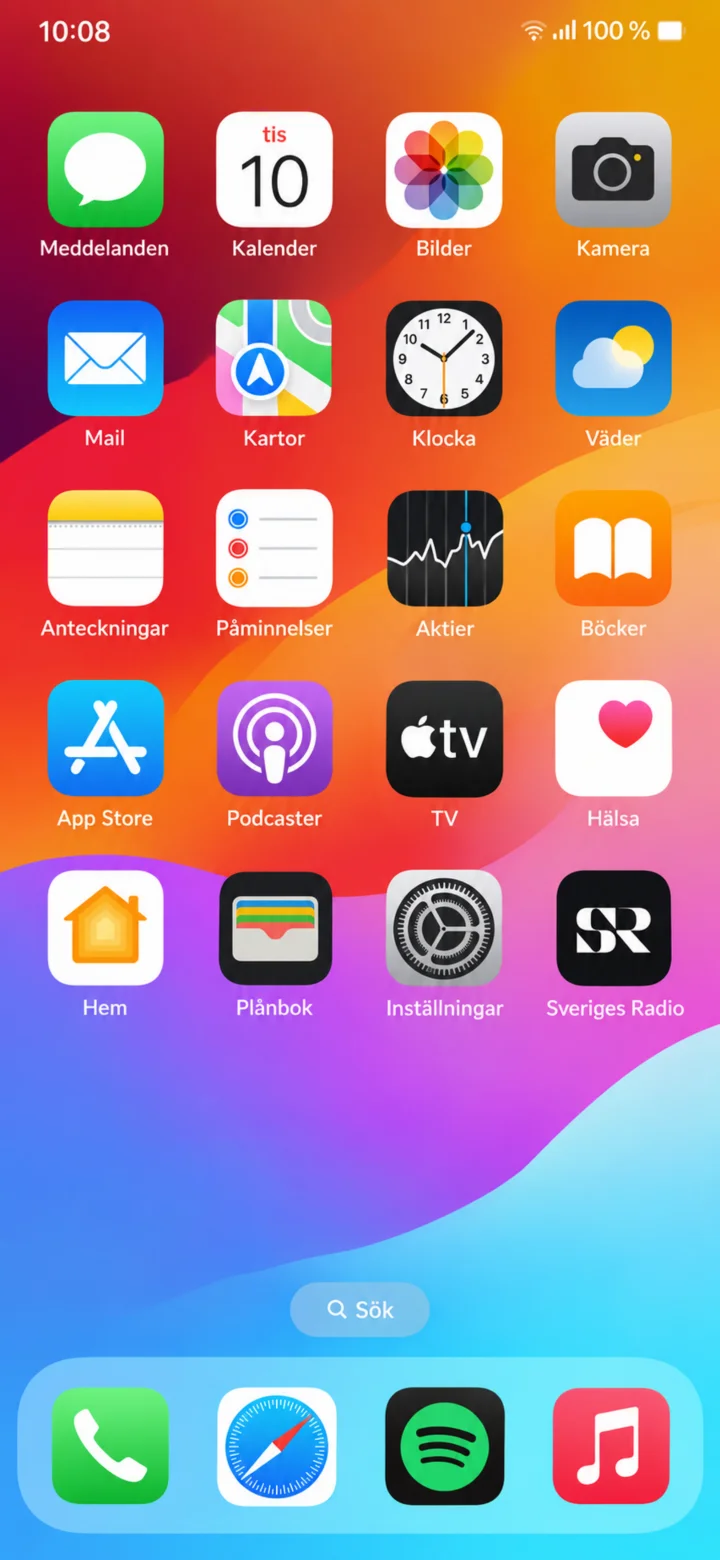 1Step 1 of 10 · iPhone
Start on the iPhone home screen. Tap App Store.
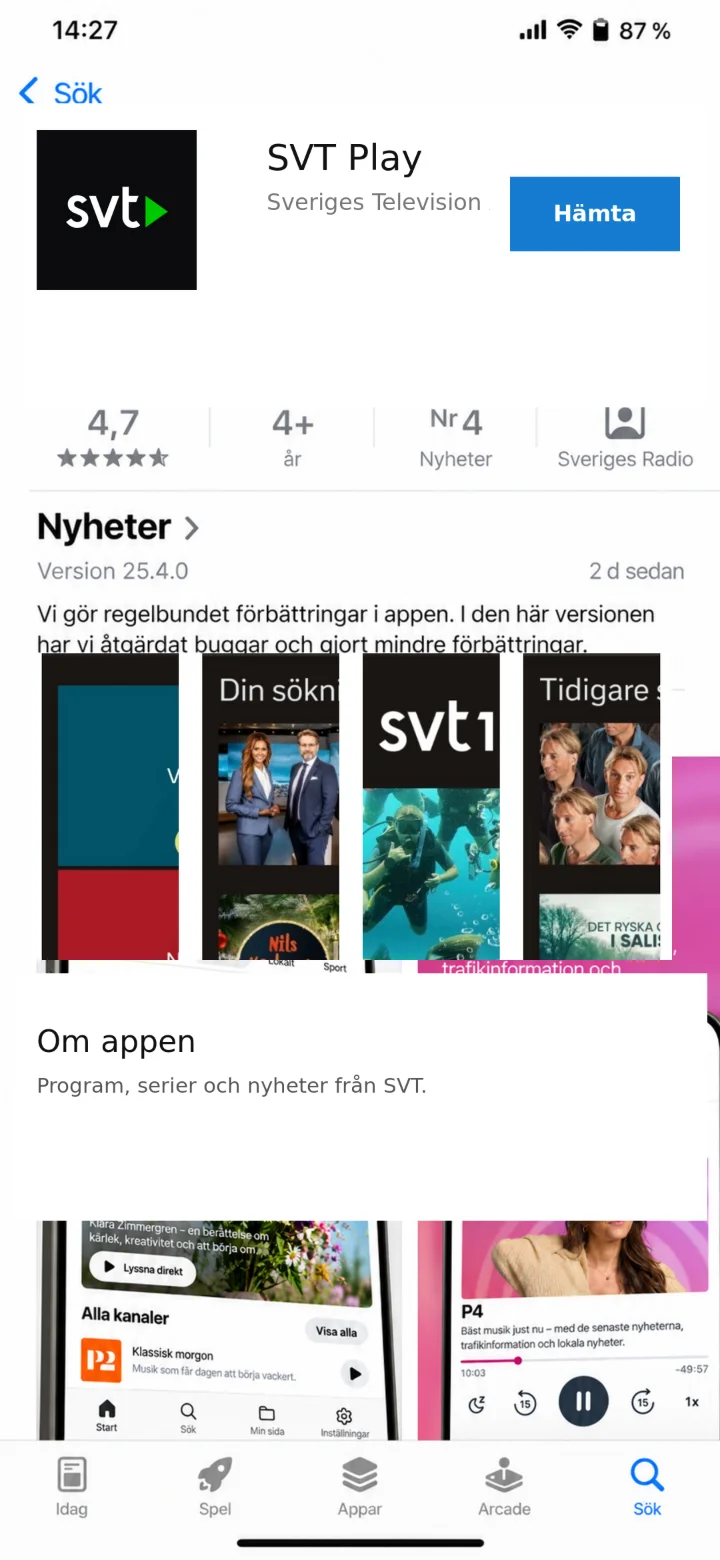 2Step 2 of 10 · iPhone
The app's page is displayed. Check that the app is called SVT Play and that the developer is Sveriges Television AB. Tap ”Hämta” (Get/Download).
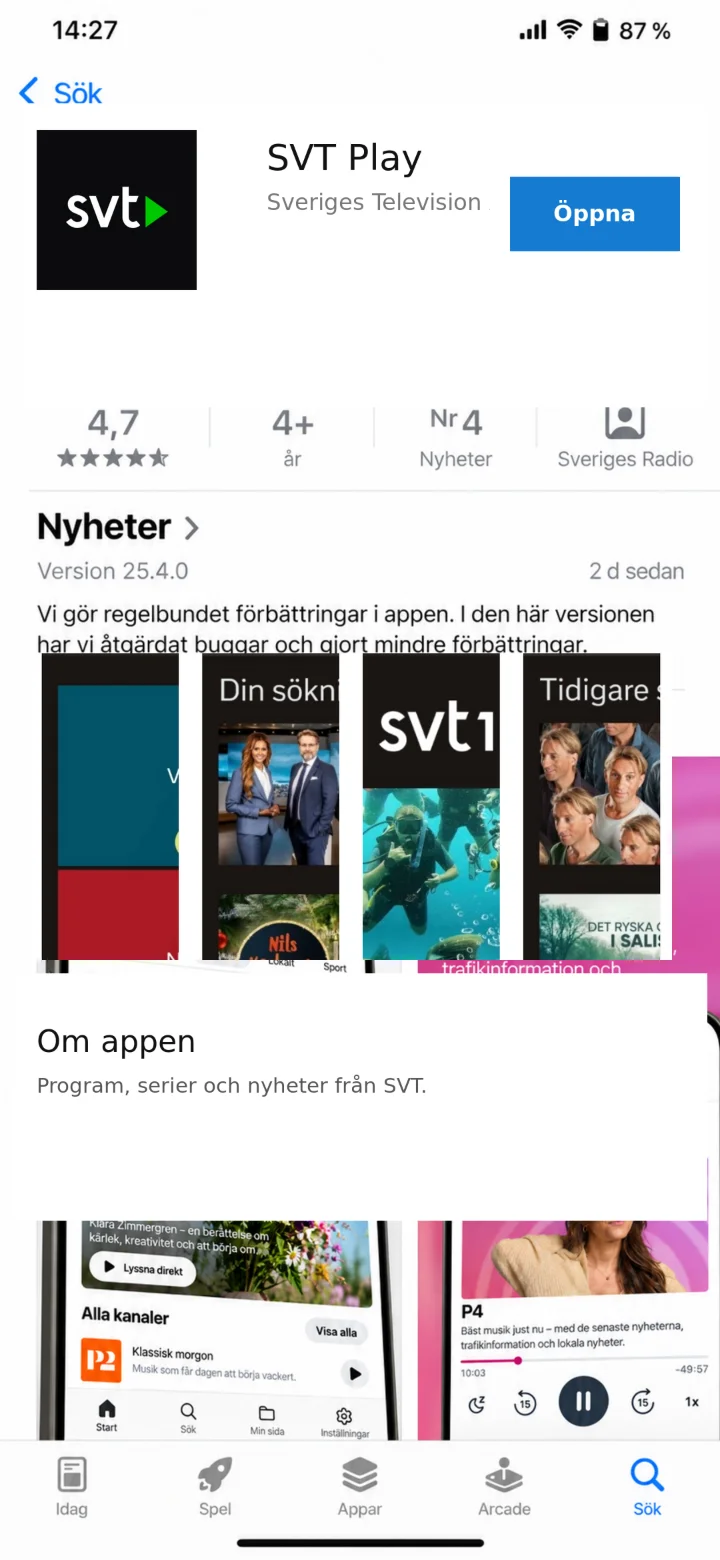 3Step 3 of 10 · iPhone
When the installation is complete, the button changes to ”Öppna” (Open). Tap ”Öppna” (Open).
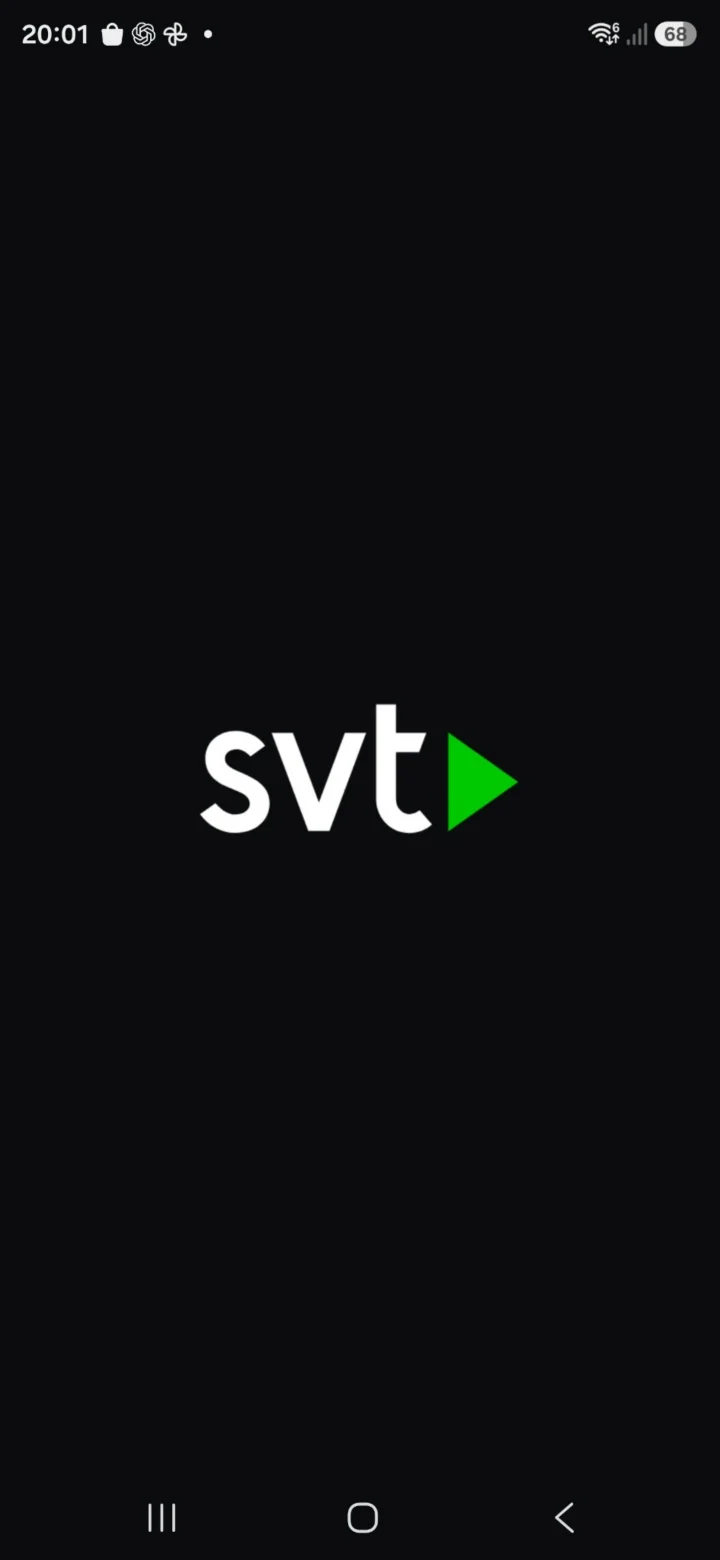 4Step 4 of 10 · iPhone
SVT Play starts. Wait a moment.
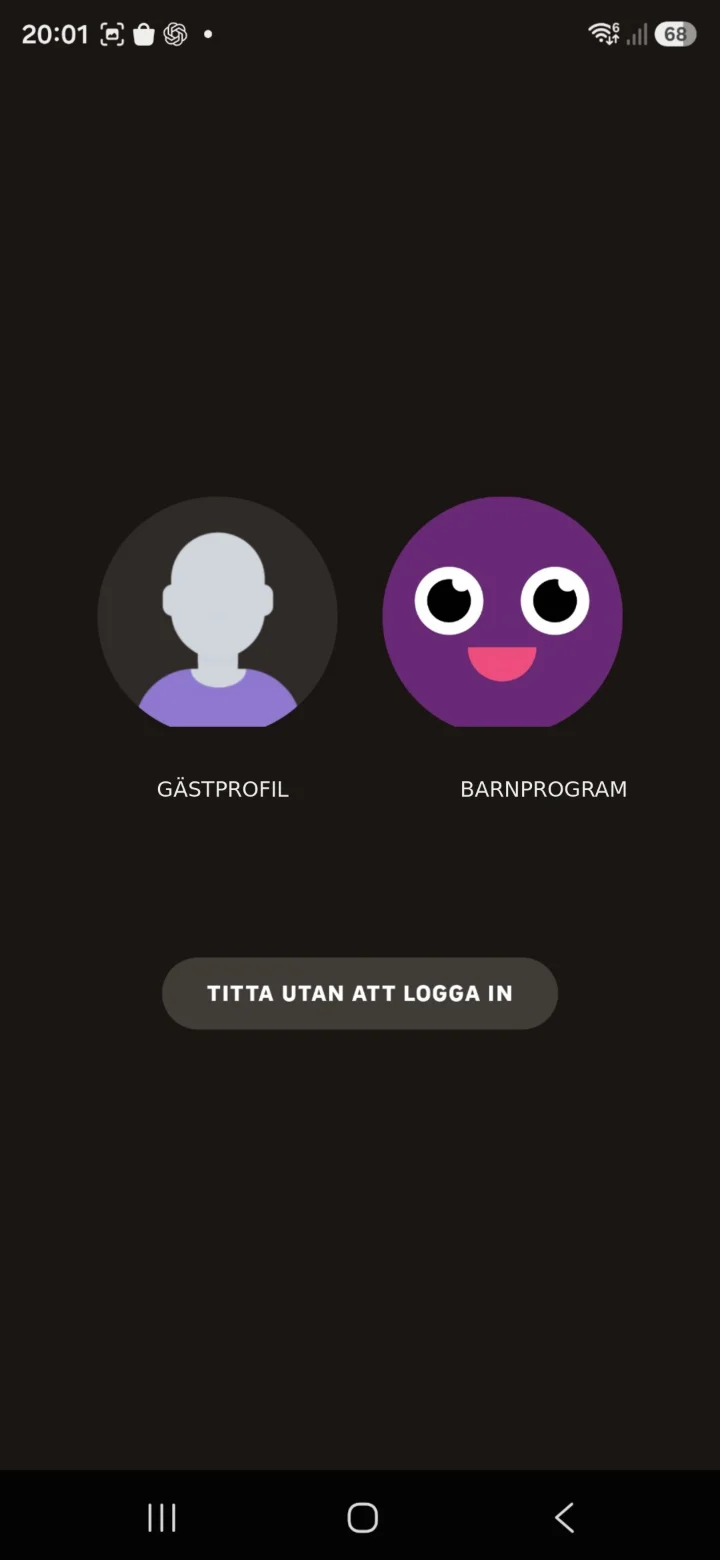 5Step 5 of 10 · iPhone
Choose a profile, or tap ”Titta utan att logga in” (Watch without logging in).
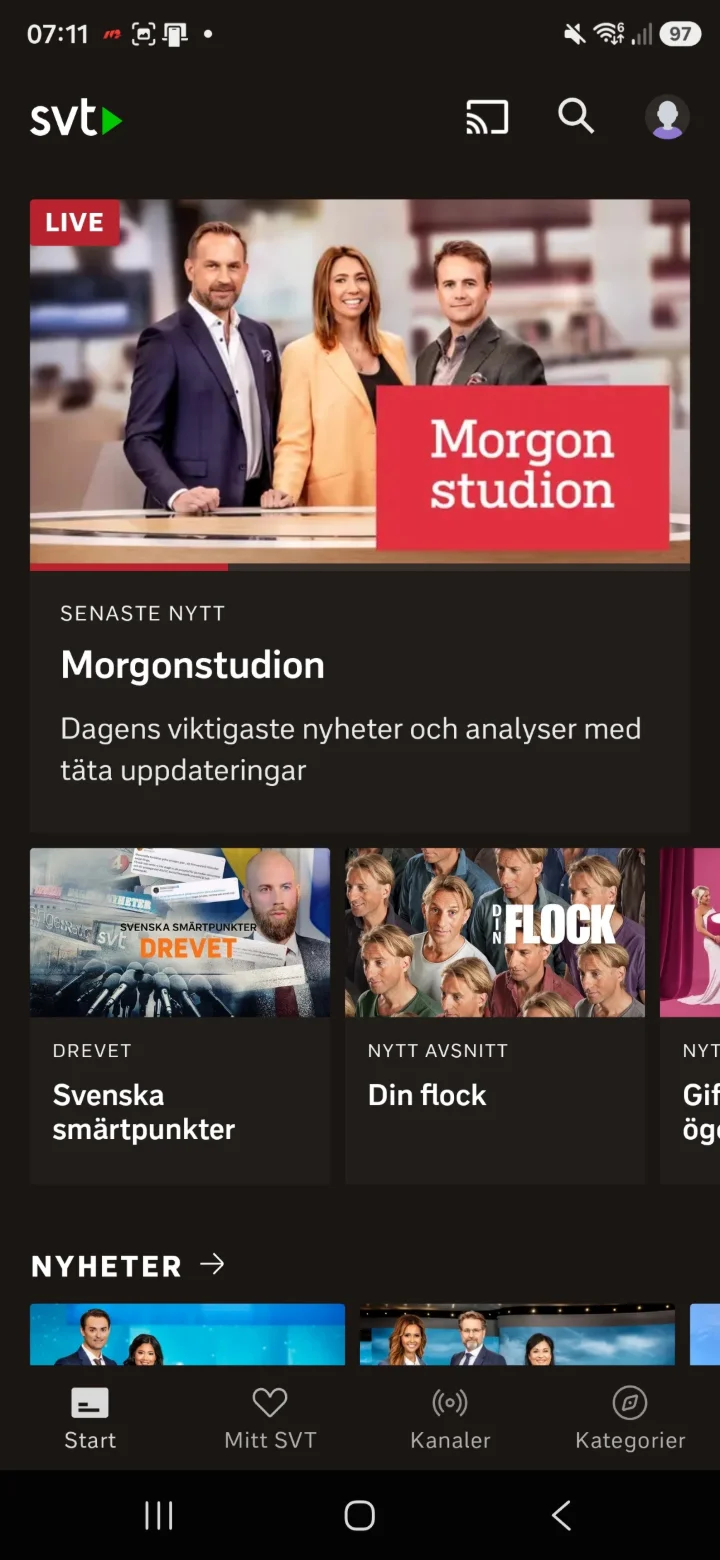 6Step 6 of 10 · iPhone
Now you are on the home page. Here you can scroll and tap on the clips you want to watch.
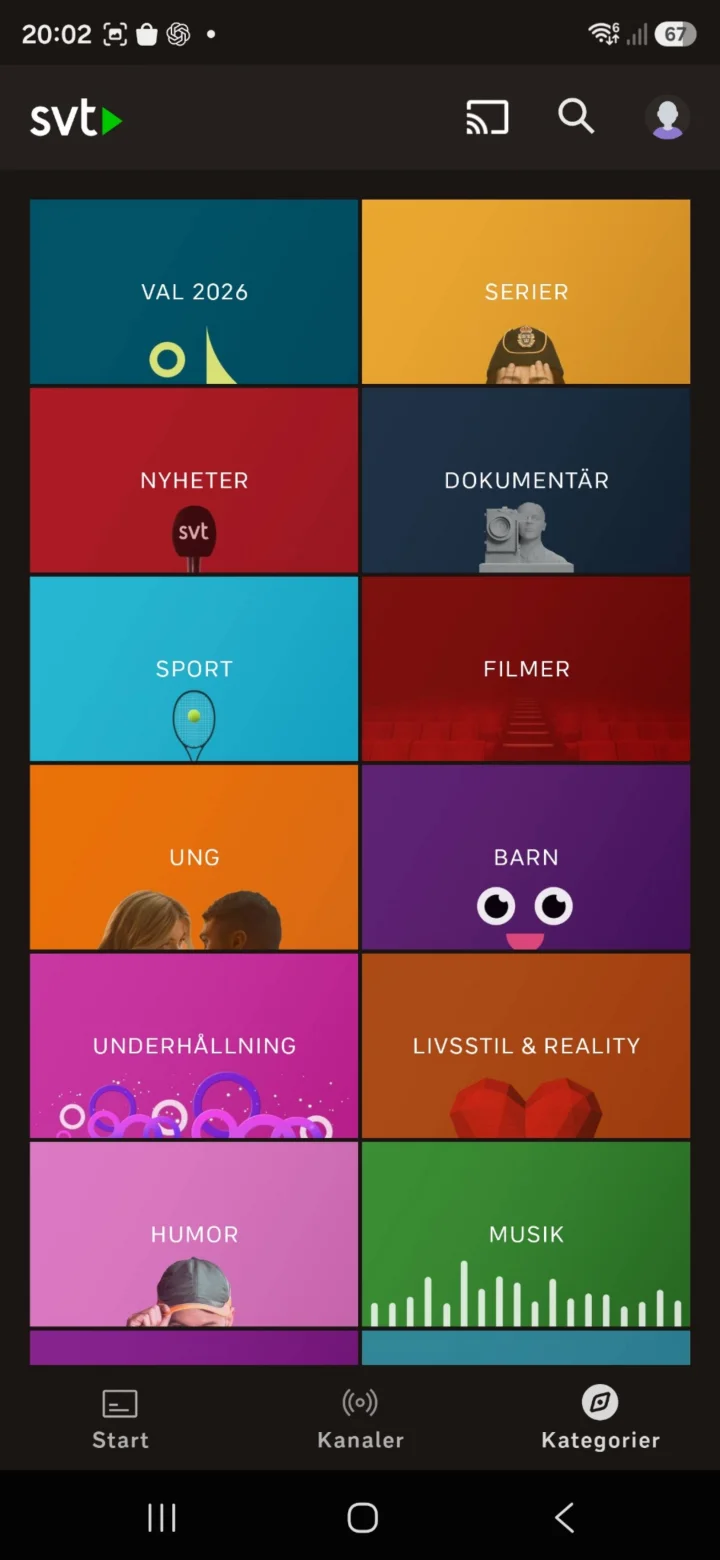 7Step 7 of 10 · iPhone
When you tap ”Kategorier” (Categories), you will end up here and can look for the categories you want to watch.
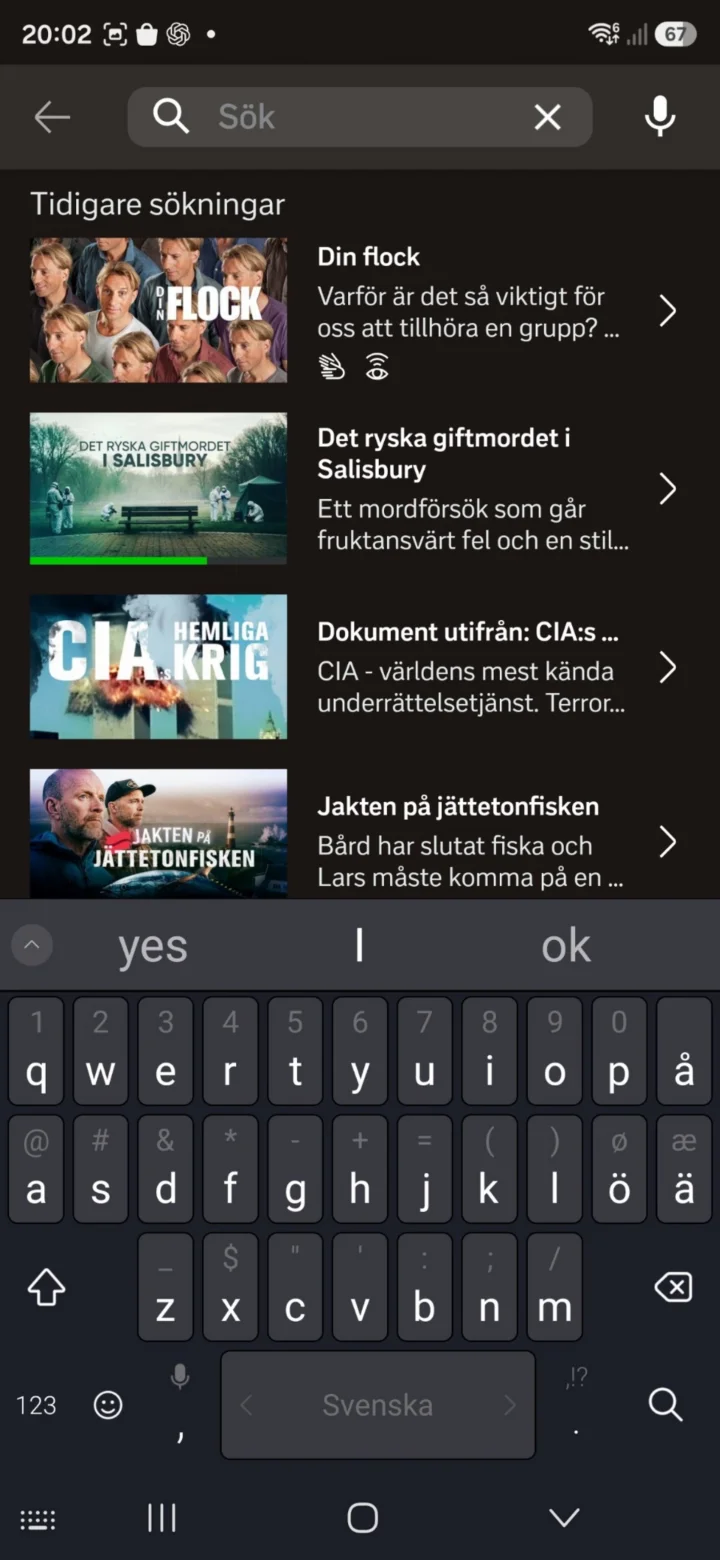 8Step 8 of 10 · iPhone
Tap the magnifying glass to search for a program.
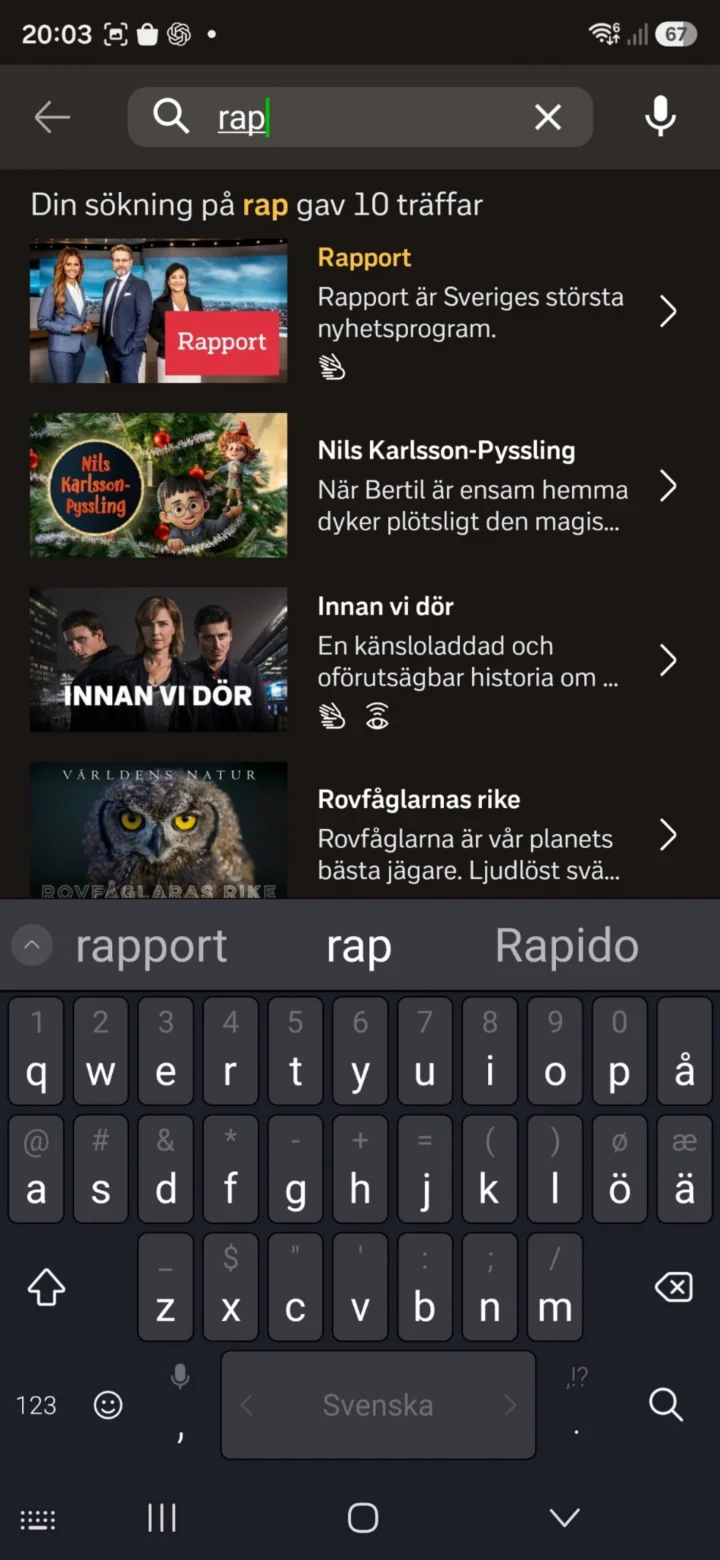 9Step 9 of 10 · iPhone
Type the program's name and choose a program from the search results, for example Rapport.
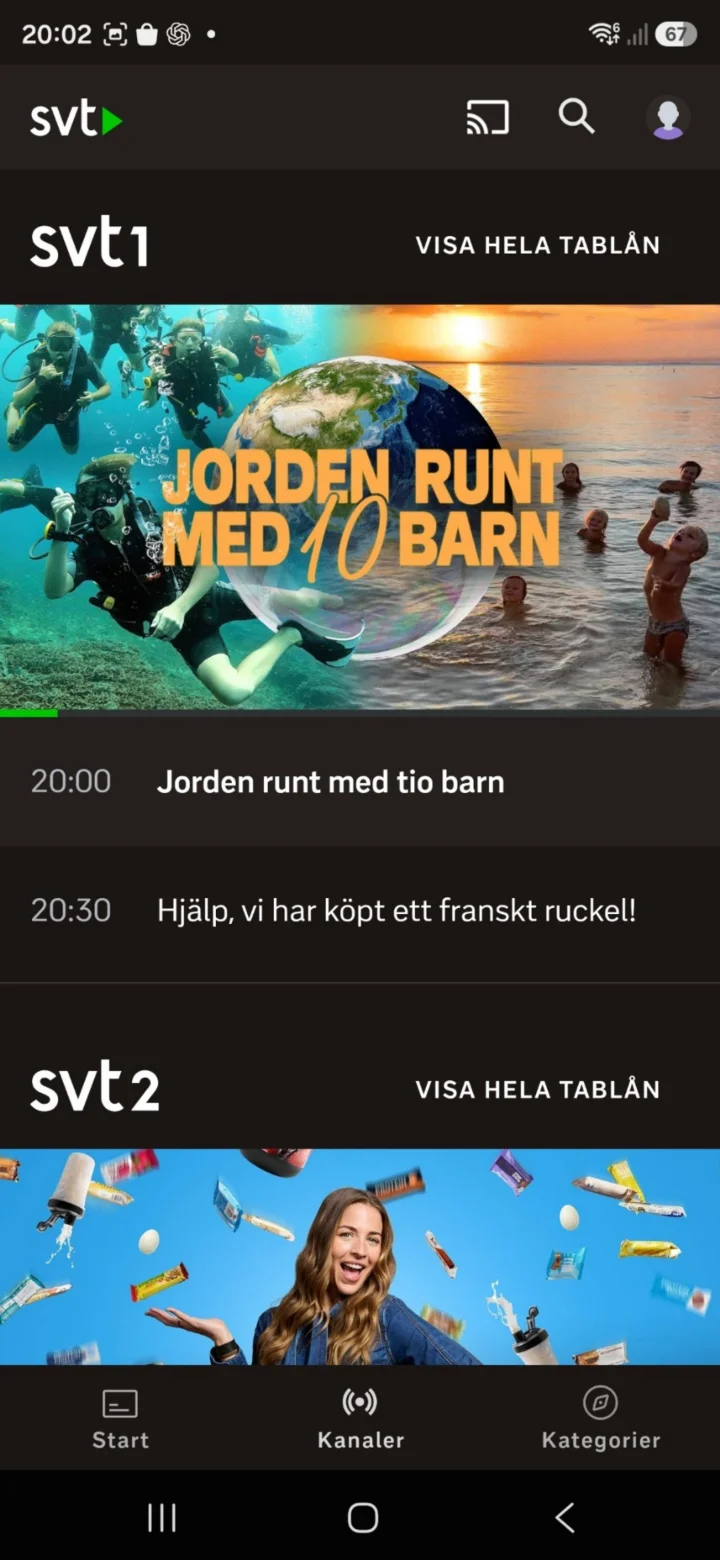 10Step 10 of 10 · iPhone
Tap ”Kanaler” (Channels) if you want to see what is being broadcast on SVT1 and SVT2.