Print the guide and keep it next to your phone while you do the steps.
Tip: untick “Headers and footers” in the print dialog to leave out the web address.
Which language should the printout be in?SvenskaEnglishSuomiالعربية (Arabiska)Bosanski/Hrvatski/Srpskiفارسی (Persiska)PolskiEspañol
Adjust the ringtone volume
Mobile phone and tablet
 iPhone
Scan to listen to the guide
 1Step 1 of 5 · iPhone
Now we're going to turn your phone's ringtone volume up or down.
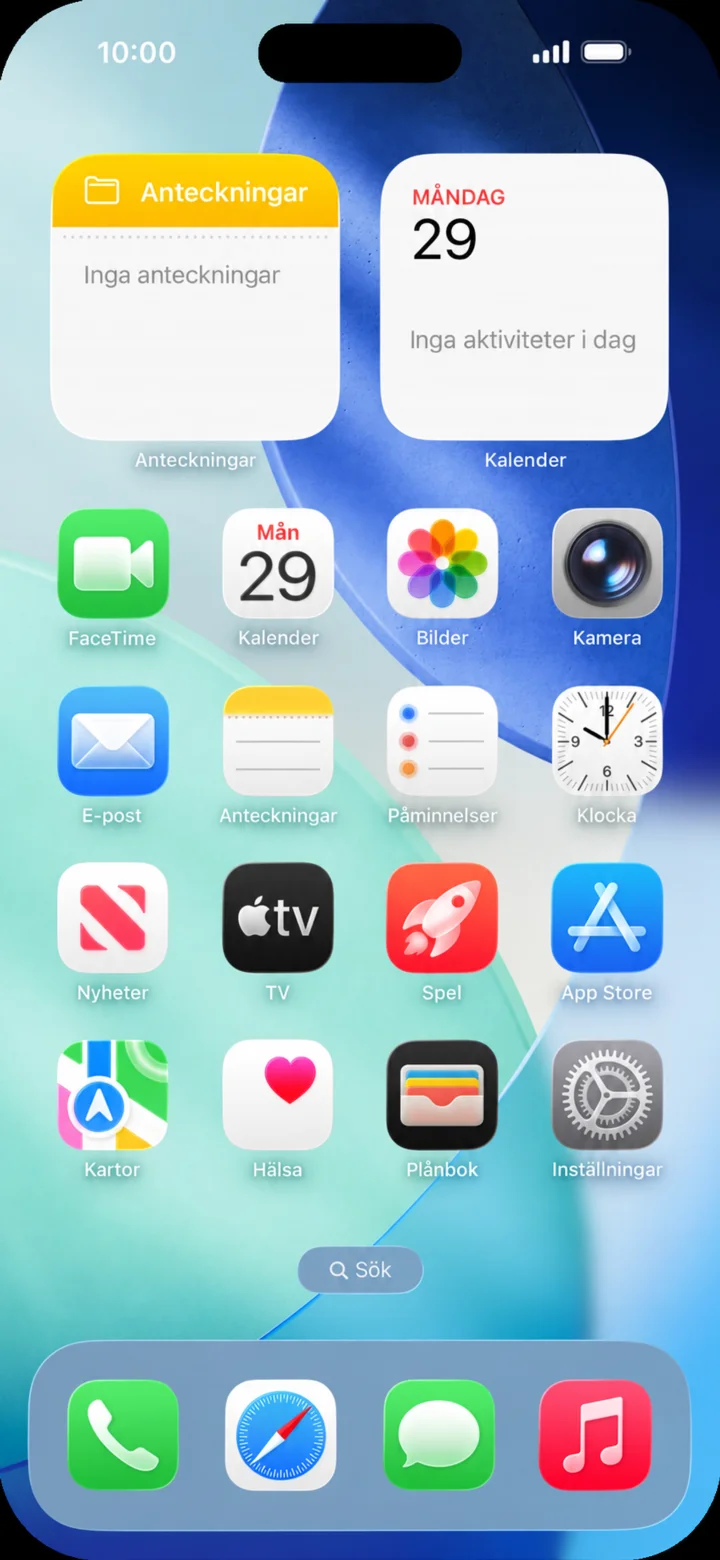 2Step 2 of 5 · iPhone
Börja på hemskärmen och tryck på Inställningar.
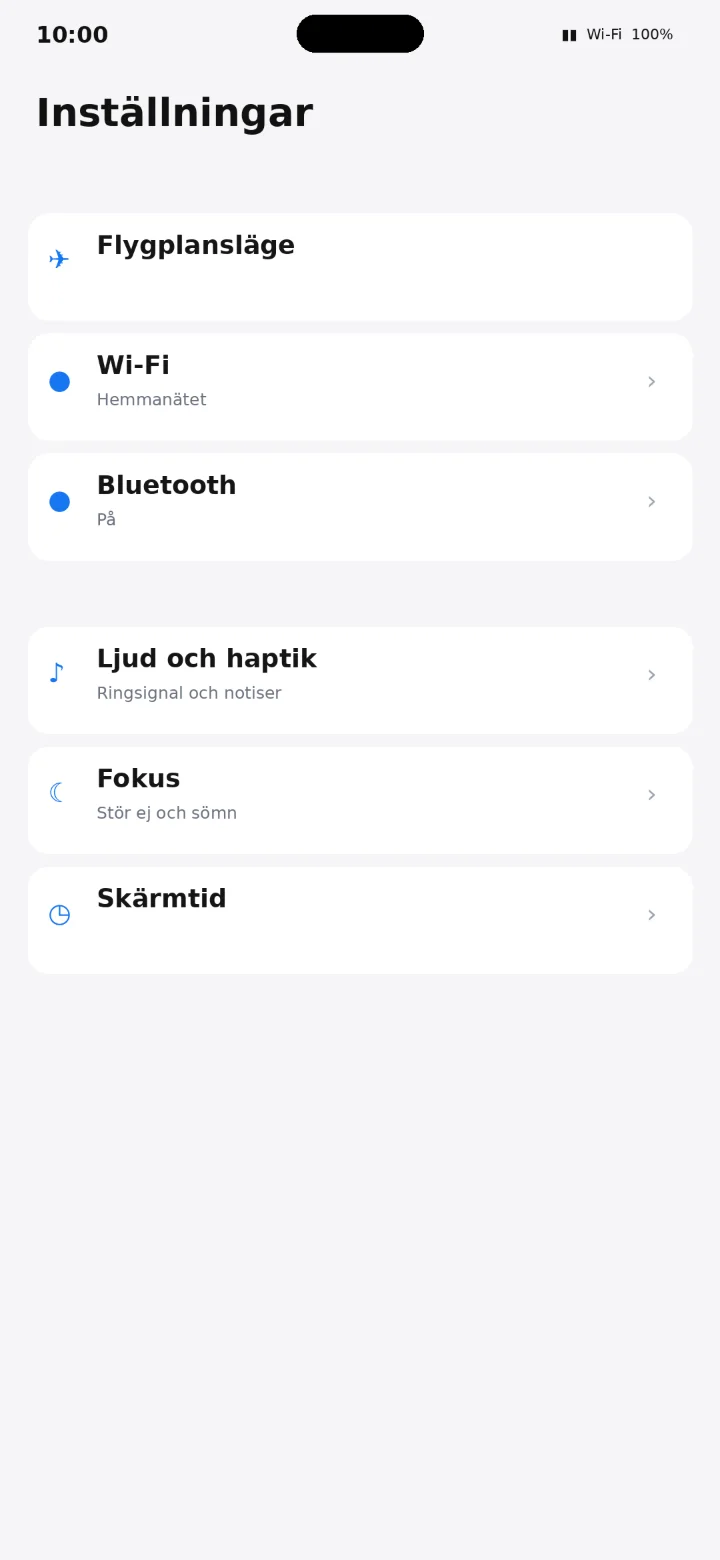 3Step 3 of 5 · iPhone
Tap on Ljud och haptik (Sound & Haptics).
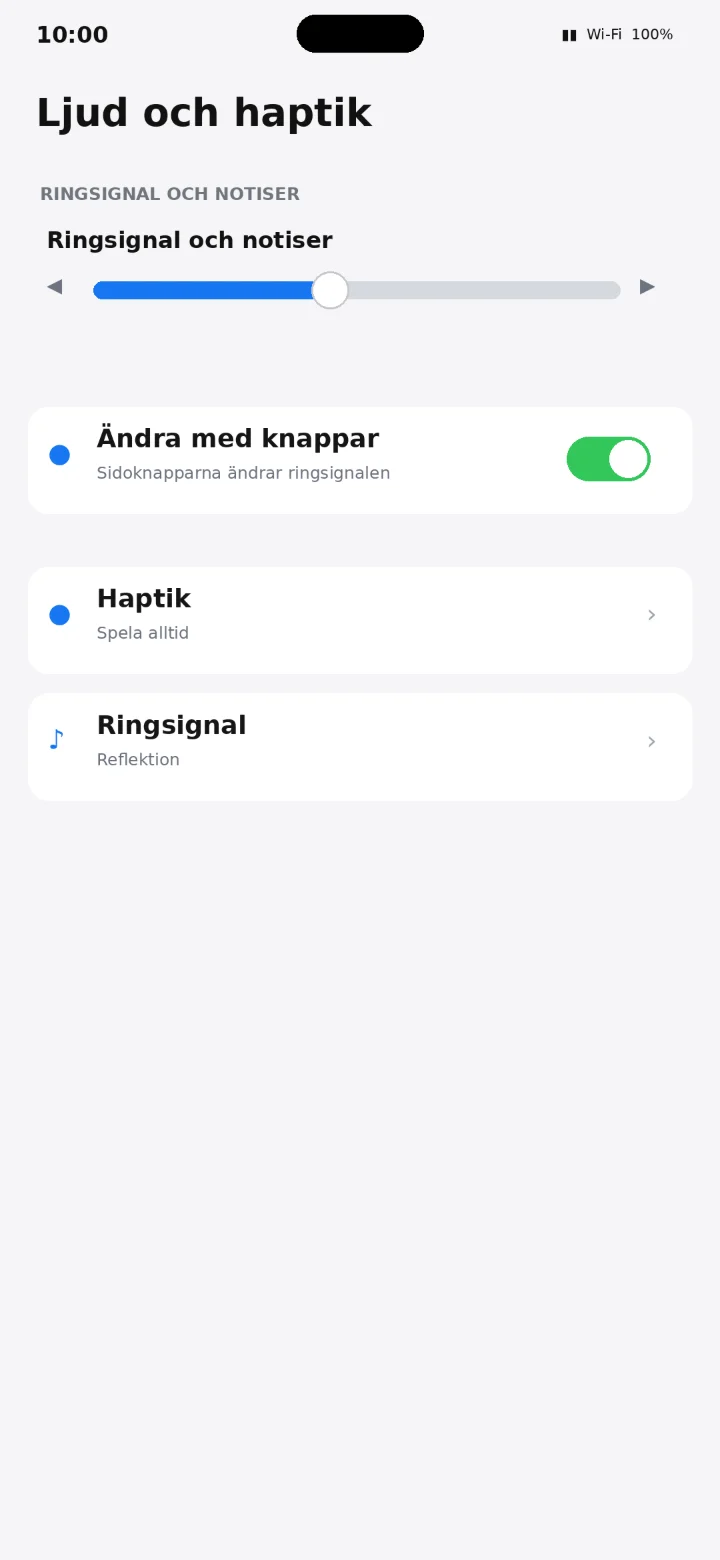 4Step 4 of 5 · iPhone
Drag the slider for Ringsignal och notiser (Ringtone and Notifications) to the right for louder sound or to the left for quieter sound.
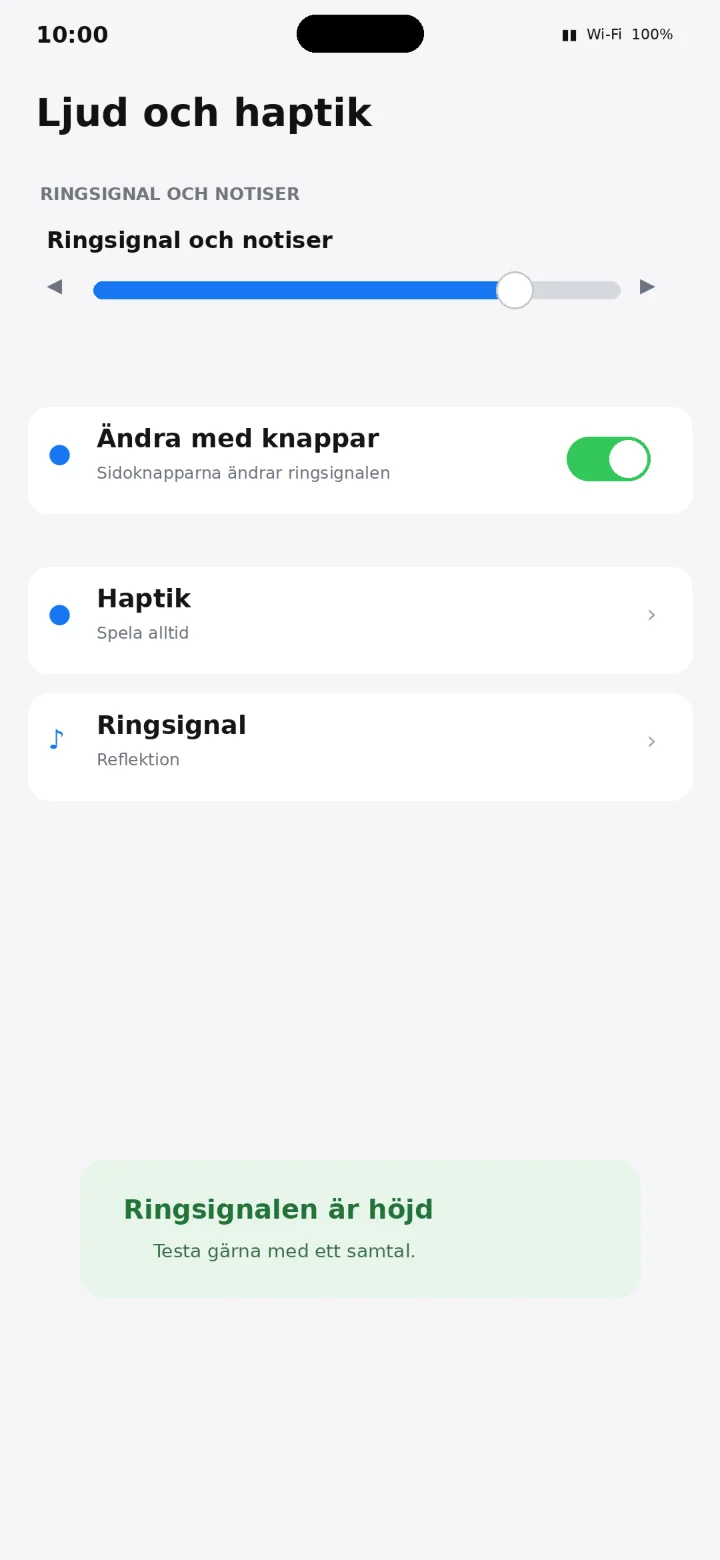 5Step 5 of 5 · iPhone
Drag the slider to adjust the volume. You can ask someone to call you to test the sound level.