Print the guide and keep it next to your phone while you do the steps.
Tip: untick “Headers and footers” in the print dialog to leave out the web address.
Install Aimo and start a parking session
Local useful apps
 Android
 1Step 1 of 12 · Android
In this guide, we'll install the Aimo app, create an account, and start a parking session.
 2Step 2 of 12 · Android
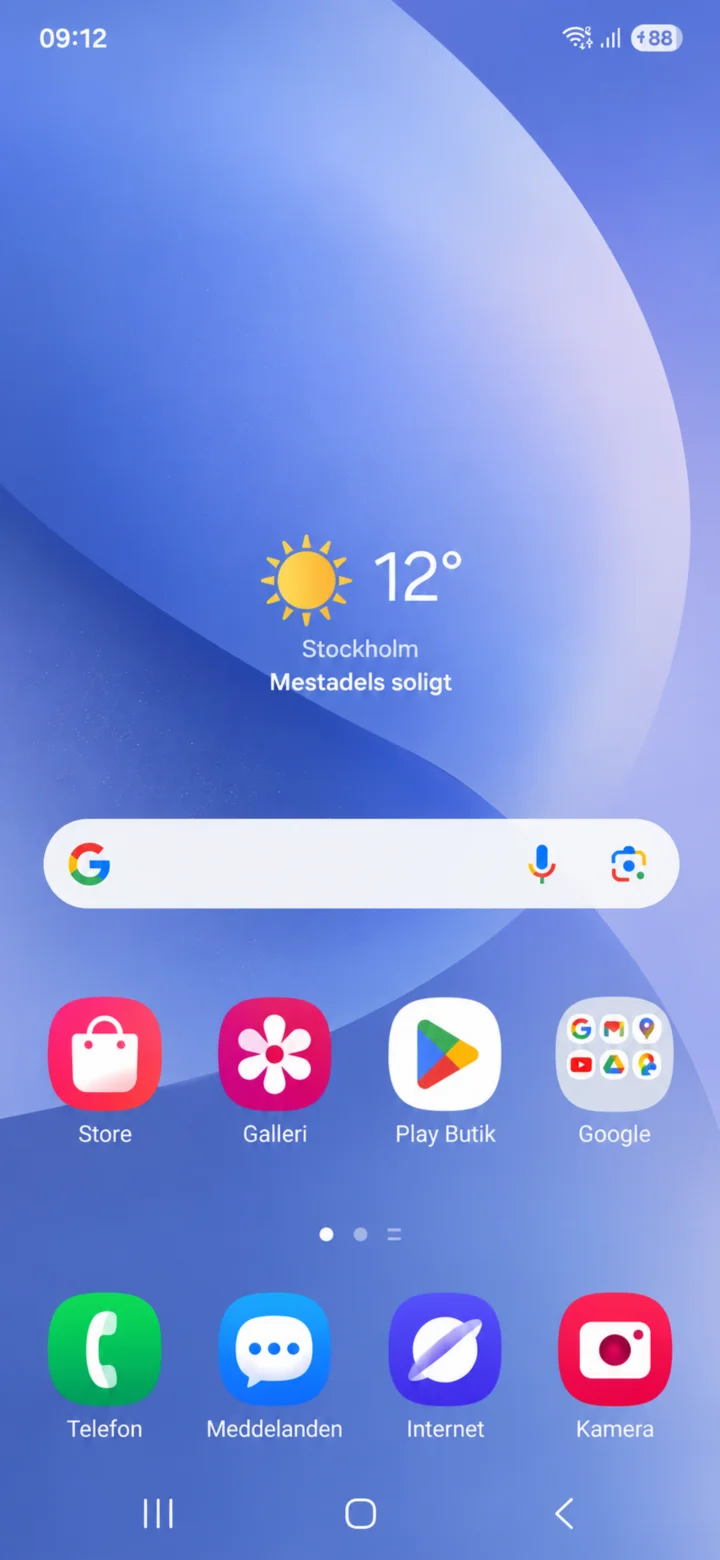
Let's start on your home screen. Tap on Play Butik.
 3Step 3 of 12 · Android
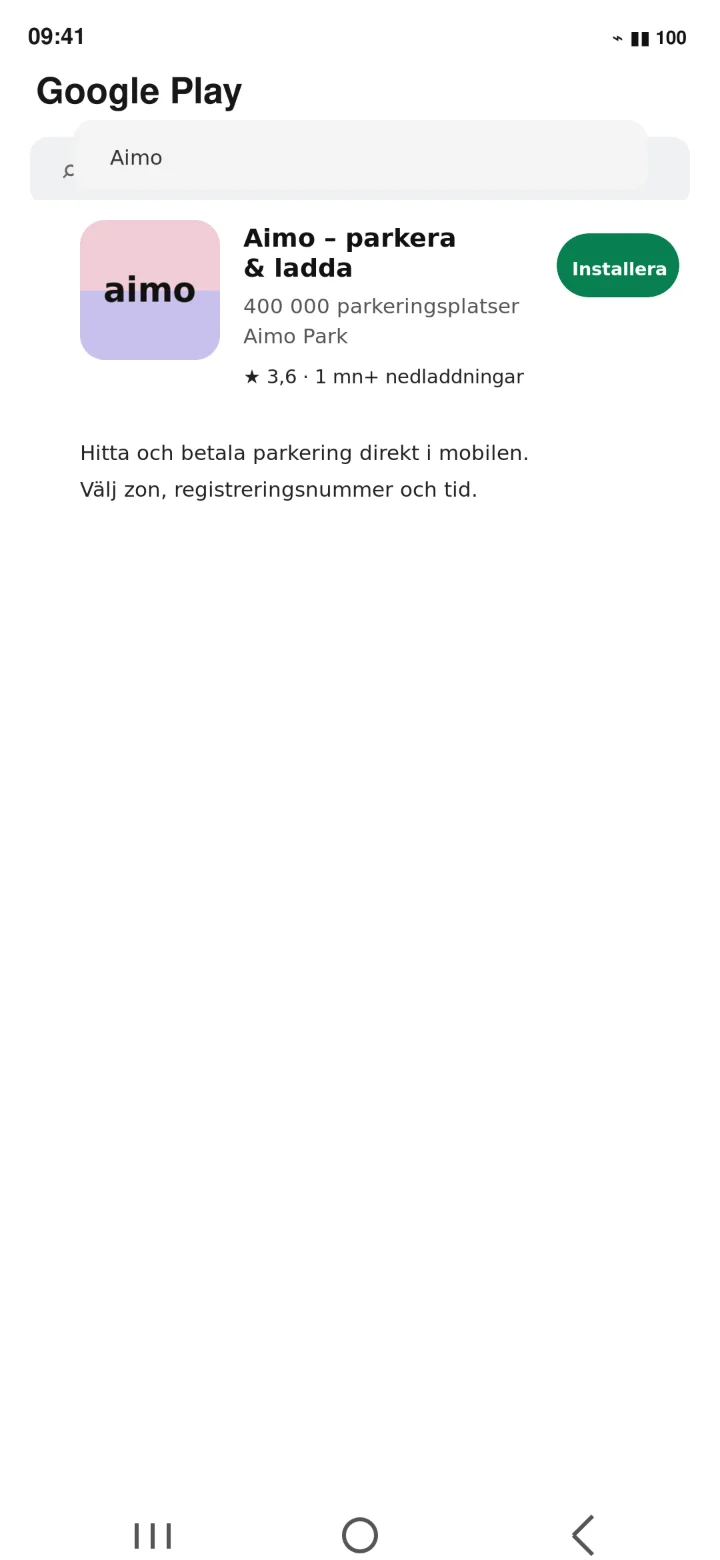
Search for Aimo – parkera och ladda. Double-check the name, then tap ”Installera” (Install).
 4Step 4 of 12 · Android
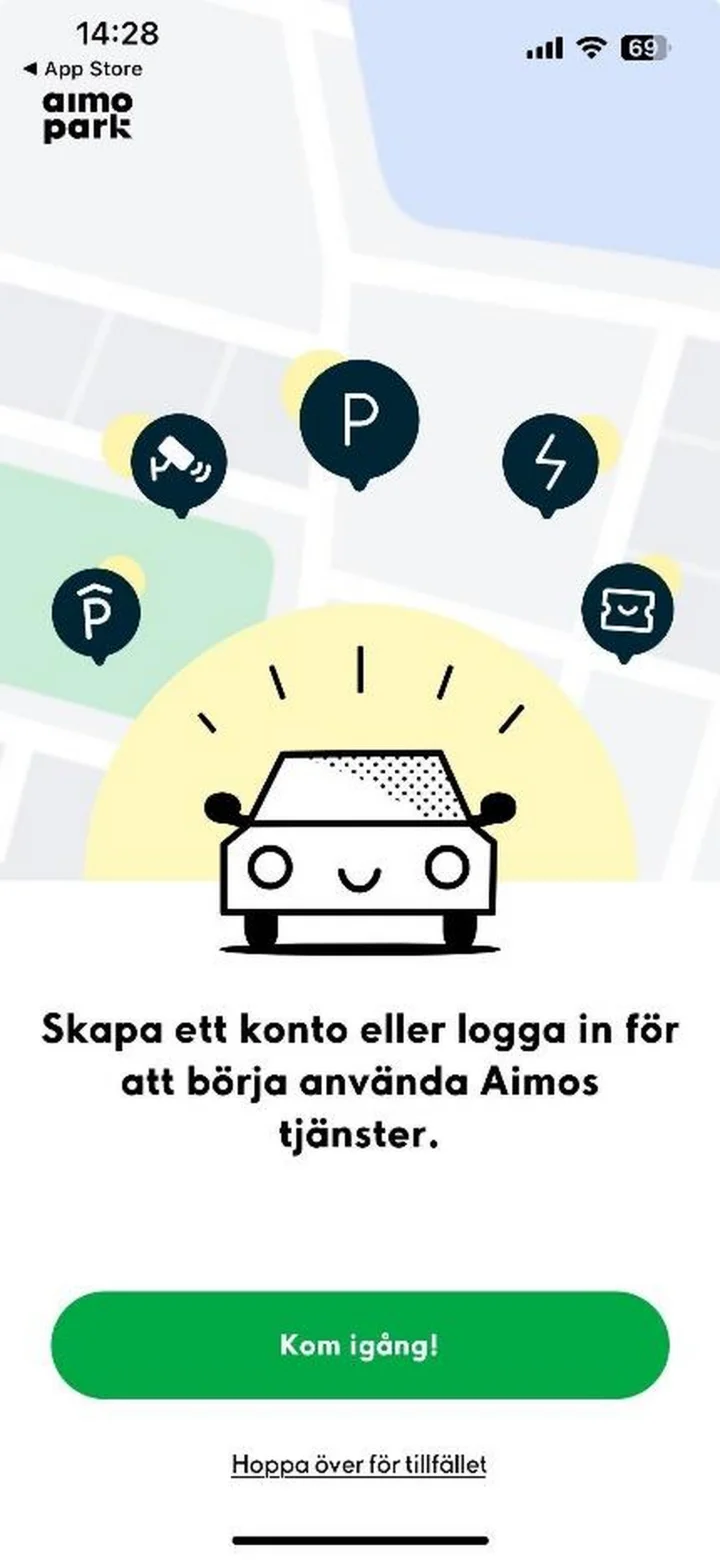
Open Aimo. If you don't have an account yet, tap ”Kom igång” (Get started).
 5Step 5 of 12 · Android
Choose how you'd like to create your account. You can also type in your email address and tap ”Fortsätt” (Continue).
 6Step 6 of 12 · Android
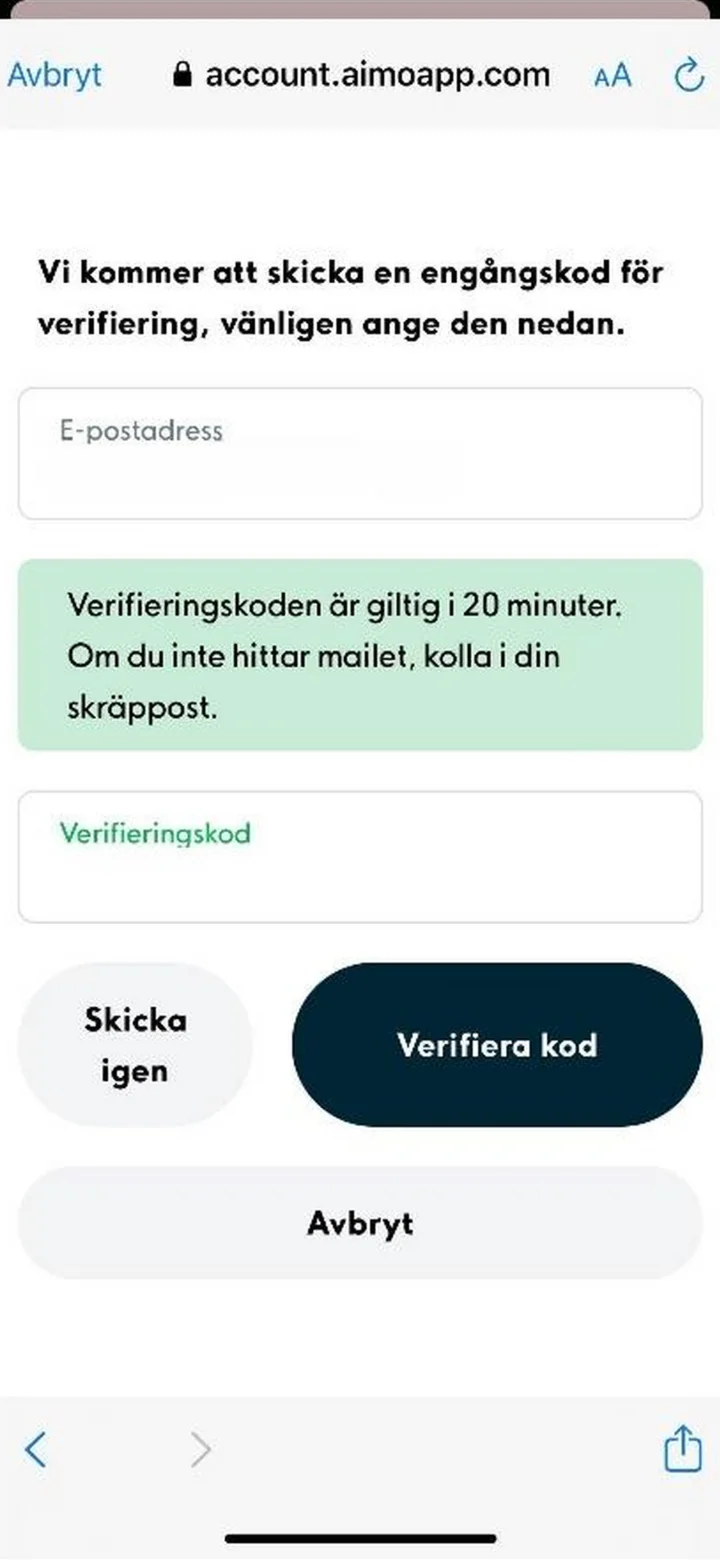
Enter the one-time code that was sent to your email, then tap ”Verifiera kod” (Verify code).
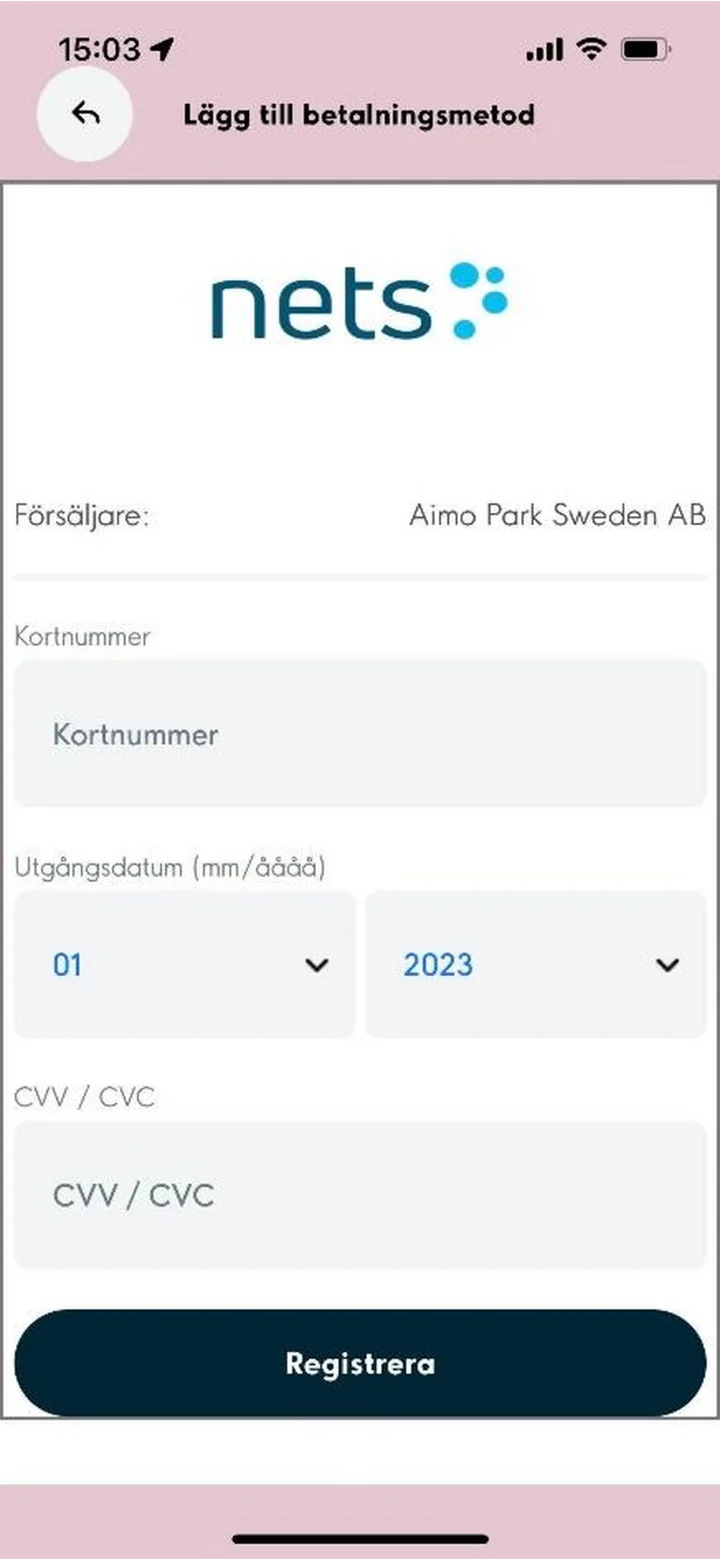 7Step 7 of 12 · Android
Now, add a payment method. Please check all the details carefully before you register your card.
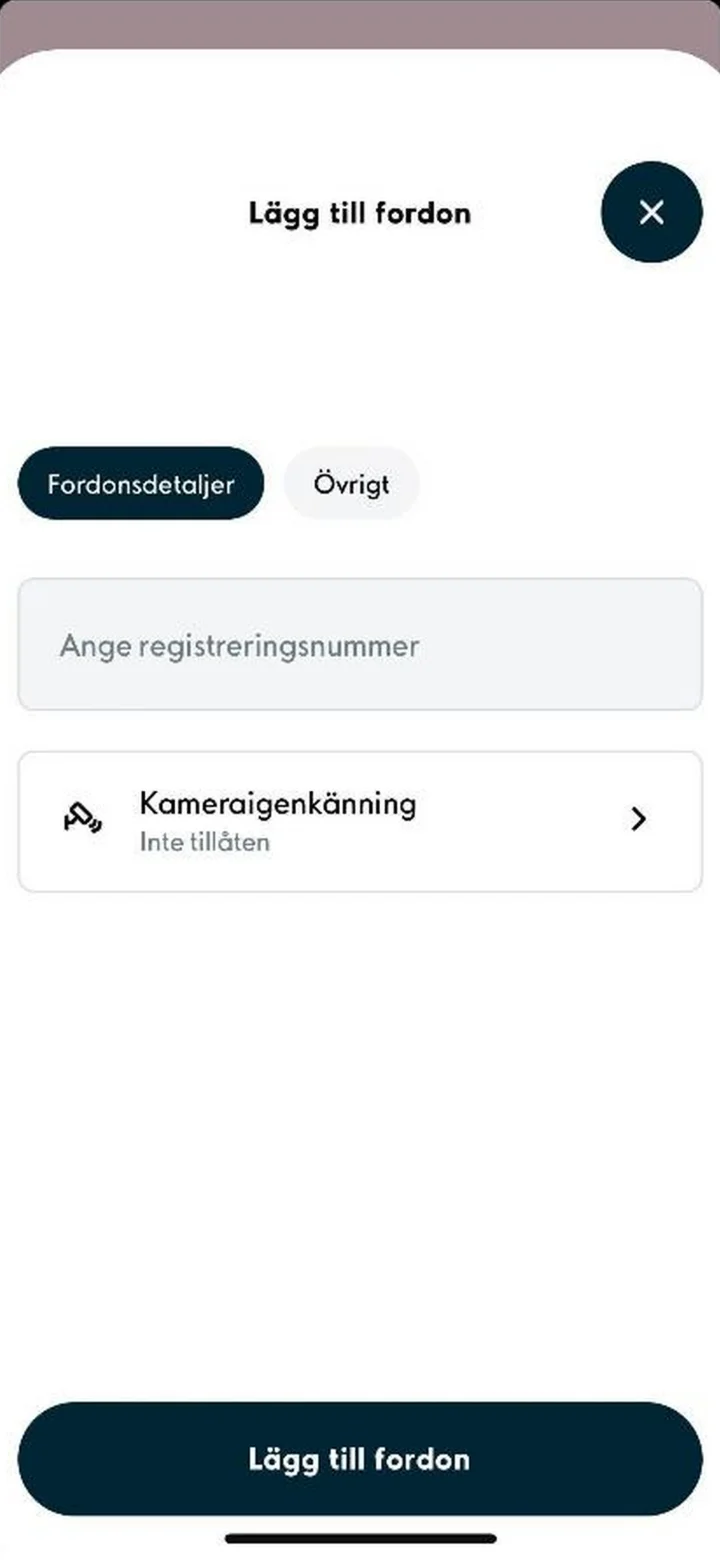 8Step 8 of 12 · Android
Add your car by typing in its license plate number. Then tap ”Lägg till fordon” (Add vehicle).
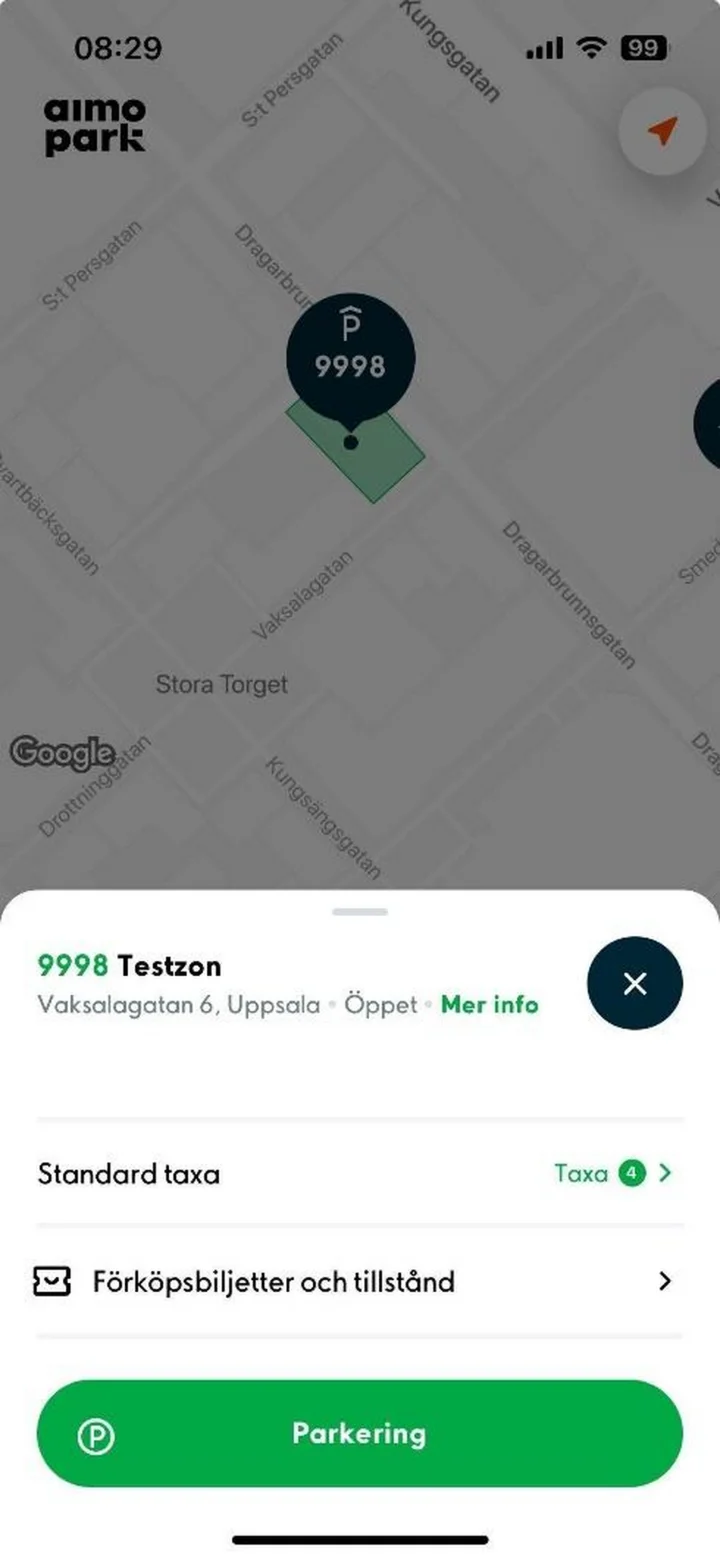 9Step 9 of 12 · Android
Choose the correct parking zone. Always compare the zone code in the app with the sign where your car is parked.
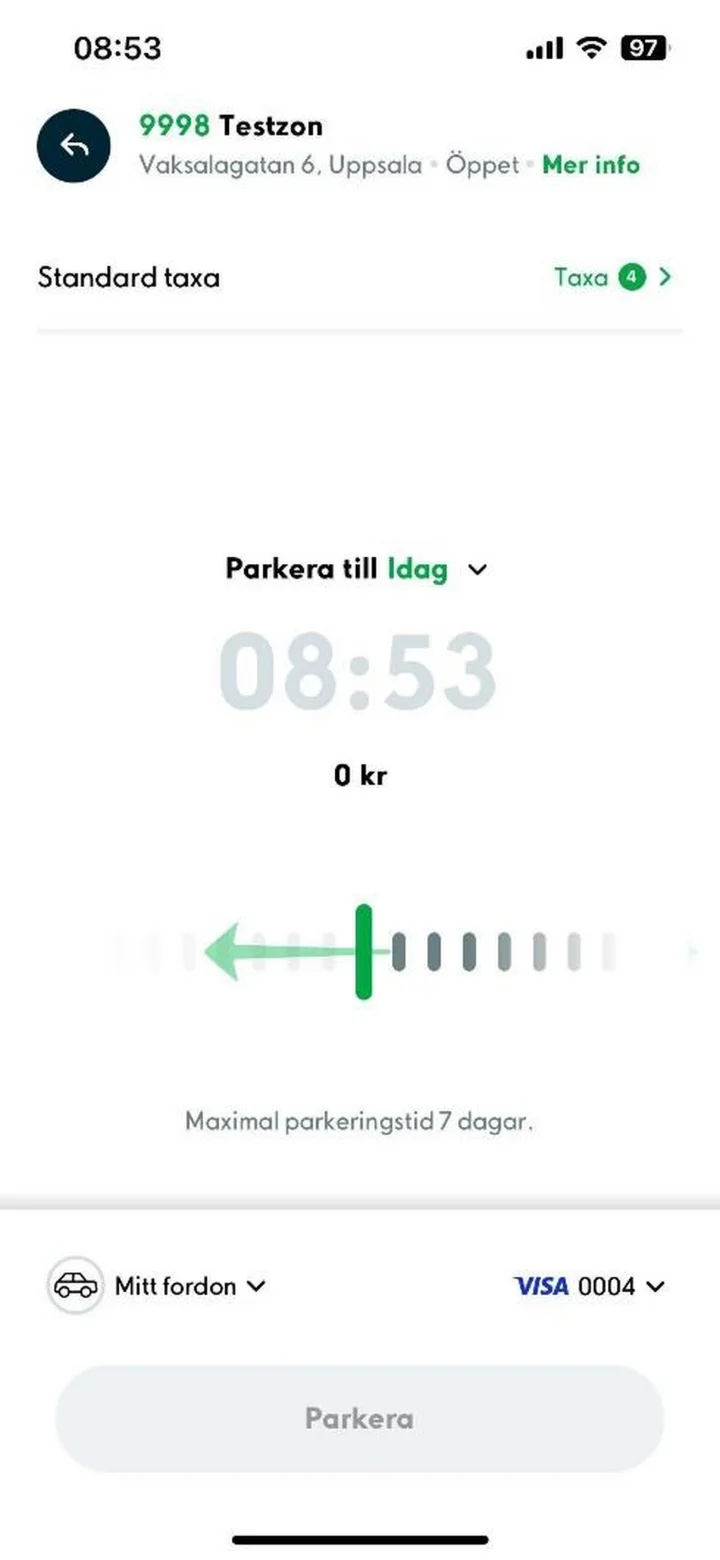 10Step 10 of 12 · Android
Choose your parking time and double-check your car and payment method. When everything looks right, tap ”Parkera” (Park).
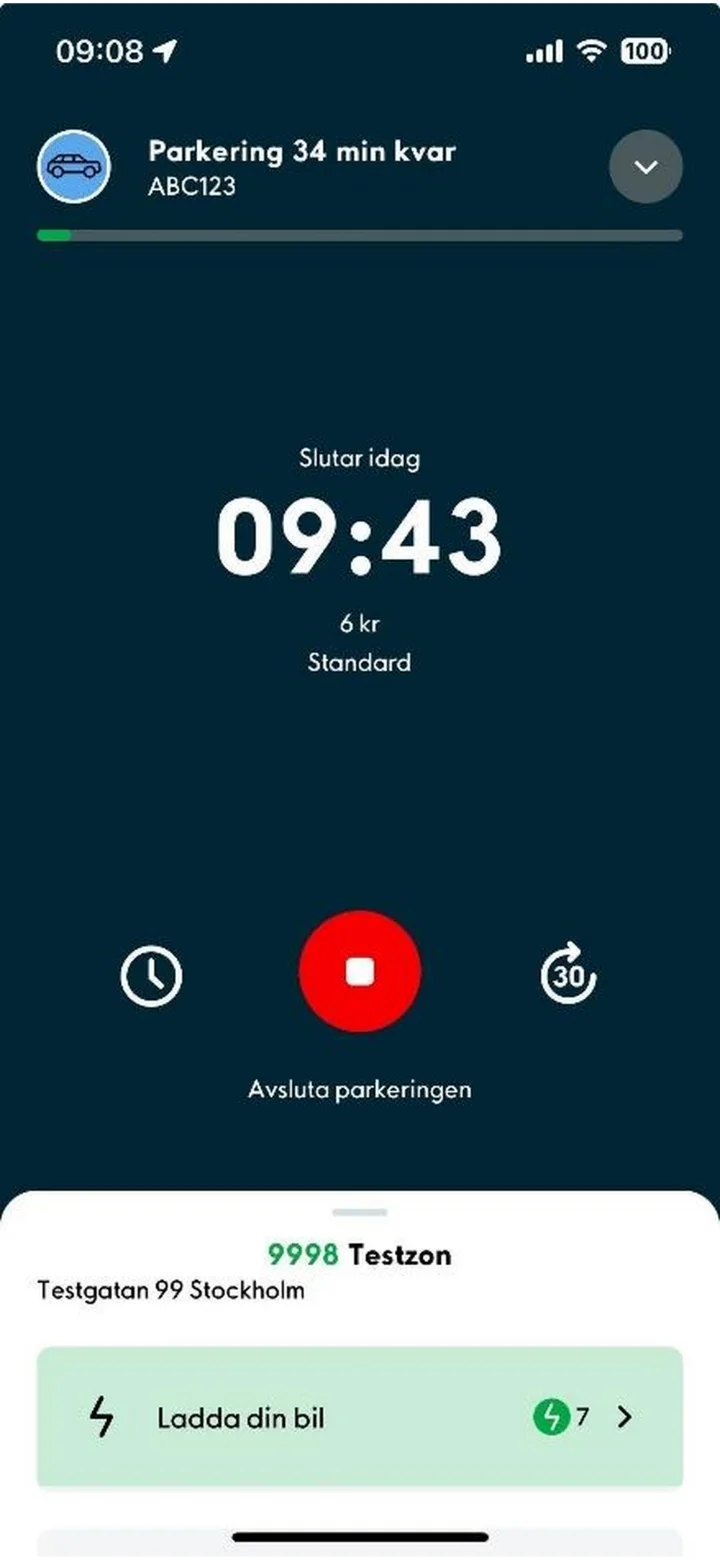 11Step 11 of 12 · Android
Make sure your parking session is truly active. You should see a countdown and the remaining time.
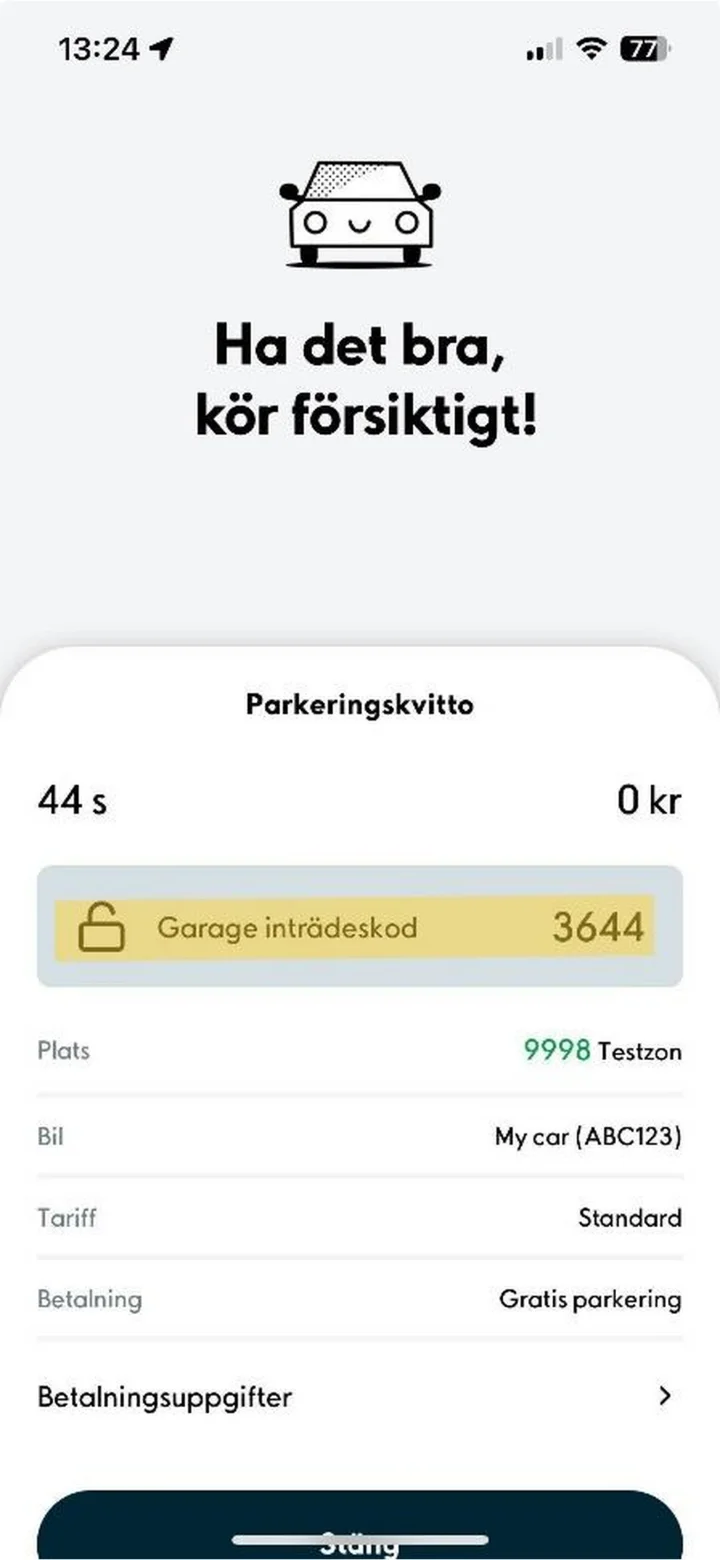 12Step 12 of 12 · Android
Once your parking session has ended, you'll see a receipt showing the location, time, car, and cost.