Print the guide and keep it next to your phone while you do the steps.
Tip: untick “Headers and footers” in the print dialog to leave out the web address.
Which language should the printout be in?SvenskaEnglishSuomiالعربية (Arabiska)Bosanski/Hrvatski/Srpskiفارسی (Persiska)PolskiEspañol
Download, install, and use ChatGPT
Useful apps
 Android
Scan to listen to the guide
 1Step 1 of 3 · Android
We're going to learn how to download, install, and use ChatGPT.
 2Step 2 of 3 · Android
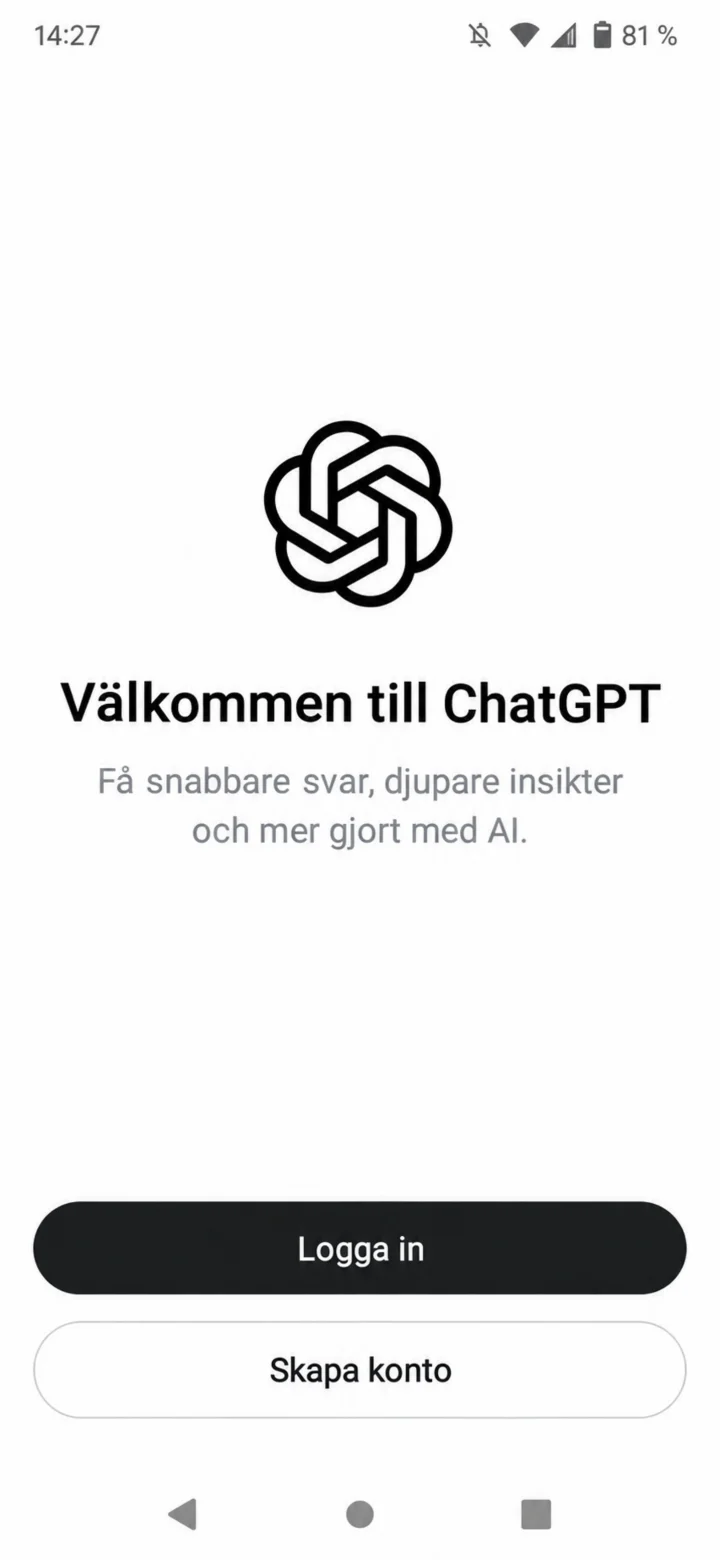
Once the app has opened, you'll see the welcome screen. Tap on ”Logga in” (Log in) if you already have an account, or ”Skapa konto” (Create account) if you're new.
 3Step 3 of 3 · Android
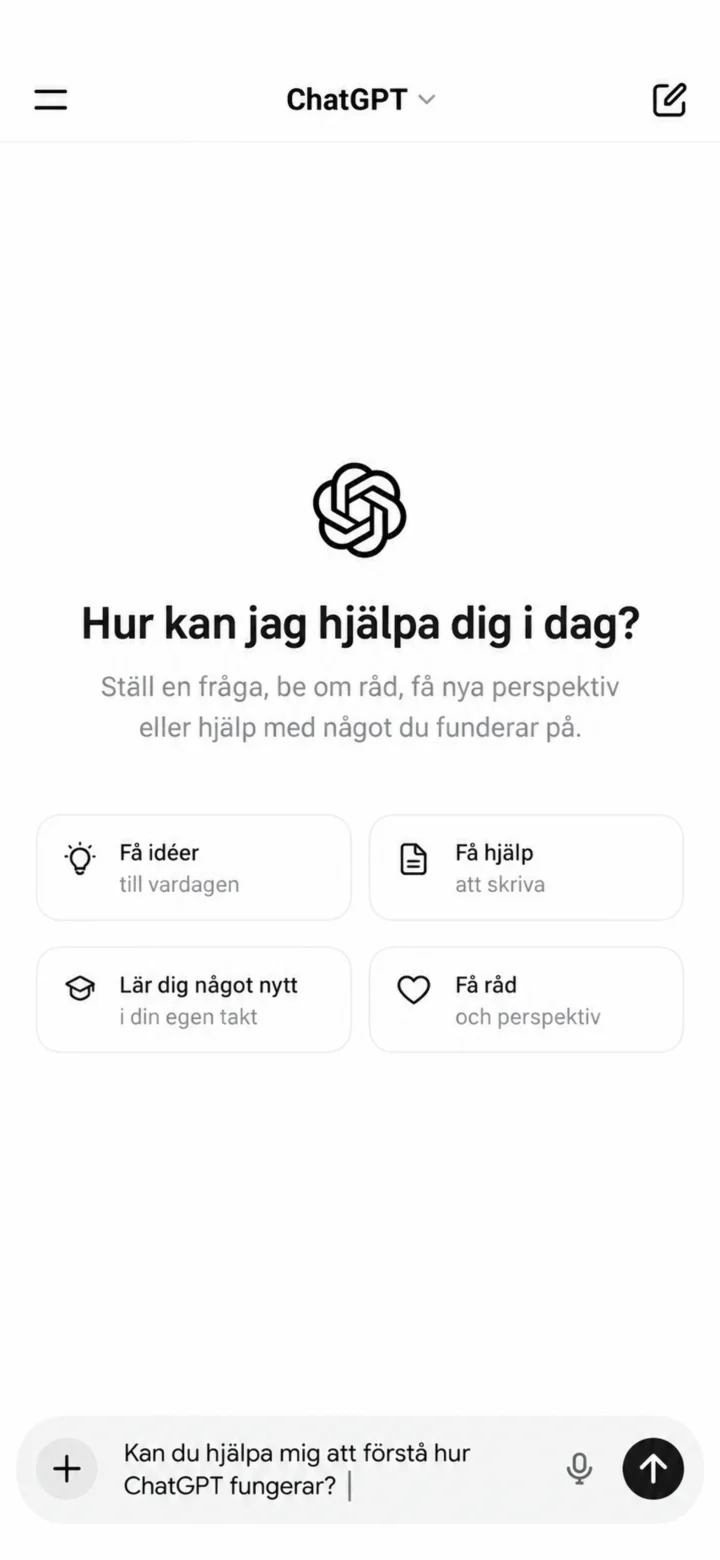
Now you're inside ChatGPT. Type a question in the box at the bottom and tap the arrow to send it. Great job!