Print the guide and keep it next to your phone while you do the steps.
Tip: untick “Headers and footers” in the print dialog to leave out the web address.
Which language should the printout be in?SvenskaEnglishSuomiالعربية (Arabiska)Bosanski/Hrvatski/Srpskiفارسی (Persiska)PolskiEspañol
Share internet from your mobile
Mobile phone and tablet
 iPhone
Scan to listen to the guide
 1Step 1 of 6 · iPhone
We will now learn how to share your mobile's internet with a computer or tablet.
 2Step 2 of 6 · iPhone
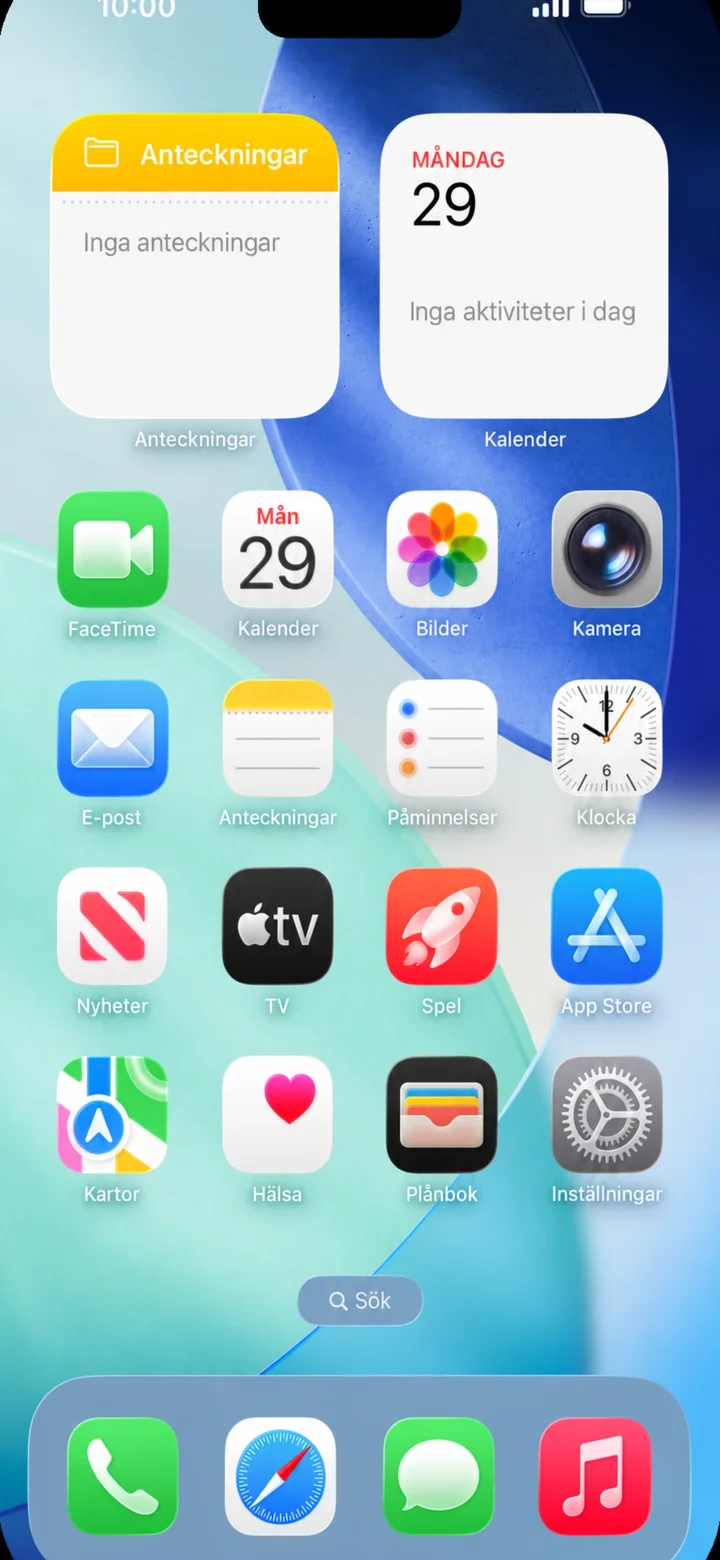
Start on the home screen. Tap on Inställningar (Settings), the icon with a cogwheel.
 3Step 3 of 6 · iPhone
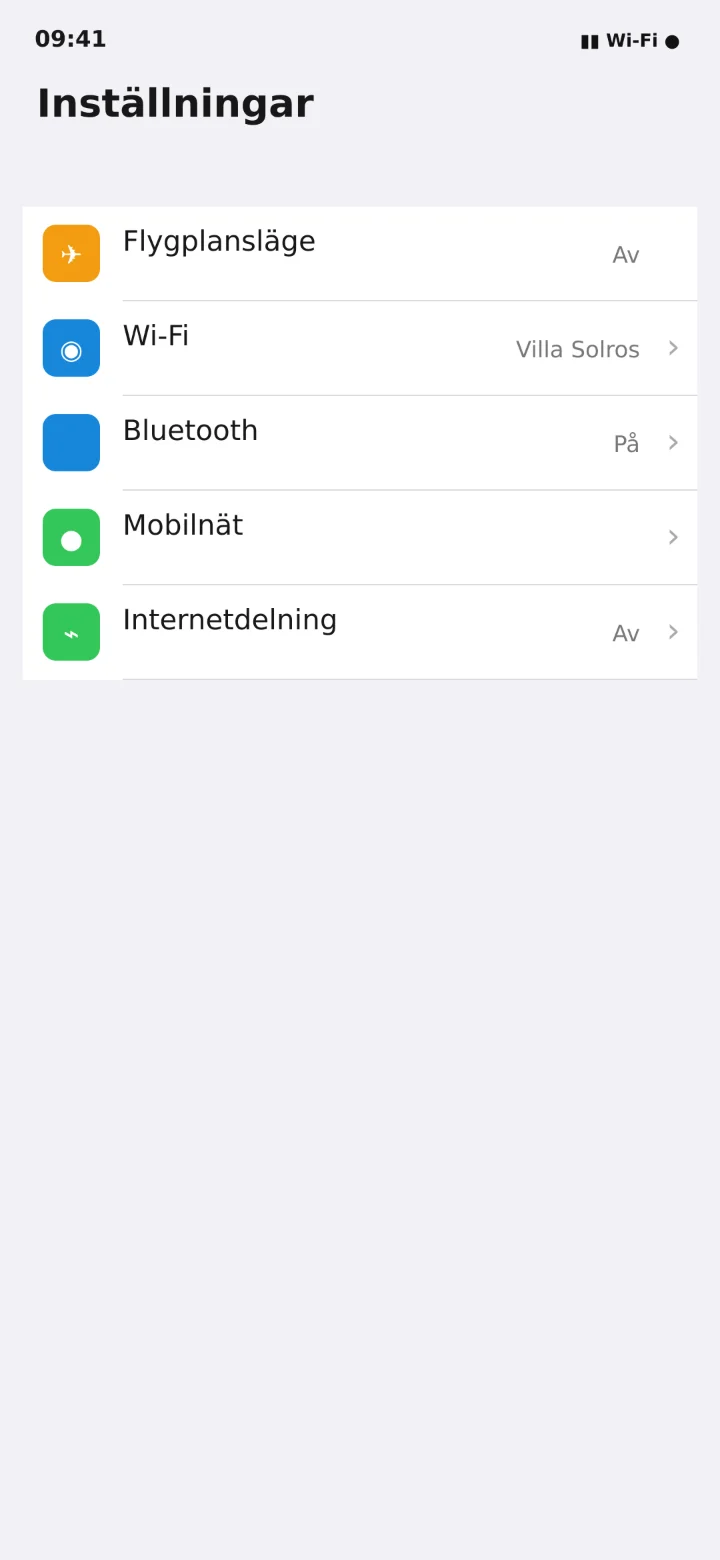
In Inställningar (Settings), tap on Internetdelning (Internet sharing).
 4Step 4 of 6 · iPhone
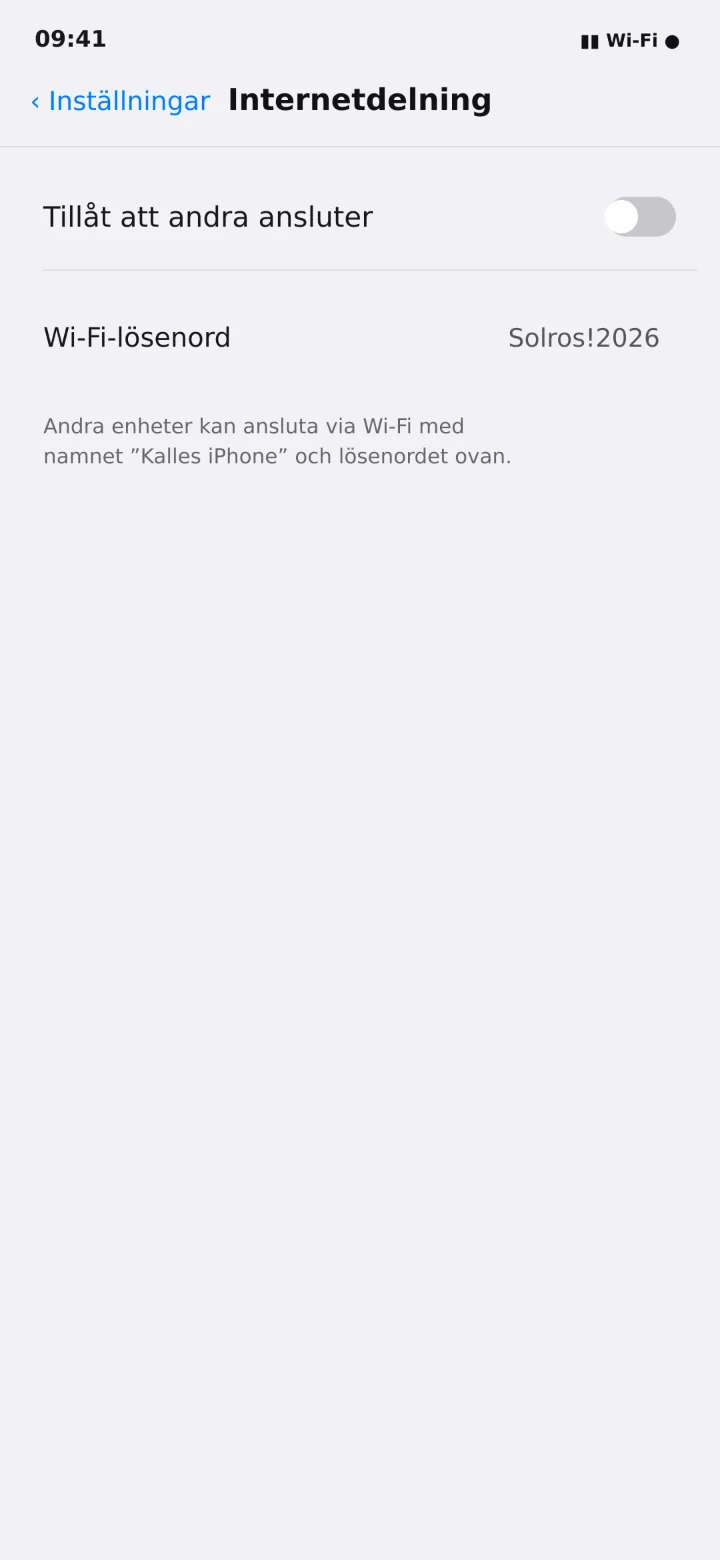
Turn on Tillåt att andra ansluter (Allow others to connect).
 5Step 5 of 6 · iPhone
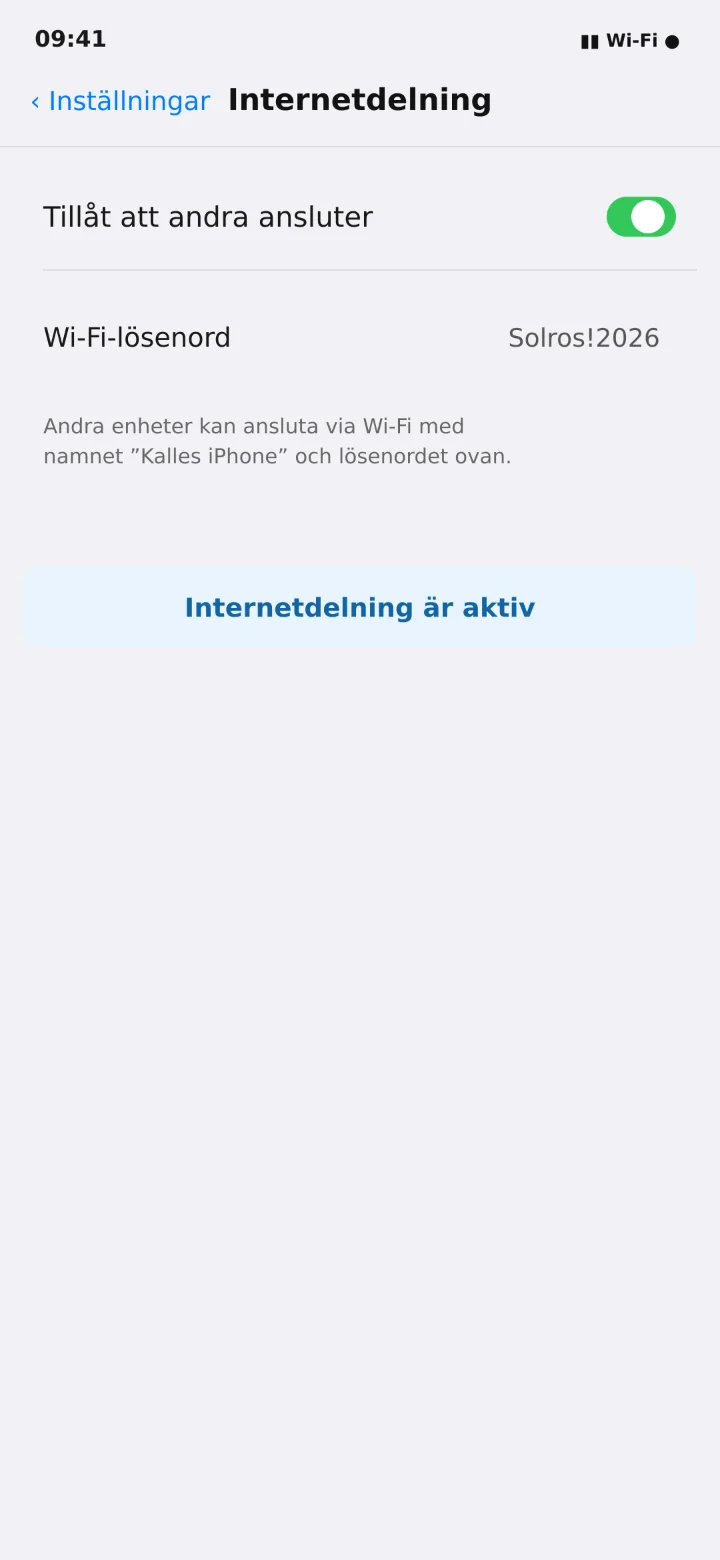
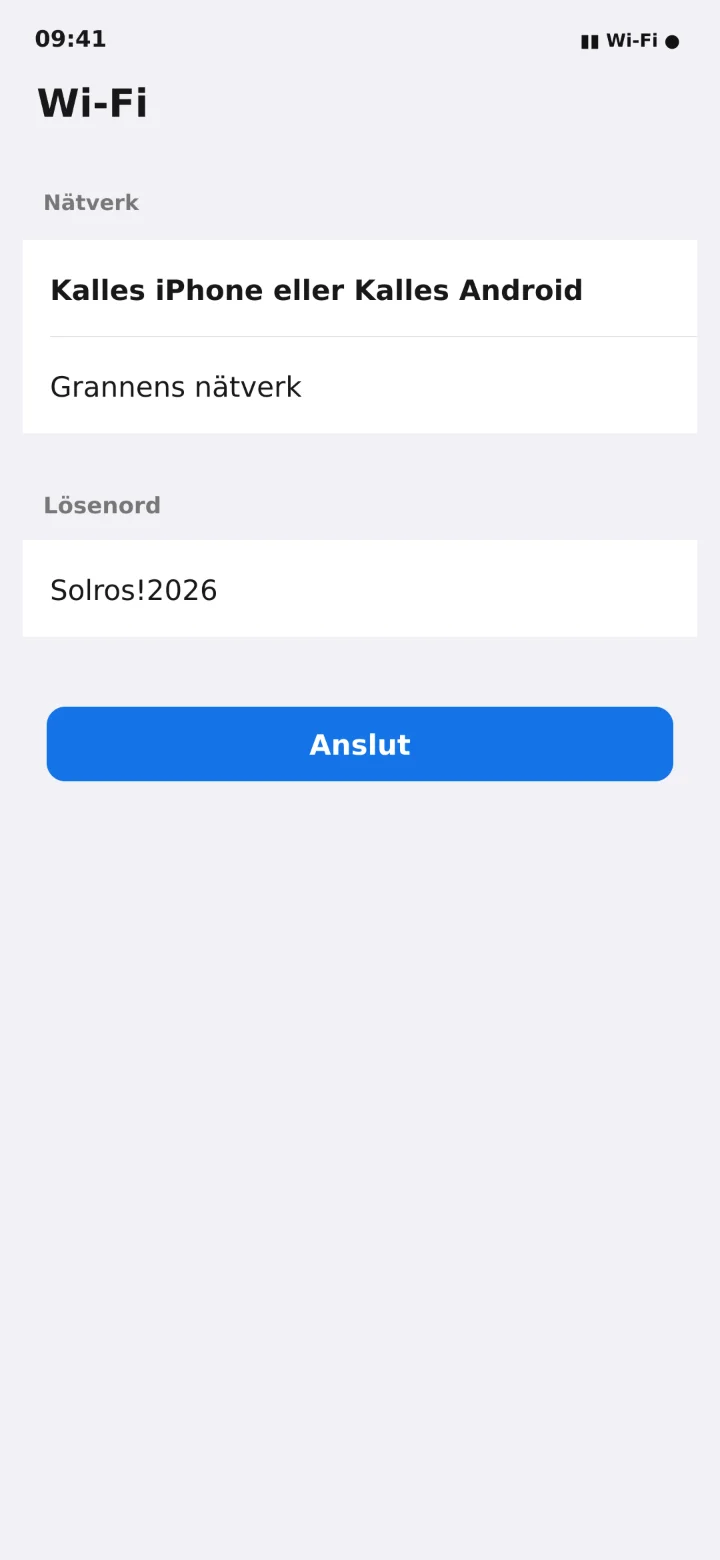
Note down your phone's name and Wi-Fi password. In the example, the password is Sunflower exclamation mark 2026.
 6Step 6 of 6 · iPhone
Öppna Wi-Fi på datorn eller surfplattan, välj mobilens namn och skriv lösenordet.