Print the guide and keep it next to your phone while you do the steps.
Tip: untick “Headers and footers” in the print dialog to leave out the web address.
Which language should the printout be in?SvenskaEnglishSuomiالعربية (Arabiska)Bosanski/Hrvatski/Srpskiفارسی (Persiska)PolskiEspañol
Record a video
Mobile phone and tablet
 iPhone
Scan to listen to the guide
 1Step 1 of 5 · iPhone
We're going to learn how to record a video. It's a good idea to hold your phone horizontally when the video will be shown on a TV.
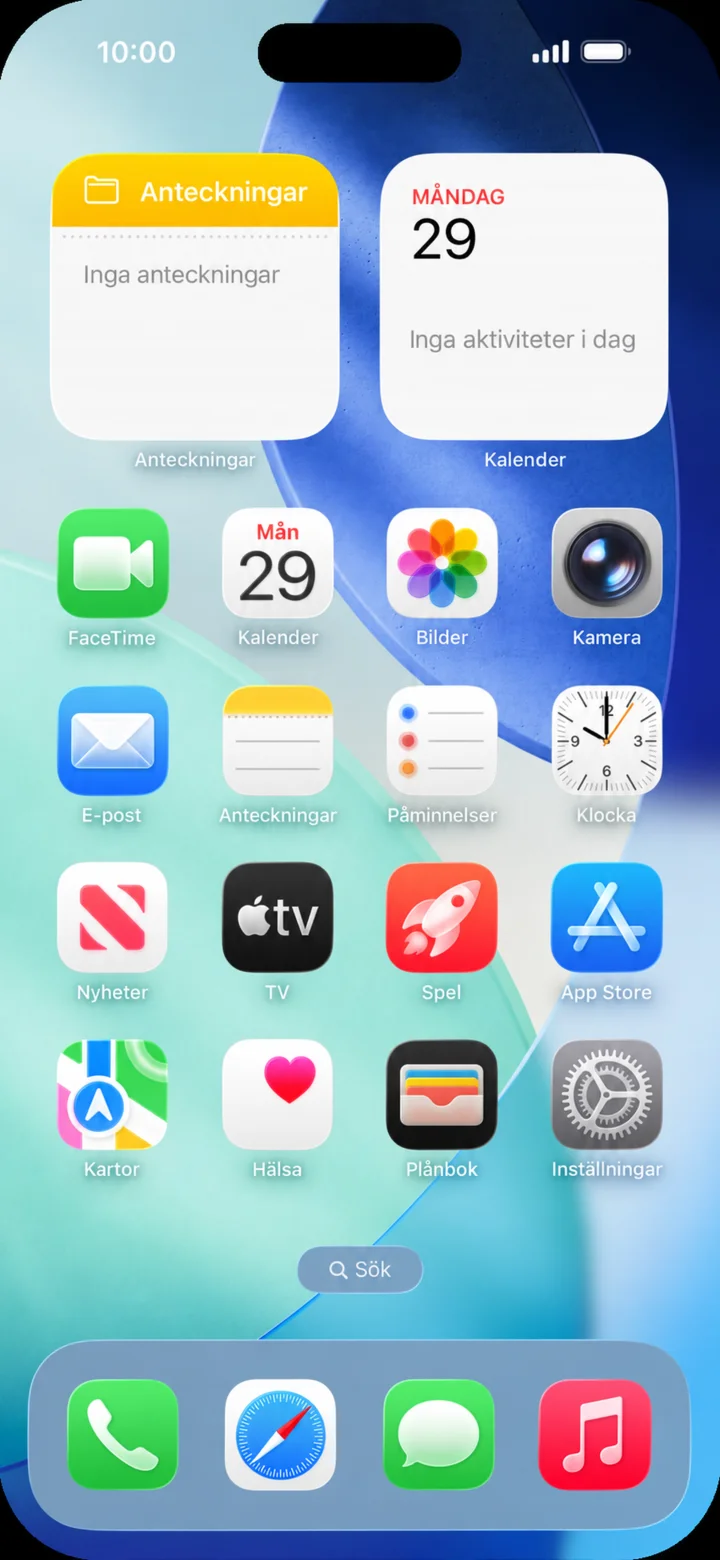 2Step 2 of 5 · iPhone
Start from the home screen and tap on Kamera (Camera).
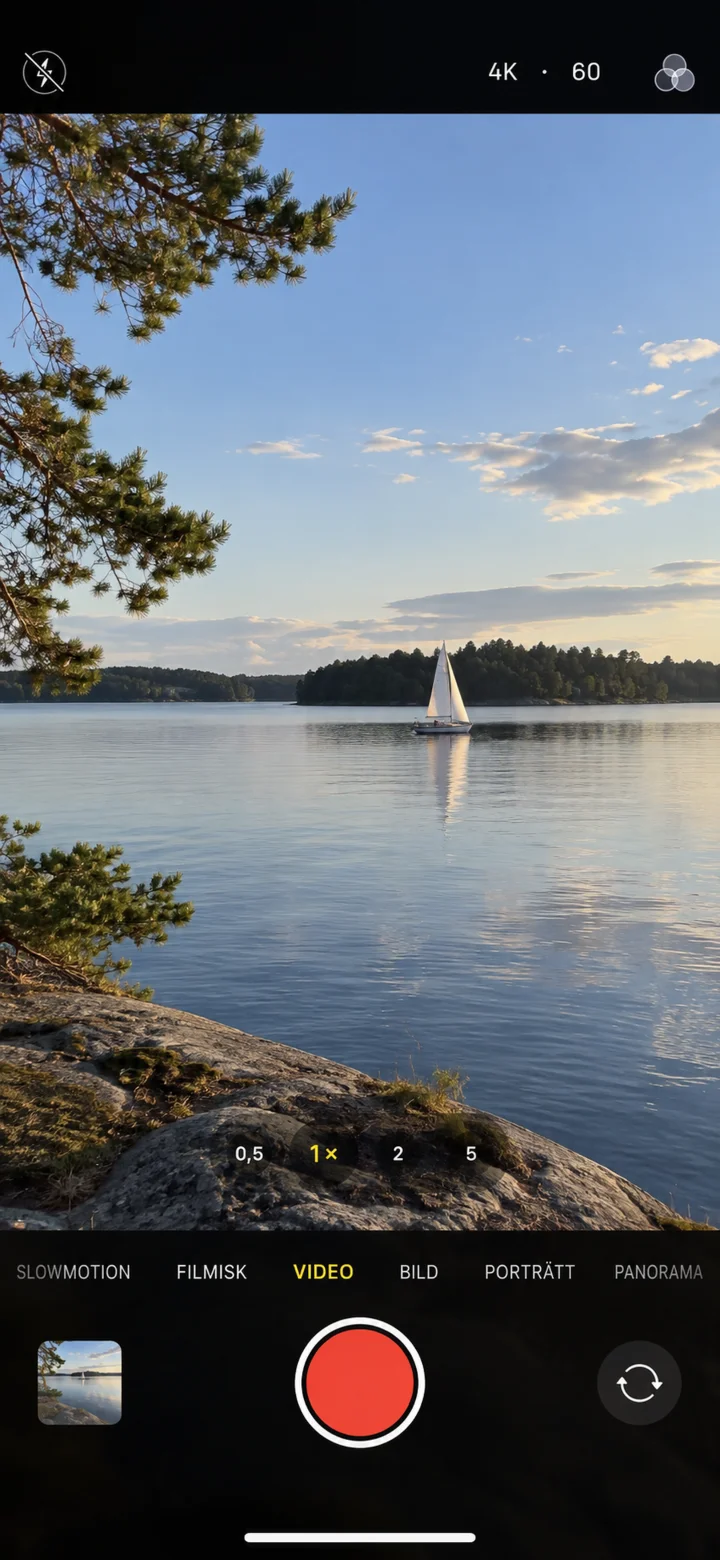 3Step 3 of 5 · iPhone
Swipe between the camera modes until Video is selected. Tap the red button to start recording.
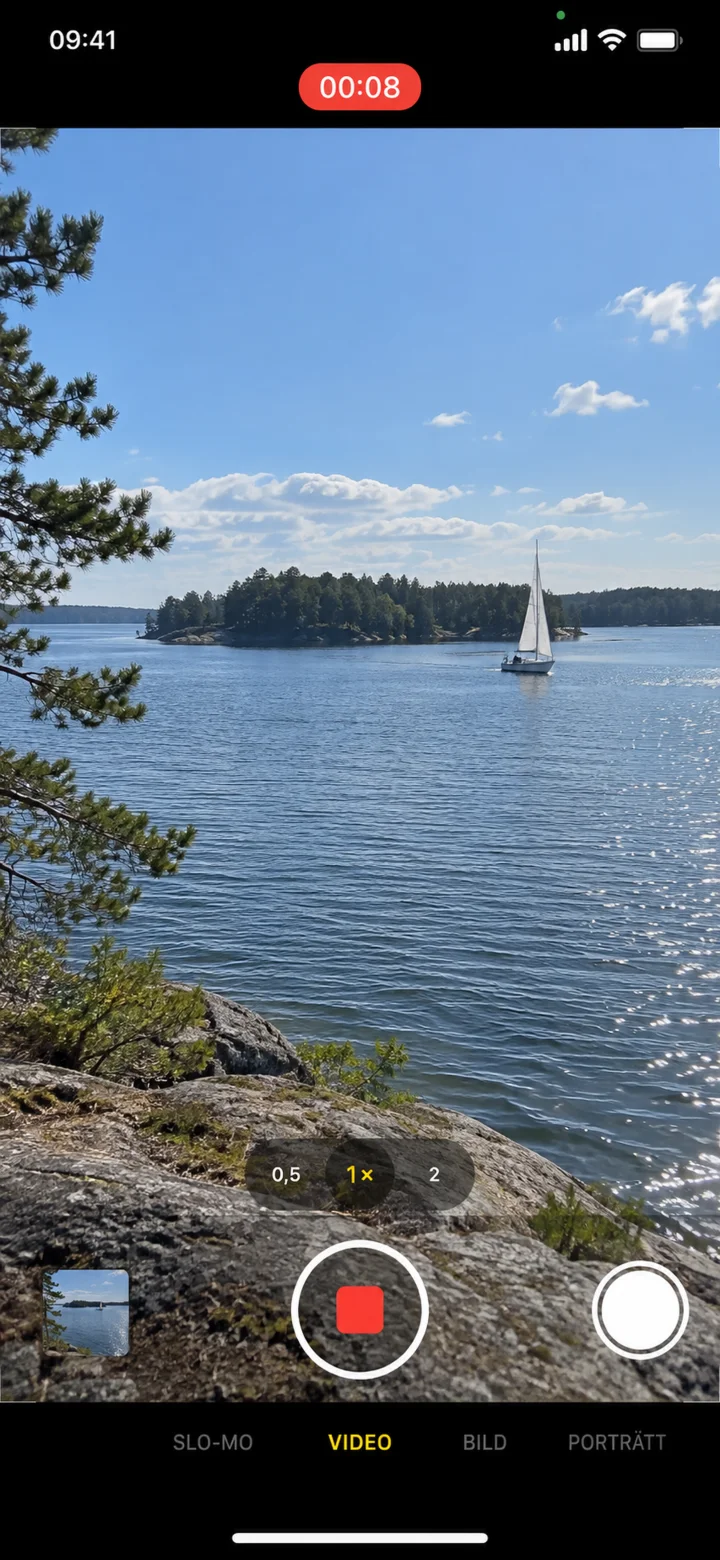 4Step 4 of 5 · iPhone
When the timer is counting, the video is being recorded. Tap the red square to stop.
 5Step 5 of 5 · iPhone
Tap on the small picture and then on play to check the video.