Print the guide and keep it next to your phone while you do the steps.
Tip: untick “Headers and footers” in the print dialog to leave out the web address.
Block a phone number and an SMS sender
Scam warnings
 Android
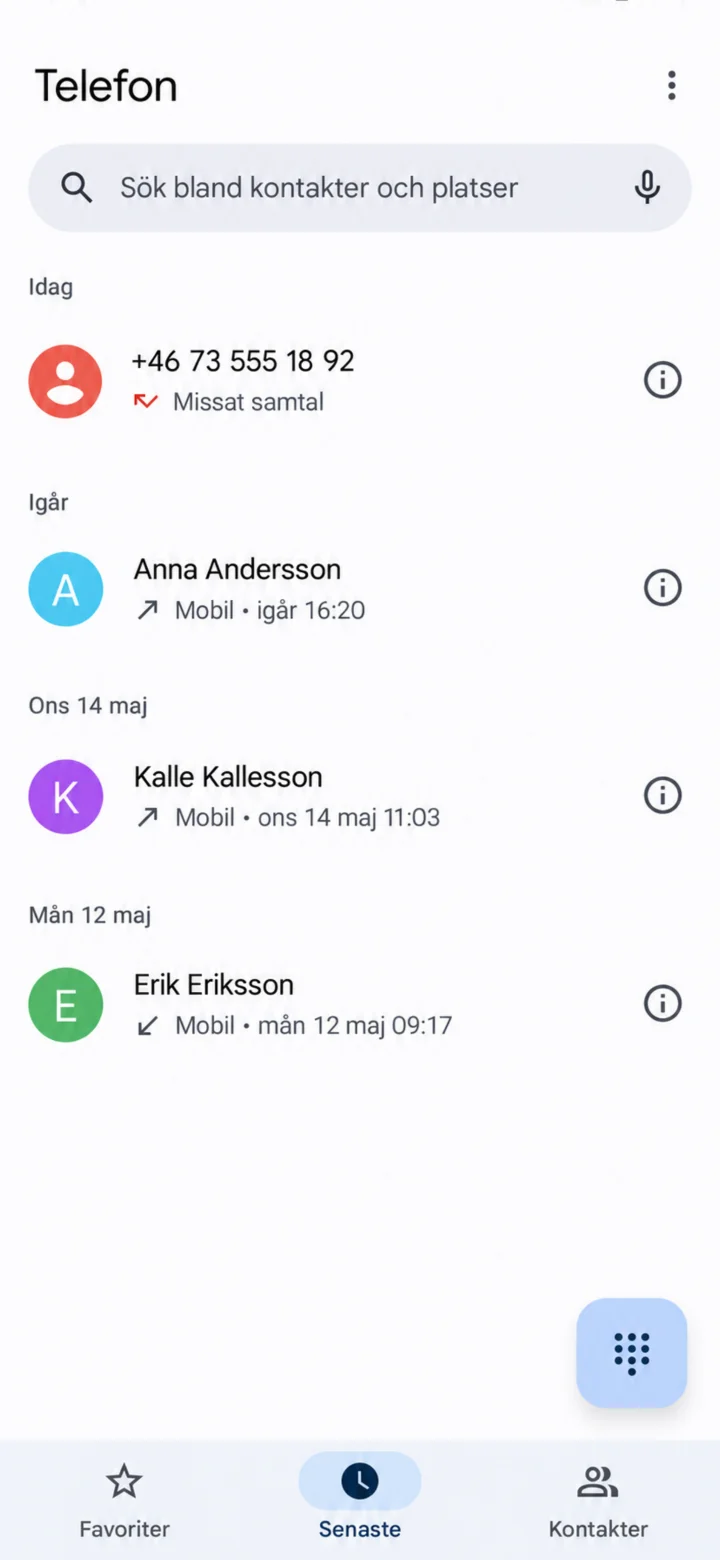 1Step 1 of 6 · Android
Open the Telefon (Phone) app and select Senaste (Recents). Find the number and tap on the information symbol to the right.
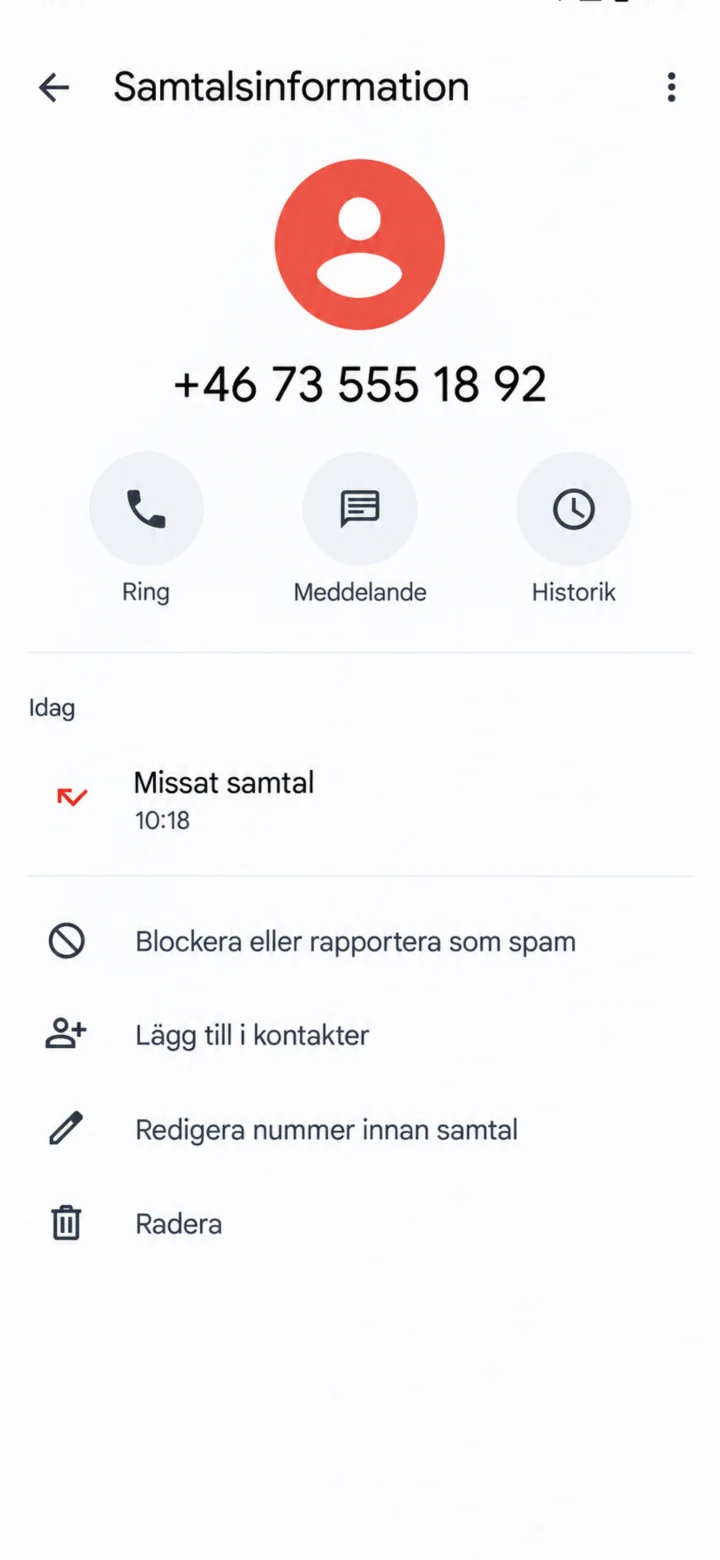 2Step 2 of 6 · Android
Tap on Blockera eller rapportera som spam (Block or report as spam).
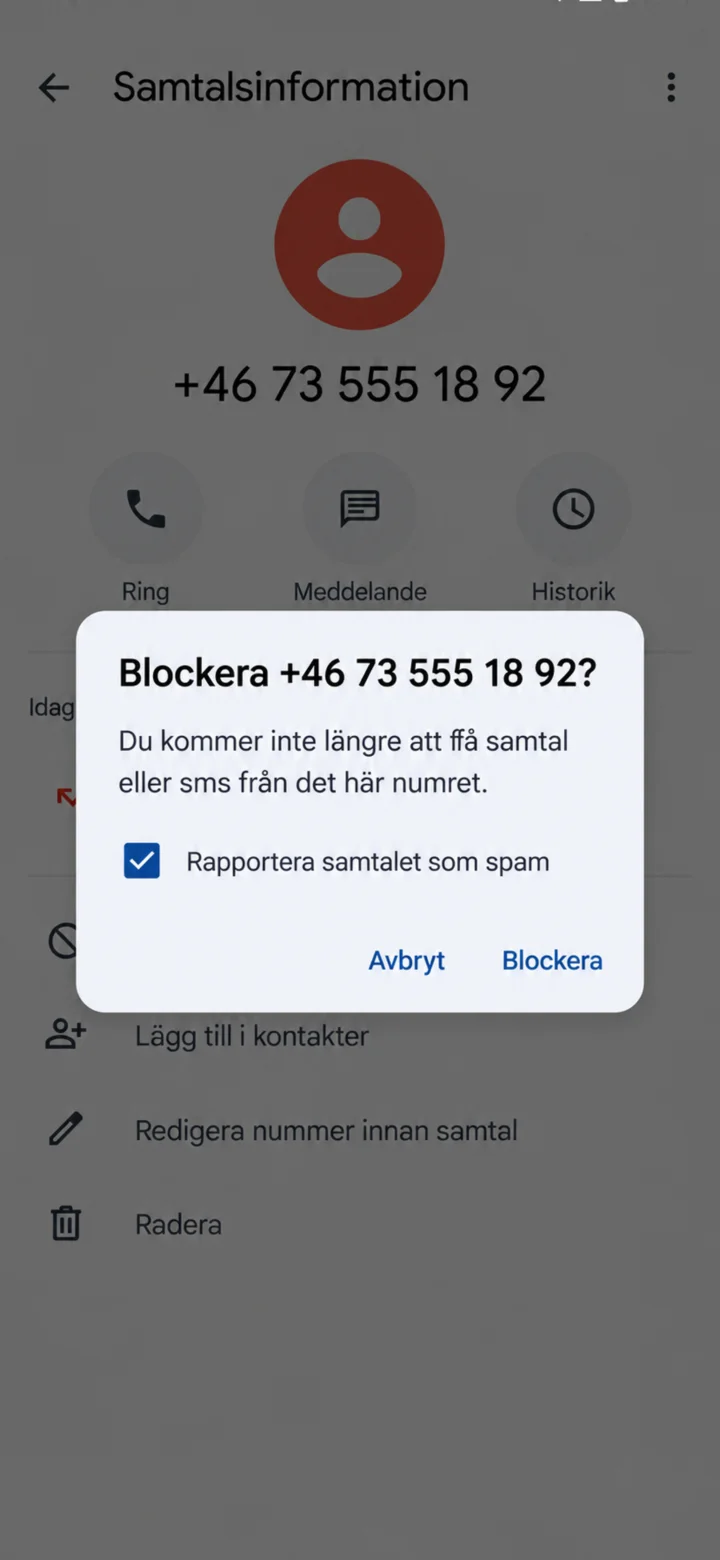 3Step 3 of 6 · Android
Leave the Rapportera samtalet som spam (Report call as spam) box checked if the call was suspicious. Then tap on Blockera (Block).
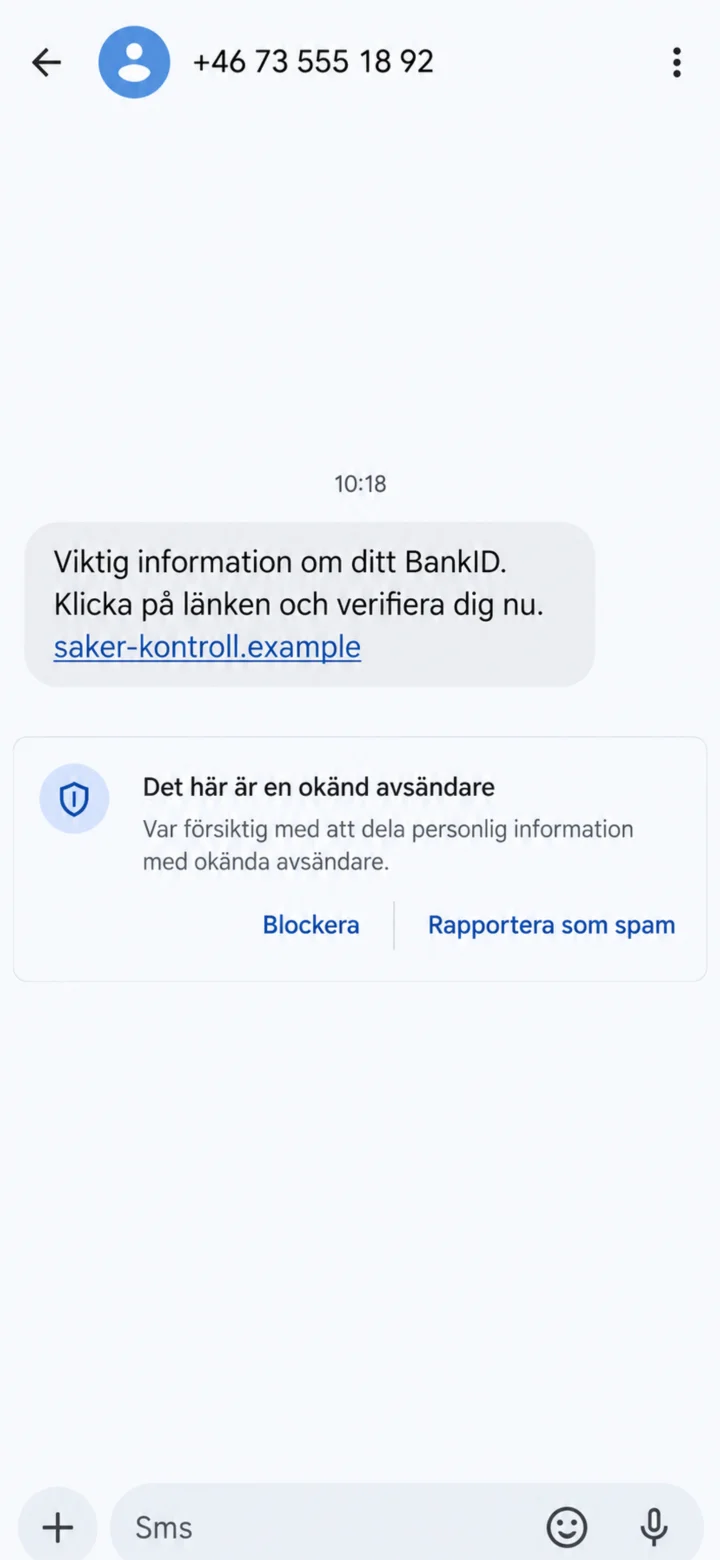 4Step 4 of 6 · Android
Open the suspicious message, but do not tap on the link. Choose Blockera eller Rapportera som spam (Block or Report as Spam).
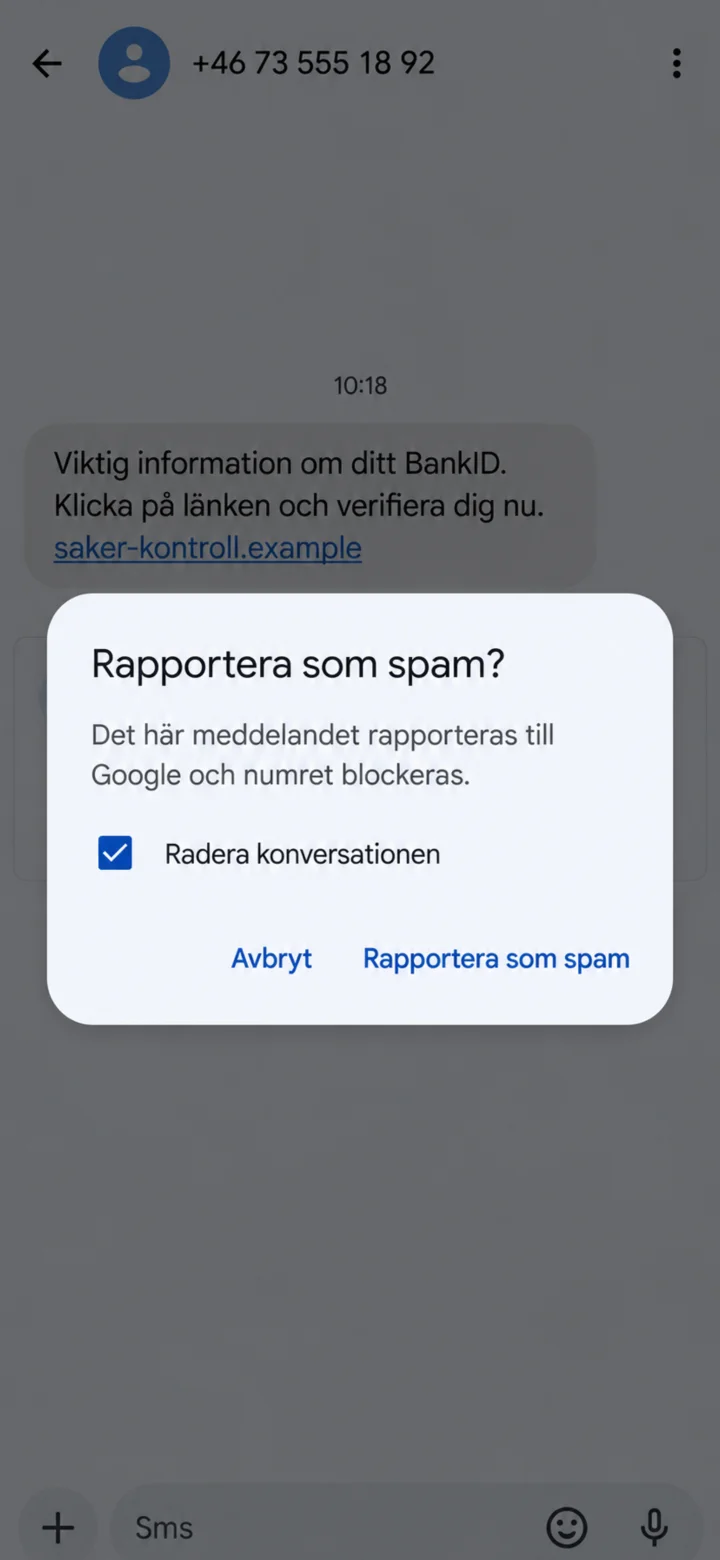 5Step 5 of 6 · Android
Confirm by tapping on Rapportera som spam (Report as Spam). You can also leave Radera konversationen (Delete Conversation) checked.
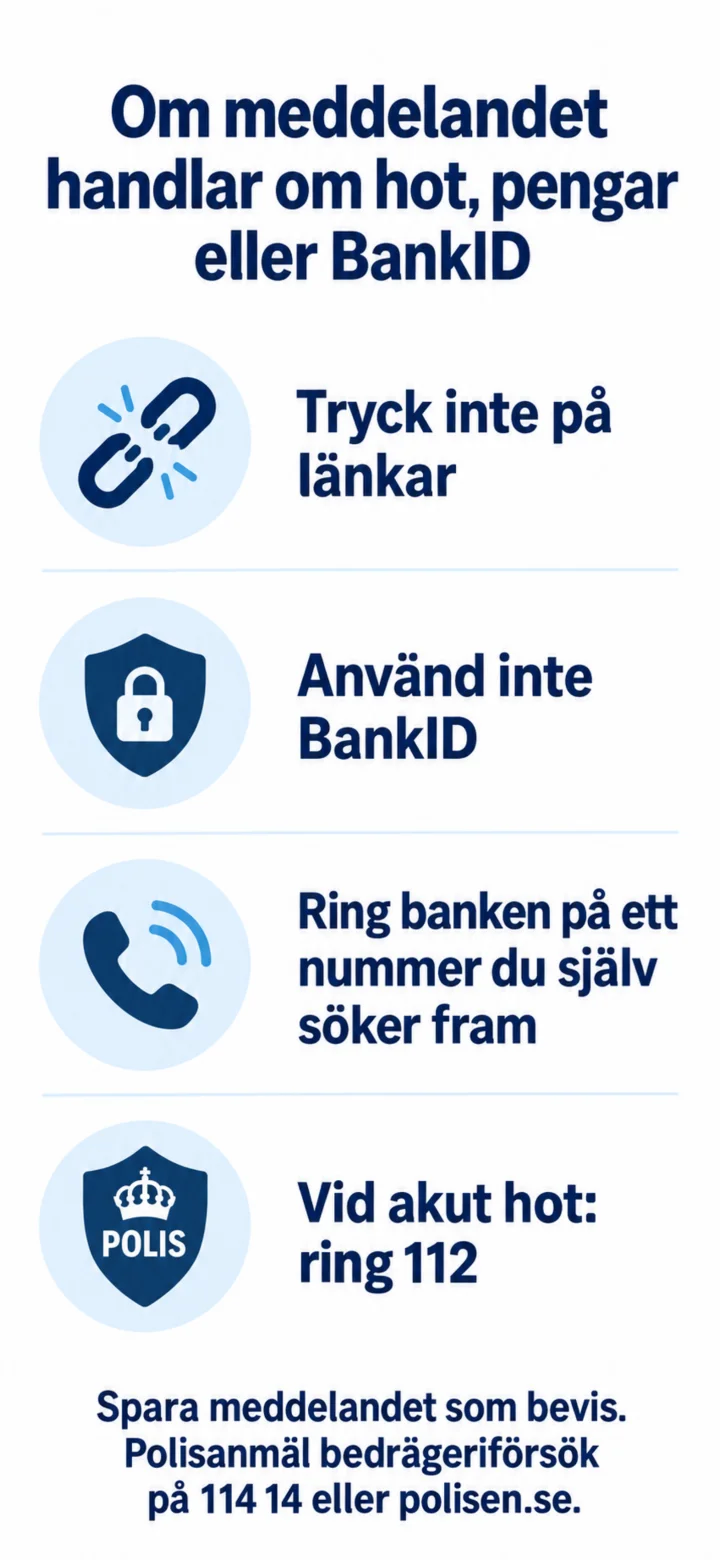 6Step 6 of 6 · Android
If the message is about threats, money, or BankID, you should not tap on links and not use BankID. Call your bank using a number you find yourself. In case of an acute threat, call 112. Save the message as evidence and report attempted fraud to 114 14 or polisen.se.