Print the guide and keep it next to your phone while you do the steps.
Tip: untick “Headers and footers” in the print dialog to leave out the web address.
Block a phone number and an SMS sender
Scam warnings
 iPhone
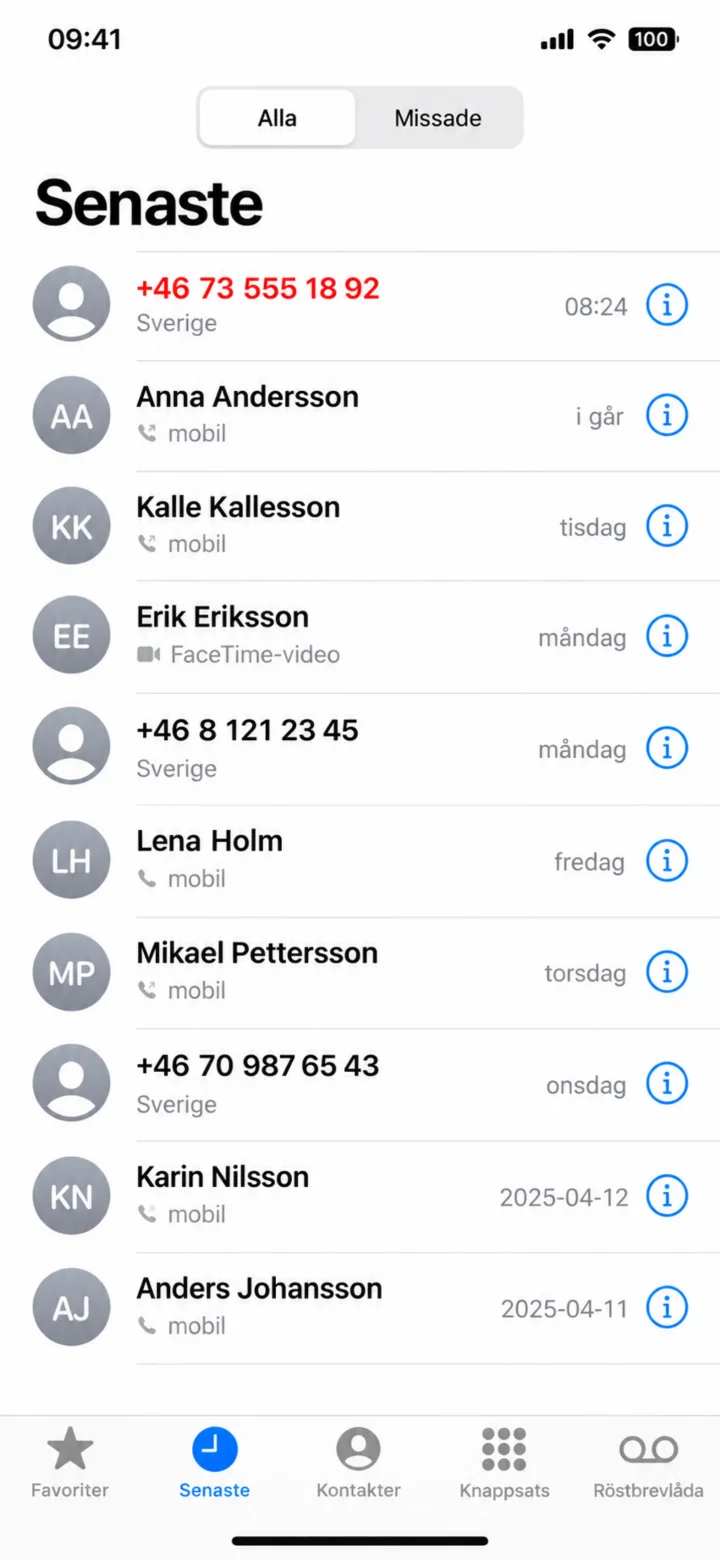 1Step 1 of 7 · iPhone
Open the Telefon (Phone) app and tap on Senaste (Recents). Find the number you want to block and tap on the blue information symbol to the right.
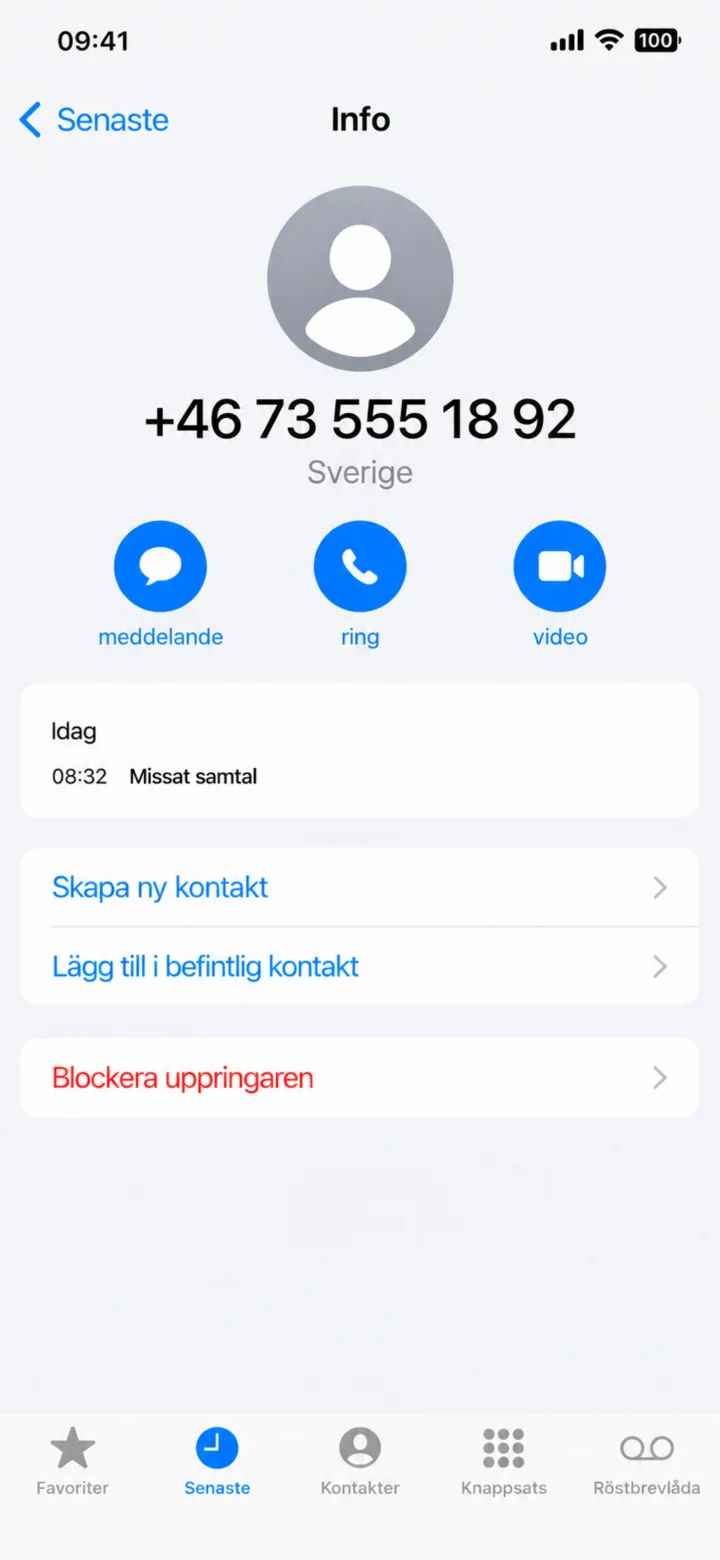 2Step 2 of 7 · iPhone
Scroll down on the information page and tap on Blockera uppringaren (Block this Caller).
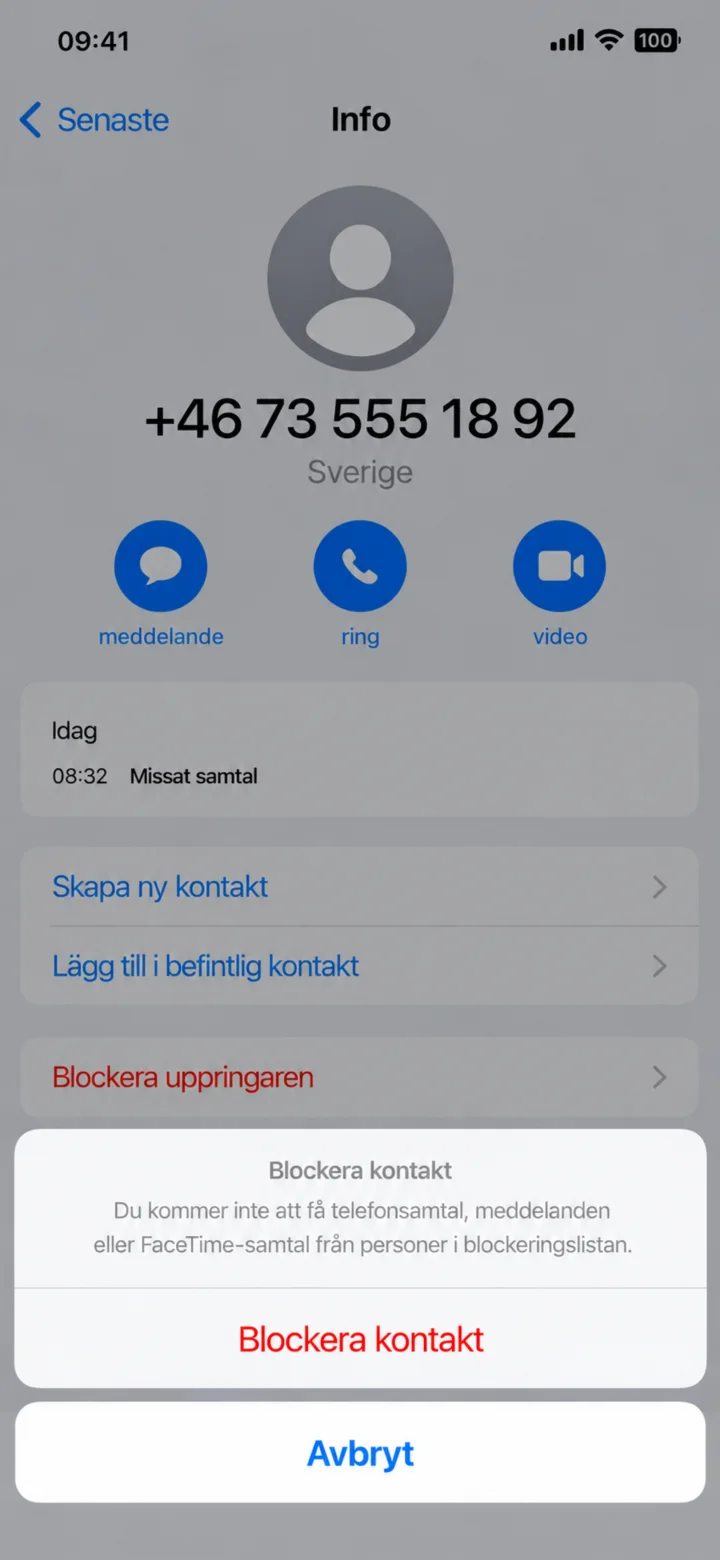 3Step 3 of 7 · iPhone
Tap on Blockera kontakt (Block Contact) to confirm. The number will then not be able to call or send messages to you.
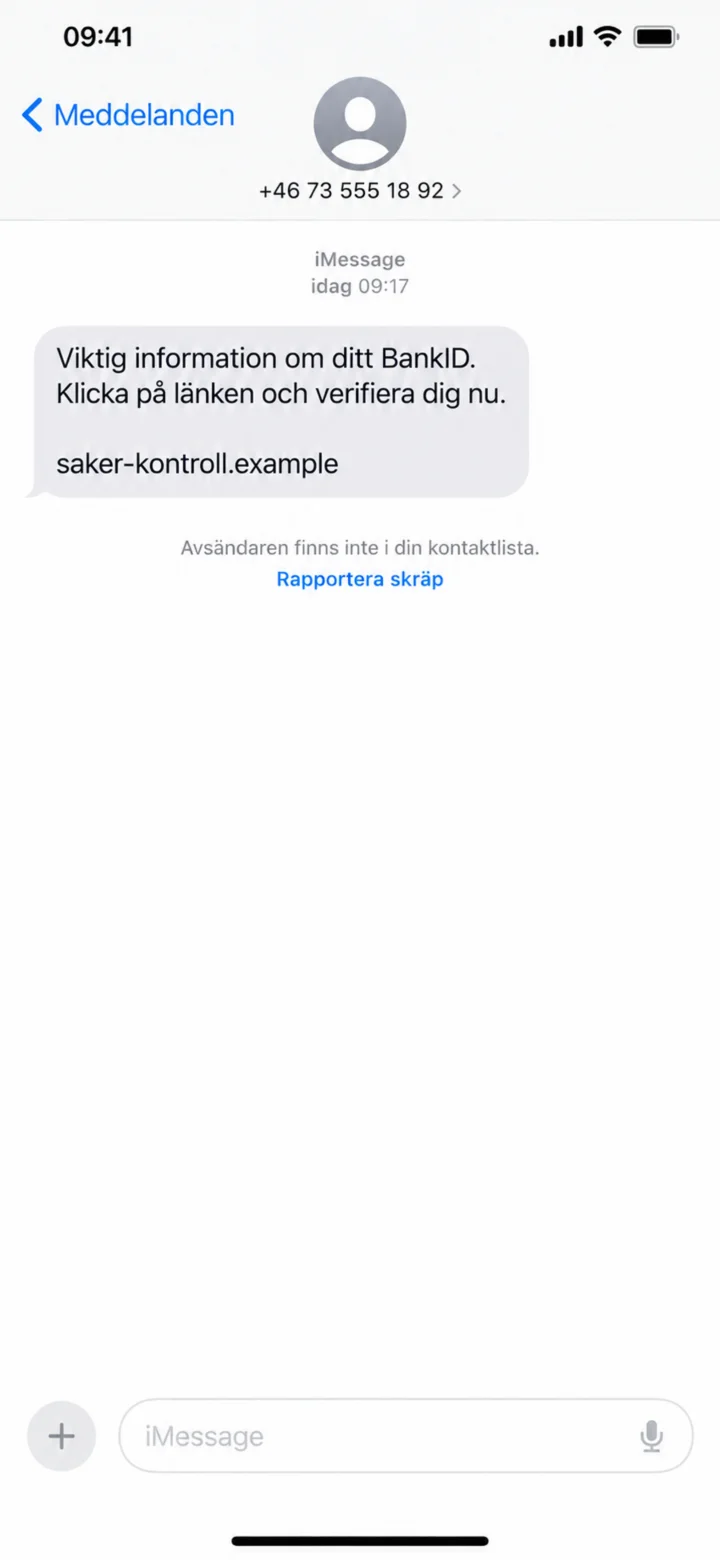 4Step 4 of 7 · iPhone
Open the suspicious message. Do not tap on any link. Instead, tap on the sender's number at the top. If Rapportera skräp (Report Junk) appears, you can use that option.
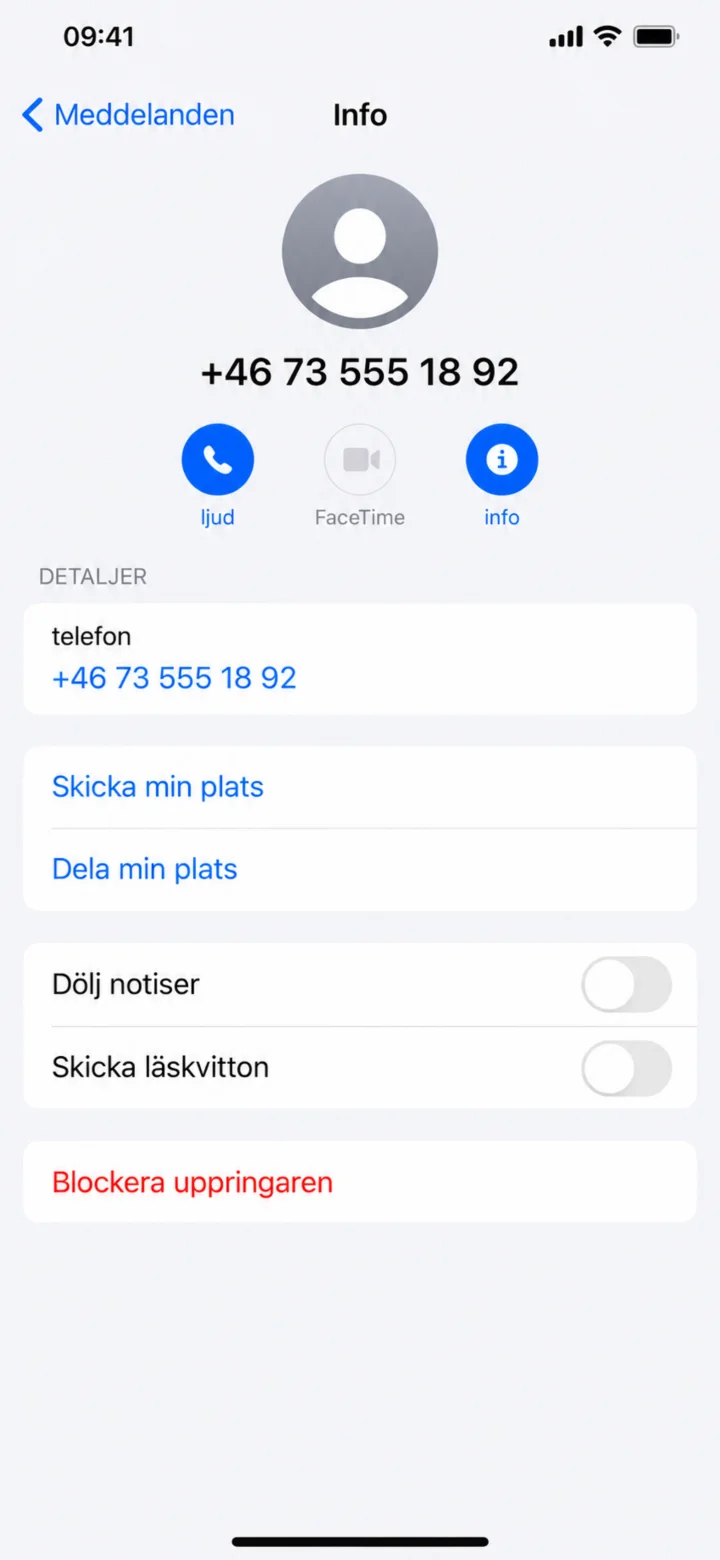 5Step 5 of 7 · iPhone
On the information page, scroll down and tap on Blockera uppringaren (Block this Caller). This will also block messages from the number.
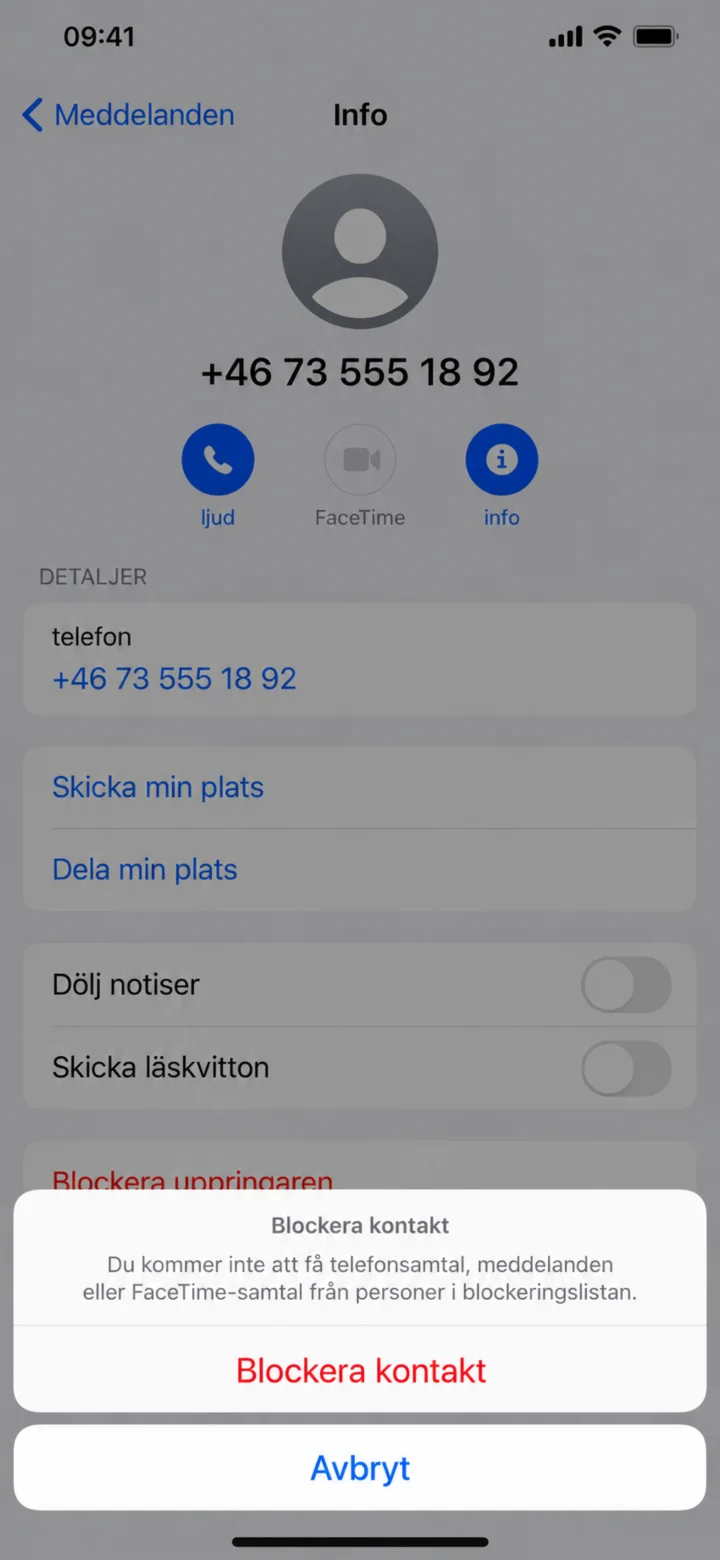 6Step 6 of 7 · iPhone
Confirm by tapping on Blockera kontakt (Block Contact).
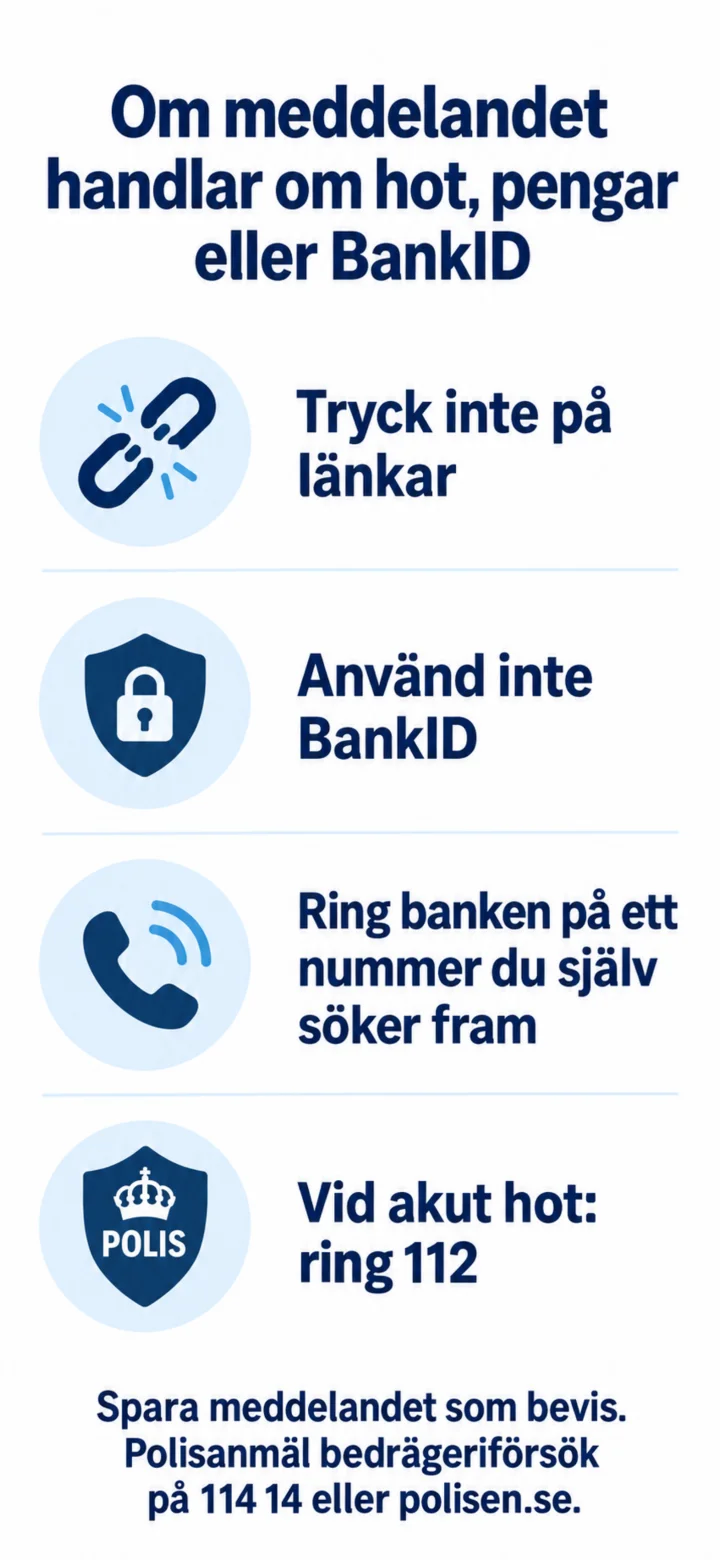 7Step 7 of 7 · iPhone
If the message is about threats, money, or BankID, you should not tap on links and not use BankID. Call your bank using a number you find yourself. In case of an acute threat, call 112. Save the message as evidence and report attempted fraud to 114 14 or polisen.se.