Print the guide and keep it next to your phone while you do the steps.
Tip: untick “Headers and footers” in the print dialog to leave out the web address.
Which language should the printout be in?SvenskaEnglishSuomiالعربية (Arabiska)Bosanski/Hrvatski/Srpskiفارسی (Persiska)PolskiEspañol
Watch a movie on YouTube
Mobile phone and tablet
 Android
Scan to listen to the guide
 1Step 1 of 7 · Android
We're going to learn how to search for and watch a movie on YouTube.
 2Step 2 of 7 · Android
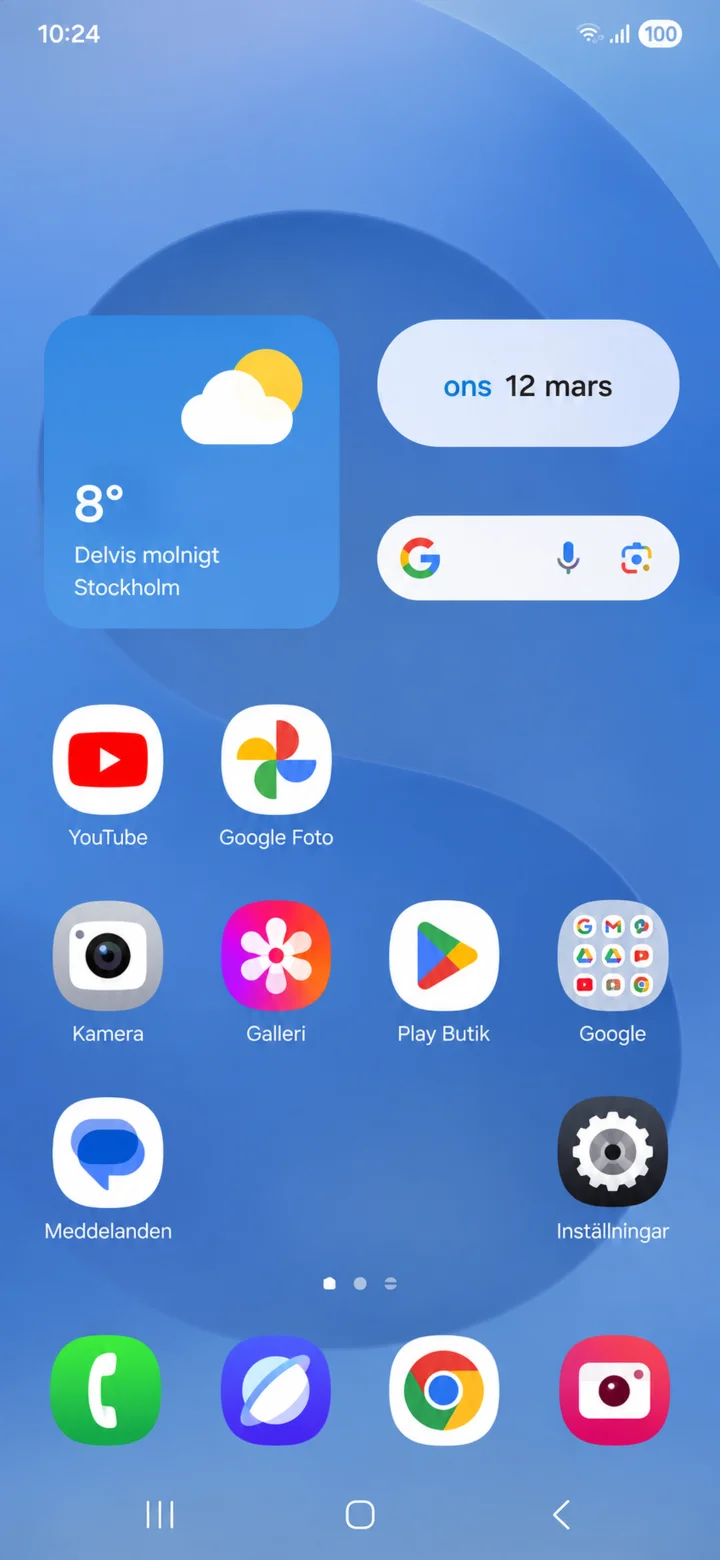
From your home screen, tap on YouTube.
 3Step 3 of 7 · Android
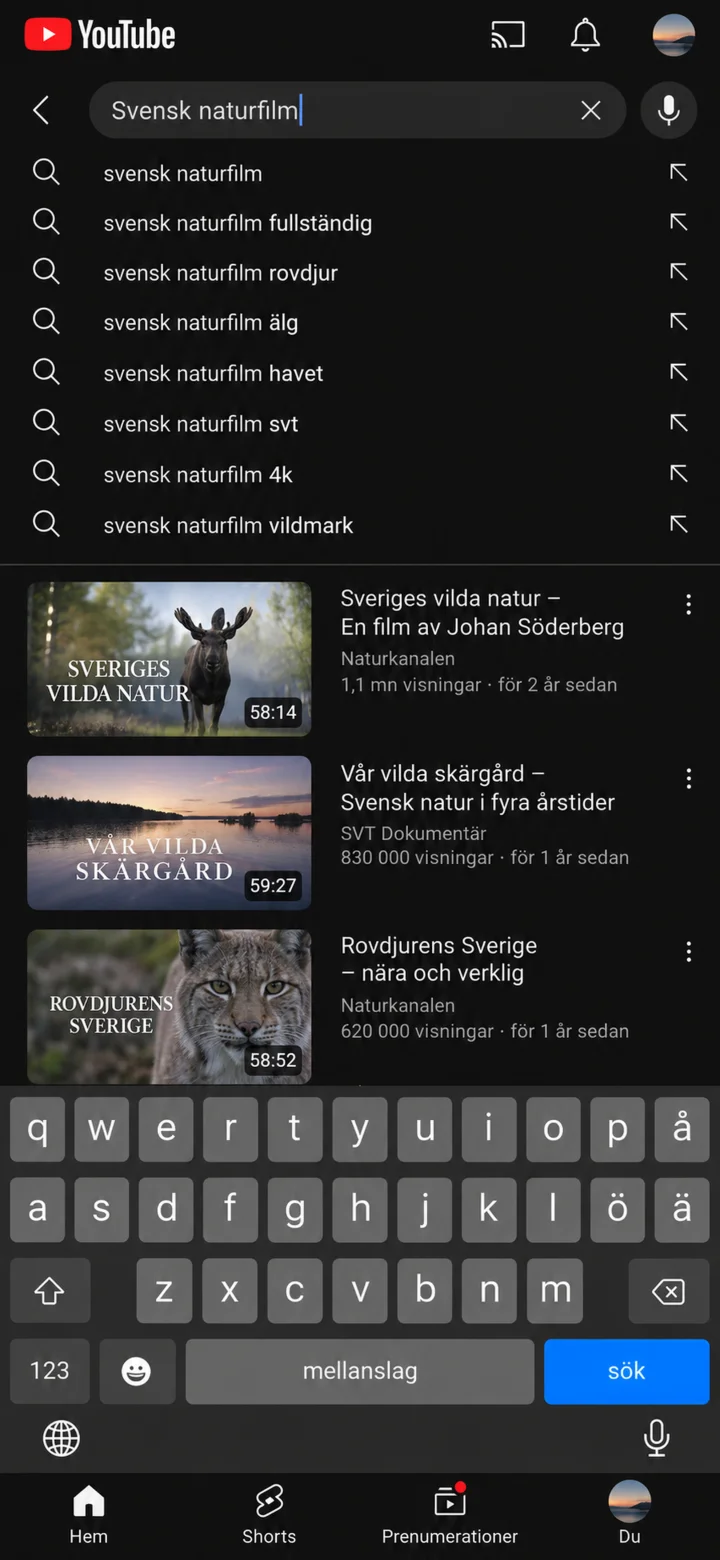
Tap the magnifying glass icon. Type what you'd like to watch, and then tap ”Sök” (Search).
 4Step 4 of 7 · Android
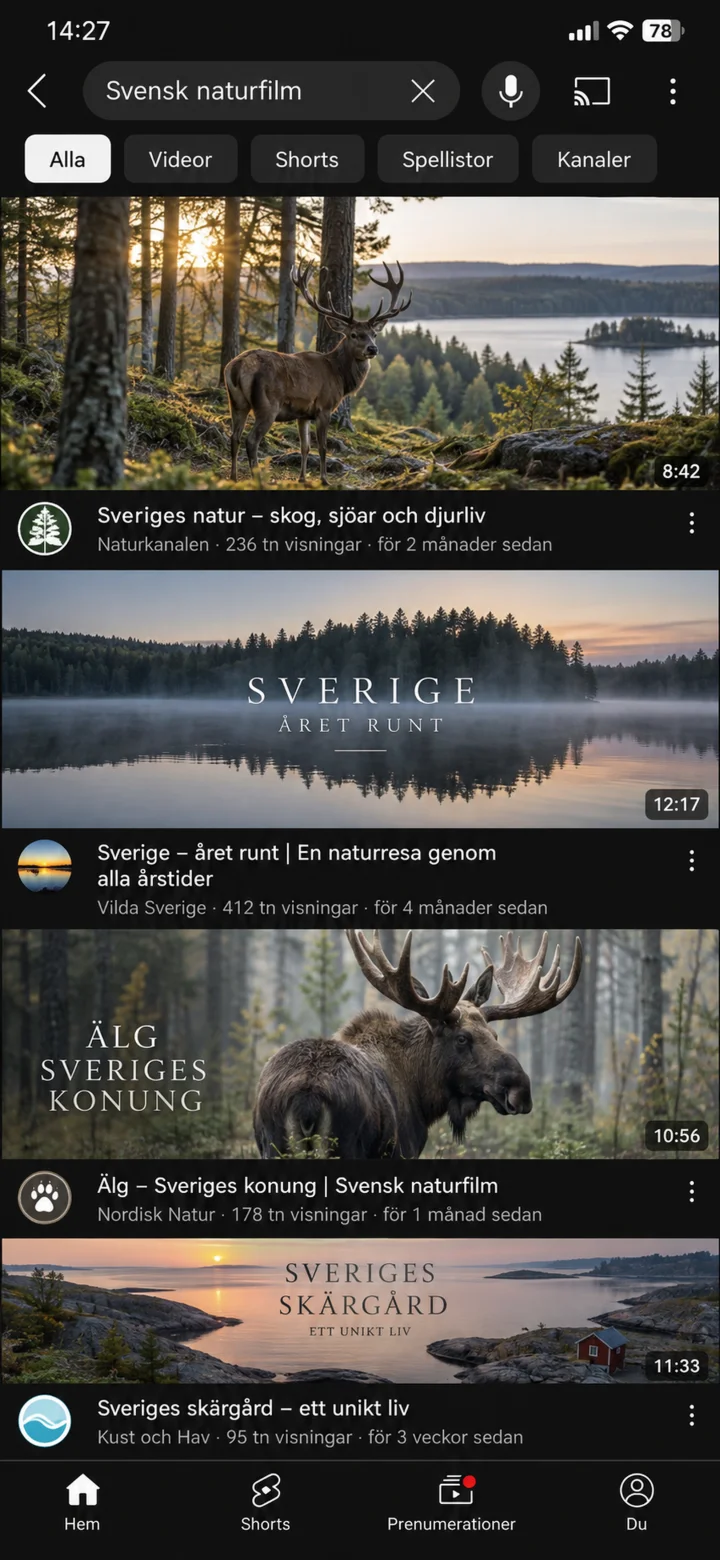
Tap on the movie you want to watch.
 5Step 5 of 7 · Android
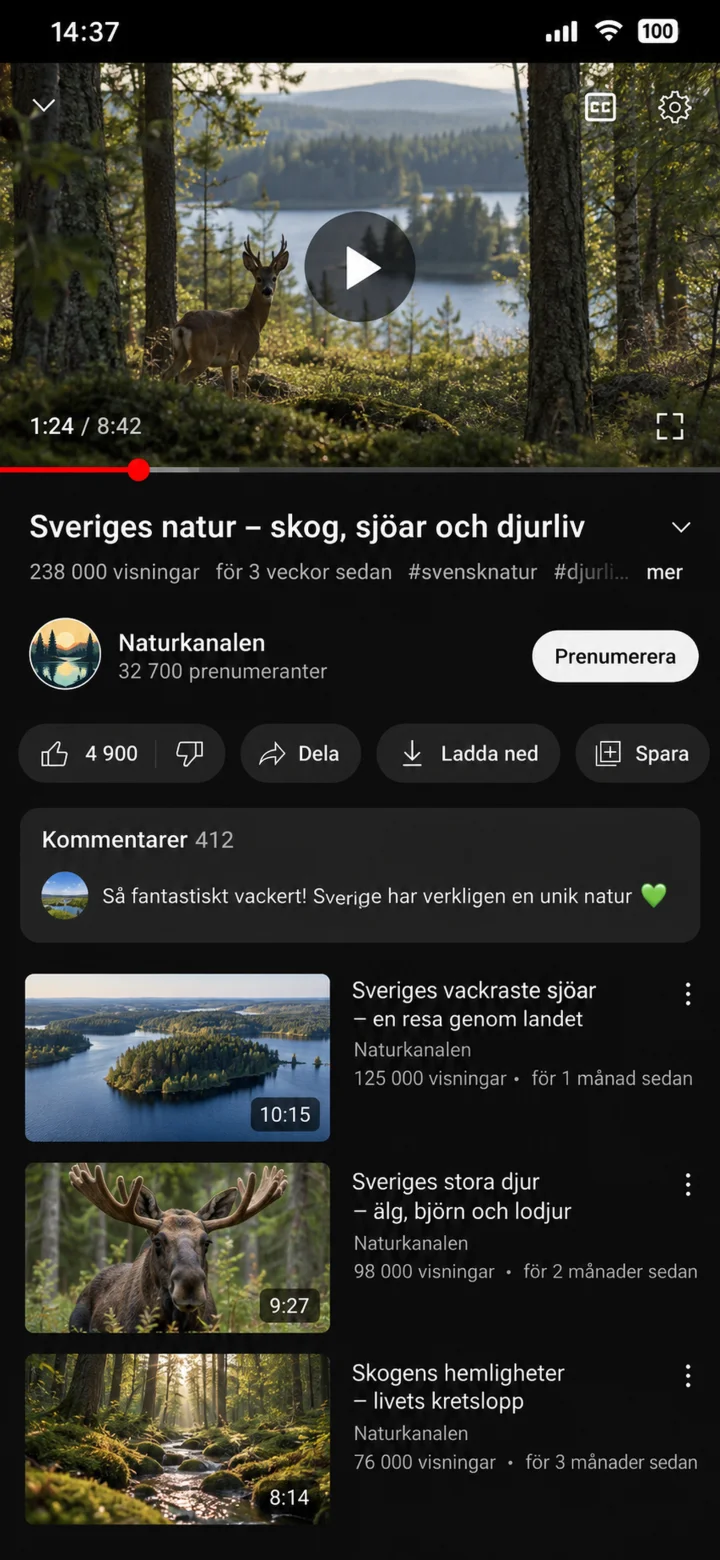
Tap the middle of the movie to show the controls. Then, tap ”play” to start or pause the video.
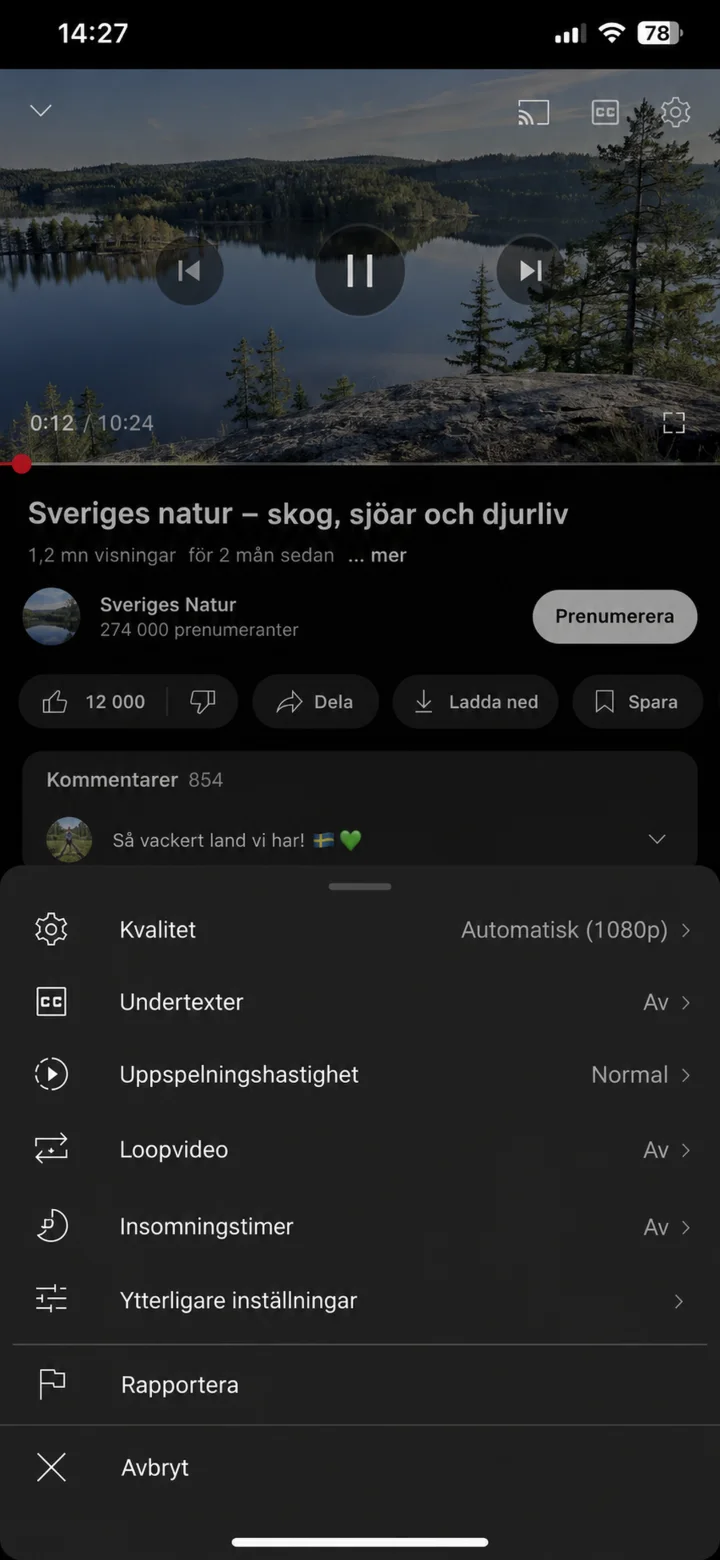 6Step 6 of 7 · Android
Tap the cogwheel icon and choose ”Undertexter” (Subtitles) if you'd like to read what's being said.
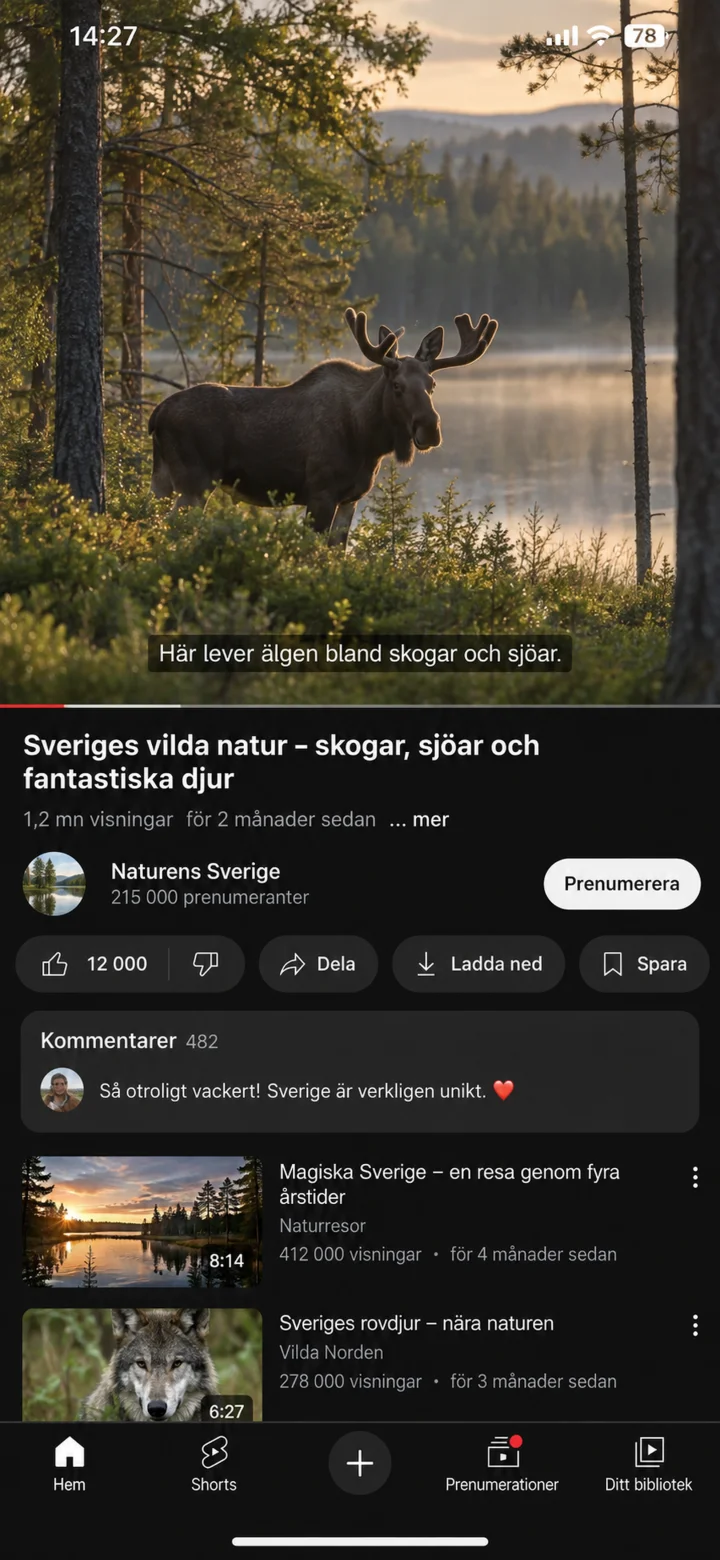 7Step 7 of 7 · Android
Now the movie is playing with Swedish subtitles.