Print the guide and keep it next to your phone while you do the steps.
Tip: untick “Headers and footers” in the print dialog to leave out the web address.
Which language should the printout be in?SvenskaEnglishSuomiالعربية (Arabiska)Bosanski/Hrvatski/Srpskiفارسی (Persiska)PolskiEspañol
Share a picture via SMS
Mobile phone and tablet
 Android
Scan to listen to the guide
 1Step 1 of 5 · Android
We're going to learn how to send a picture in an SMS.
 2Step 2 of 5 · Android
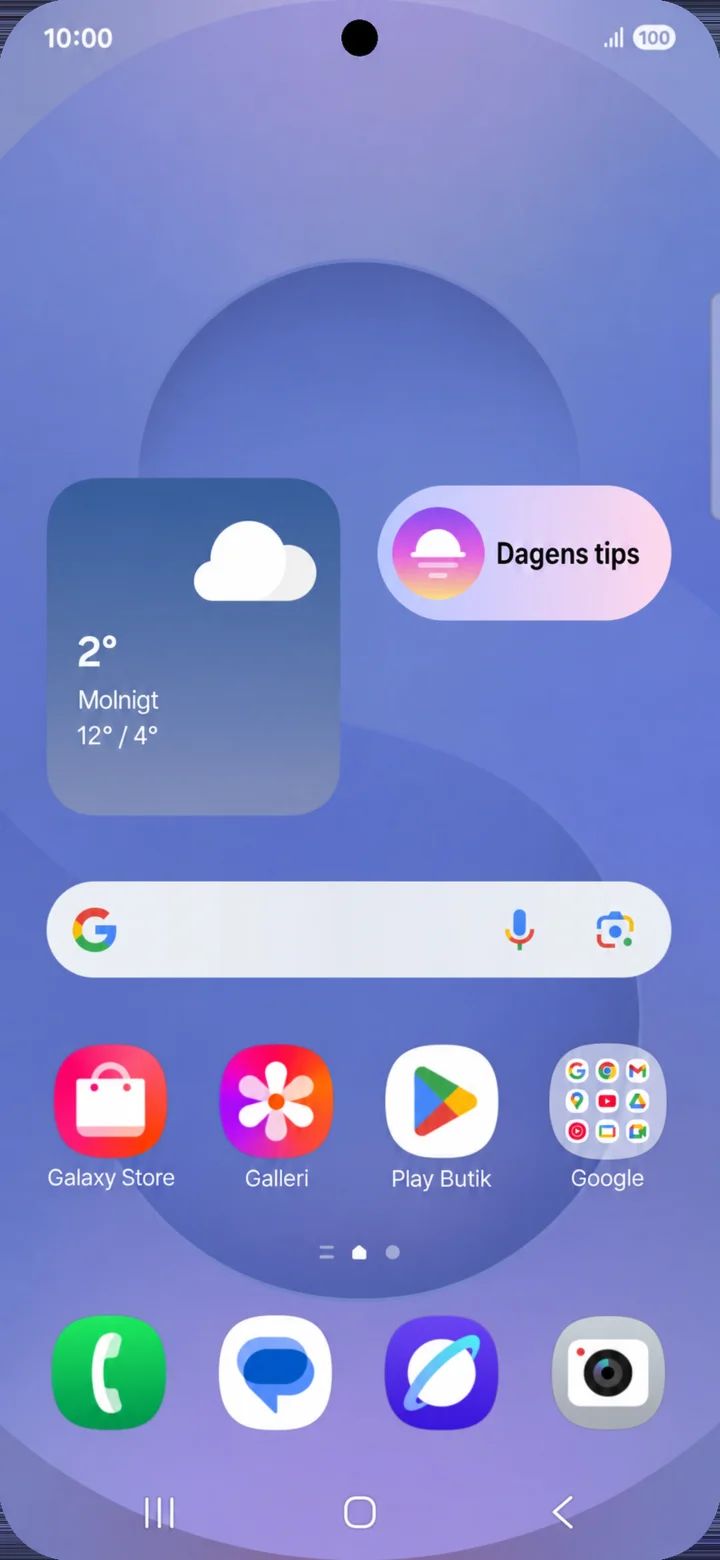
Start from your home screen. Tap on Meddelanden (Messages).
 3Step 3 of 5 · Android
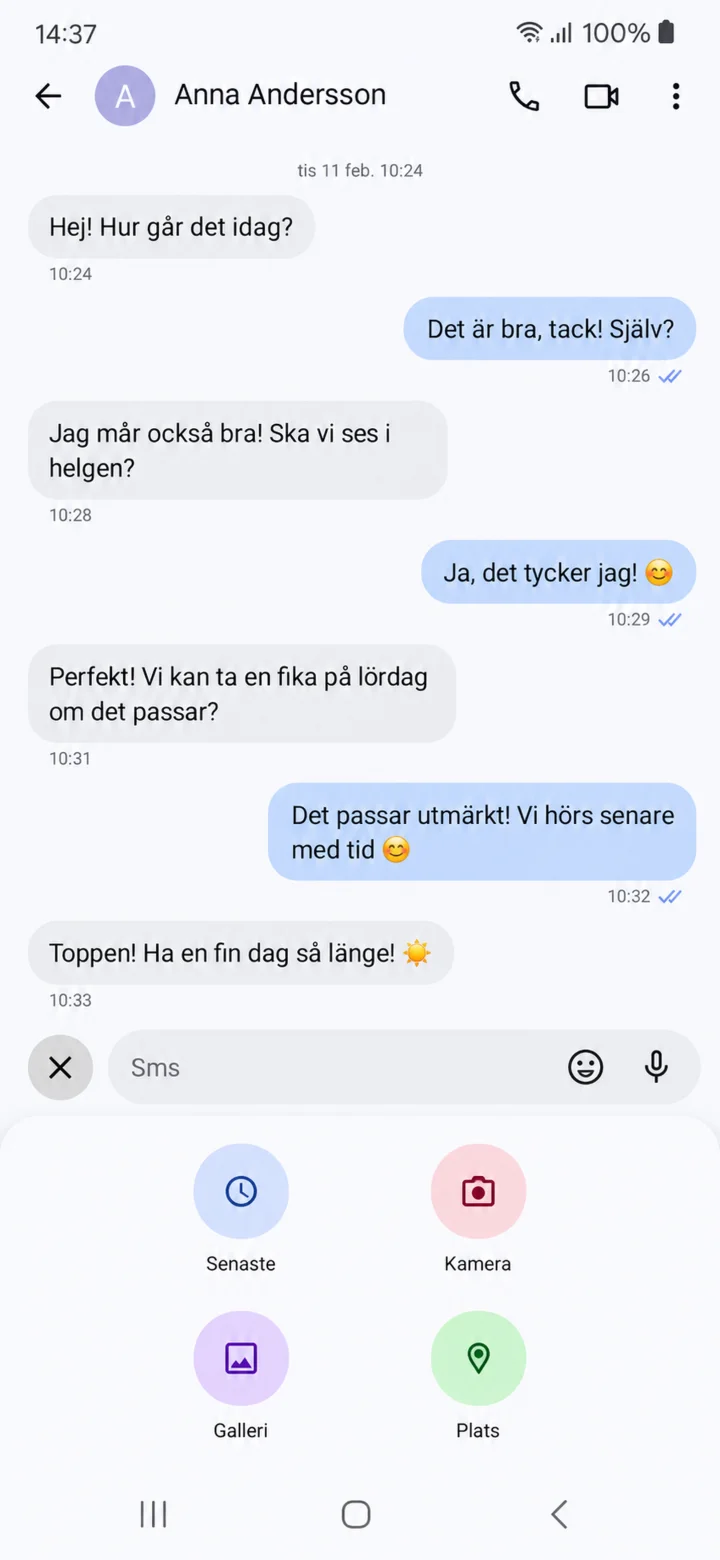
Open the person you want to write to. Tap on the plus sign and then Galleri (Gallery).
 4Step 4 of 5 · Android
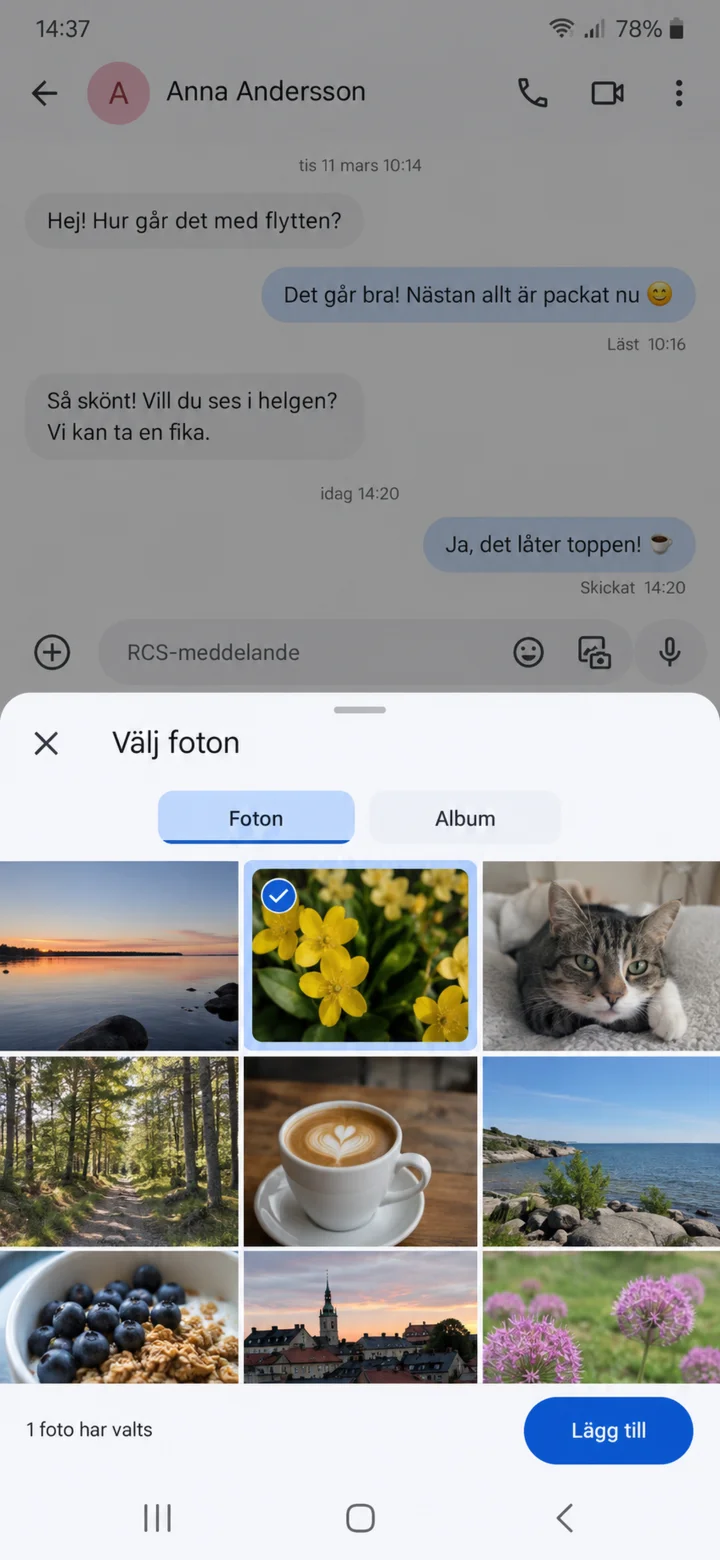
Tap on the picture you want to send and then Lägg till (Add).
 5Step 5 of 5 · Android
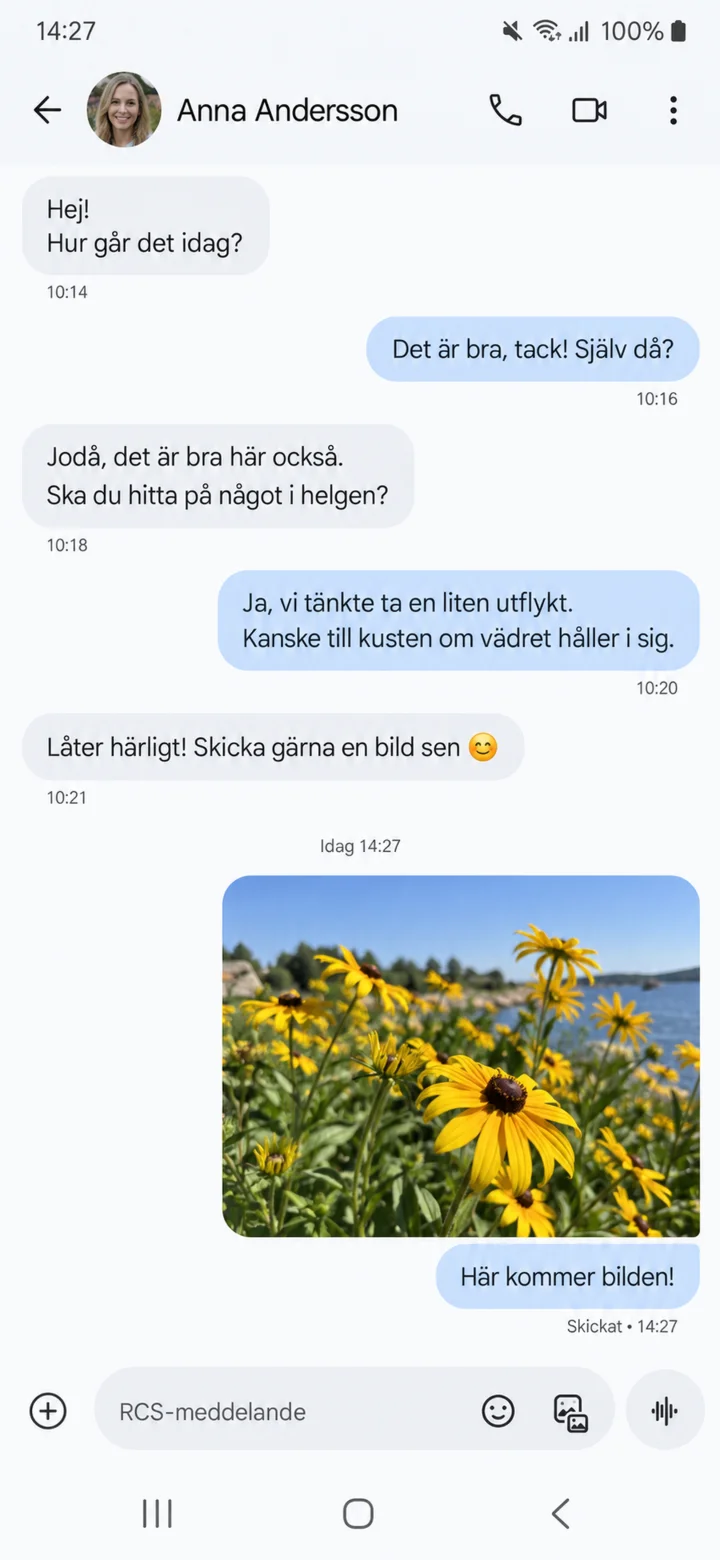
Check the picture and send it. Here you can see the picture as sent. Good job! You have now sent your first picture.