Print the guide and keep it next to your phone while you do the steps.
Tip: untick “Headers and footers” in the print dialog to leave out the web address.
Facebook – Get Started
Keep in touch
 Android
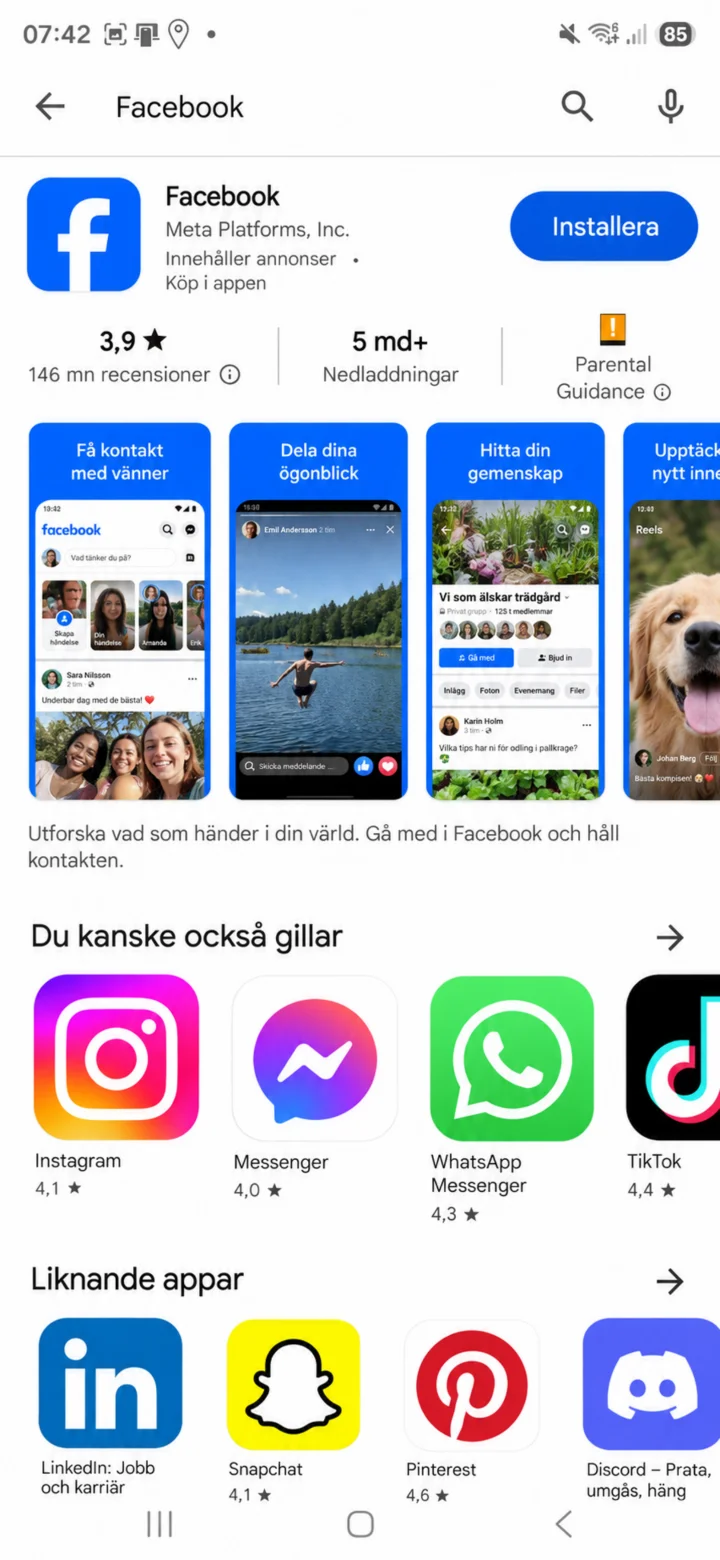 1Step 1 of 8 · Android
Open Google Play and search for Facebook. Make sure the app is from Meta Platforms and tap ”Installera” (Install) or ”Öppna” (Open).
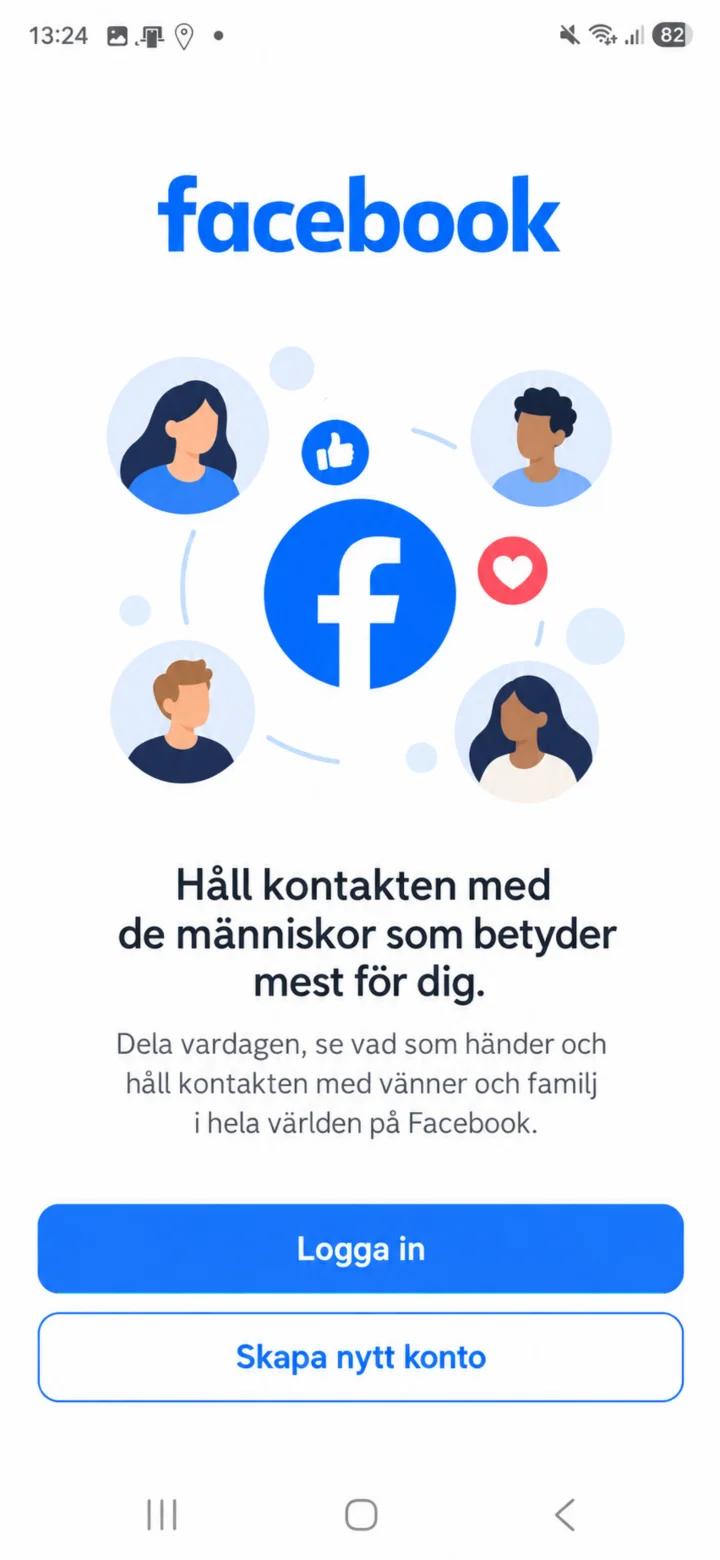 2Step 2 of 8 · Android
When Facebook opens, choose ”Logga in” (Log in) if you already have an account. Choose ”Skapa nytt konto” (Create new account) if you don't have one.
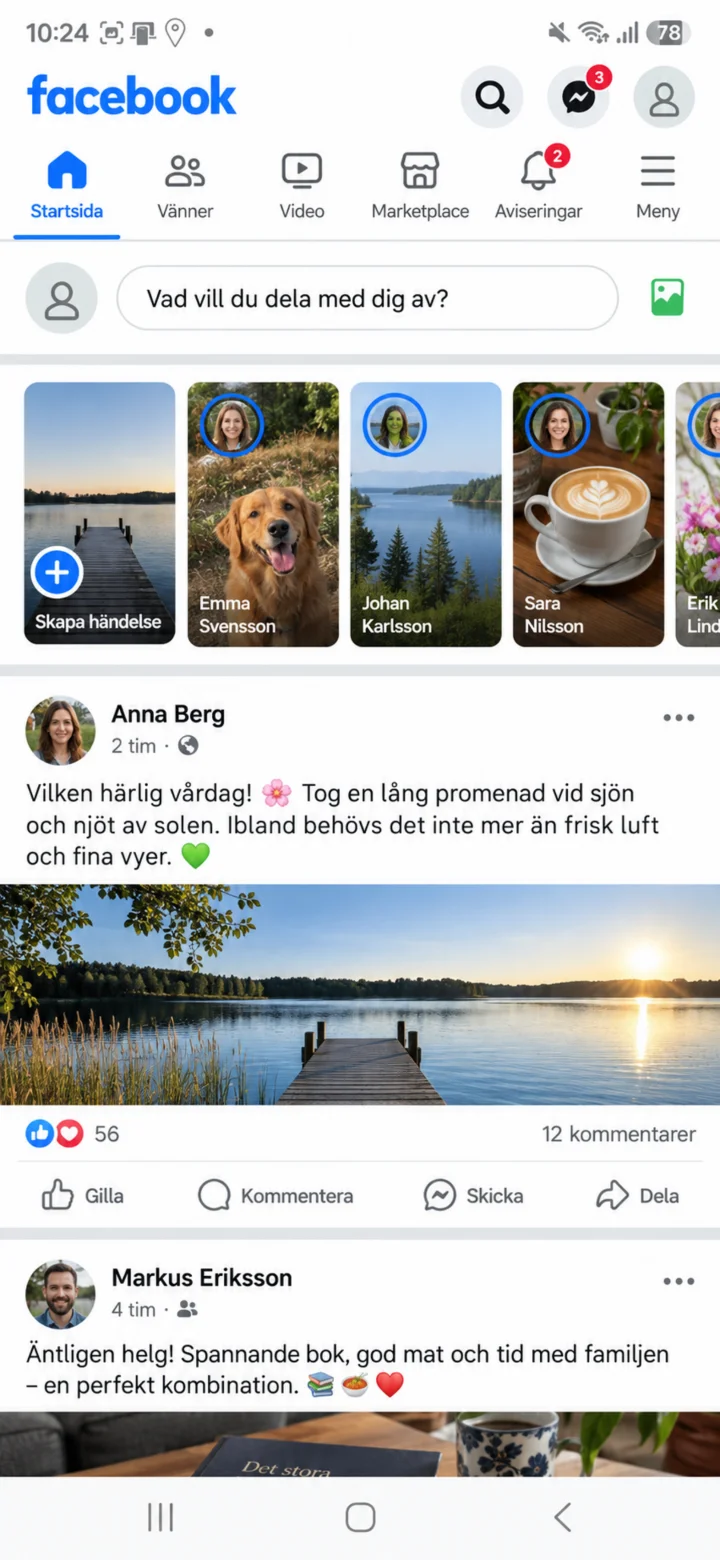 3Step 3 of 8 · Android
Now you're on Facebook. On the home page, you'll see posts from different people and companies that you can tap and read. To set up your profile, tap the menu button with three lines to go to your profile.
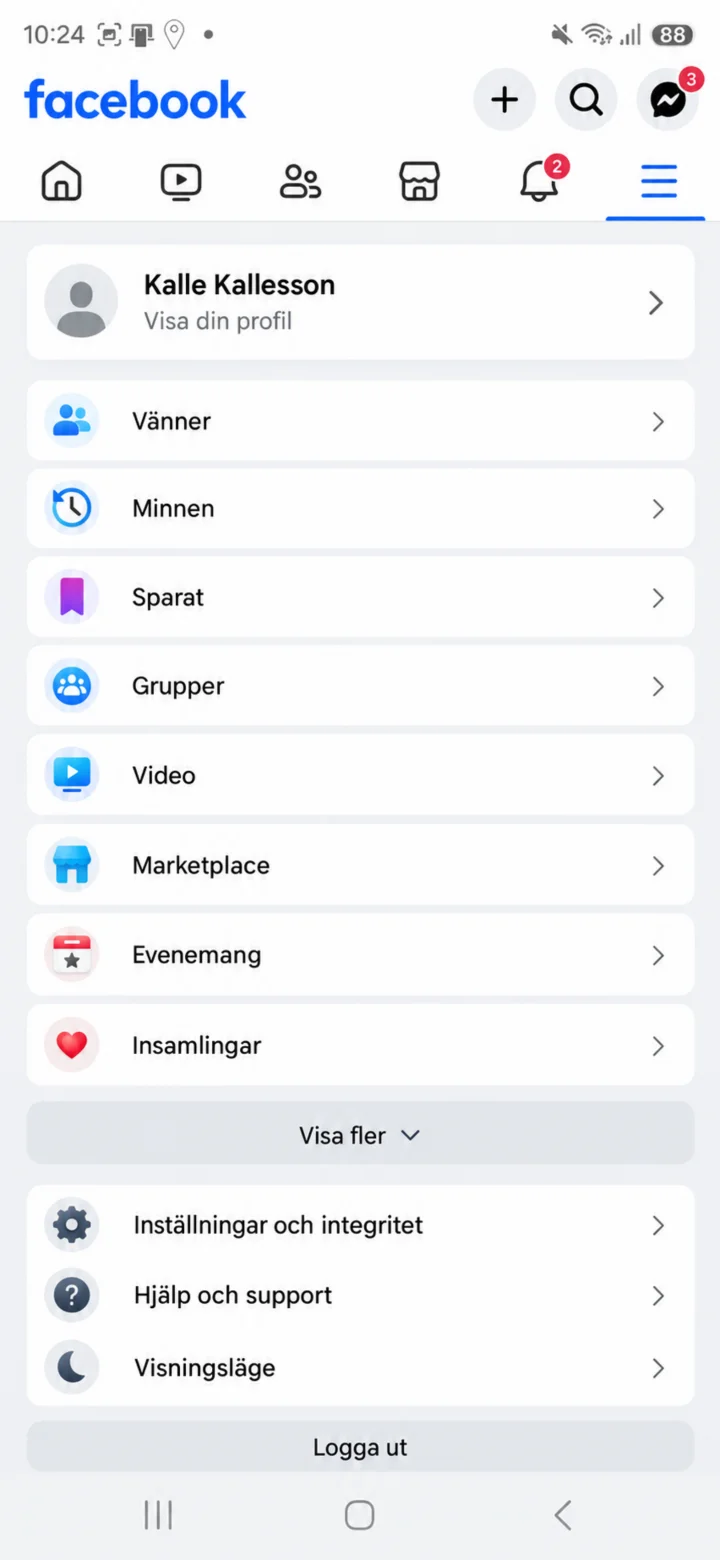 4Step 4 of 8 · Android
Tryck på ditt namn eller Visa din profil högst upp i menyn. Då öppnas din Facebook-profil.
 5Step 5 of 8 · Android
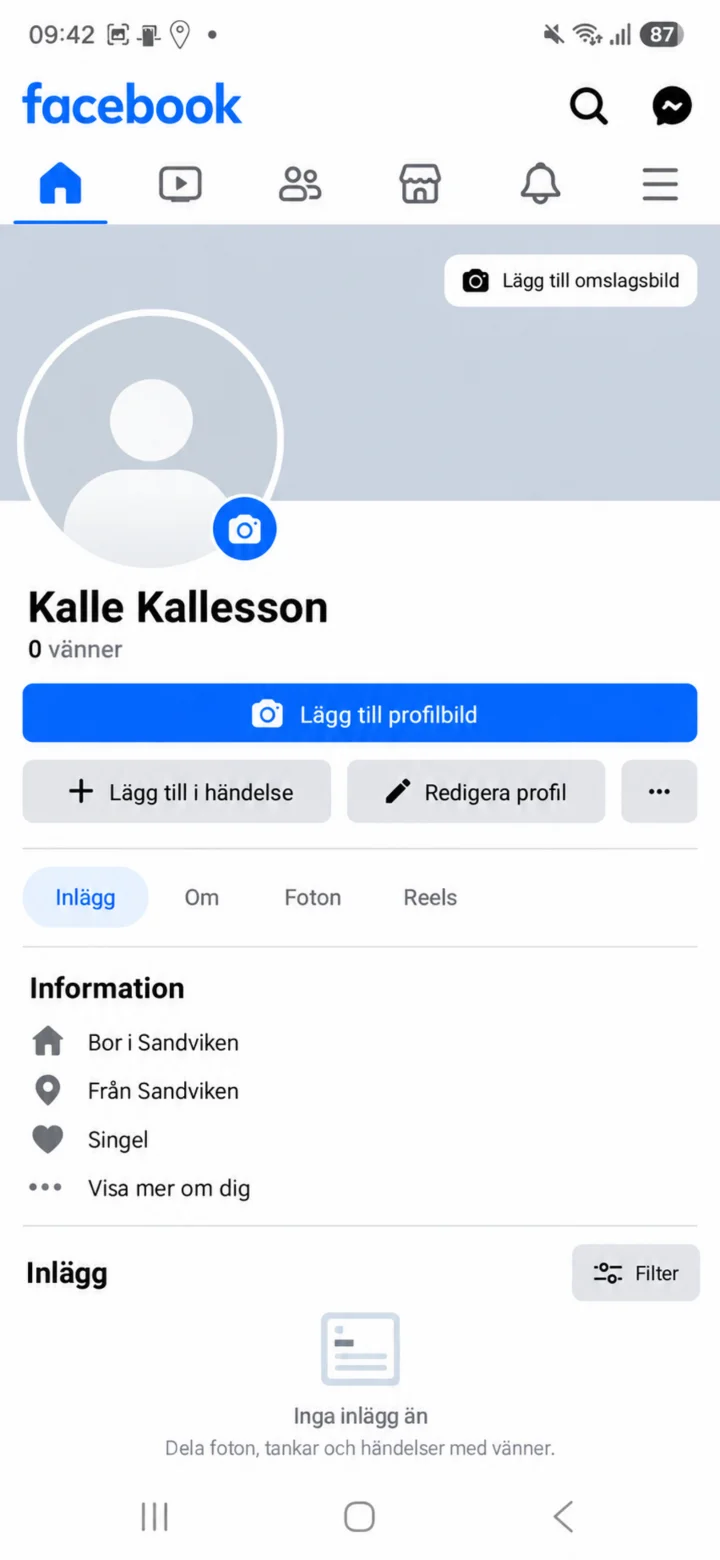
On your profile page, tap ”Lägg till profilbild” (Add profile picture) next to the empty profile picture.
 6Step 6 of 8 · Android
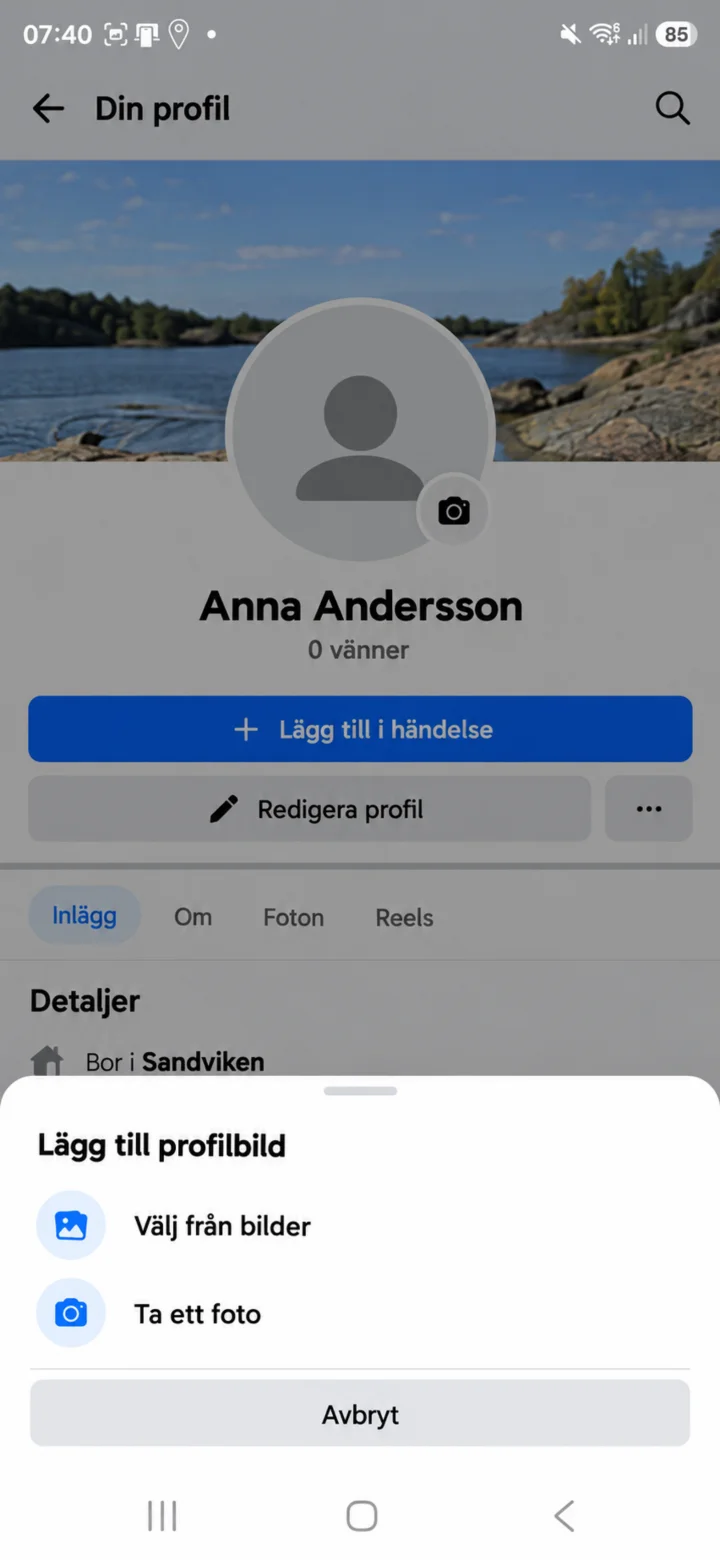
Choose ”Välj från bilder” (Select from photos) if the picture is already on your phone. Choose ”Ta ett foto” (Take a photo) if you want to take a new picture.
 7Step 7 of 8 · Android
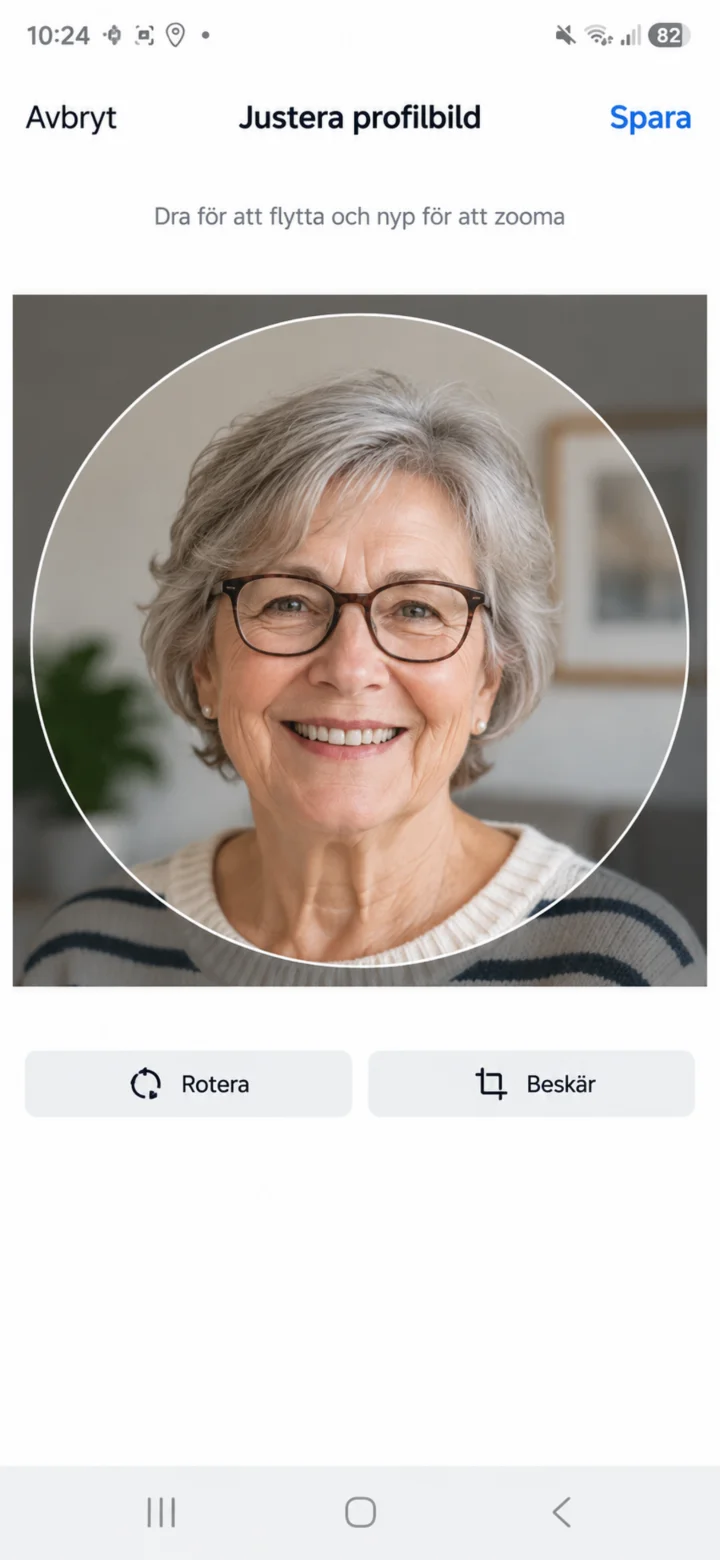
Now the picture is uploaded. Move the picture so your face is clearly visible. Then tap ”Spara” (Save).
 8Step 8 of 8 · Android
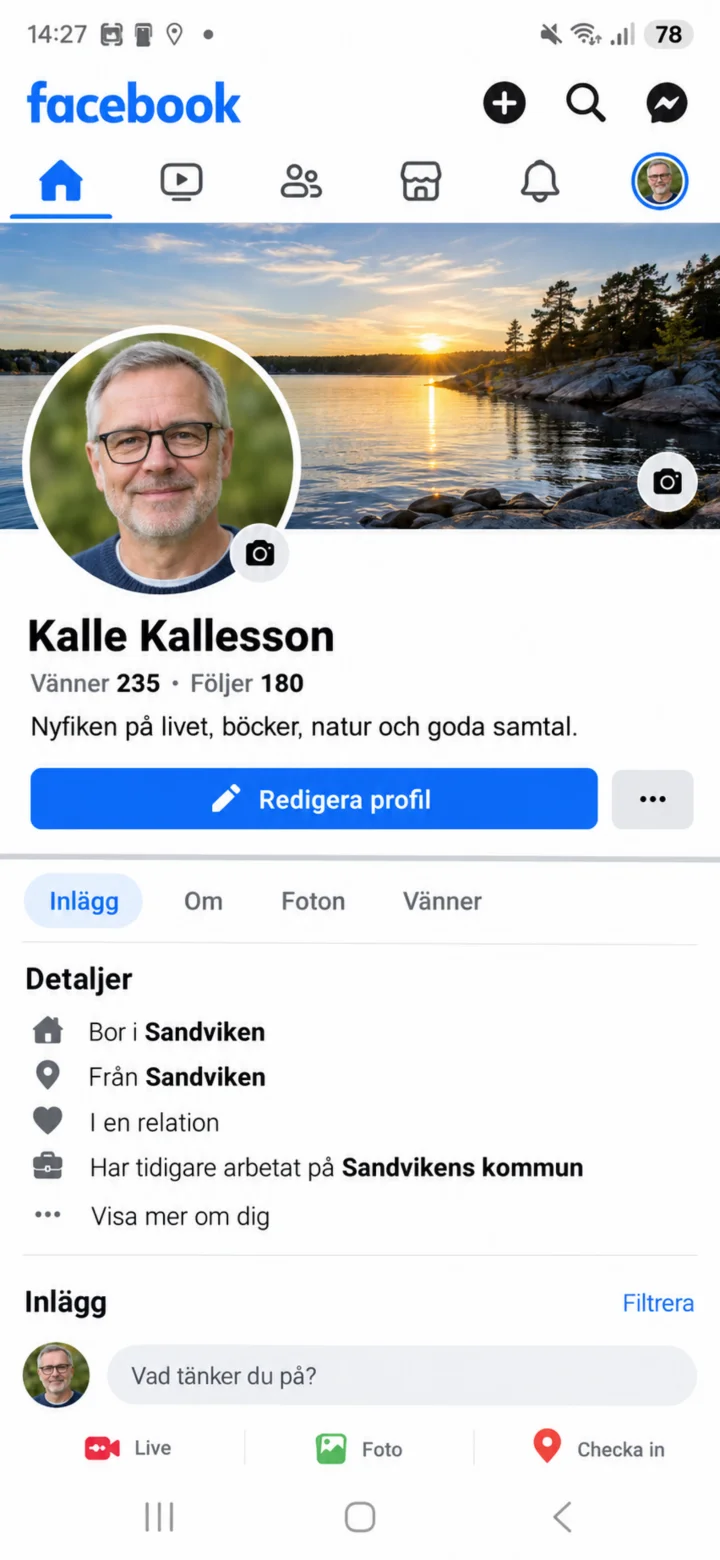
Now your new profile picture is displayed on your Facebook profile. You can later tap ”Redigera profil” (Edit profile) if you want to change something.