Print the guide and keep it next to your phone while you do the steps.
Tip: untick “Headers and footers” in the print dialog to leave out the web address.
How to pick up packages in the PostNord app
Useful apps
 Android
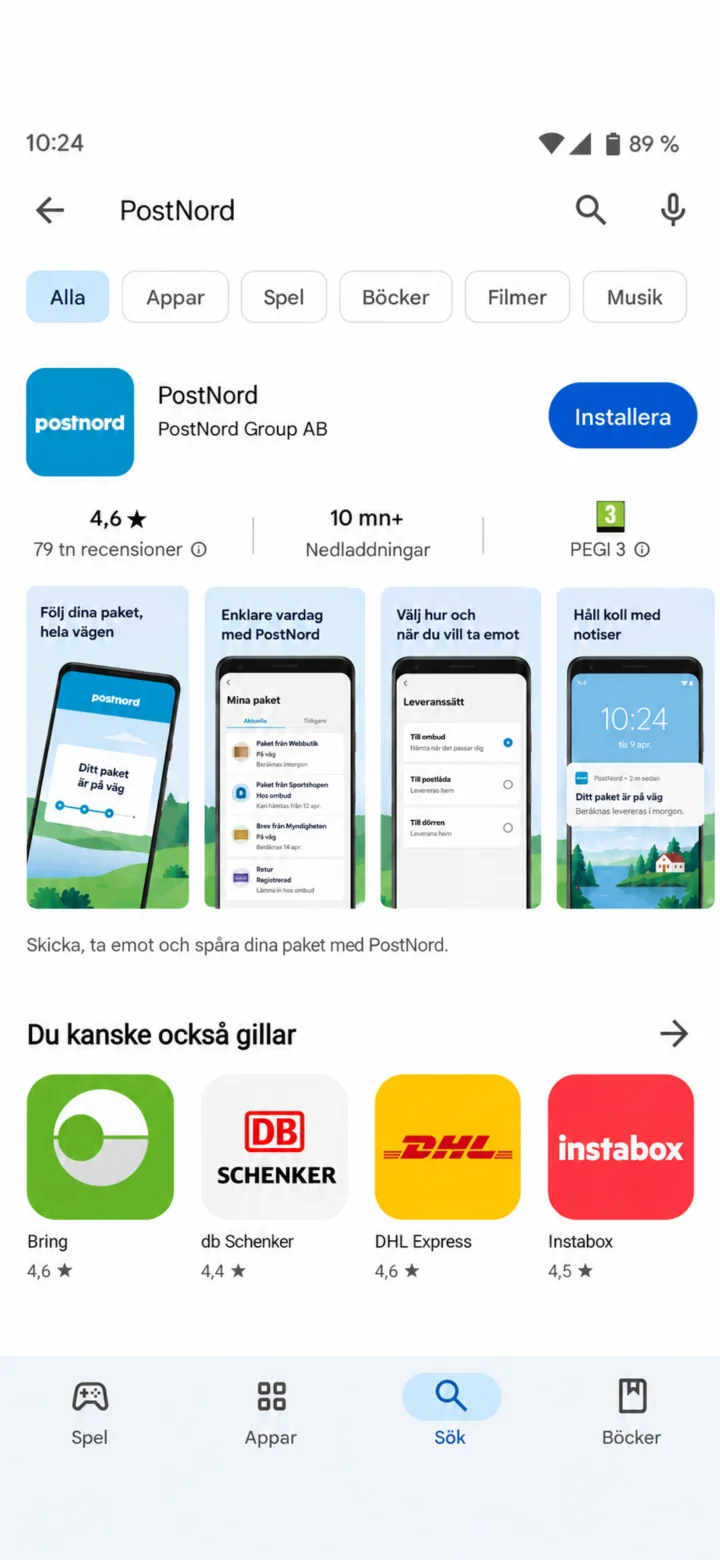 1Step 1 of 9 · Android
Open Google Play and search for PostNord.
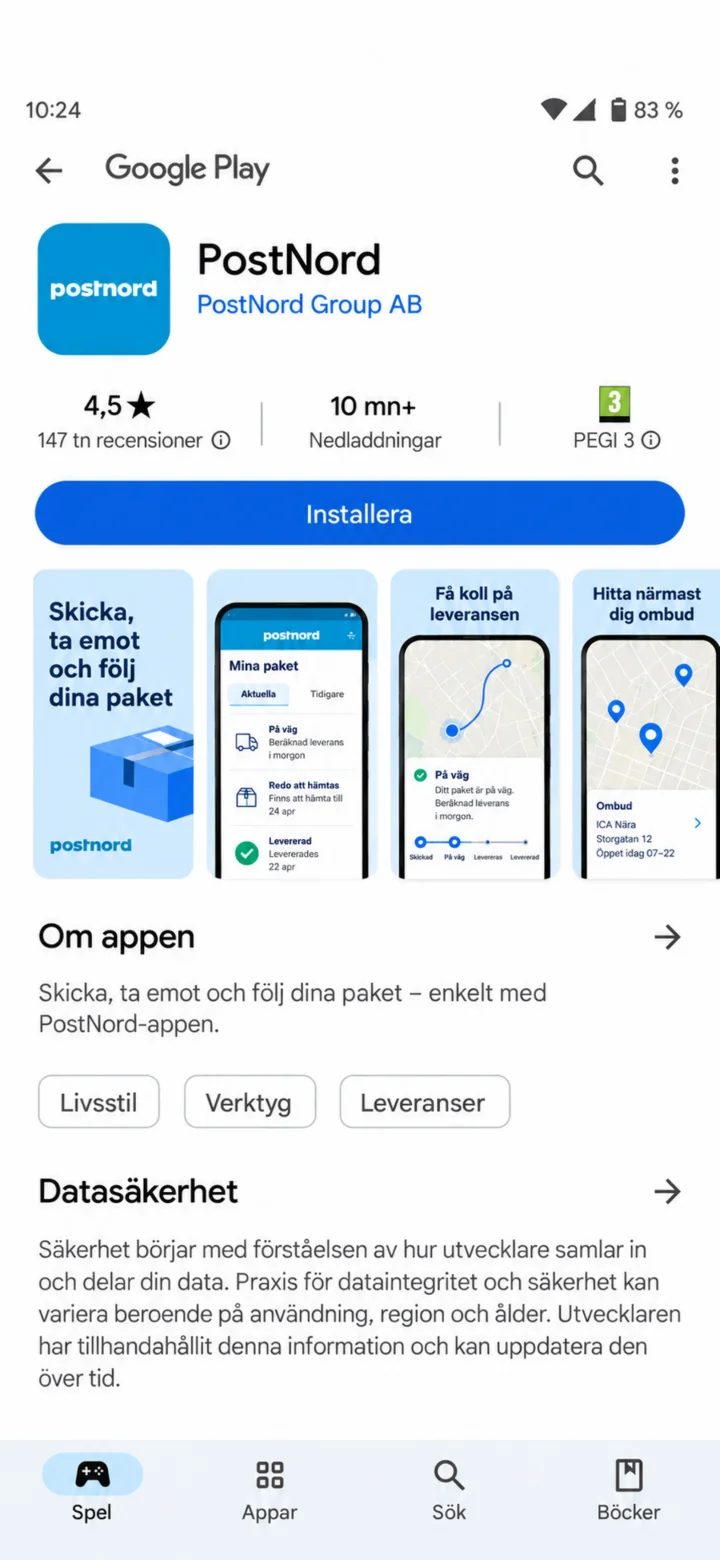 2Step 2 of 9 · Android
Check that the app is called PostNord and tap ”Installera” (Install).
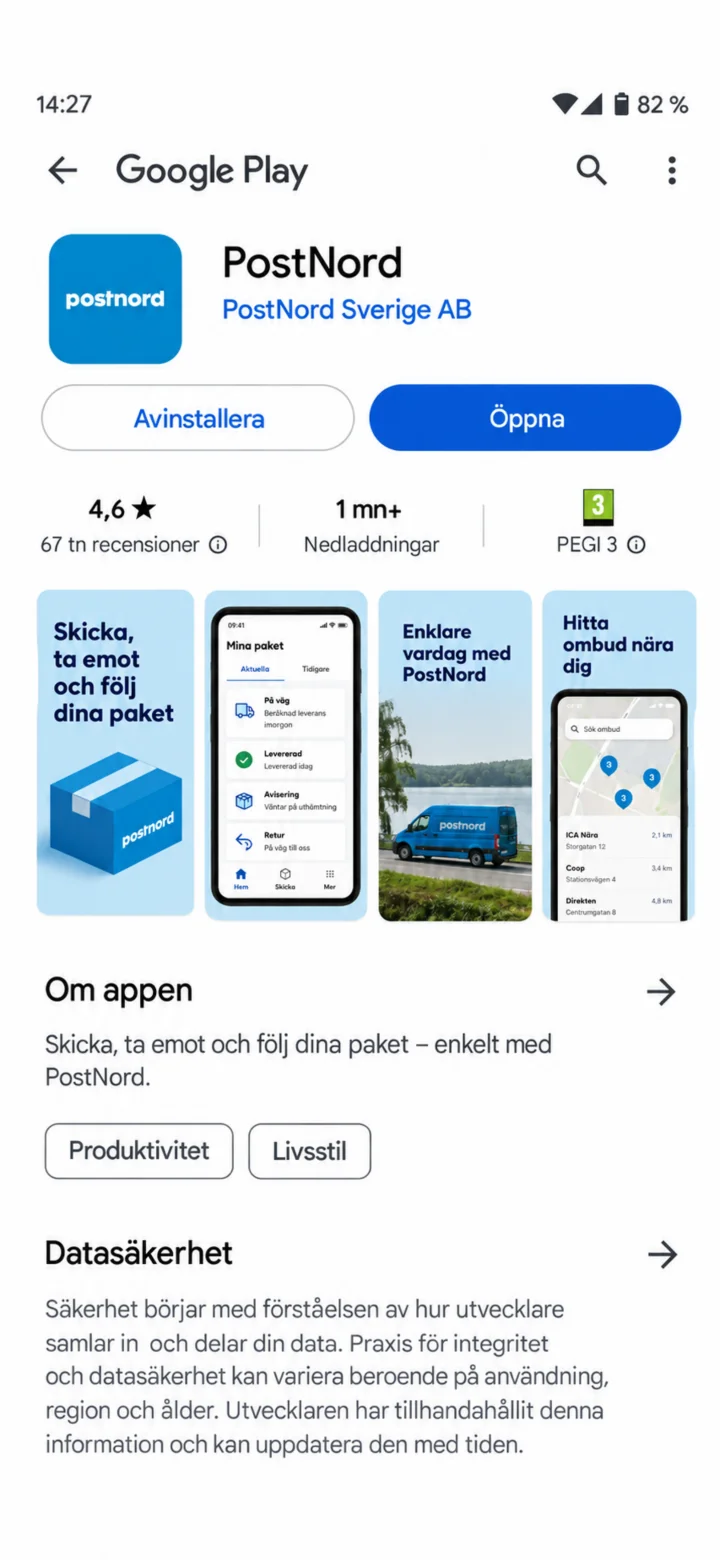 3Step 3 of 9 · Android
When the installation is complete, tap ”Öppna” (Open).
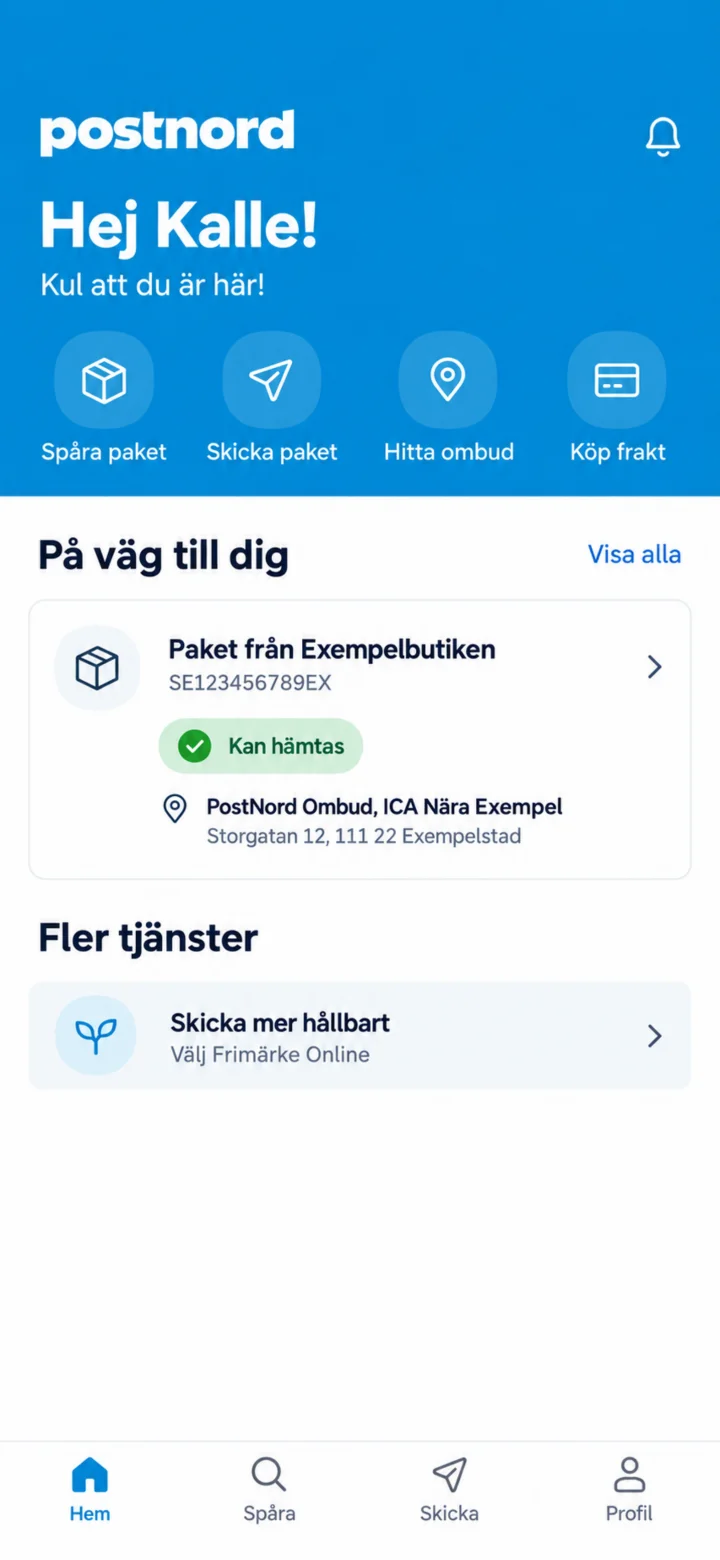 4Step 4 of 9 · Android
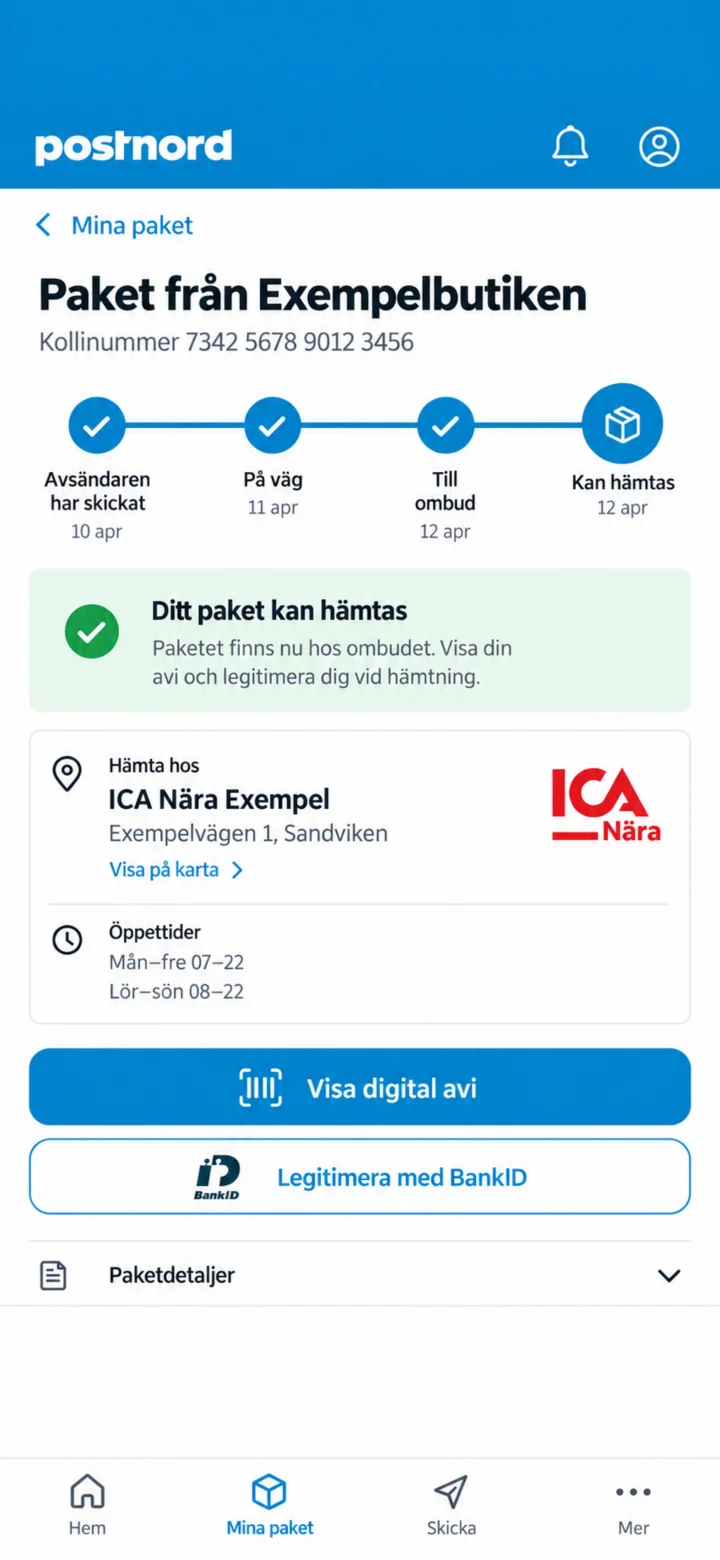
On the home screen, tap the package that can be picked up.
 5Step 5 of 9 · Android
Tap ”Visa digital avi” (Show digital notification) or identify yourself with BankID.
 6Step 6 of 9 · Android
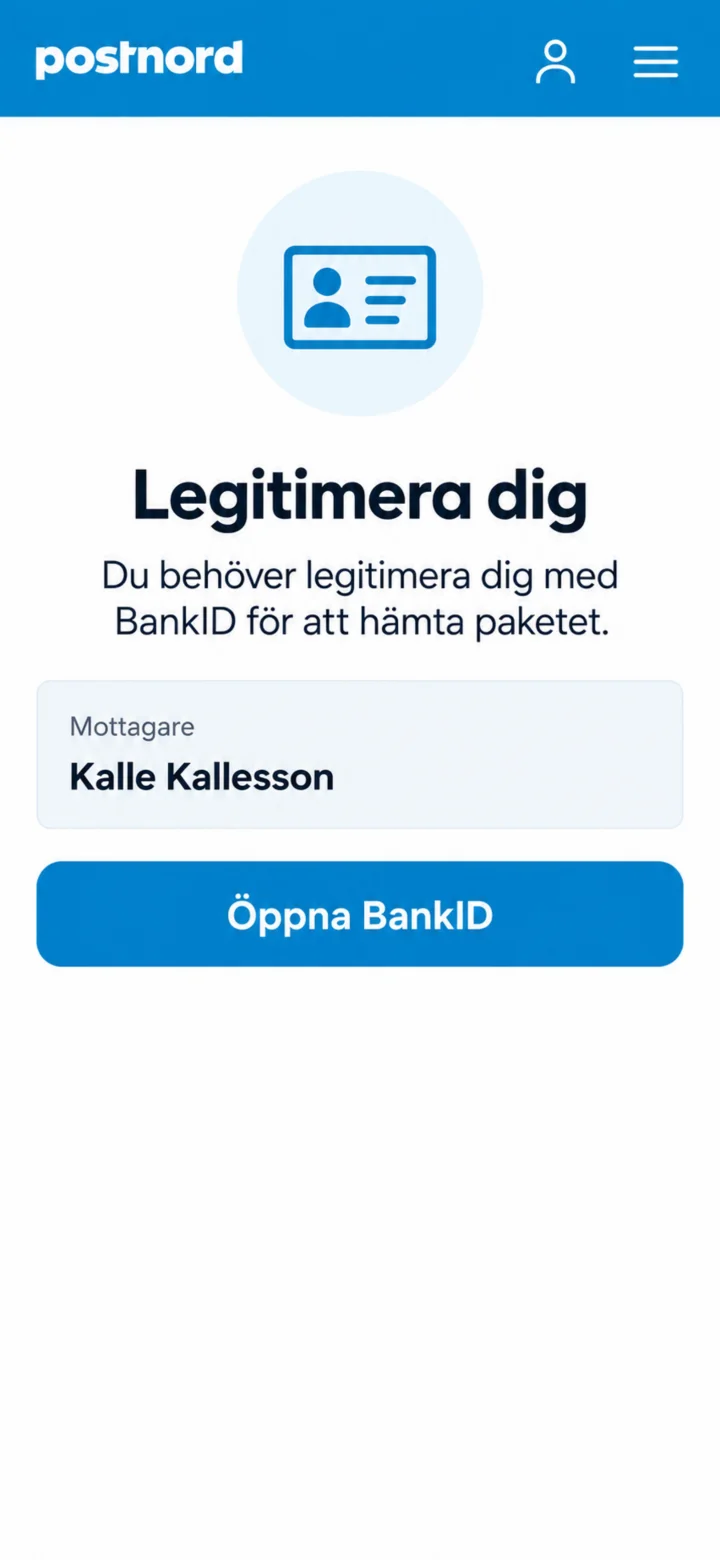
Tap ”Öppna BankID” (Open BankID).
 7Step 7 of 9 · Android
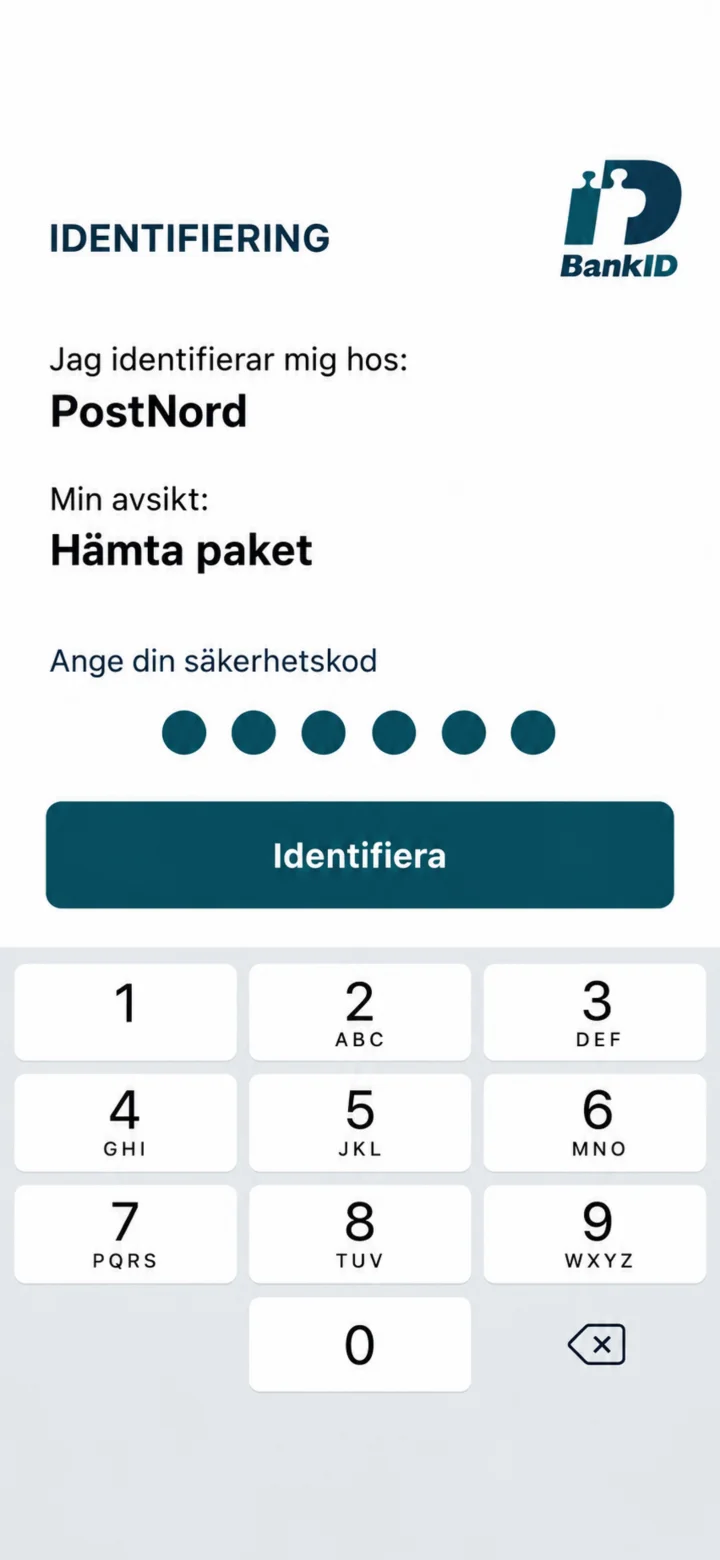
Check that it says PostNord, fill in your security code, and tap ”Identifiera” (Identify).
 8Step 8 of 9 · Android
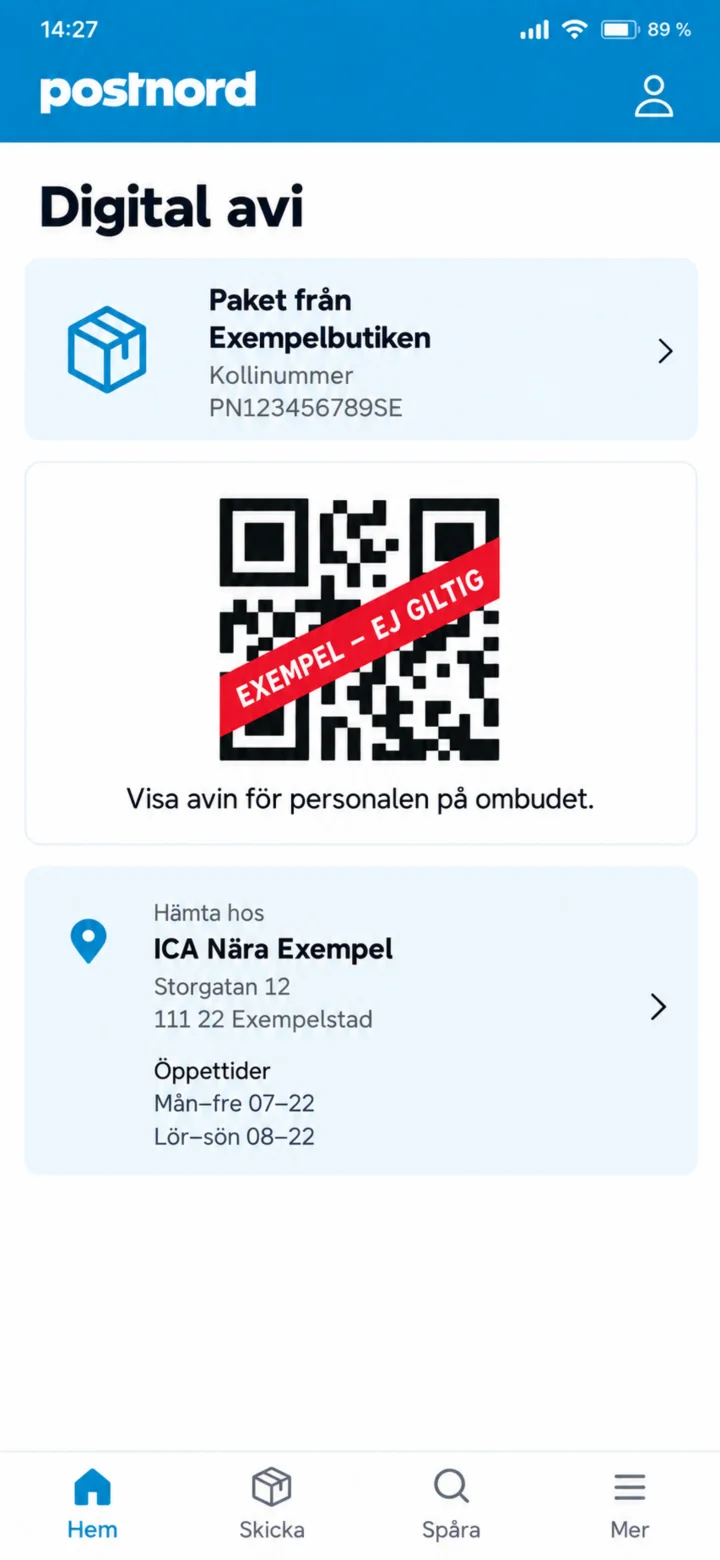
Show the digital notification to the staff. The QR code in the guide is just an invalid example.
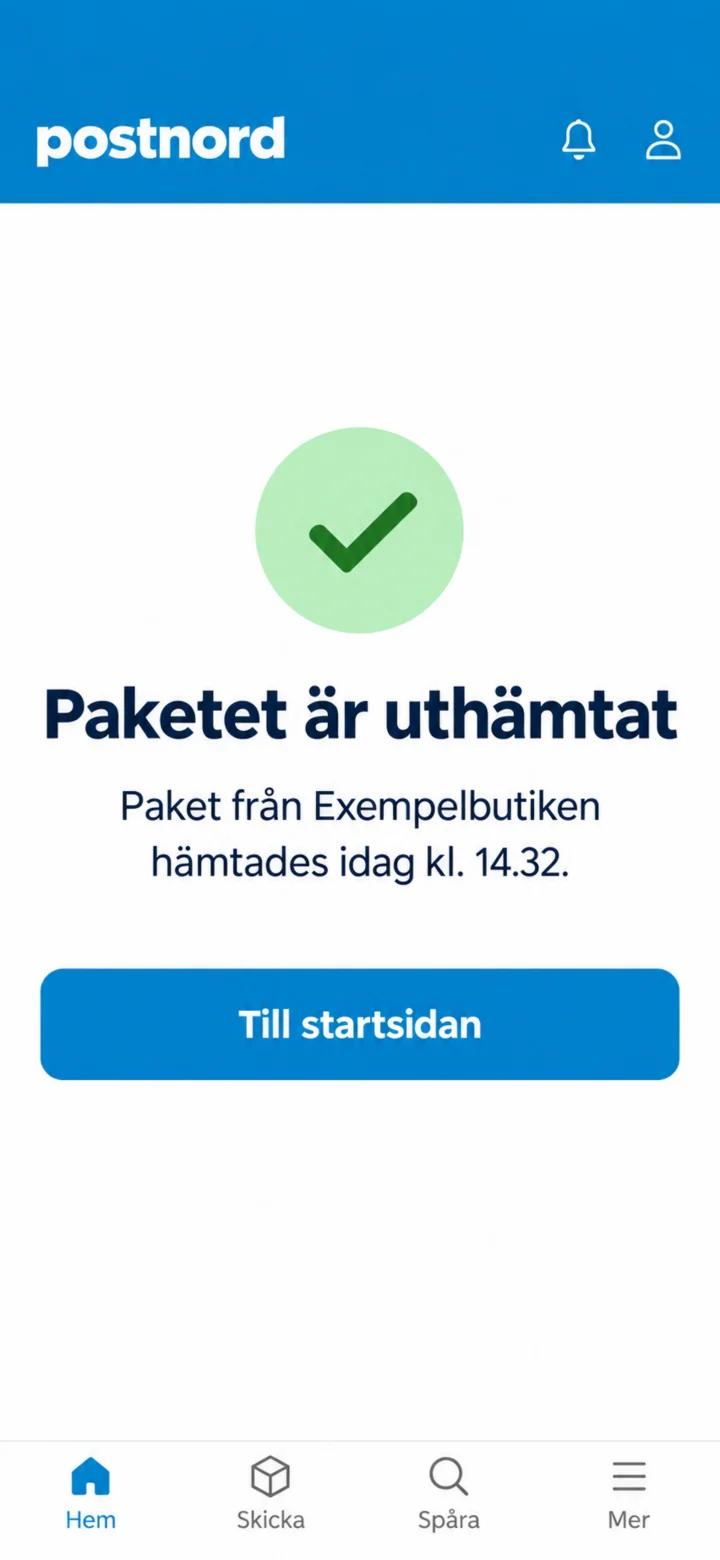 9Step 9 of 9 · Android
Once the package has been handed out, it will show that it has been picked up.