Print the guide and keep it next to your phone while you do the steps.
Tip: untick “Headers and footers” in the print dialog to leave out the web address.
Which language should the printout be in?SvenskaEnglishSuomiالعربية (Arabiska)Bosanski/Hrvatski/Srpskiفارسی (Persiska)PolskiEspañol
How to install and use the SOS Alarm 112 app
SOS
 iPhone
Scan to listen to the guide
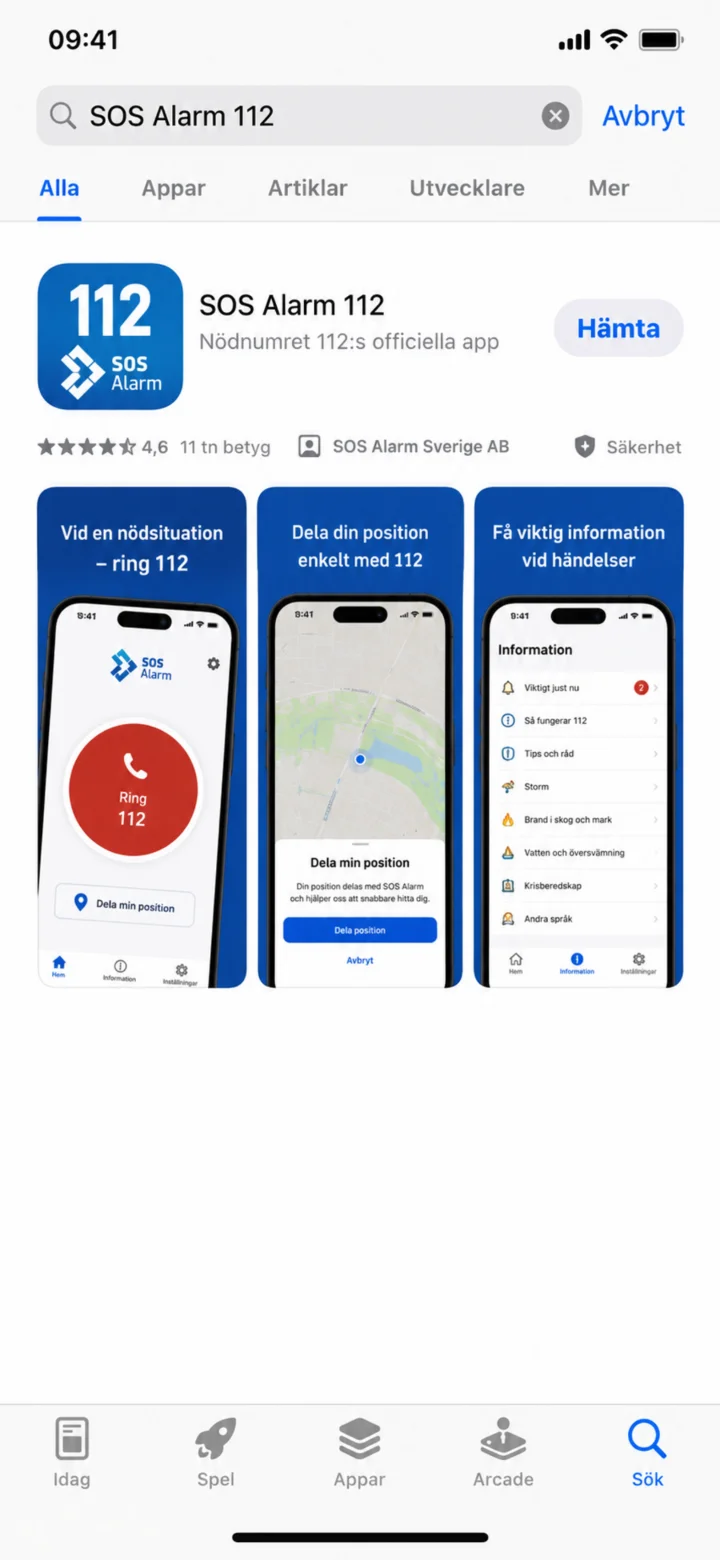 1Step 1 of 3 · iPhone
Open the App Store and search for SOS Alarm 112.
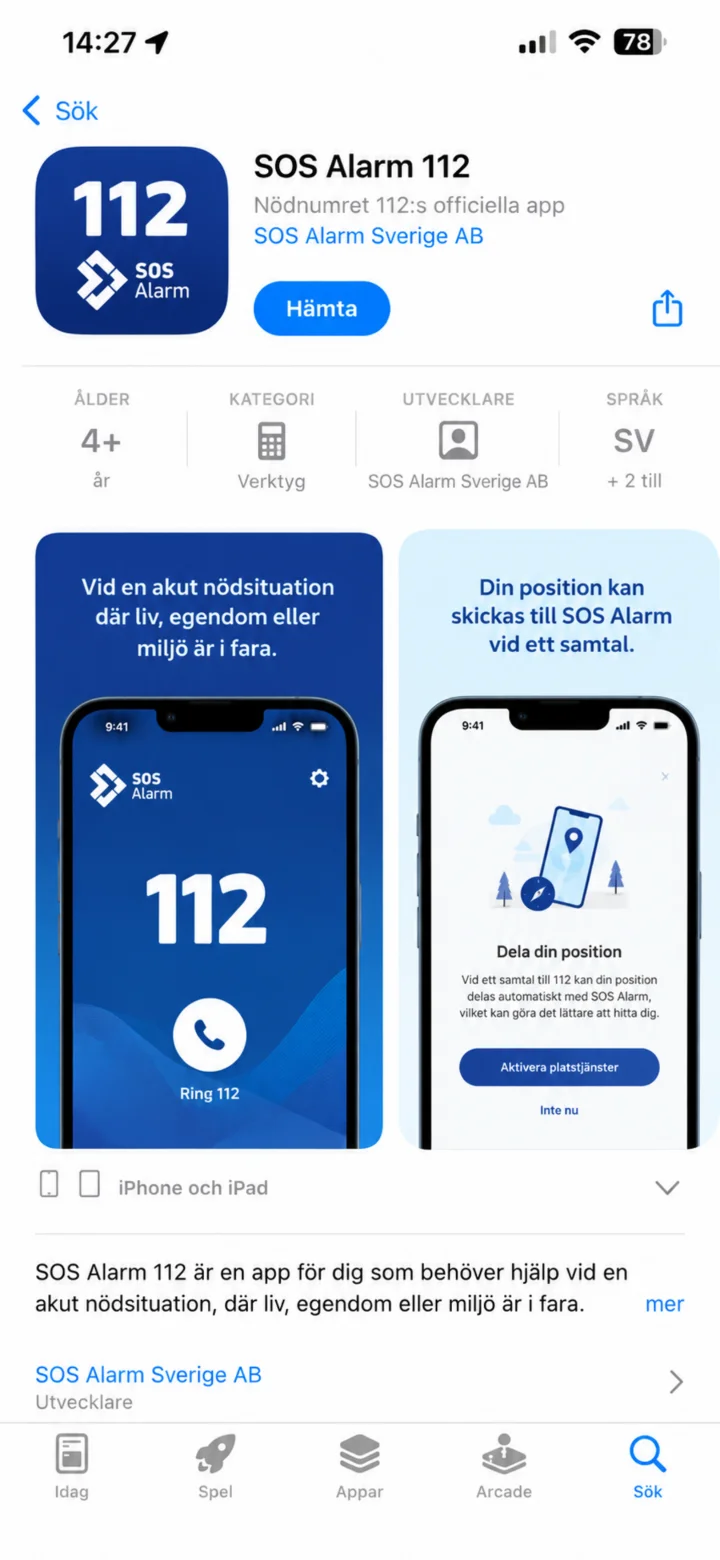 2Step 2 of 3 · iPhone
Kontrollera att appen heter SOS Alarm 112 och att utvecklaren är SOS Alarm Sverige AB. Tryck sedan på Hämta.
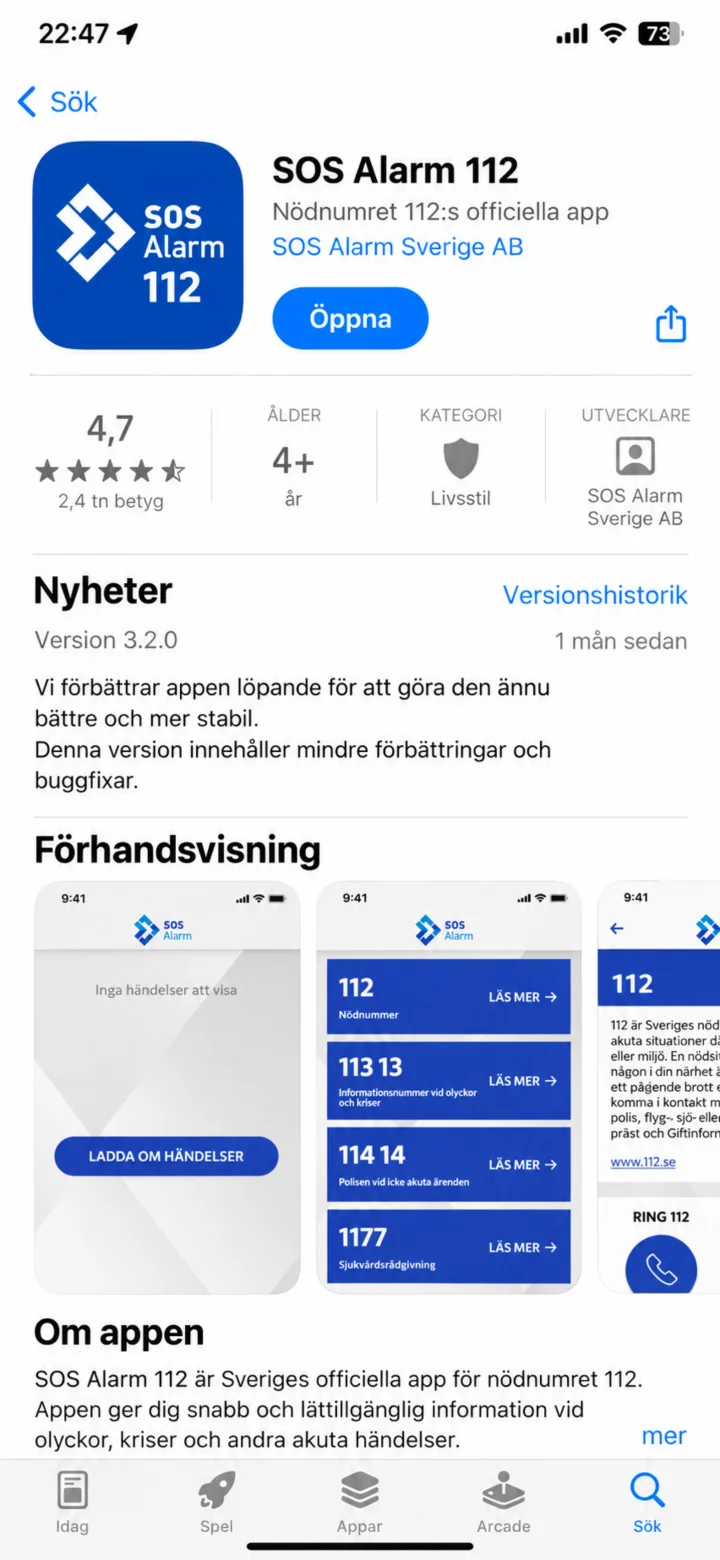 3Step 3 of 3 · iPhone
Once the app is installed, tap ”Öppna”.