Print the guide and keep it next to your phone while you do the steps.
Tip: untick “Headers and footers” in the print dialog to leave out the web address.
How to buy a train ticket in the SJ app
Local useful apps
 iPhone
 1Step 1 of 11 · iPhone
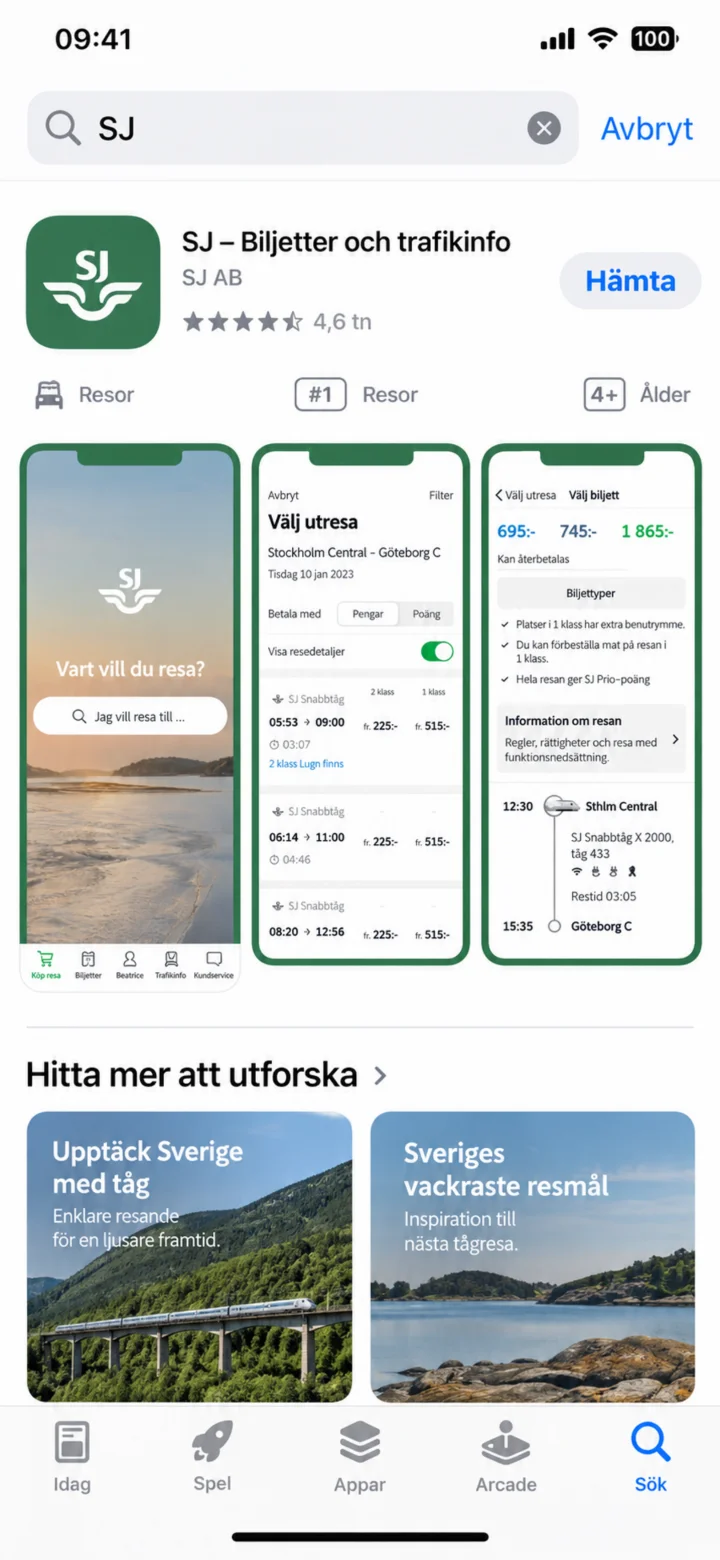
Open the App Store and search for SJ.
 2Step 2 of 11 · iPhone
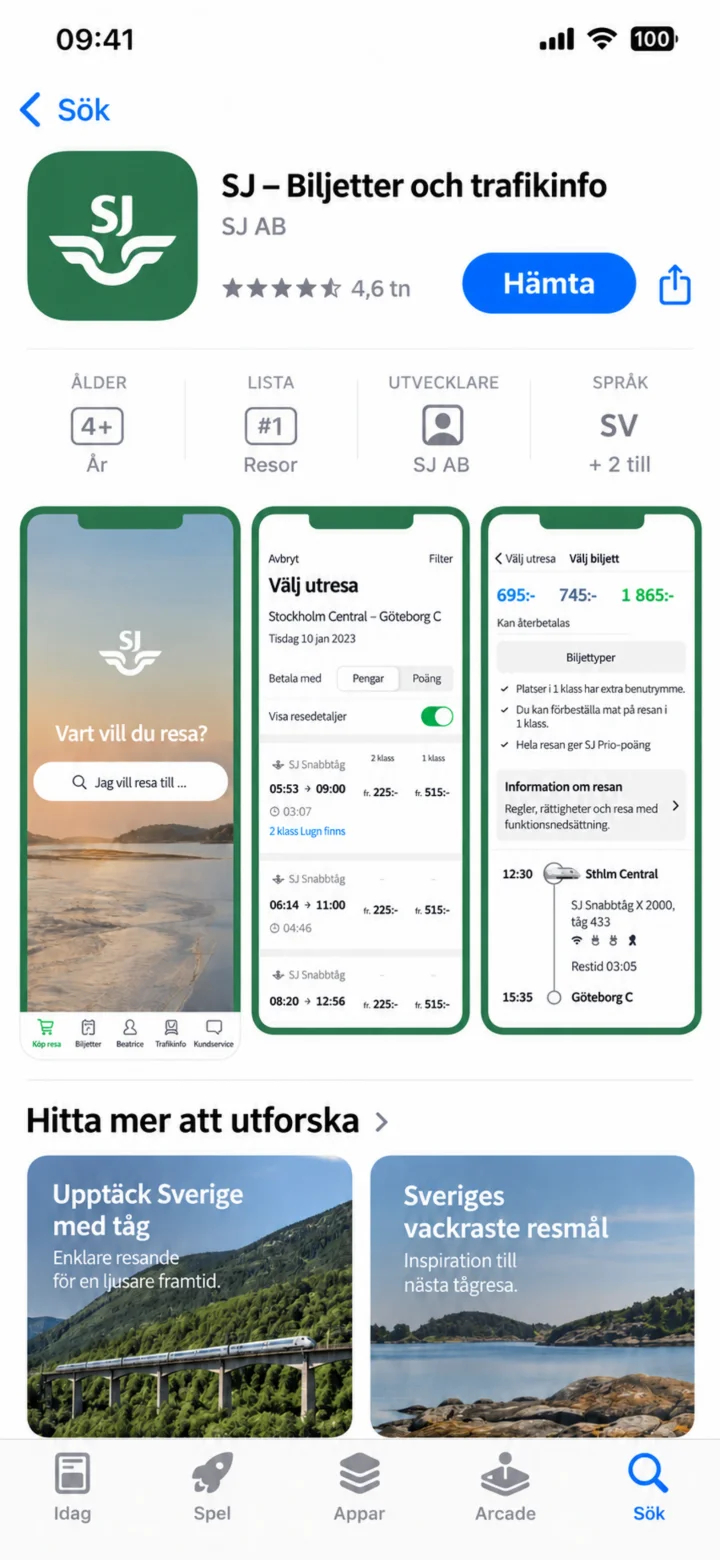
Check that the app is called SJ – Biljetter och trafikinfo (Tickets and traffic info) and that it's from SJ AB. Then, tap ”Hämta” (Get).
 3Step 3 of 11 · iPhone
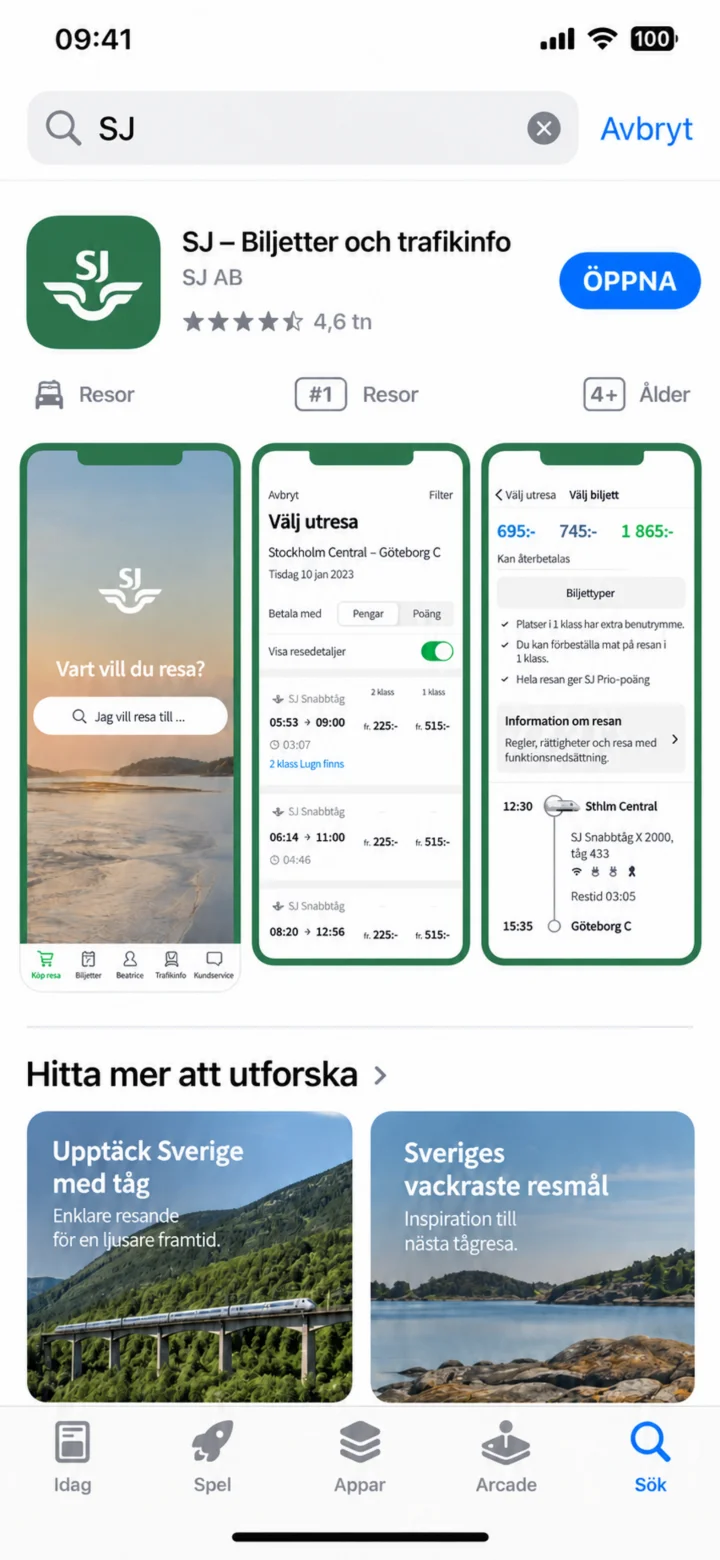
Once the app is installed, tap ”Öppna” (Open).
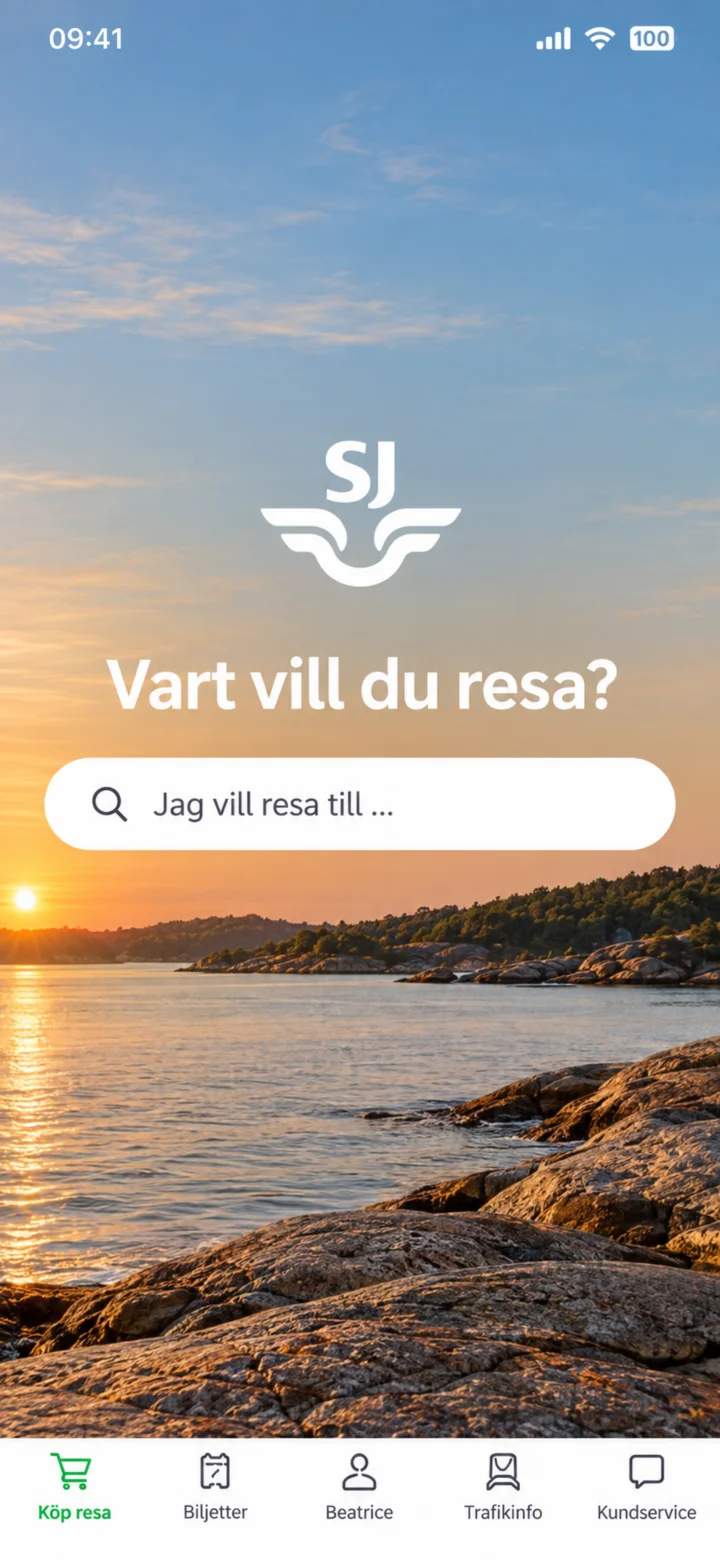 4Step 4 of 11 · iPhone
When the SJ app opens, tap the search box under the text Vart vill du resa? (Where do you want to travel?)
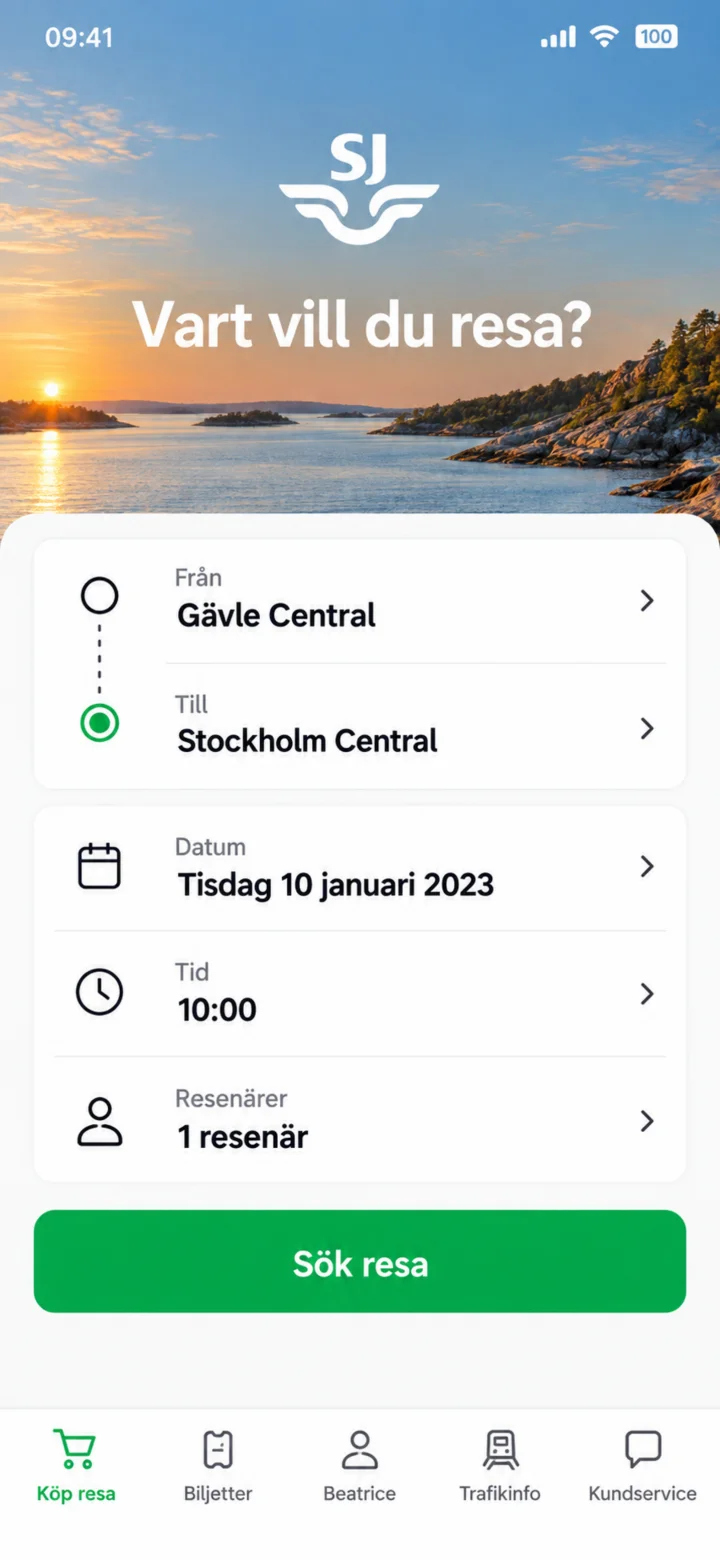 5Step 5 of 11 · iPhone
Type Gävle Central as the starting point and Stockholm Central as the destination. Check the date, time, and number of travelers. Then, tap ”Sök resa” (Search trip).
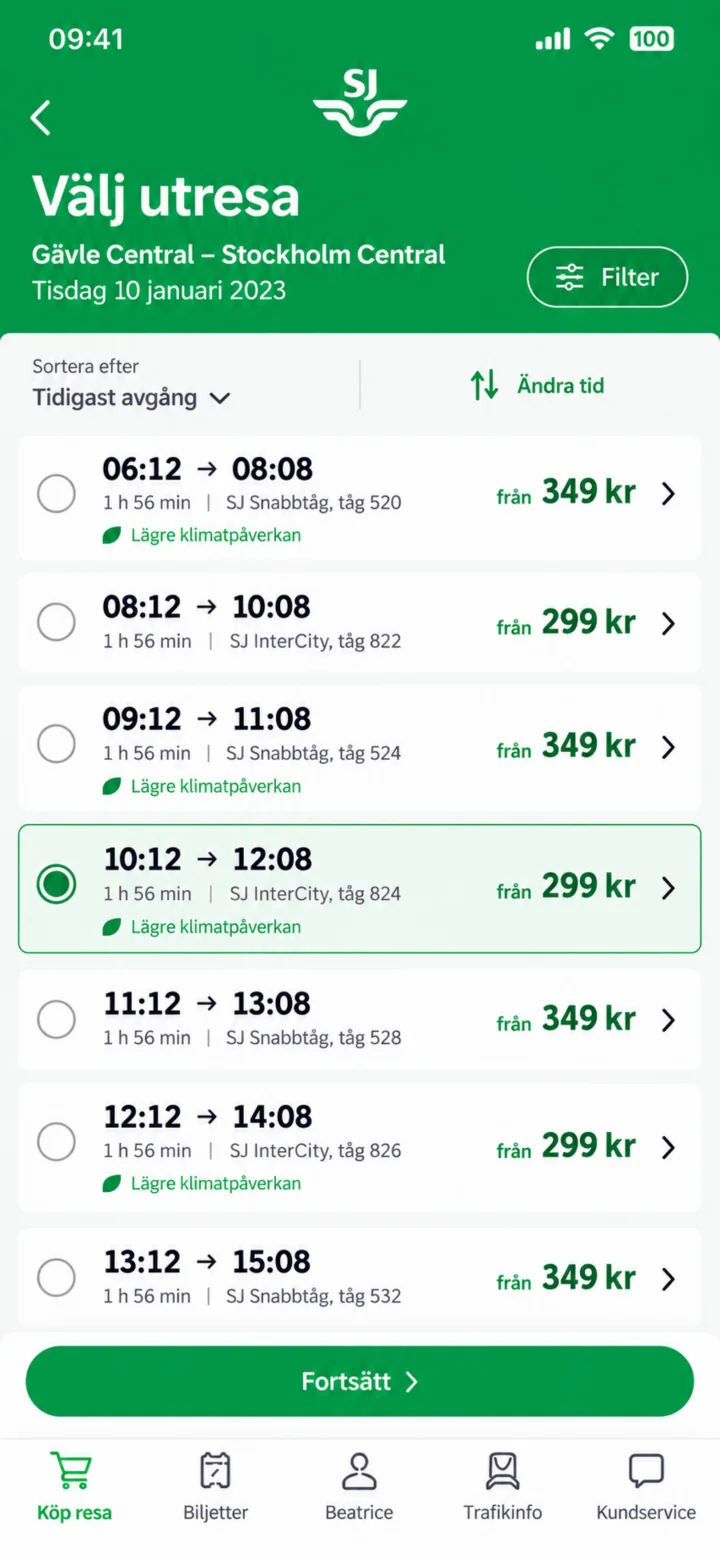 6Step 6 of 11 · iPhone
Look at the list of departures and choose the time that suits you. In the example, we're choosing the train at 10:12. Tap ”Fortsätt” (Continue).
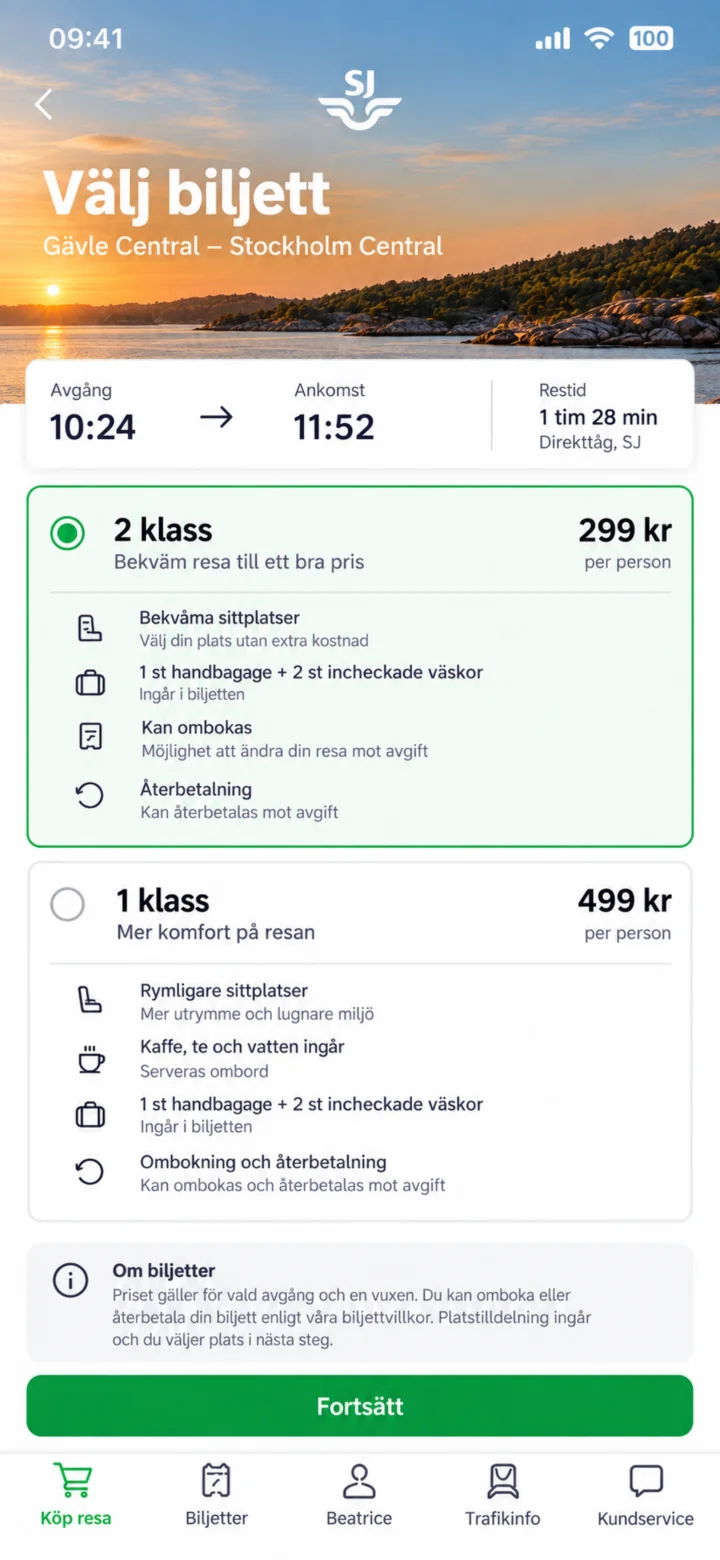 7Step 7 of 11 · iPhone
Choose your ticket type. In the example, we're choosing 2 klass. Check the conditions and tap ”Fortsätt” (Continue).
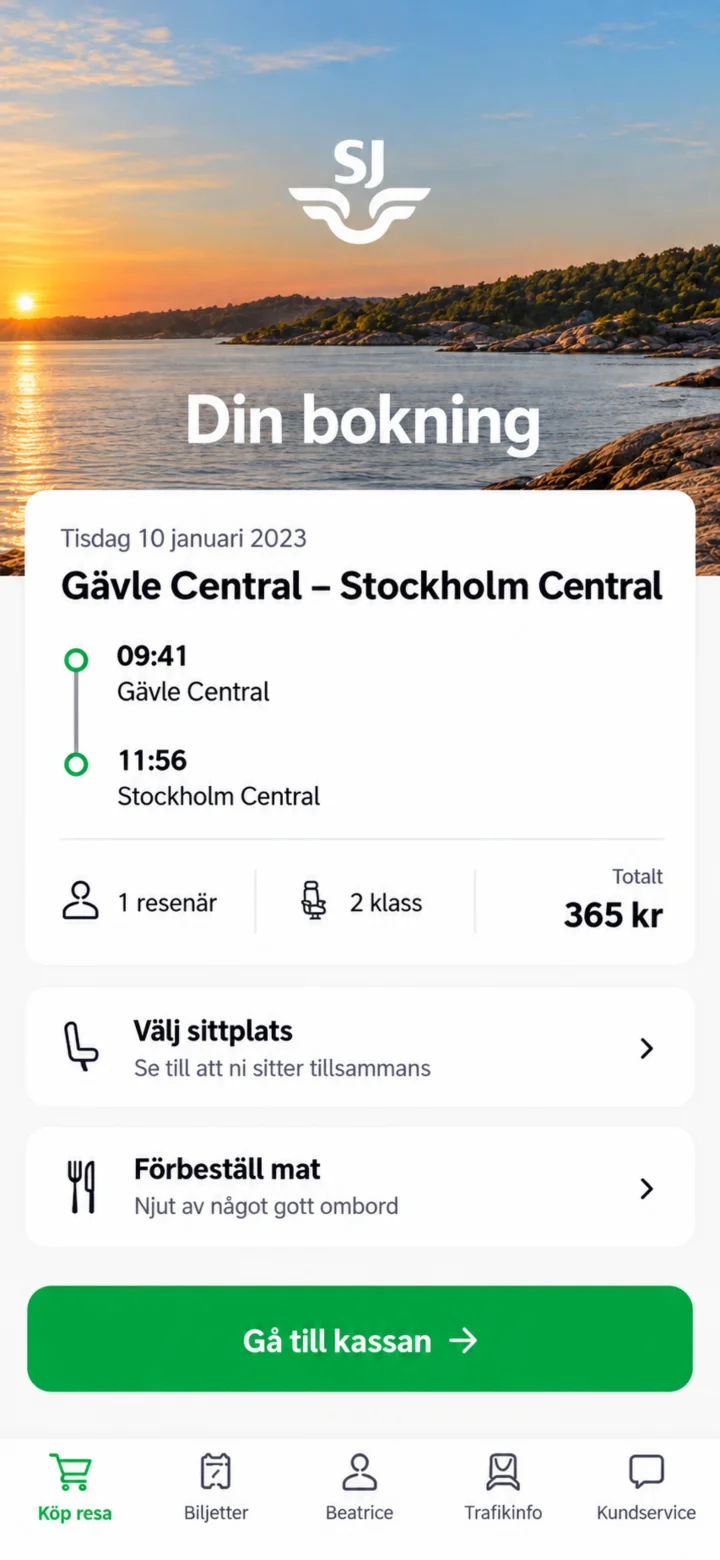 8Step 8 of 11 · iPhone
Check the date, route, times, number of travelers, class, and price. You can also choose your seat or pre-order food. Then, tap ”Gå till kassan” (Go to checkout).
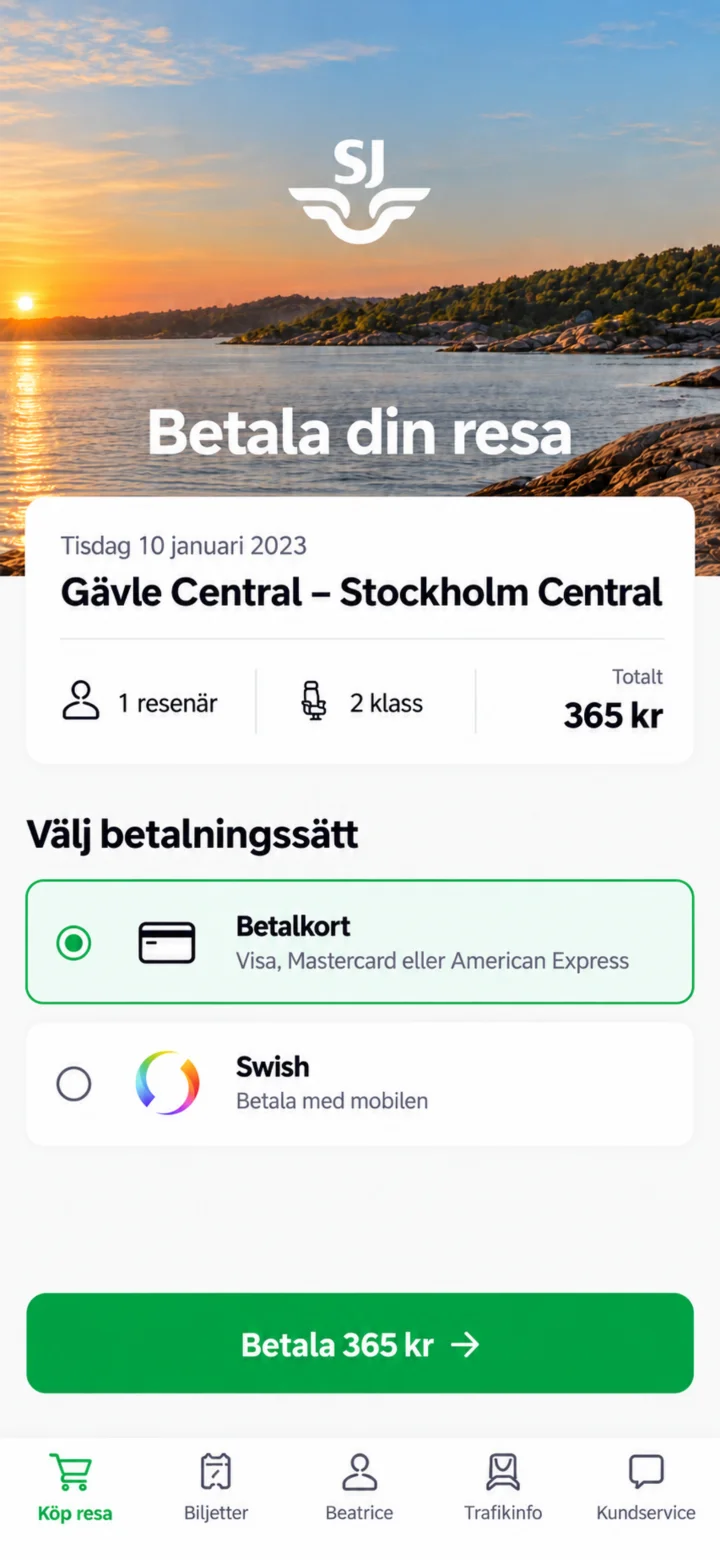 9Step 9 of 11 · iPhone
Choose how you want to pay. In the example, Betalkort (Debit/Credit card) is selected. Check the amount and tap ”Betala” (Pay).
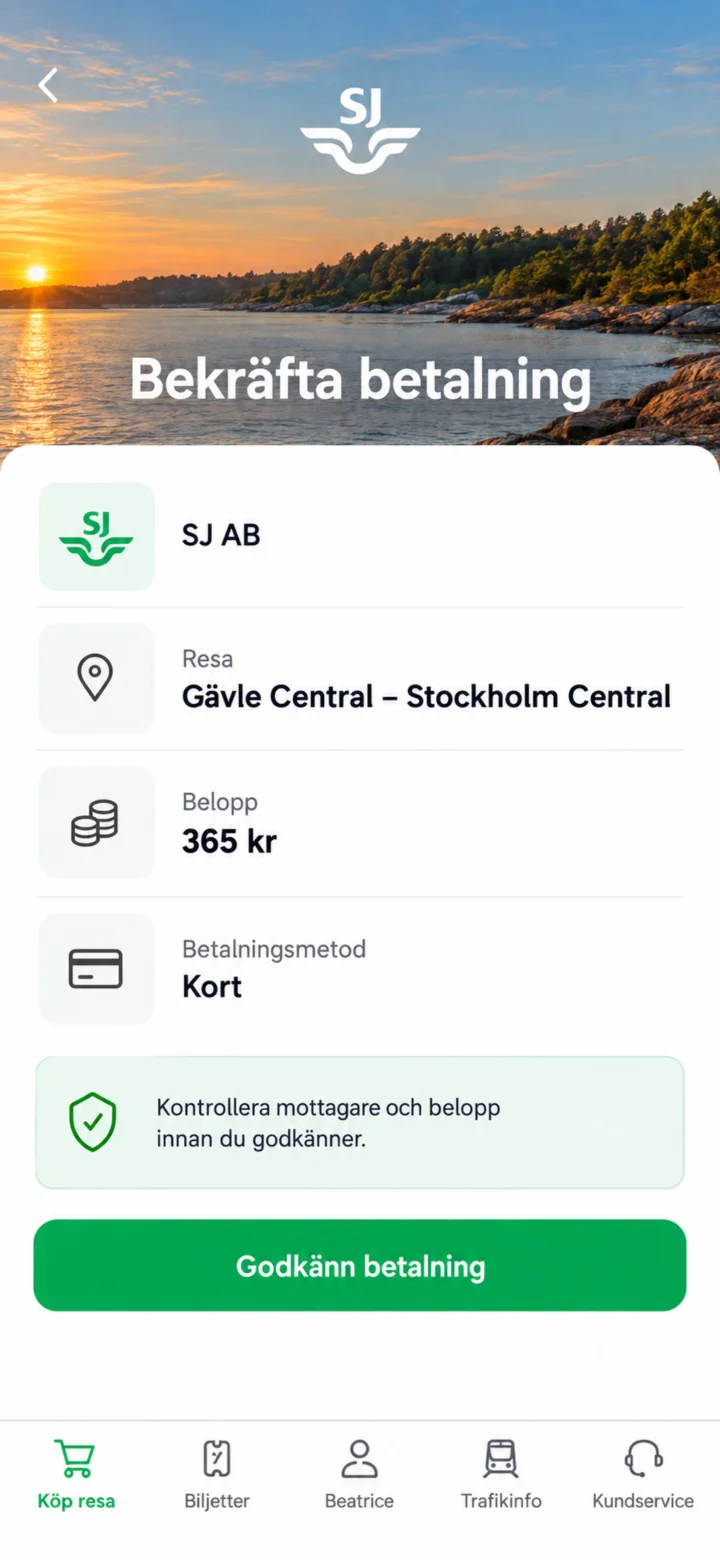 10Step 10 of 11 · iPhone
Check that the recipient is SJ AB and that the amount is correct. Tap ”Godkänn betalning” (Approve payment).
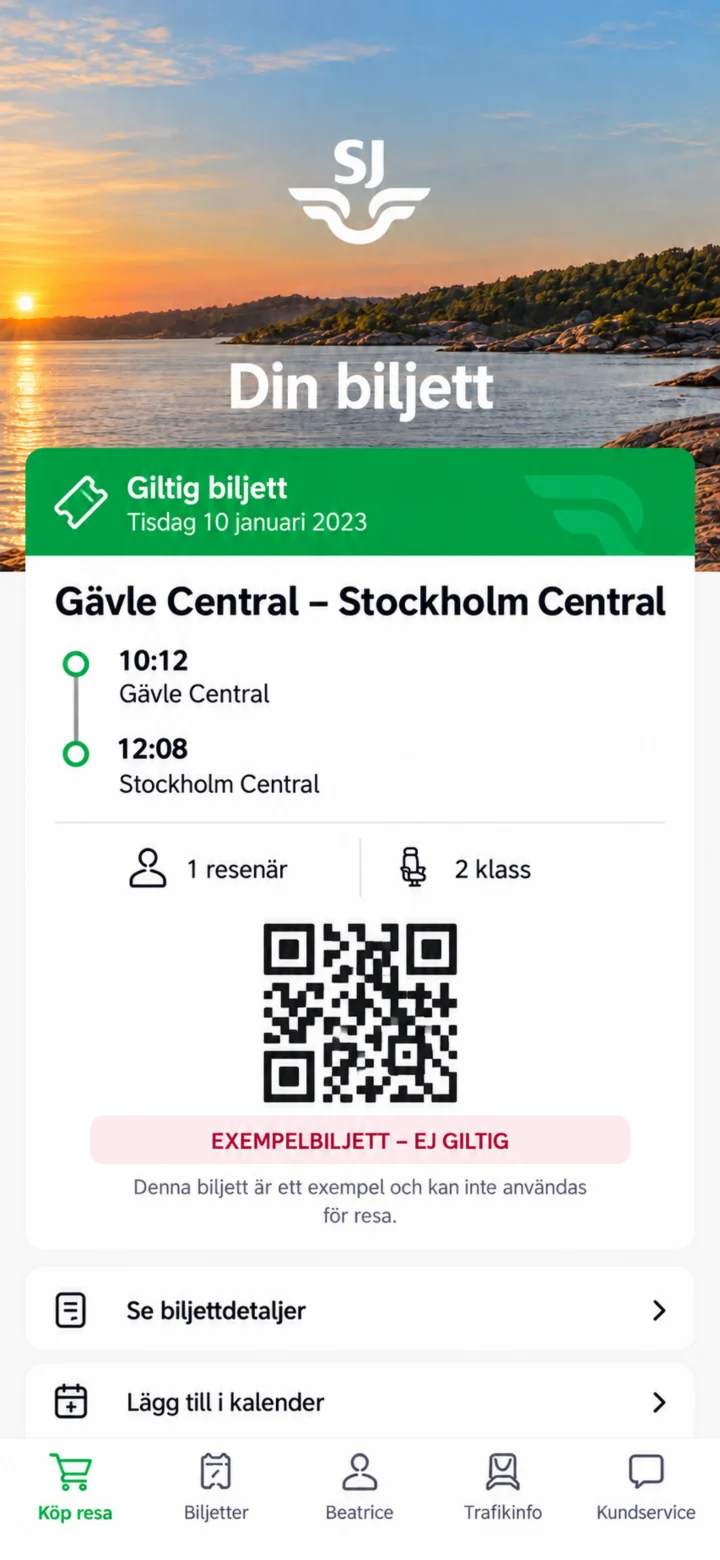 11Step 11 of 11 · iPhone
Once the purchase is complete, your ticket will be in the app under Biljetter (Tickets). This image shows an example ticket that is not valid.