Print the guide and keep it next to your phone while you do the steps.
Tip: untick “Headers and footers” in the print dialog to leave out the web address.
How to use X-trafik in Gävleborg
Local useful apps
 iPhone
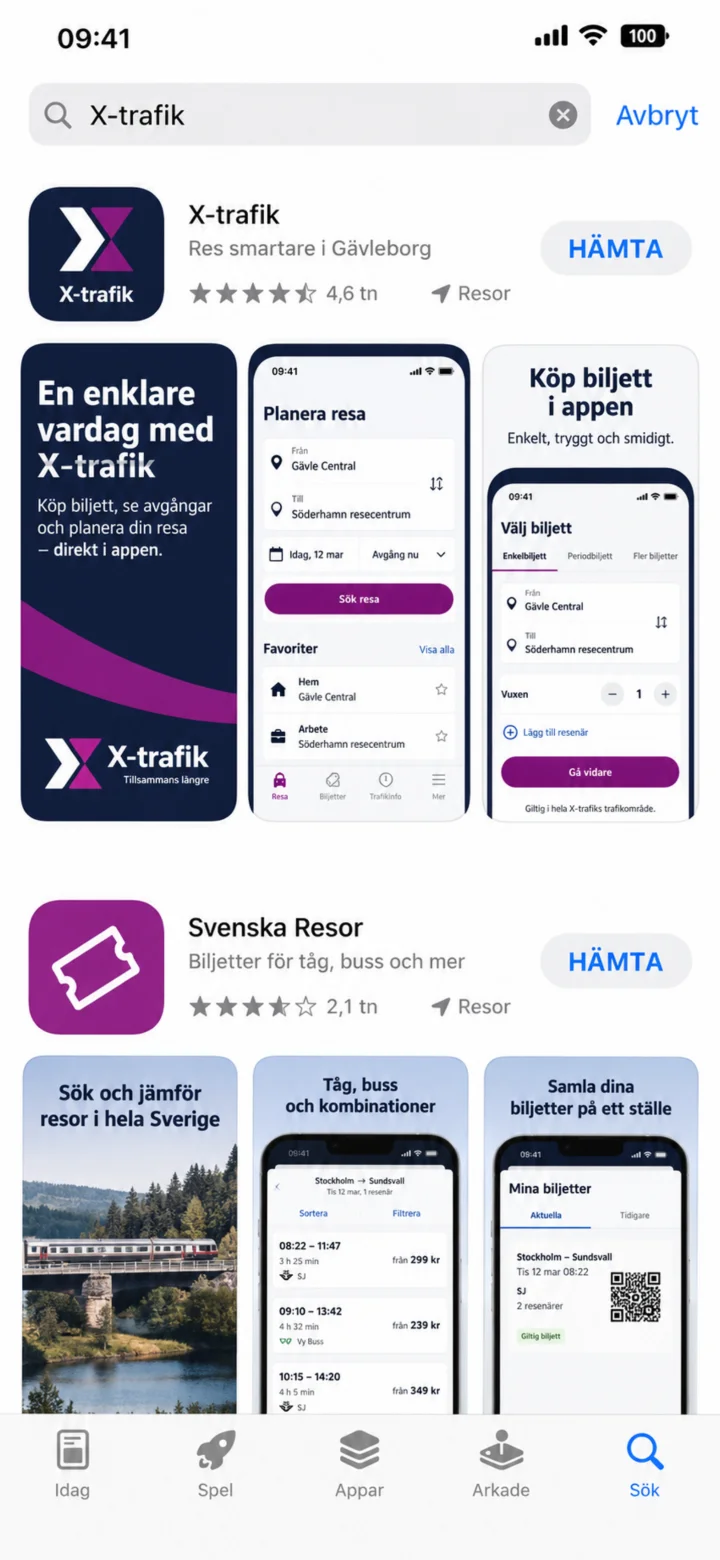 1Step 1 of 10 · iPhone
Open the App Store and search for X-trafik.
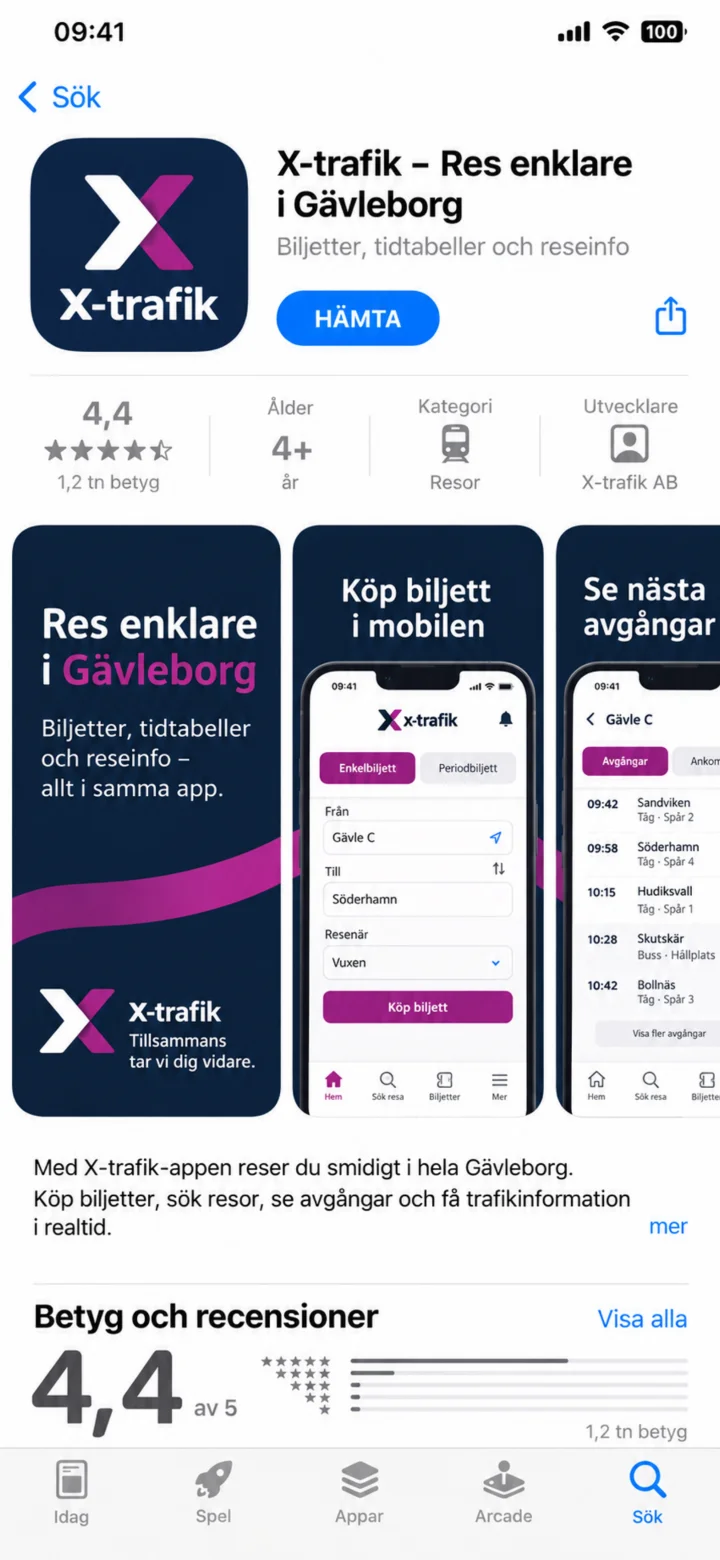 2Step 2 of 10 · iPhone
Check that the app is called X-trafik and tap ”Hämta” (Get).
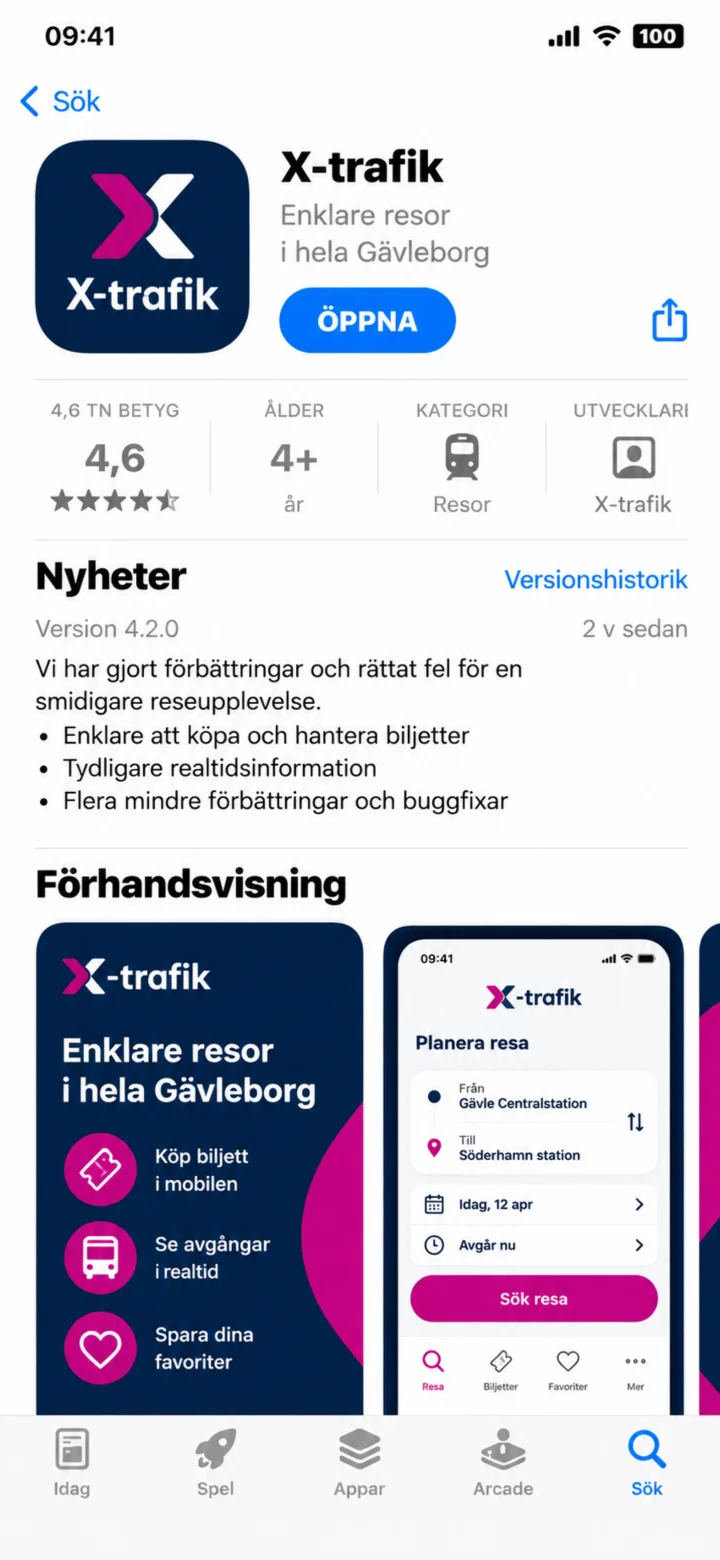 3Step 3 of 10 · iPhone
Once the installation is complete, tap ”Öppna” (Open).
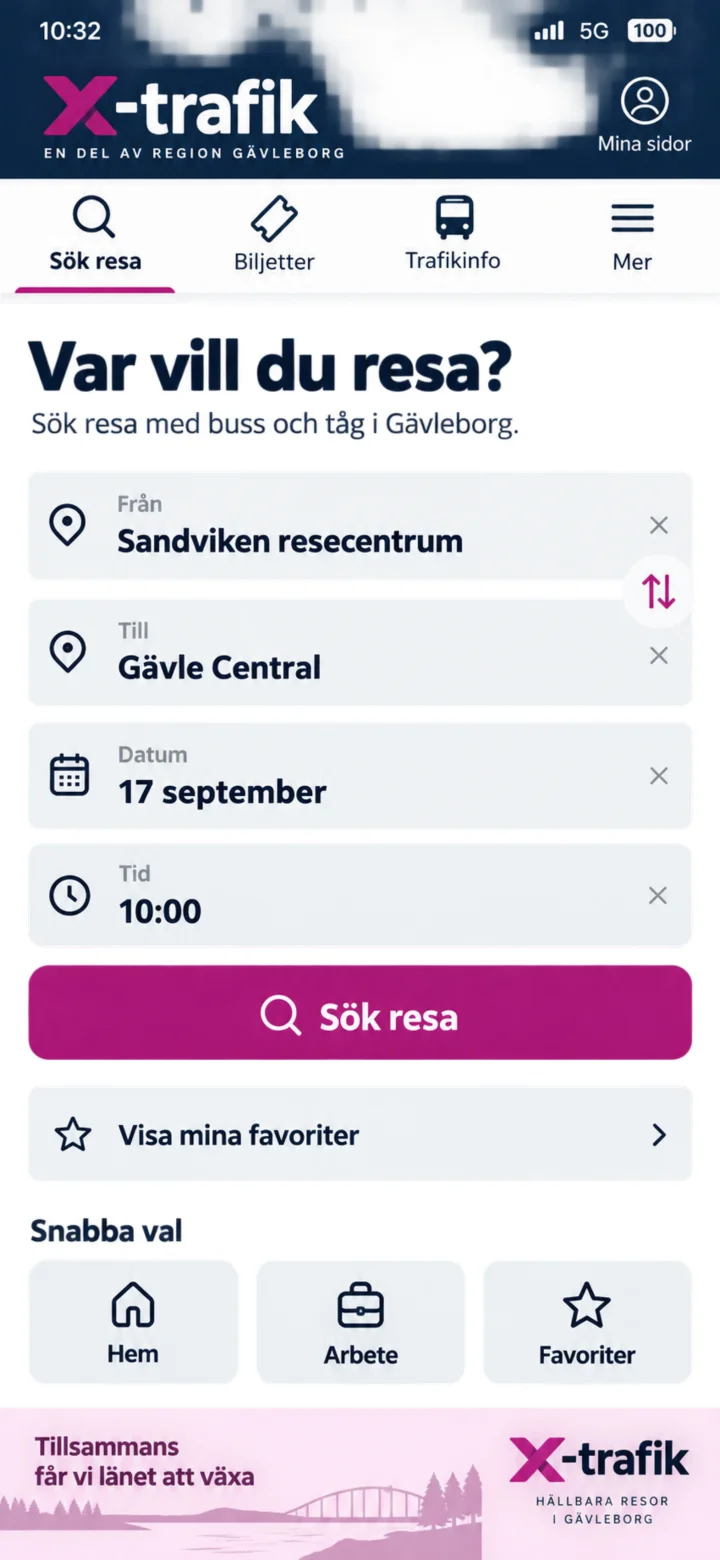 4Step 4 of 10 · iPhone
Enter Sandviken resecentrum as the starting point and Gävle Central as the destination. Then tap ”Sök resa” (Search journey).
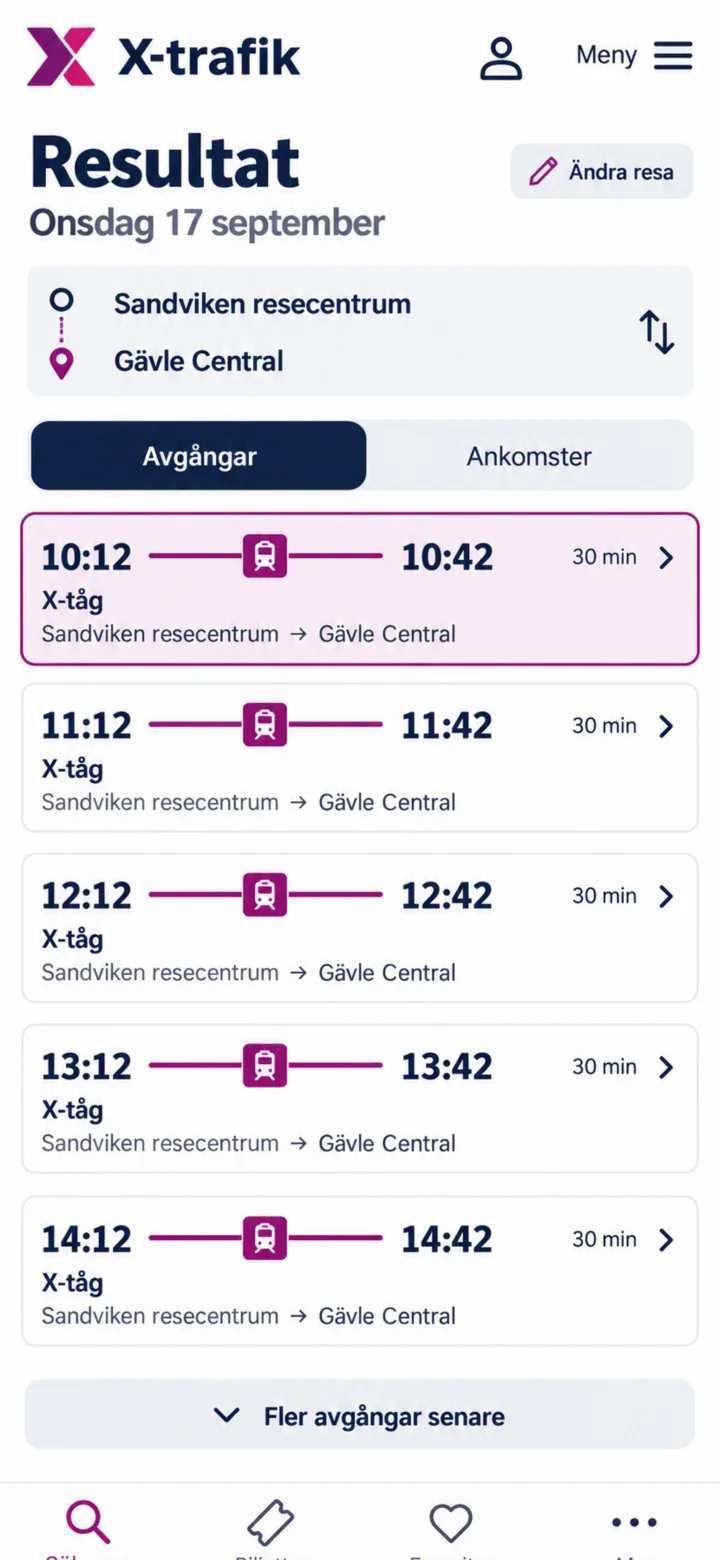 5Step 5 of 10 · iPhone
Välj en avgång. I exemplet väljer vi tåget klockan tio över tolv.
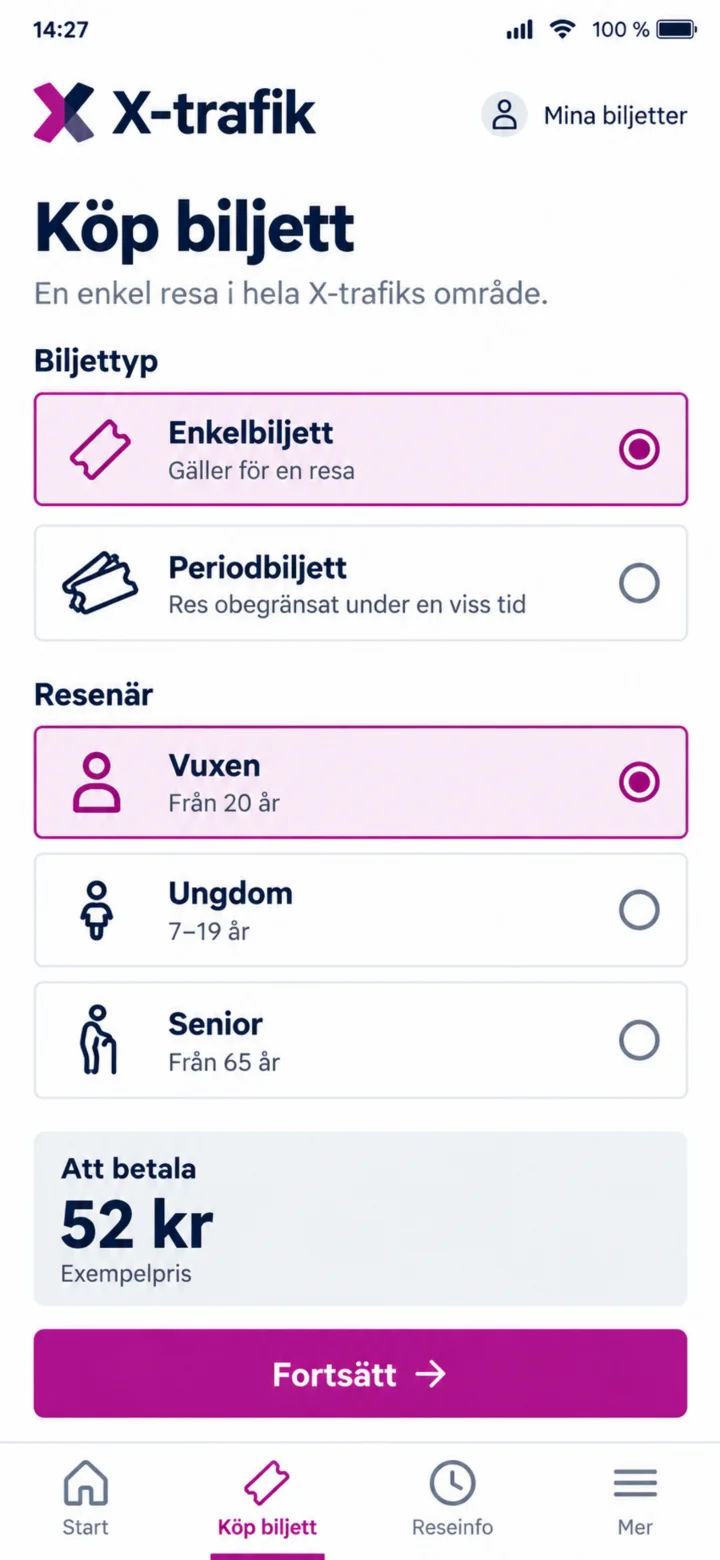 6Step 6 of 10 · iPhone
Choose ”Enkelbiljett” (Single ticket) and ”Vuxen” (Adult). Check the example price and tap ”Fortsätt” (Continue).
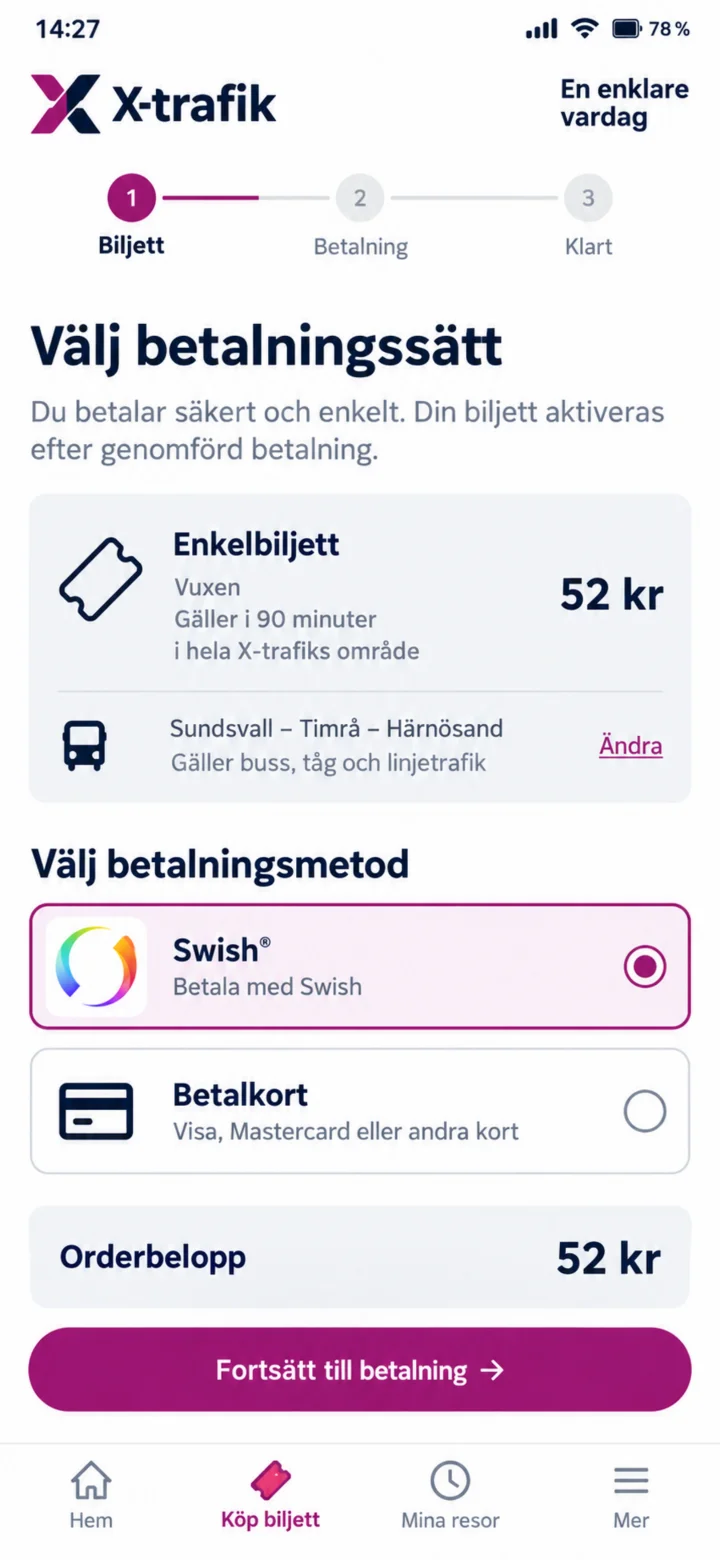 7Step 7 of 10 · iPhone
Choose Swish as the payment method and tap ”Fortsätt till betalning” (Continue to payment).
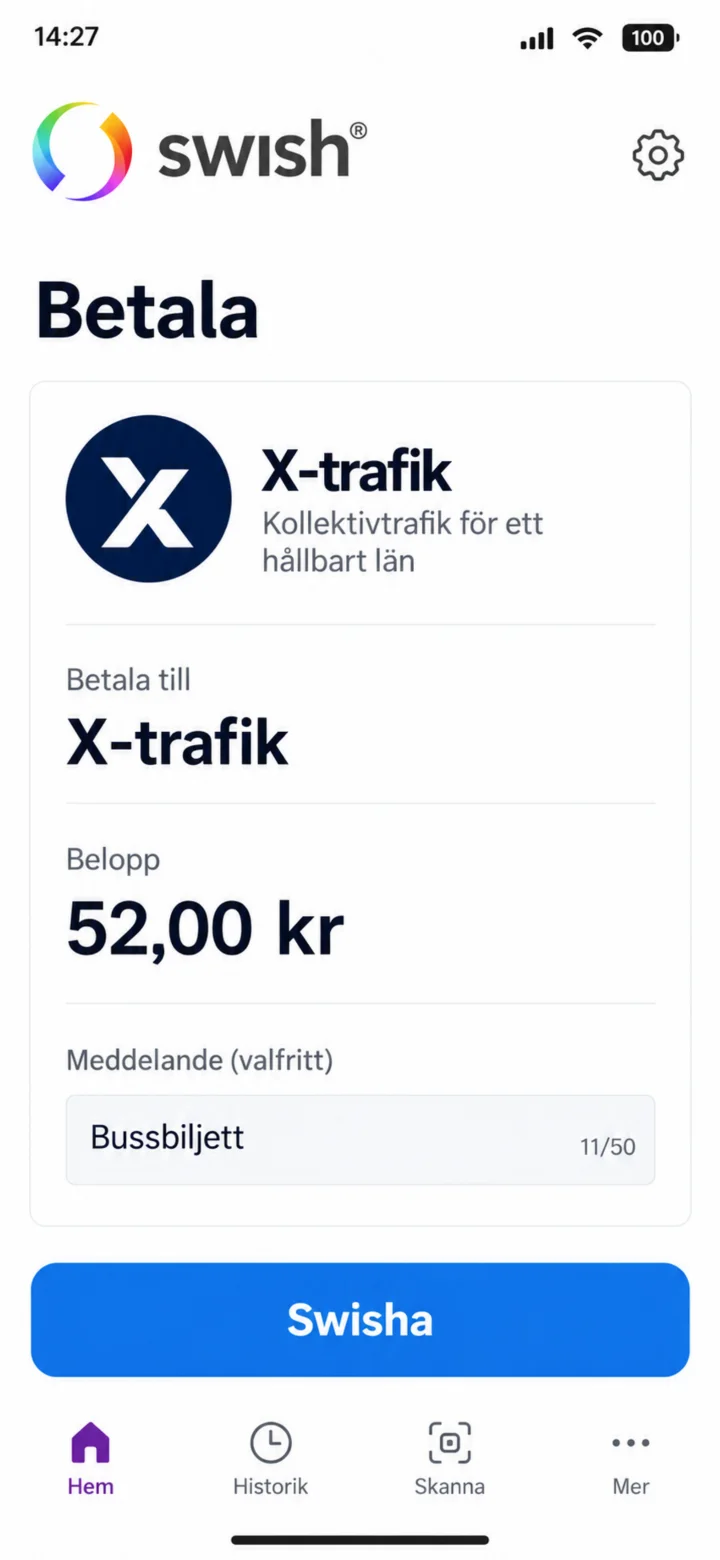 8Step 8 of 10 · iPhone
Kontrollera mottagare och belopp. Tryck på Swisha.
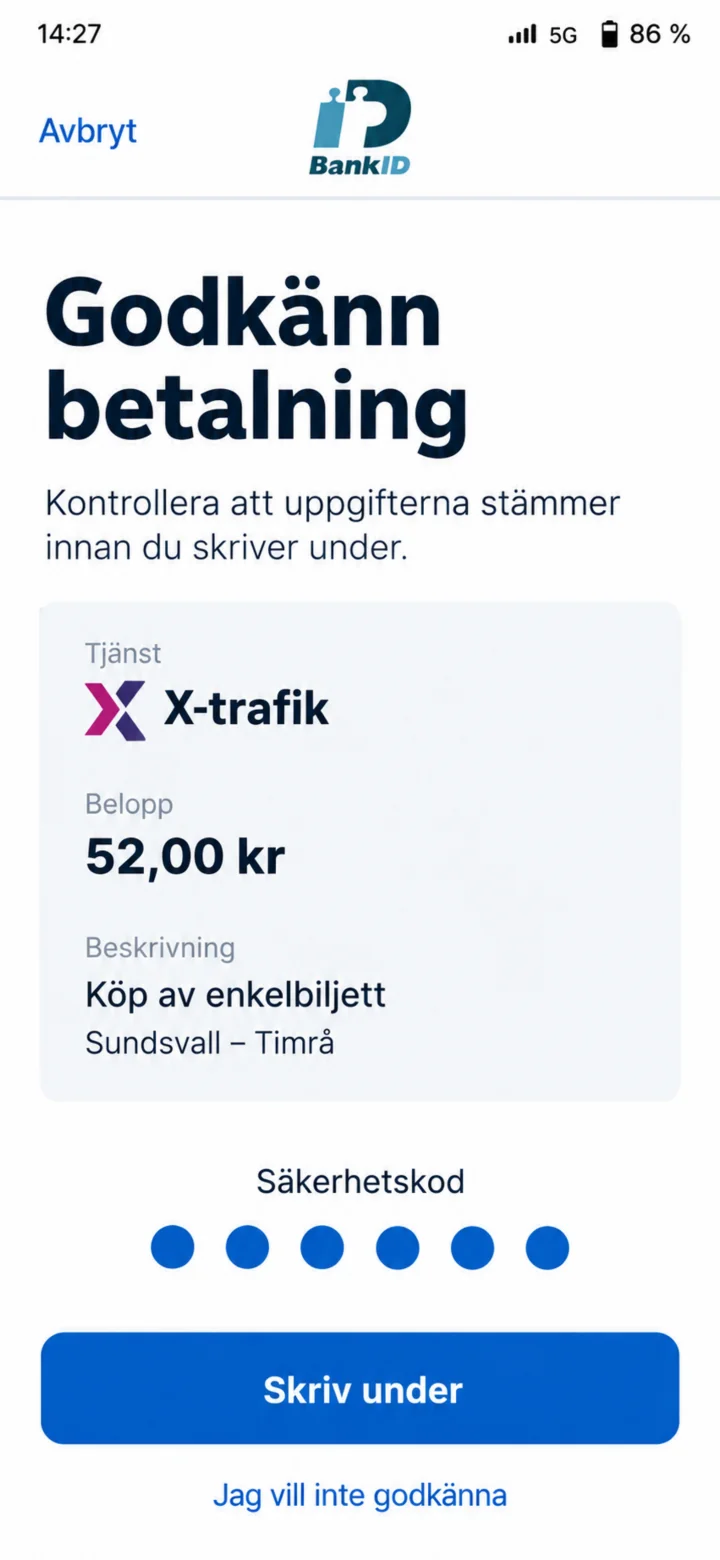 9Step 9 of 10 · iPhone
Verify the payment in BankID, enter your security code, and tap ”Skriv under” (Sign).
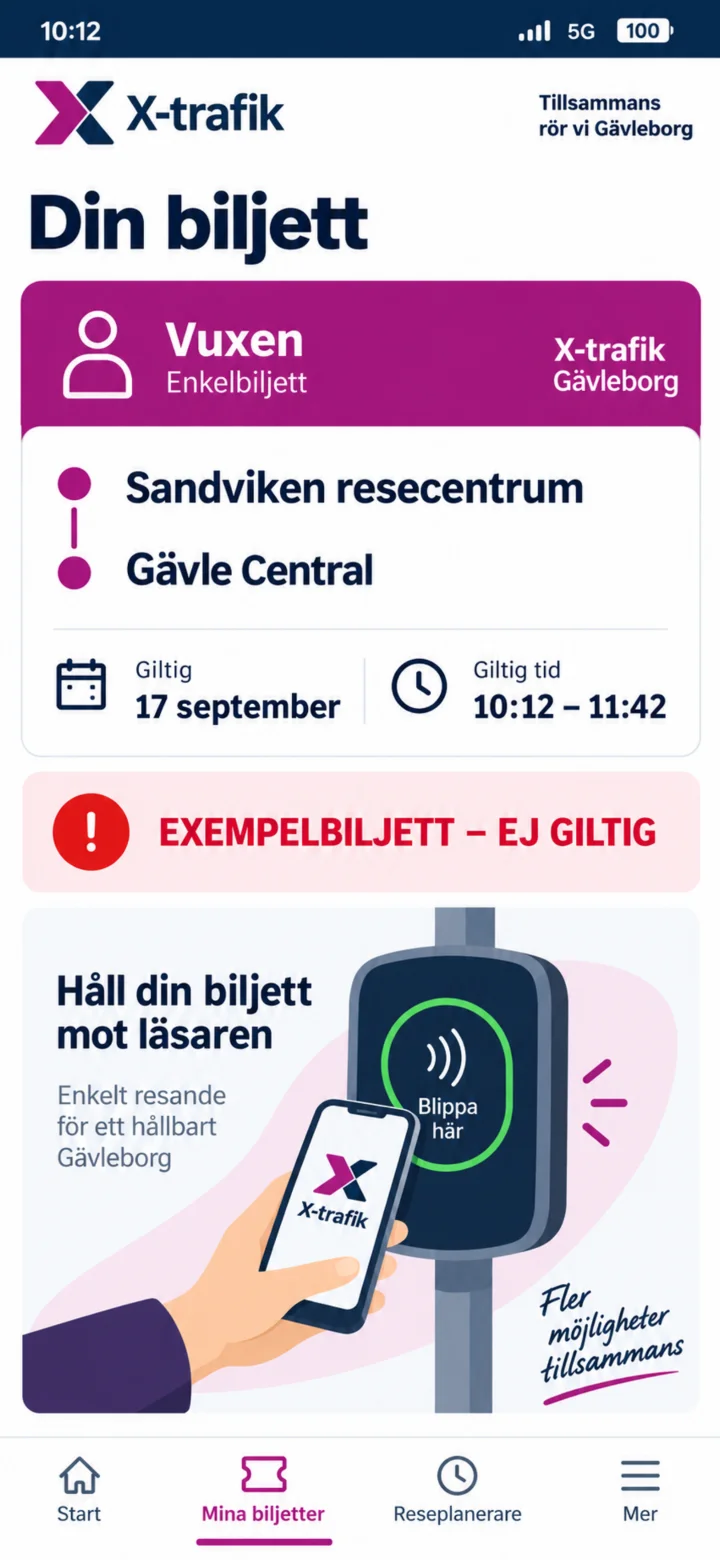 10Step 10 of 10 · iPhone
Once the payment is complete, your ticket will be available under ”Mina biljetter” (My tickets). The image shows an invalid example ticket. You have now completed all the steps to buy a ticket in the X-trafik app. Well done!