Print the guide and keep it next to your phone while you do the steps.
Tip: untick “Headers and footers” in the print dialog to leave out the web address.
Which language should the printout be in?SvenskaEnglishSuomiالعربية (Arabiska)Bosanski/Hrvatski/Srpskiفارسی (Persiska)PolskiEspañol
Install Apoteket's app and log in with BankID
Healthcare and 1177
 Android
Scan to listen to the guide
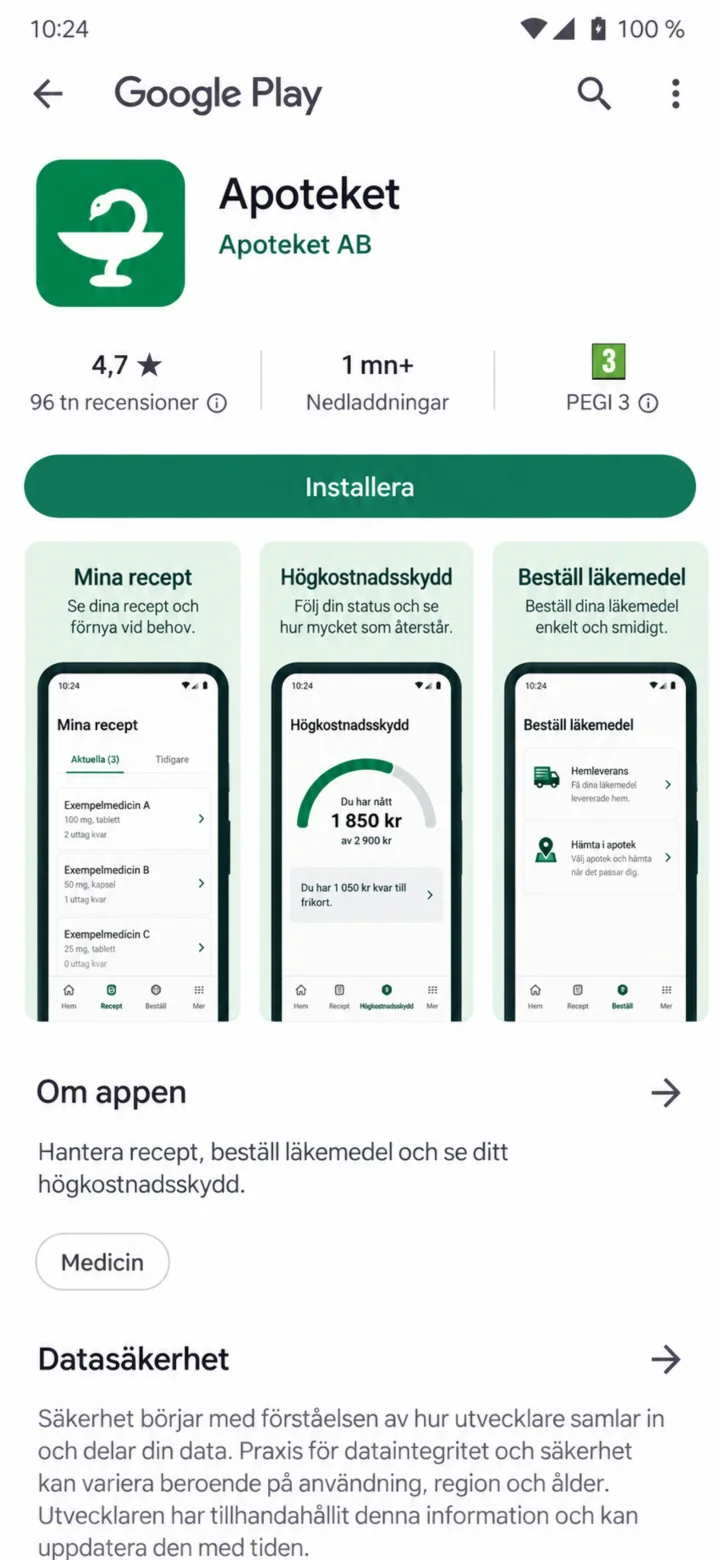 1Step 1 of 4 · Android
Open Google Play. Search for Apoteket and tap ”Installera” (Install).
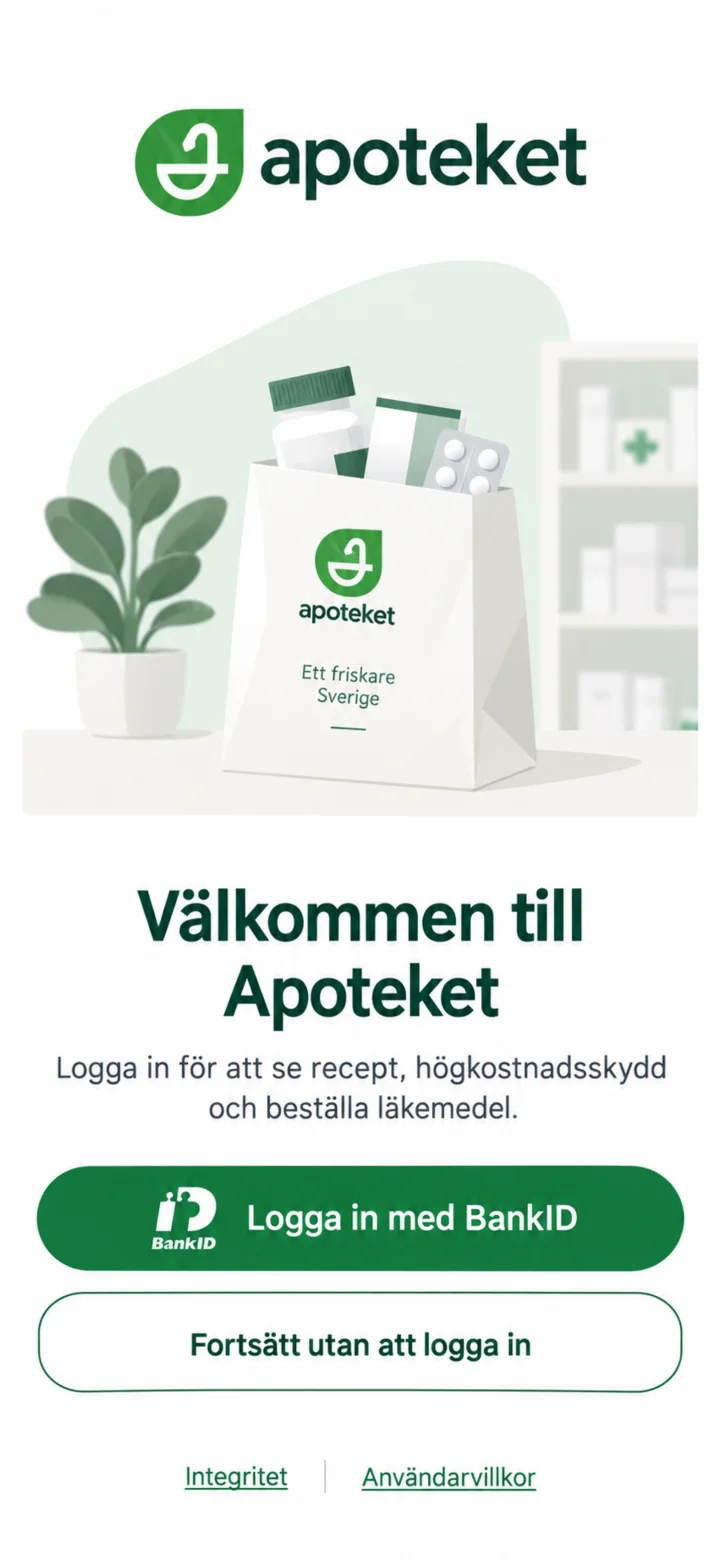 2Step 2 of 4 · Android
Open Apoteket's app and choose ”Logga in med BankID” (Log in with BankID).
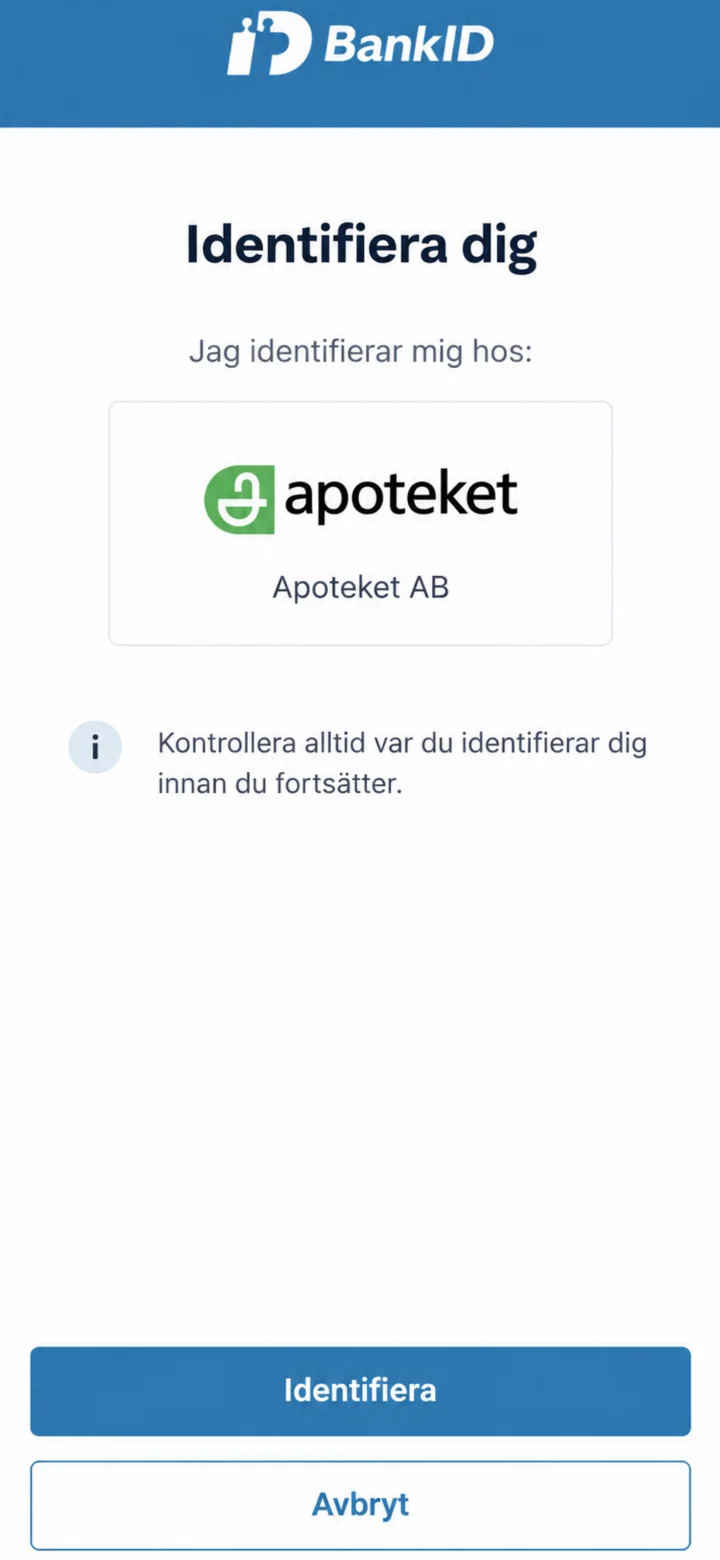 3Step 3 of 4 · Android
Check that BankID shows Apoteket AB. Then, identify yourself in the usual way.
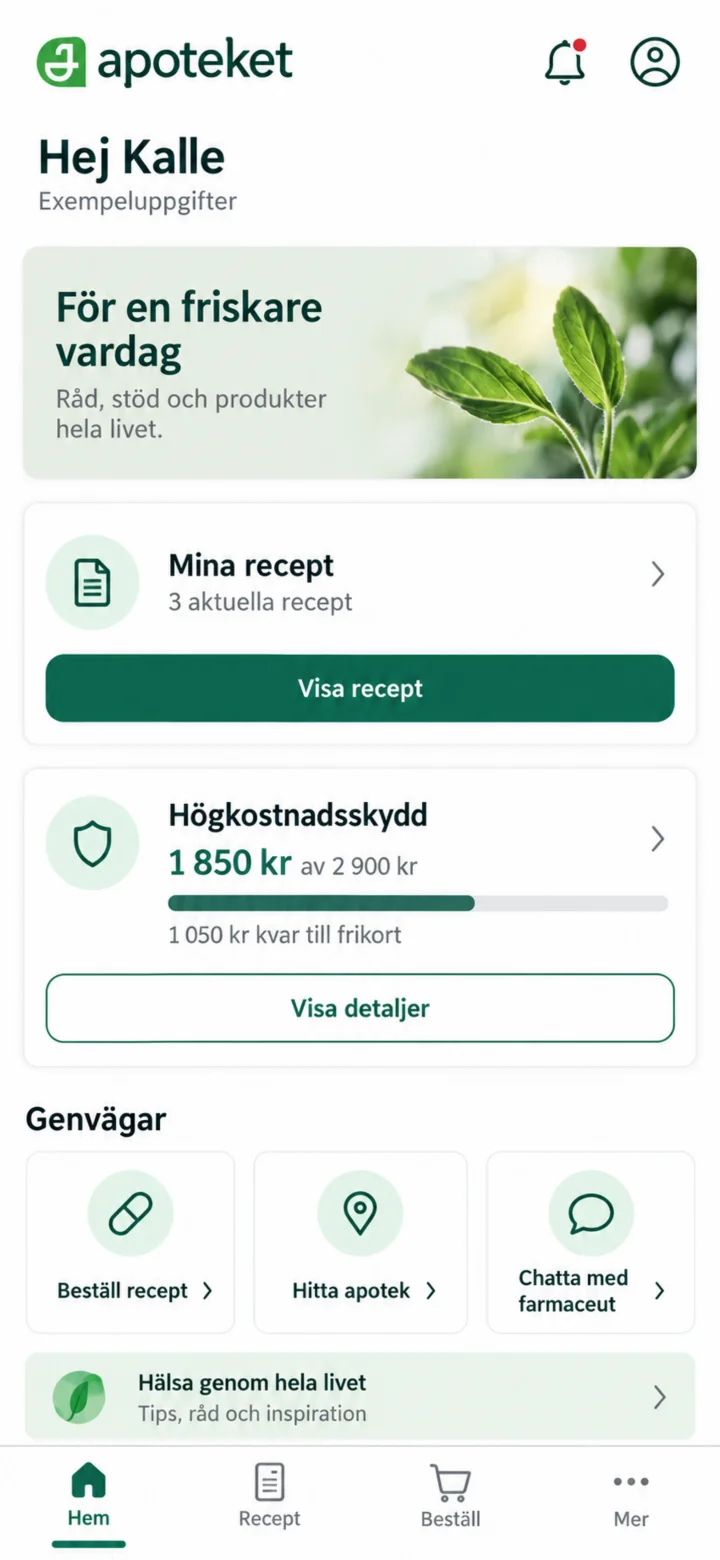 4Step 4 of 4 · Android
When the home page shows your name, you are logged in. The information in this guide is made up.