Print the guide and keep it next to your phone while you do the steps.
Tip: untick “Headers and footers” in the print dialog to leave out the web address.
Have text on the screen read aloud
Mobile phone and tablet
 Android
 1Step 1 of 8 · Android
We're going to learn how to let your phone read the text on the screen aloud.
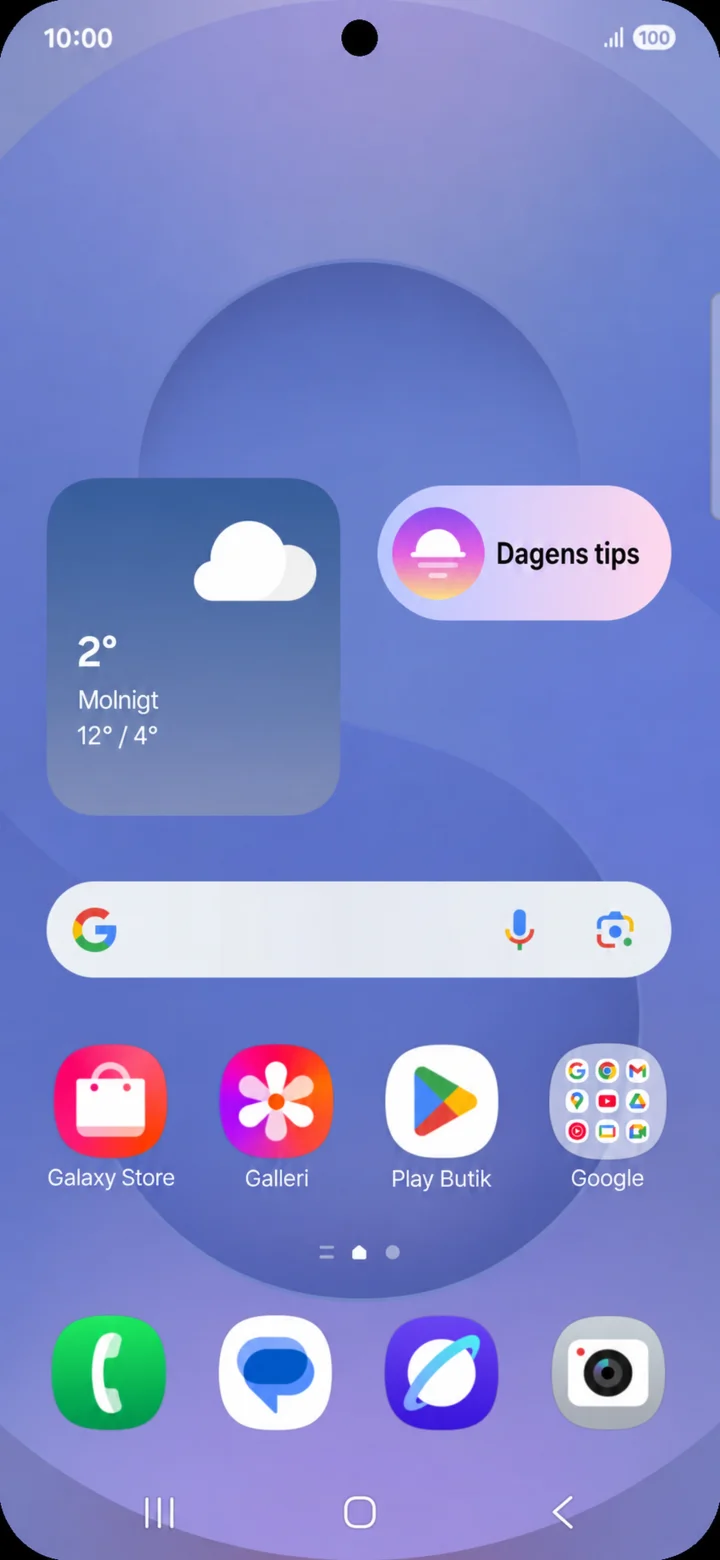 2Step 2 of 8 · Android
Utgå från hemskärmen. Dra nedåt från skärmens överkant för att öppna snabbpanelen.
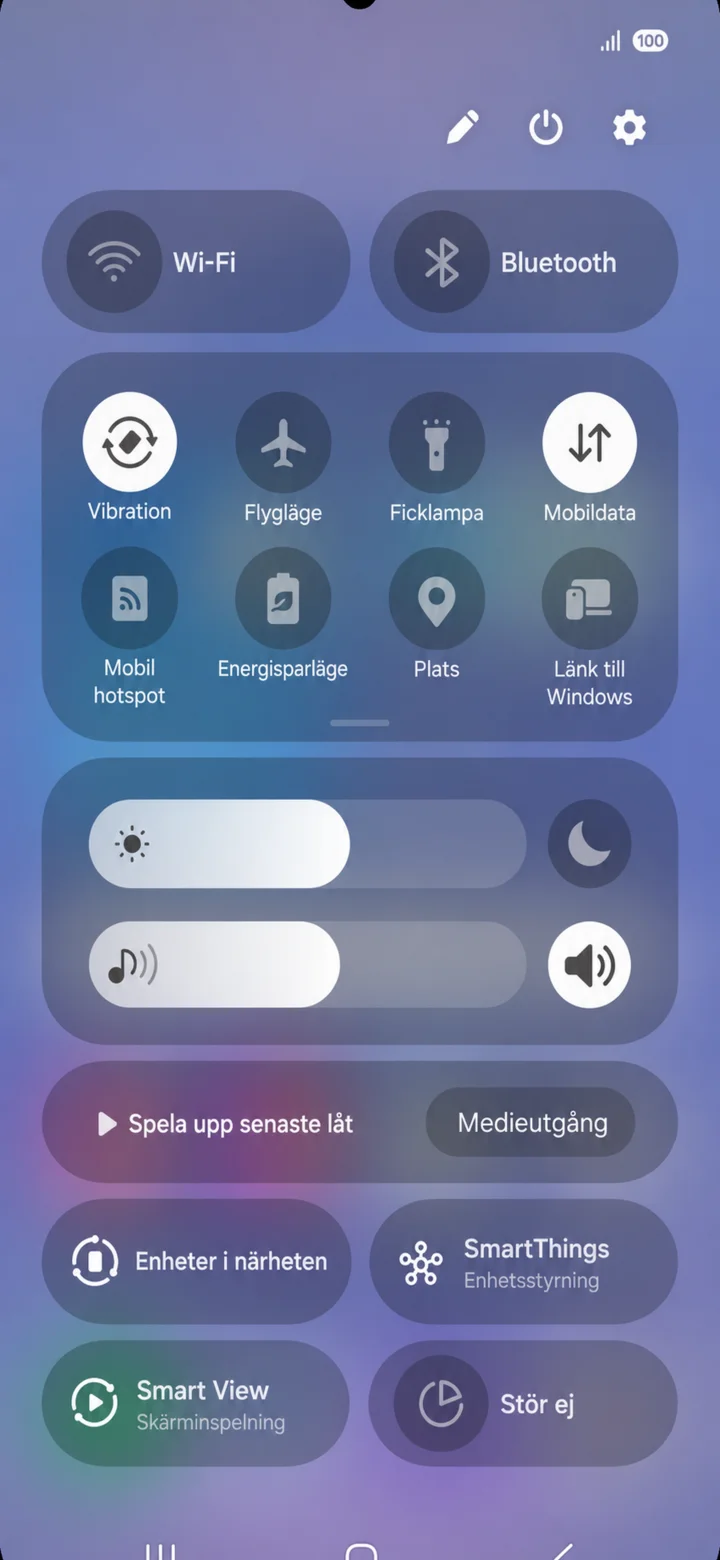 3Step 3 of 8 · Android
Snabbpanelen öppnas. Tryck på kugghjulet uppe till höger.
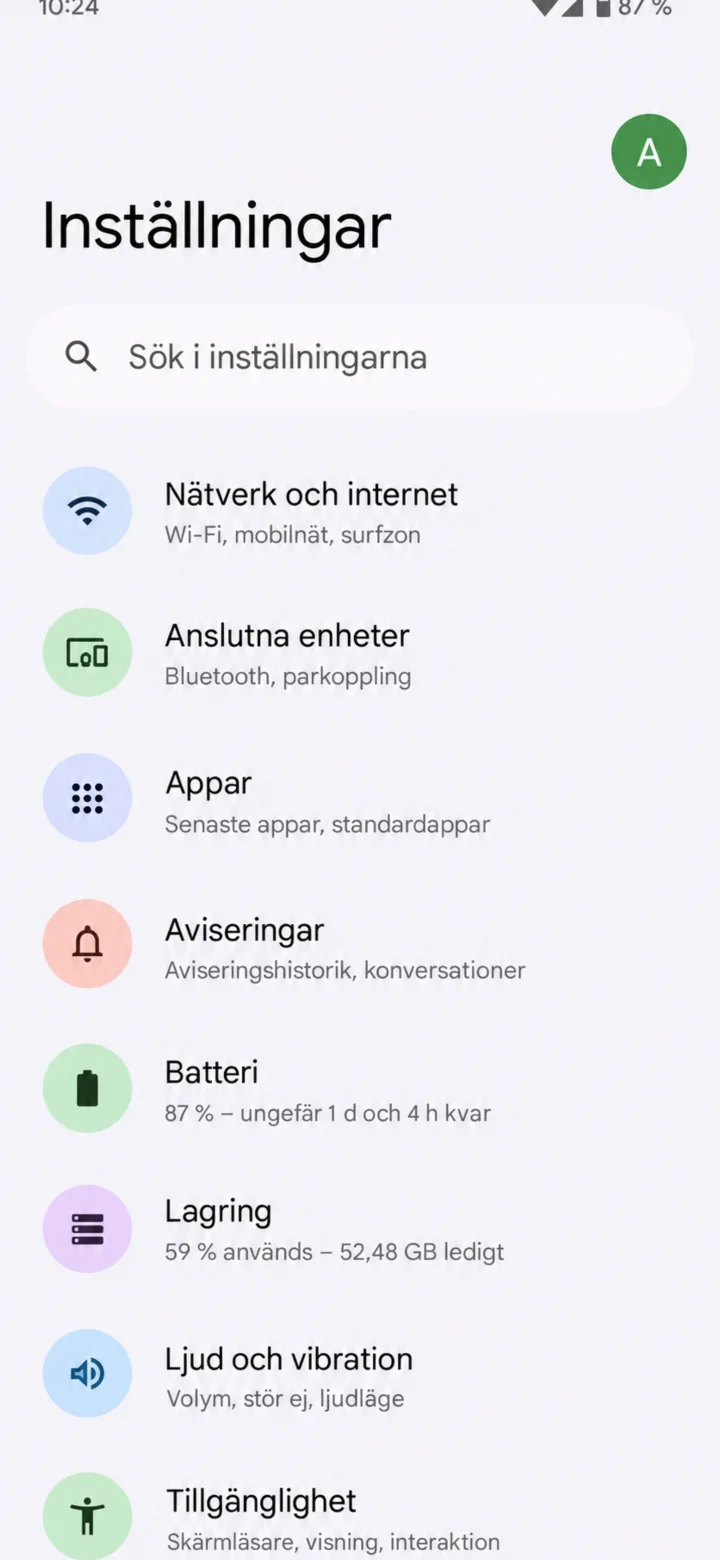 4Step 4 of 8 · Android
Inställningar (Settings) opens. Tap on Tillgänglighet (Accessibility) at the bottom of the list.
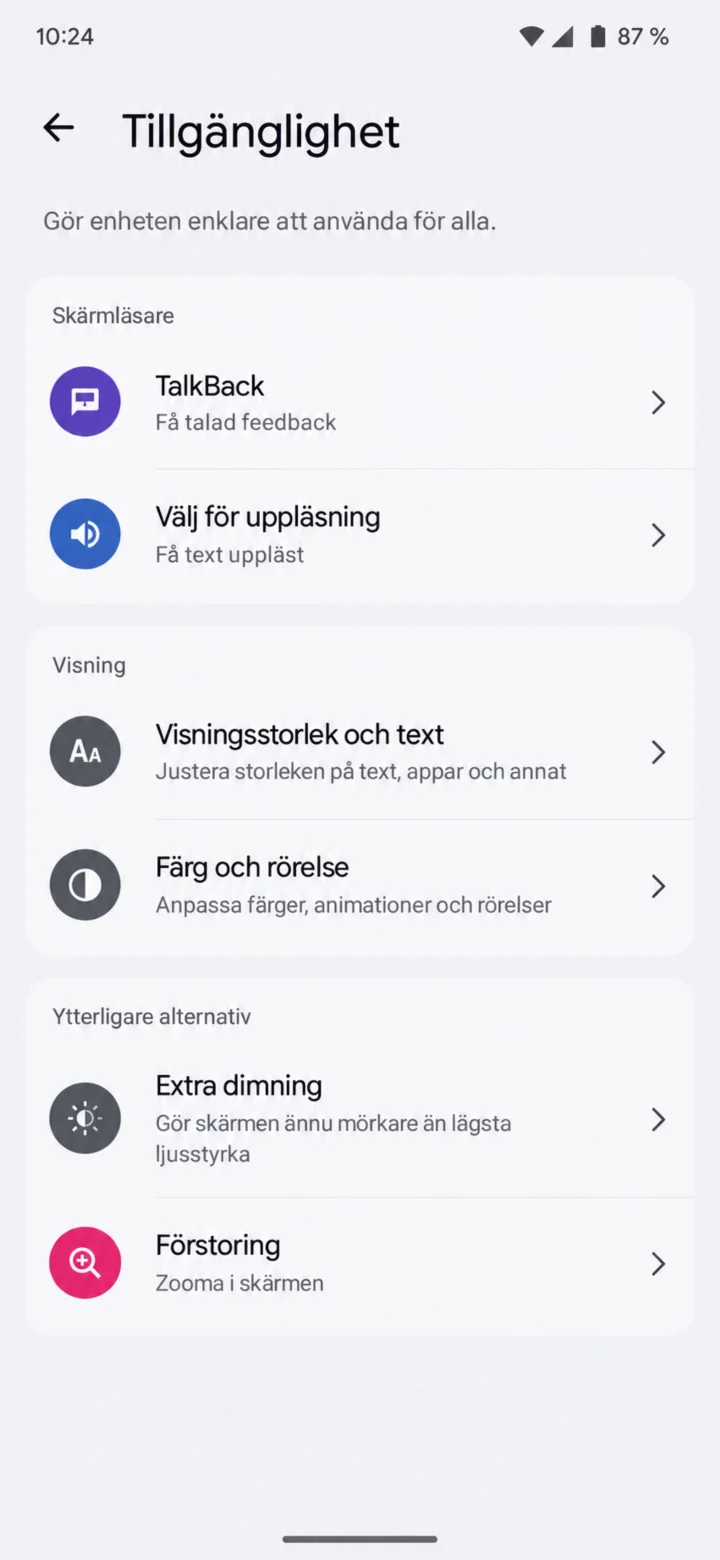 5Step 5 of 8 · Android
Choose Välj för uppläsning (Select to Speak). The menu name might differ between different Android phones.
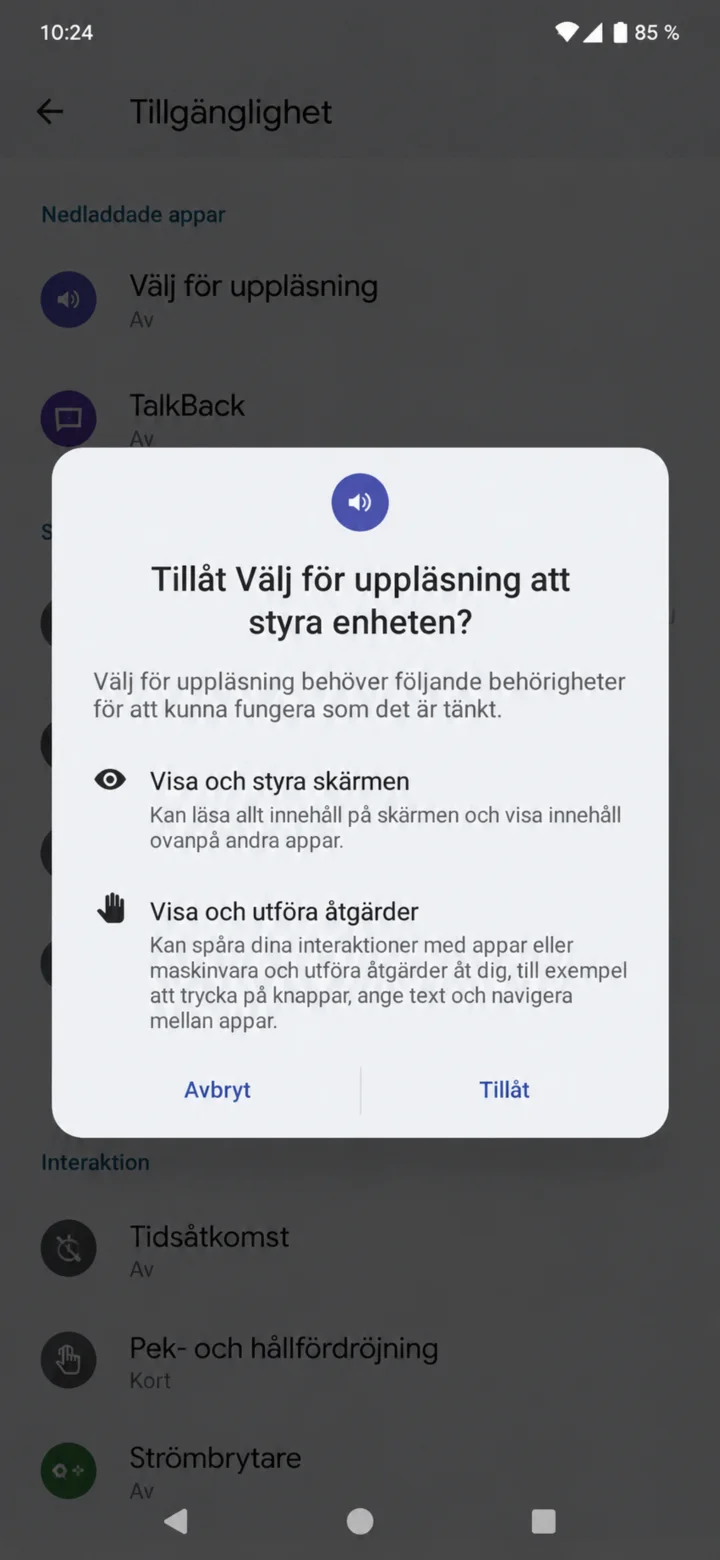 6Step 6 of 8 · Android
Read the permissions and choose Tillåt (Allow) if you want to use the feature.
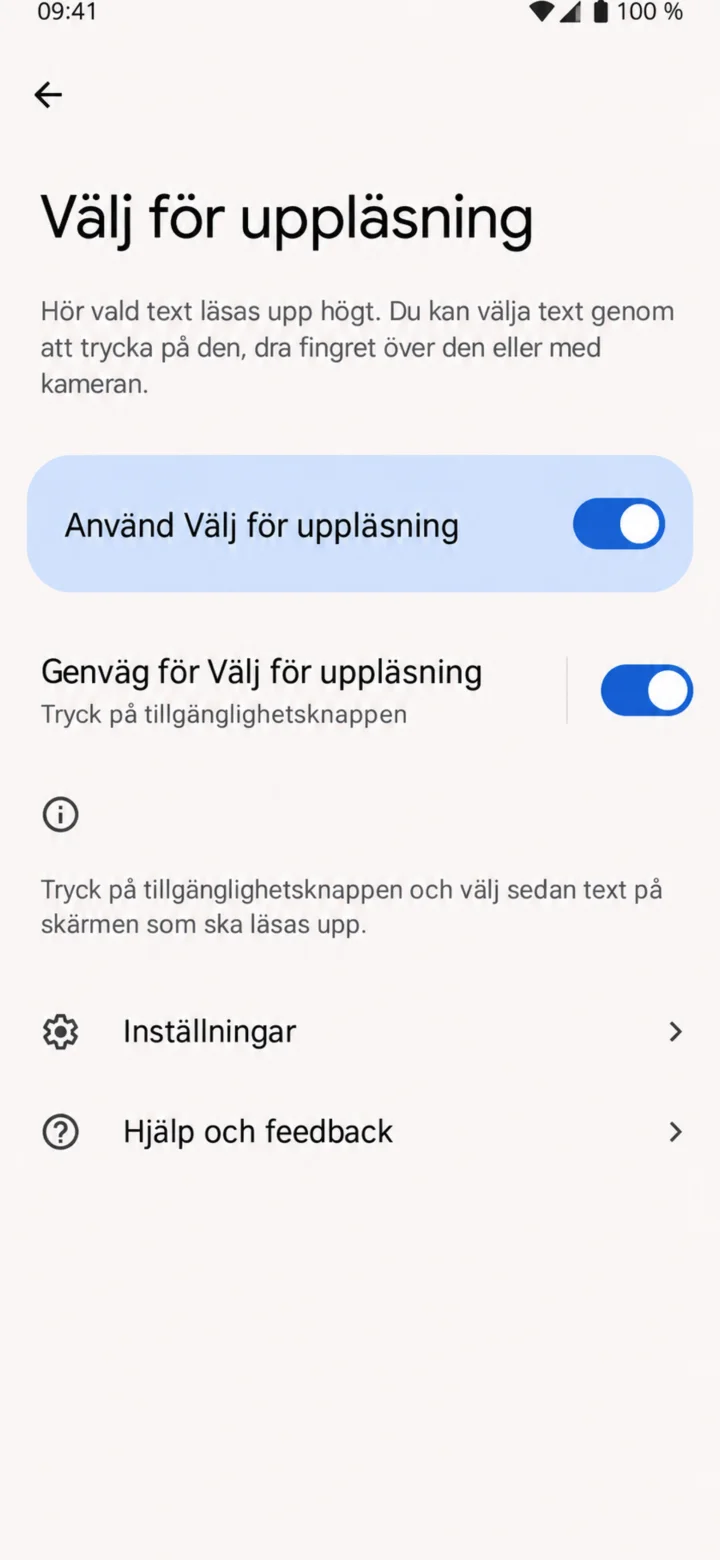 7Step 7 of 8 · Android
Turn on Välj för uppläsning (Select to Speak) and the shortcut to the accessibility button.
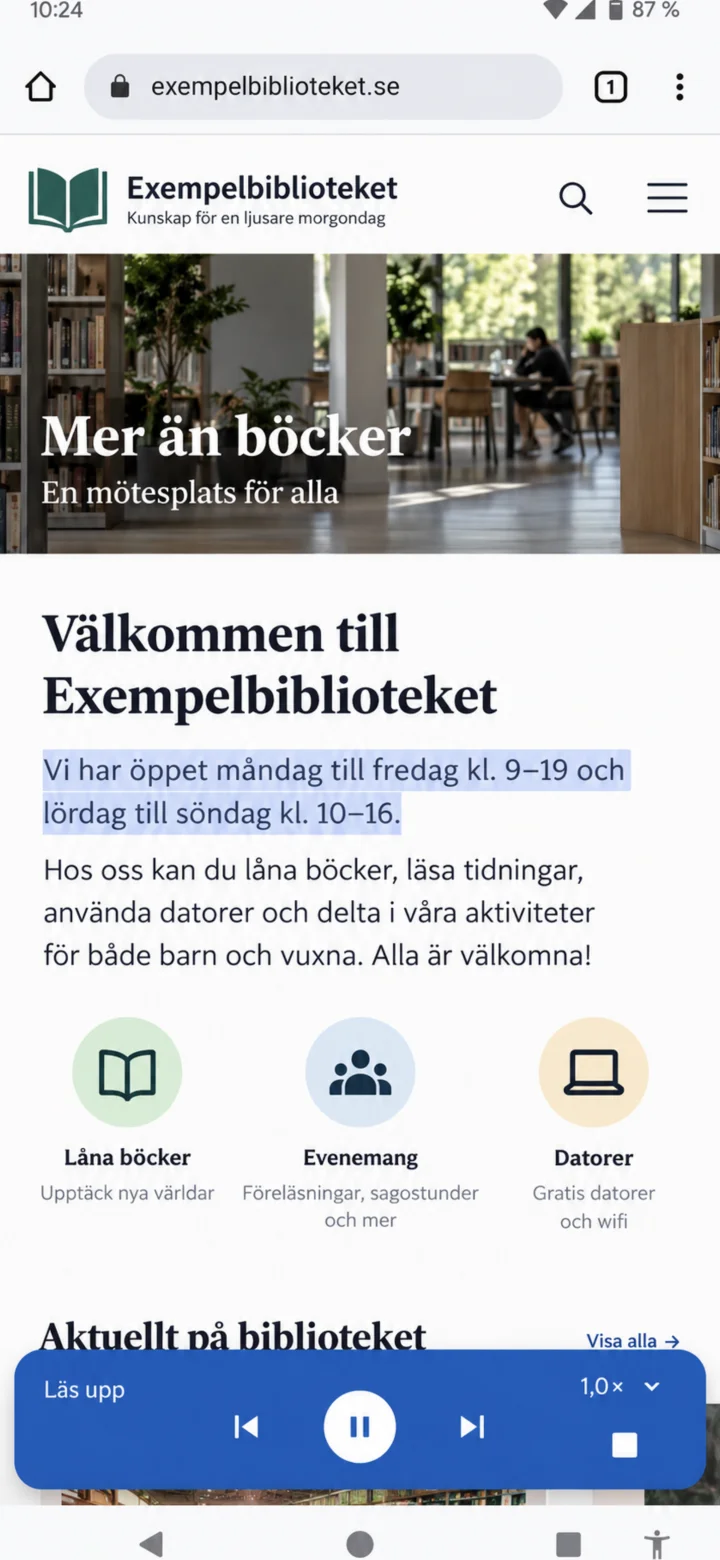 8Step 8 of 8 · Android
Tap the accessibility button and highlight the text. Use the controller to pause or stop the reading.