Print the guide and keep it next to your phone while you do the steps.
Tip: untick “Headers and footers” in the print dialog to leave out the web address.
How to recognize a scam SMS
Scam warnings
 iPhone
 1Step 1 of 9 · iPhone
In this guide, you will learn to recognize common warning signs in a scam SMS.
 2Step 2 of 9 · iPhone
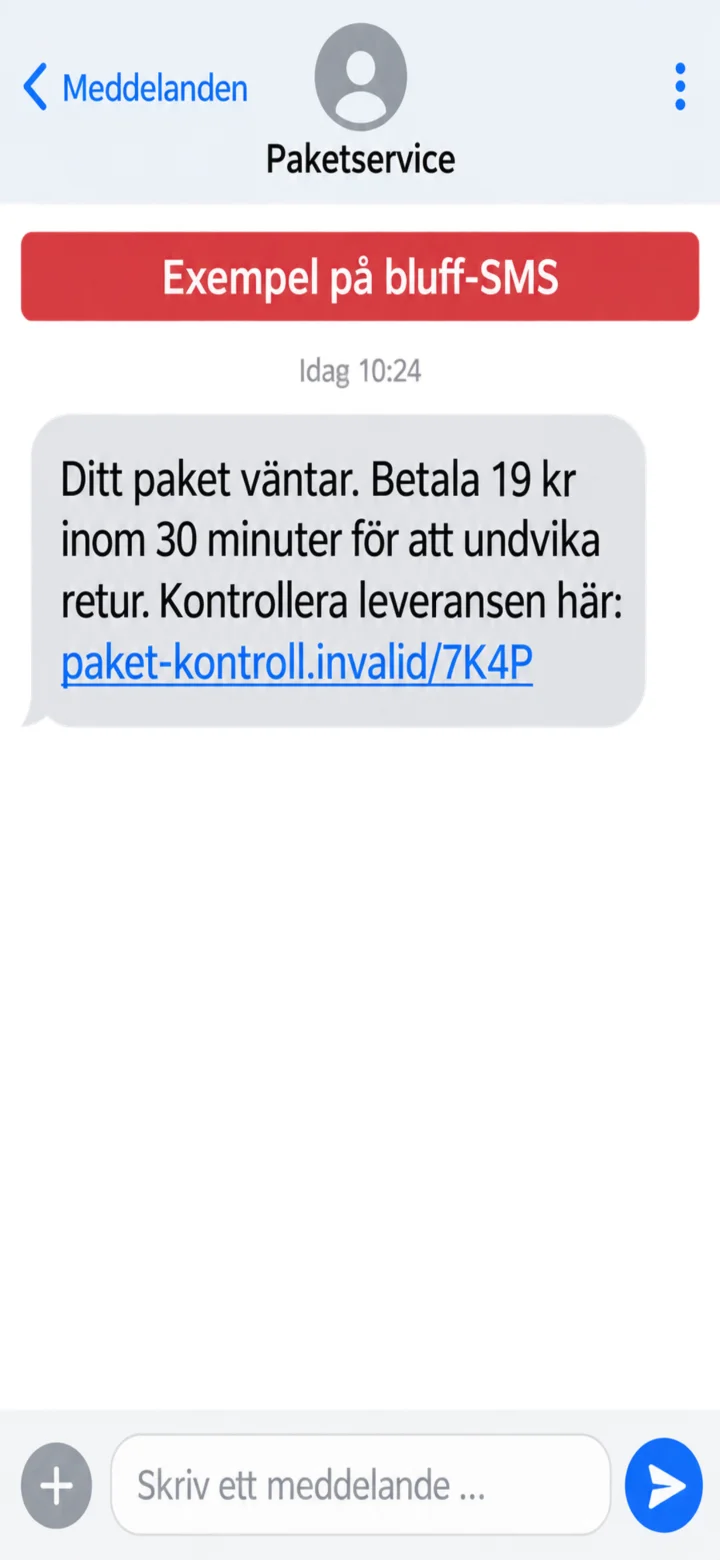
Here is an example of a scam SMS. The message claims that a package is waiting and demands a quick payment.
 3Step 3 of 9 · iPhone
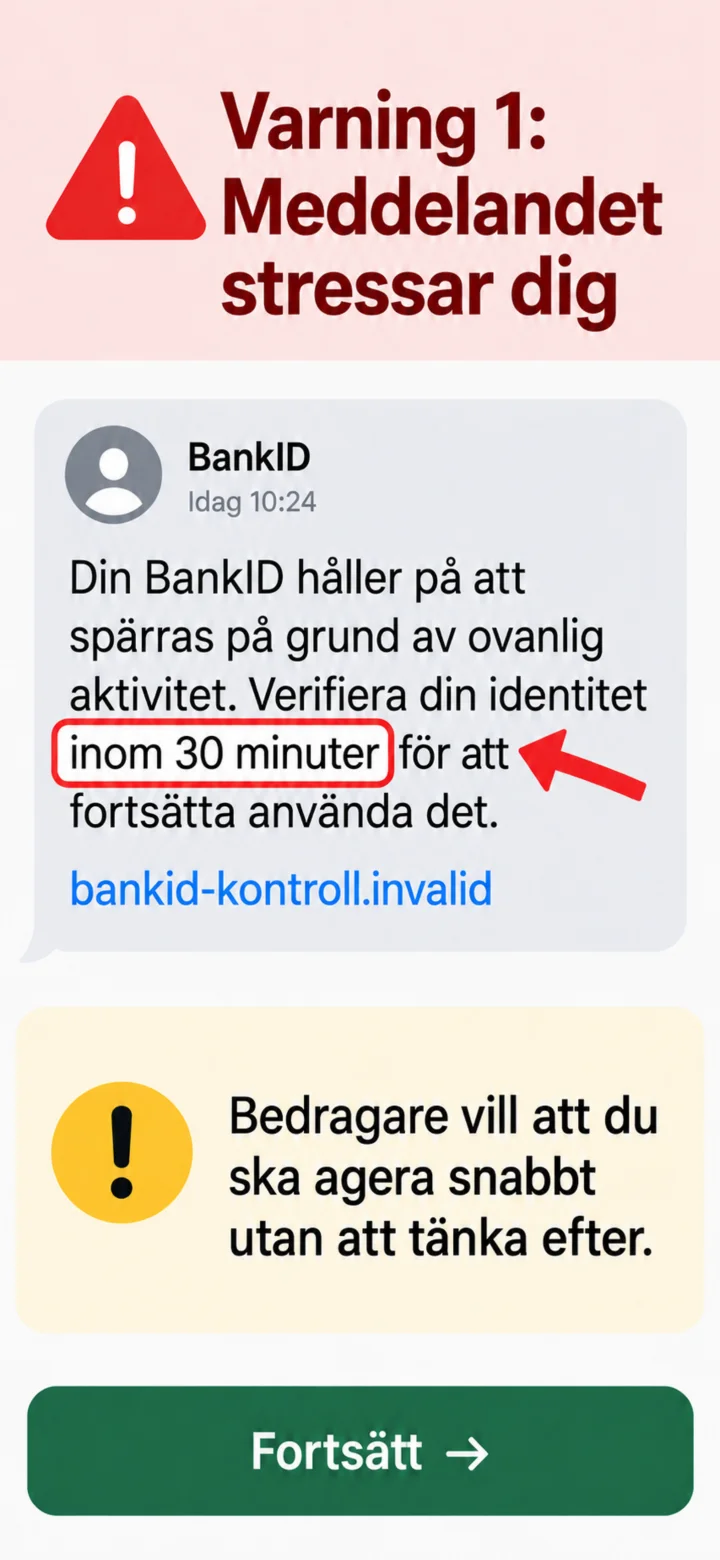
The first warning sign is urgency. The scammer wants you to act quickly without thinking it through.
 4Step 4 of 9 · iPhone
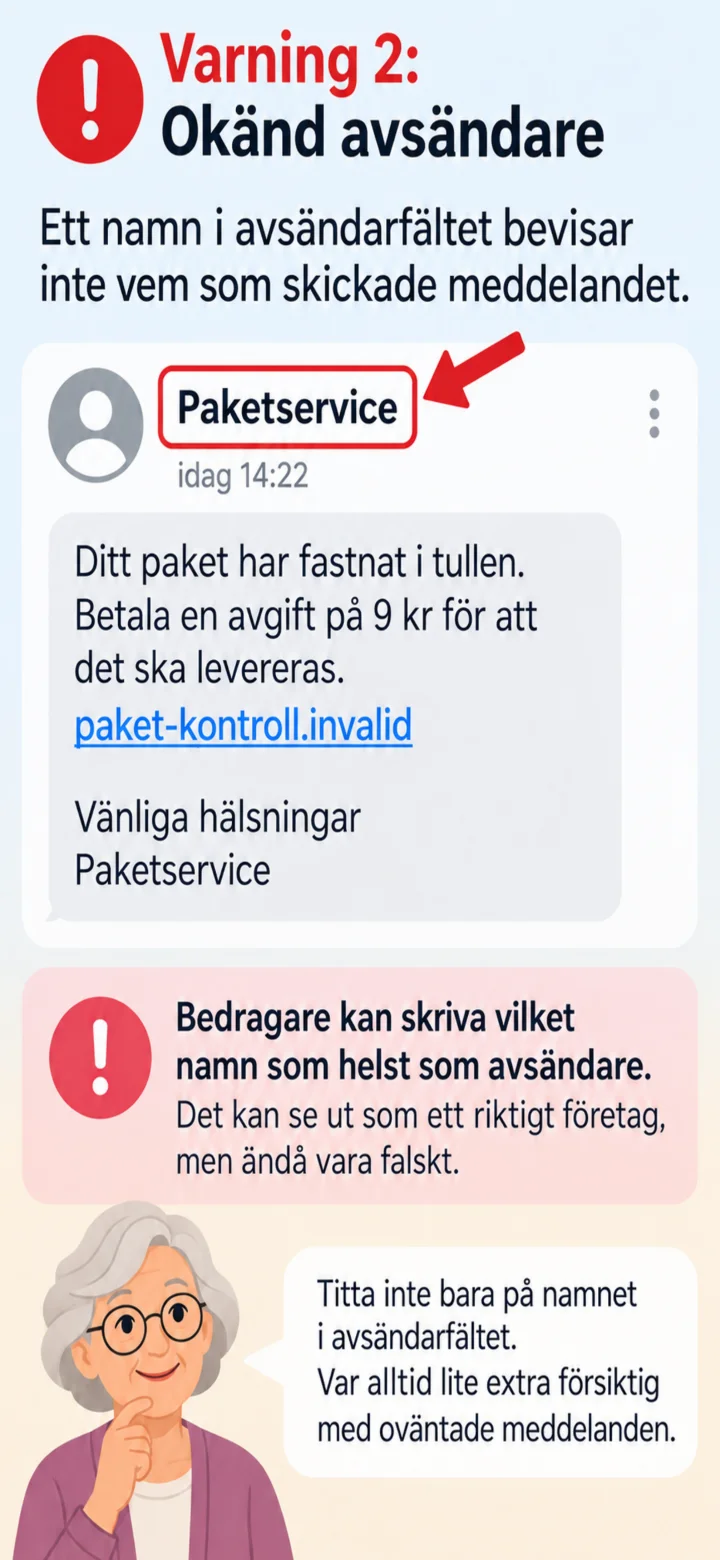
A name in the sender field doesn't prove who sent the message. Sender names can be faked.
 5Step 5 of 9 · iPhone
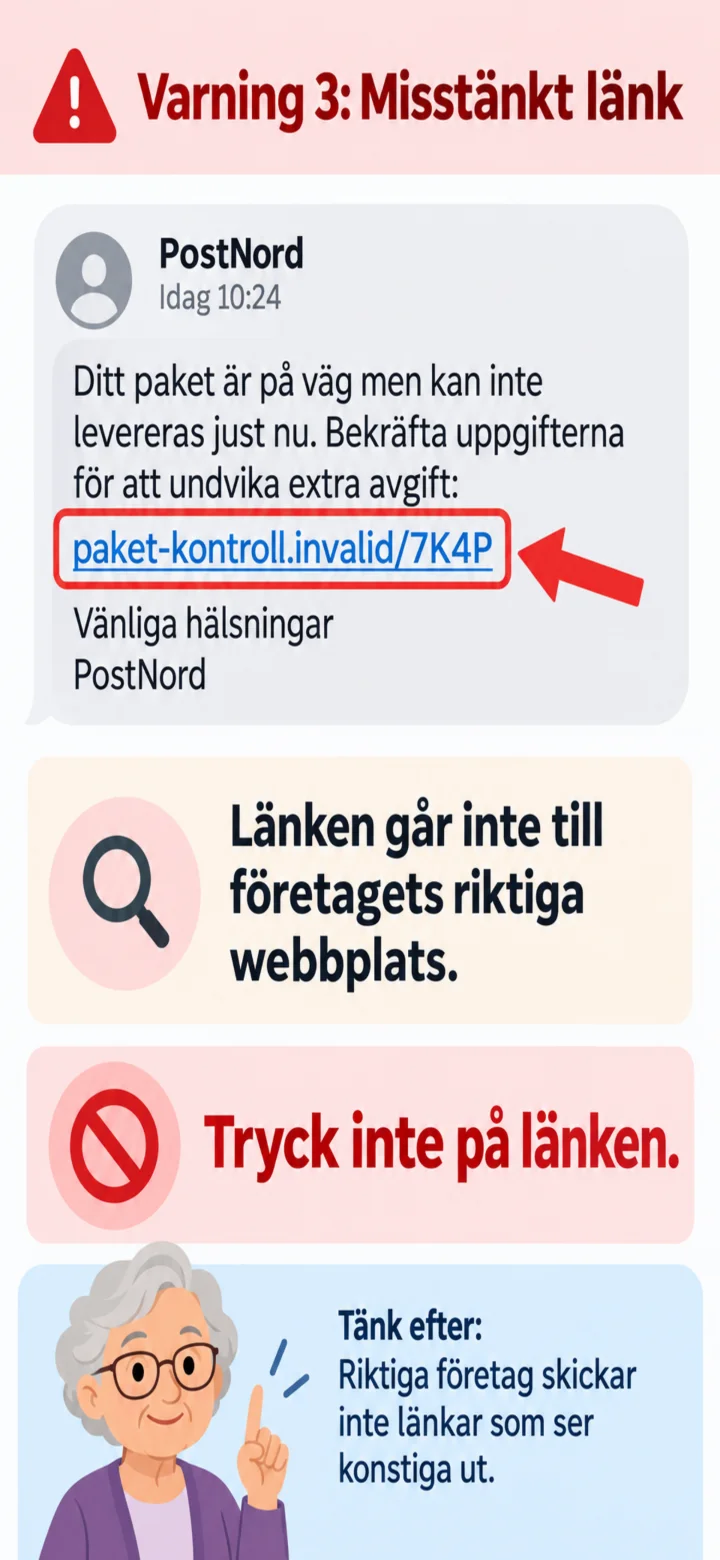
Another warning sign is a strange web address. Don't tap on the link.
 6Step 6 of 9 · iPhone
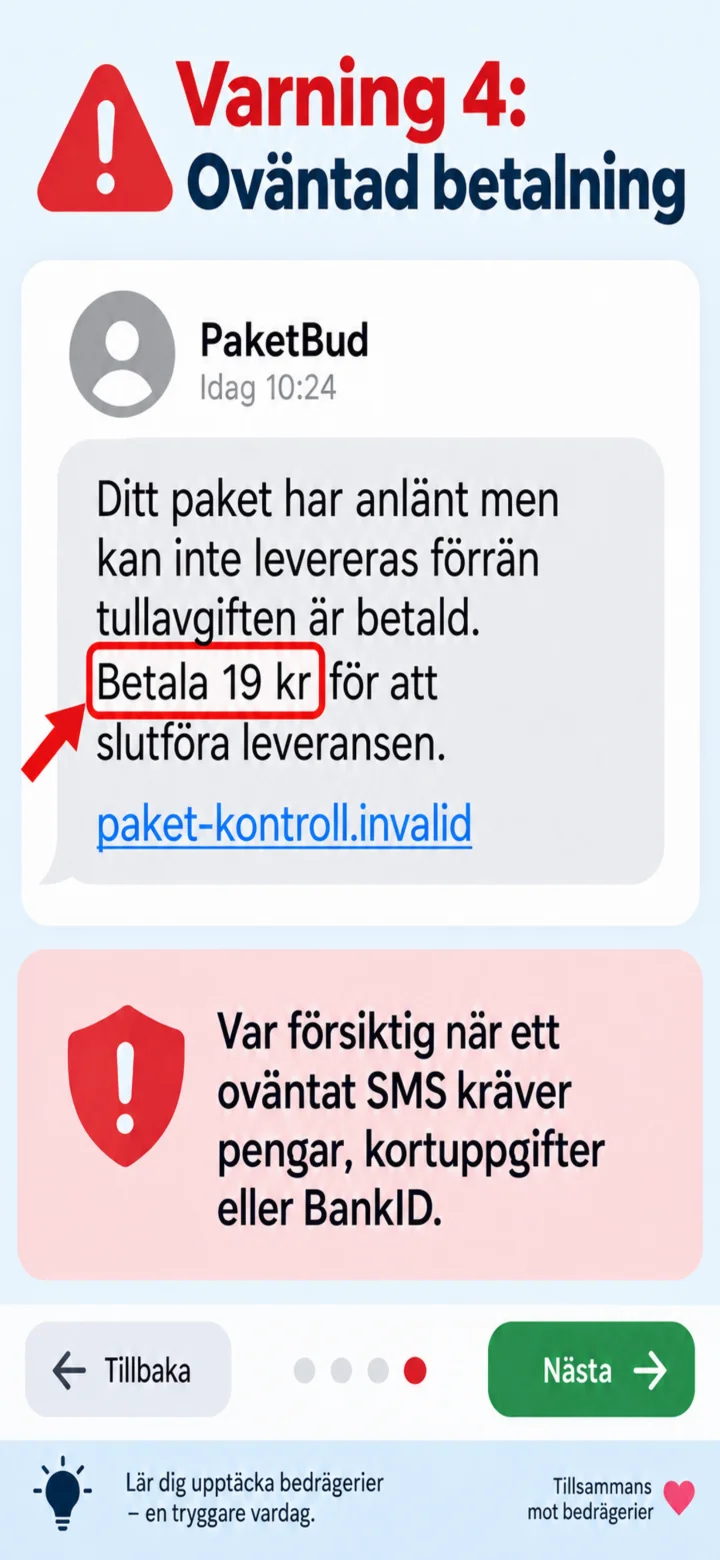
Be careful when an unexpected SMS demands money, card details, or BankID.
 7Step 7 of 9 · iPhone
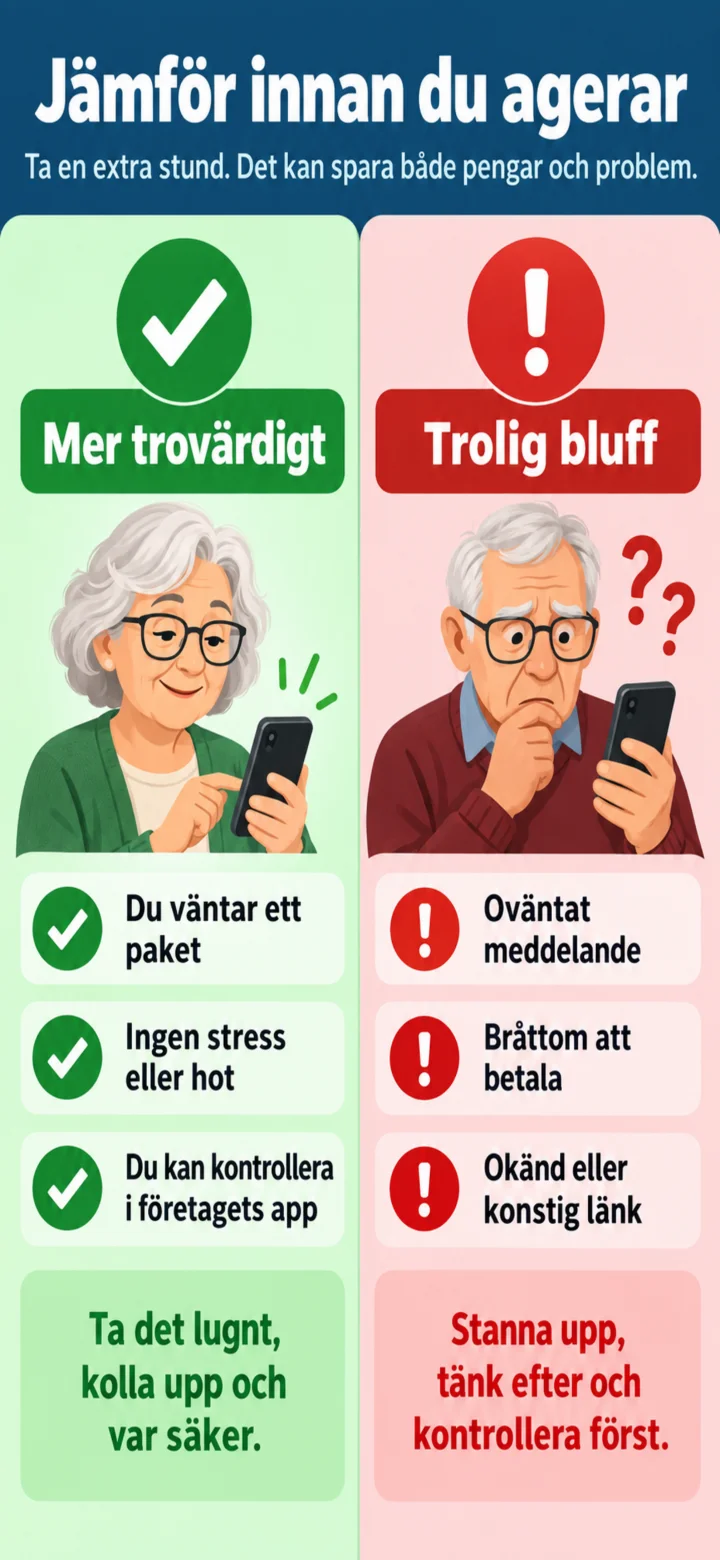
Stop and compare. Are you really expecting a package? Is the message unexpected or stressful?
 8Step 8 of 9 · iPhone
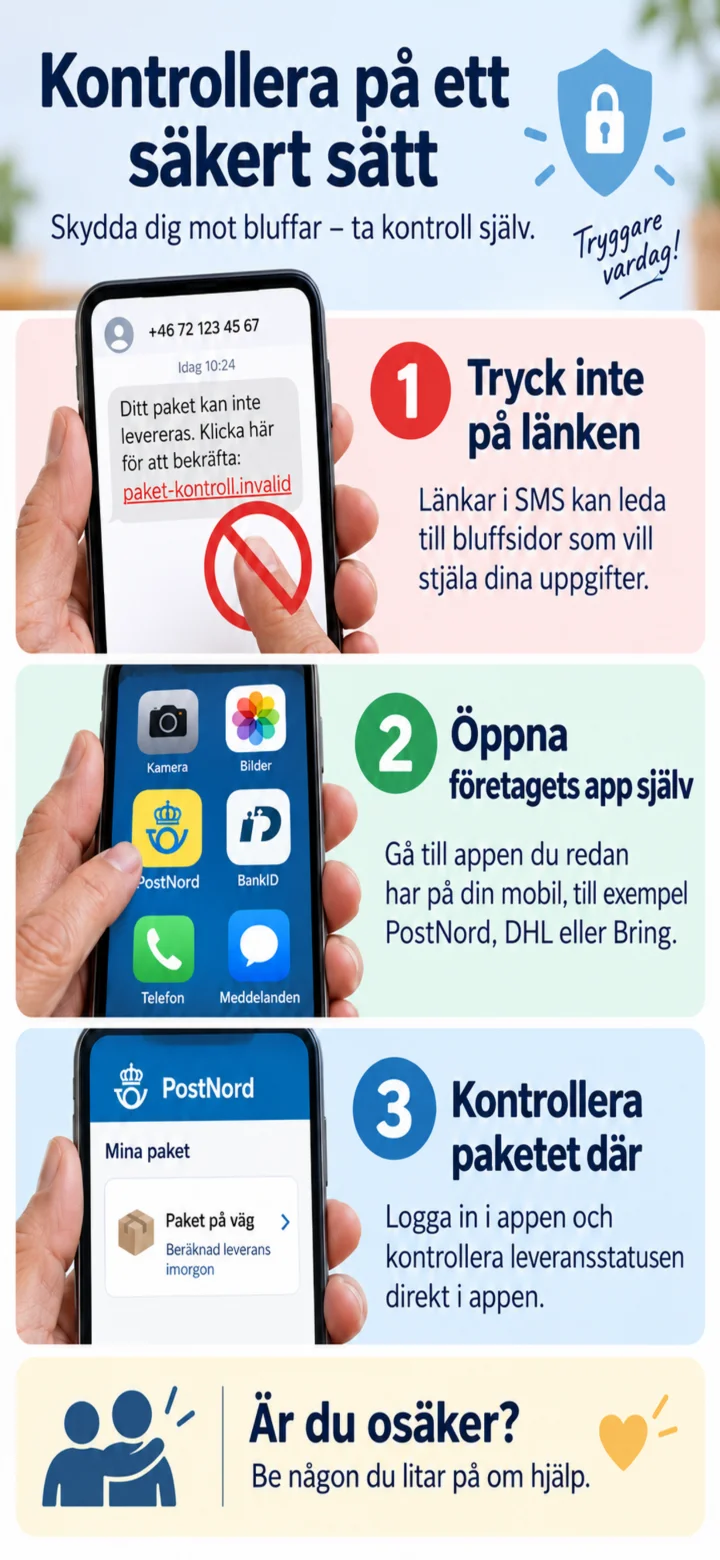
Don't tap on the link. Instead, open the company's app or type in the official web address yourself.
 9Step 9 of 9 · iPhone
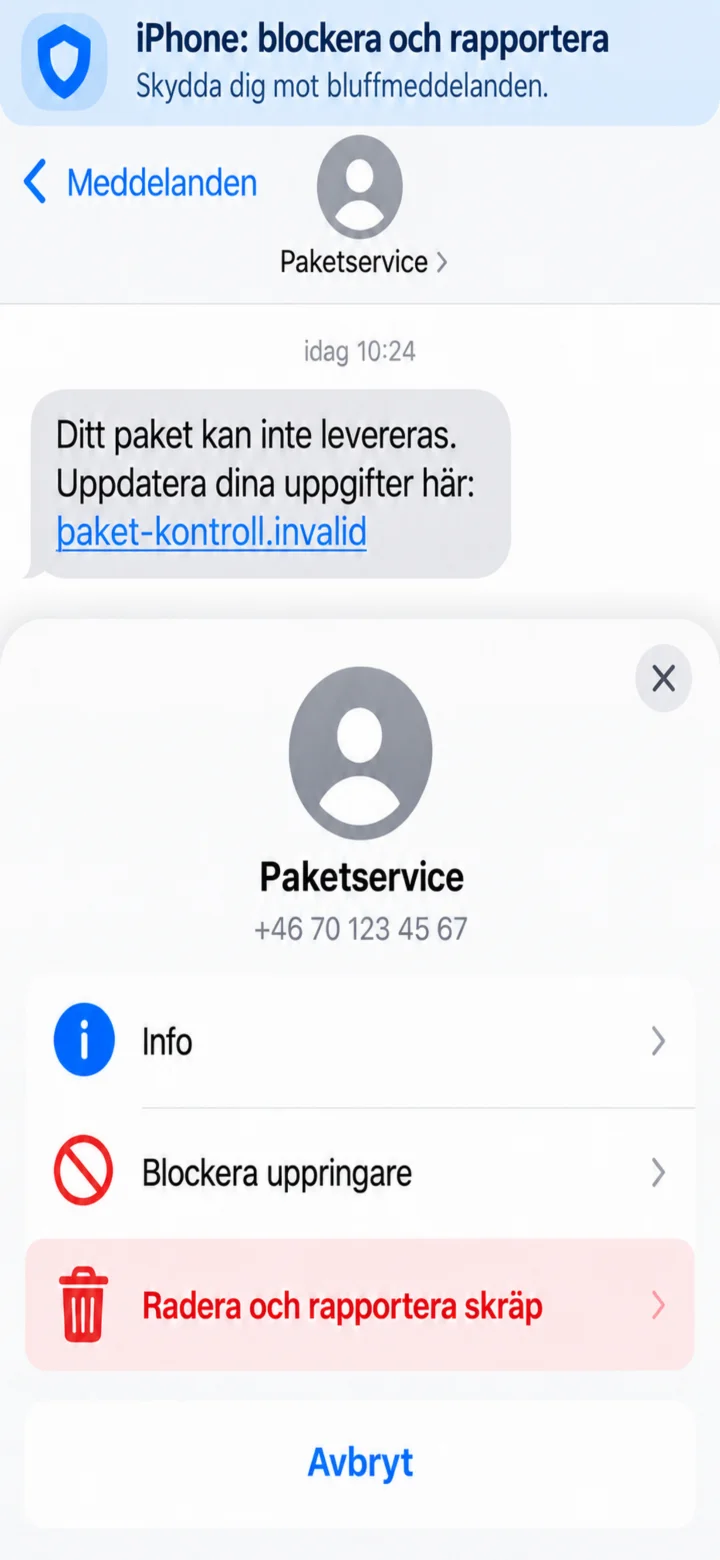
On iPhone, open the sender's information and choose to block or delete and report the message as junk.