Print the guide and keep it next to your phone while you do the steps.
Tip: untick “Headers and footers” in the print dialog to leave out the web address.
Which language should the printout be in?SvenskaEnglishSuomiالعربية (Arabiska)Bosanski/Hrvatski/Srpskiفارسی (Persiska)PolskiEspañol
Add an emergency contact
Mobile phone and tablet
 iPhone
Scan to listen to the guide
 1Step 1 of 9 · iPhone
Now, let's add an emergency contact to your phone.
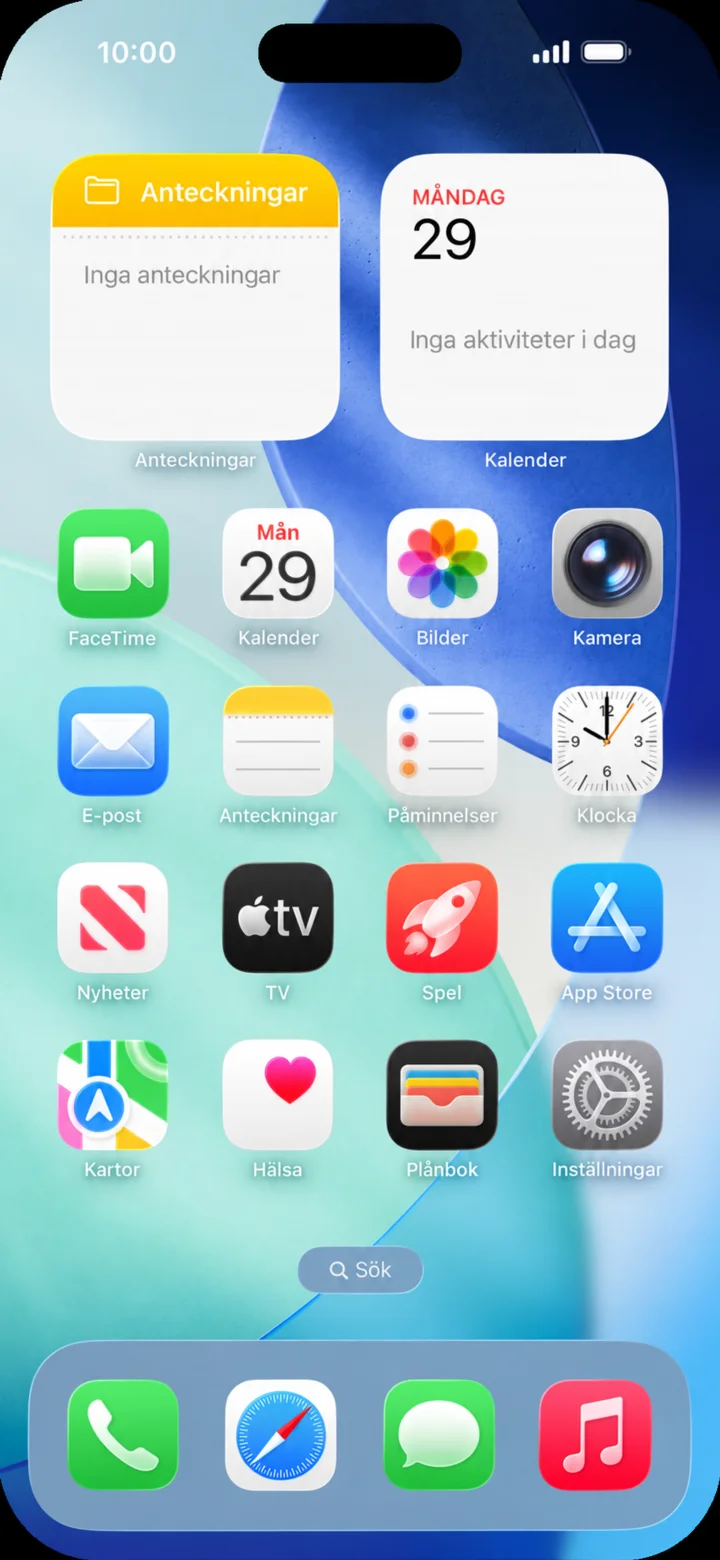 2Step 2 of 9 · iPhone
Start from your home screen. Tap on Hälsa.
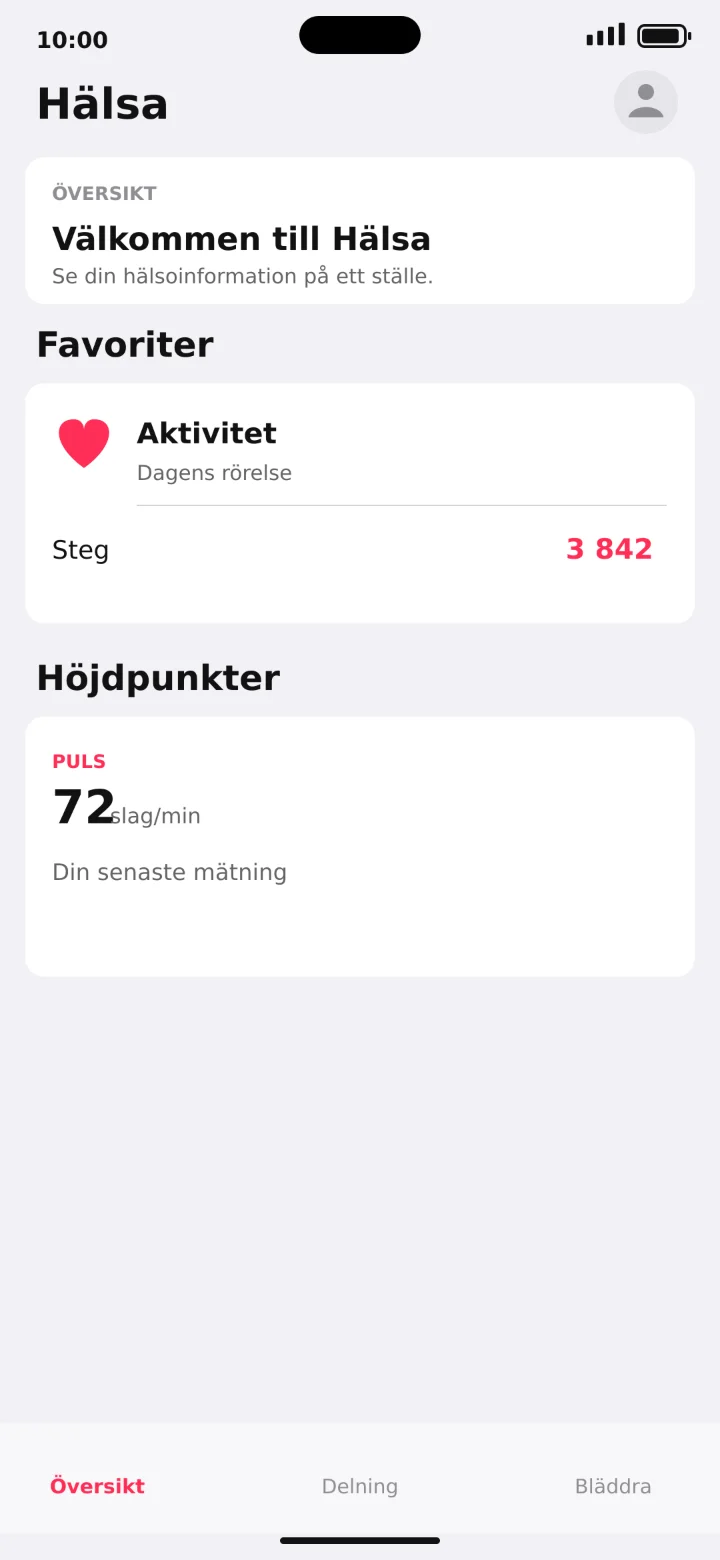 3Step 3 of 9 · iPhone
Tryck på din profilbild uppe till höger.
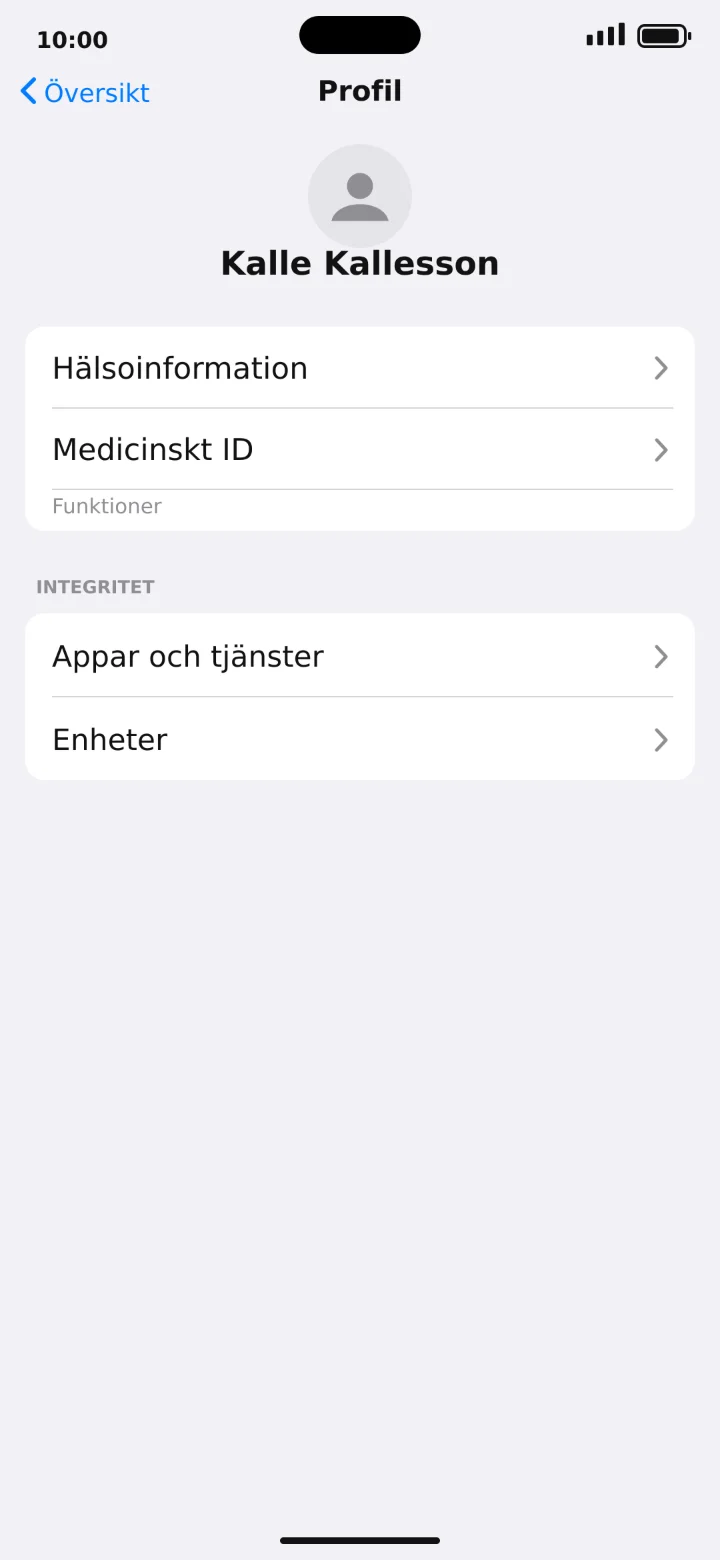 4Step 4 of 9 · iPhone
Tap on Medicinskt ID (Medical ID).
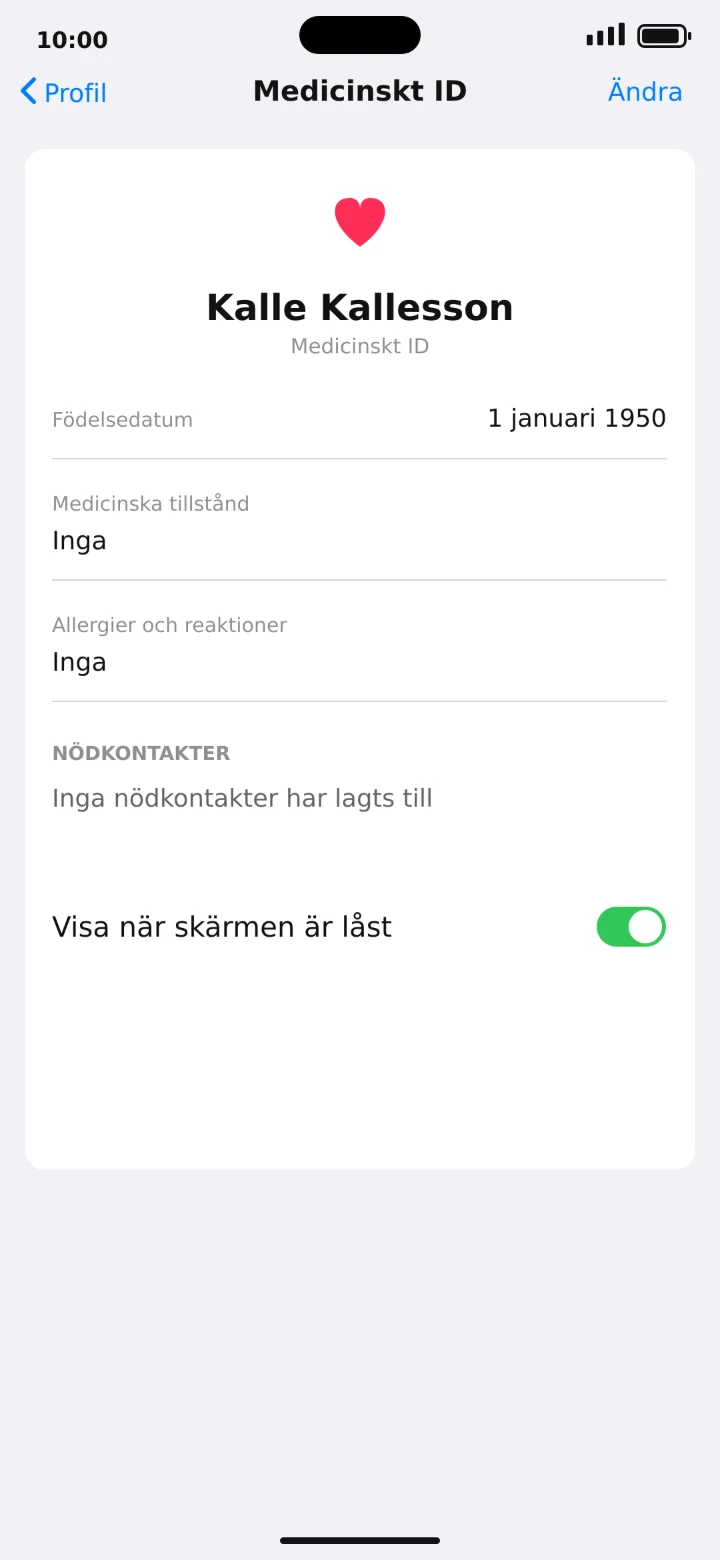 5Step 5 of 9 · iPhone
Tap on Ändra (Edit) in the top right corner.
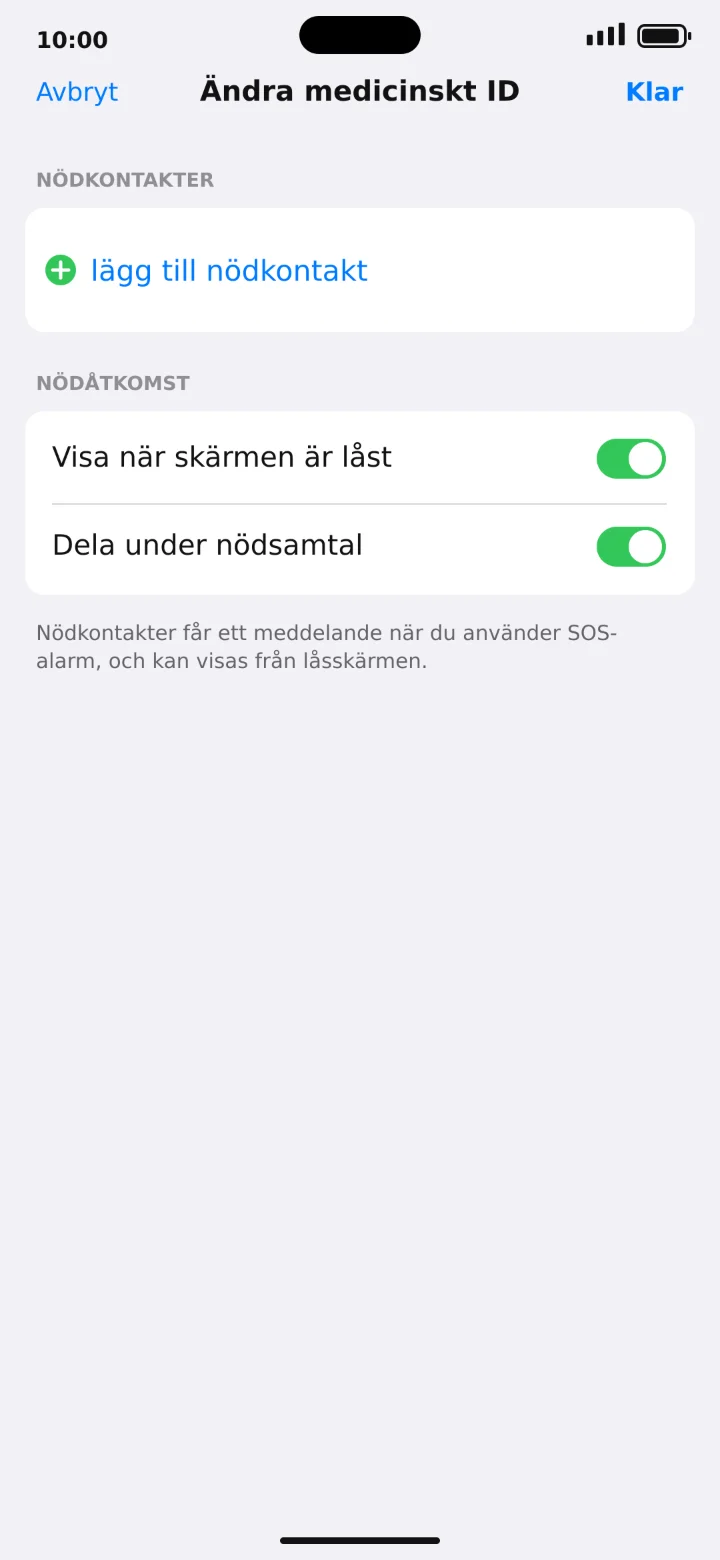 6Step 6 of 9 · iPhone
Scroll to Nödkontakter (Emergency contacts) and tap on lägg till nödkontakt (add emergency contact).
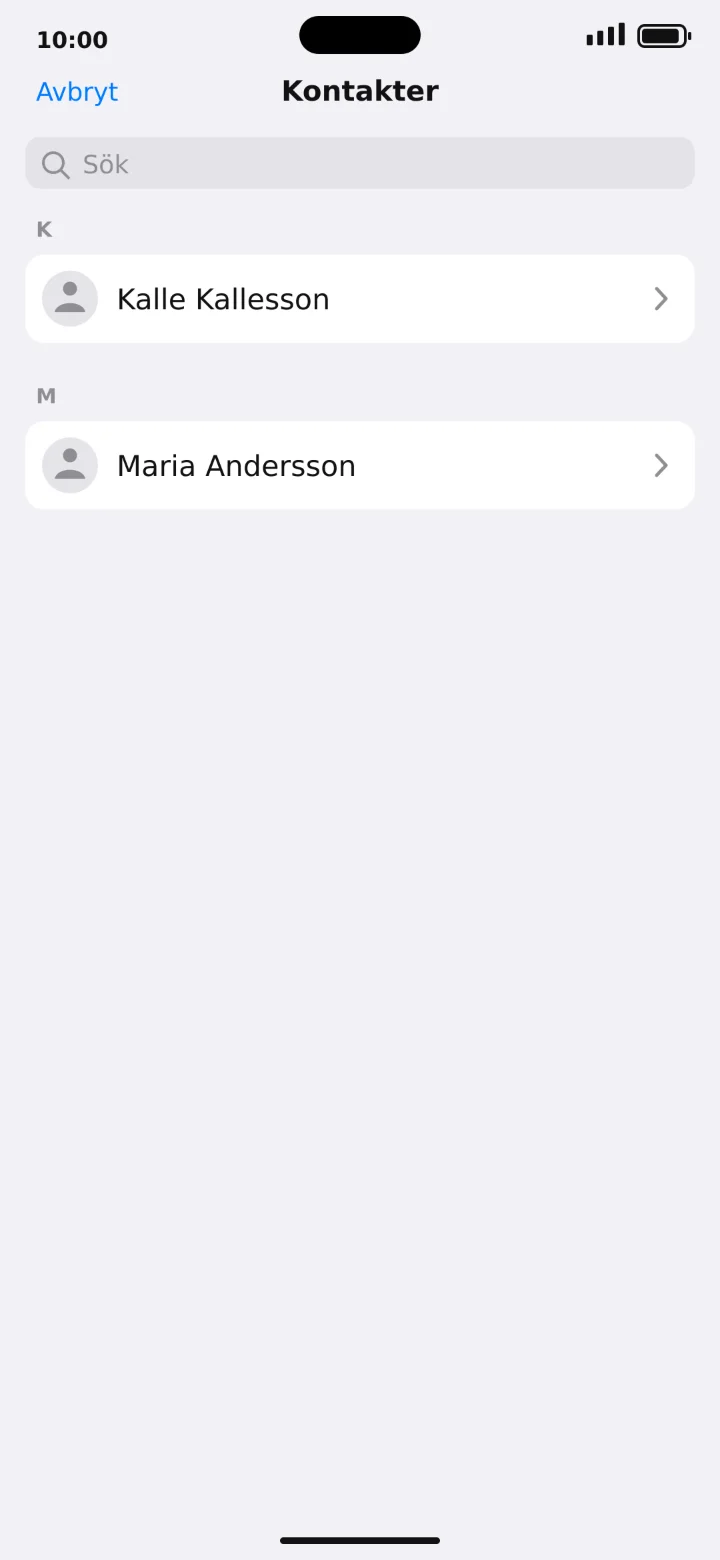 7Step 7 of 9 · iPhone
Search for the name you want to add. In this example, I'm using Kalle Kallesson.
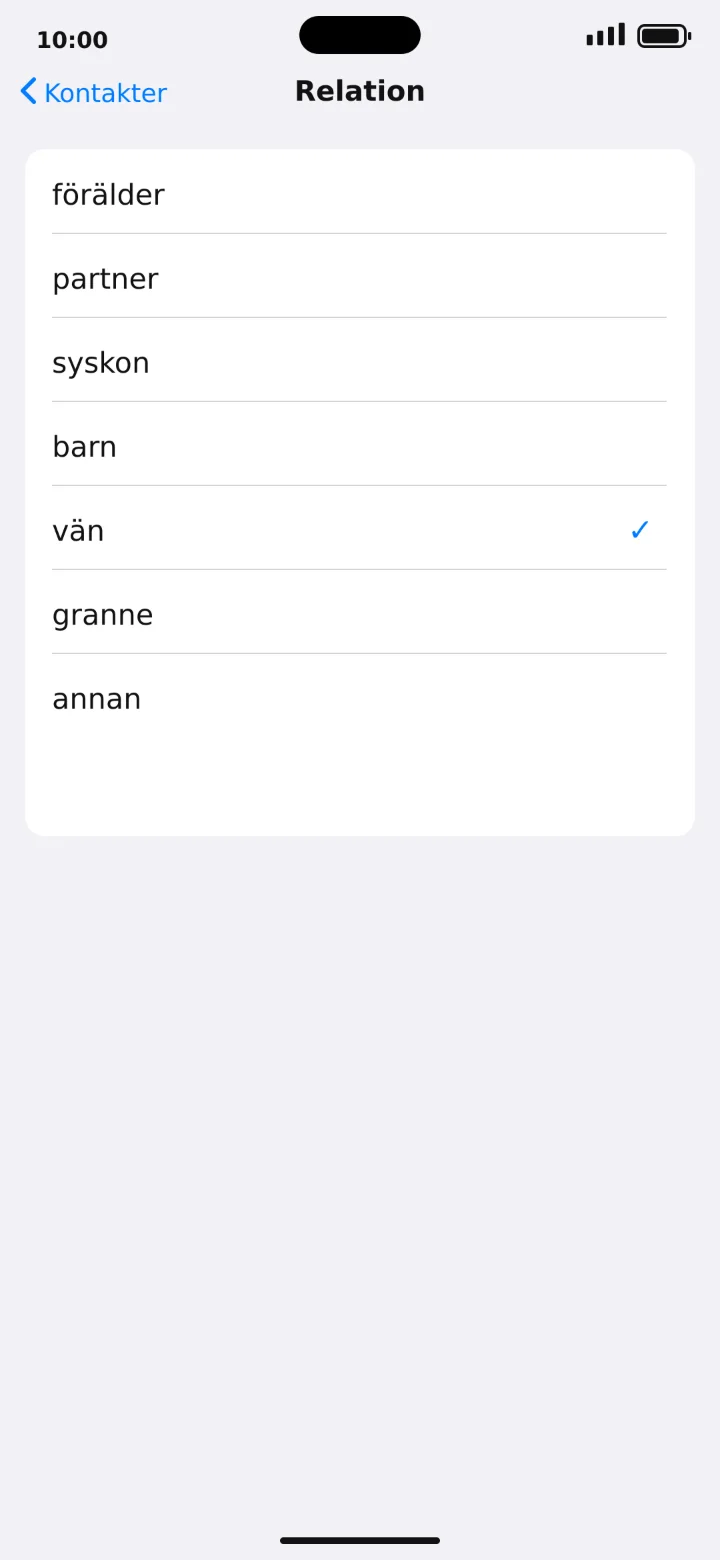 8Step 8 of 9 · iPhone
Choose your relationship to Kalle, for example, friend.
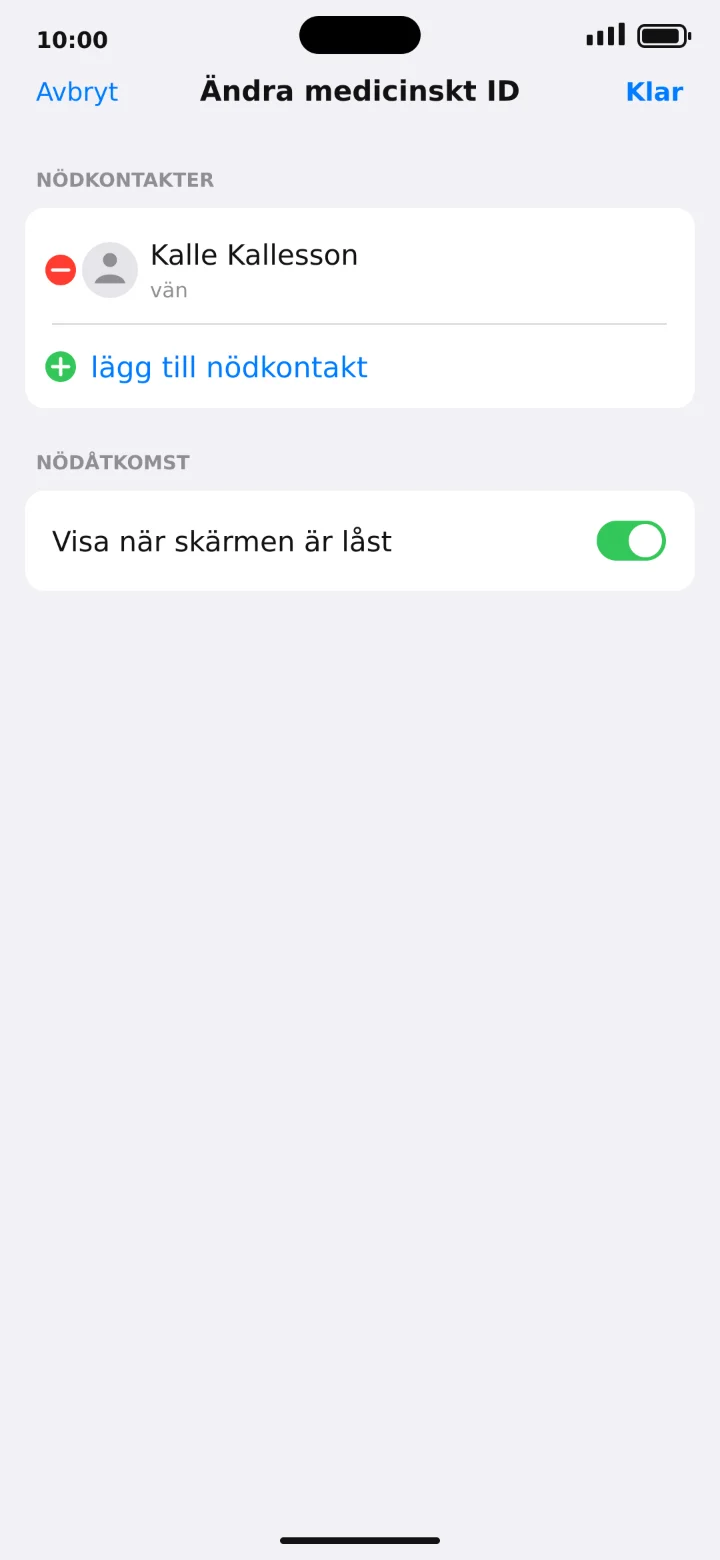 9Step 9 of 9 · iPhone
Check that Kalle Kallesson has been added and tap on Klar (Done).