Print the guide and keep it next to your phone while you do the steps.
Tip: untick “Headers and footers” in the print dialog to leave out the web address.
Install WhatsApp and make a video call
Keep in touch
 iPhone
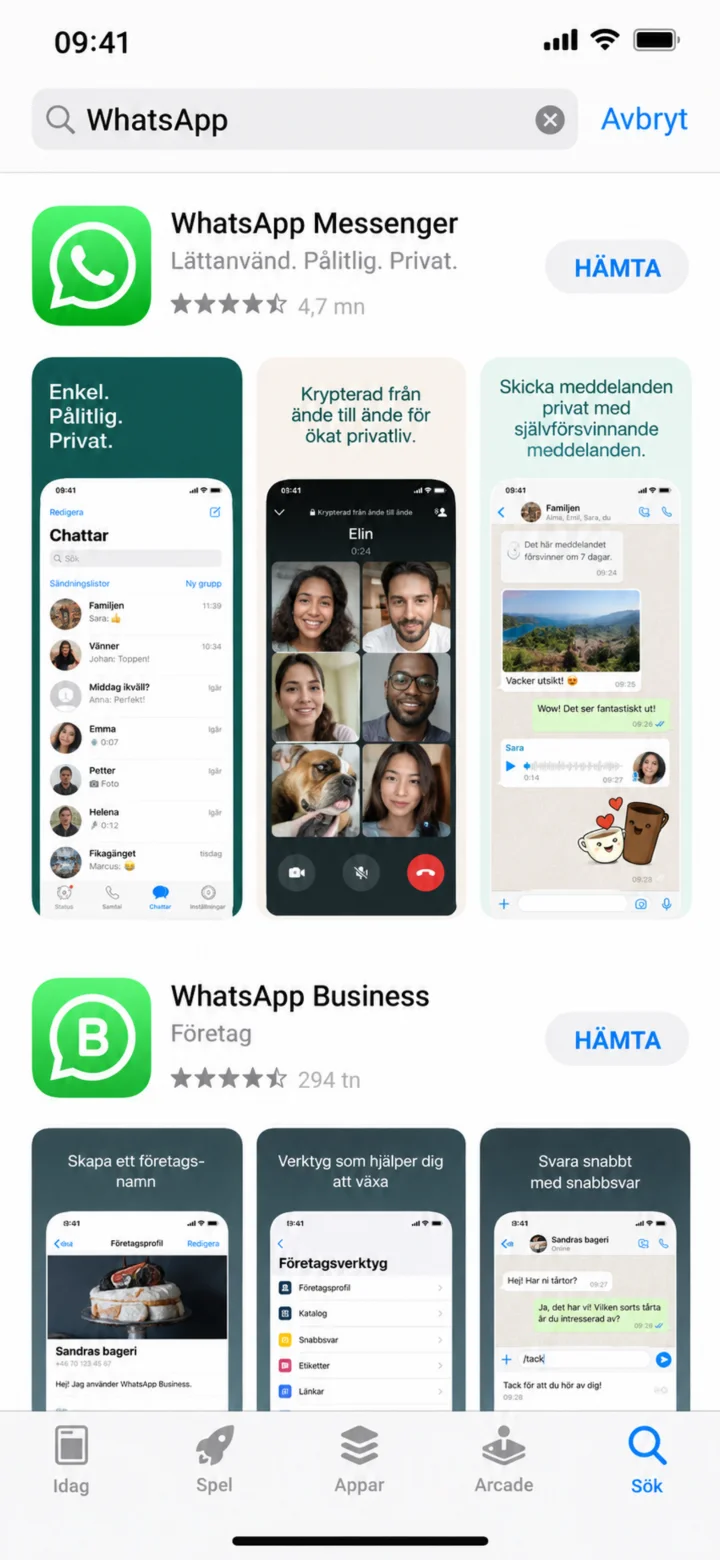 1Step 1 of 11 · iPhone
Open the App Store and search for WhatsApp. Make sure the app is called WhatsApp Messenger.
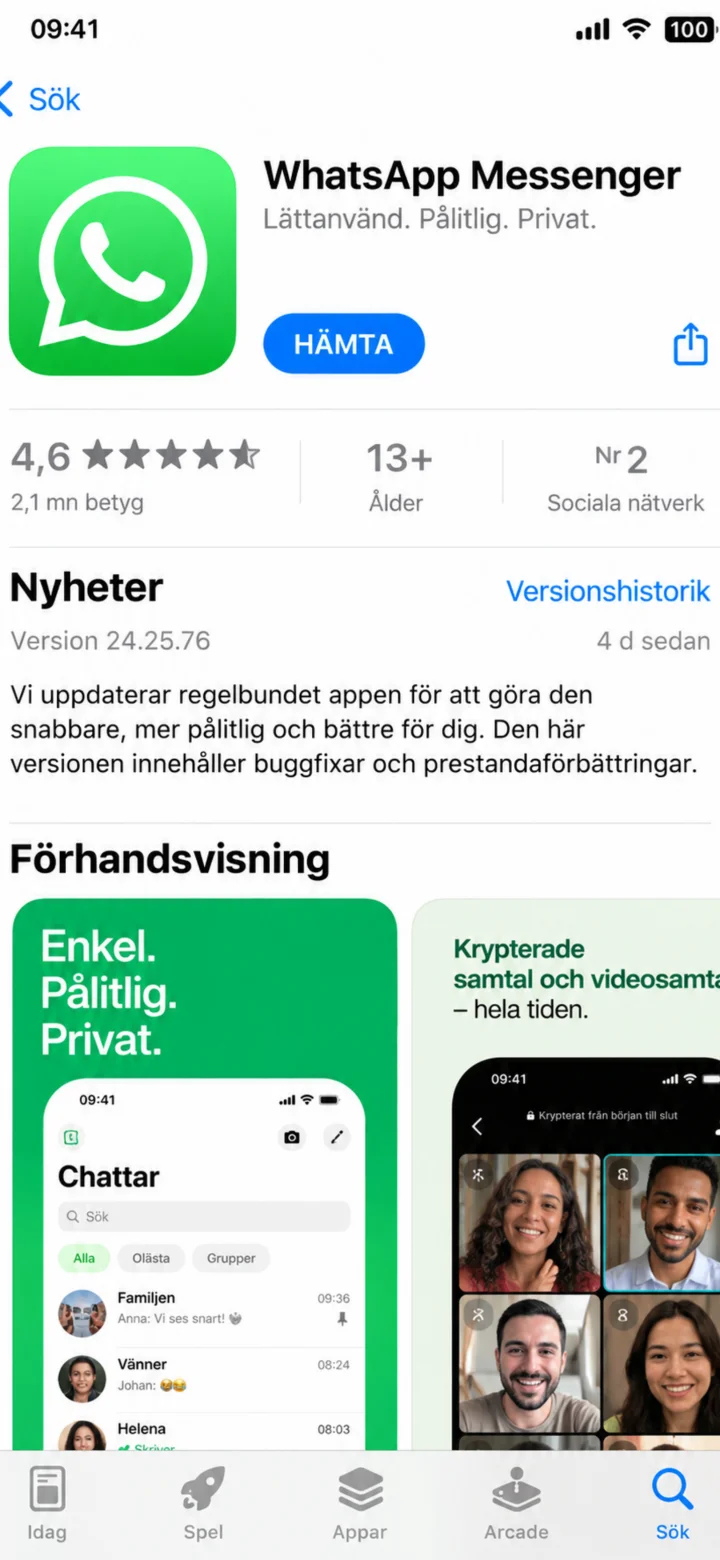 2Step 2 of 11 · iPhone
Tap ”Hämta” (Get) to install WhatsApp.
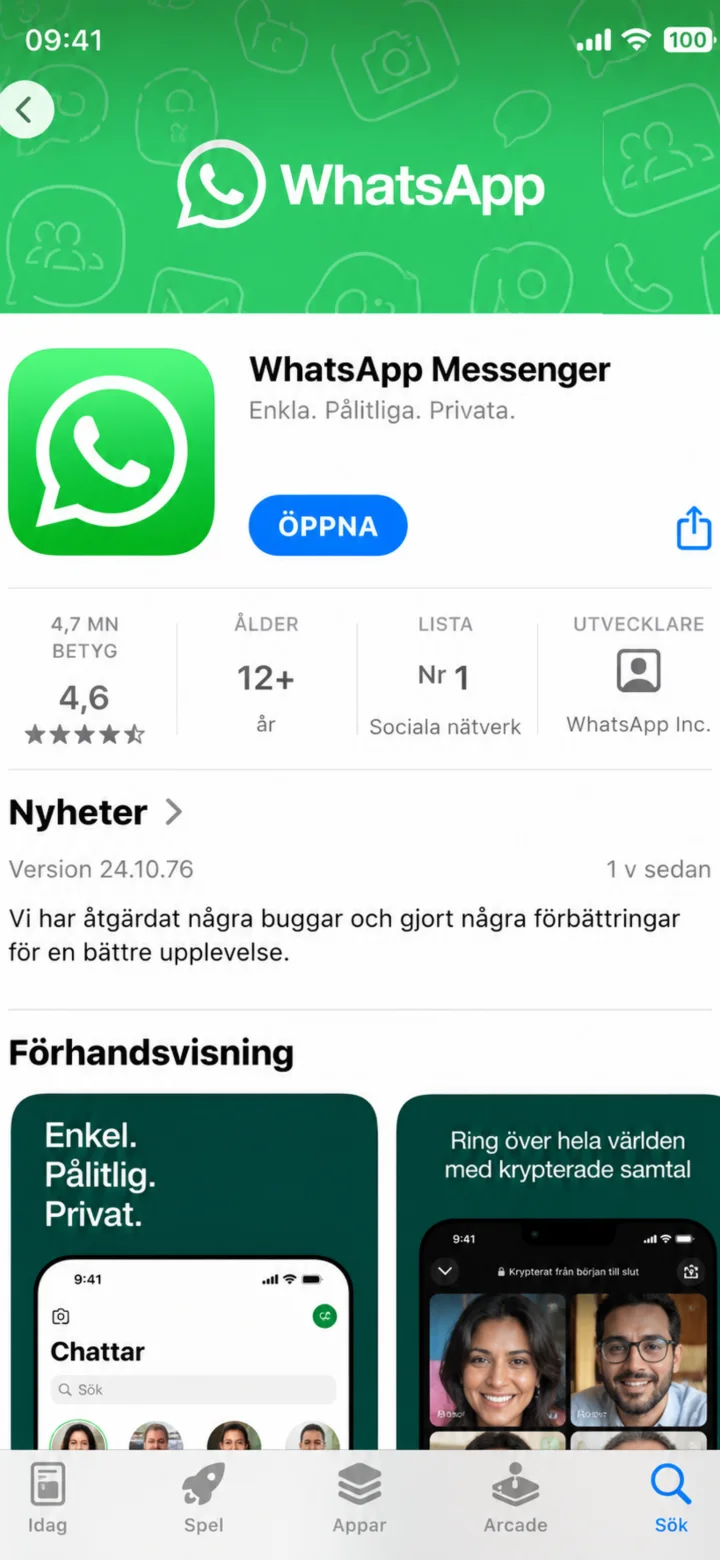 3Step 3 of 11 · iPhone
När installationen är klar, tryck på Öppna.
 4Step 4 of 11 · iPhone
Read the information and then tap ”Godkänn och fortsätt” (Agree and continue).
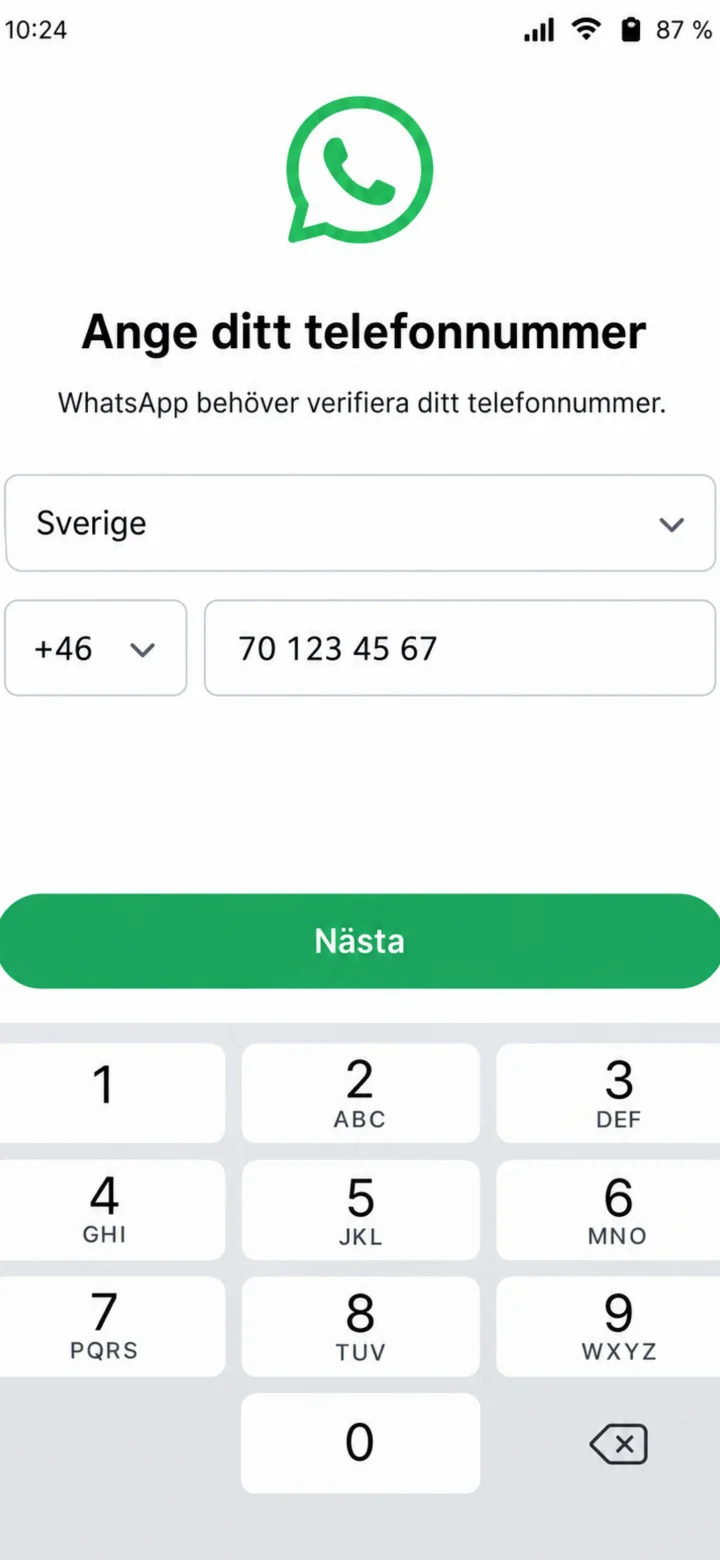 5Step 5 of 11 · iPhone
Choose Sverige (Sweden) and enter your mobile number. Then tap ”Nästa” (Next).
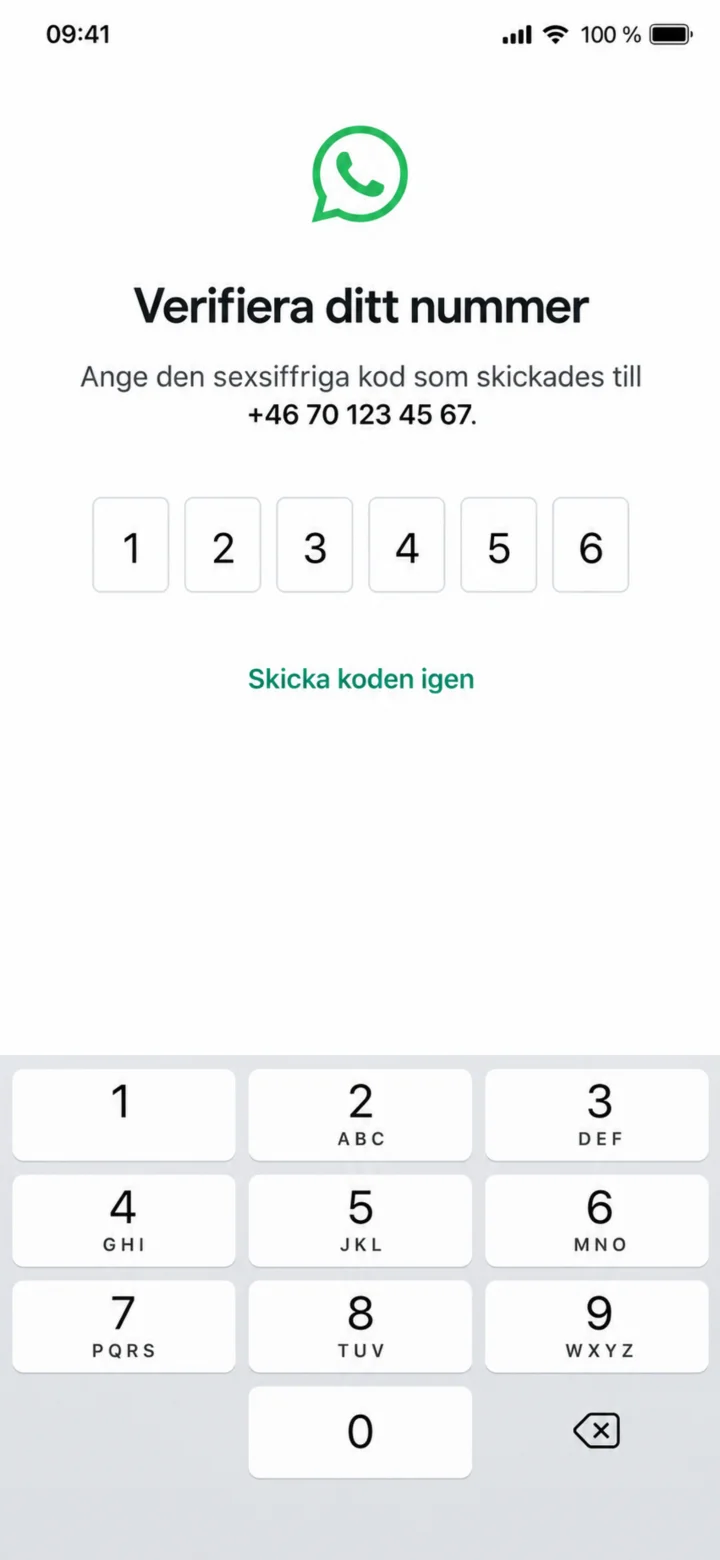 6Step 6 of 11 · iPhone
Enter the six-digit code you receive in an SMS. Never share the code with anyone else.
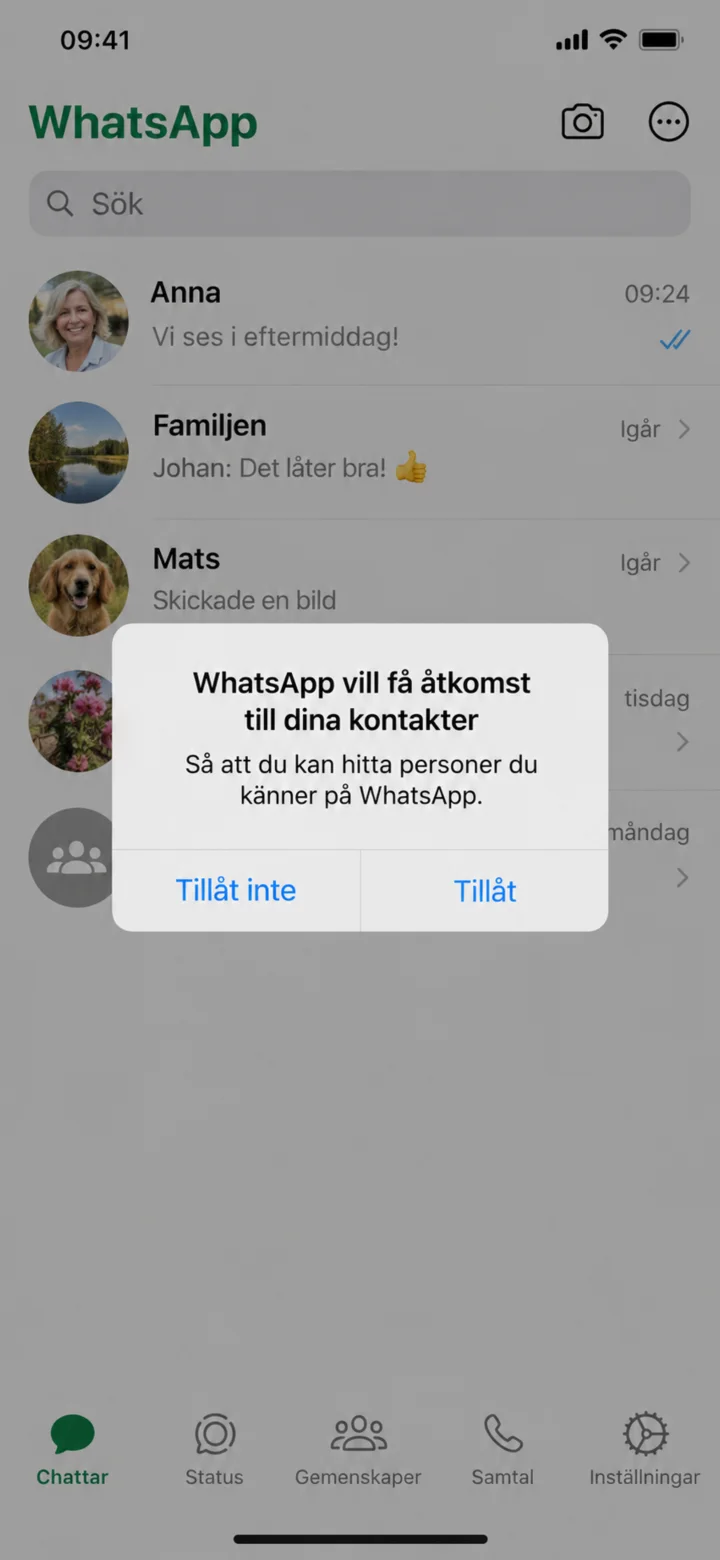 7Step 7 of 11 · iPhone
On iPhone, tap ”Tillåt” (Allow) so WhatsApp can find your contacts.
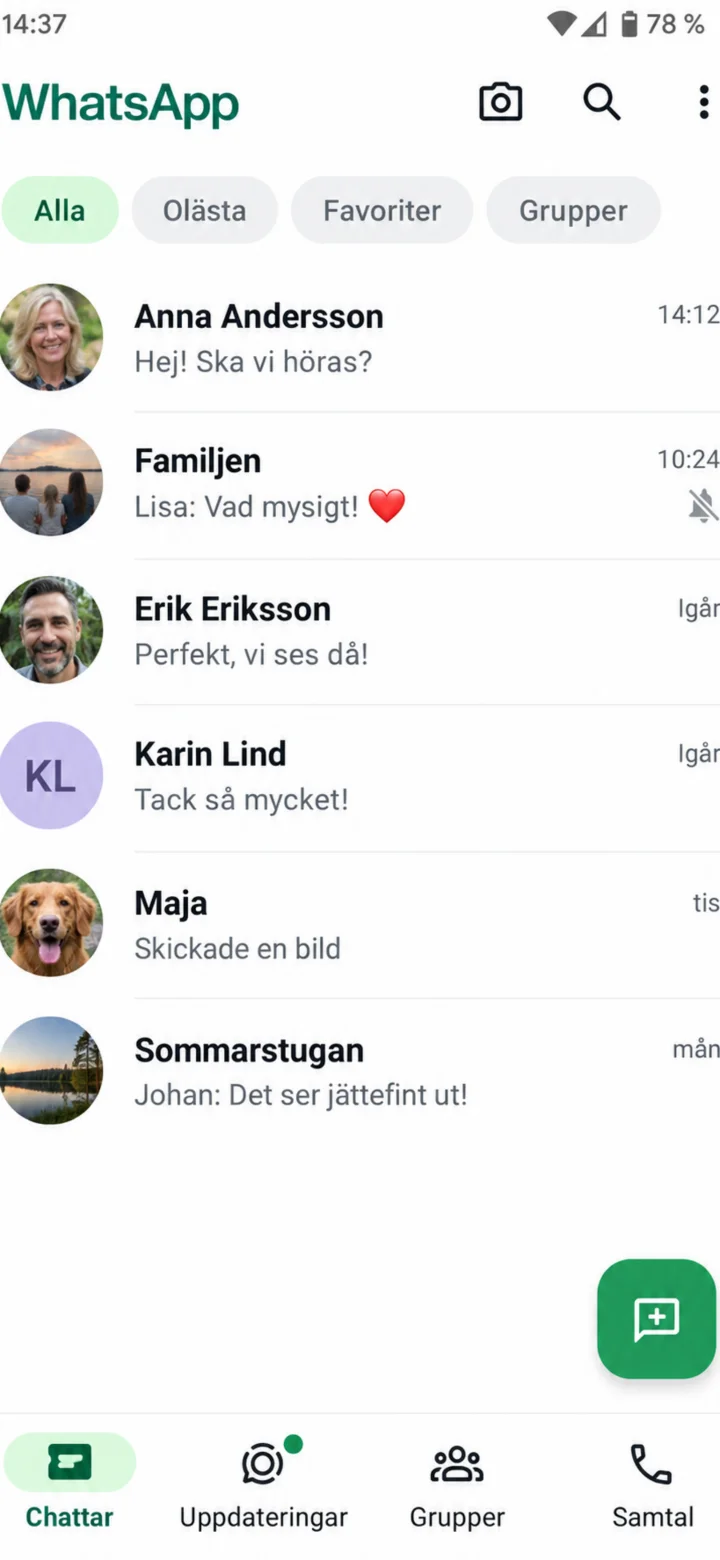 8Step 8 of 11 · iPhone
In the chat list, tap the person you want to call. In the example, we choose Anna Andersson.
 9Step 9 of 11 · iPhone
Tap the small video symbol in the top right corner.
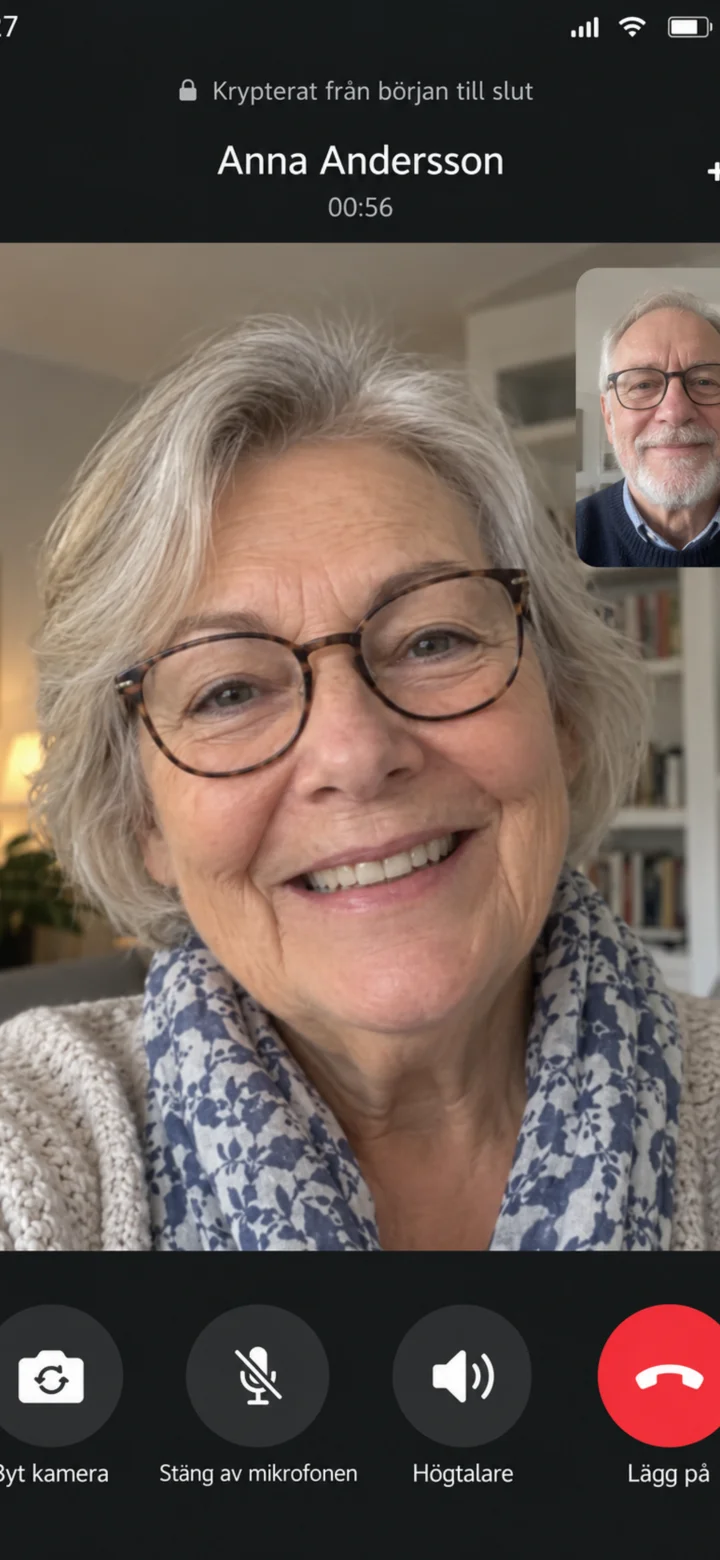 10Step 10 of 11 · iPhone
The video call has started. Tap the red button when you want to end the call.
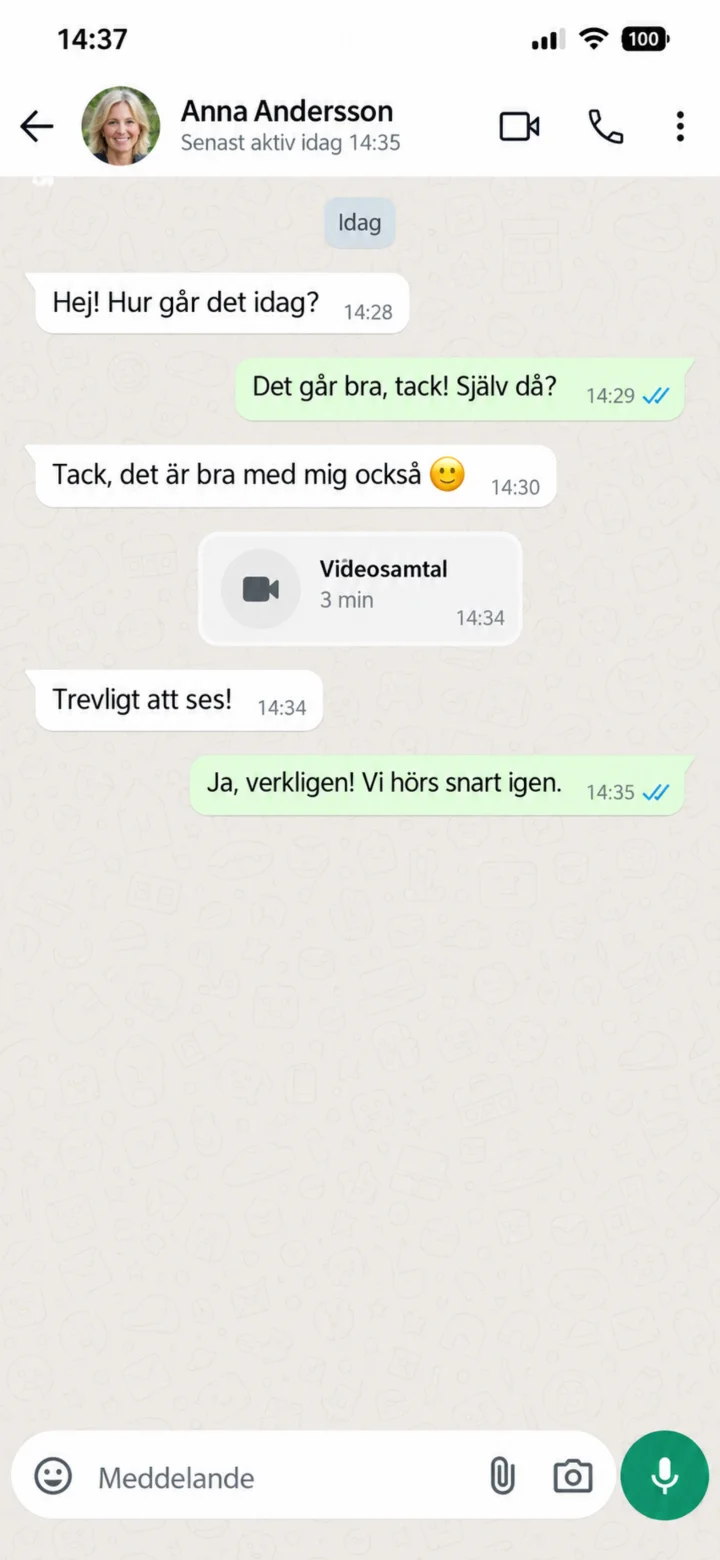 11Step 11 of 11 · iPhone
The call has ended. You are now back in the chat.