Print the guide and keep it next to your phone while you do the steps.
Tip: untick “Headers and footers” in the print dialog to leave out the web address.
Which language should the printout be in?SvenskaEnglishSuomiالعربية (Arabiska)Bosanski/Hrvatski/Srpskiفارسی (Persiska)PolskiEspañol
Download and Use Sveriges Radio
Useful apps
 Android
Scan to listen to the guide
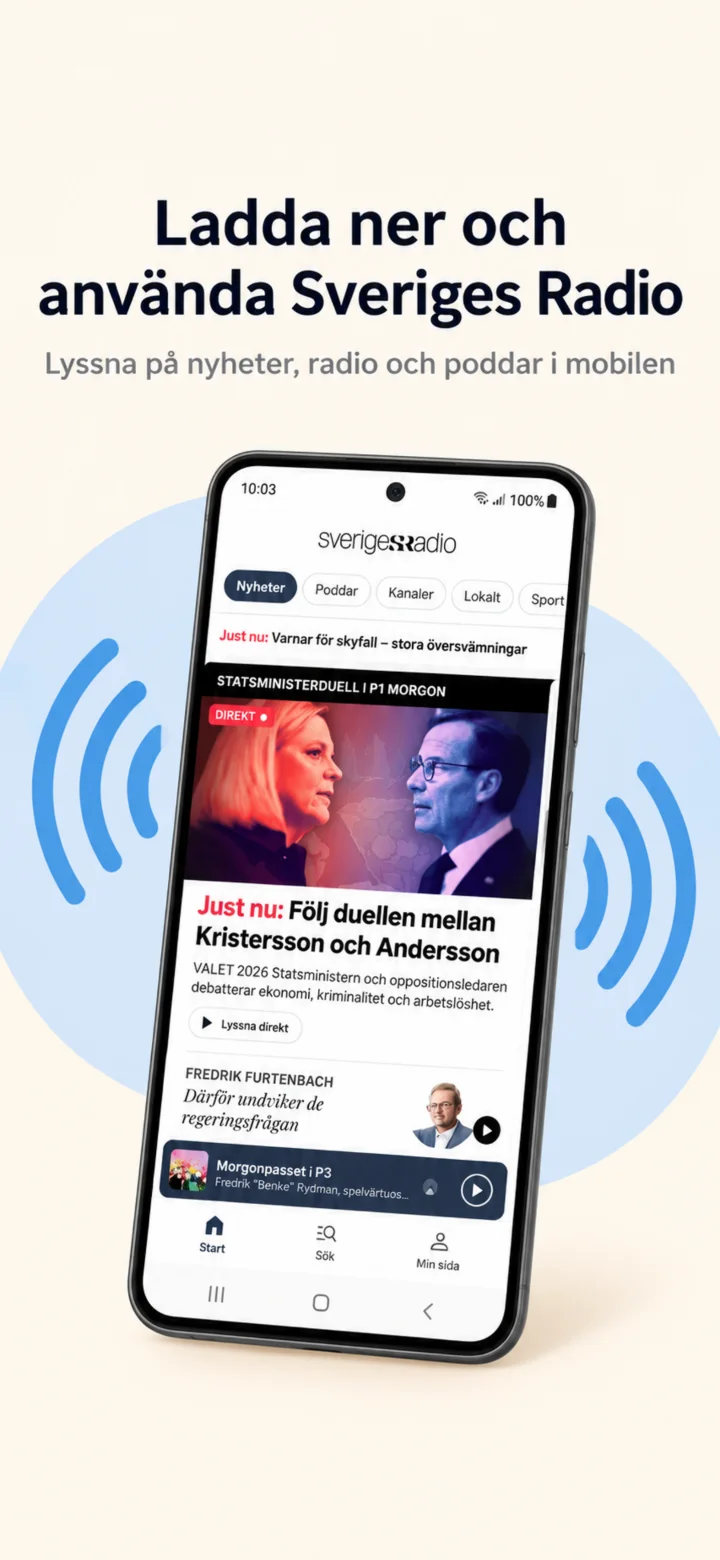 1Step 1 of 8 · Android
We will now learn how to download and use Sveriges Radio on your phone.
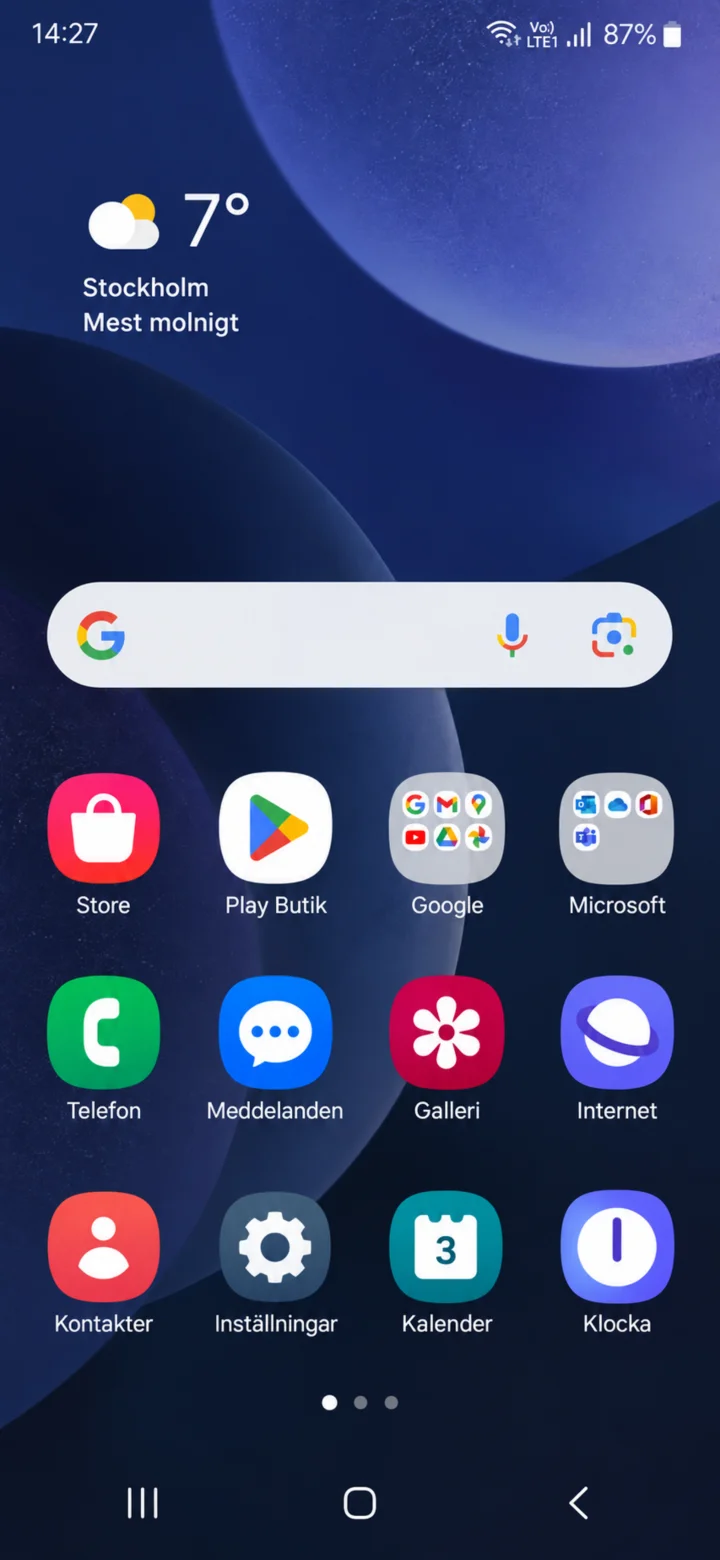 2Step 2 of 8 · Android
Börja på hemskärmen. Tryck på Play Butik.
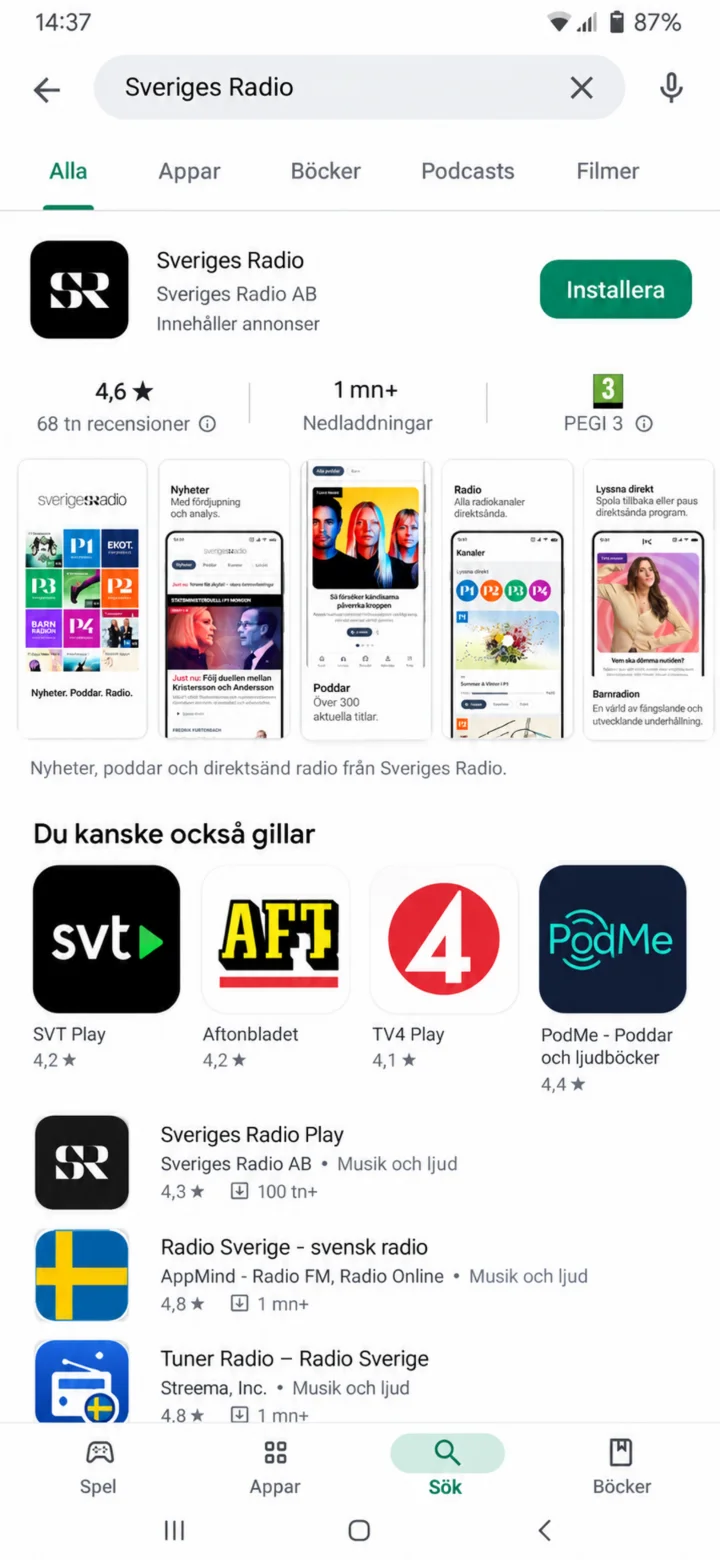 3Step 3 of 8 · Android
Search for Sveriges Radio.
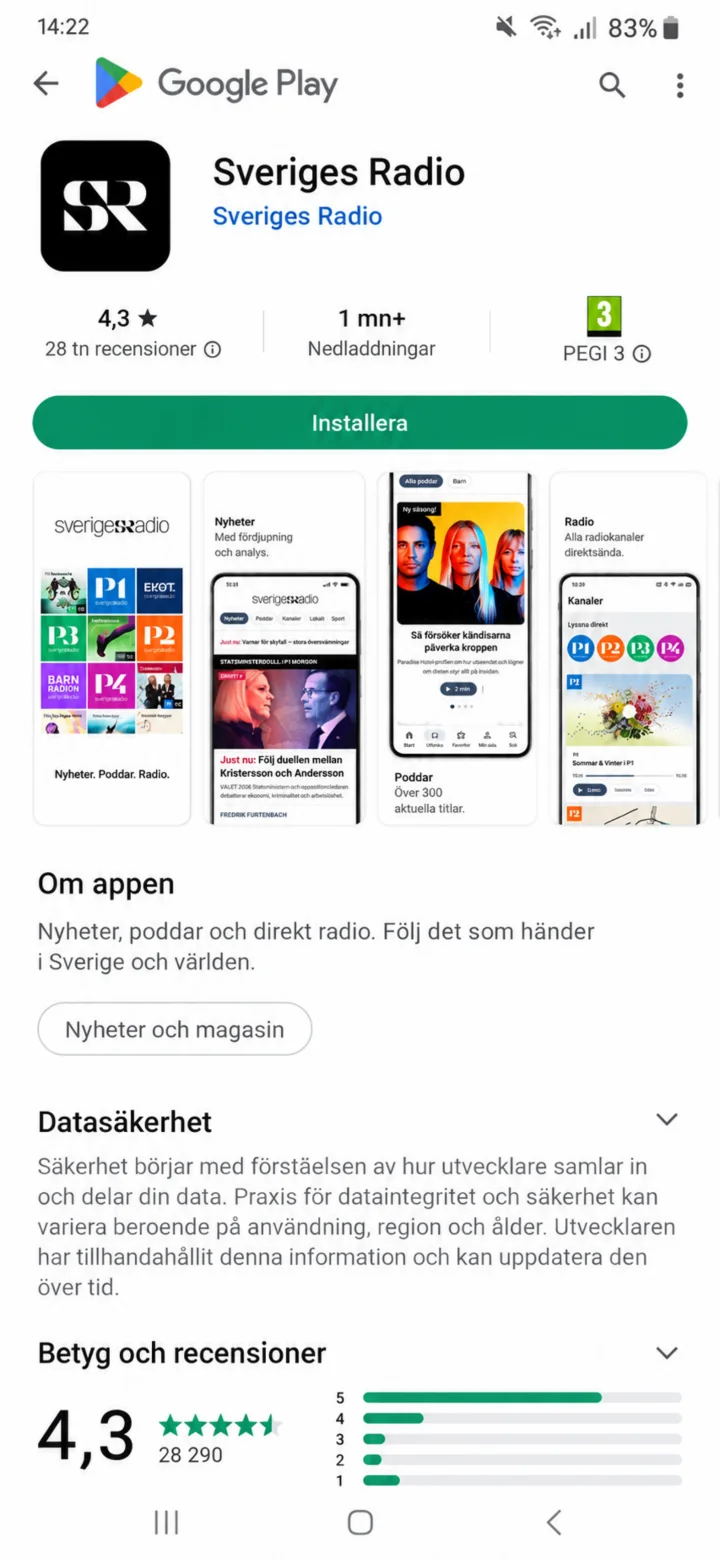 4Step 4 of 8 · Android
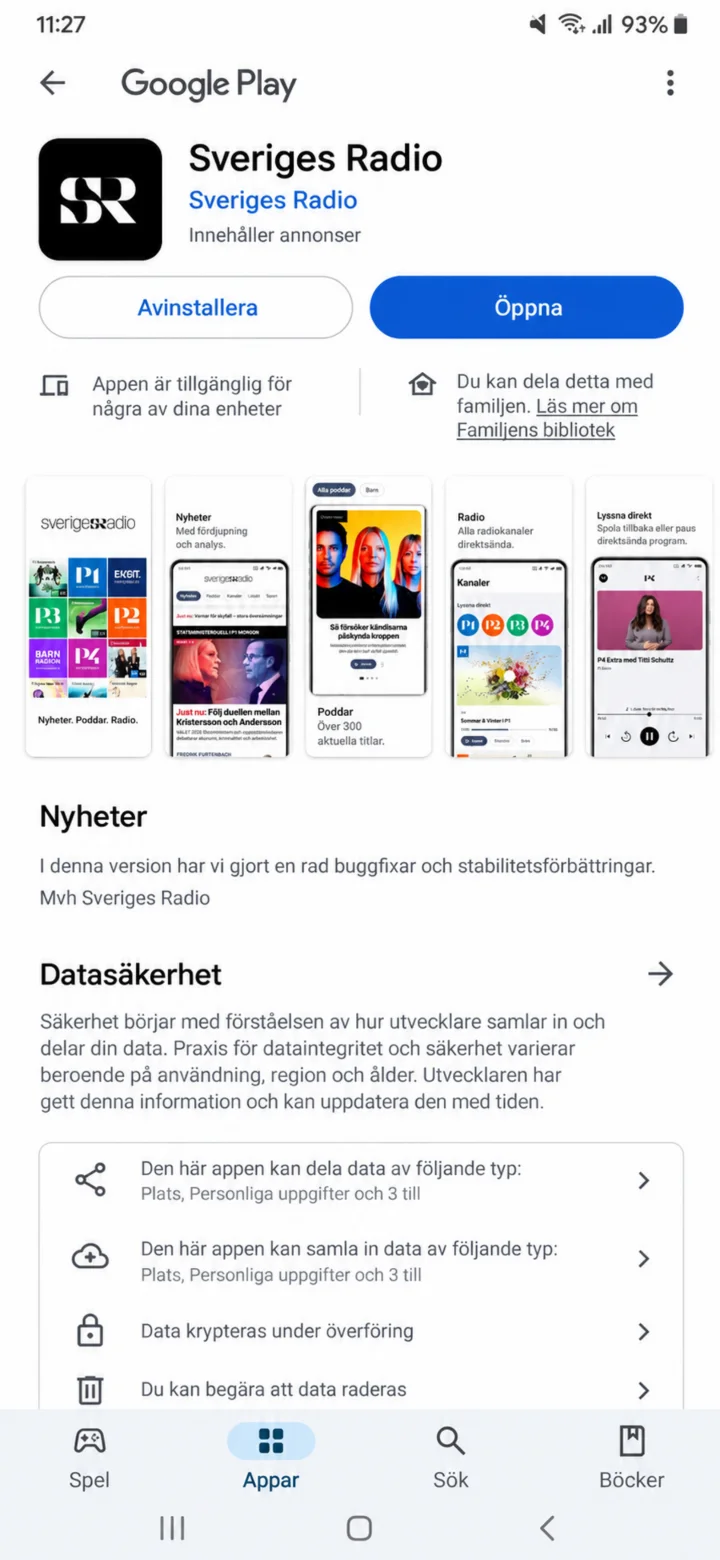
Check that the app is called Sveriges Radio and tap on ”Installera” (Install).
 5Step 5 of 8 · Android
Once the app is installed, tap on ”Öppna” (Open).
 6Step 6 of 8 · Android
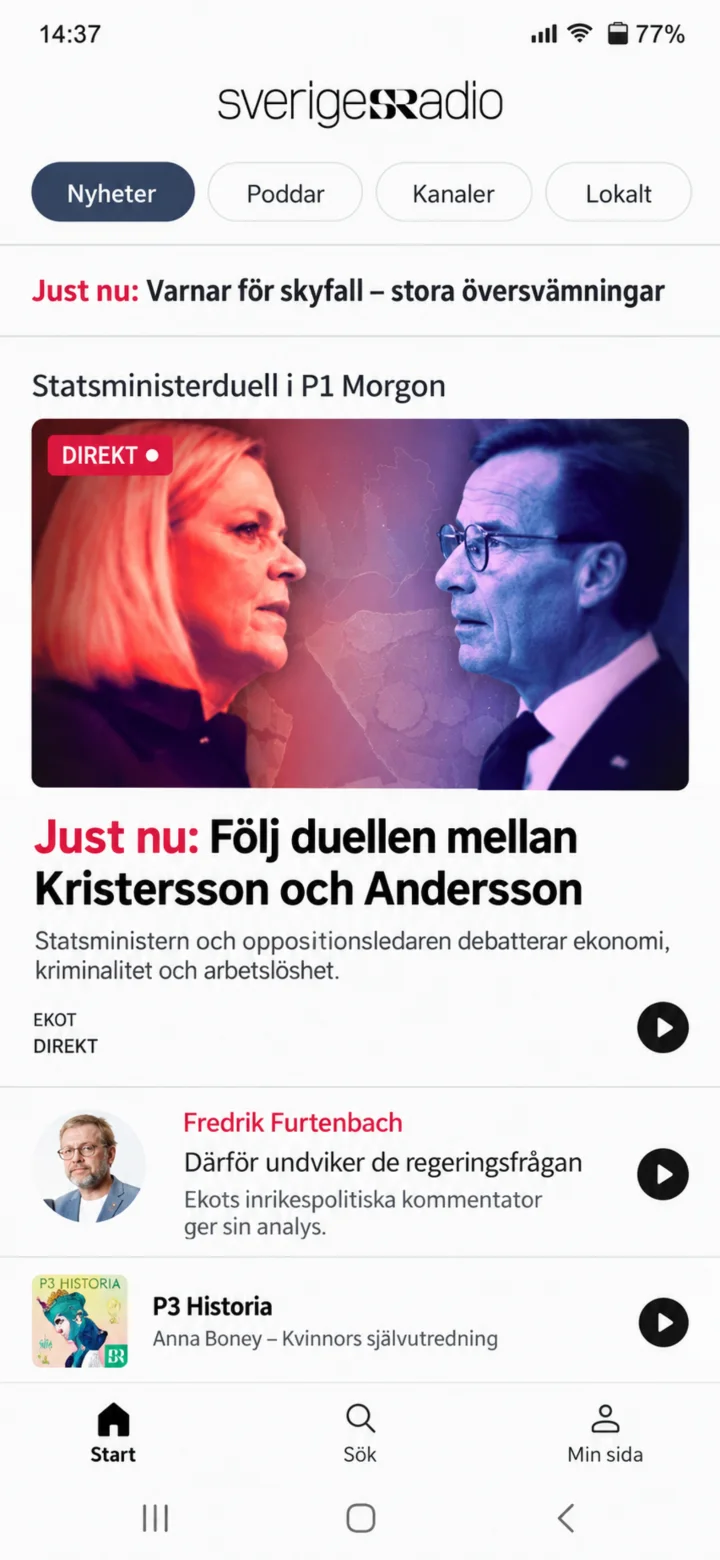
This is Sveriges Radio's home page. Here you'll find news and programs.
 7Step 7 of 8 · Android
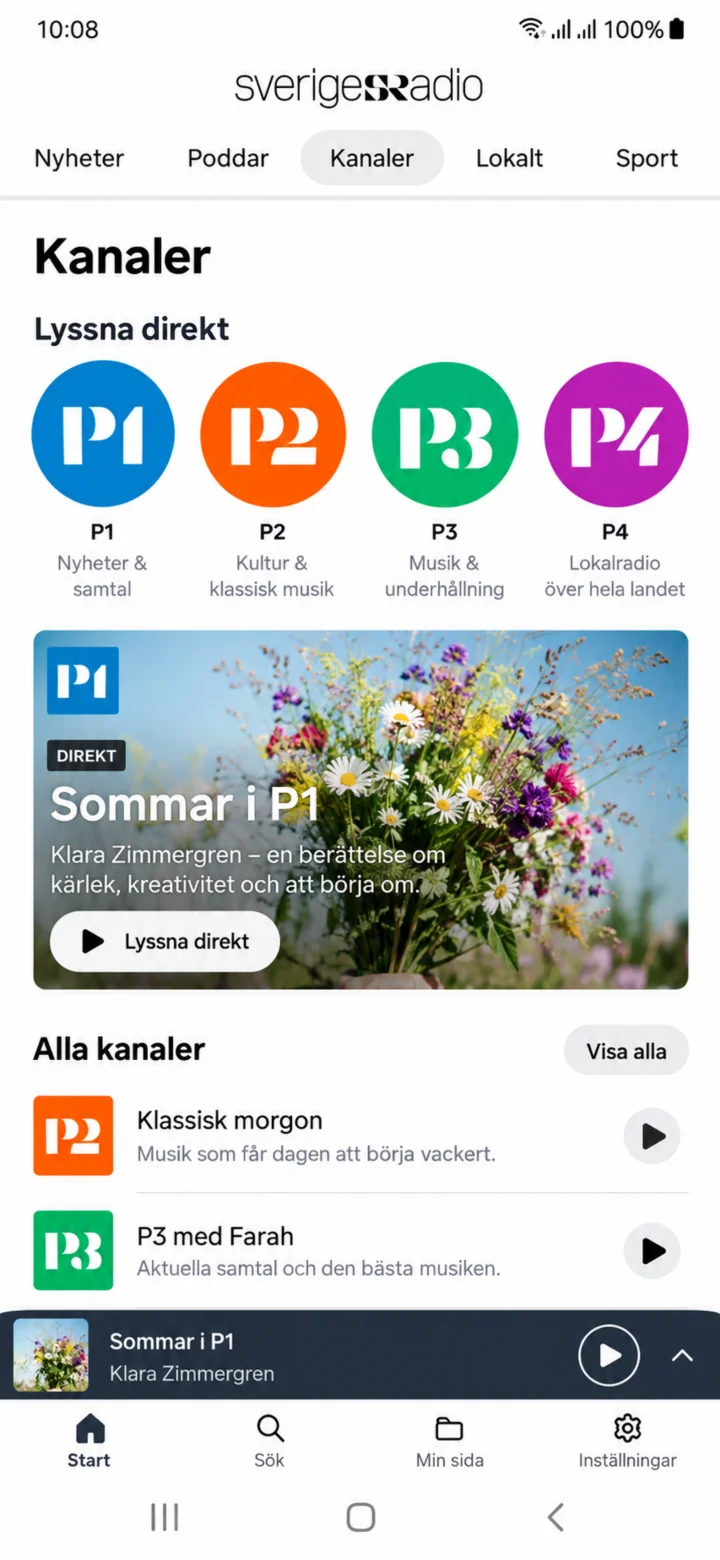
Tap on ”Kanaler” (Channels) to see Sveriges Radio's radio channels.
 8Step 8 of 8 · Android
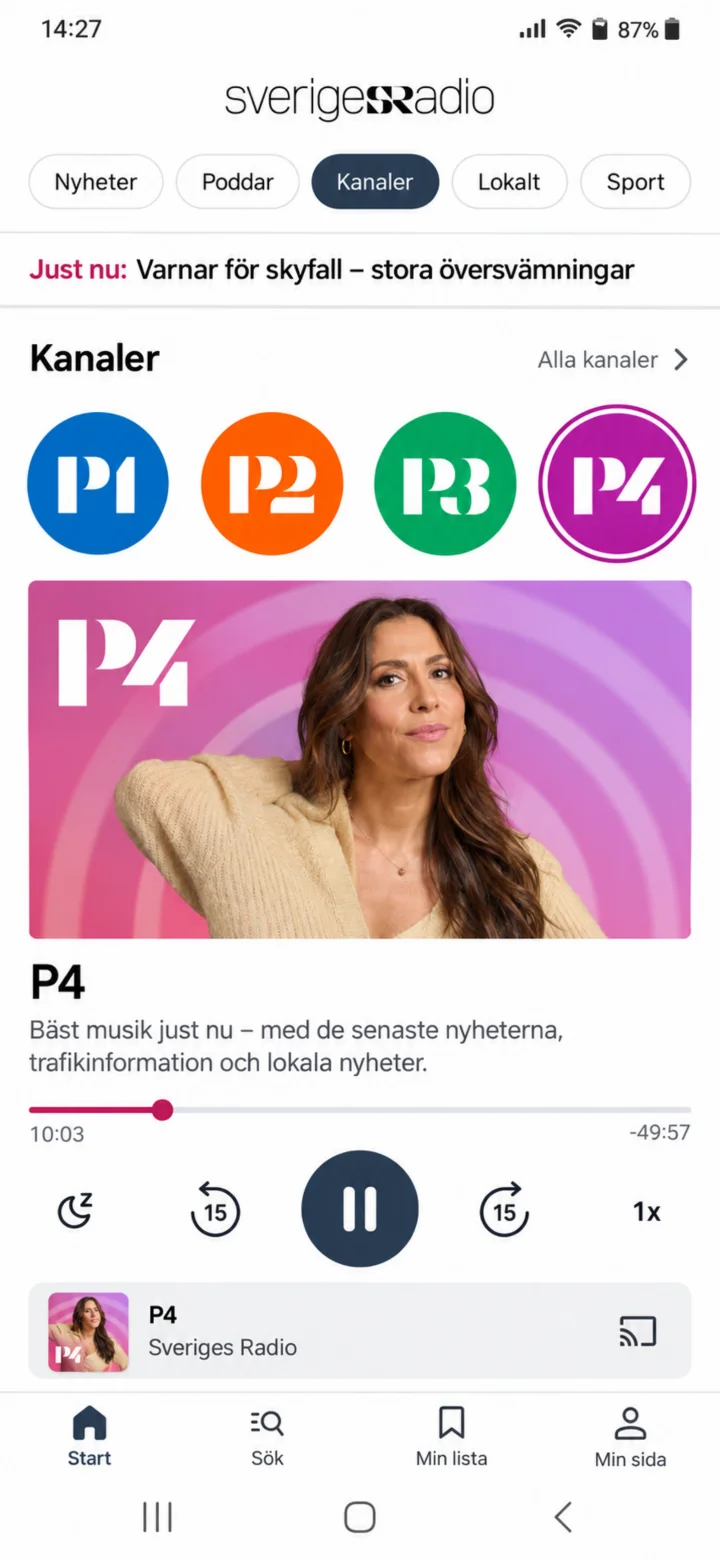
Choose P4 and tap the play button to start listening.