Every guide in the topic, each starting on a new page. 42 steps in total.
Tip: untick “Headers and footers” in the print dialog to leave out the web address.
Scam warnings
Step-by-step guides · 5 guides
 Android
Contents
- 1.Block a phone number and an SMS sender6 steps
- 2.How to create and manage strong passwords9 steps
- 3.How to protect yourself from scammers who call9 steps
- 4.How to recognize a fake email9 steps
- 5.How to recognize a scam SMS9 steps
Block a phone number and an SMS sender
Android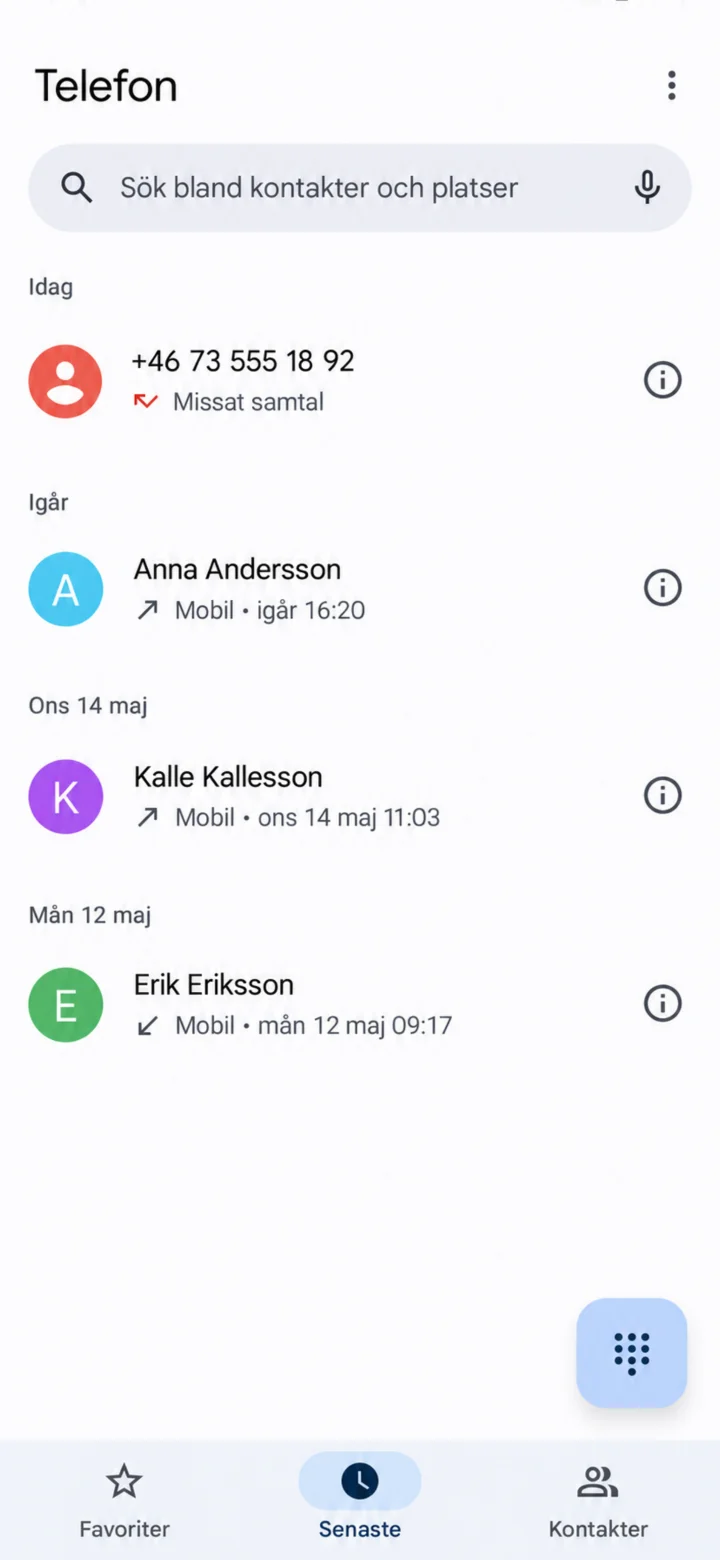 1Step 1 of 6 · Android
Open the Telefon (Phone) app and select Senaste (Recents). Find the number and tap on the information symbol to the right.
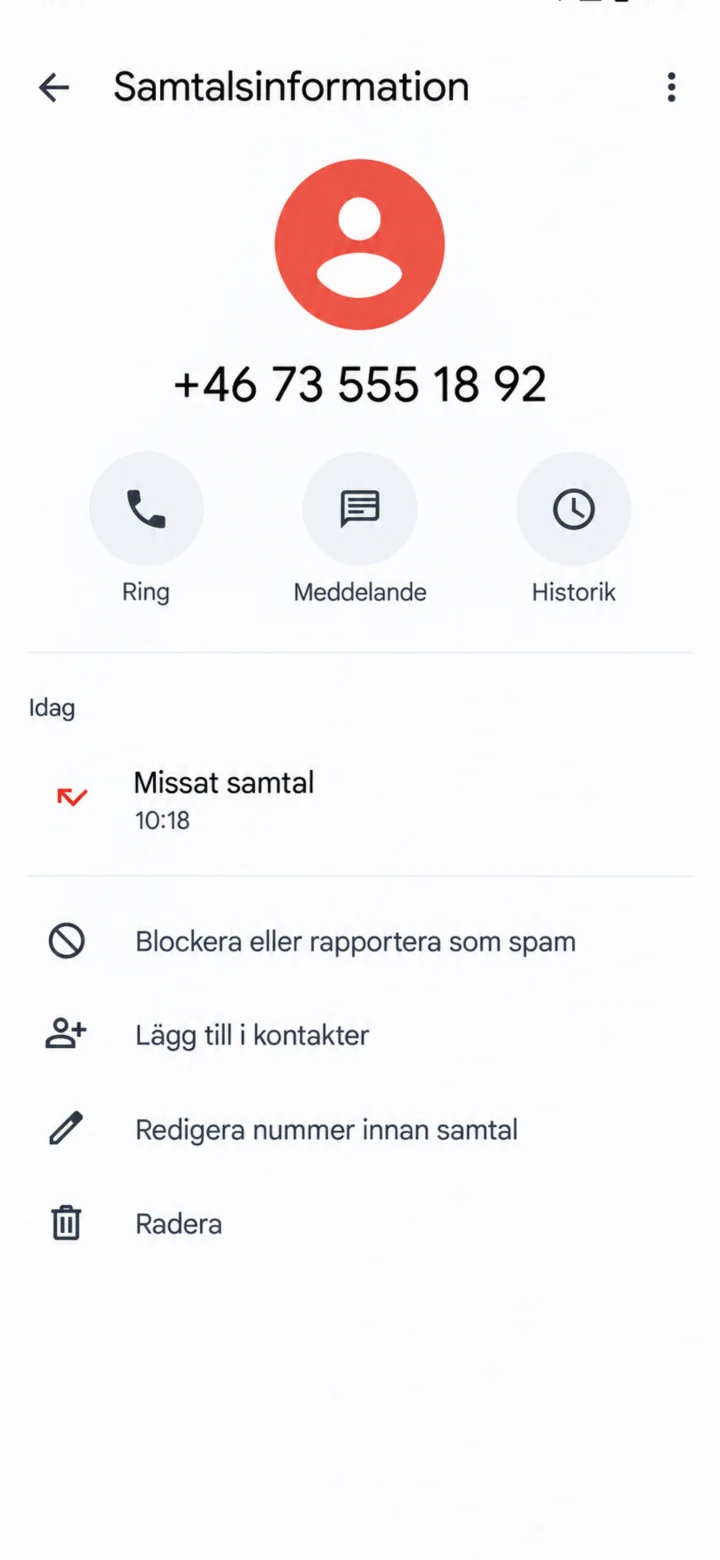 2Step 2 of 6 · Android
Tap on Blockera eller rapportera som spam (Block or report as spam).
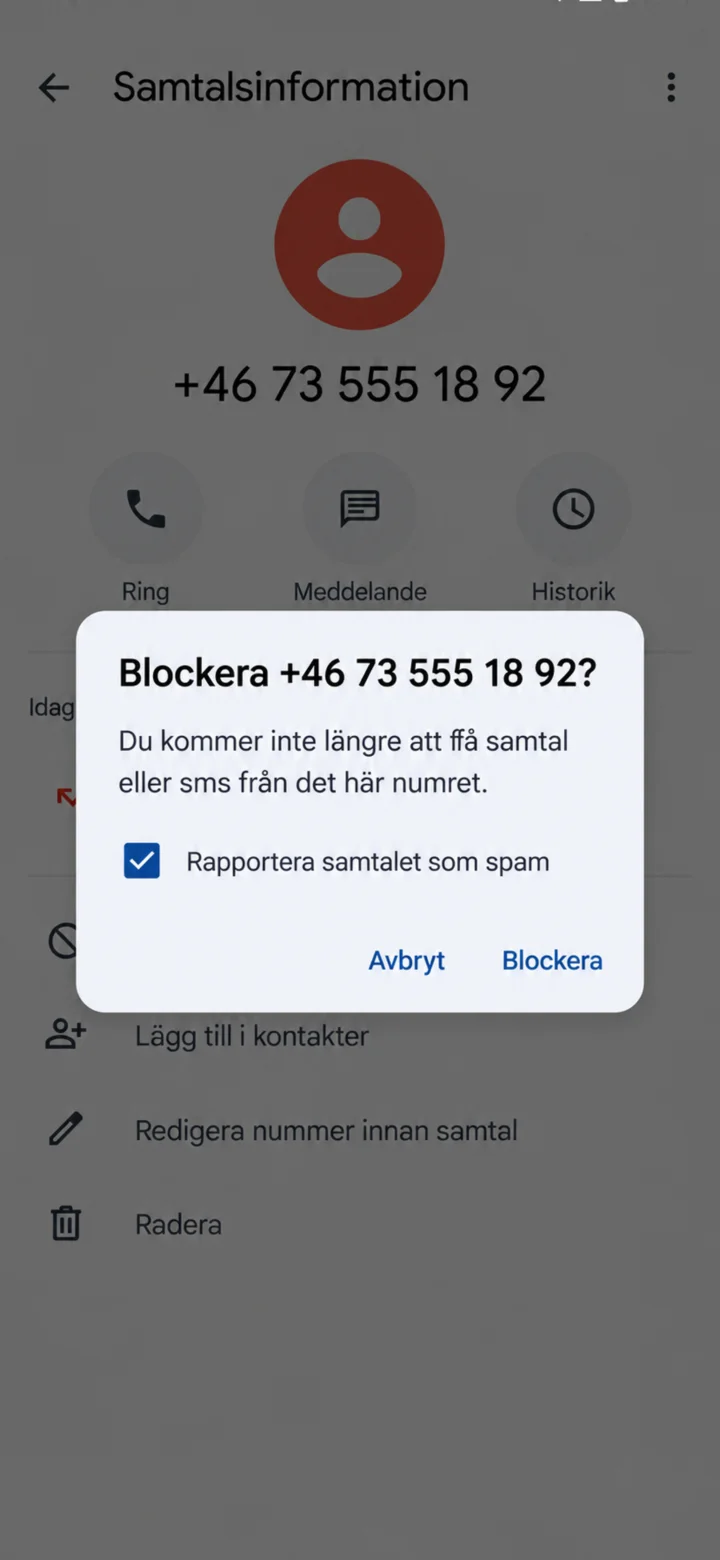 3Step 3 of 6 · Android
Leave the Rapportera samtalet som spam (Report call as spam) box checked if the call was suspicious. Then tap on Blockera (Block).
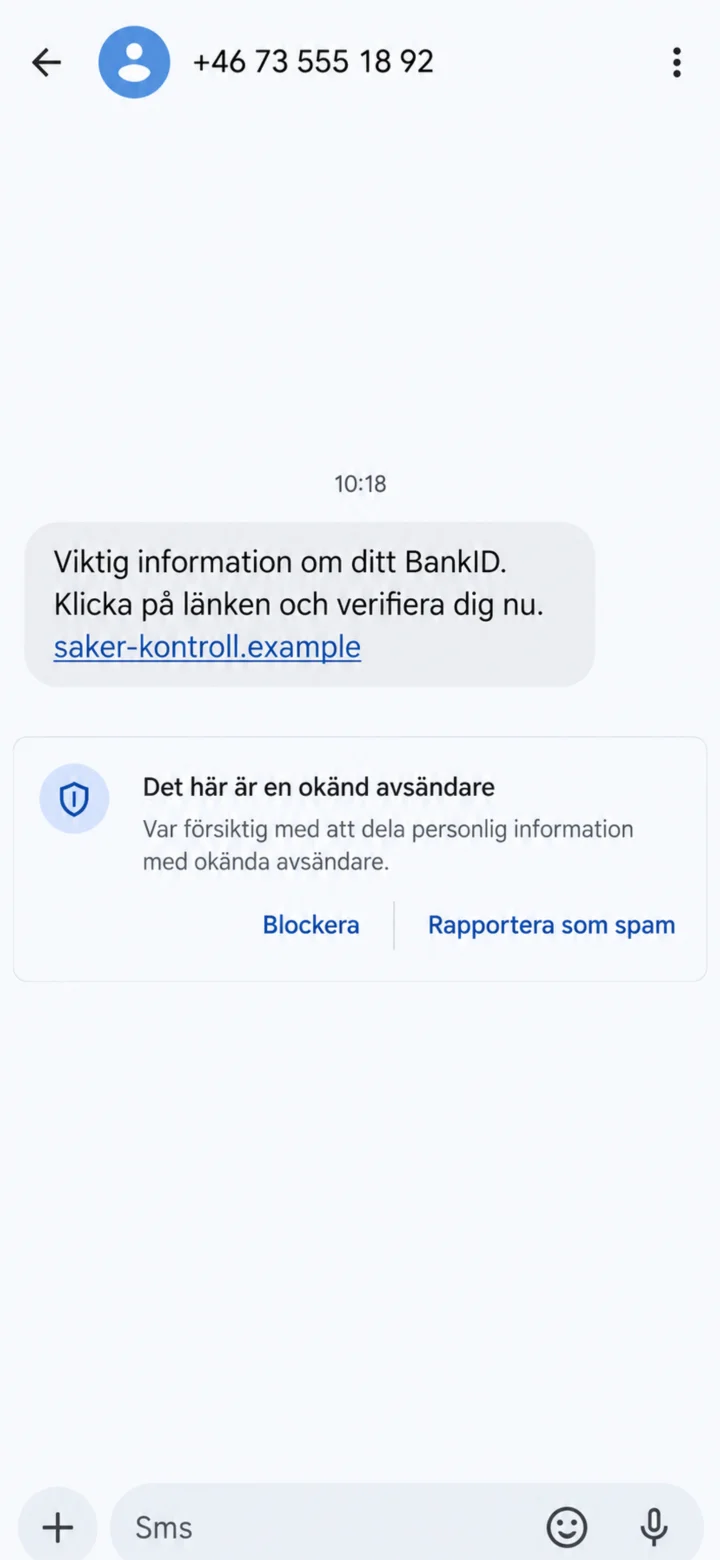 4Step 4 of 6 · Android
Open the suspicious message, but do not tap on the link. Choose Blockera eller Rapportera som spam (Block or Report as Spam).
 5Step 5 of 6 · Android
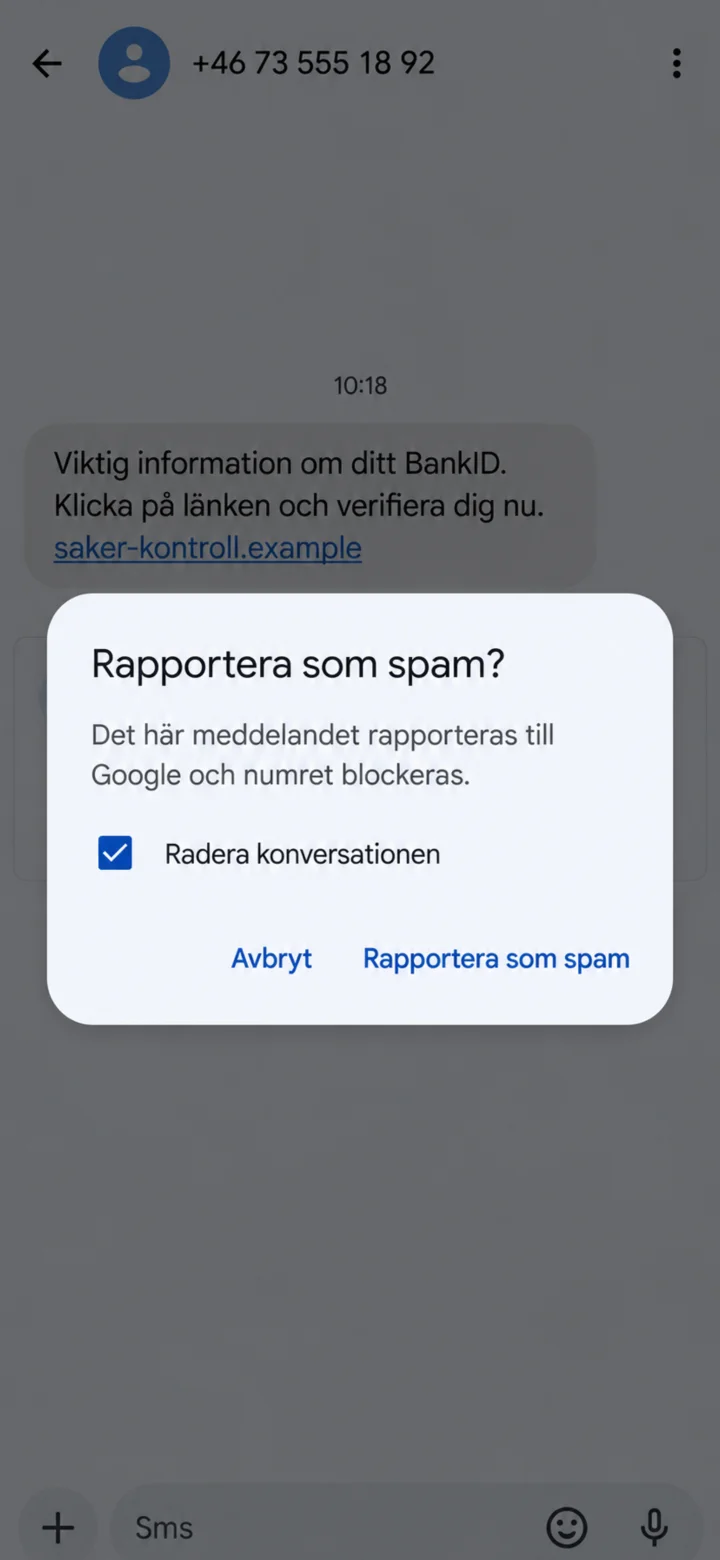
Confirm by tapping on Rapportera som spam (Report as Spam). You can also leave Radera konversationen (Delete Conversation) checked.
 6Step 6 of 6 · Android
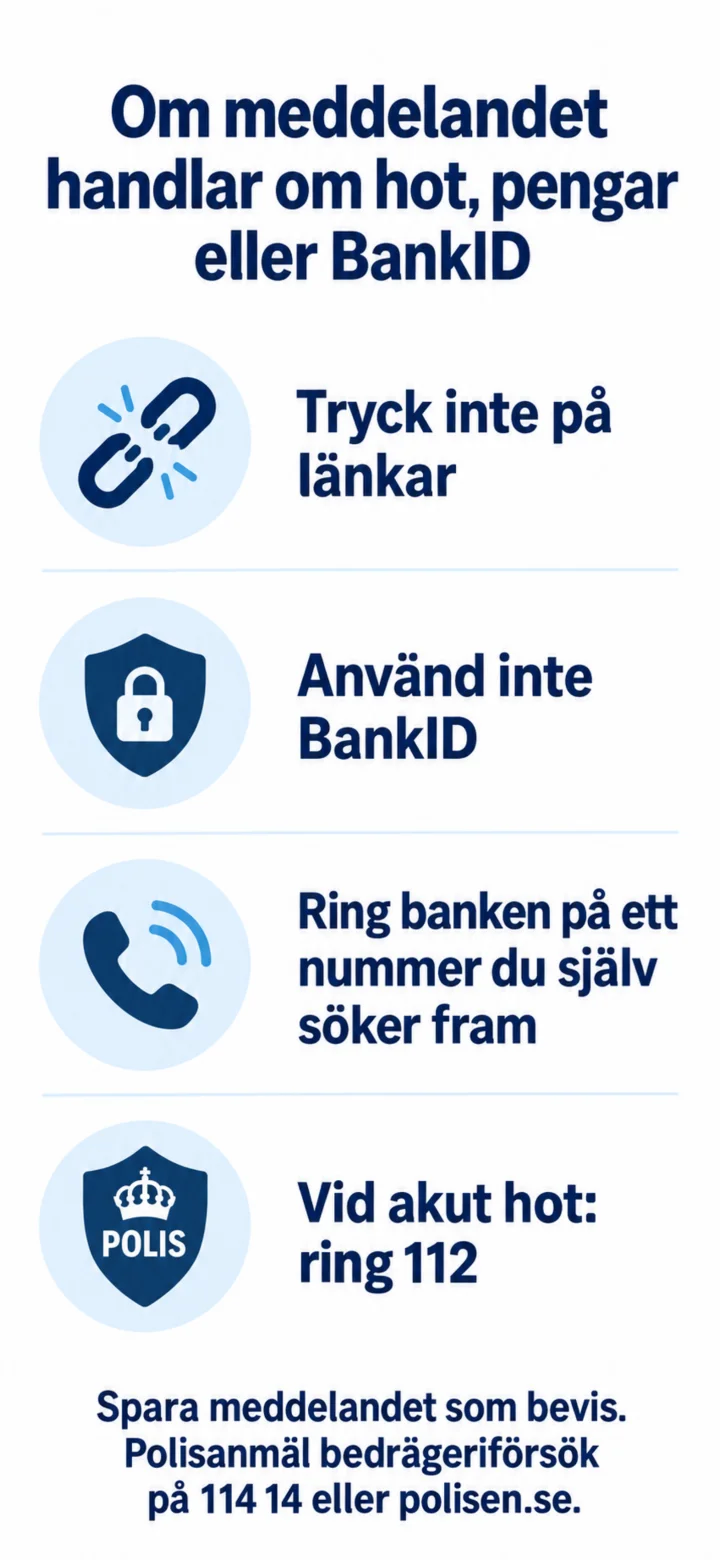
If the message is about threats, money, or BankID, you should not tap on links and not use BankID. Call your bank using a number you find yourself. In case of an acute threat, call 112. Save the message as evidence and report attempted fraud to 114 14 or polisen.se.
How to create and manage strong passwords
Android 1Step 1 of 9 · Android
In this guide, you'll learn how to create and manage strong passwords.
 2Step 2 of 9 · Android
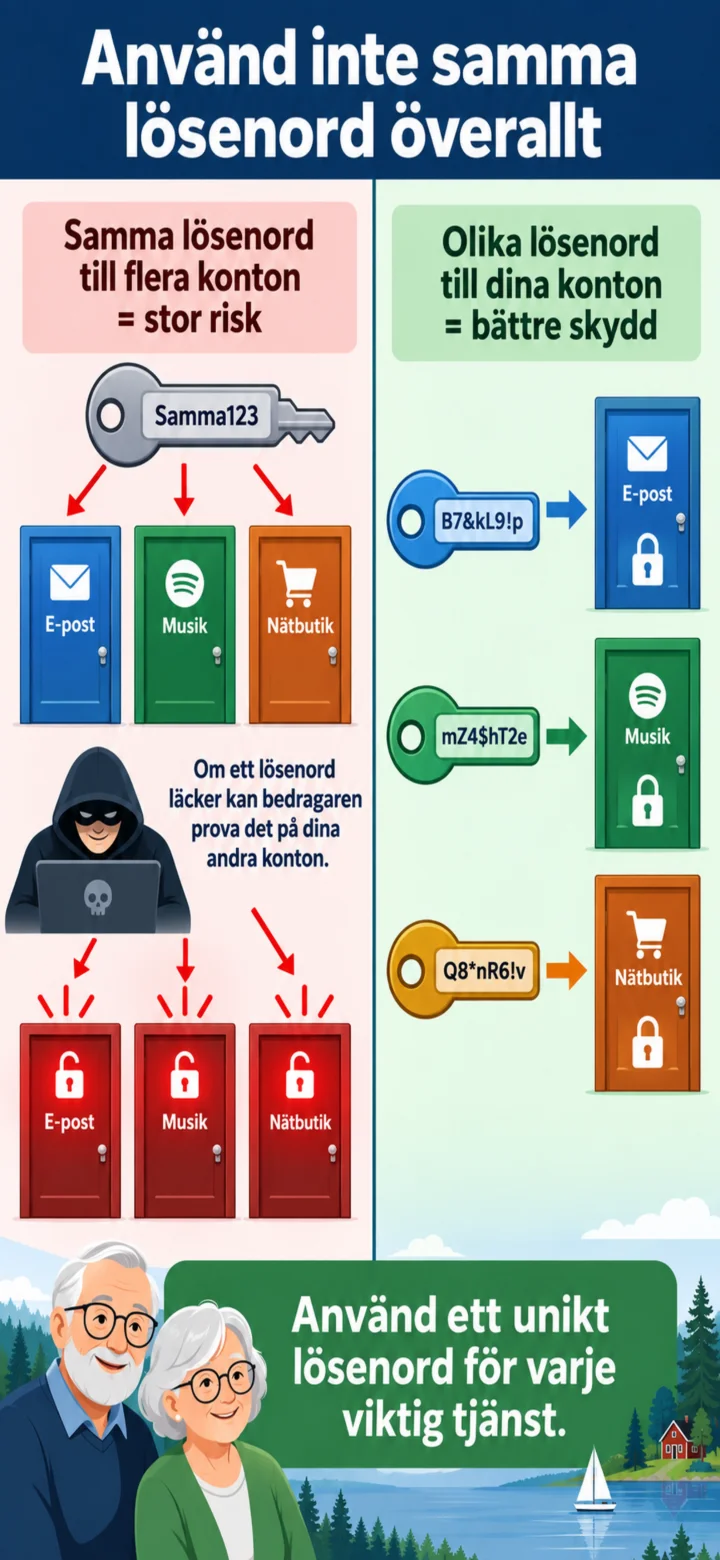
Please don't use the same password everywhere. If one password leaks, your other accounts could also be at risk.
 3Step 3 of 9 · Android
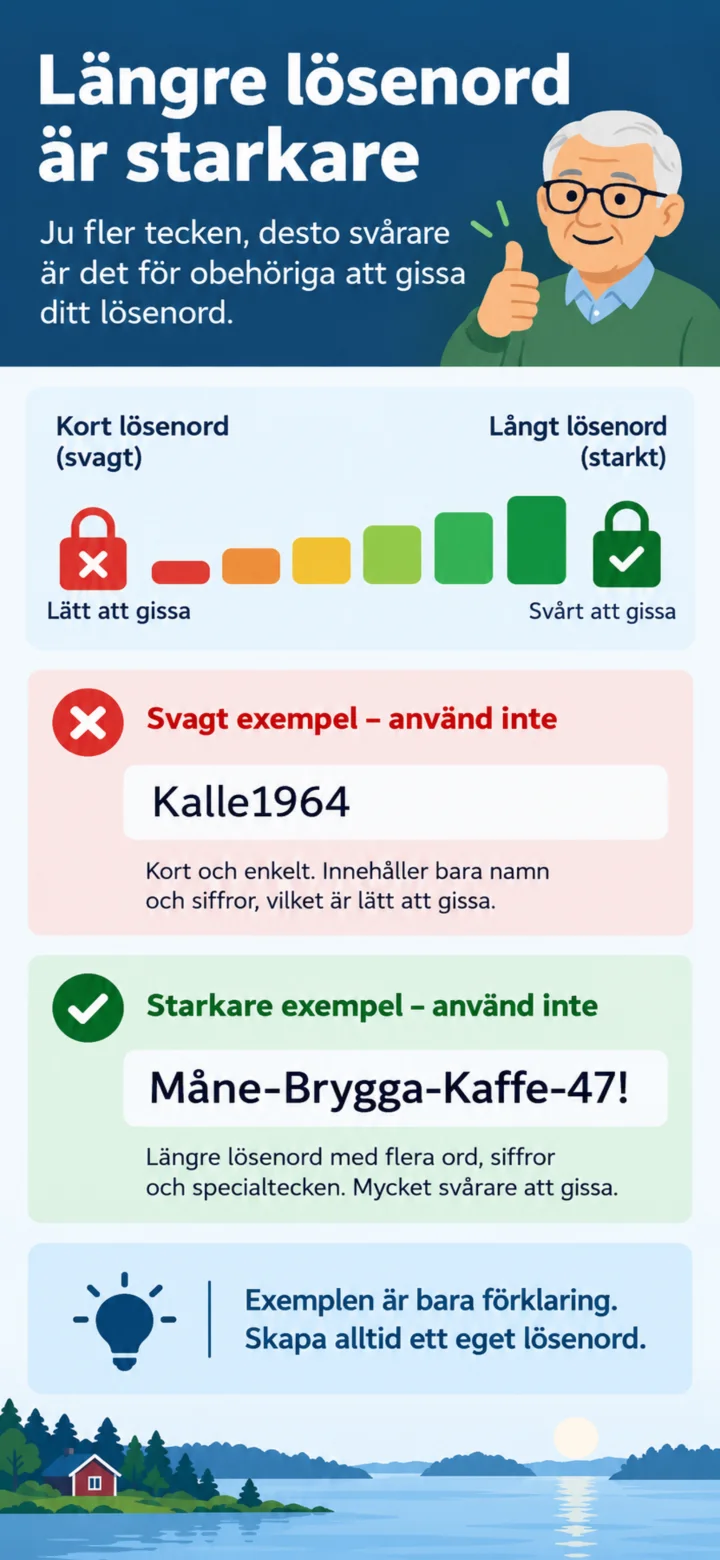
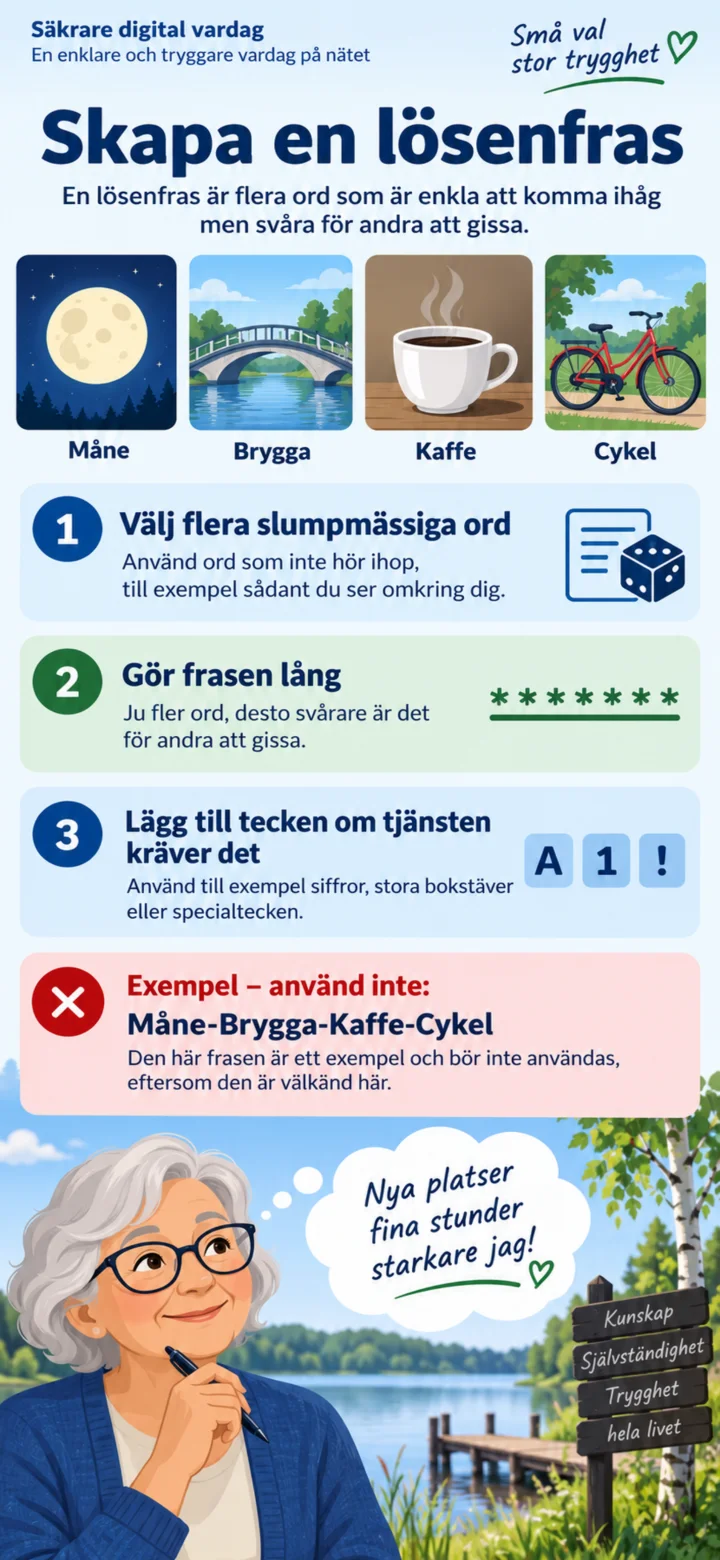
Long passwords are harder to guess. The examples in the picture should not be used as actual passwords.
 4Step 4 of 9 · Android
A passphrase consists of several random words. Make the phrase long and always create your own unique one.
 5Step 5 of 9 · Android
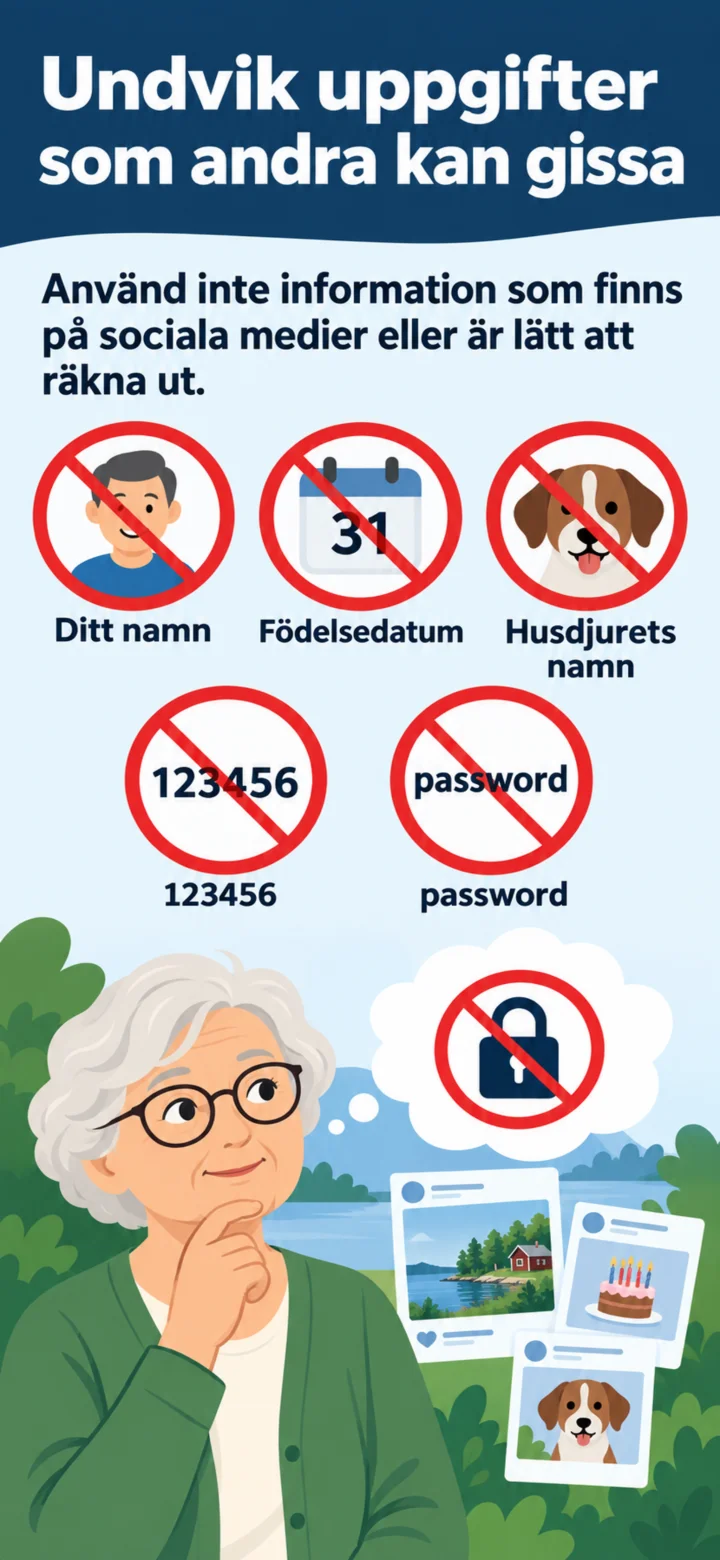
Please avoid names, birth dates, pet names, and common passwords that are easy to guess.
 6Step 6 of 9 · Android
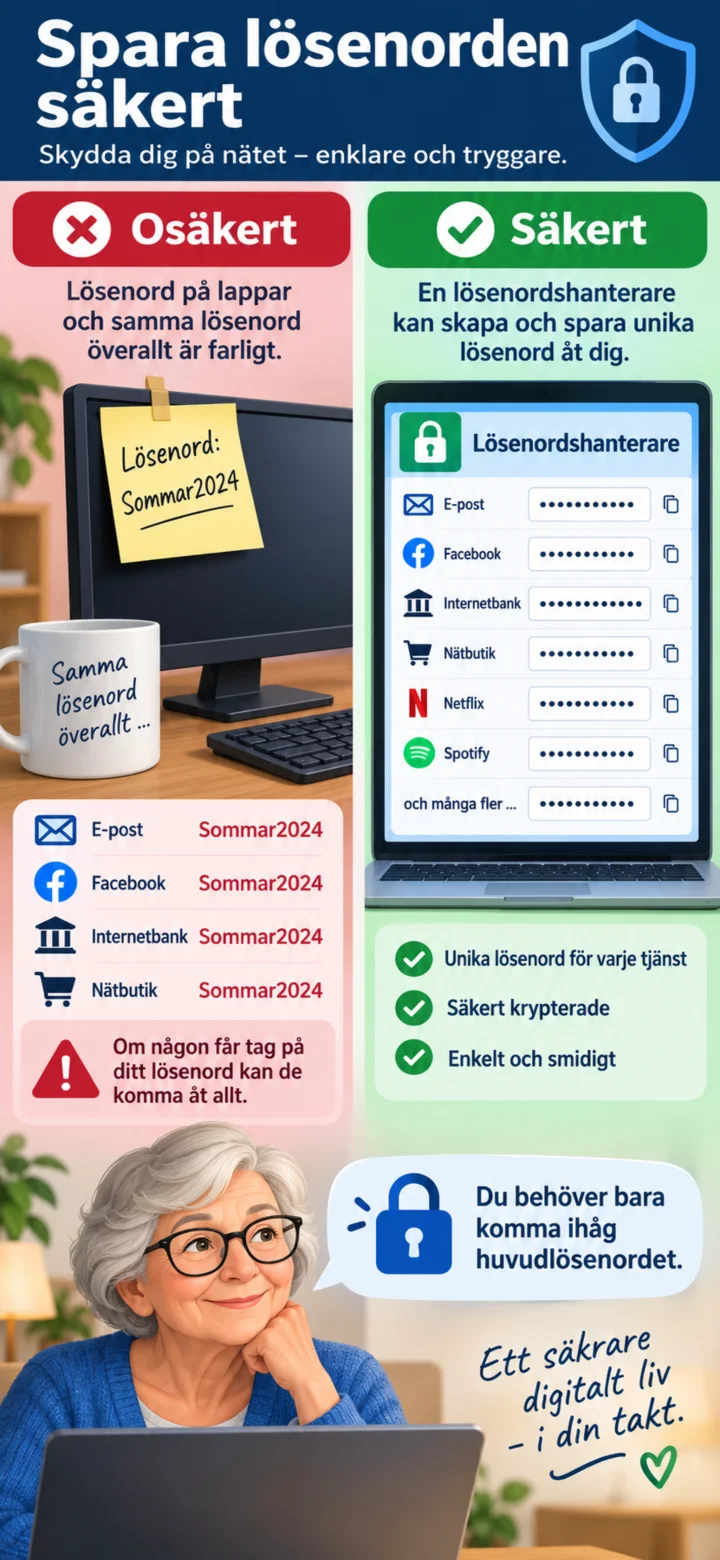
Don't save passwords on a note next to your computer. A password manager can create and save unique passwords for you.
 7Step 7 of 9 · Android
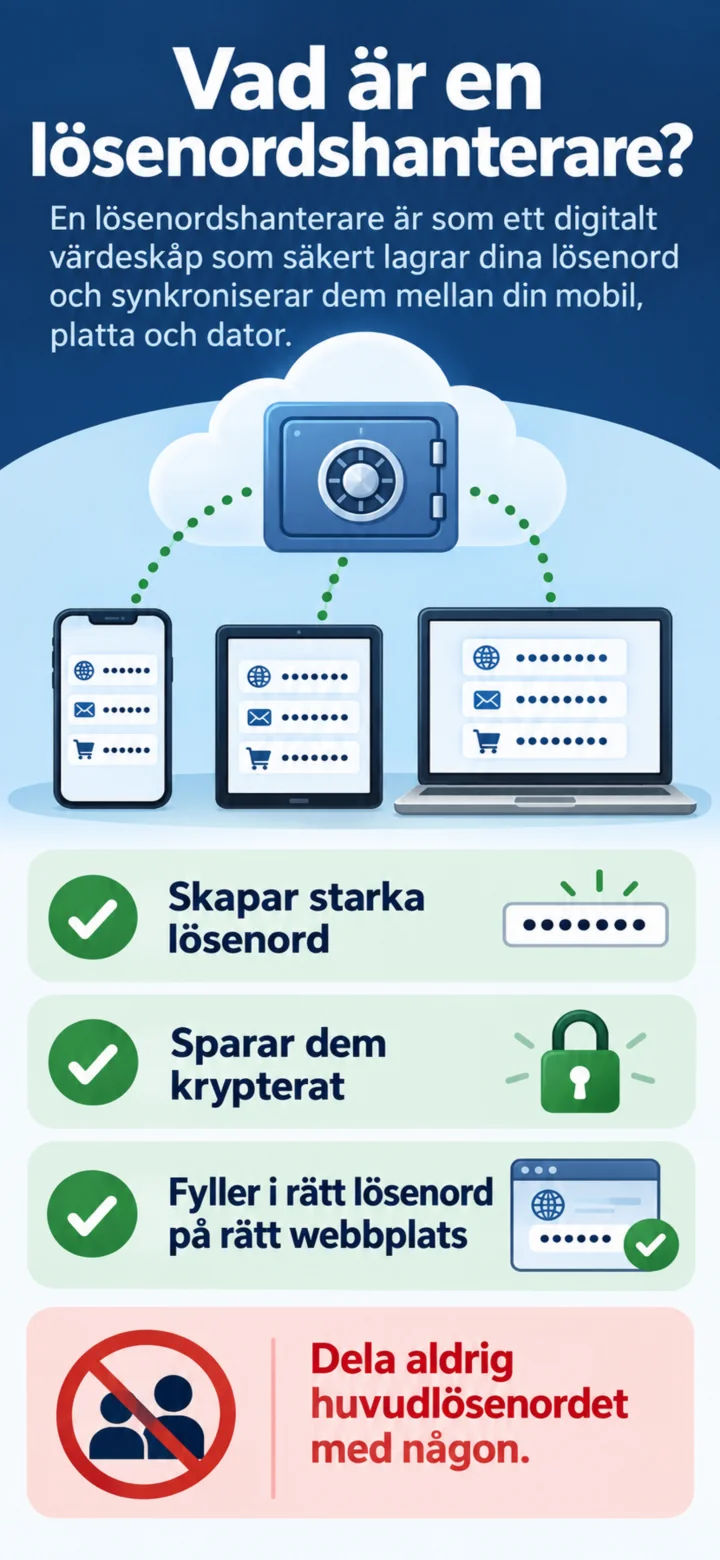
A password manager saves your passwords encrypted and fills in the correct password on the right website.
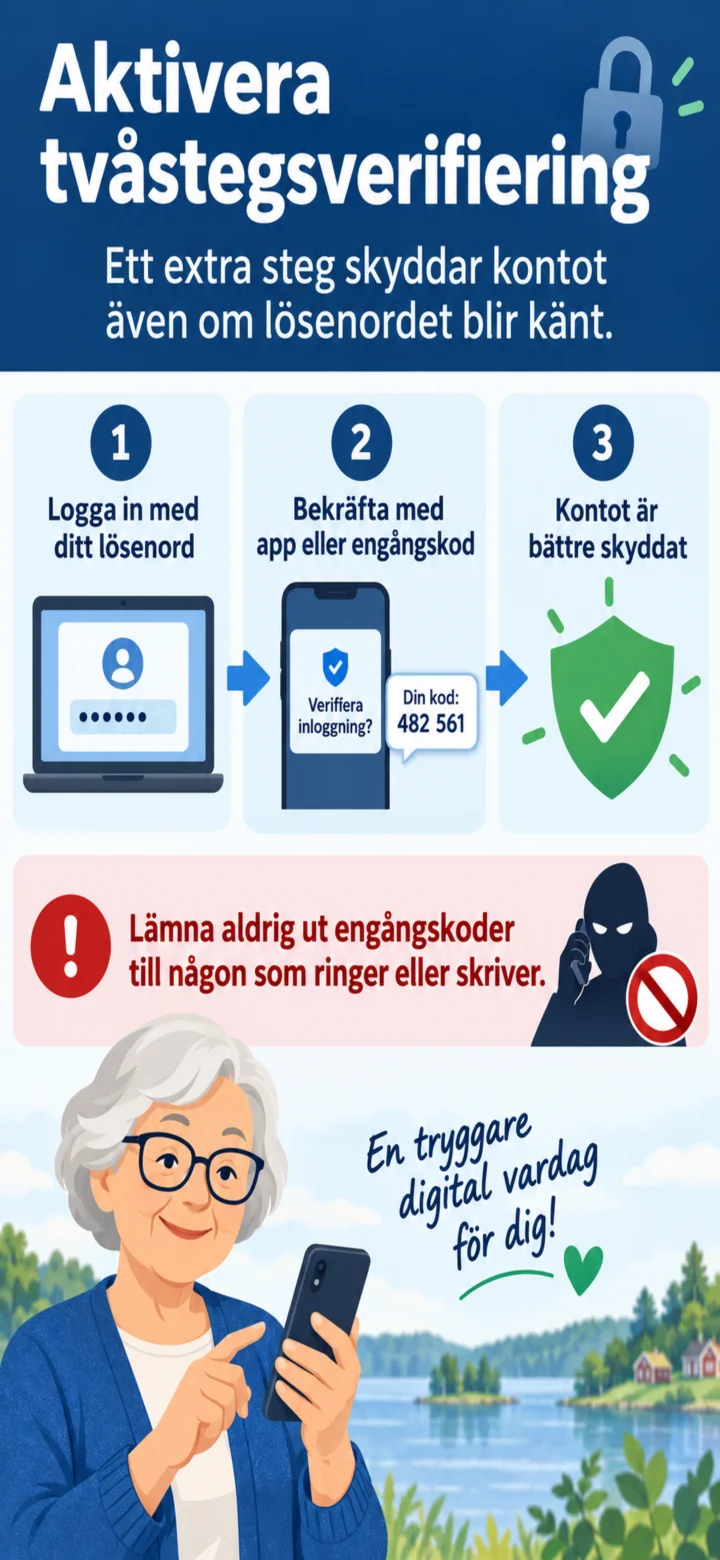 8Step 8 of 9 · Android
Aktivera tvåstegsverifiering. Lämna aldrig ut engångskoder till någon som ringer eller skriver.
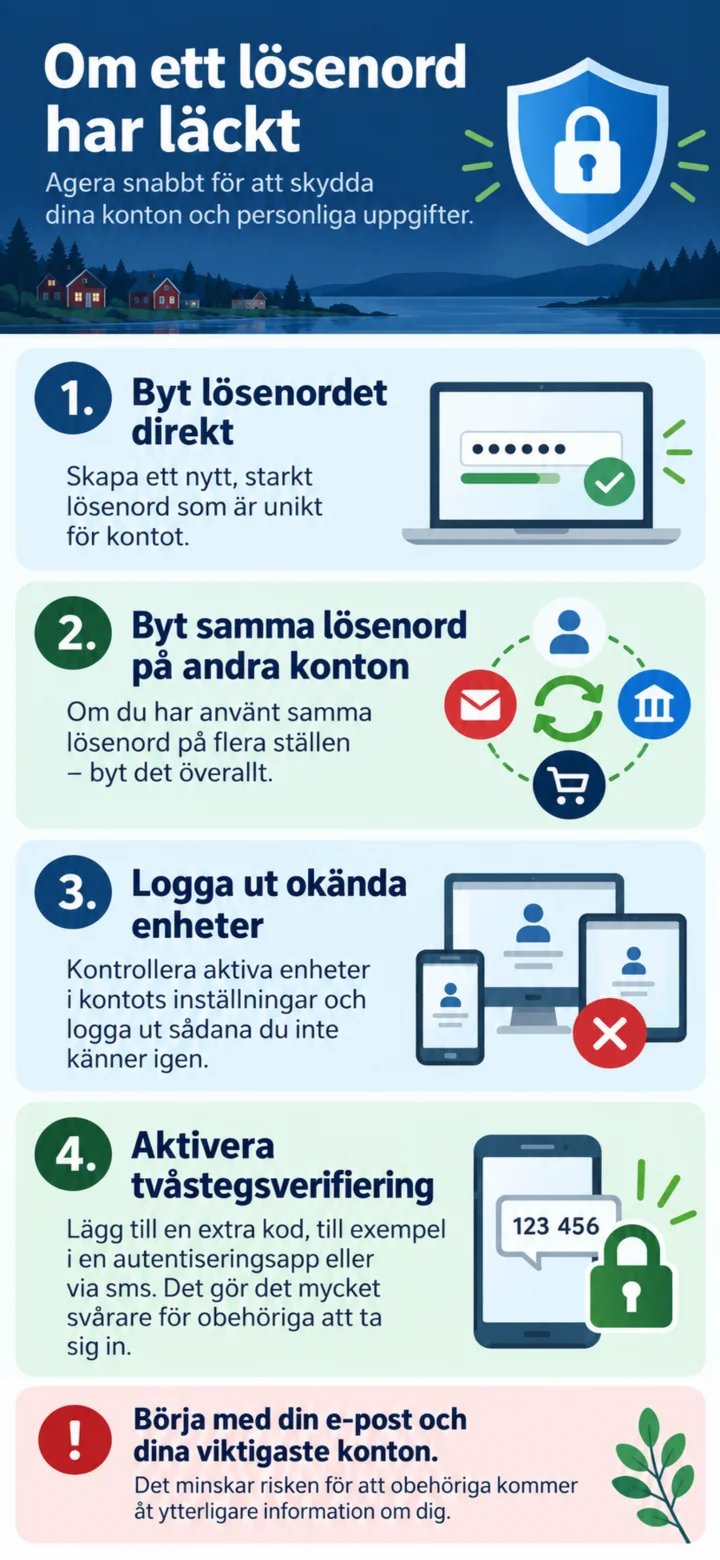 9Step 9 of 9 · Android
If a password has leaked, you should change it immediately, change the same password on other accounts, log out unknown devices, and activate two-step verification.
How to protect yourself from scammers who call
Android 1Step 1 of 9 · Android
In this guide, you will learn what to do if someone calls and asks you to use BankID.
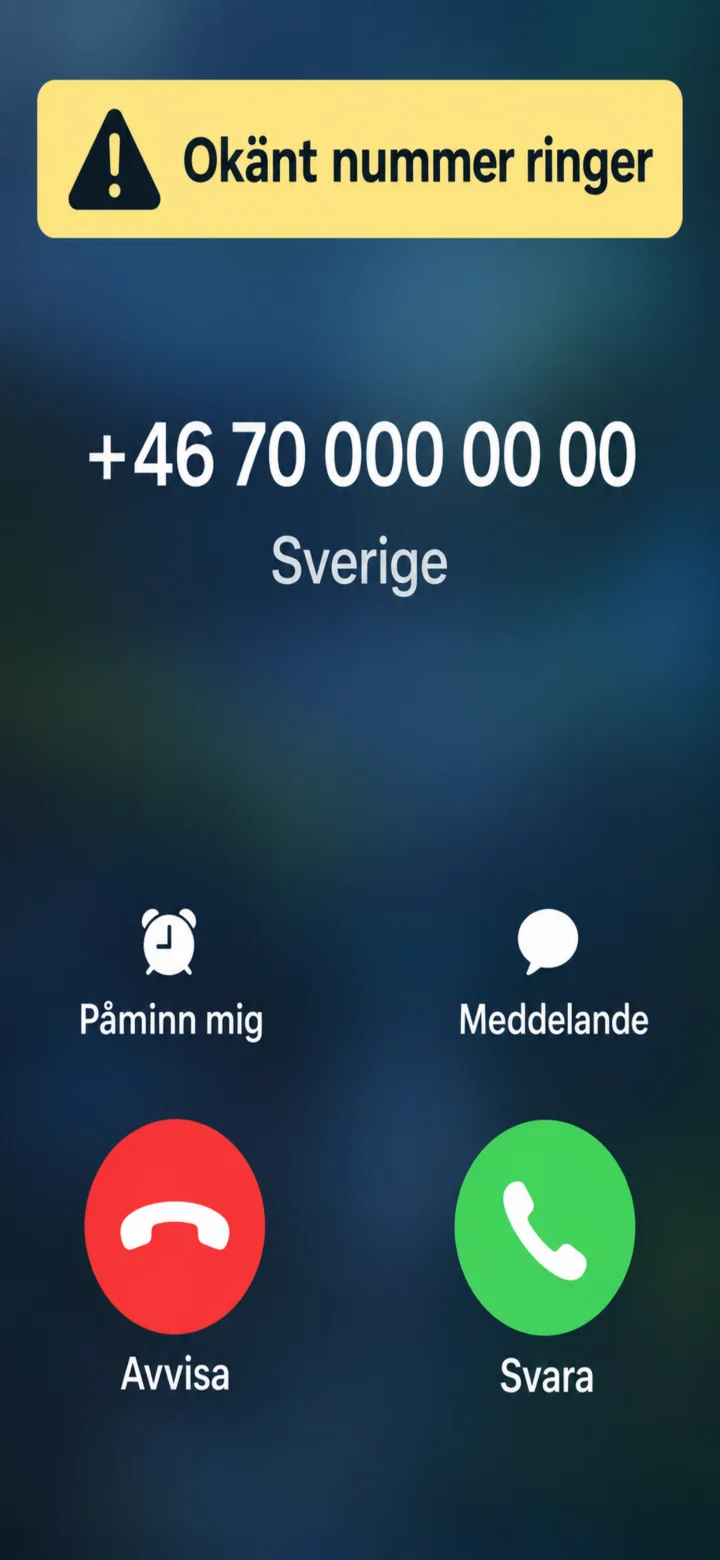 2Step 2 of 9 · Android
Be careful when an unknown number calls. The number on the screen doesn't prove who is calling.
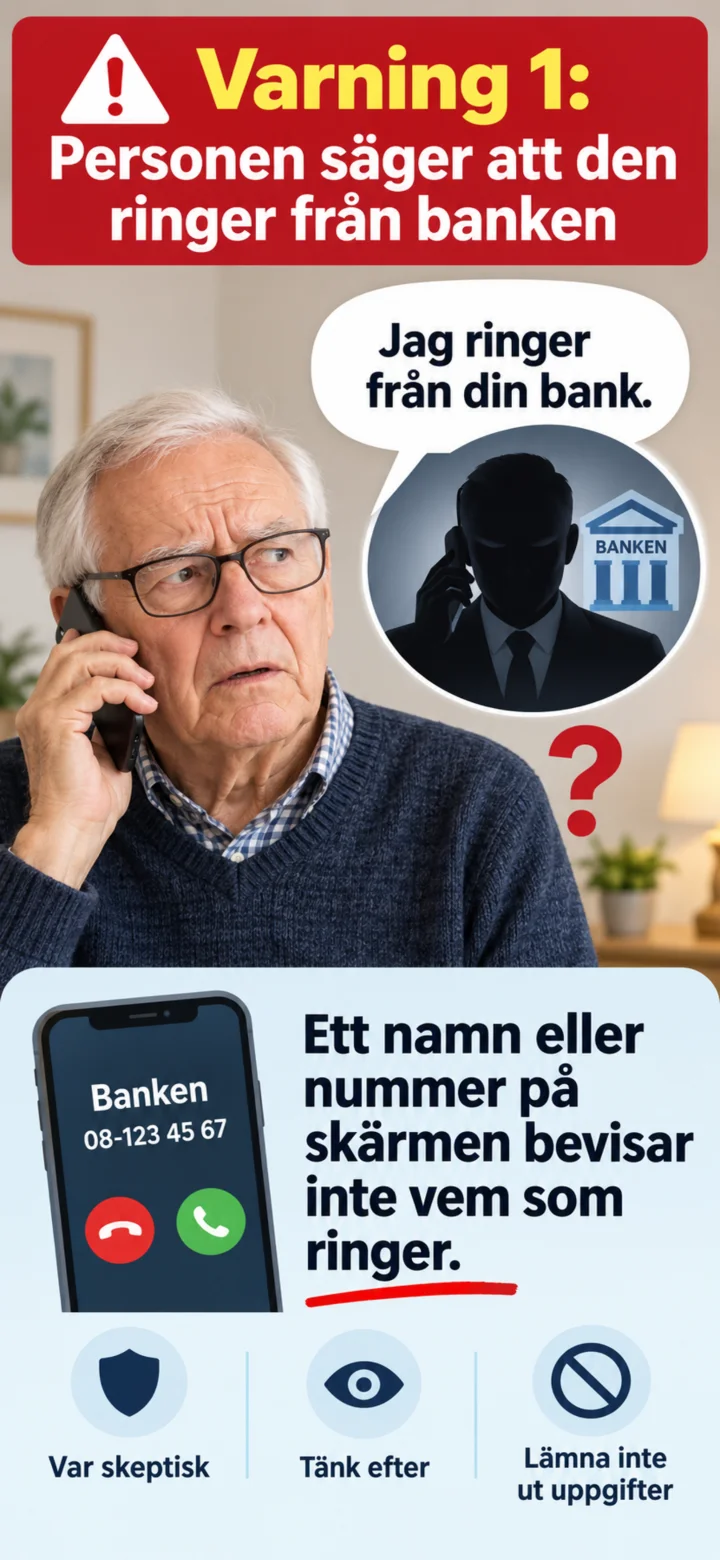 3Step 3 of 9 · Android
A scammer might claim to be calling from the bank, the police, or a government agency.
 4Step 4 of 9 · Android
Bedragaren försöker ofta skapa stress och säger att du måste agera omedelbart.
 5Step 5 of 9 · Android
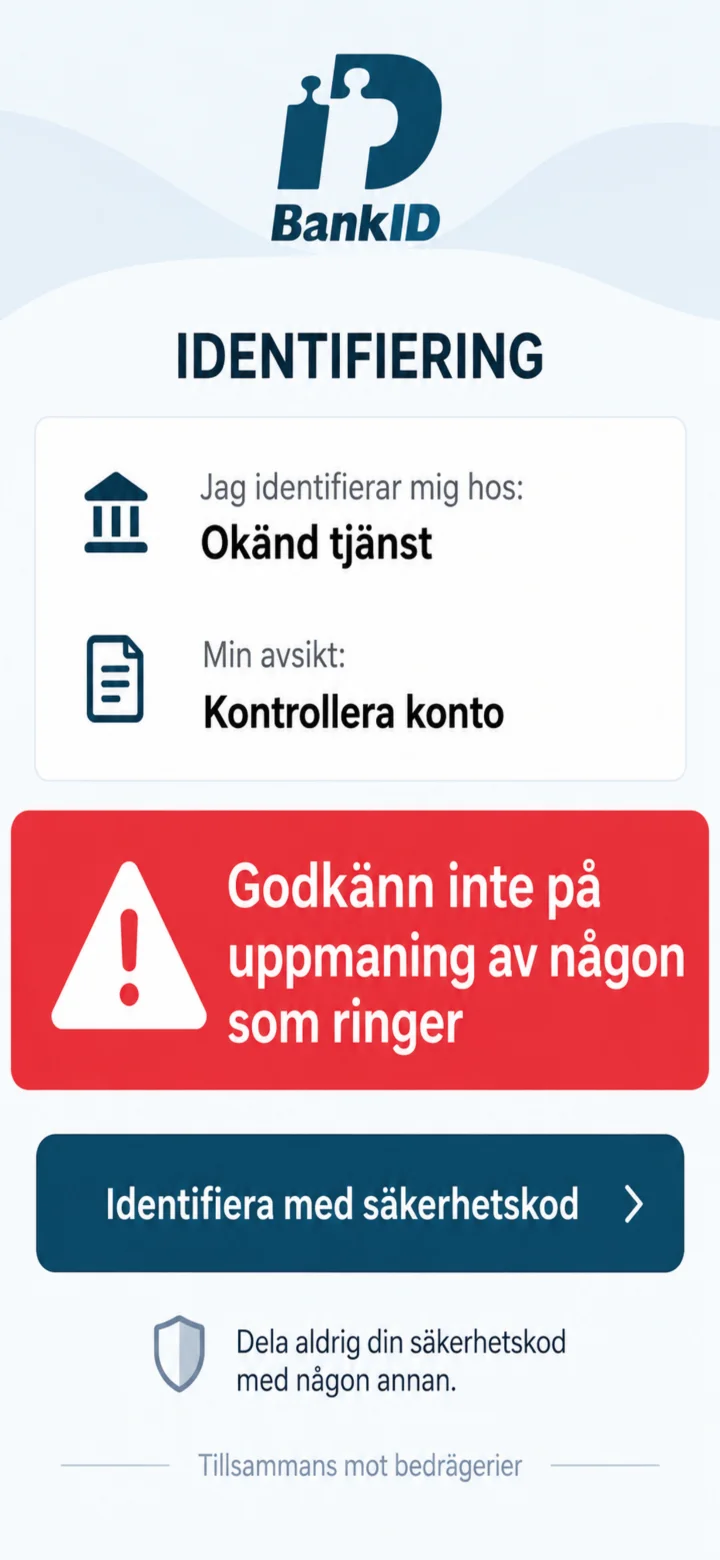
Never approve a BankID request at the urging of someone who calls you.
 6Step 6 of 9 · Android
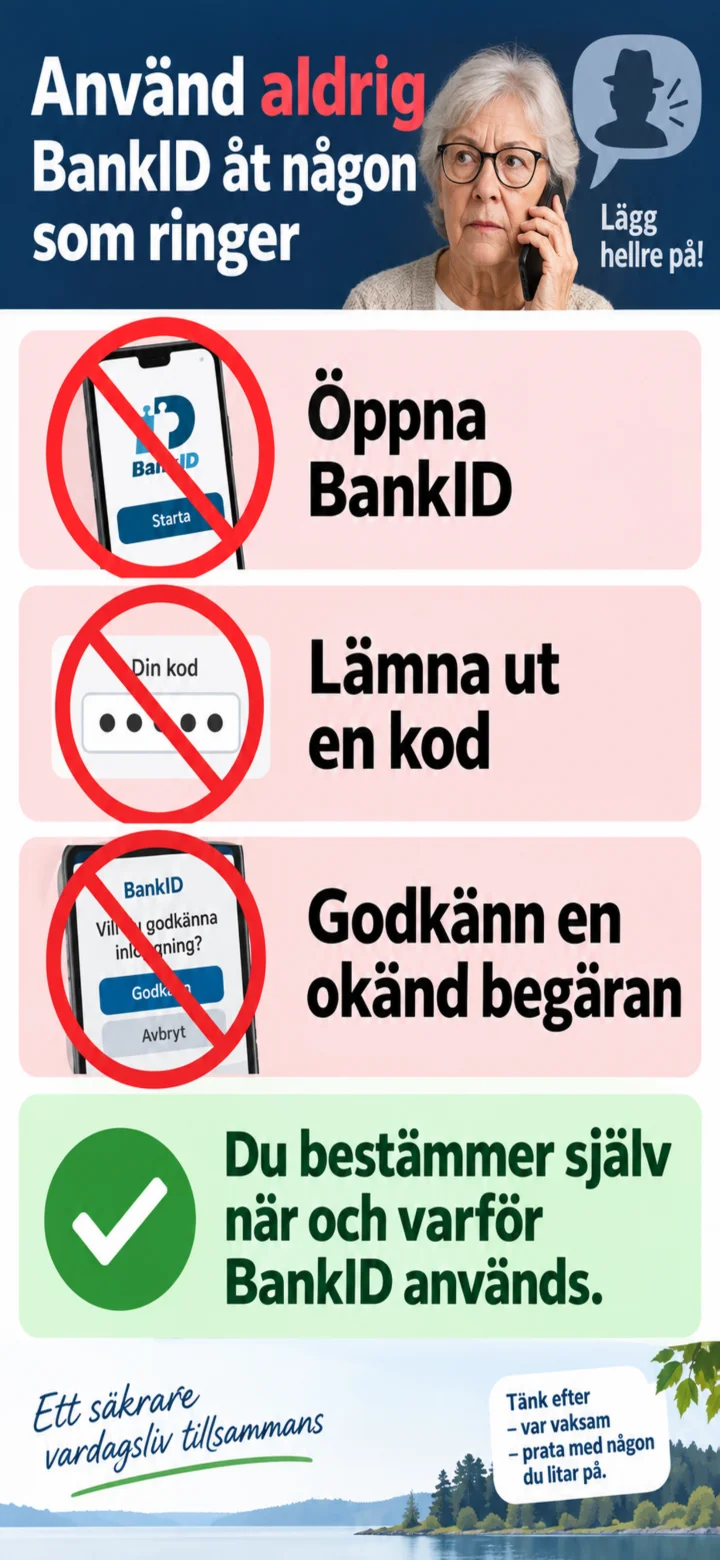
Do not open BankID, do not give out codes, and do not approve an unknown request.
 7Step 7 of 9 · Android
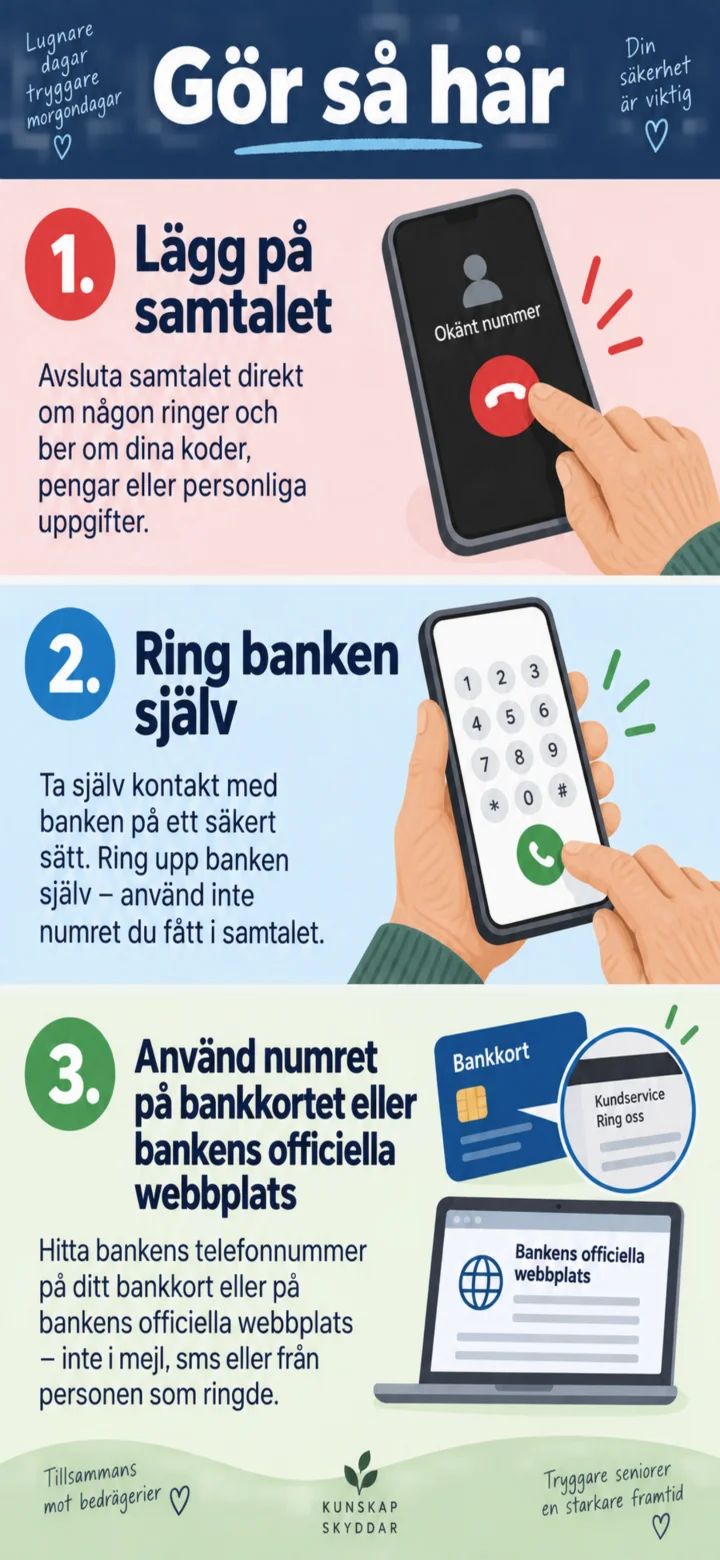
Hang up. Call the bank yourself using the number on your bank card or the bank's official website.
 8Step 8 of 9 · Android
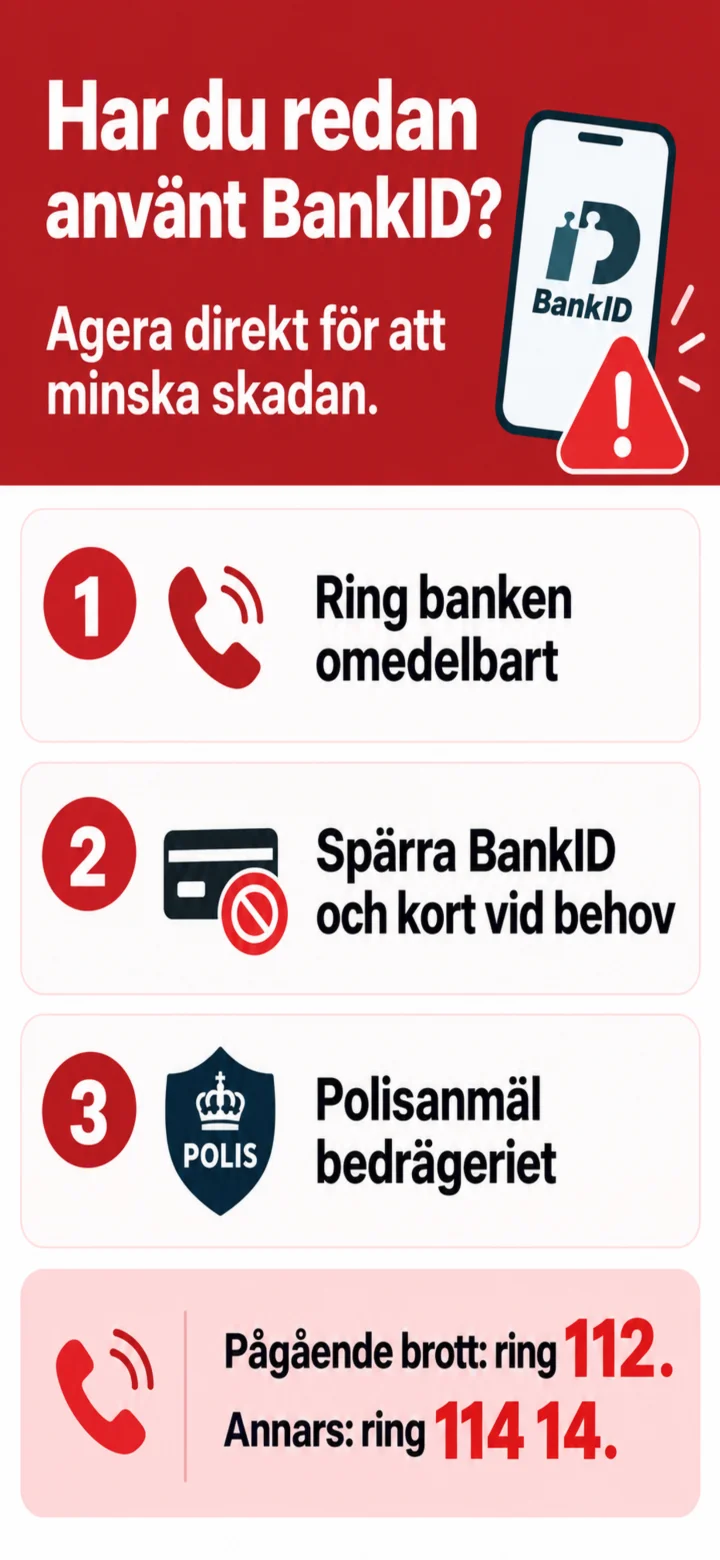
If you have already used BankID, you should call the bank immediately. For ongoing crimes, call 112. Otherwise, call 114 14.
 9Step 9 of 9 · Android
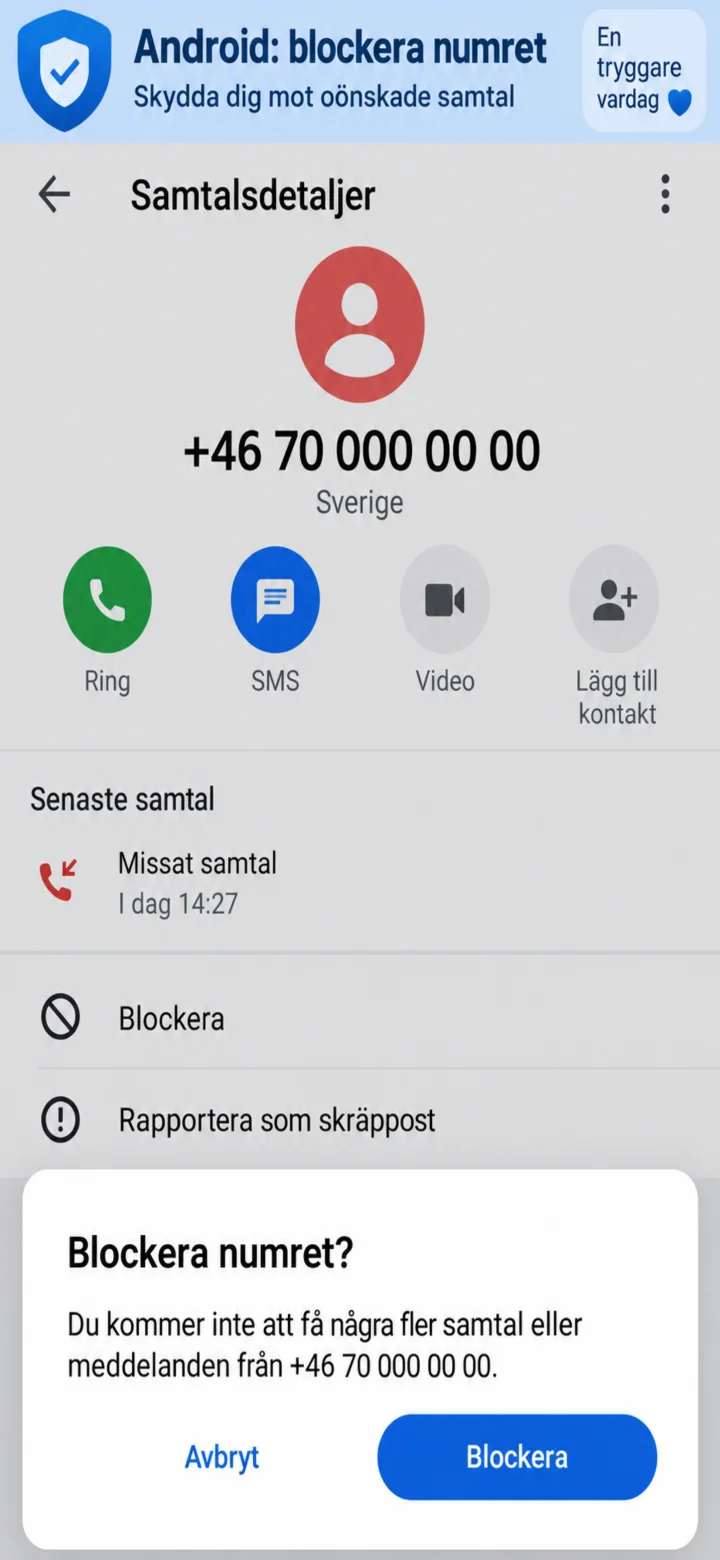
On Android, open the call information, select ”Blockera” (Block) and confirm with ”Blockera” (Block).
How to recognize a fake email
Android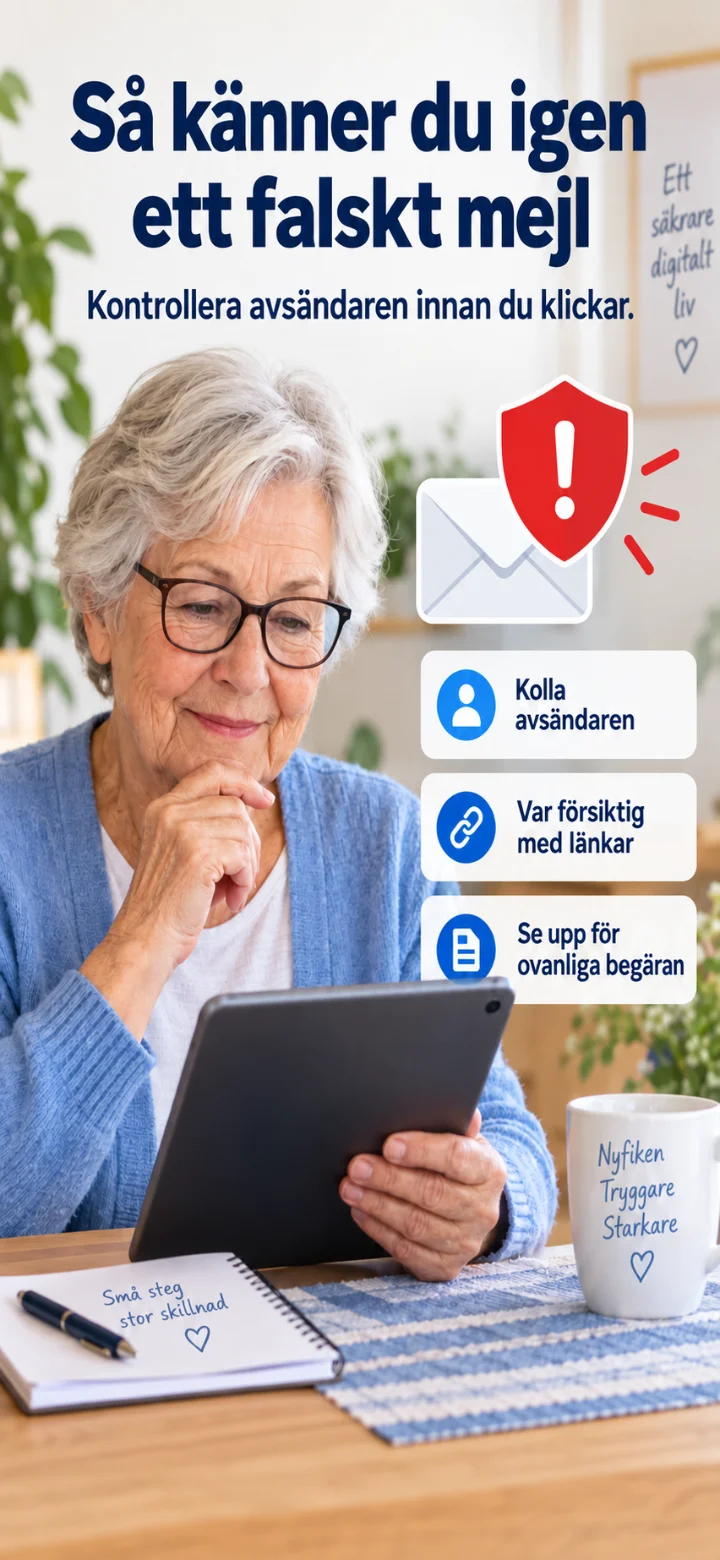 1Step 1 of 9 · Android
In this guide, you'll learn to recognize common warning signs in a fake email.
 2Step 2 of 9 · Android
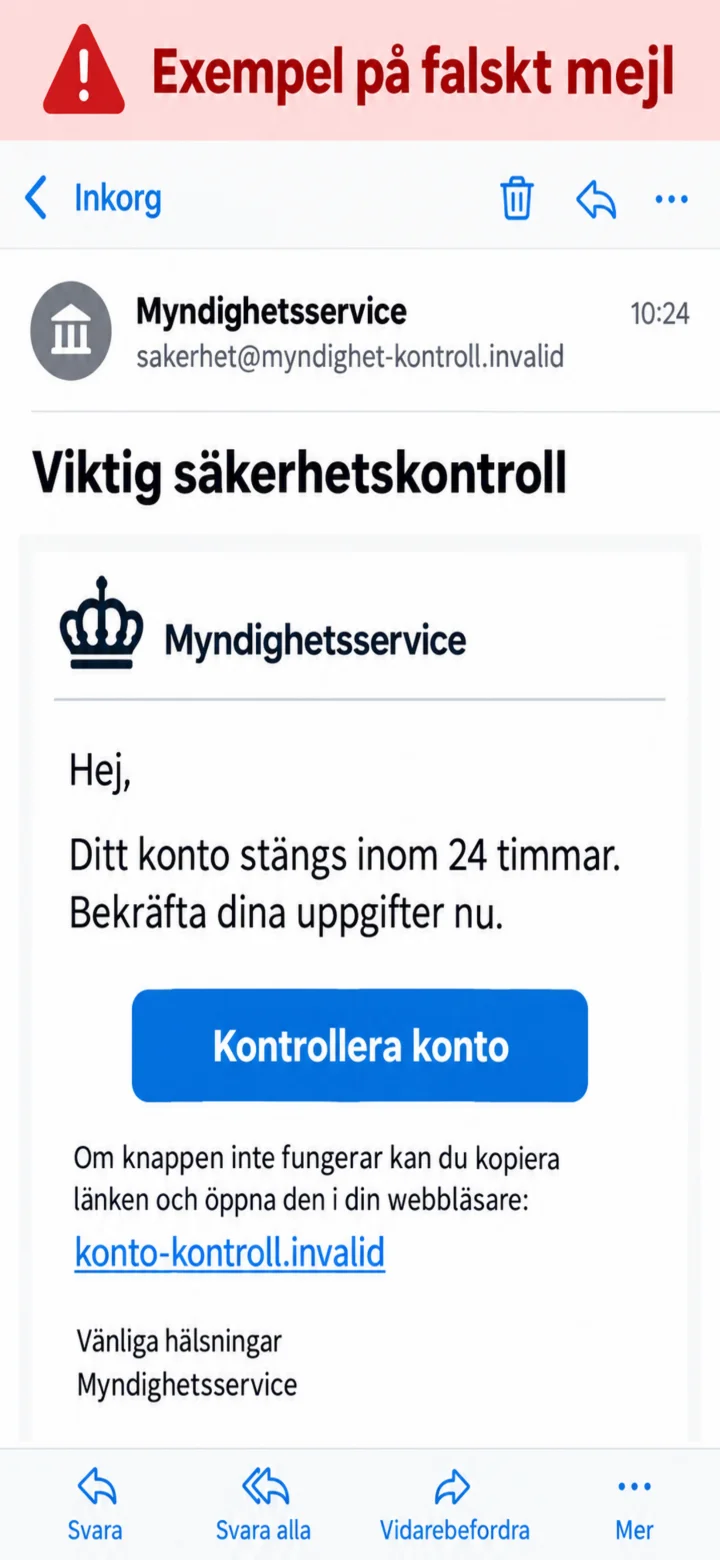
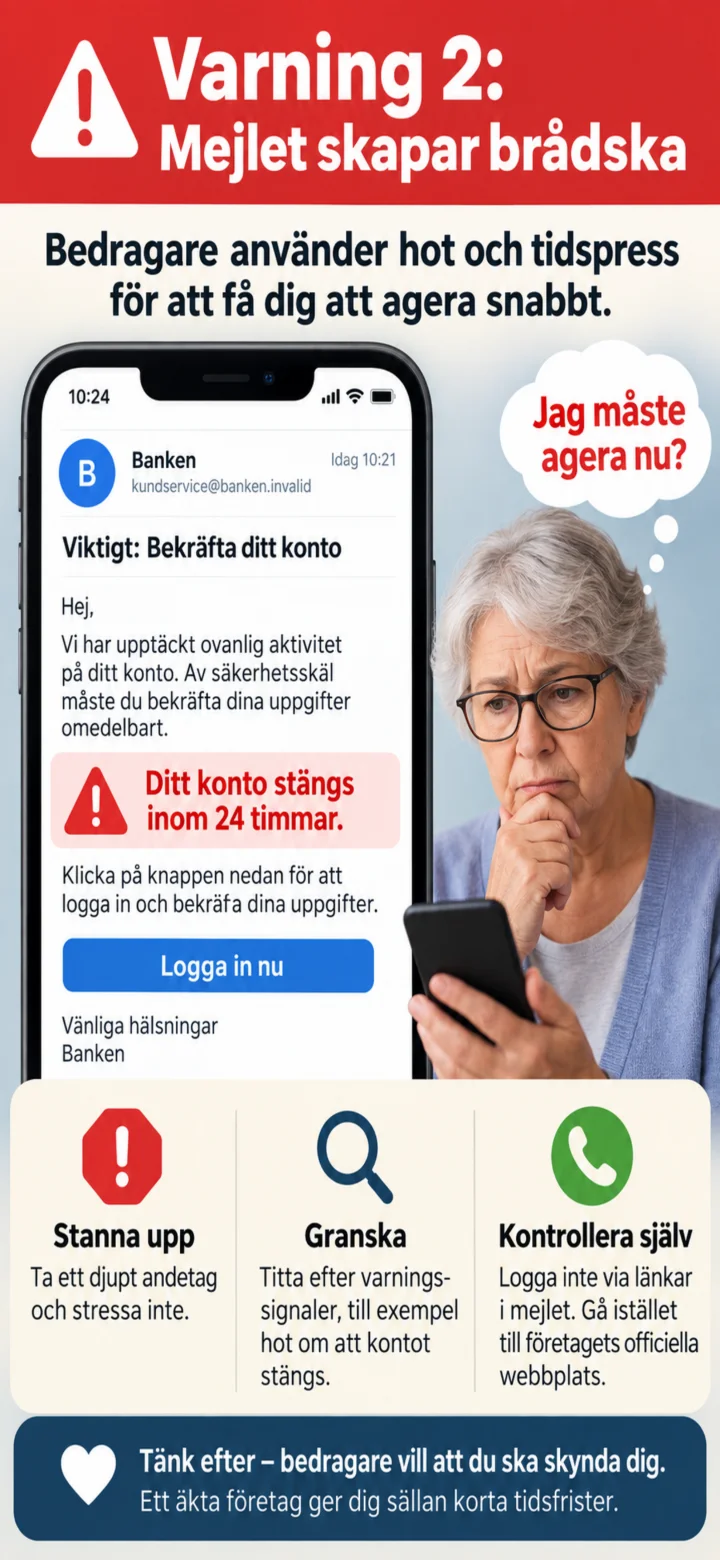
Här är ett exempel på ett falskt mejl. Det hotar att stänga ett konto och vill att du ska klicka på en knapp.
 3Step 3 of 9 · Android
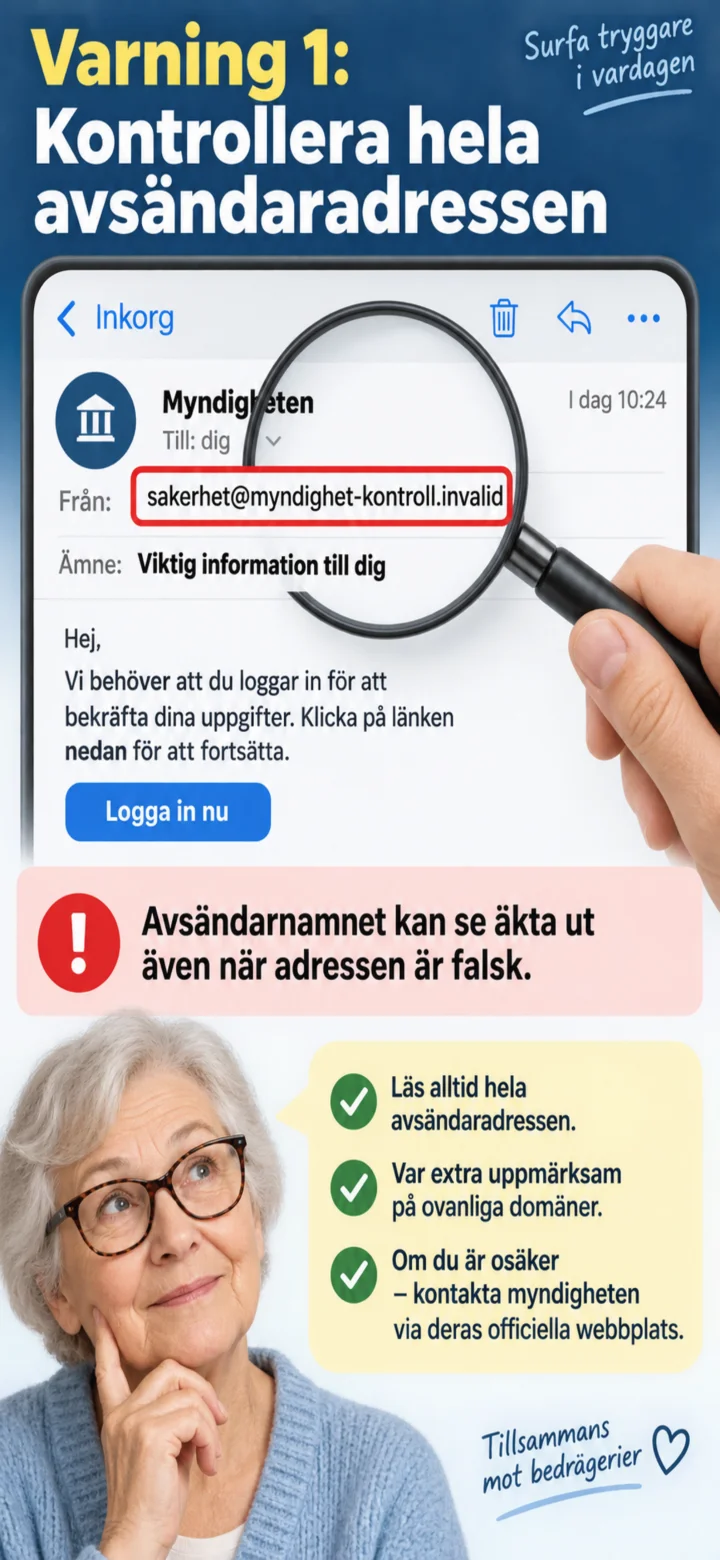
Always check the entire sender's address. The sender's name might look genuine even if the address is fake.
 4Step 4 of 9 · Android
Be careful with threats and time pressure. Scammers want you to act without thinking it through.
 5Step 5 of 9 · Android
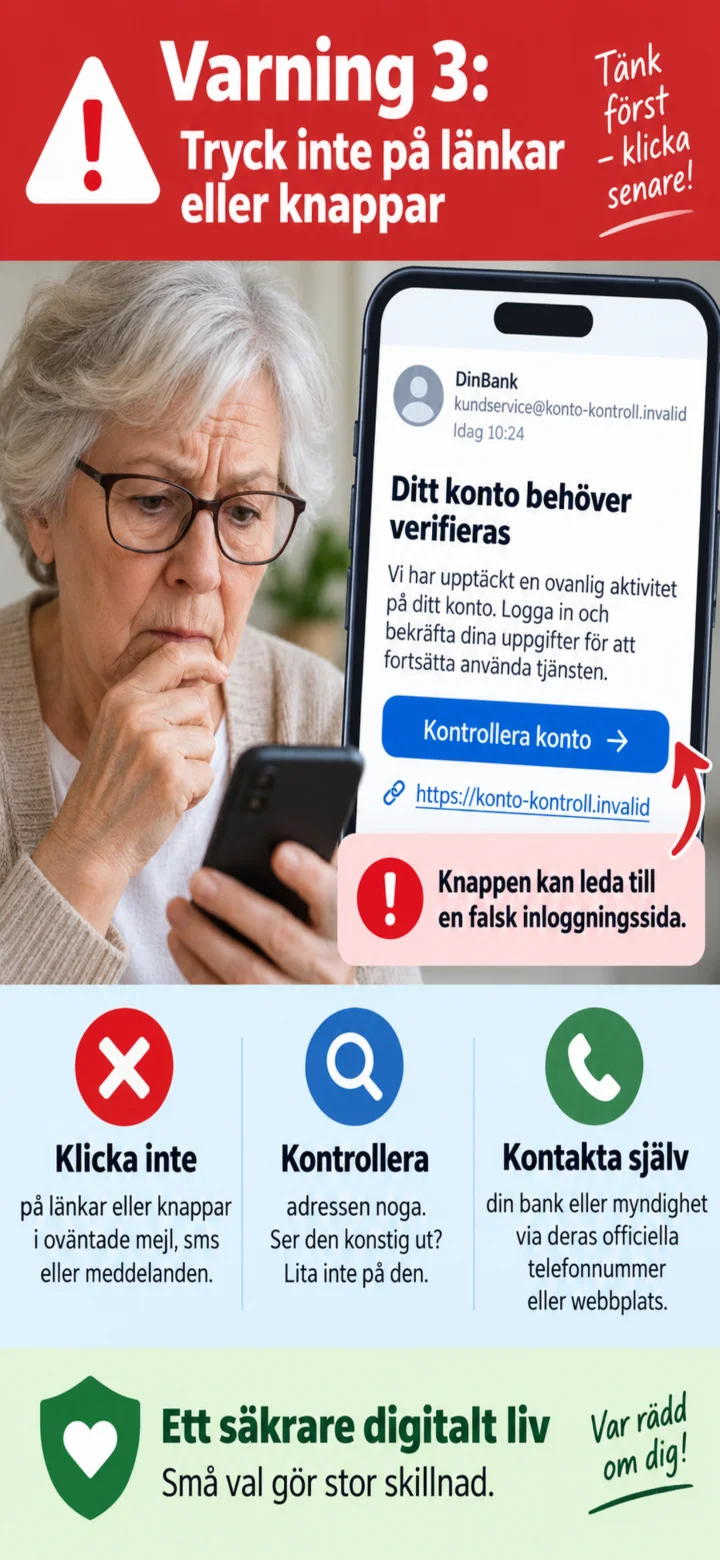
Don't click on any links or buttons in an unexpected email. They can lead to a fake login page.
 6Step 6 of 9 · Android
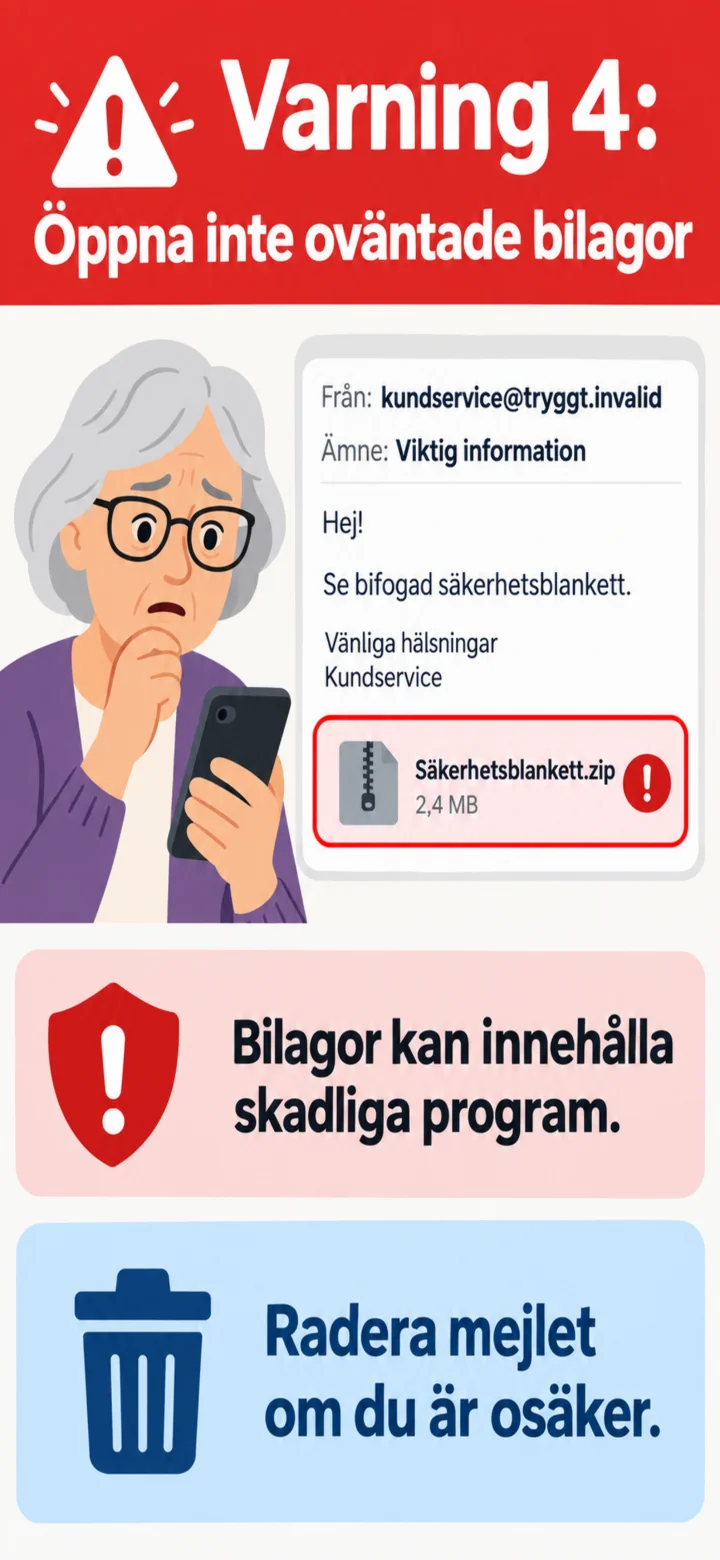
Don't open an unexpected attachment. It might contain harmful software.
 7Step 7 of 9 · Android
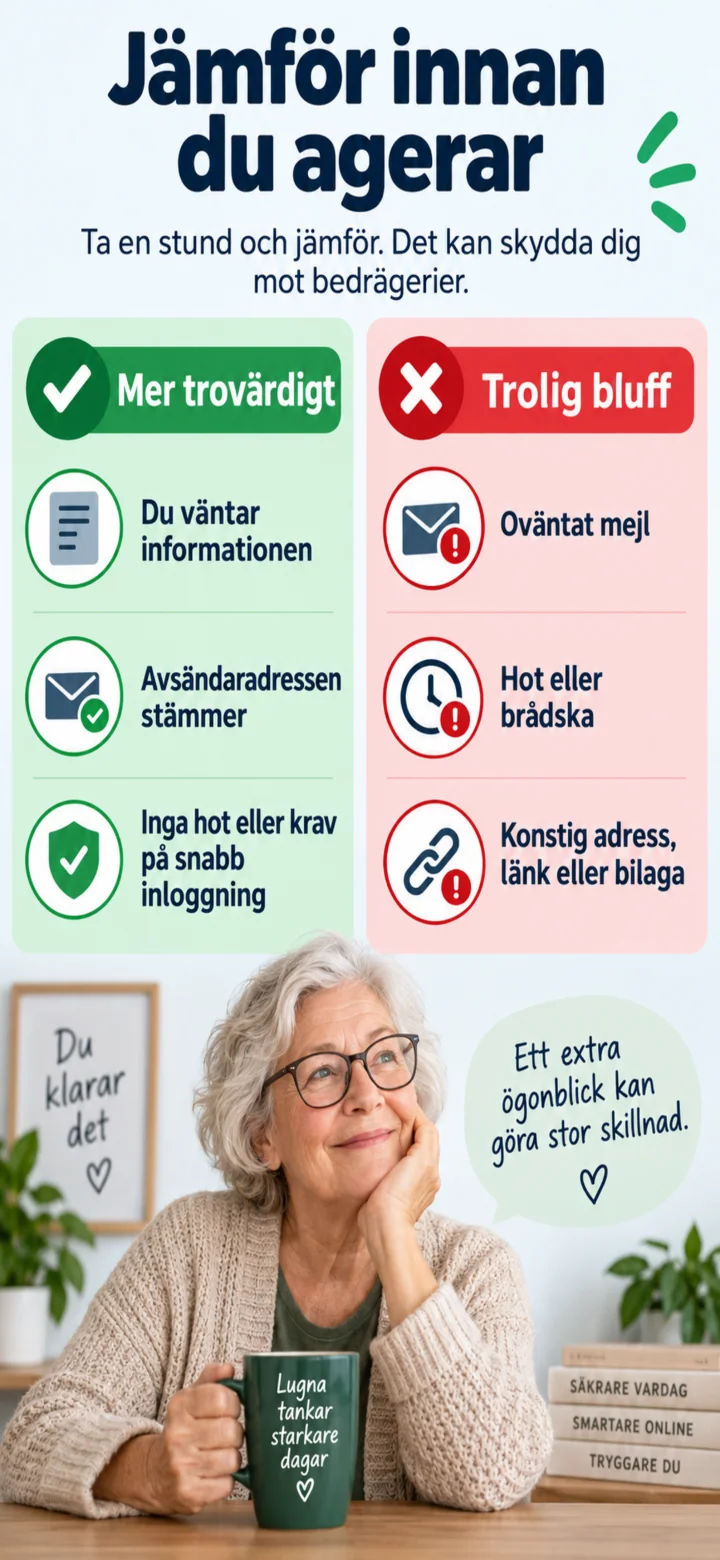
Stop and compare. An unexpected email with threats, a strange address, a link, or an attachment could be a scam.
 8Step 8 of 9 · Android
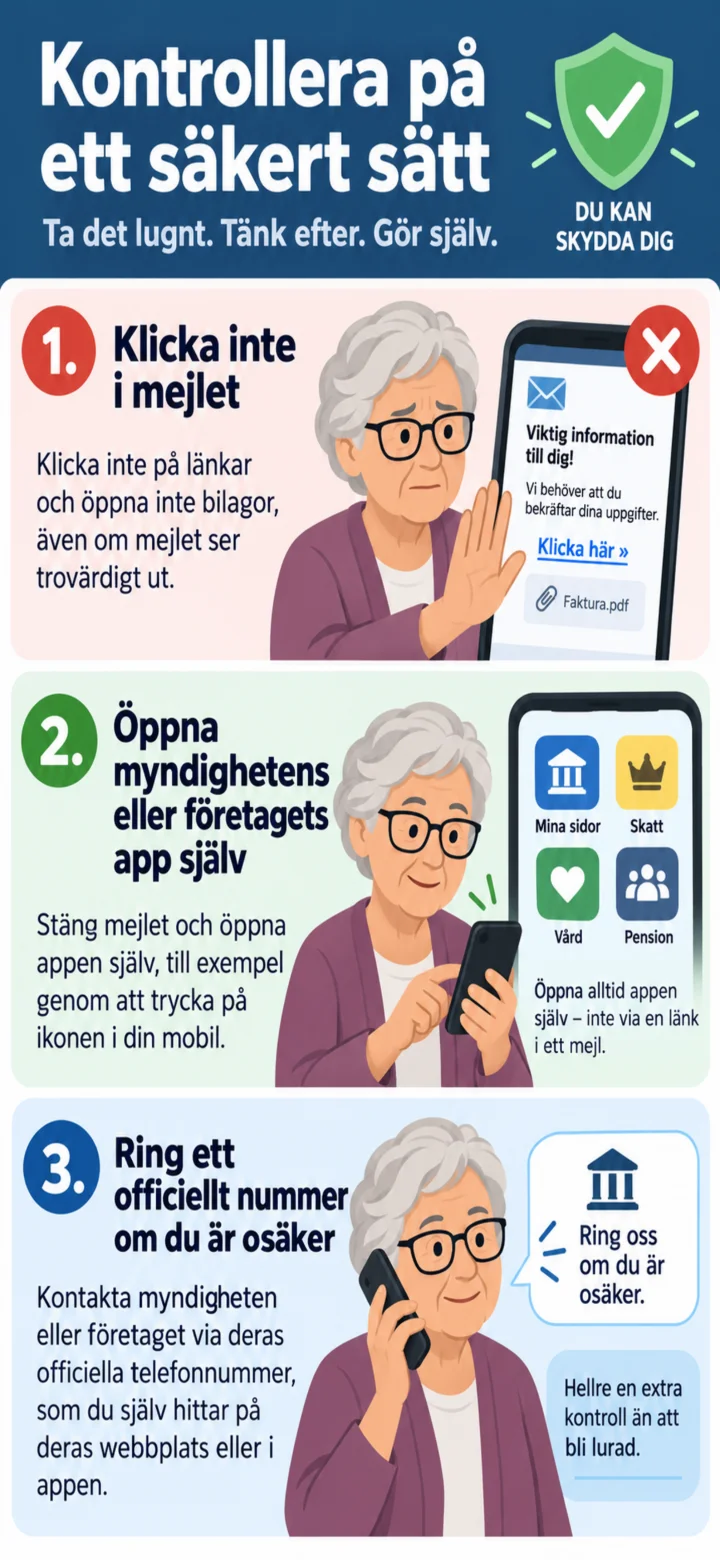
Don't click anything in the email. Instead, open the service's app yourself or contact the company using an official number.
 9Step 9 of 9 · Android
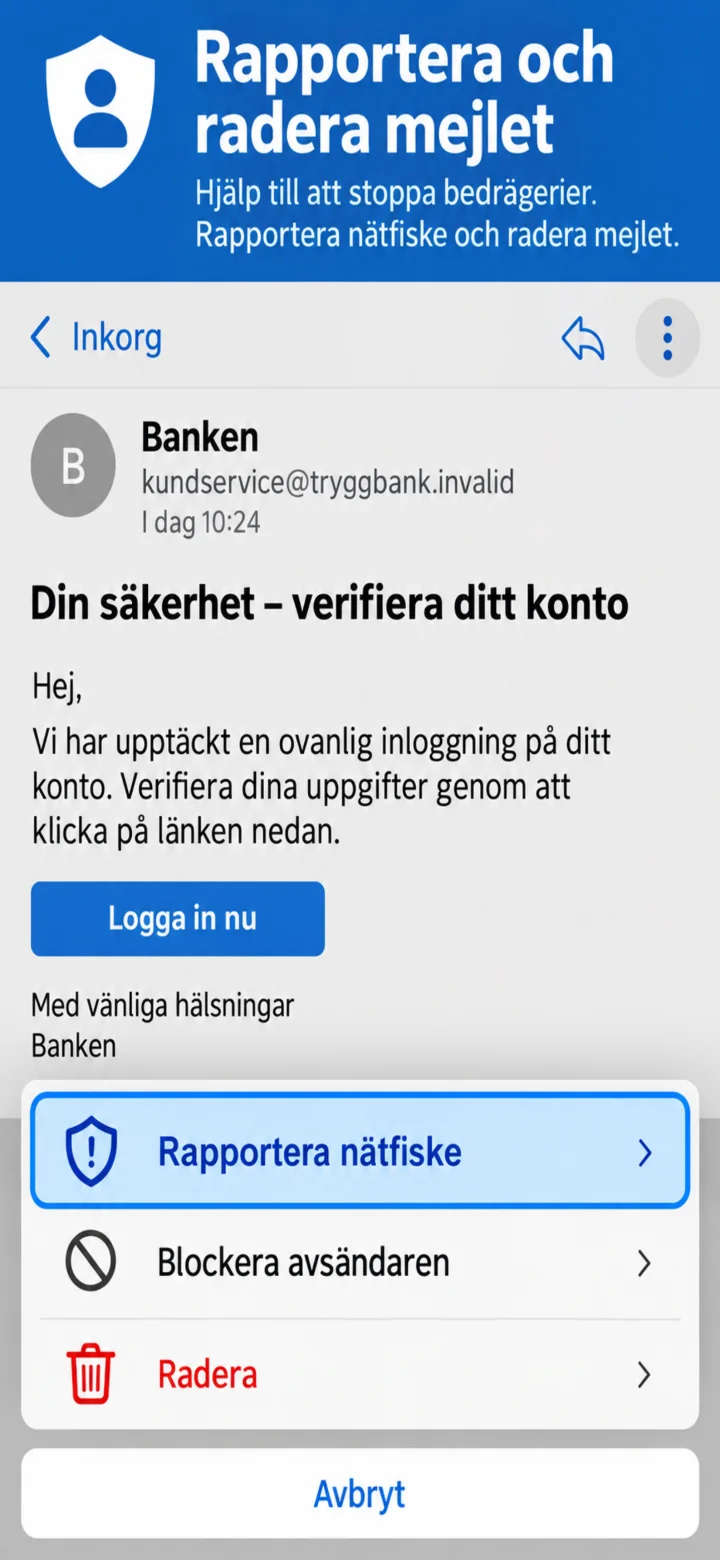
Open the email's menu, choose ”Rapportera nätfiske” (Report phishing), and then delete the email.
How to recognize a scam SMS
Android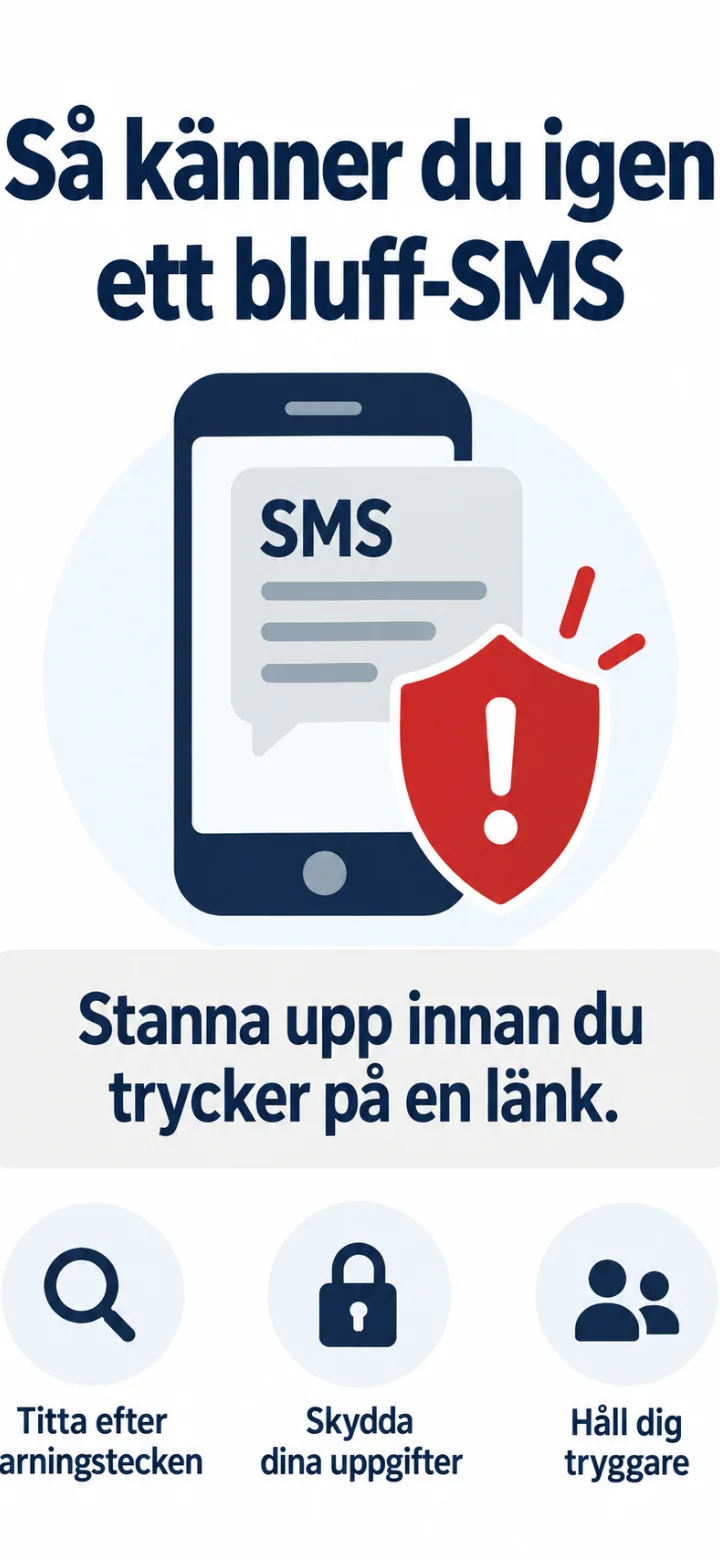 1Step 1 of 9 · Android
In this guide, you will learn to recognize common warning signs in a scam SMS.
 2Step 2 of 9 · Android
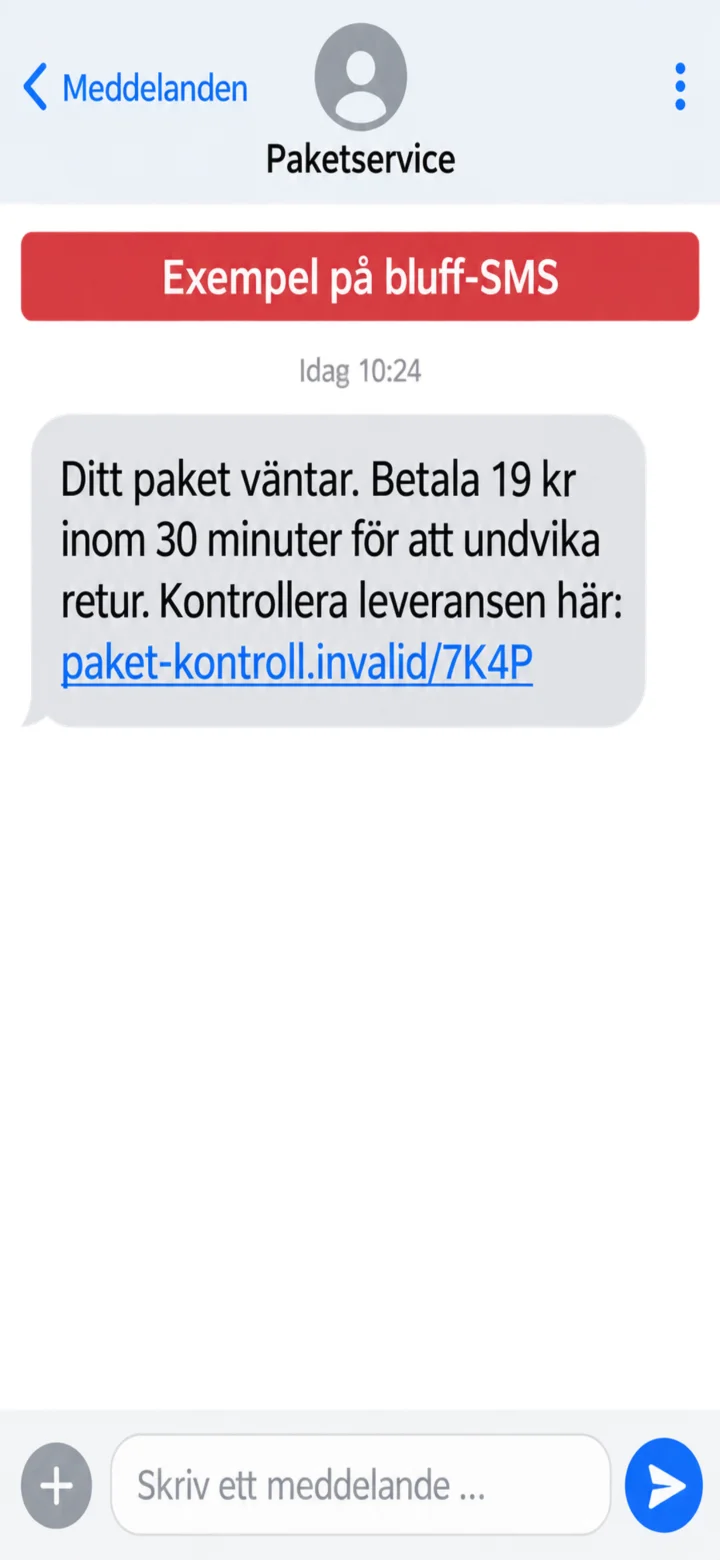
Here is an example of a scam SMS. The message claims that a package is waiting and demands a quick payment.
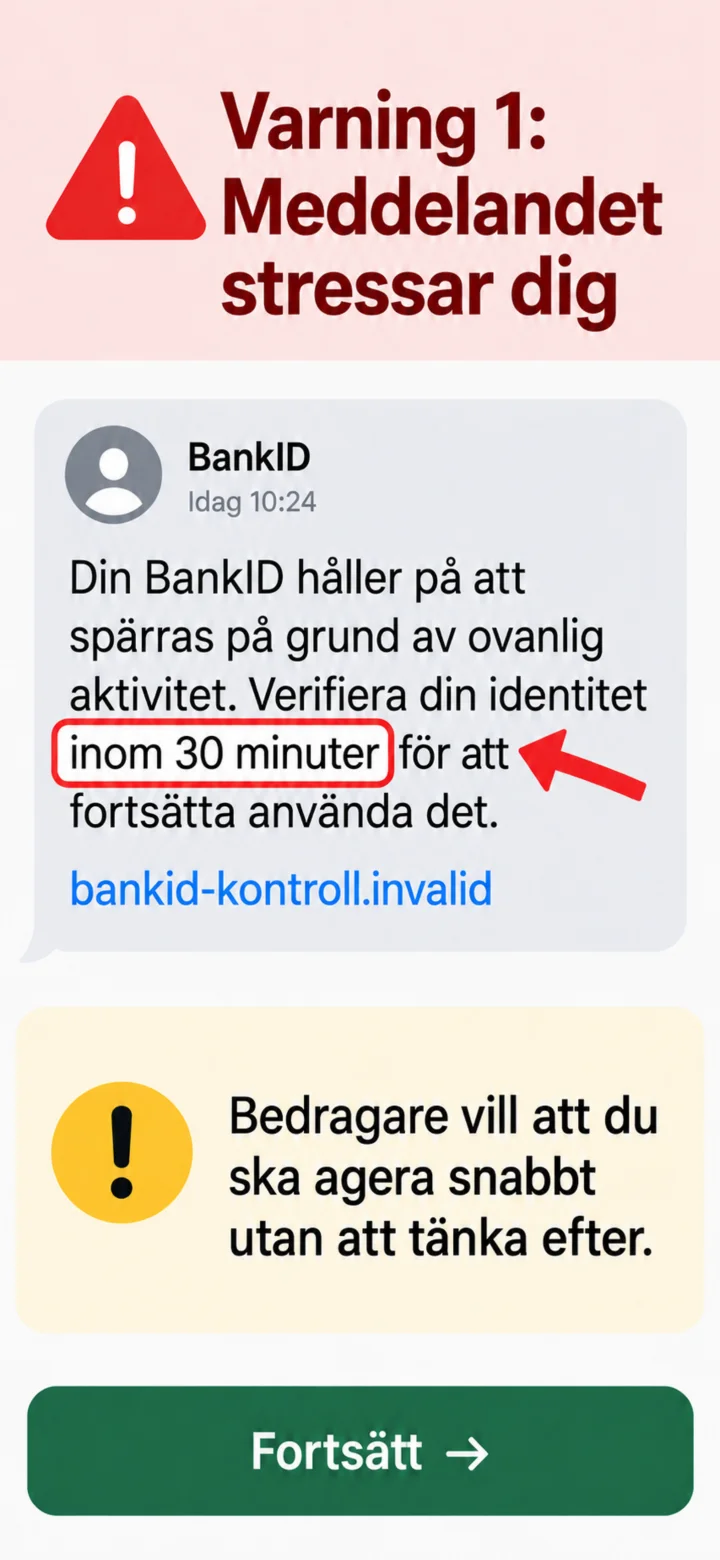 3Step 3 of 9 · Android
The first warning sign is urgency. The scammer wants you to act quickly without thinking it through.
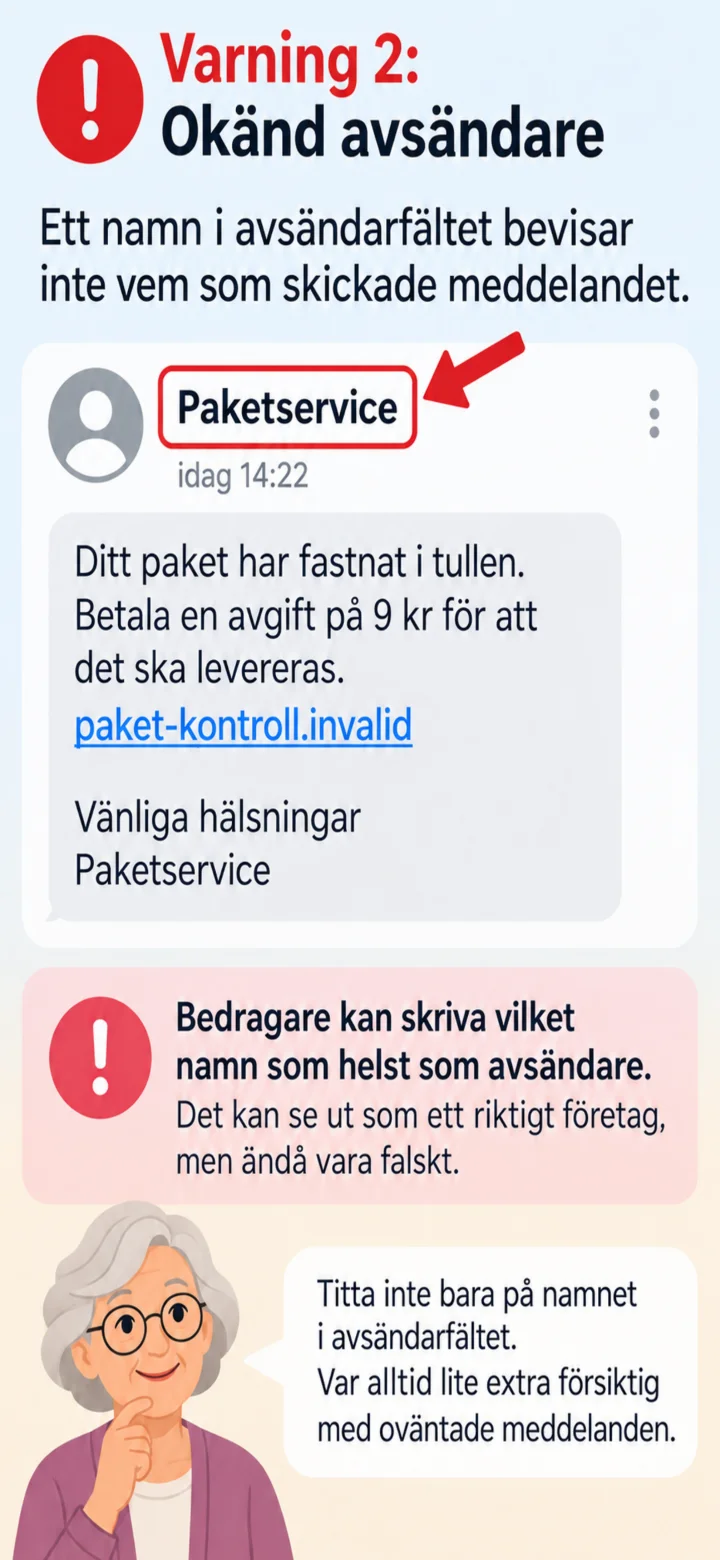 4Step 4 of 9 · Android
A name in the sender field doesn't prove who sent the message. Sender names can be faked.
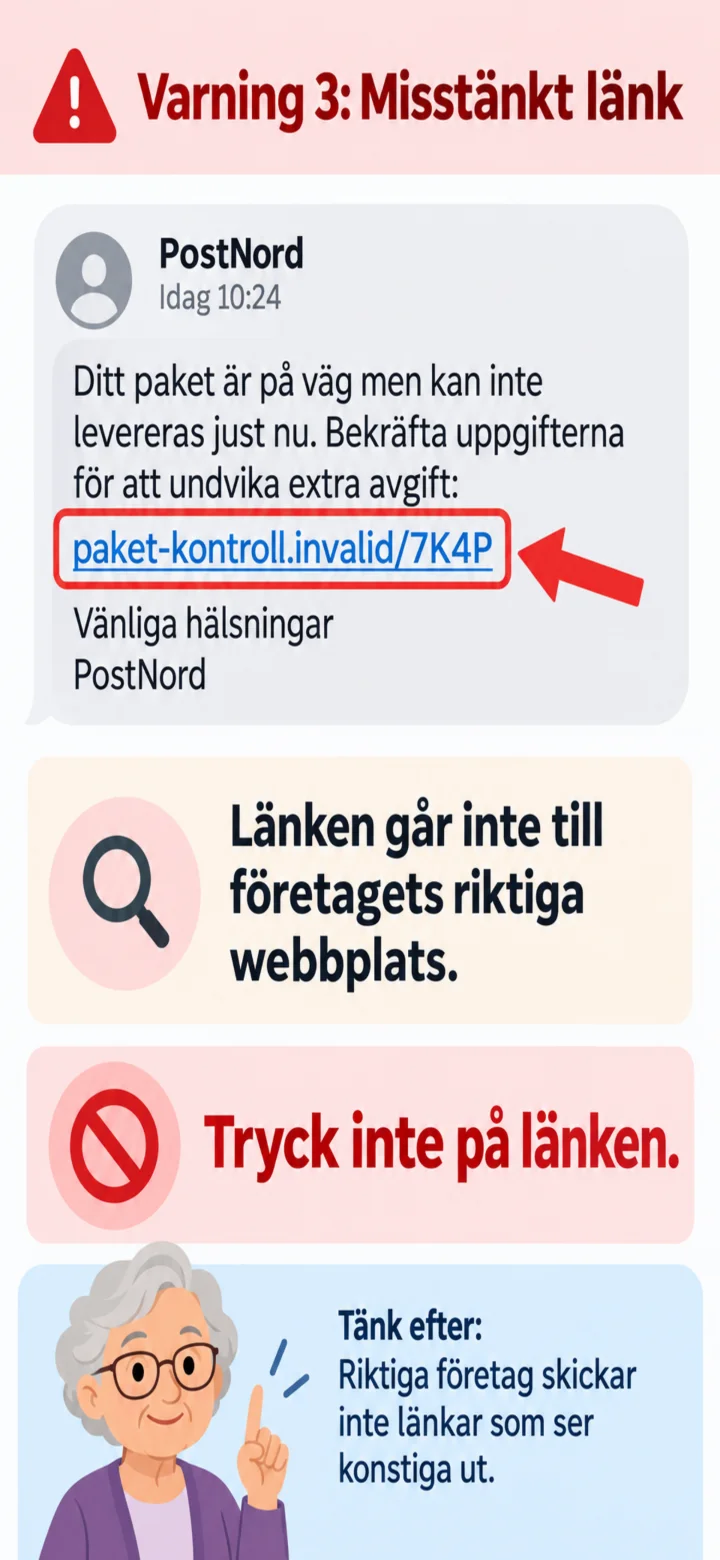 5Step 5 of 9 · Android
Another warning sign is a strange web address. Don't tap on the link.
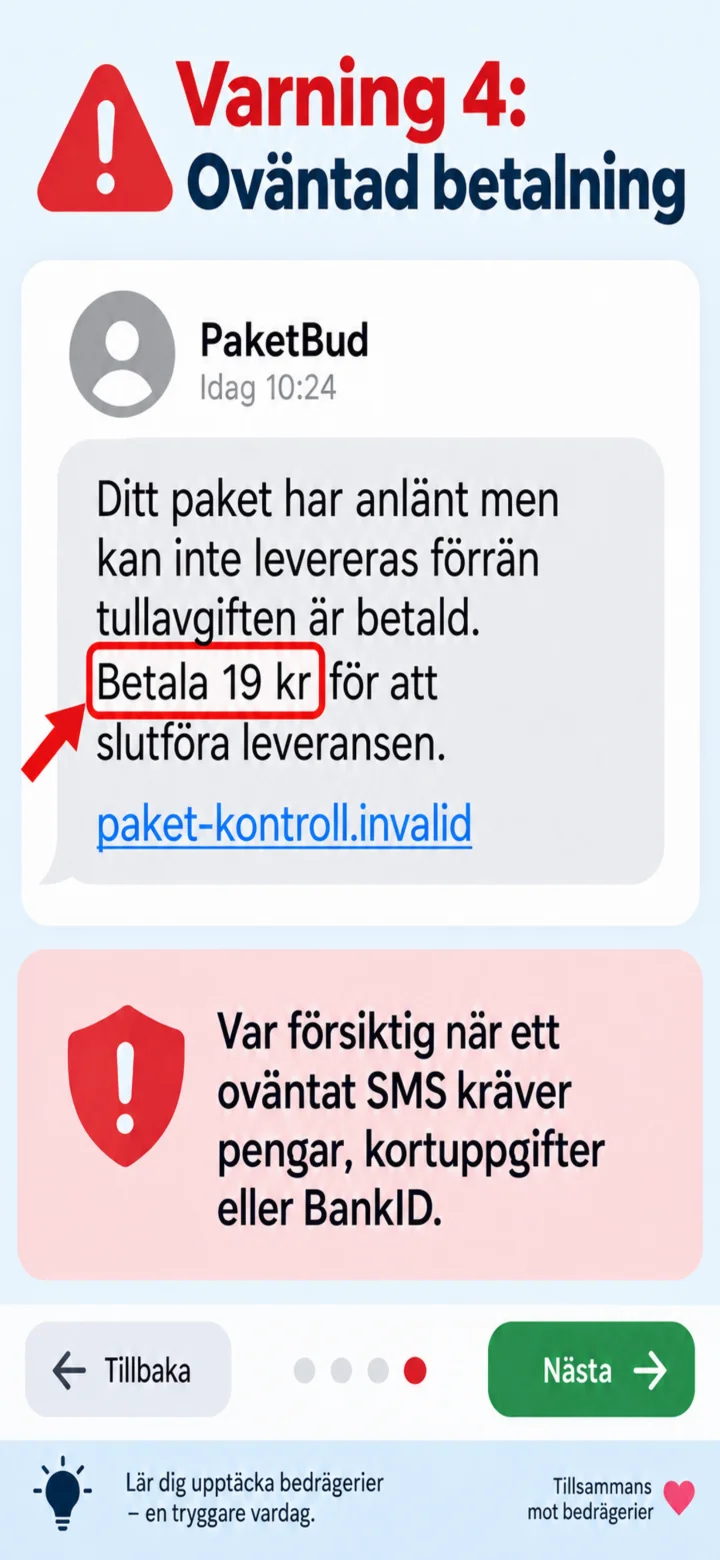 6Step 6 of 9 · Android
Be careful when an unexpected SMS demands money, card details, or BankID.
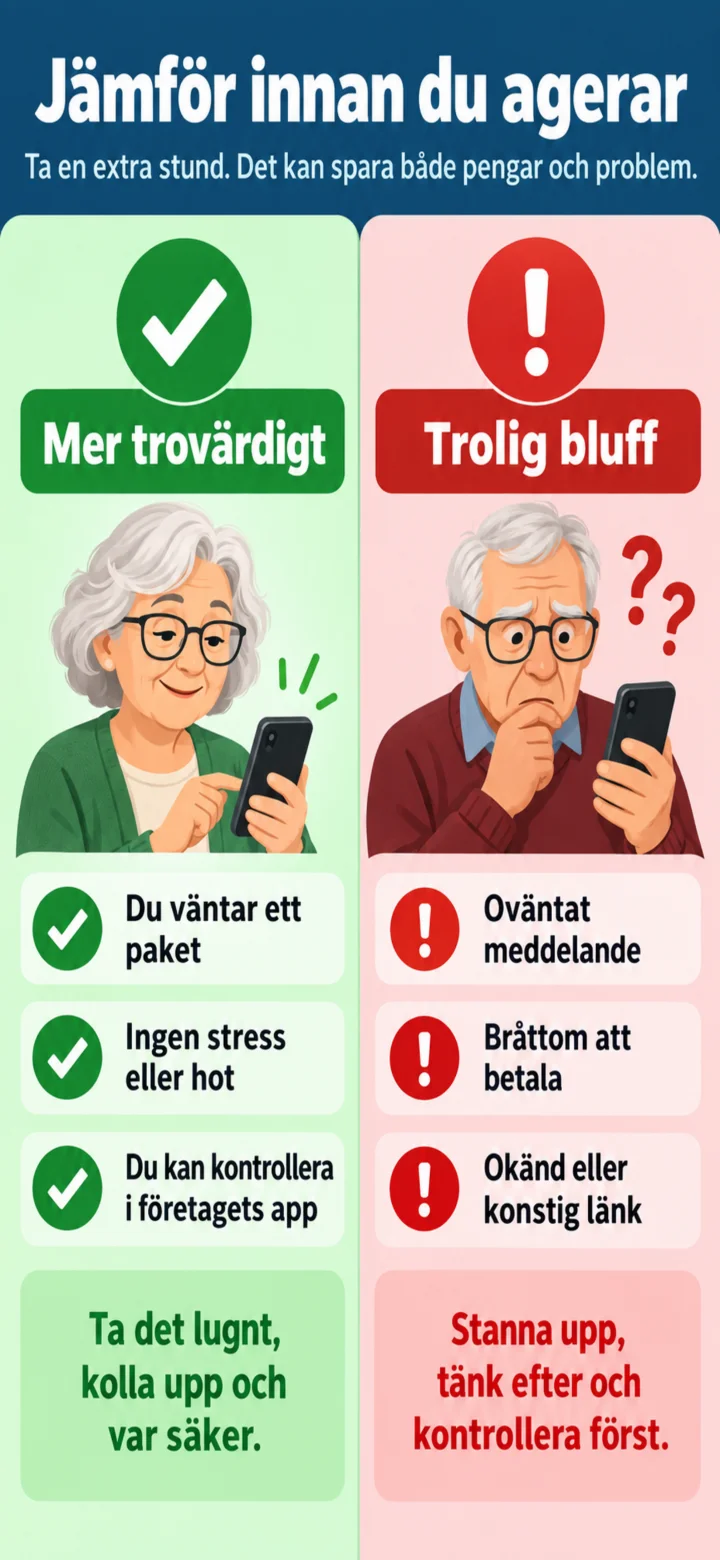 7Step 7 of 9 · Android
Stop and compare. Are you really expecting a package? Is the message unexpected or stressful?
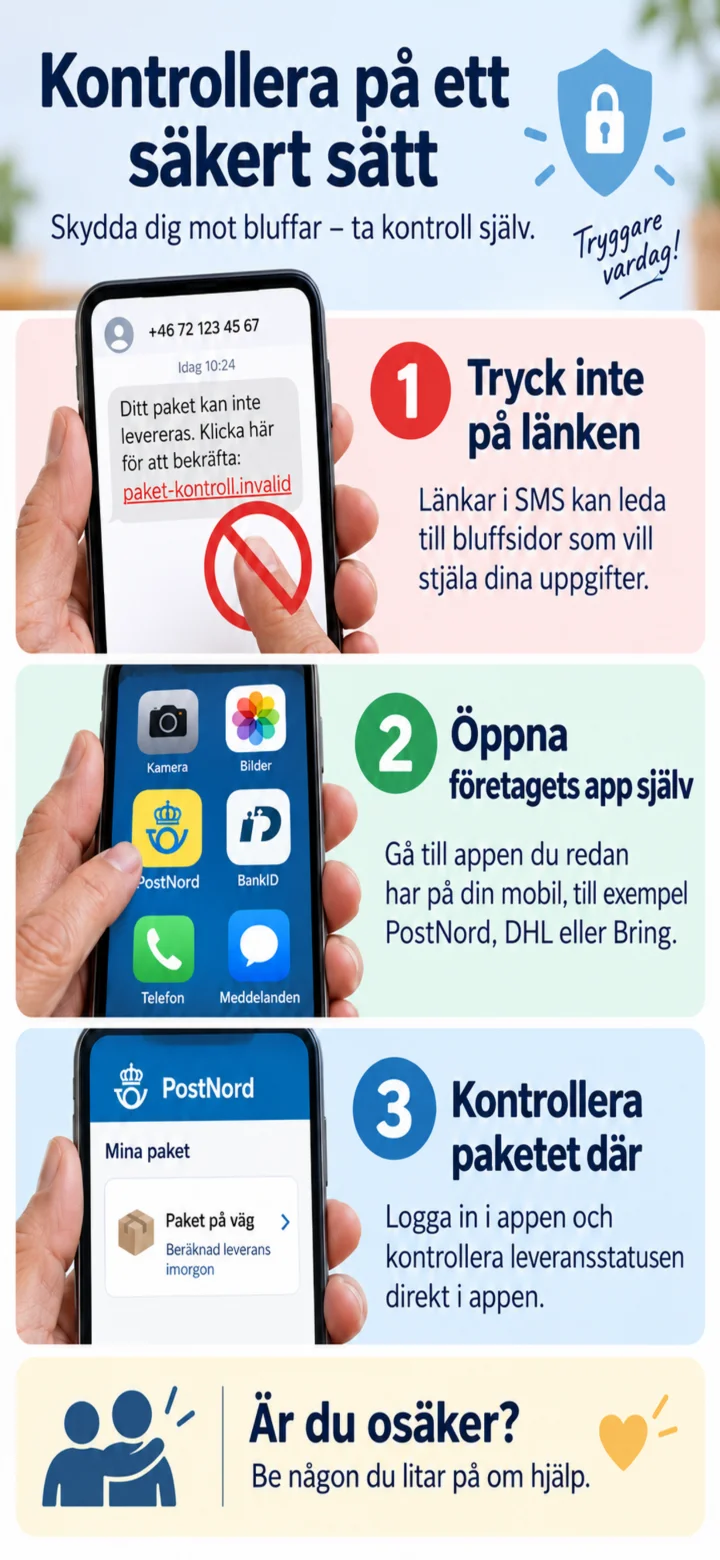 8Step 8 of 9 · Android
Don't tap on the link. Instead, open the company's app or type in the official web address yourself.
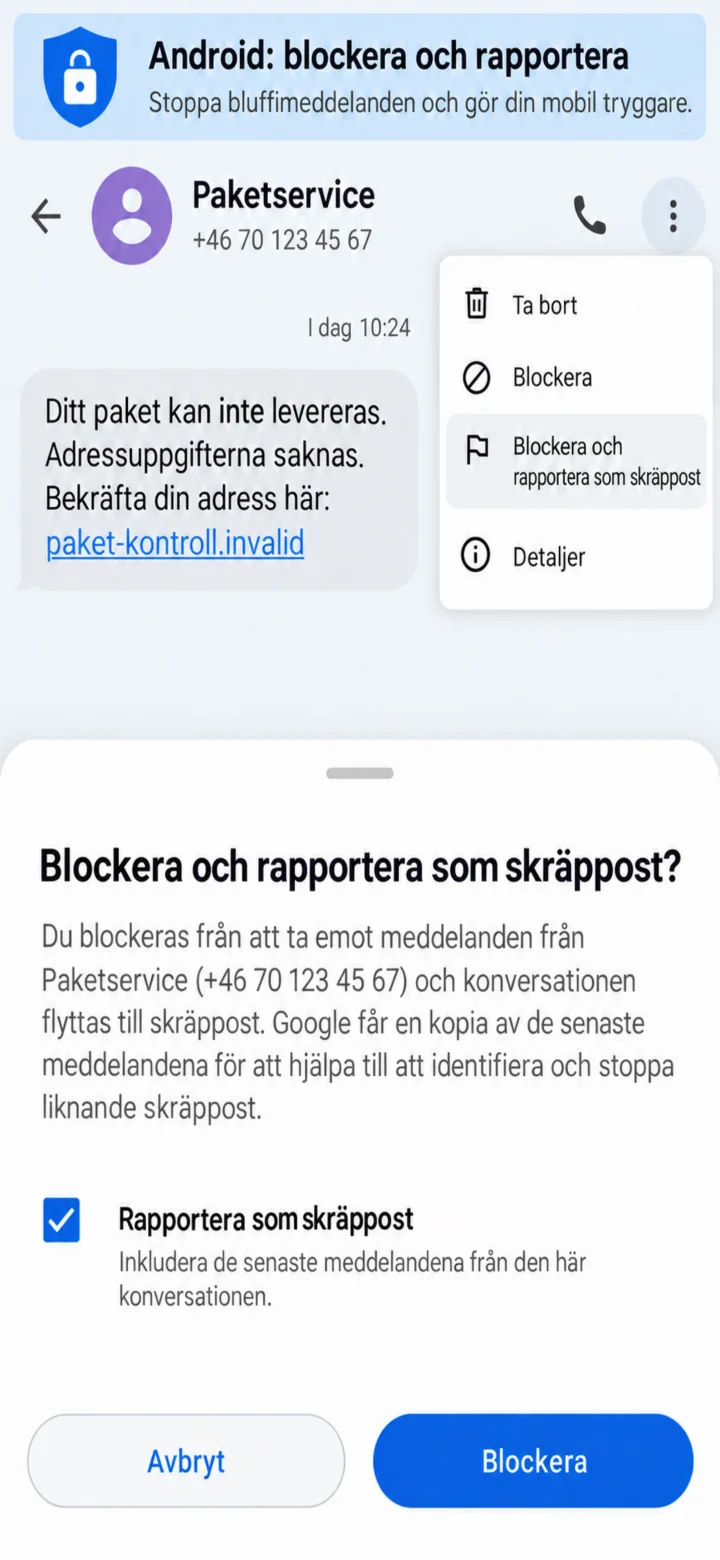 9Step 9 of 9 · Android
On Android, open the menu and choose ”Blockera och rapportera som skräppost” (Block and report as spam). Then confirm with ”Blockera” (Block). Remember to be careful.