Print the guide and keep it next to your phone while you do the steps.
Tip: untick “Headers and footers” in the print dialog to leave out the web address.
How to pay a bill with Kivra
Pay and Swish
All phones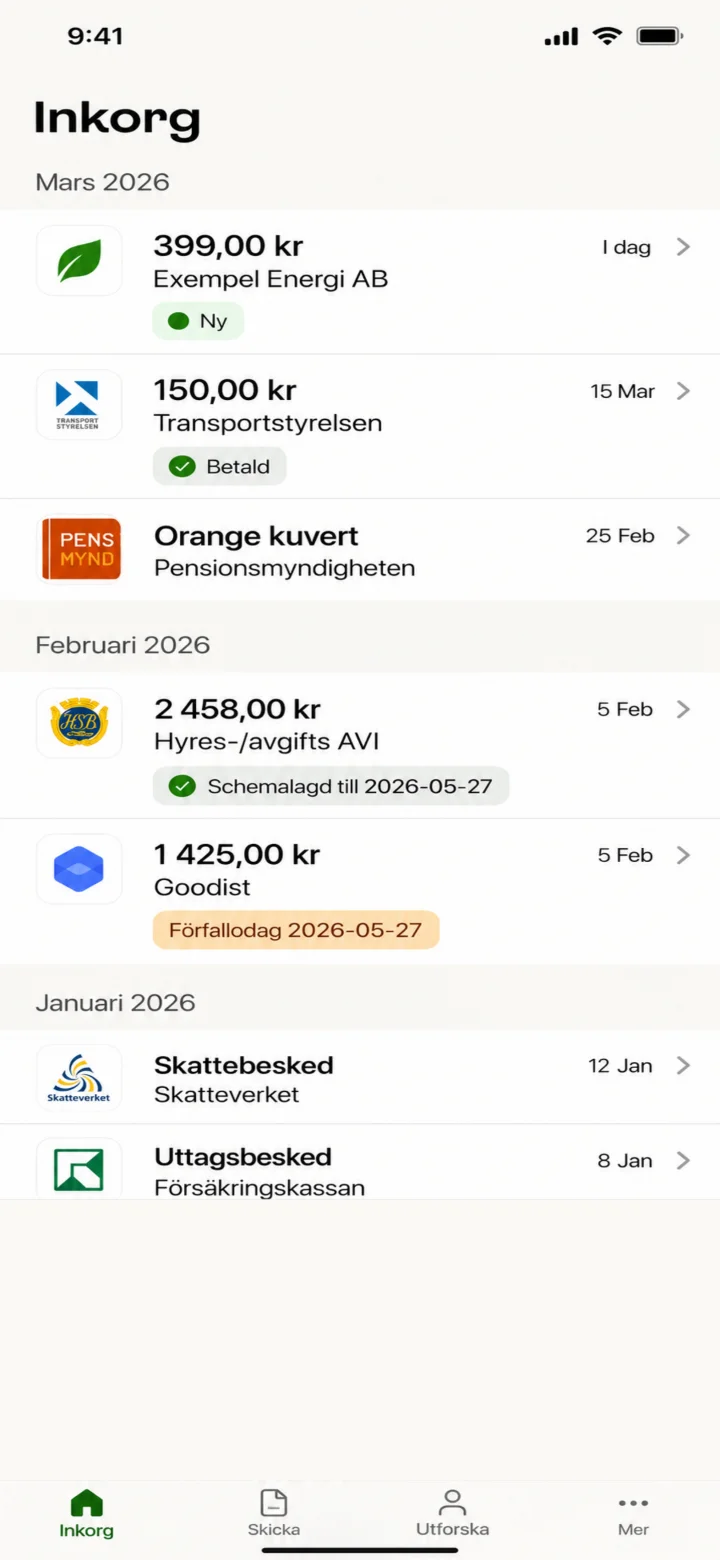 1Step 1 of 6
Hello! Here I'll show you how to pay a bill using Kivra. You can pause whenever you like and play it again. Let's go! First, tap on the new bill from Exempel Energi AB, the one marked with 'Ny' (New).
 2Step 2 of 6
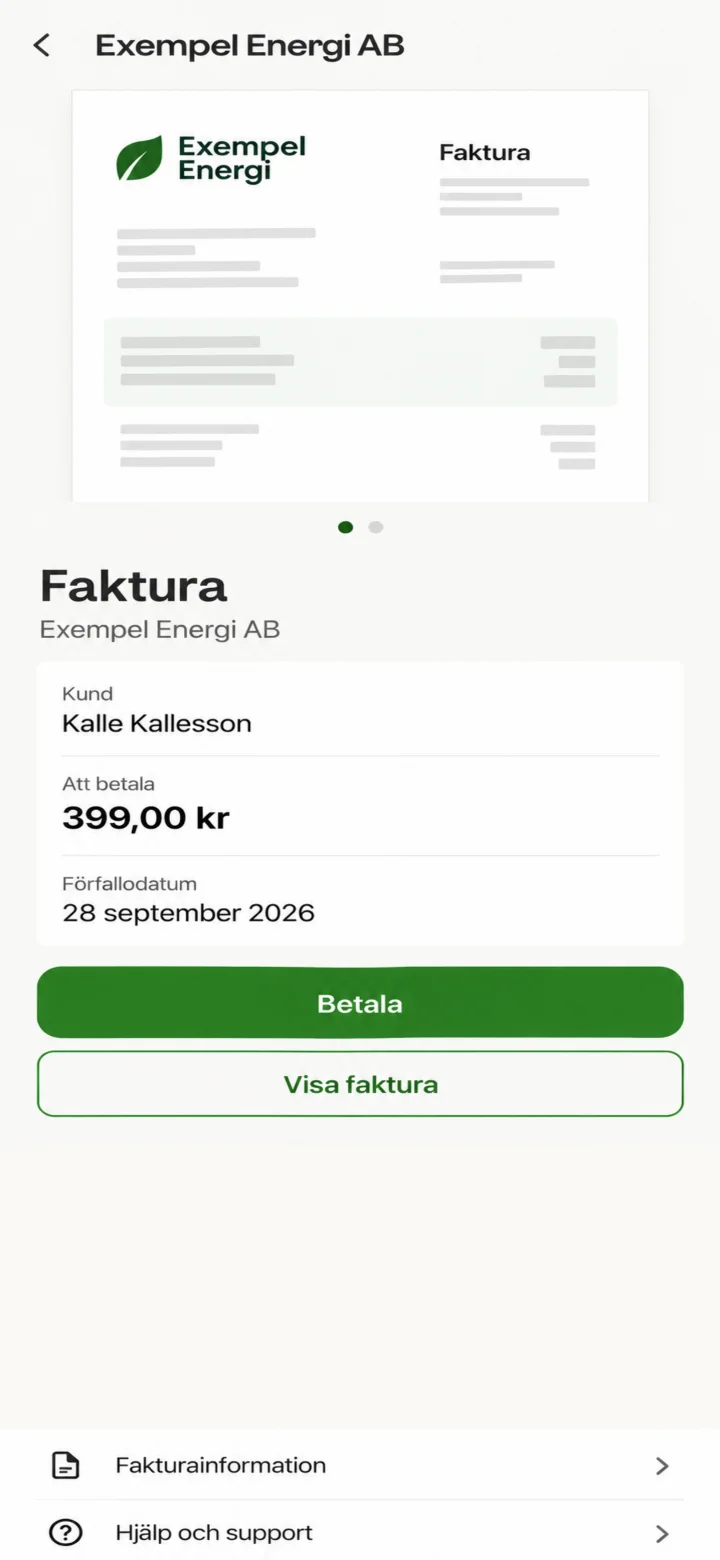
Now you see the details of the bill. To continue, tap the green button that says 'Betala' (Pay).
 3Step 3 of 6
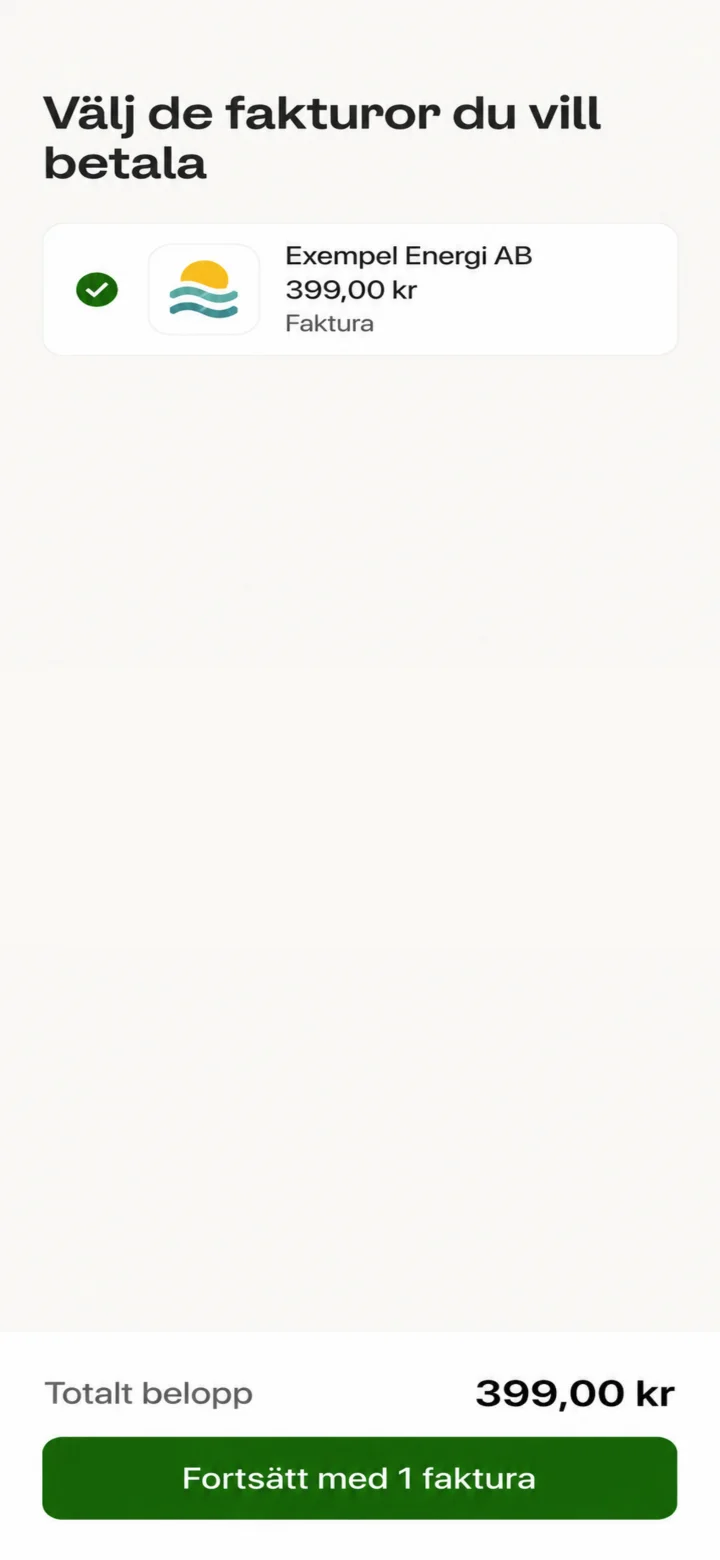
Here you see that the bill from Exempel Energi AB is marked. Tap the green button at the bottom that says 'Fortsätt med 1 faktura' (Continue with an invoice).
 4Step 4 of 6
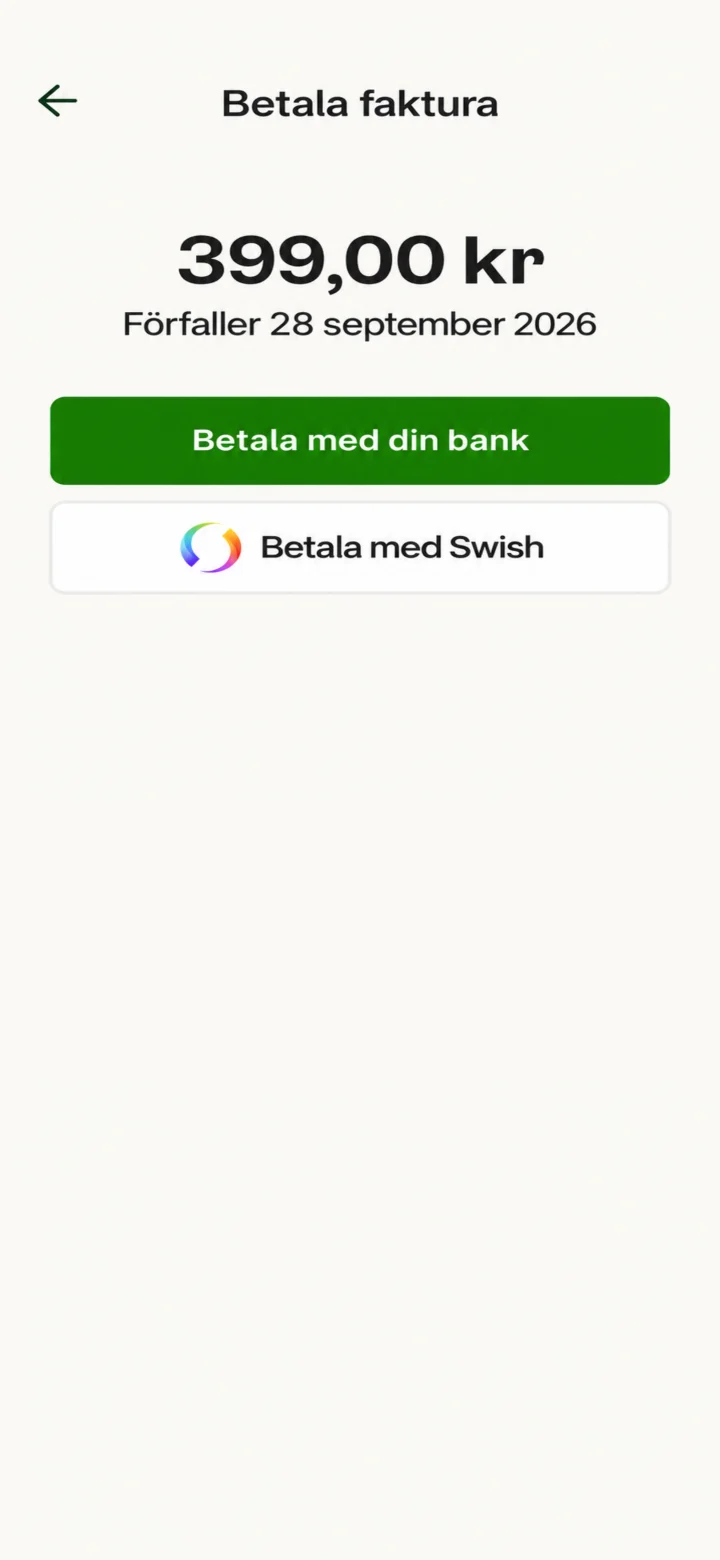
Now you get to choose how you want to pay. We'll choose to pay with Swish. Tap the button that says 'Betala med Swish' (Pay with Swish).
 5Step 5 of 6
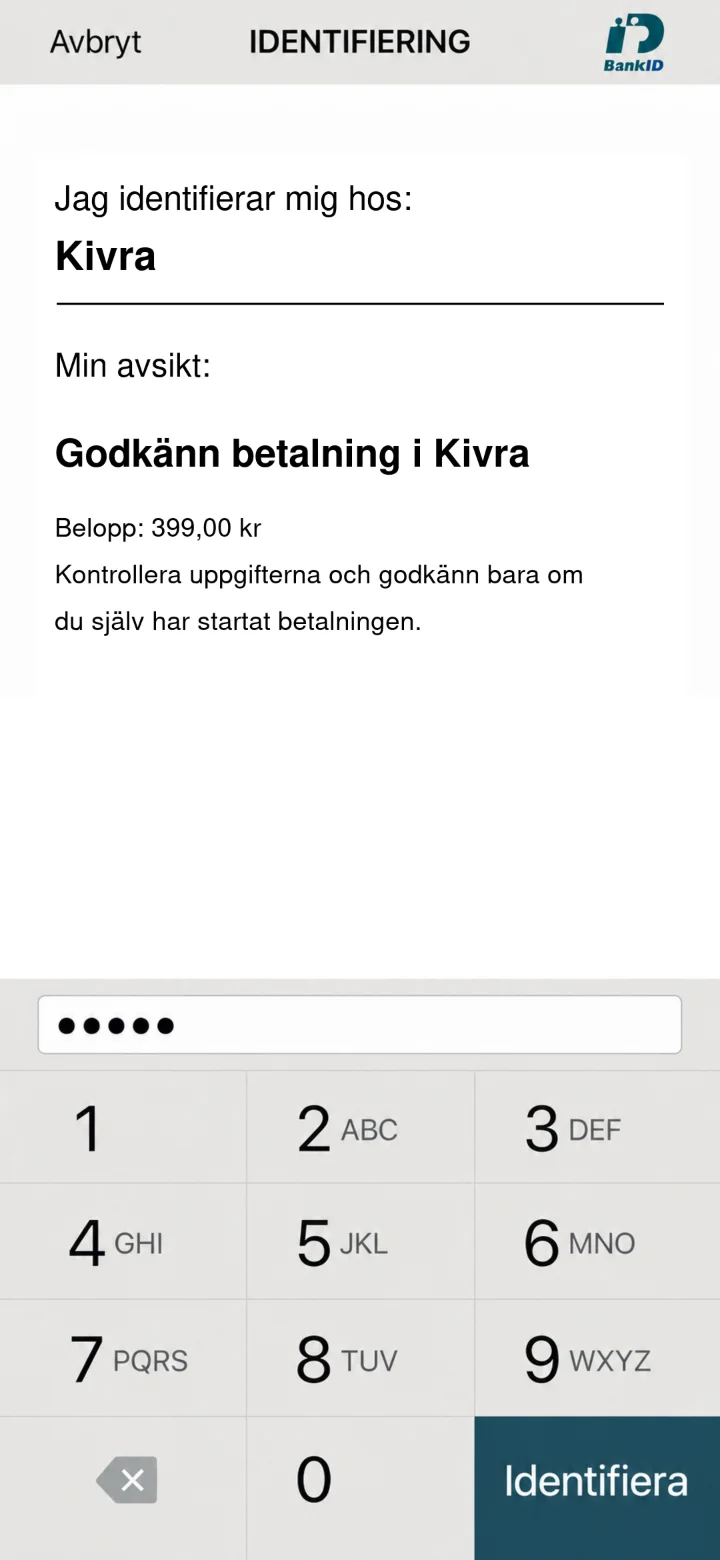
Now you need to identify yourself with your BankID code. Enter your personal code in the dotted field. Once you've entered the code, tap the green button 'Identifiera' (Identify).
 6Step 6 of 6
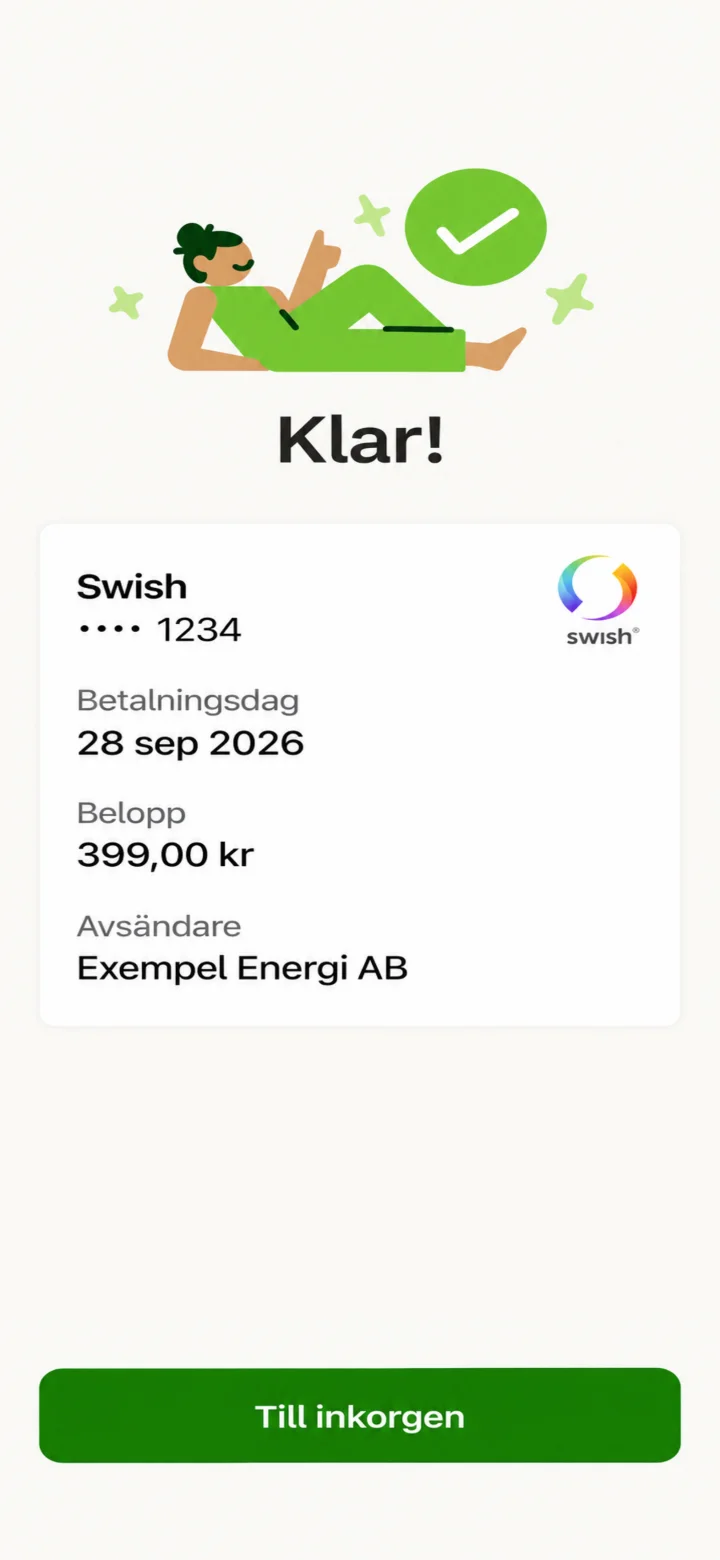
Done! The bill has now been paid with Swish. You'll see a confirmation on the screen. Great job!