Print the guide and keep it next to your phone while you do the steps.
Tip: untick “Headers and footers” in the print dialog to leave out the web address.
Check if you can get a housing supplement
Pension and authorities
All phones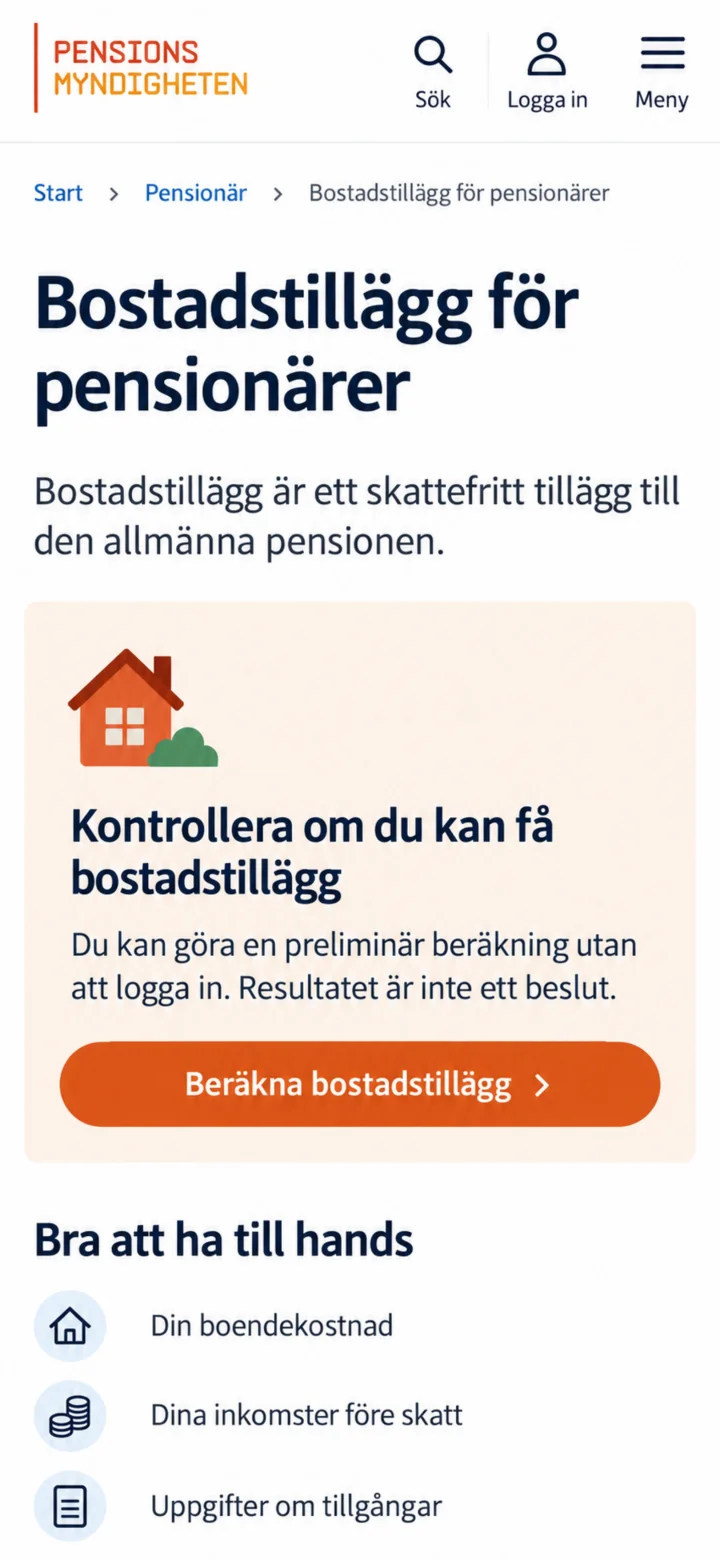 1Step 1 of 6
Open the page Bostadstillägg för pensionärer (Housing supplement for pensioners) and tap on ”Beräkna bostadstillägg” (Calculate housing supplement). You don't need to log in to do the calculation.
 2Step 2 of 6
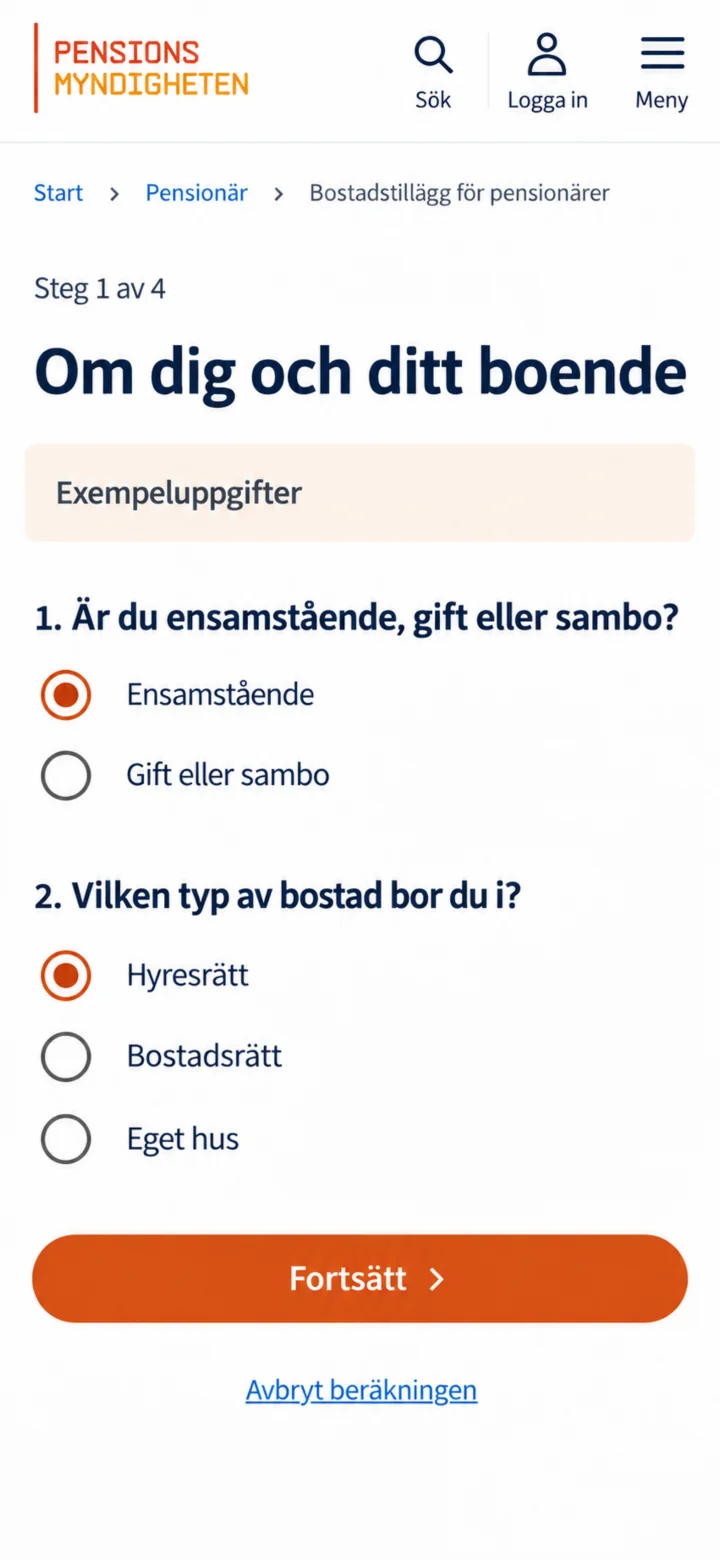
Indicate if you are single, married, or cohabiting, and choose the type of home you live in. Then tap on ”Fortsätt” (Continue).
 3Step 3 of 6
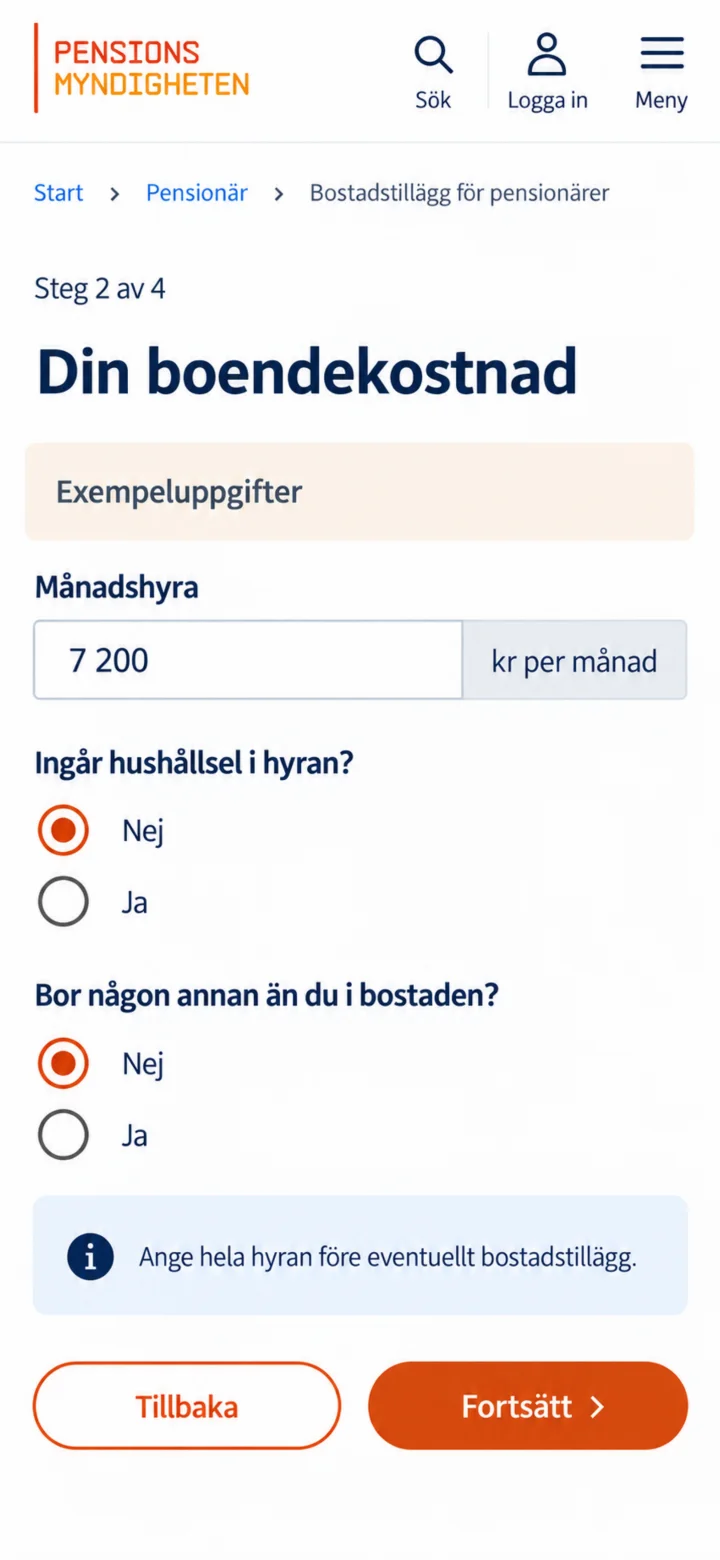
Fyll i din månadshyra eller boendekostnad och svara på frågorna om bostaden. Beloppen i guiden är bara exempel.
 4Step 4 of 6
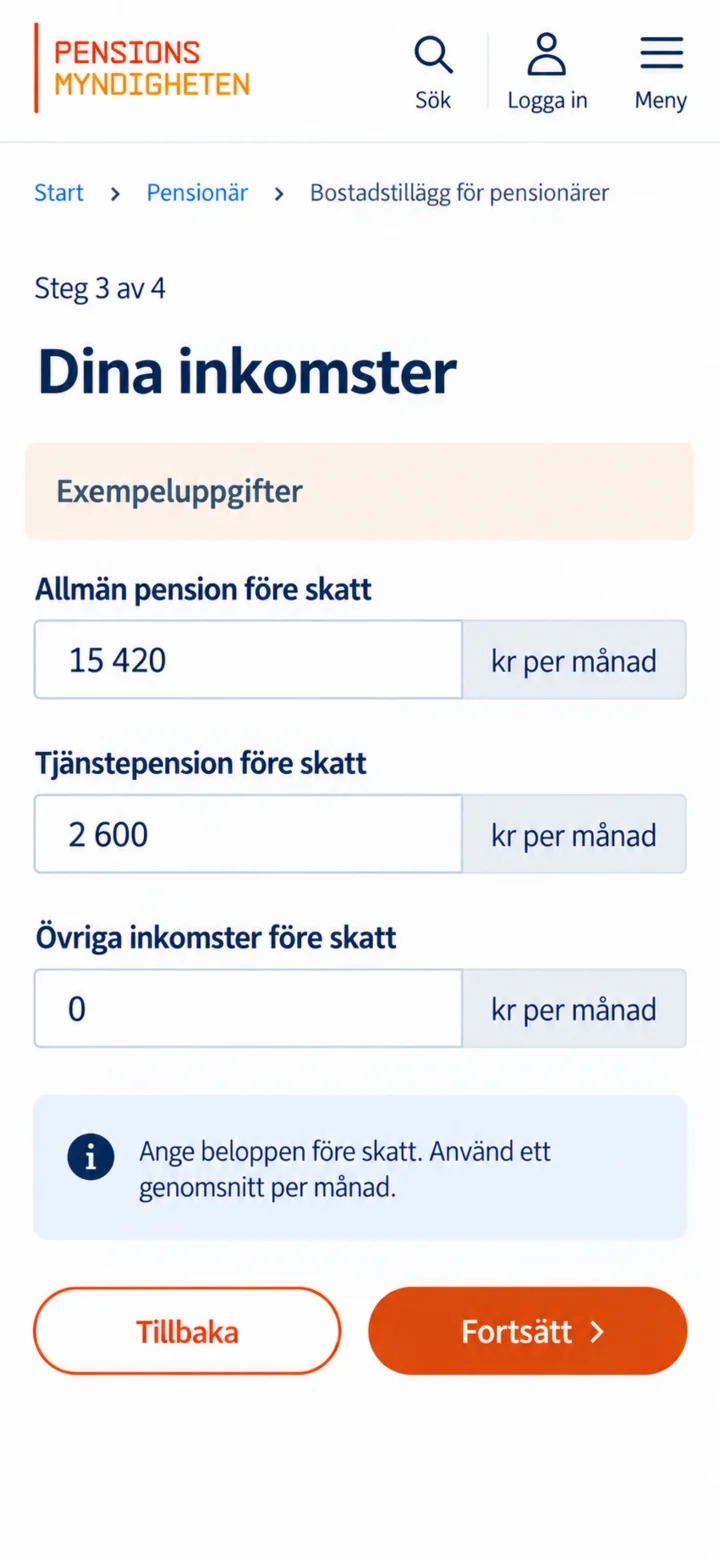
Fill in your public pension, occupational pension, and any other income before tax. Use a monthly average.
 5Step 5 of 6
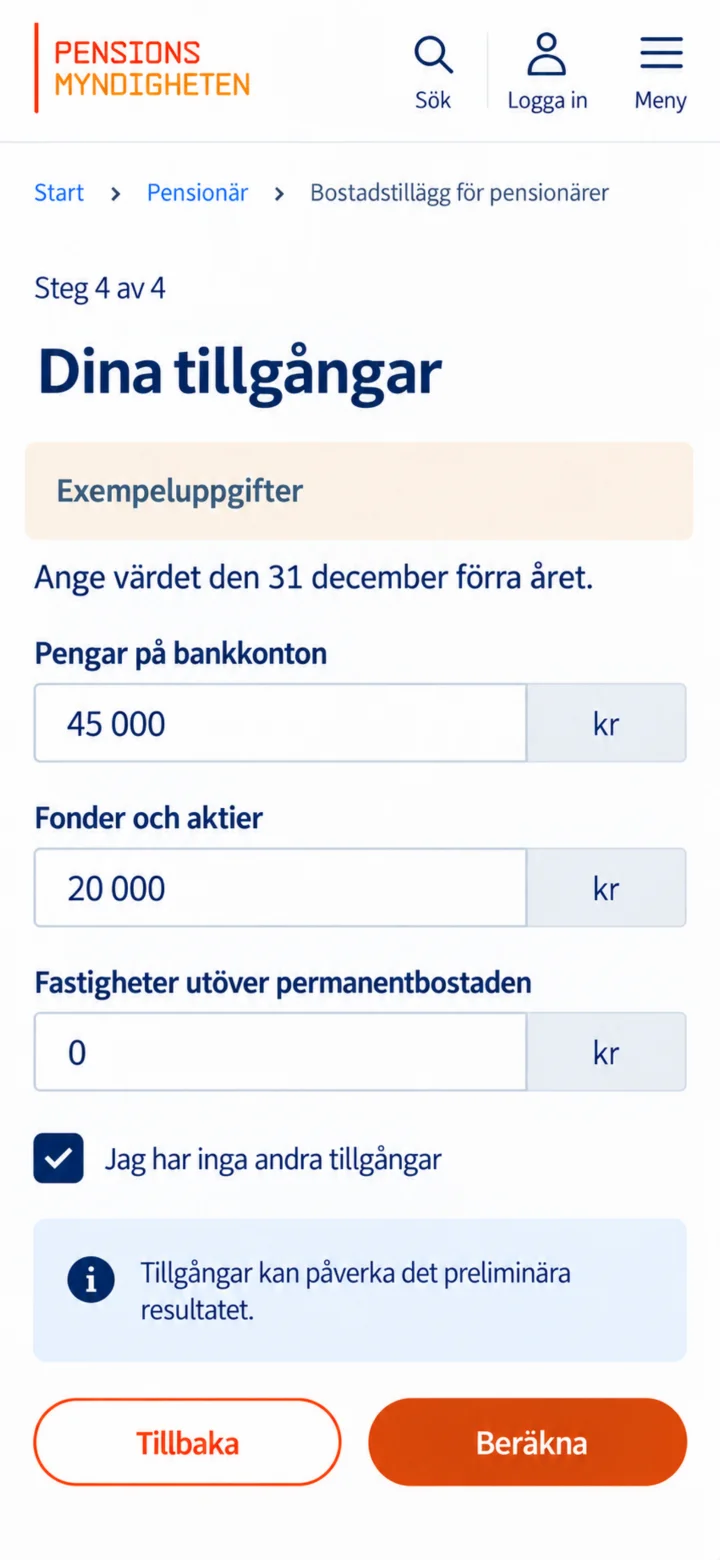
Fill in money in bank accounts, funds, stocks, and other assets. Then tap on ”Beräkna” (Calculate).
 6Step 6 of 6
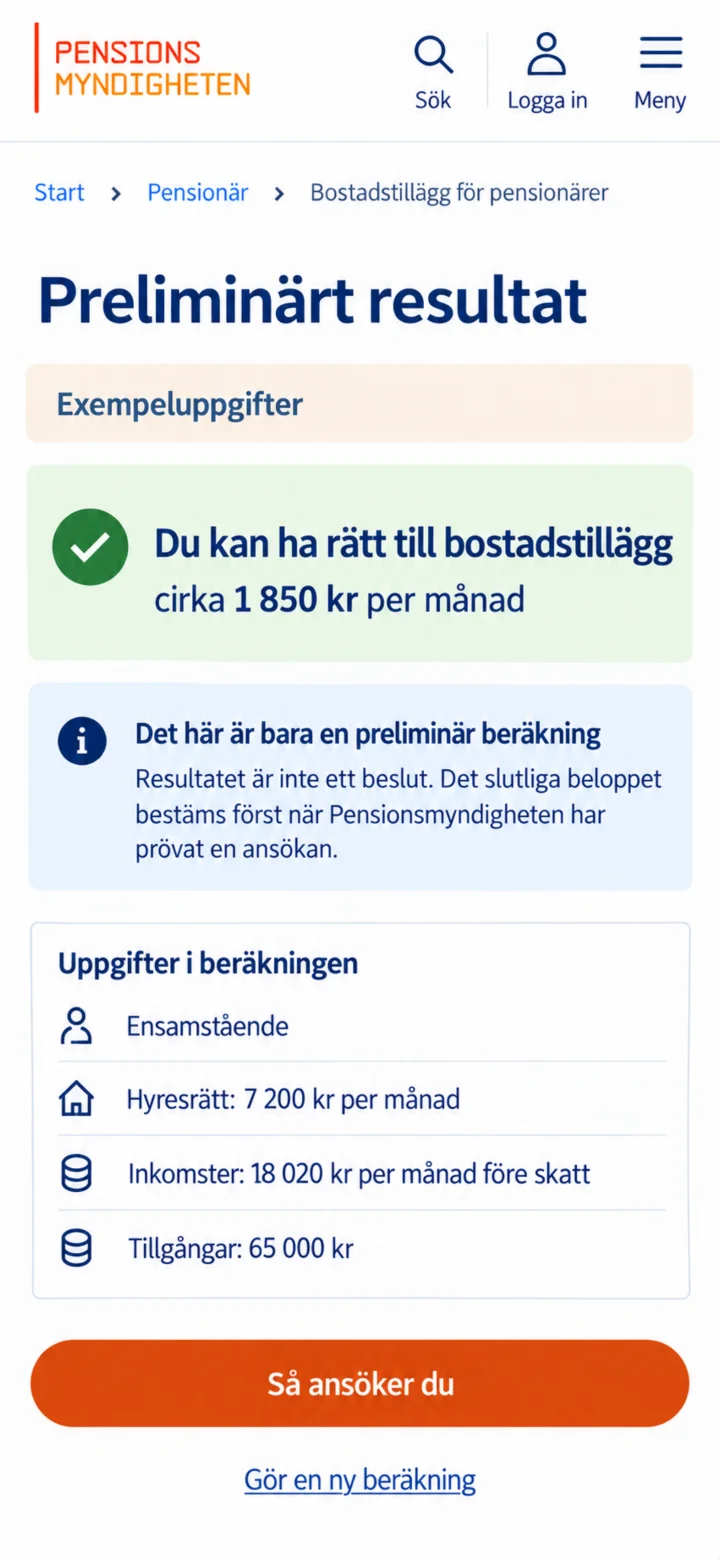
Now a preliminary result is shown. This is not a decision. The final amount is only determined once Pensionsmyndigheten (the Swedish Pensions Agency) has reviewed a proper application.