Print the guide and keep it next to your phone while you do the steps.
Tip: untick “Headers and footers” in the print dialog to leave out the web address.
How to pay with Swish
Pay and Swish
All phones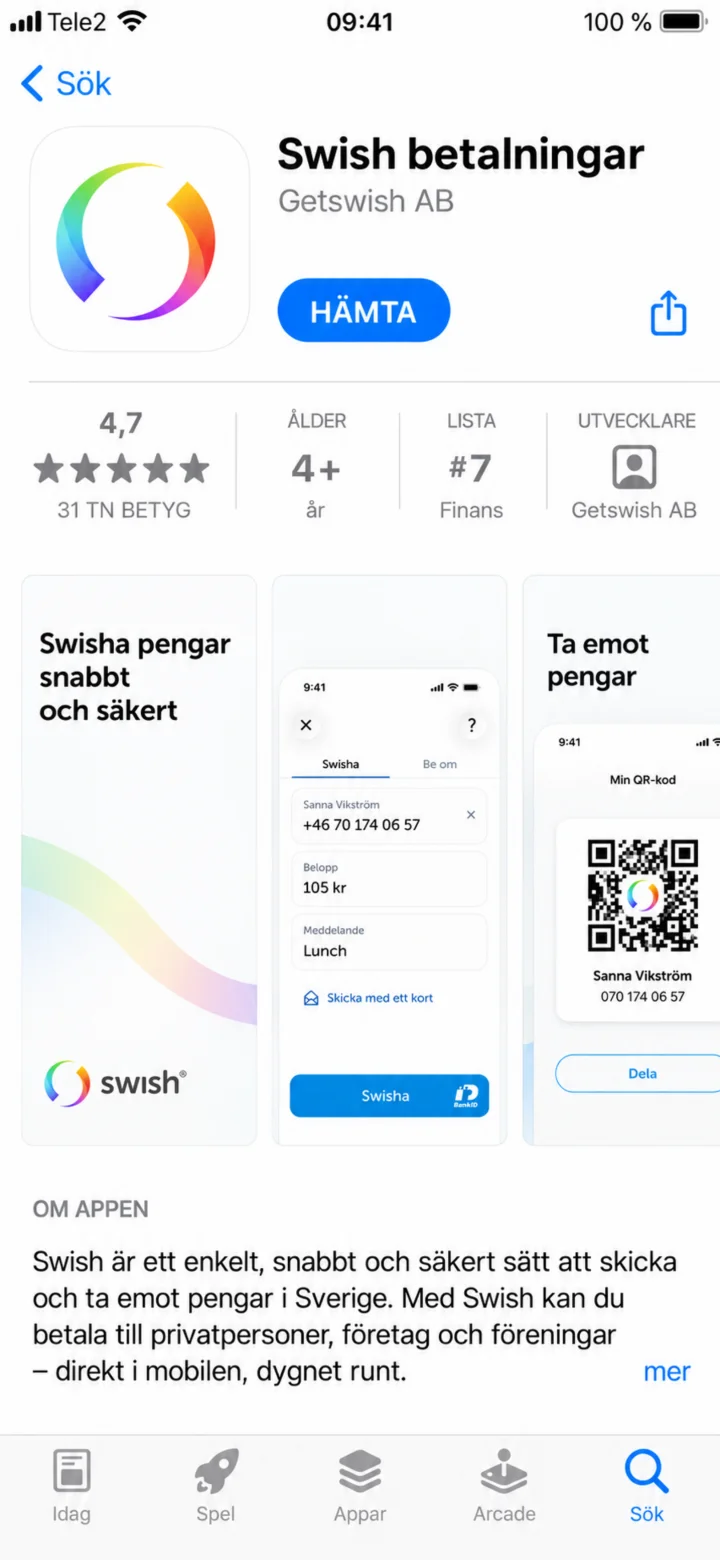 1Step 1 of 7
Hello! Here, I'll show you how to pay with Swish. You can pause whenever you like and play it again. Now, let's start by downloading the Swish app. Press the blue button that says ”HÄMTA” (GET).
 2Step 2 of 7
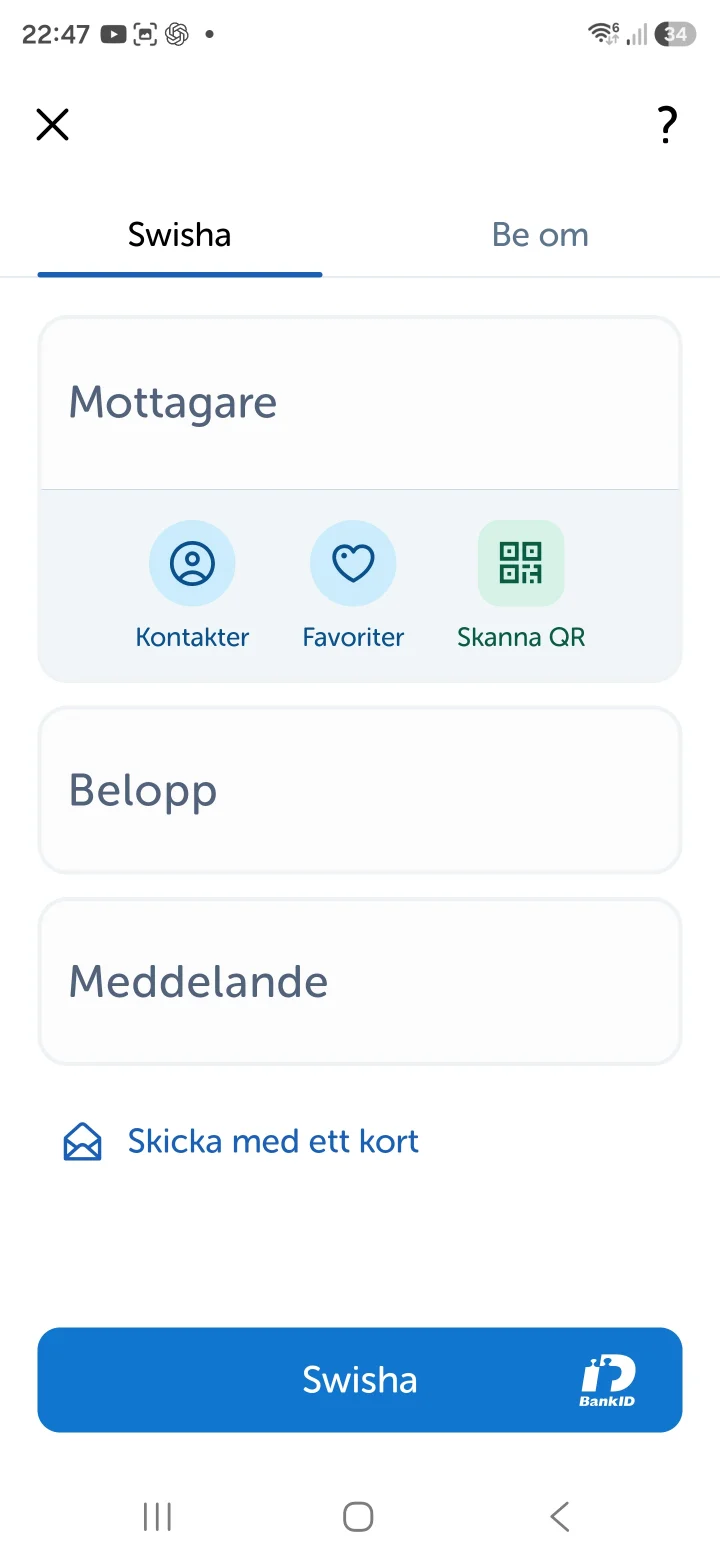
Now you're inside the Swish app. To send money, you need to fill in who you're sending it to. Press the field that says ”Namn eller telefonnummer” (Name or phone number).
 3Step 3 of 7
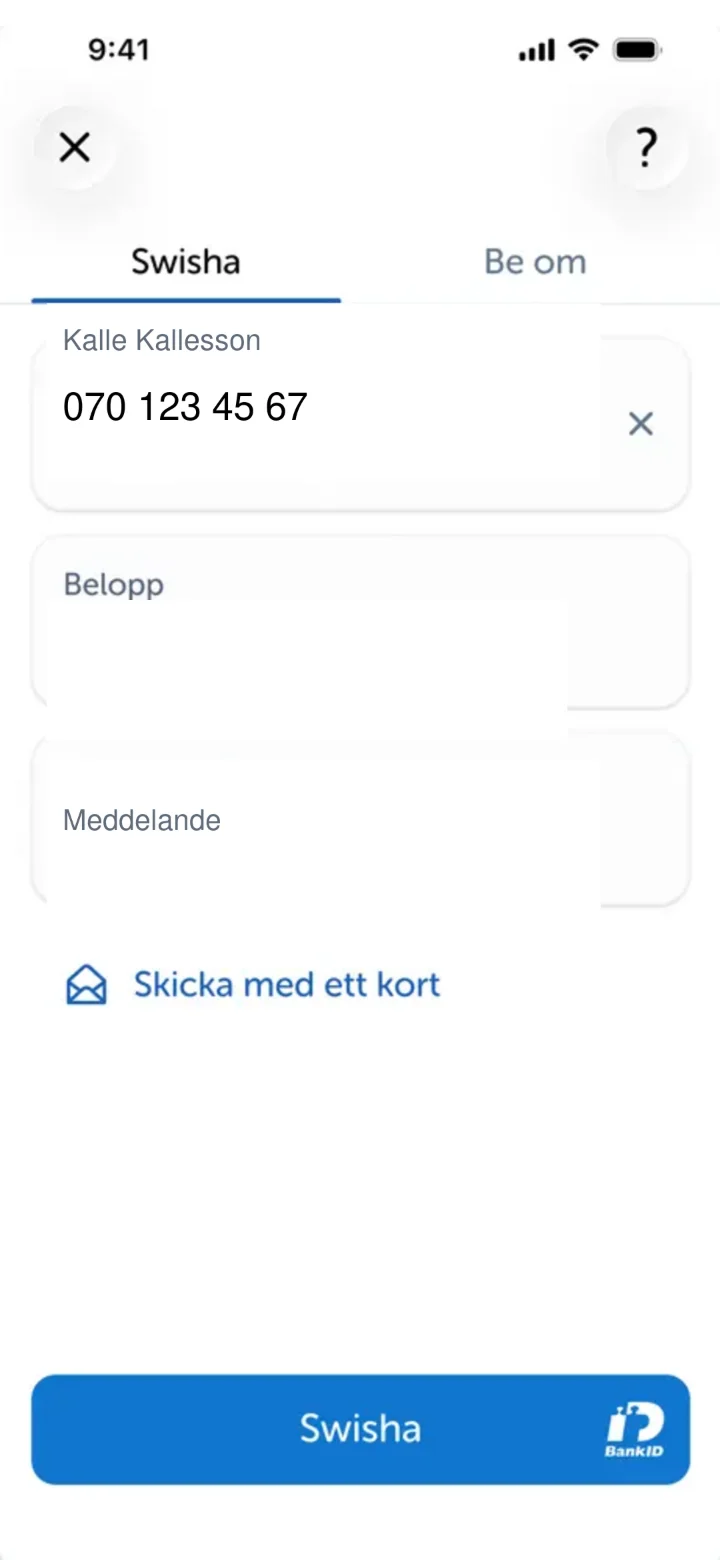
Now we've filled in the recipient's name and phone number. The next step is to fill in how much money you want to send. Press the field that says ”Belopp” (Amount).
 4Step 4 of 7
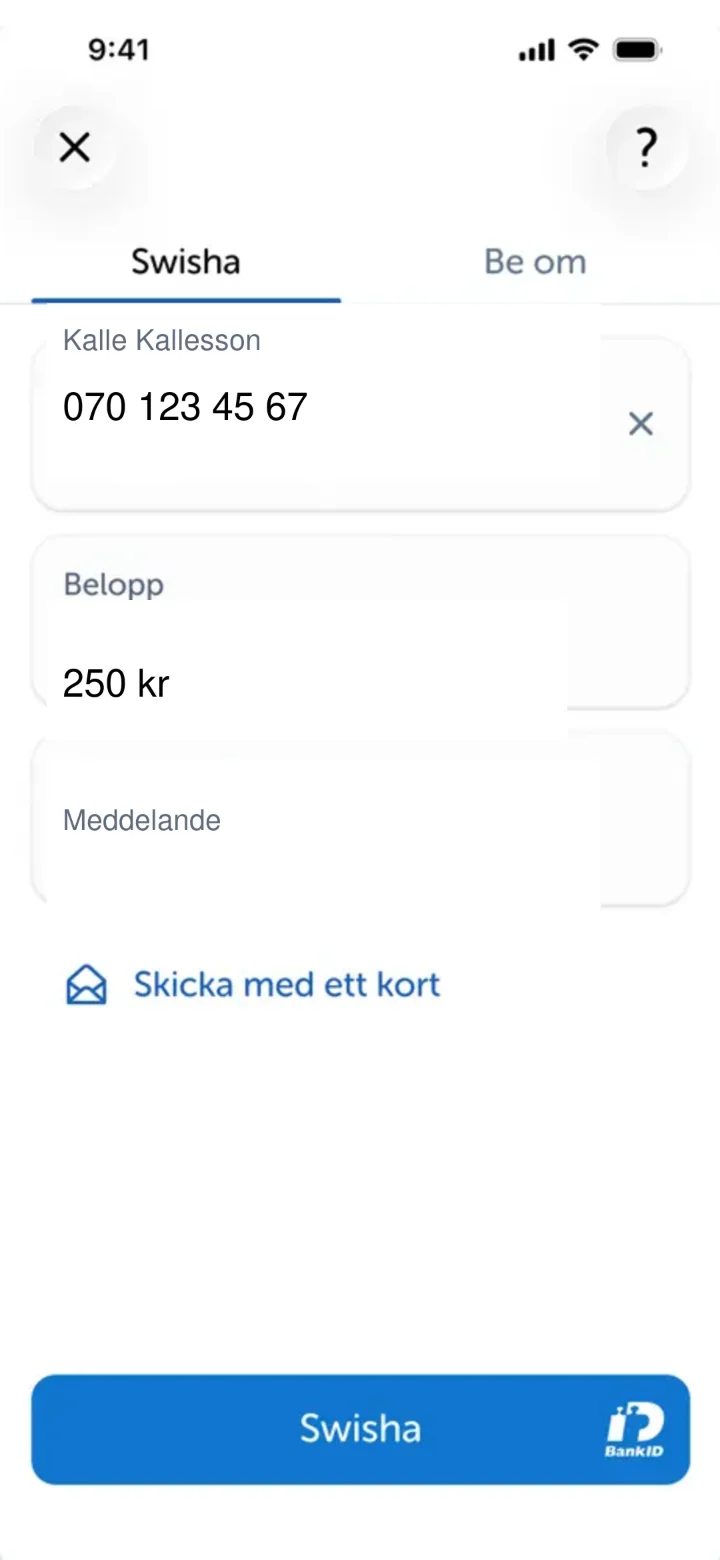
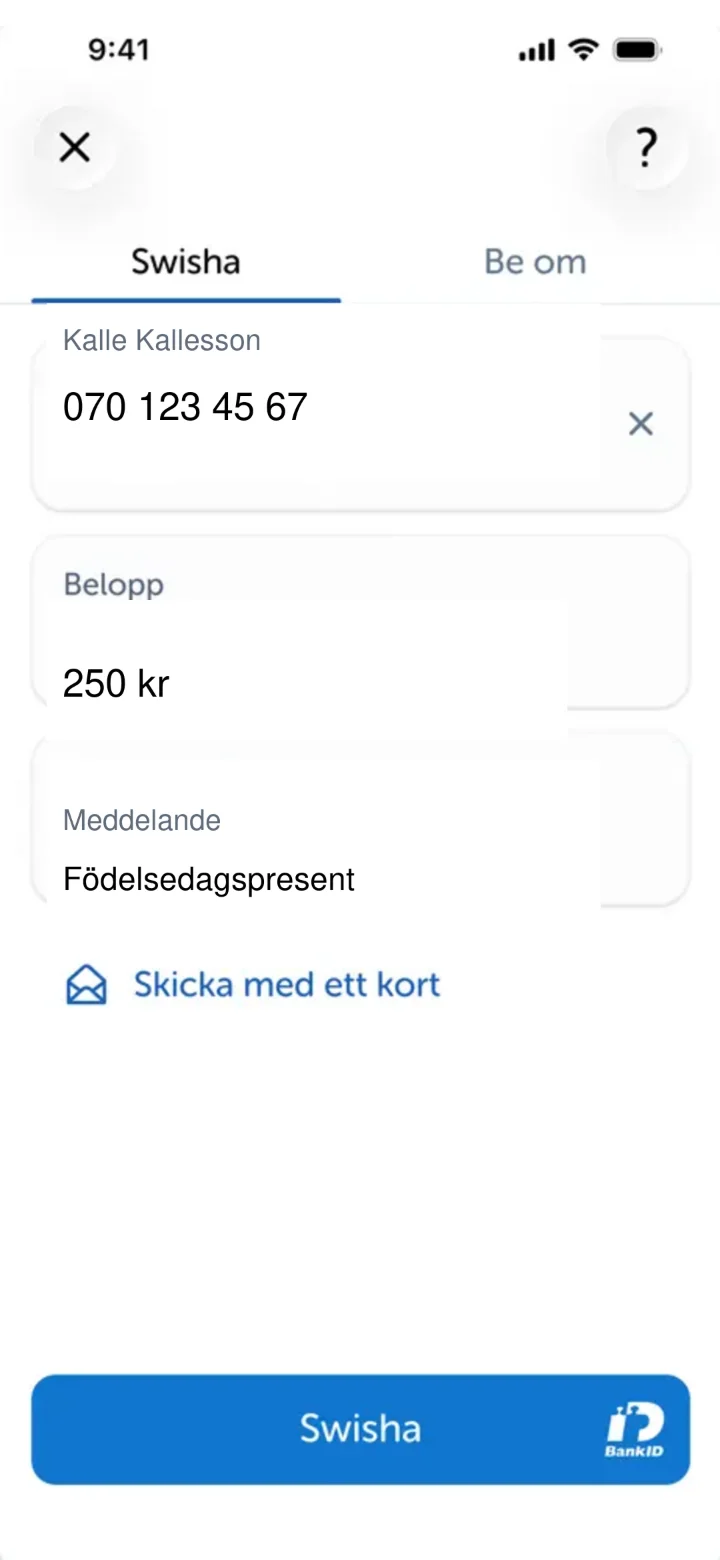
Now we've entered the amount, 250 kronor. If you like, you can add a message for the recipient. Press the field that says ”Meddelande” (Message).
 5Step 5 of 7
We have now filled in the message 'Födelsedagspresent' (Birthday gift). Now it's time to send the money. Press the blue button at the bottom that says ”Swisha” (Swish it).
 6Step 6 of 7
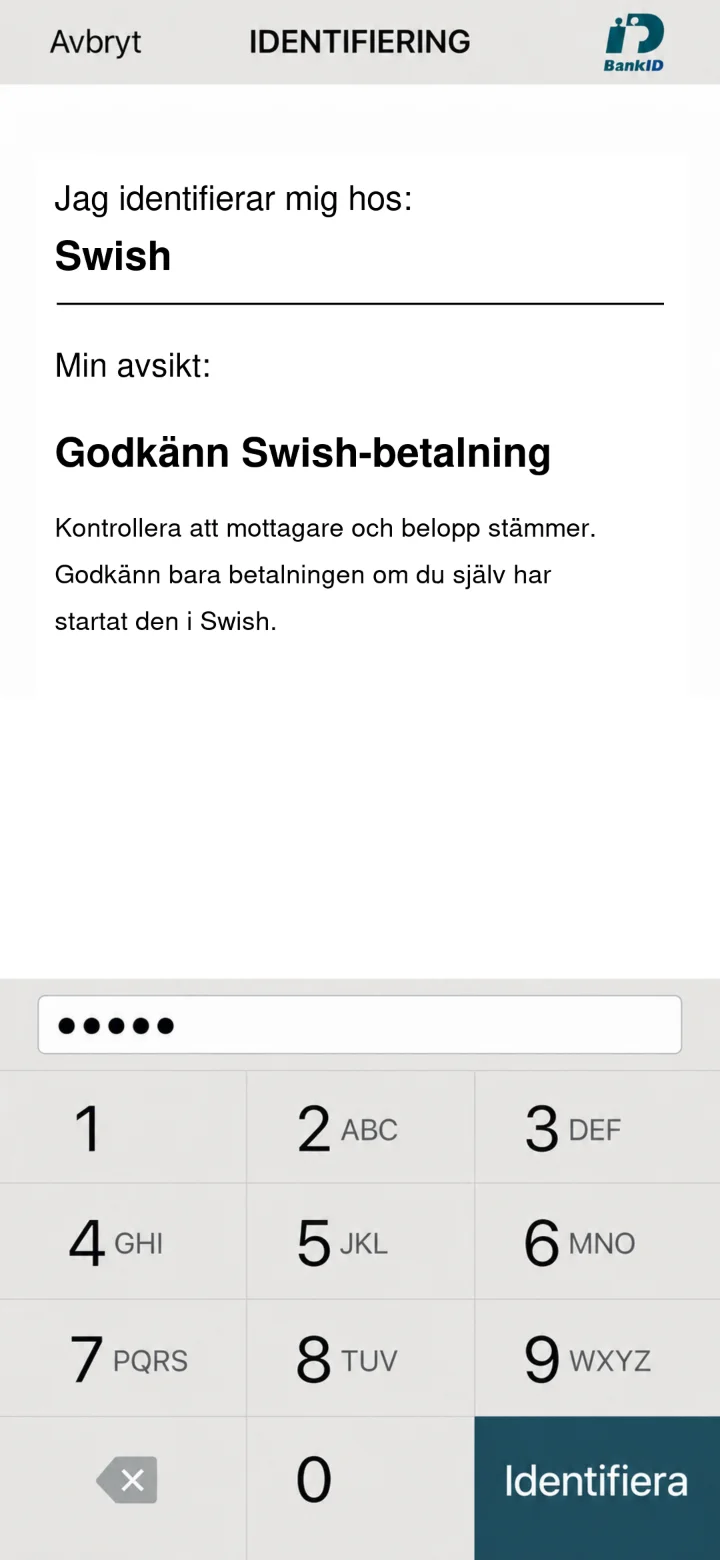
Now you need to approve the payment with your security code for BankID. Enter your code using the numbers on the screen and then press the green button ”Identifiera” (Identify).
 7Step 7 of 7
Congratulations! Your payment has been sent. You'll see a green screen with a checkmark confirming that everything is done. Done! Now you've sent money with Swish.