Print the guide and keep it next to your phone while you do the steps.
Tip: untick “Headers and footers” in the print dialog to leave out the web address.
Order a prescription medicine
Healthcare and 1177
All phones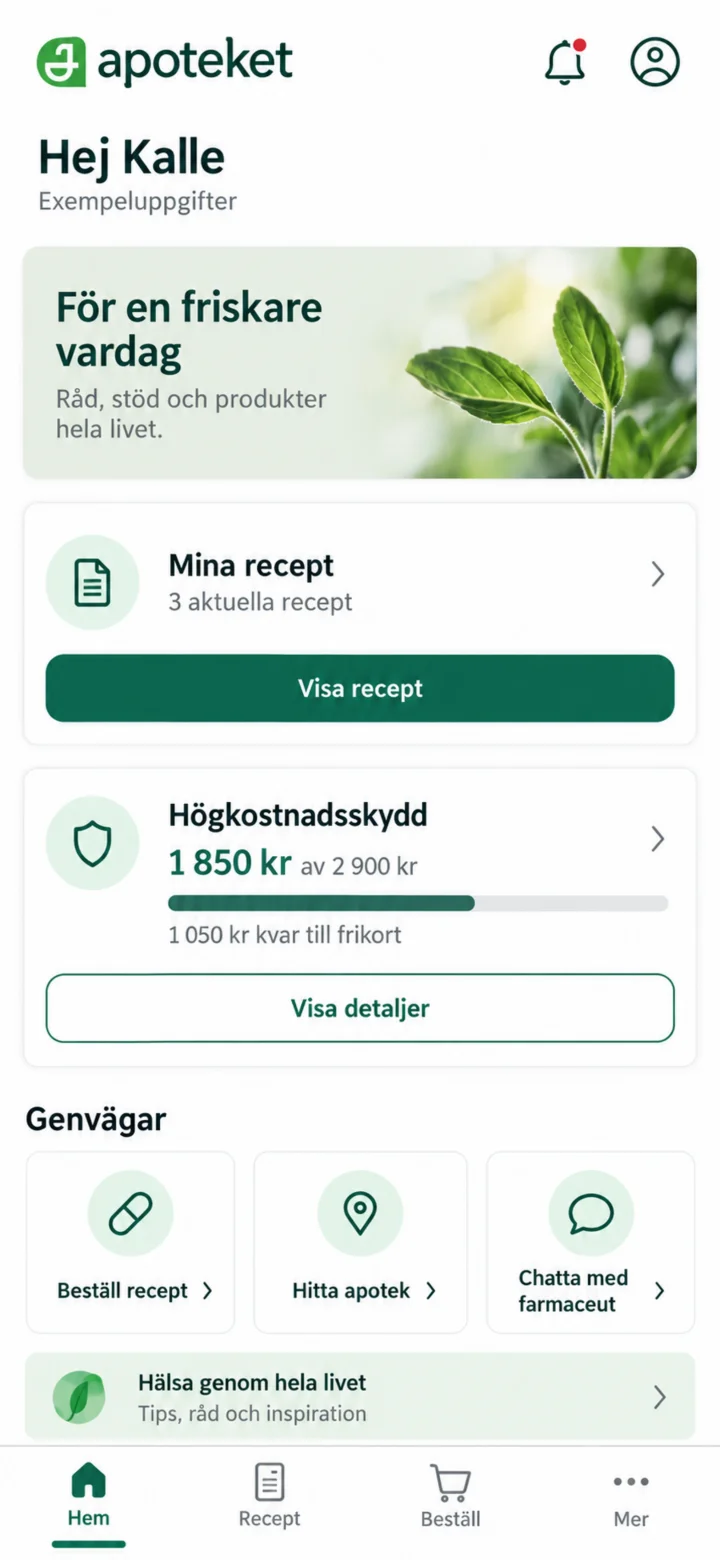 1Step 1 of 7
Log in to the Apoteket app and open ”Mina recept” (My prescriptions).
 2Step 2 of 7
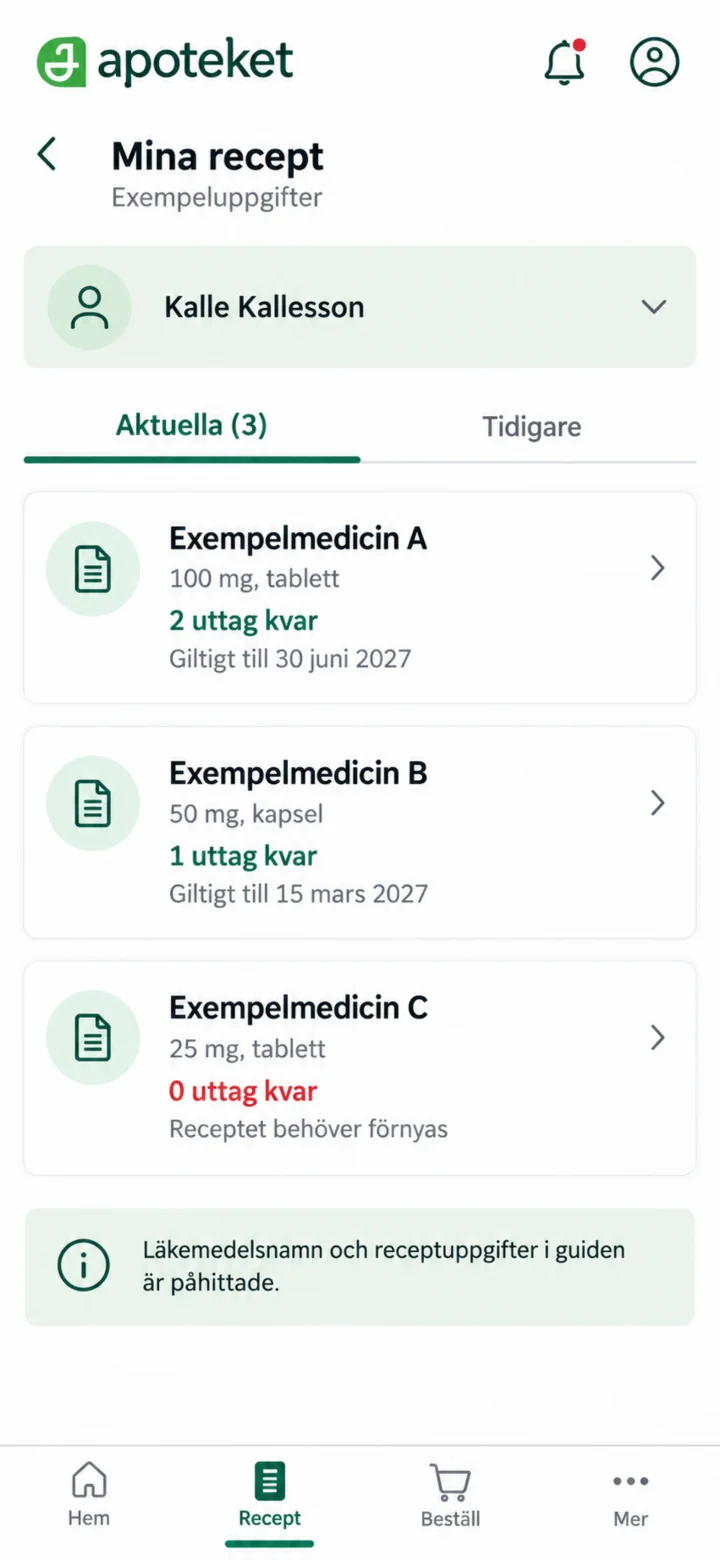
Check the name of the medicine and choose the prescription you want to use.
 3Step 3 of 7
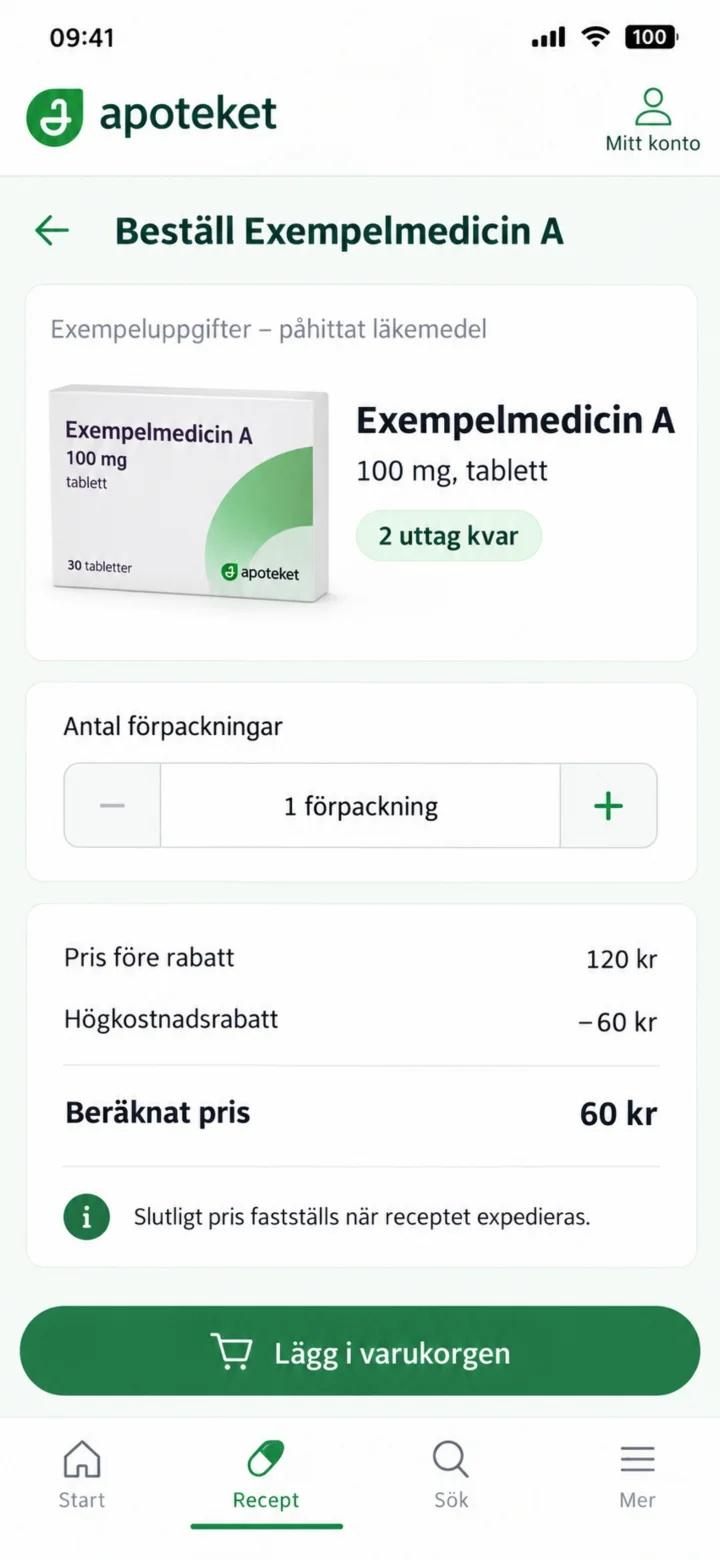
Check the number of withdrawals, number of packages, and estimated price. Then, tap ”Lägg i varukorgen” (Add to cart).
 4Step 4 of 7
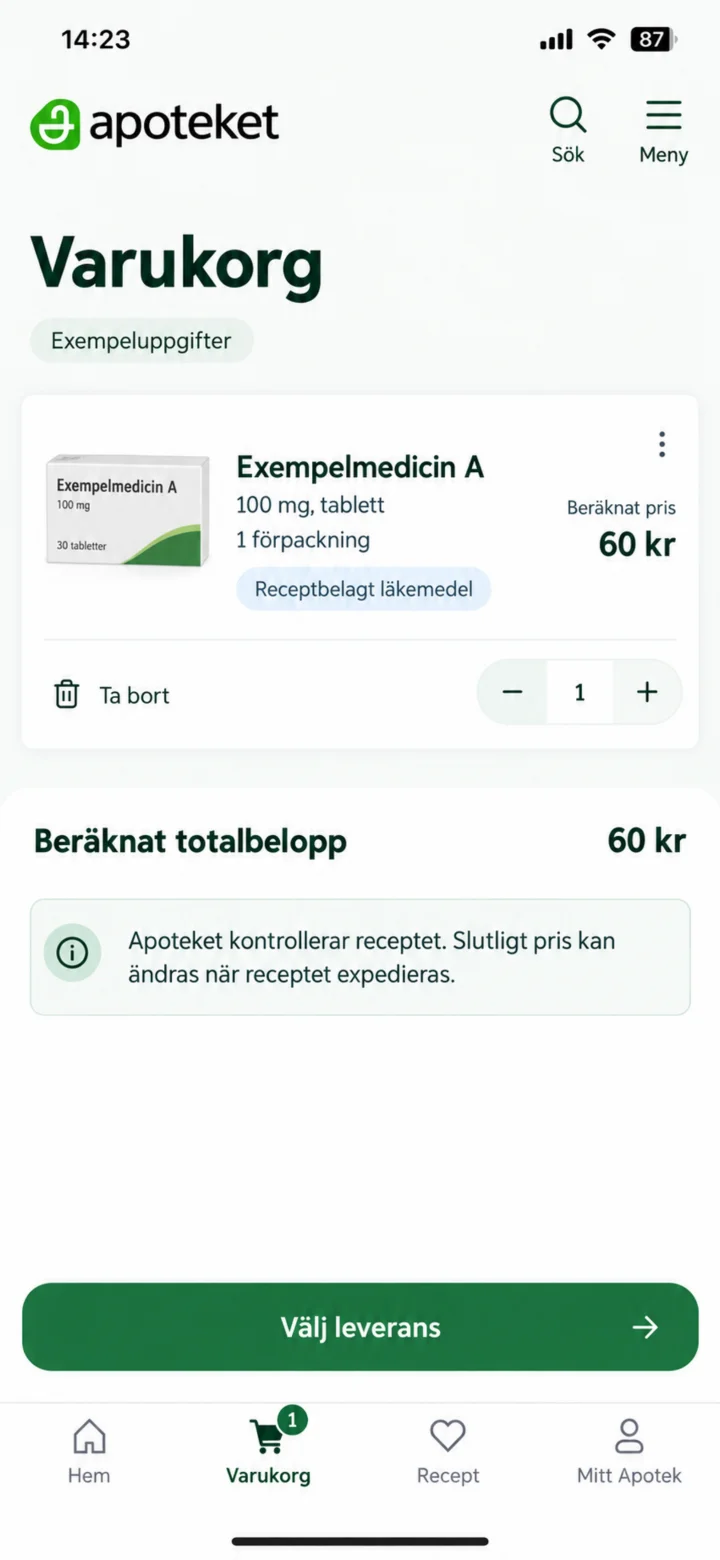
Check the medicine, quantity, and estimated total amount. Then, choose ”leverans” (delivery).
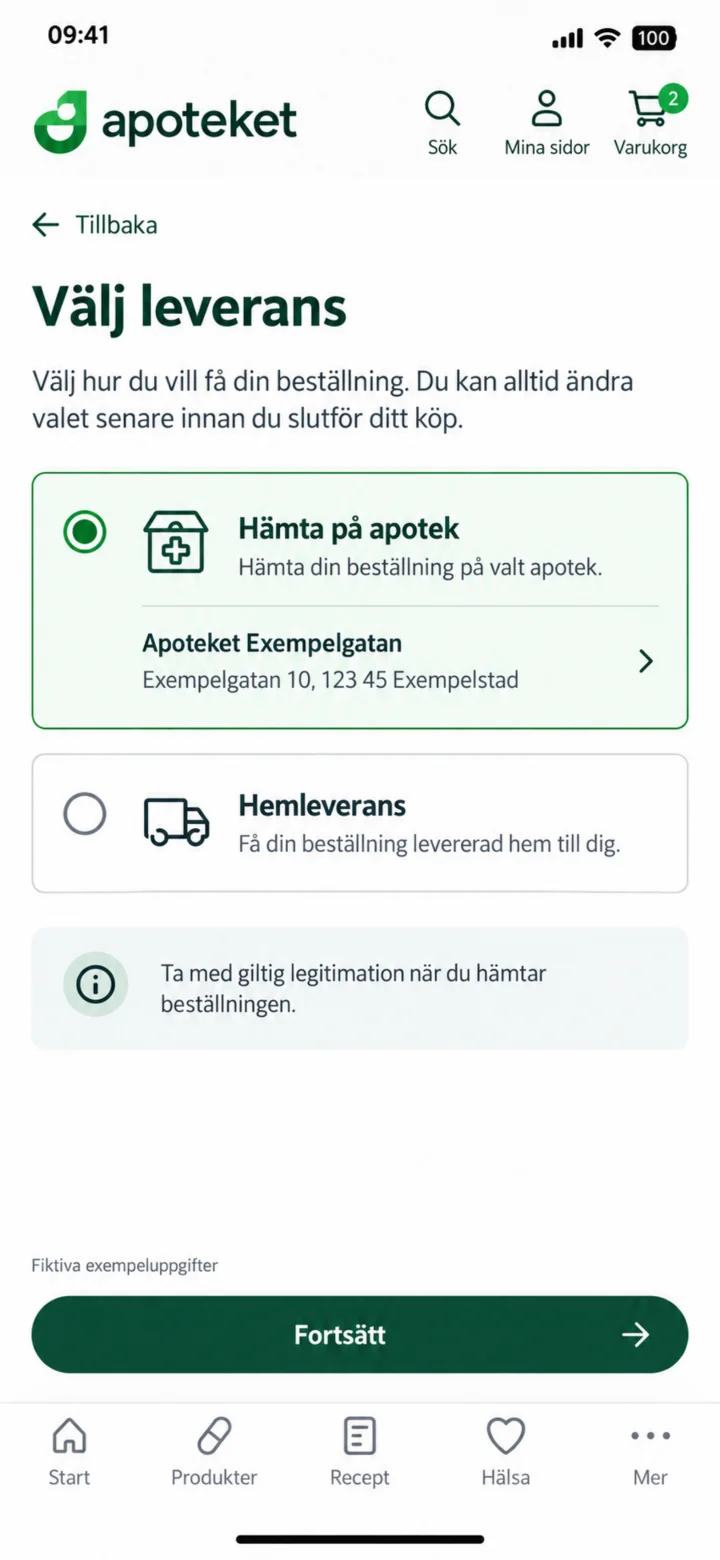 5Step 5 of 7
Välj hur du vill få beställningen. I exemplet hämtas den på ett fiktivt apotek.
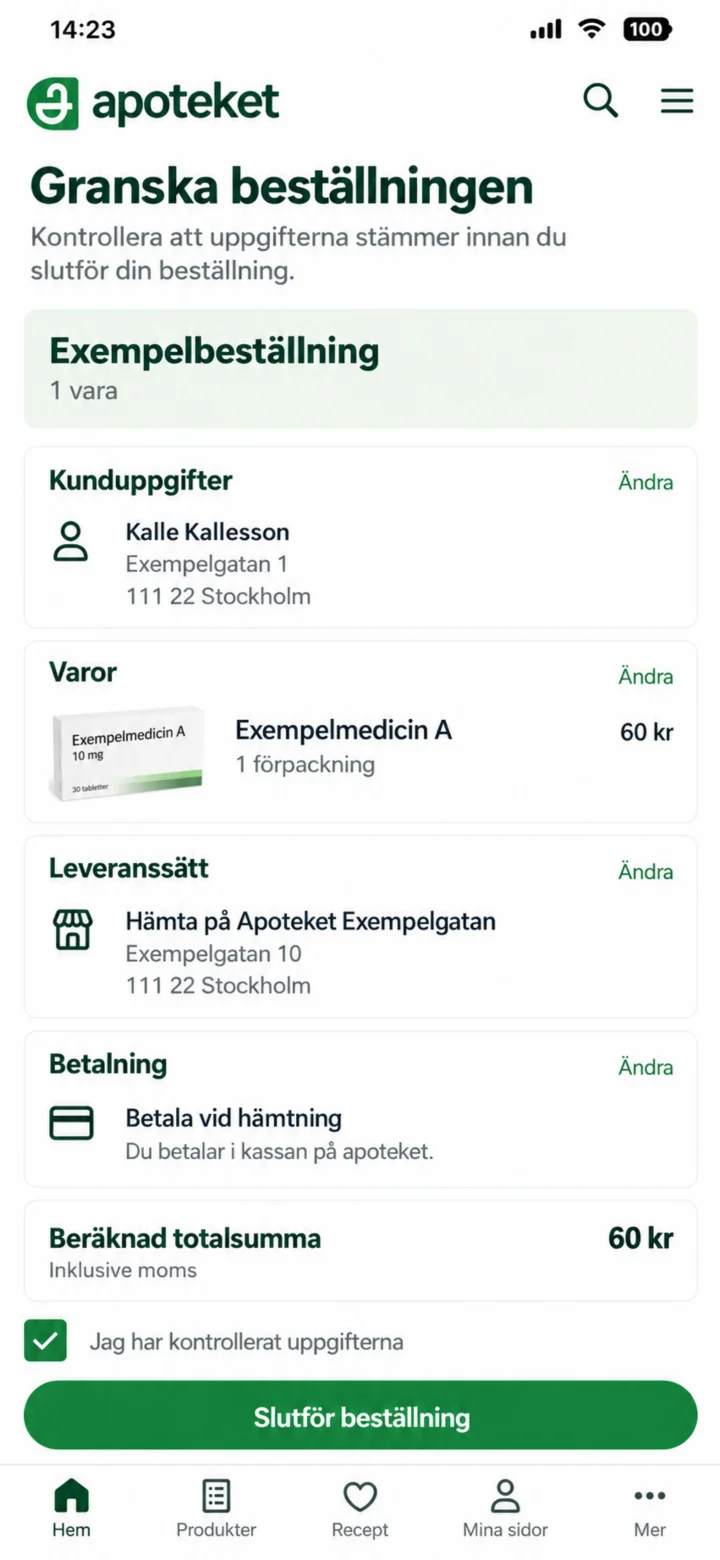 6Step 6 of 7
Check your customer details, item, delivery, payment, and total sum before you complete the order.
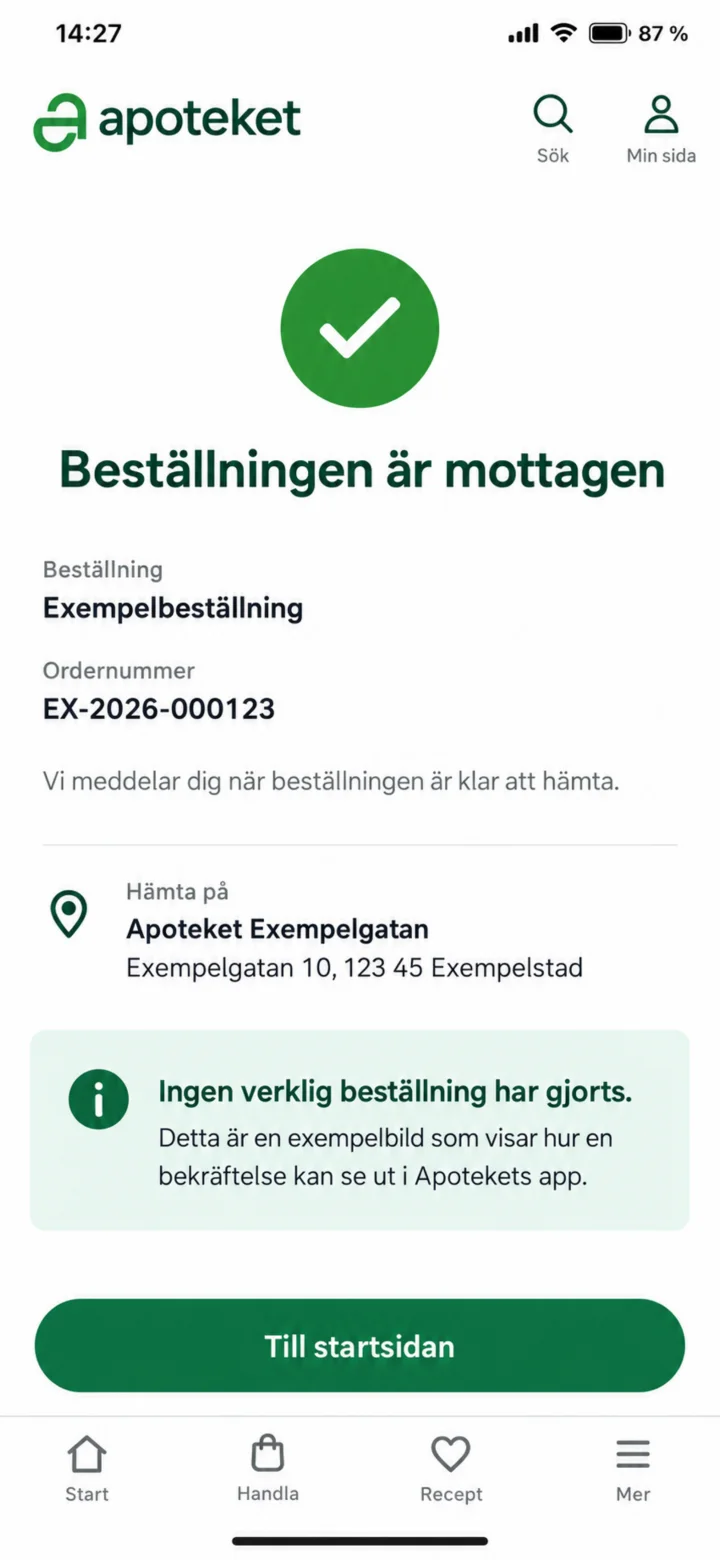 7Step 7 of 7
The confirmation shows that your order has been received. No actual order has been placed in this guide.