Print the guide and keep it next to your phone while you do the steps.
Tip: untick “Headers and footers” in the print dialog to leave out the web address.
Get Min myndighetspost and read government mail
Pension and authorities
All phones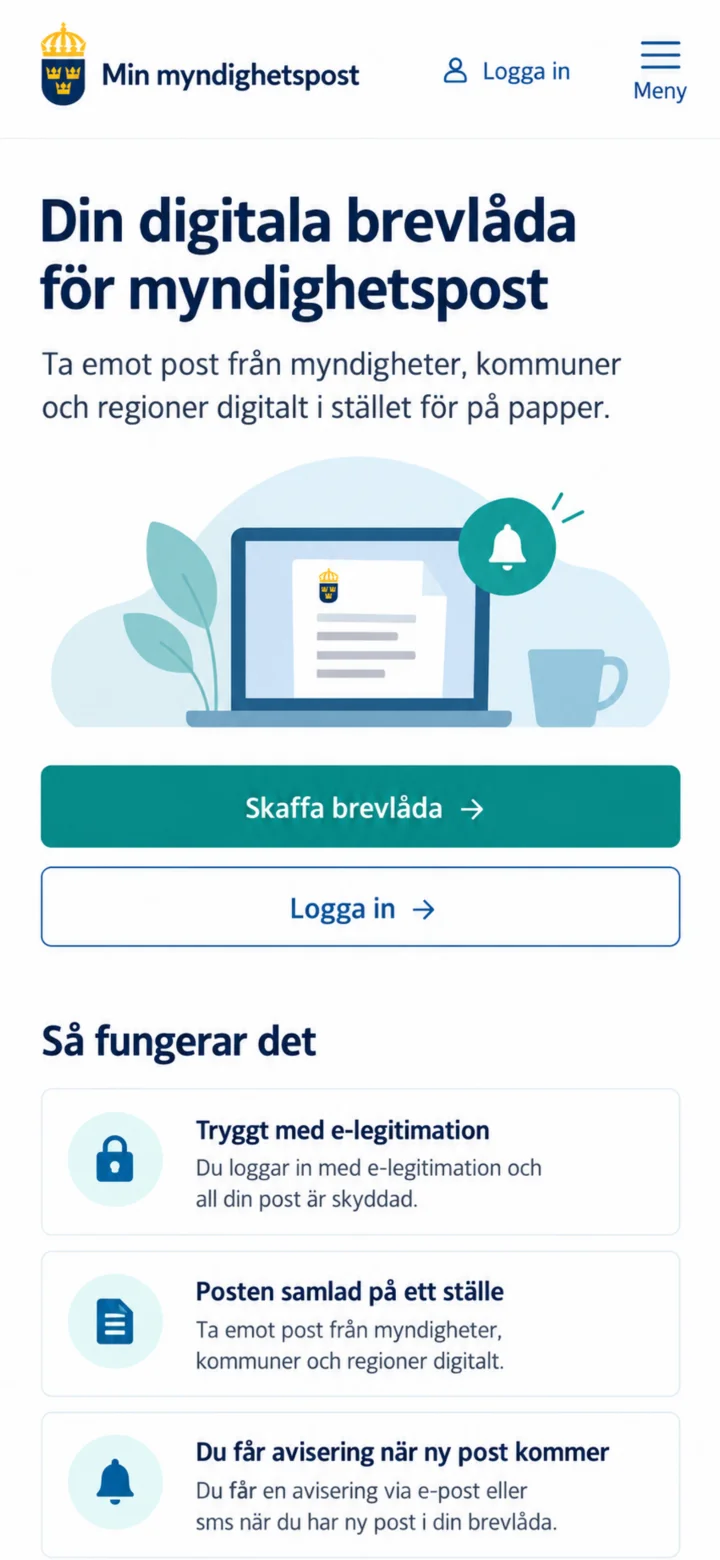 1Step 1 of 7
Open minmyndighetspost.se and tap on ”Skaffa brevlåda” (Get mailbox).
 2Step 2 of 7
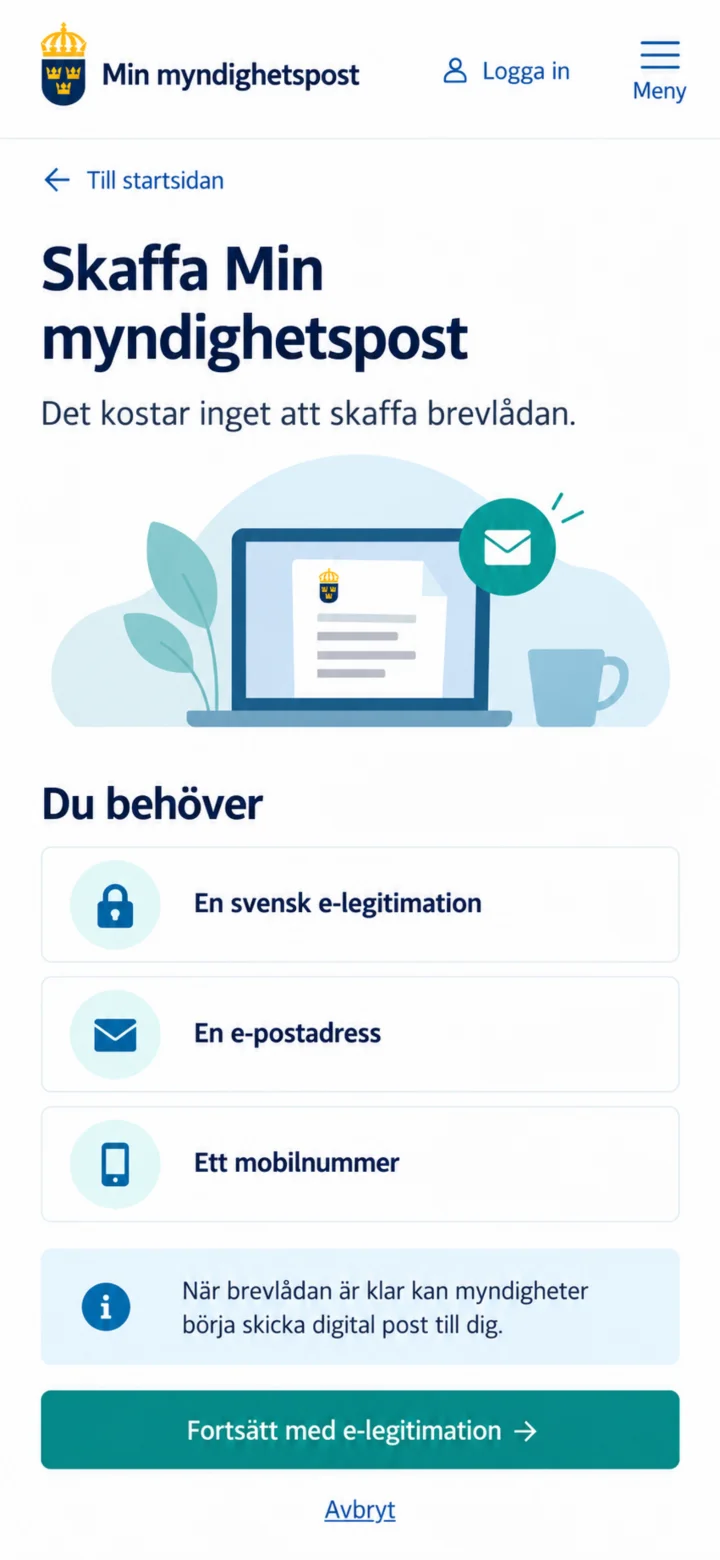
You will need a Swedish e-identification, an email address, and a mobile number. Tap on ”Fortsätt med e-legitimation” (Continue with e-identification).
 3Step 3 of 7
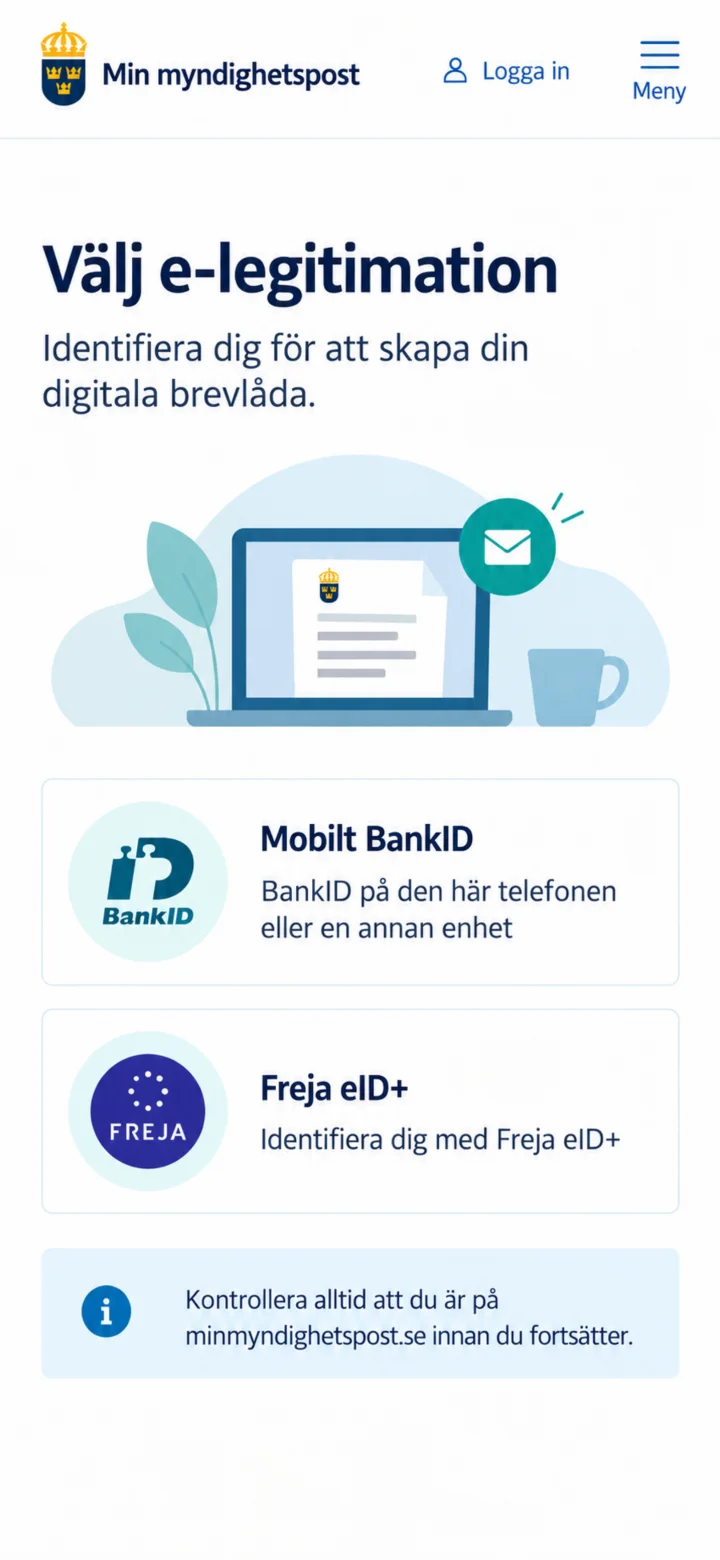
Choose Mobilt BankID. First, make sure you are on minmyndighetspost.se.
 4Step 4 of 7
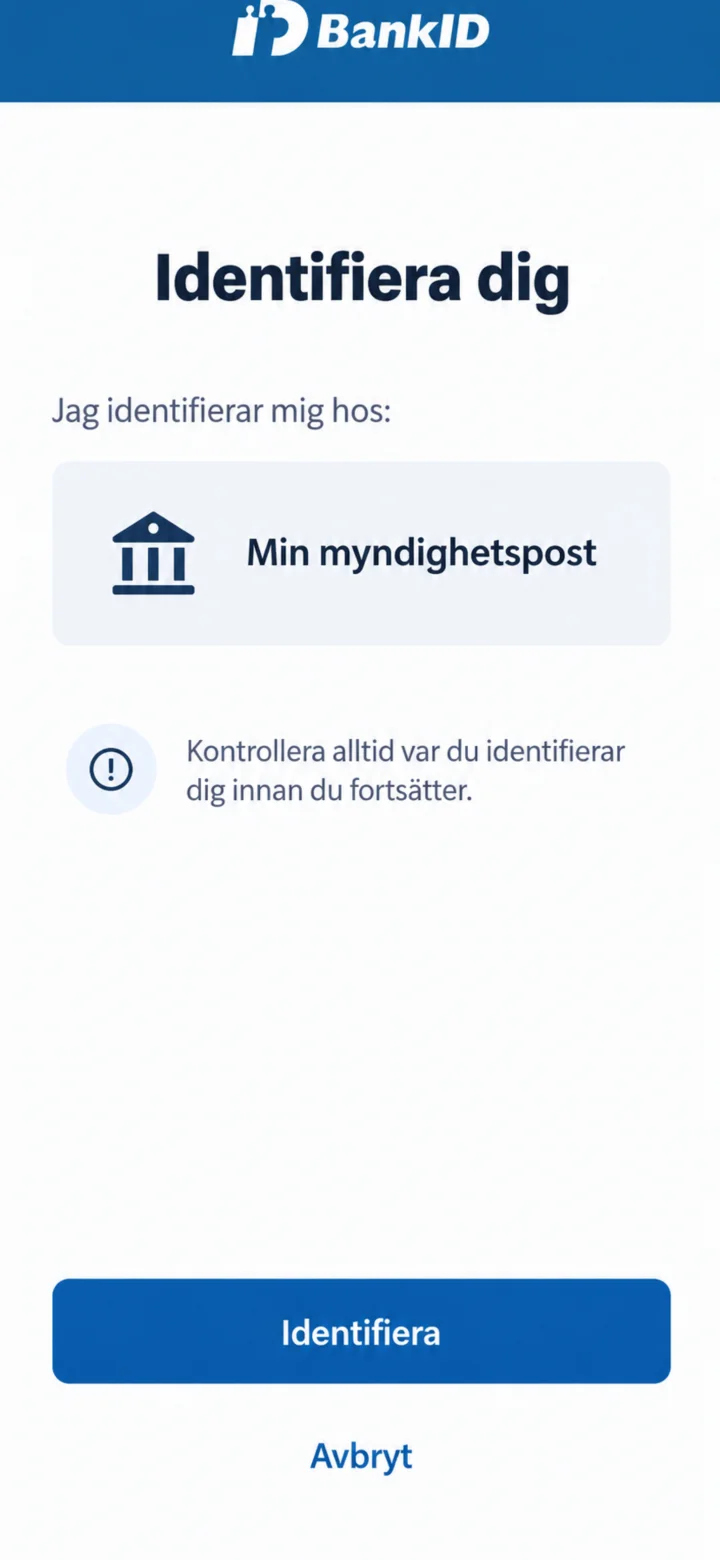
Check that it says Min myndighetspost in BankID. Then tap on ”Identifiera” (Identify).
 5Step 5 of 7
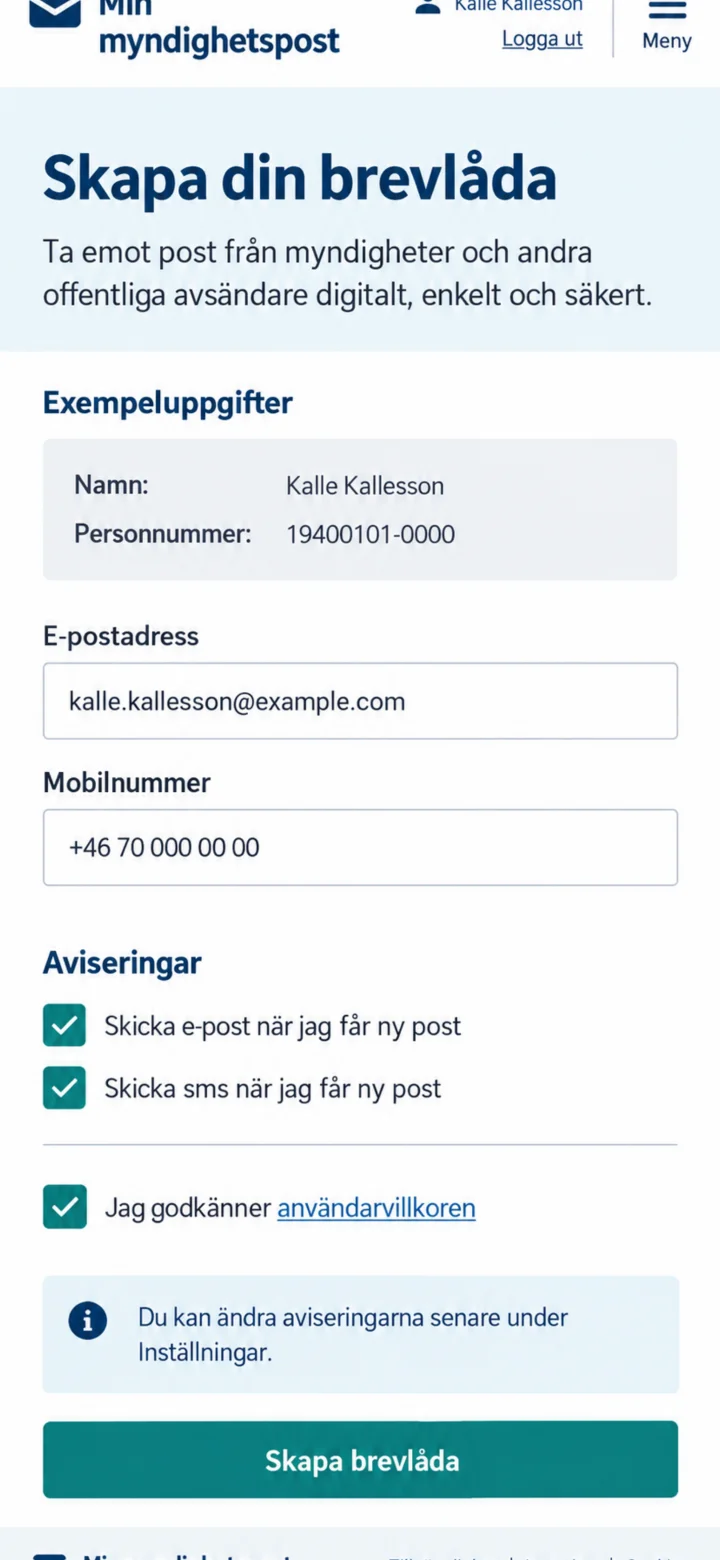
Fill in your email address and mobile number. Choose if you want to receive notifications via email and SMS, accept the terms and conditions, and tap on ”Skapa brevlåda” (Create mailbox).
 6Step 6 of 7
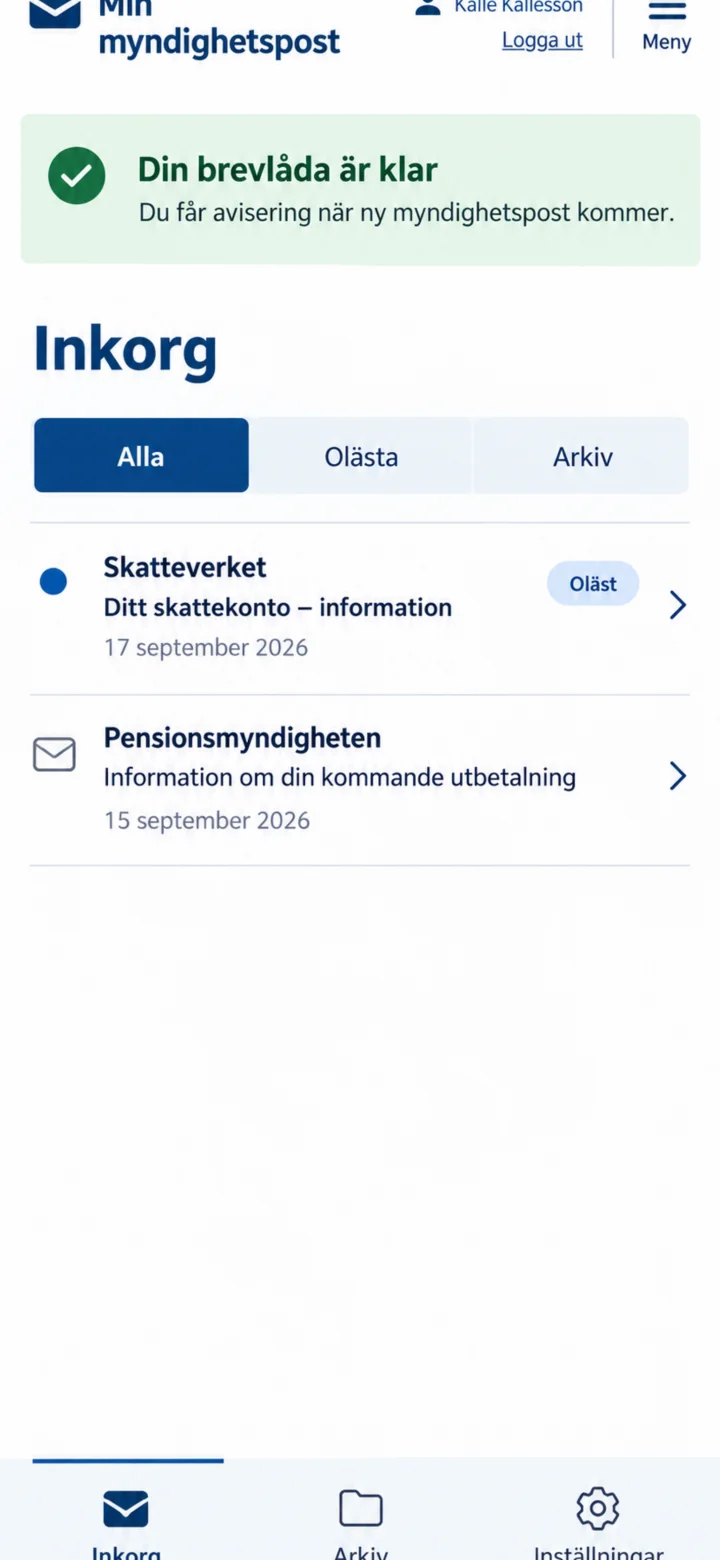
Once your mailbox is ready, your inbox will be displayed. New letters are marked as unread. Tap on the letter you want to read.
 7Step 7 of 7
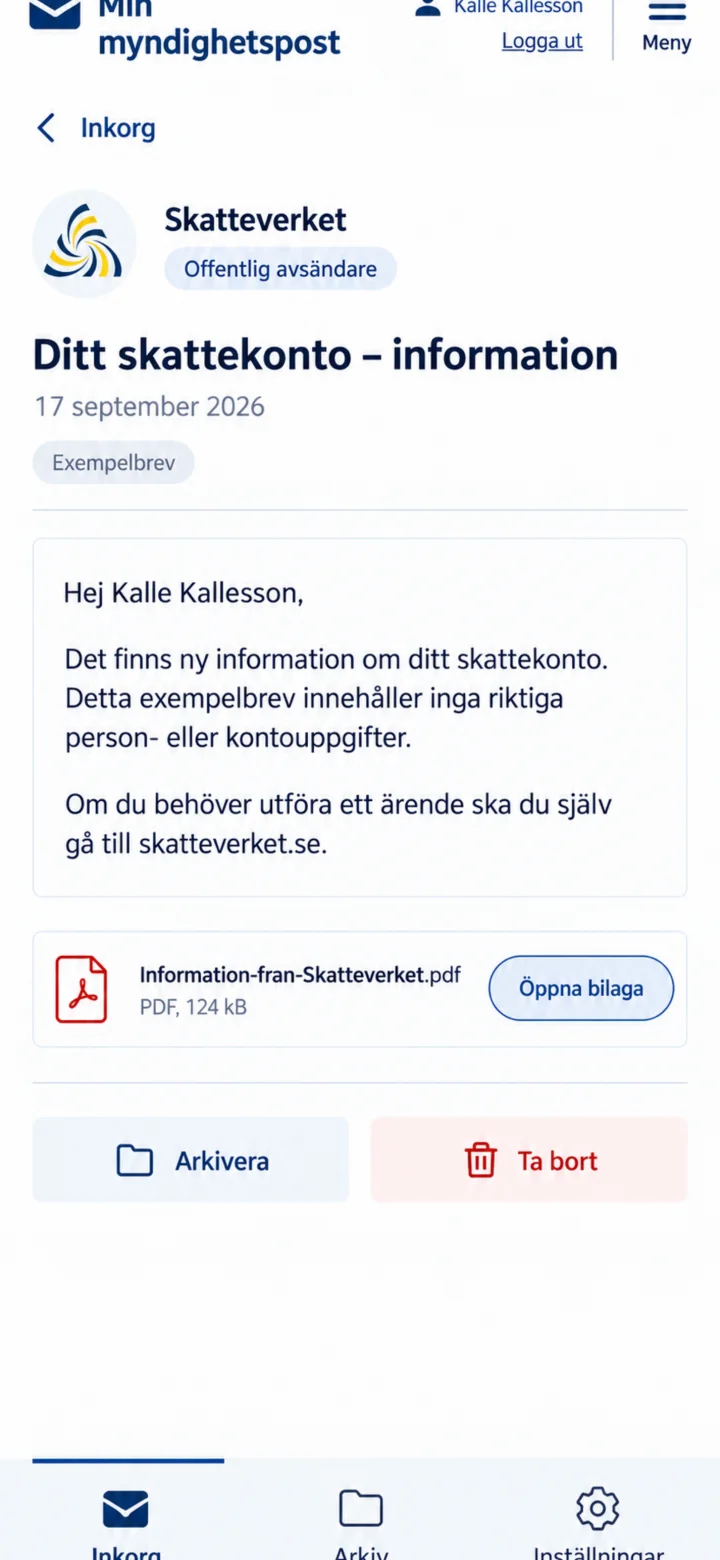
Check the sender and read the letter. If there is an attachment, you can tap on ”Öppna bilaga” (Open attachment). For government matters, you must go to the authority's website yourself.