Print the guide and keep it next to your phone while you do the steps.
Tip: untick “Headers and footers” in the print dialog to leave out the web address.
How to renew your prescription on 1177
Healthcare and 1177
All phones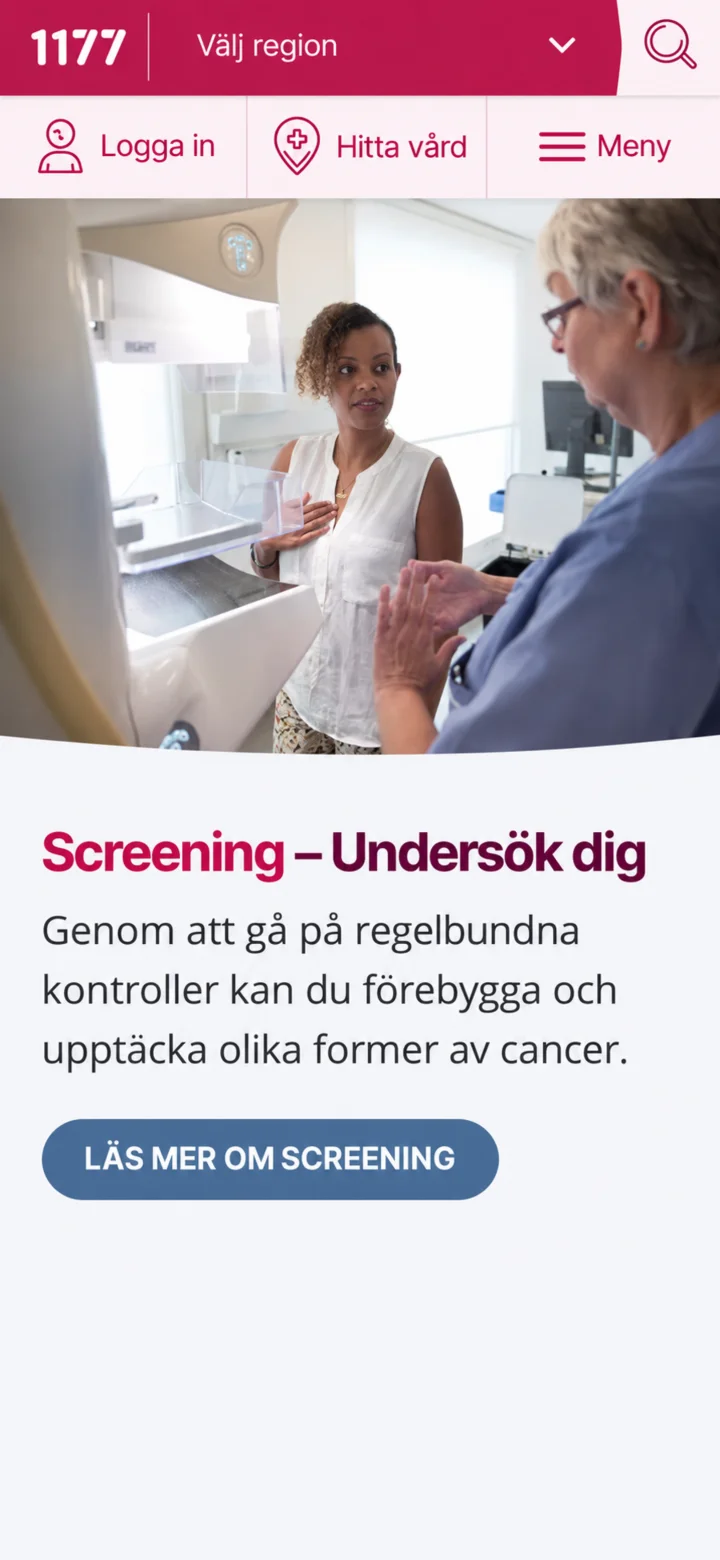 1Step 1 of 10
Open 1177 and tap ”Logga in” (Log in).
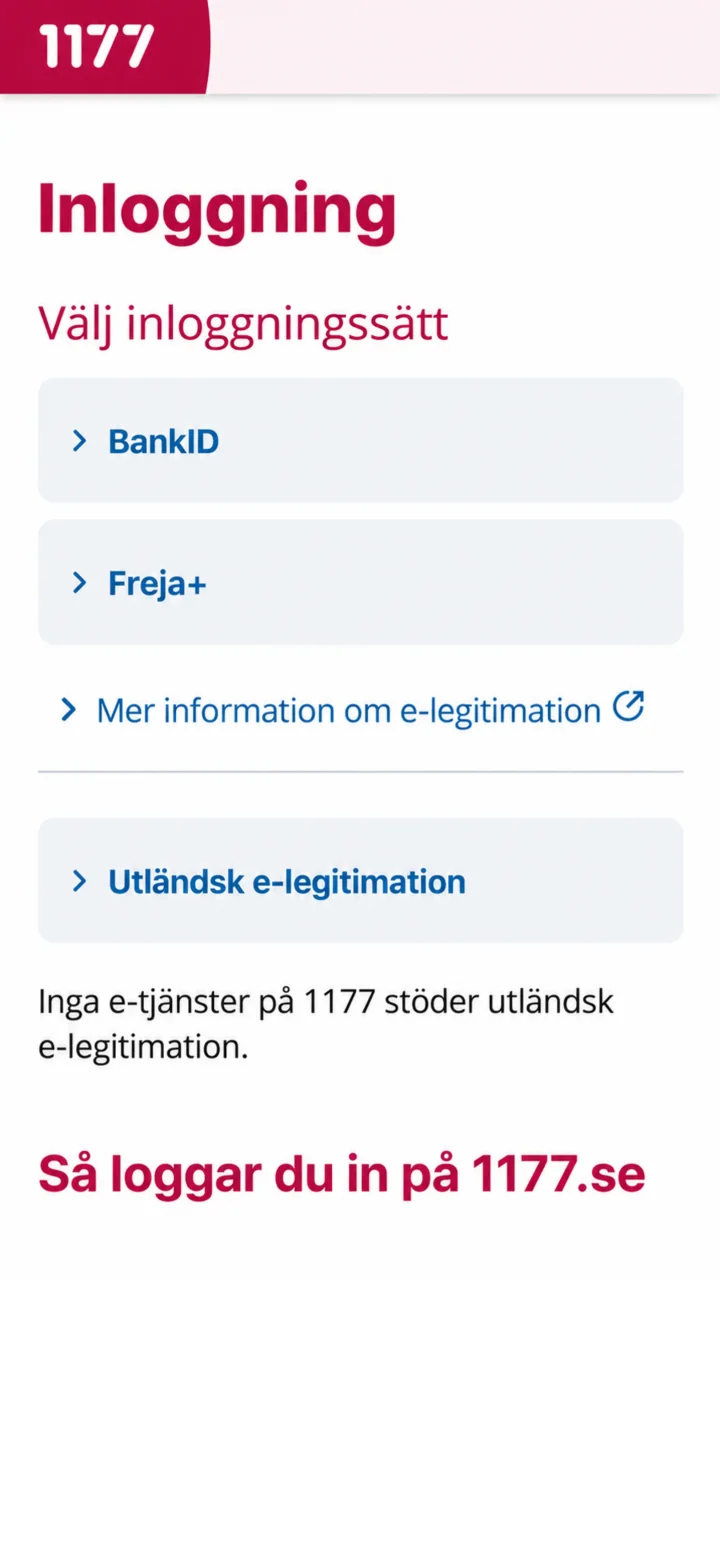 2Step 2 of 10
Choose BankID as your login method.
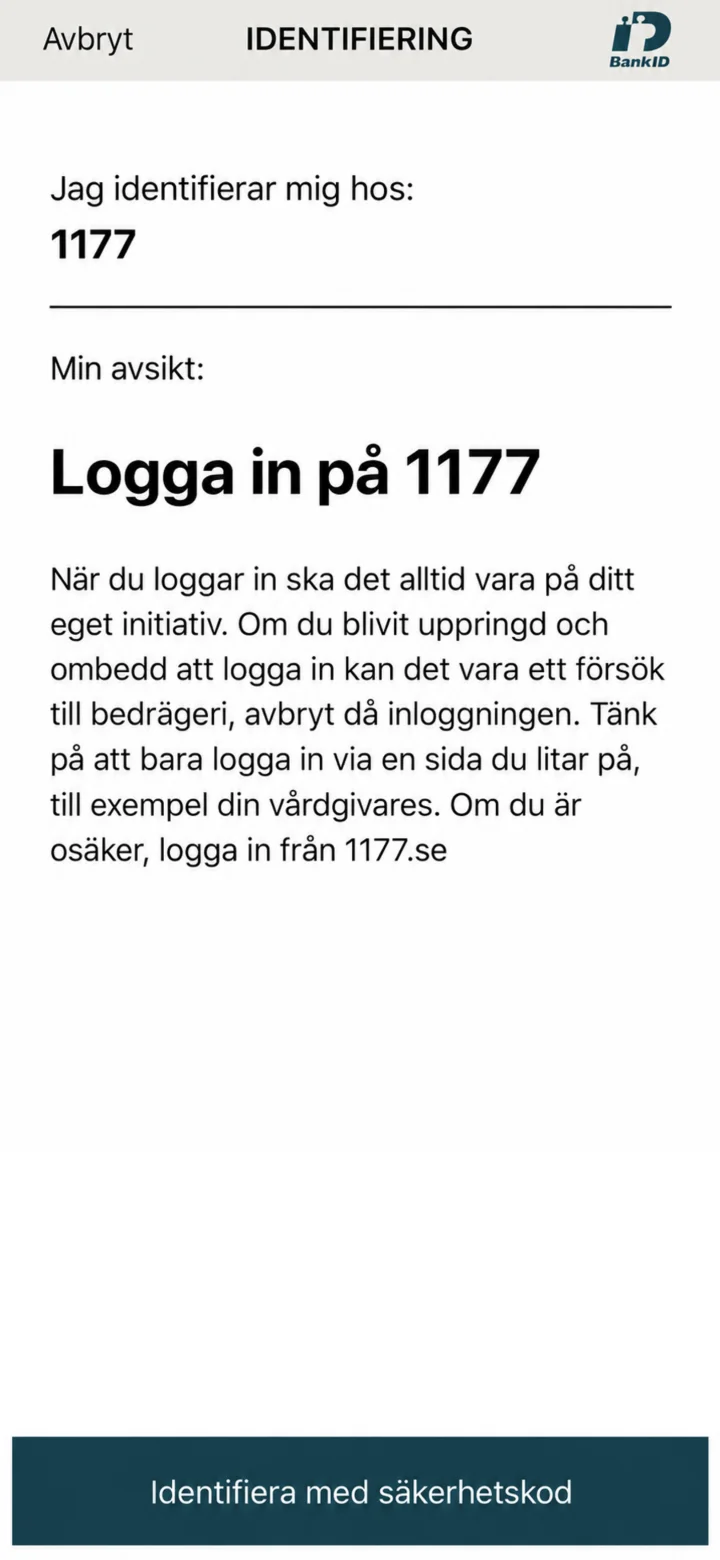 3Step 3 of 10
Check that the identification is for 1177.
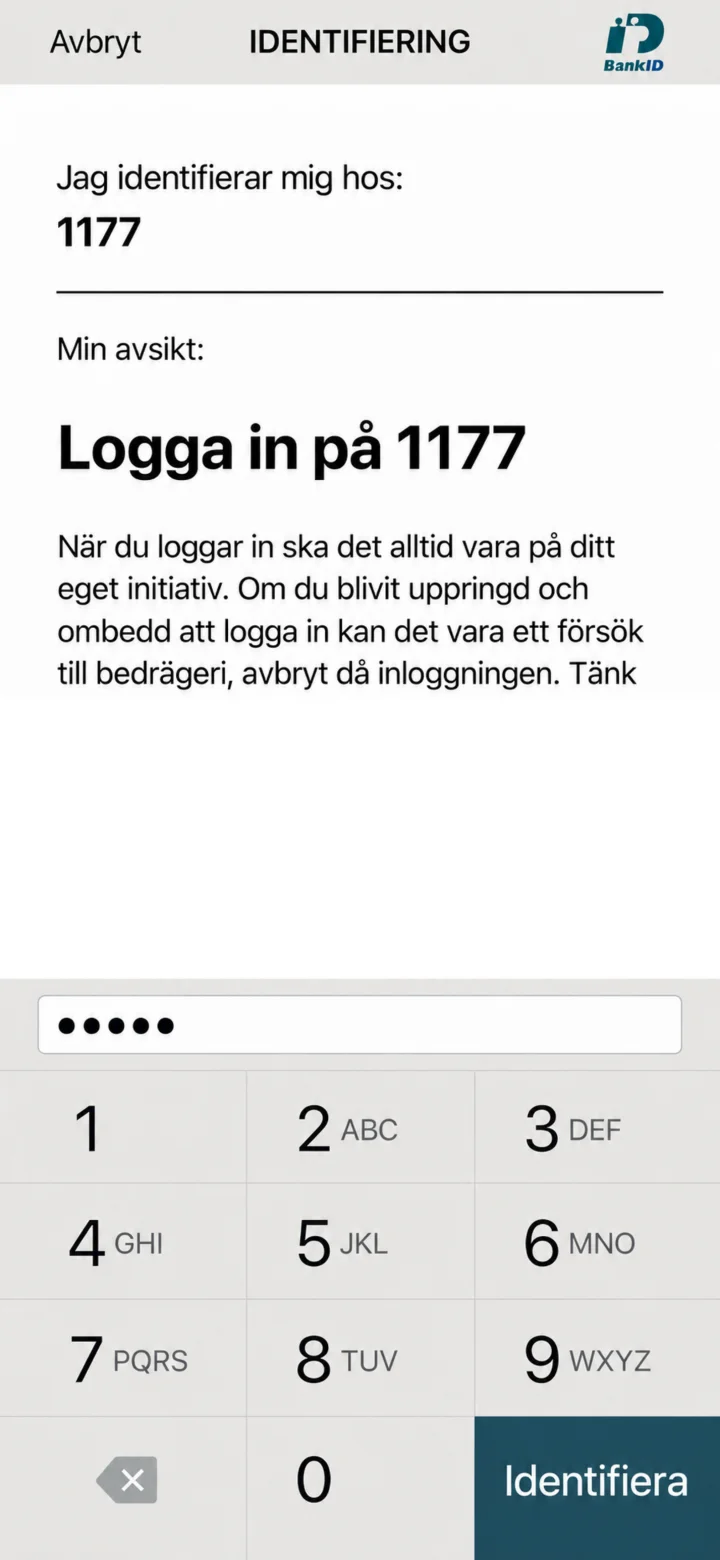 4Step 4 of 10
Enter your security code and tap ”Identifiera” (Identify).
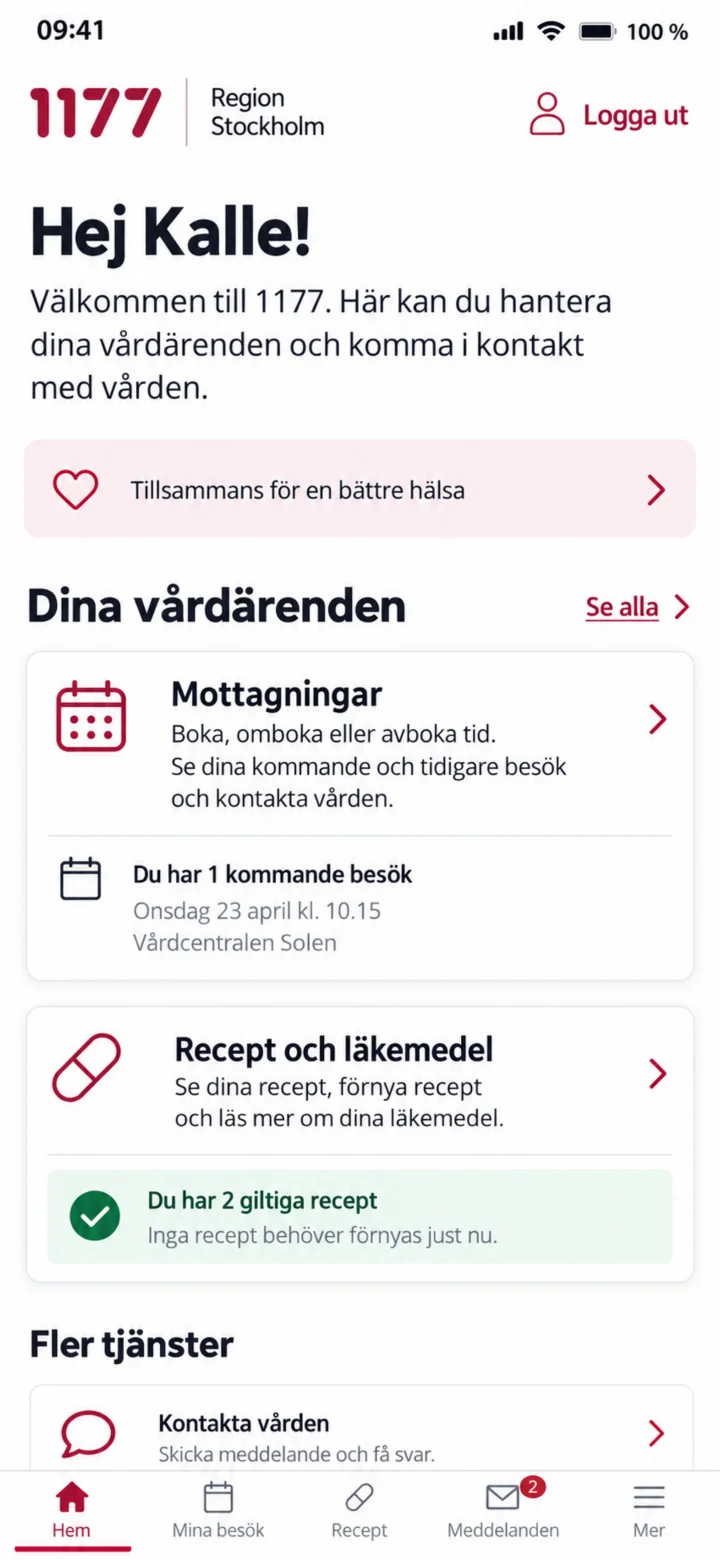 5Step 5 of 10
Once you are logged in, choose ”Mottagningar” (Care units) or ”Recept och läkemedel” (Prescriptions and medicines).
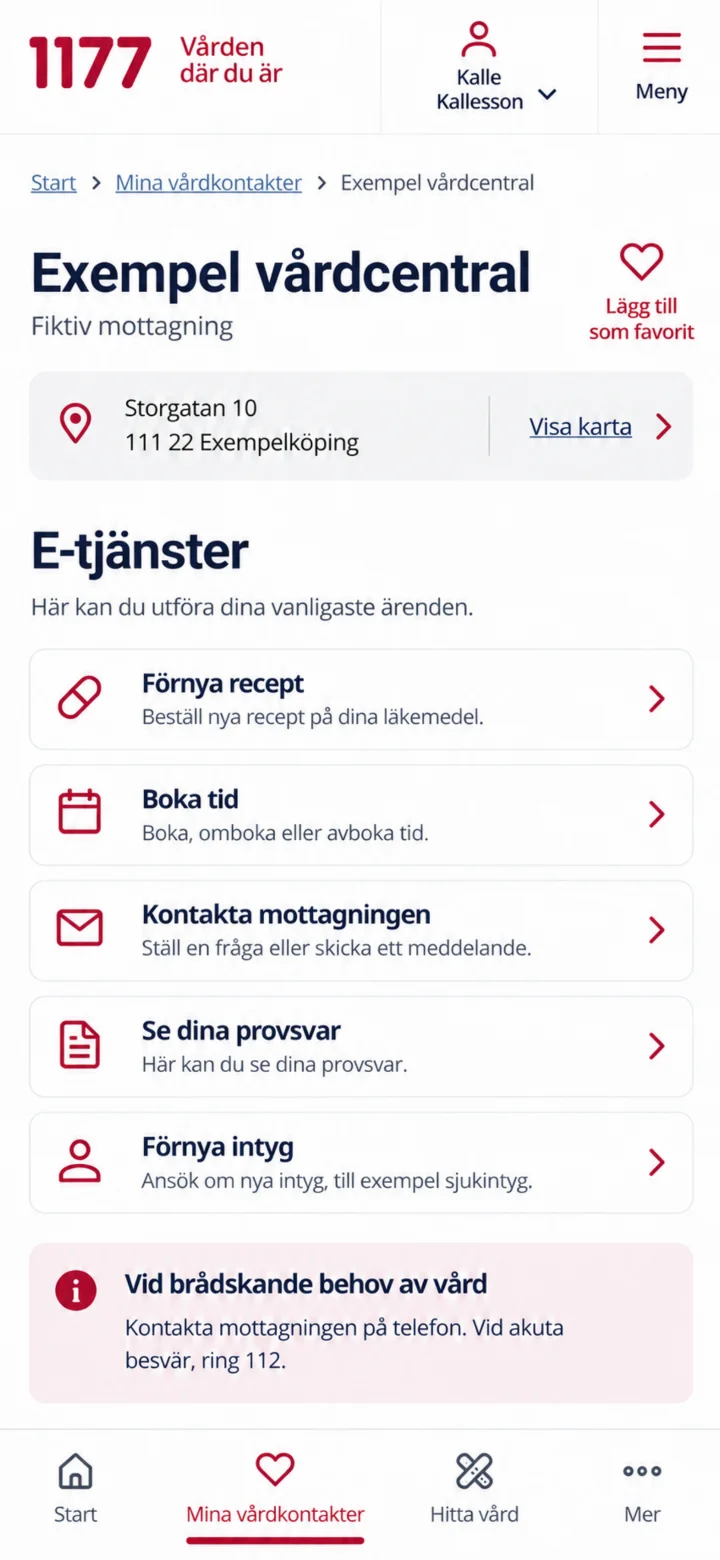 6Step 6 of 10
Open your care unit and tap ”Förnya recept” (Renew prescription).
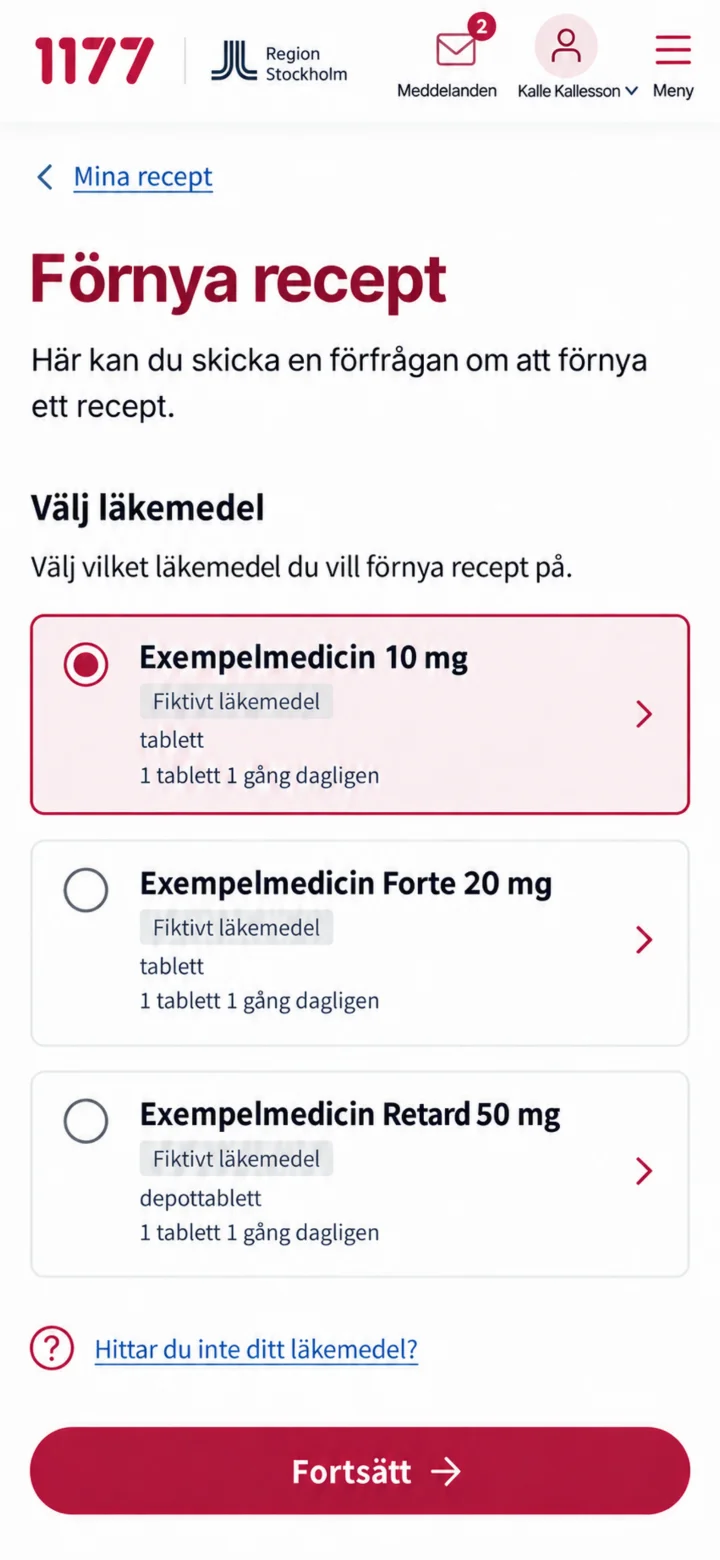 7Step 7 of 10
Choose the medicine your prescription is for and tap ”Fortsätt” (Continue).
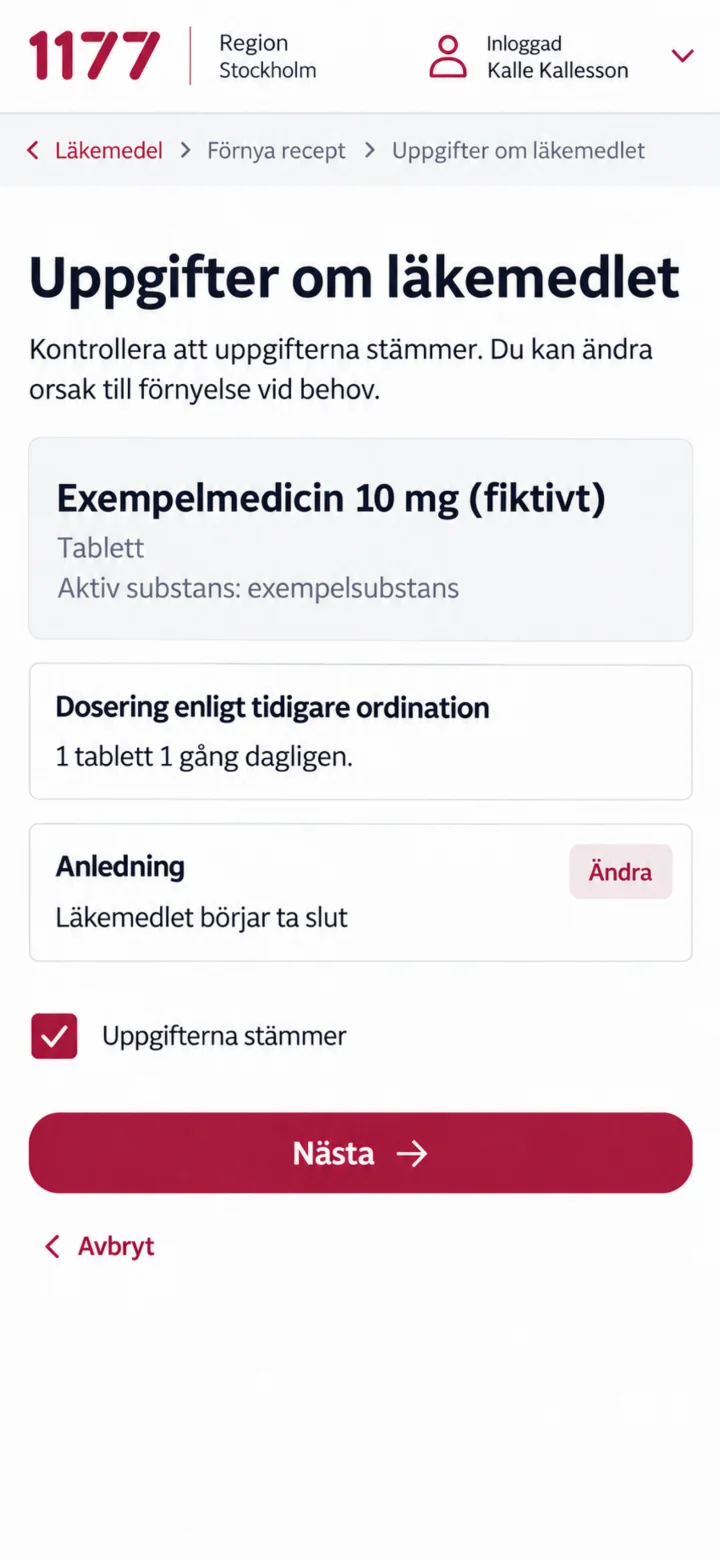 8Step 8 of 10
Check the dosage and reason. Mark that the information is correct and tap ”Nästa” (Next).
 9Step 9 of 10
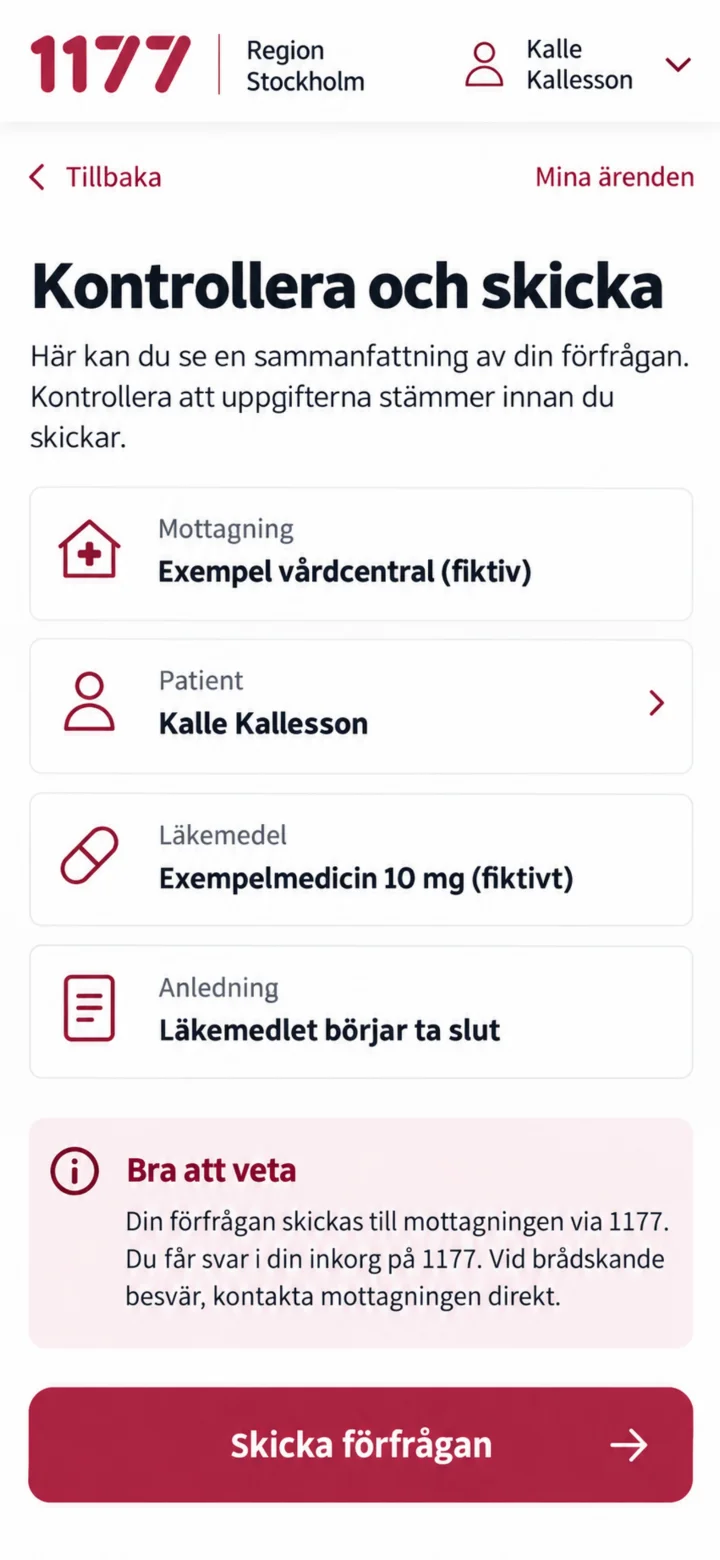
Check the care unit, patient, medicine, and reason. Then tap ”Skicka förfrågan” (Send request).
 10Step 10 of 10
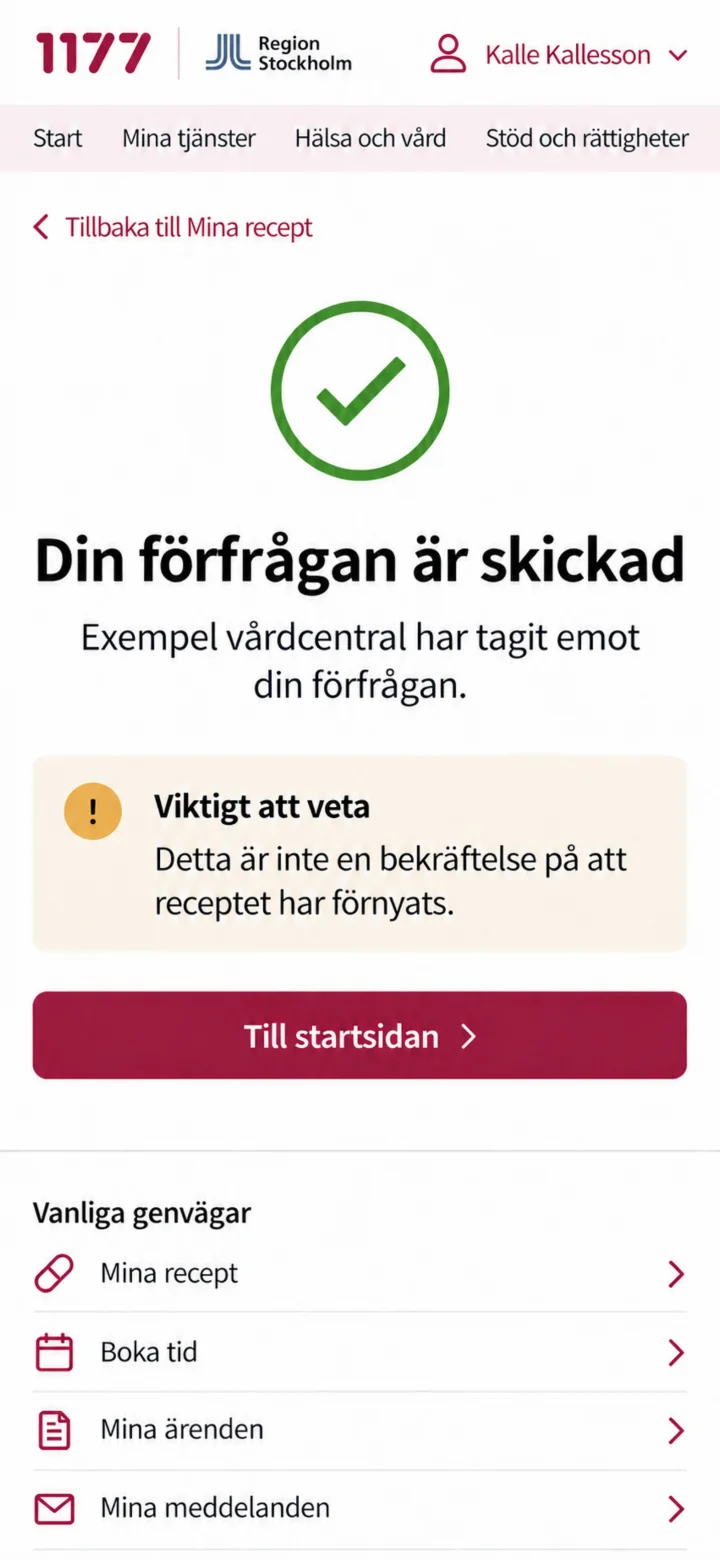
Your request has been sent. Please note that this does not mean the prescription has already been renewed.