Print the guide and keep it next to your phone while you do the steps.
Tip: untick “Headers and footers” in the print dialog to leave out the web address.
Which language should the printout be in?SvenskaEnglishSuomiالعربية (Arabiska)Bosanski/Hrvatski/Srpskiفارسی (Persiska)PolskiEspañol
Order a Pensioner's Certificate
Pension and authorities
All phones
Scan to listen to the guide
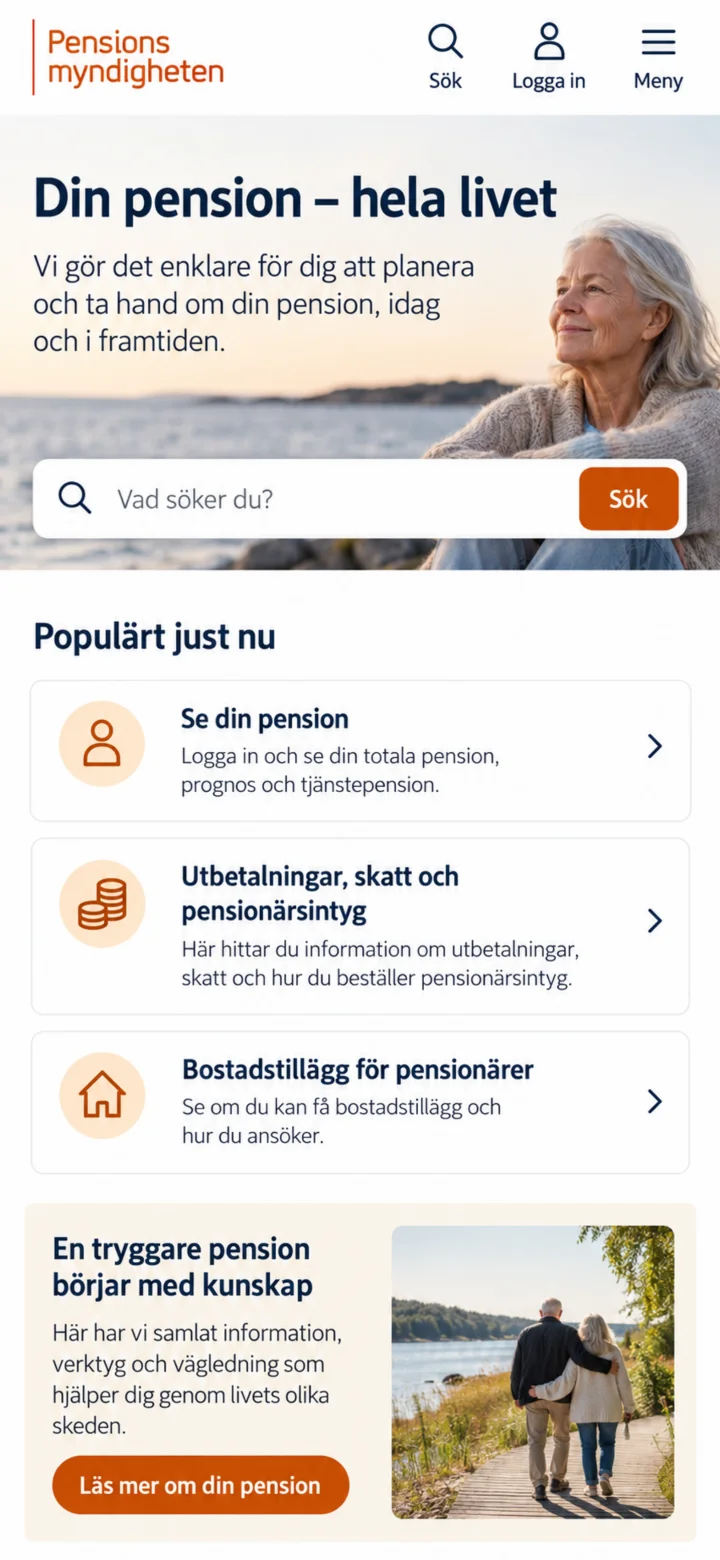 1Step 1 of 6
Open Pensionsmyndigheten's website and tap ”Logga in” (Log in).
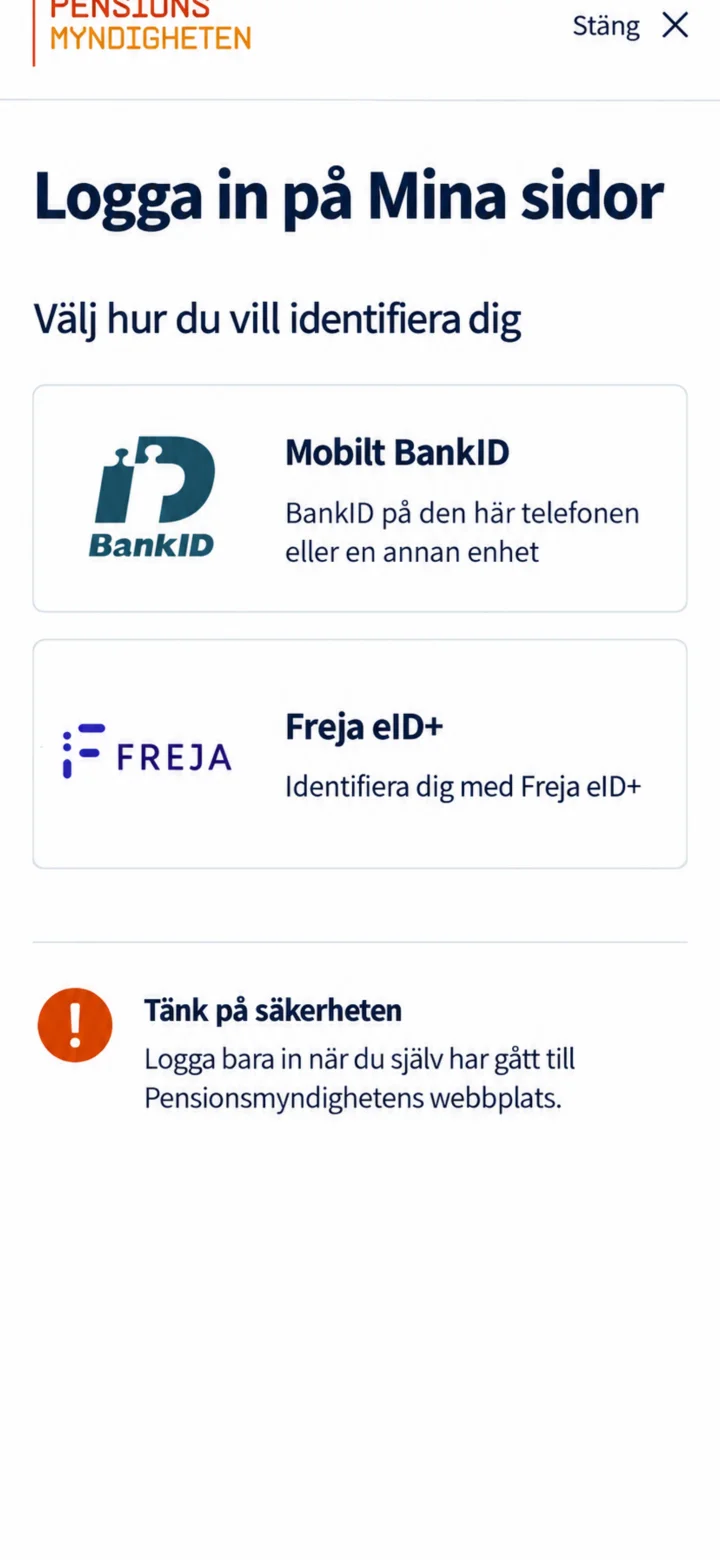 2Step 2 of 6
Choose Mobilt BankID. Only log in when you have personally navigated to Pensionsmyndigheten's website.
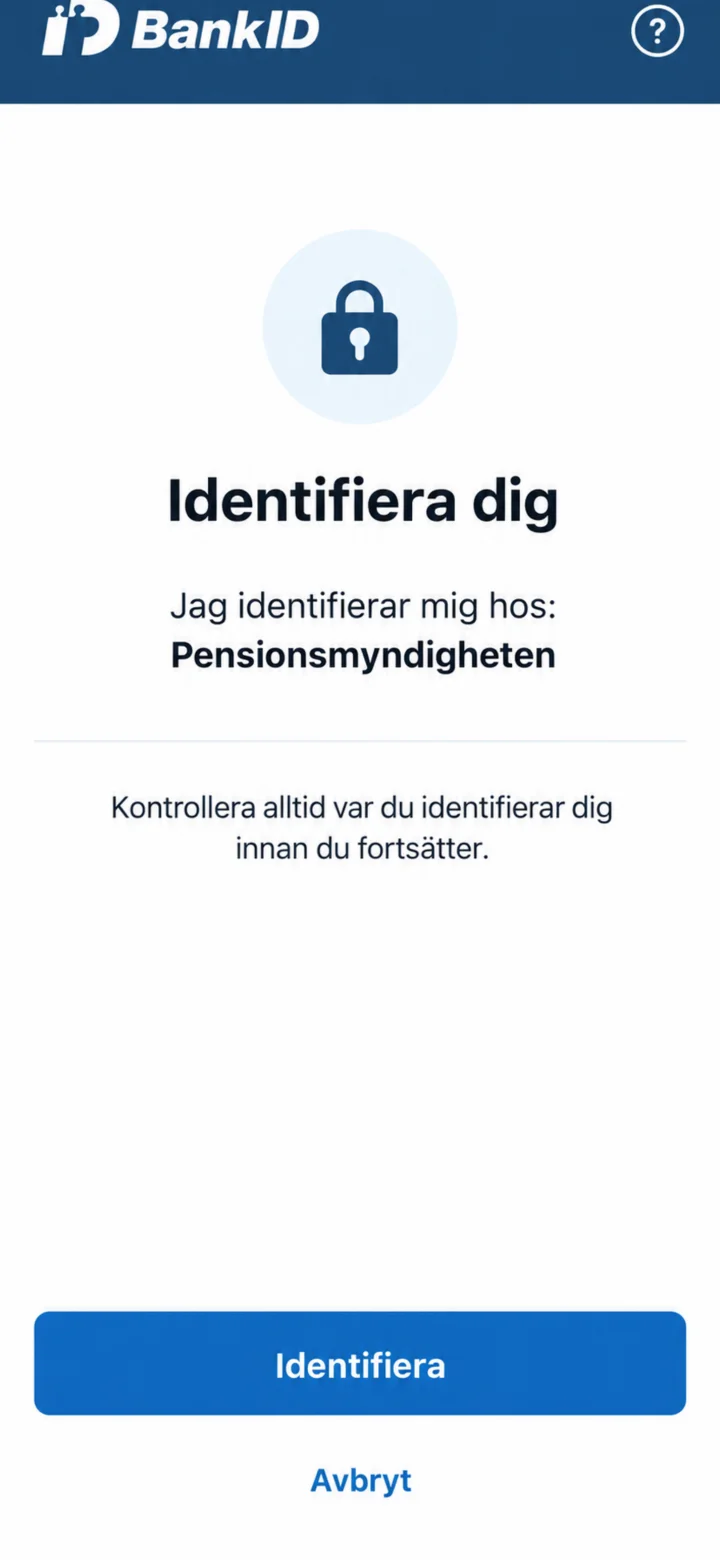 3Step 3 of 6
Check that it says Pensionsmyndigheten in BankID. Then tap ”Identifiera” (Identify).
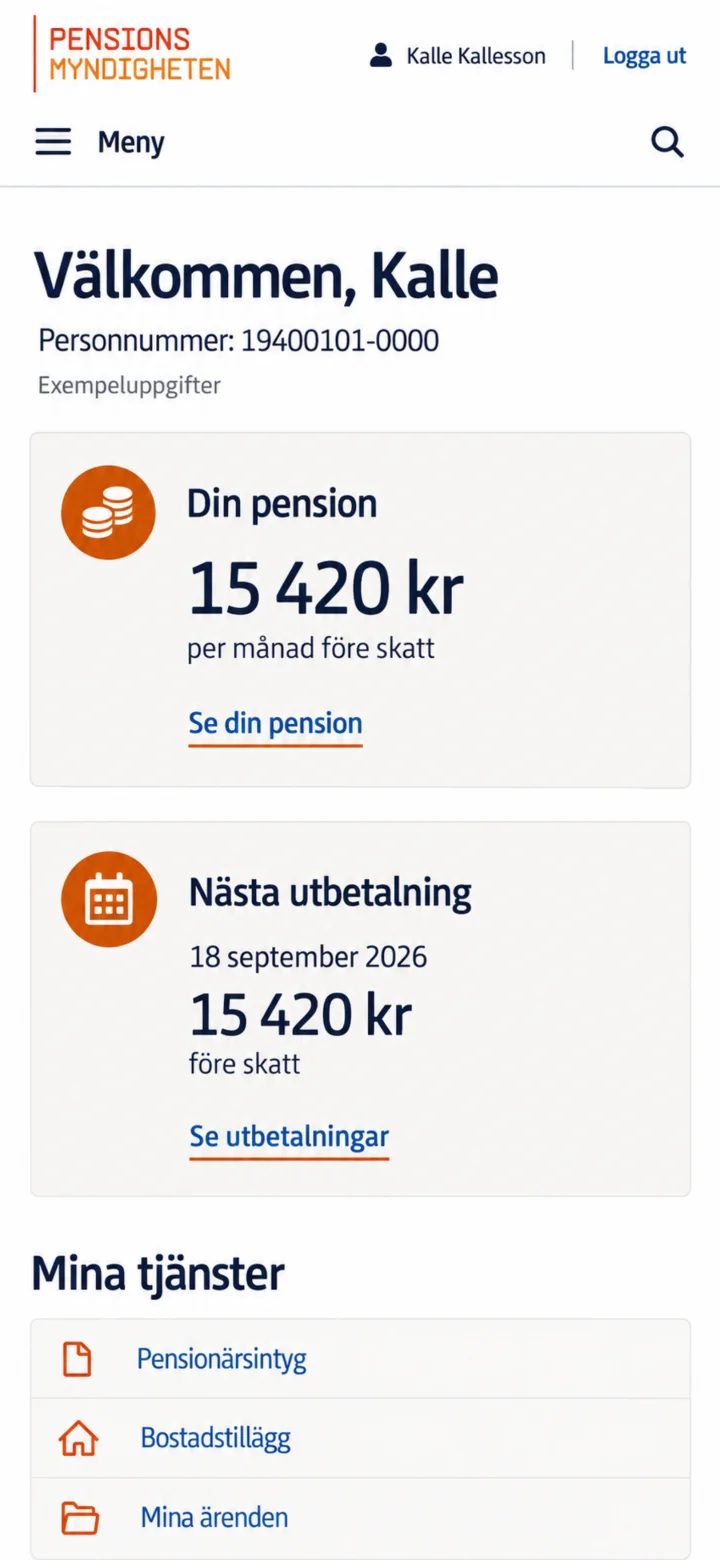 4Step 4 of 6
On ”Mina sidor” (My pages), go to ”Mina tjänster” (My services) and tap ”Pensionärsintyg” (Pensioner's Certificate).
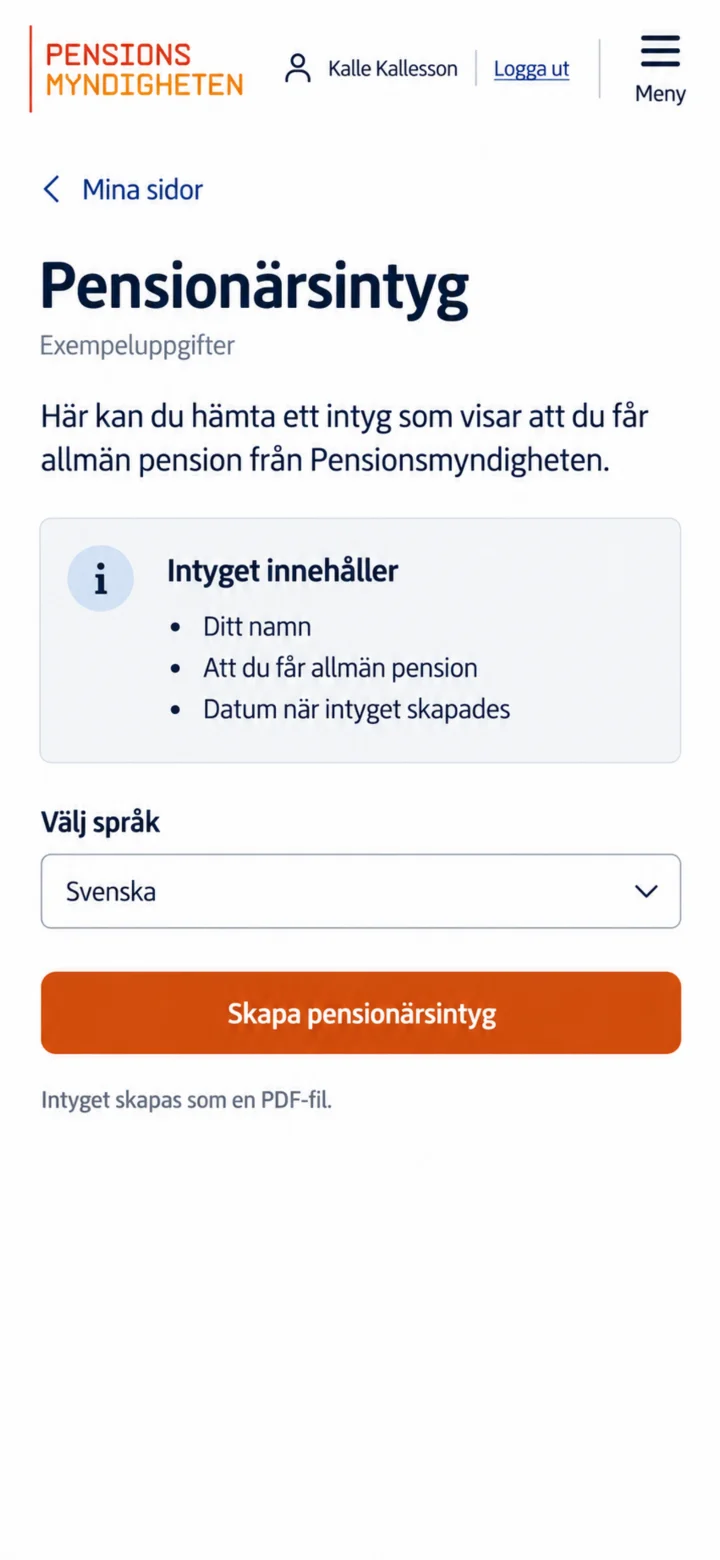 5Step 5 of 6
Välj Svenska och tryck på Skapa pensionärsintyg. Intyget skapas som en PDF-fil.
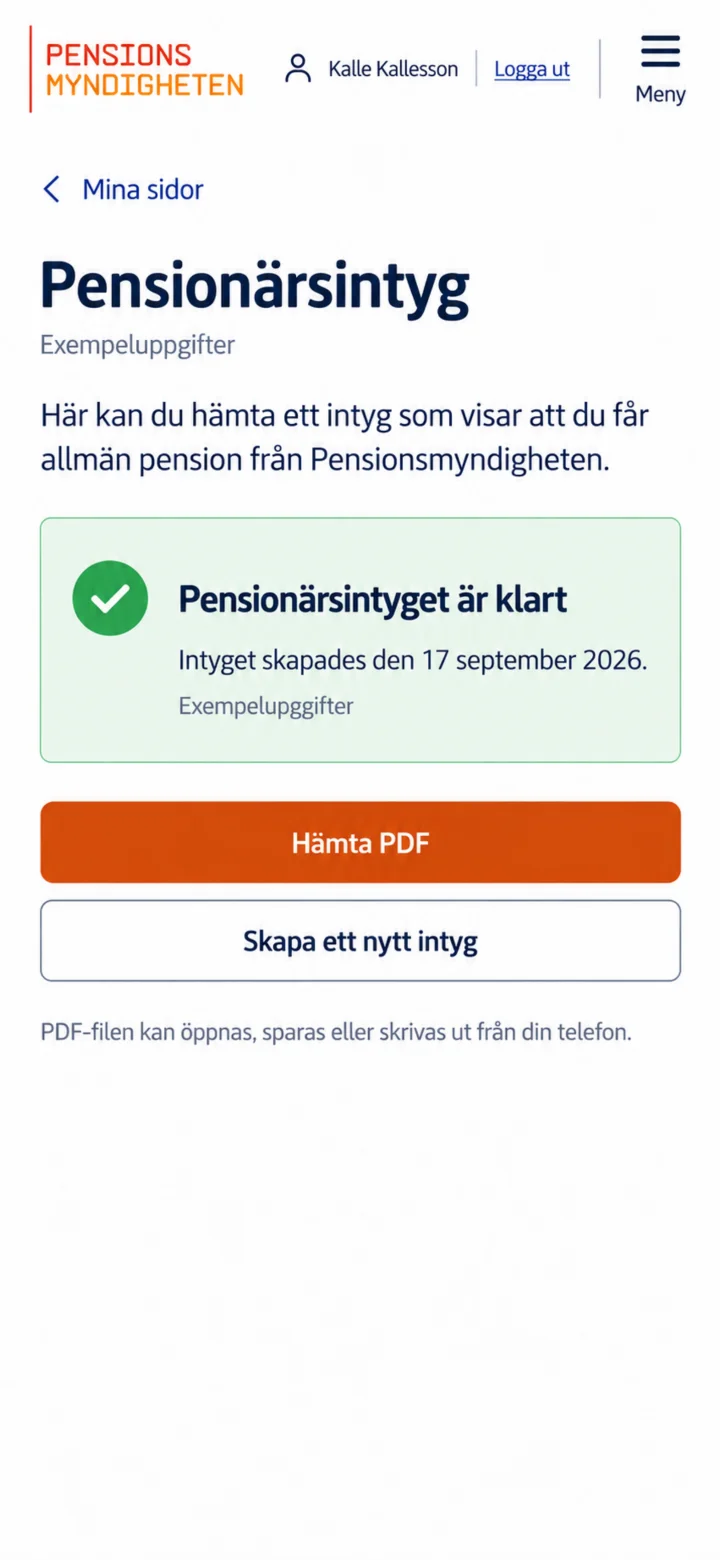 6Step 6 of 6
Once the certificate is ready, tap ”Hämta PDF” (Download PDF). After that, you can open, save, or print the file from your phone.