Print the guide and keep it next to your phone while you do the steps.
Tip: untick “Headers and footers” in the print dialog to leave out the web address.
See your pension and next payment
Pension and authorities
All phones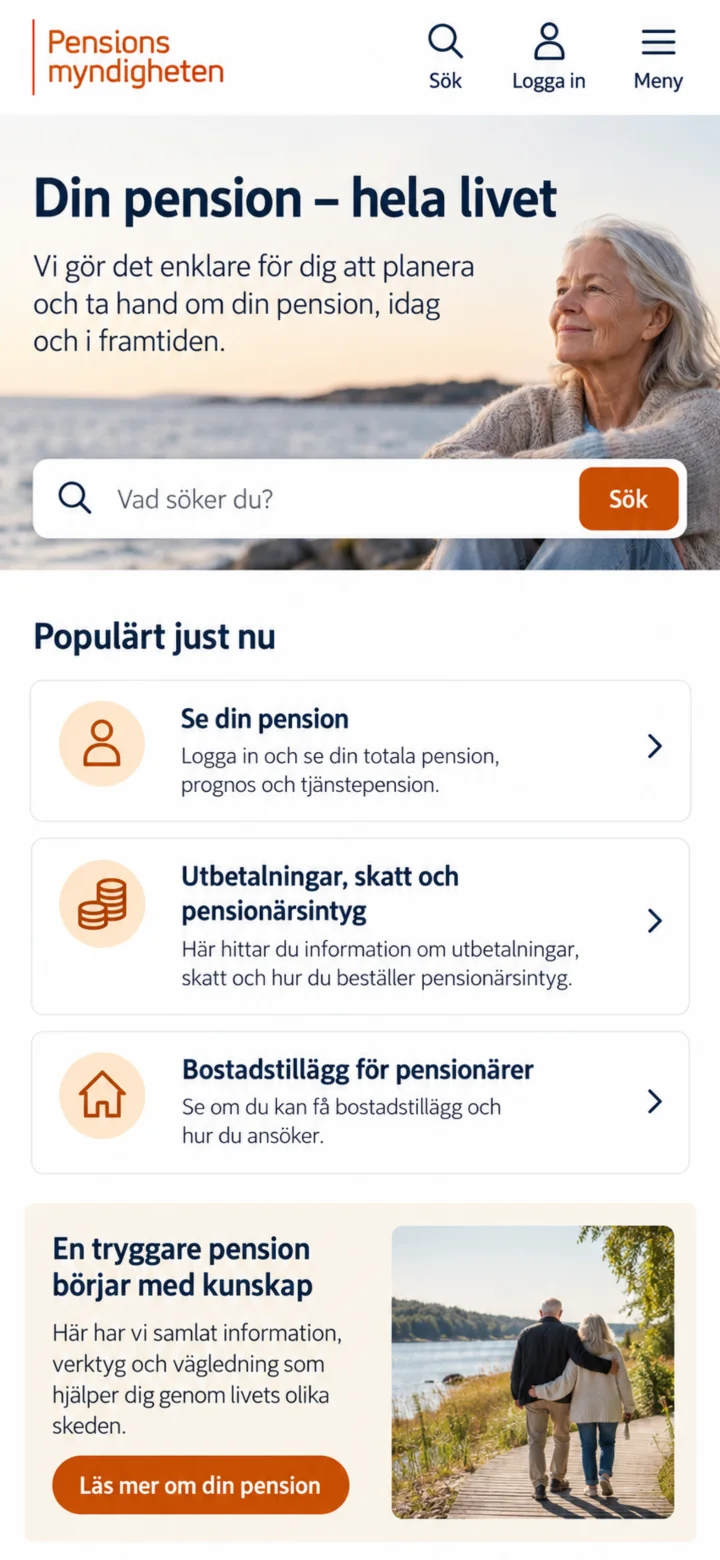 1Step 1 of 6
Open the Pensionsmyndigheten (Swedish Pensions Agency) website. Then, tap on ”Logga in” (Log in) at the top of the page.
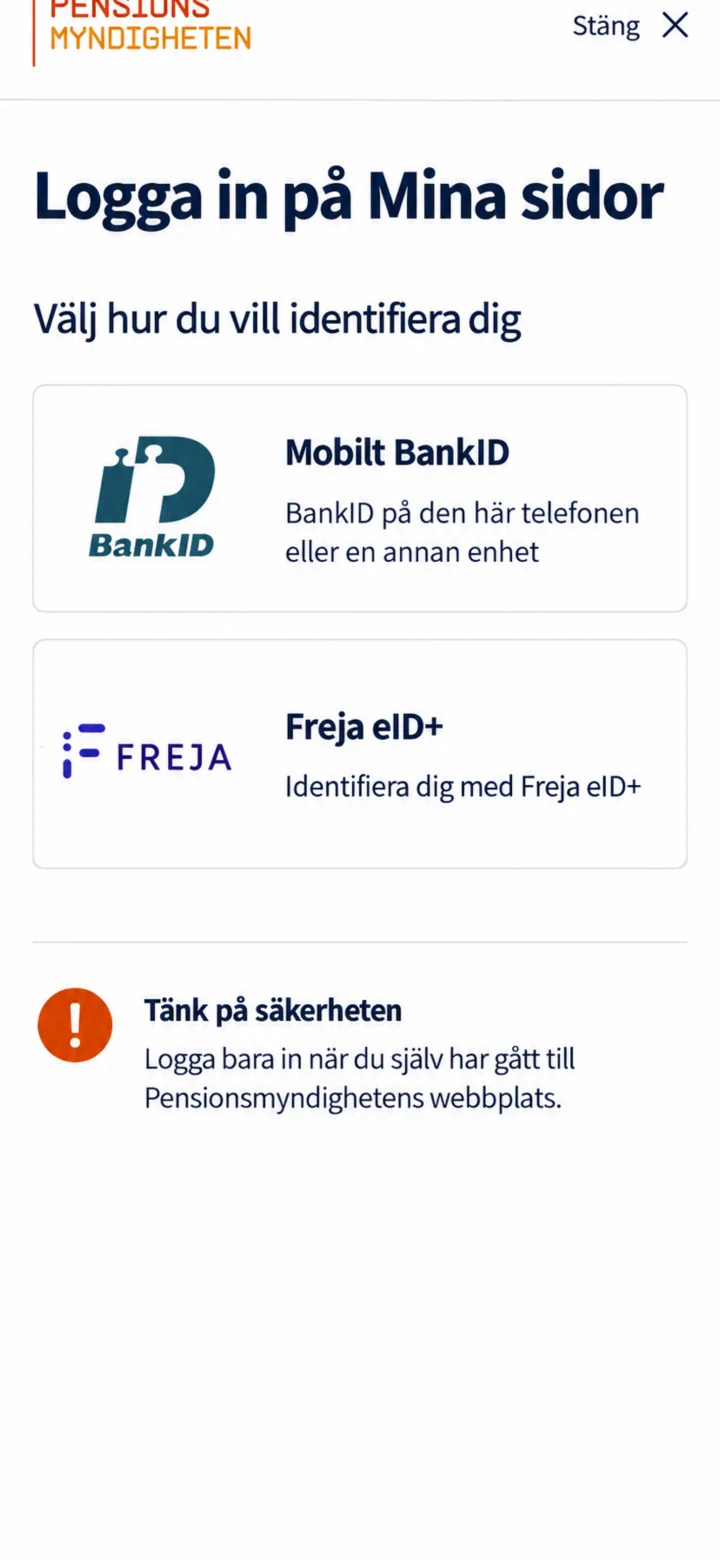 2Step 2 of 6
Choose Mobilt BankID. Only log in when you have navigated to the Pensionsmyndigheten website yourself.
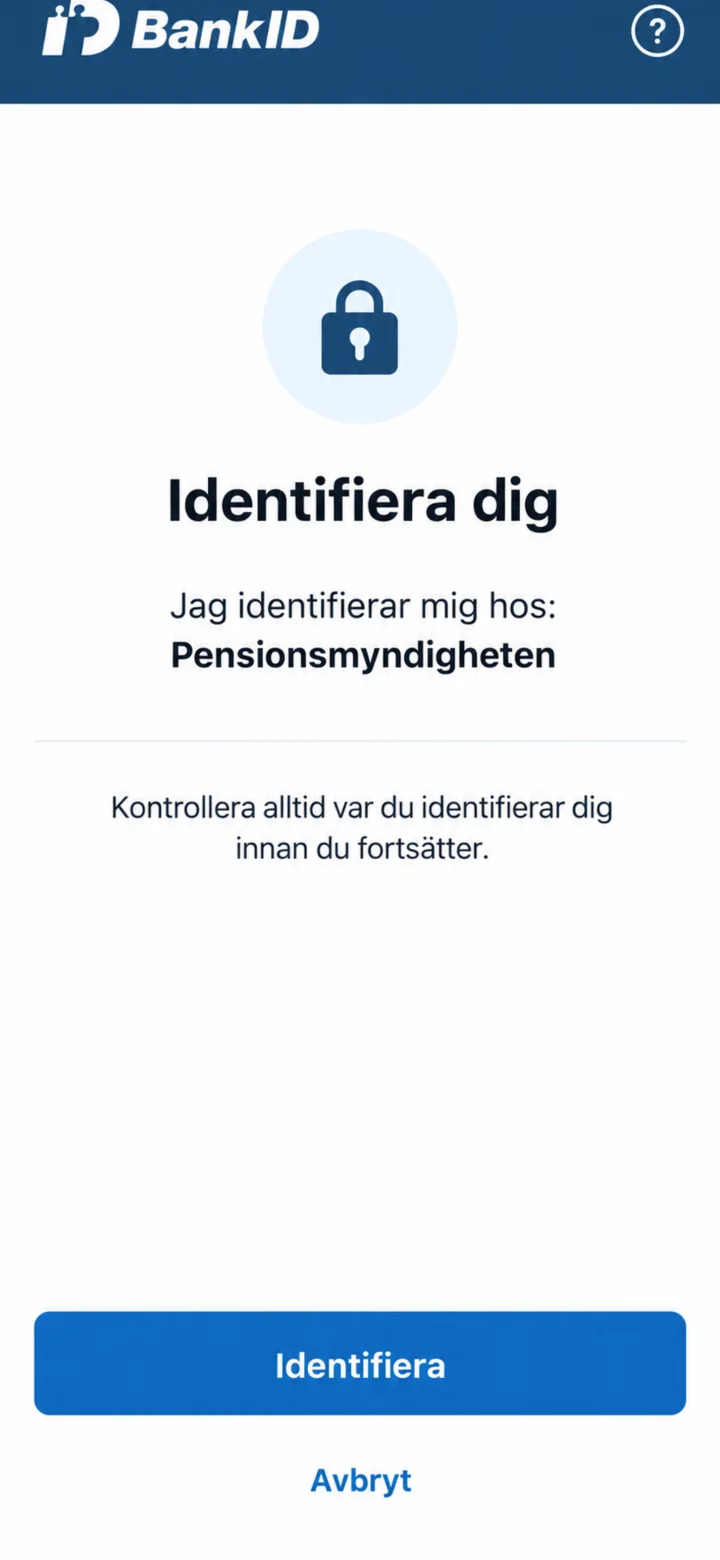 3Step 3 of 6
Check that it says Pensionsmyndigheten in BankID. Then, tap on ”Identifiera och legitimera dig” (Identify and authenticate yourself) in the usual way.
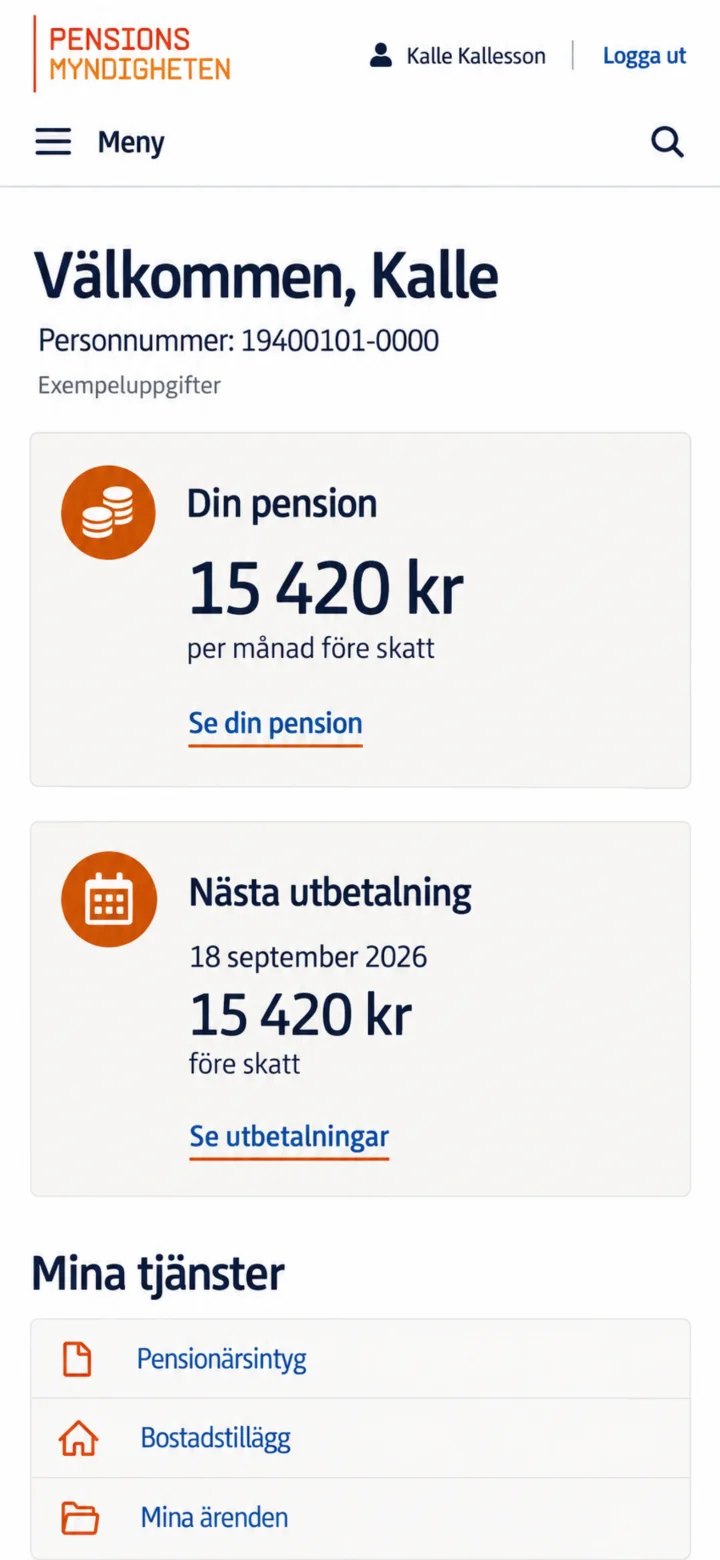 4Step 4 of 6
When ”Mina sidor” (My pages) opens, you will see an overview. Tap on ”Se din pension” (See your pension) to view your pension amount and its different parts.
 5Step 5 of 6
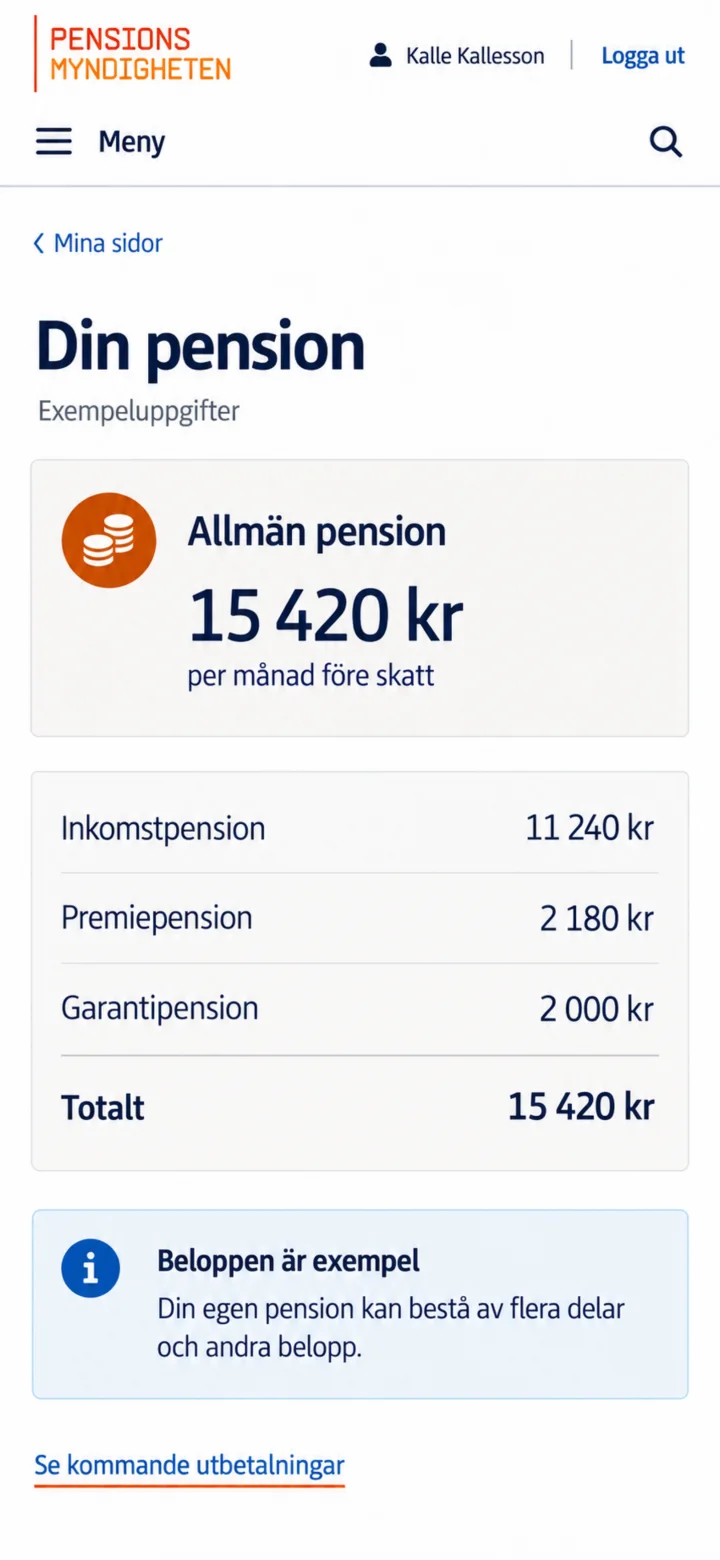
Here you will see your general pension and how the amount is divided. The amounts in this guide are just examples. Tap on ”Se kommande utbetalningar” (See upcoming payments) if you wish to continue.
 6Step 6 of 6
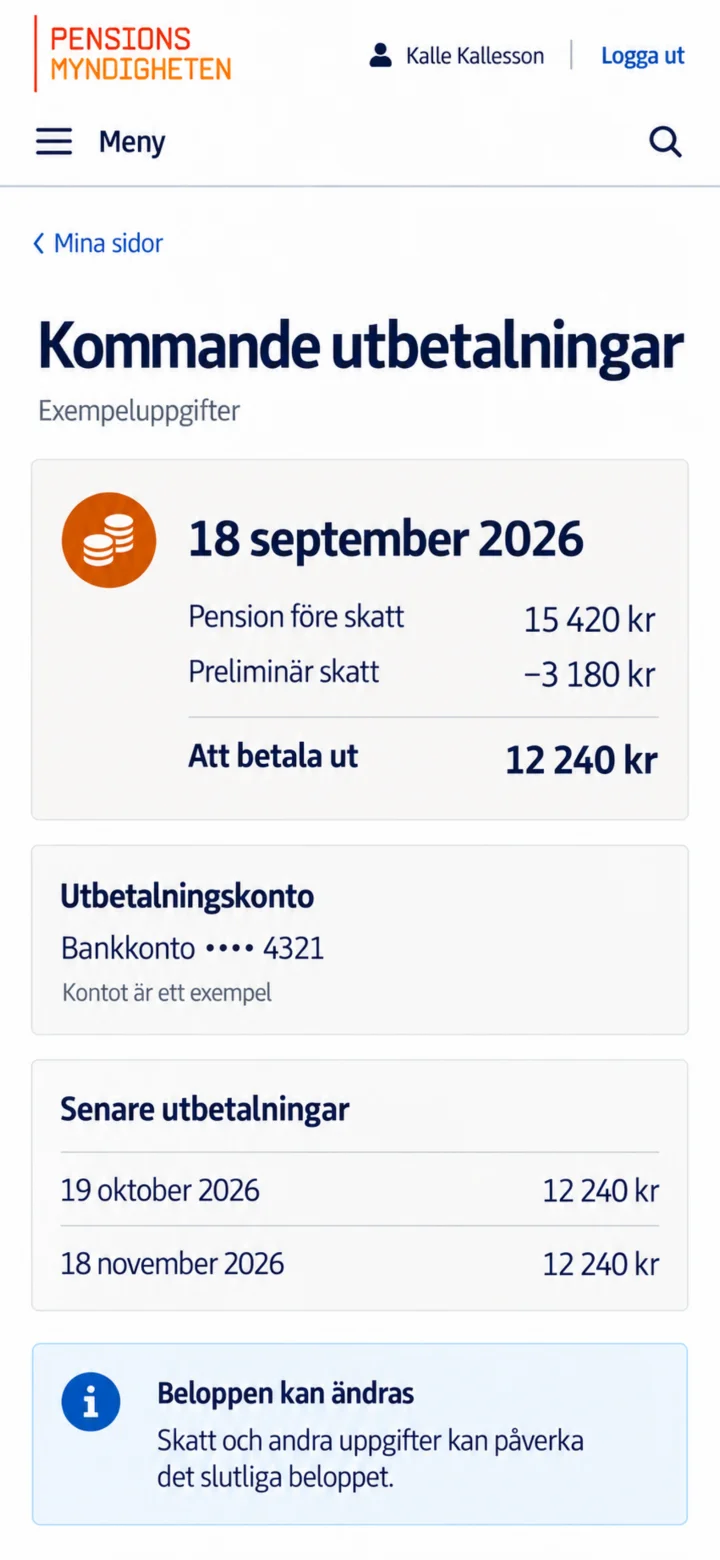
Here you will see the next payment date, pension before tax, preliminary tax, and the amount to be paid out. You can also check which bank account is registered.