Print the guide and keep it next to your phone while you do the steps.
Tip: untick “Headers and footers” in the print dialog to leave out the web address.
Which language should the printout be in?SvenskaEnglishSuomiالعربية (Arabiska)Bosanski/Hrvatski/Srpskiفارسی (Persiska)PolskiEspañol
How to log in and send a message on 1177
Healthcare and 1177
All phones
Scan to listen to the guide
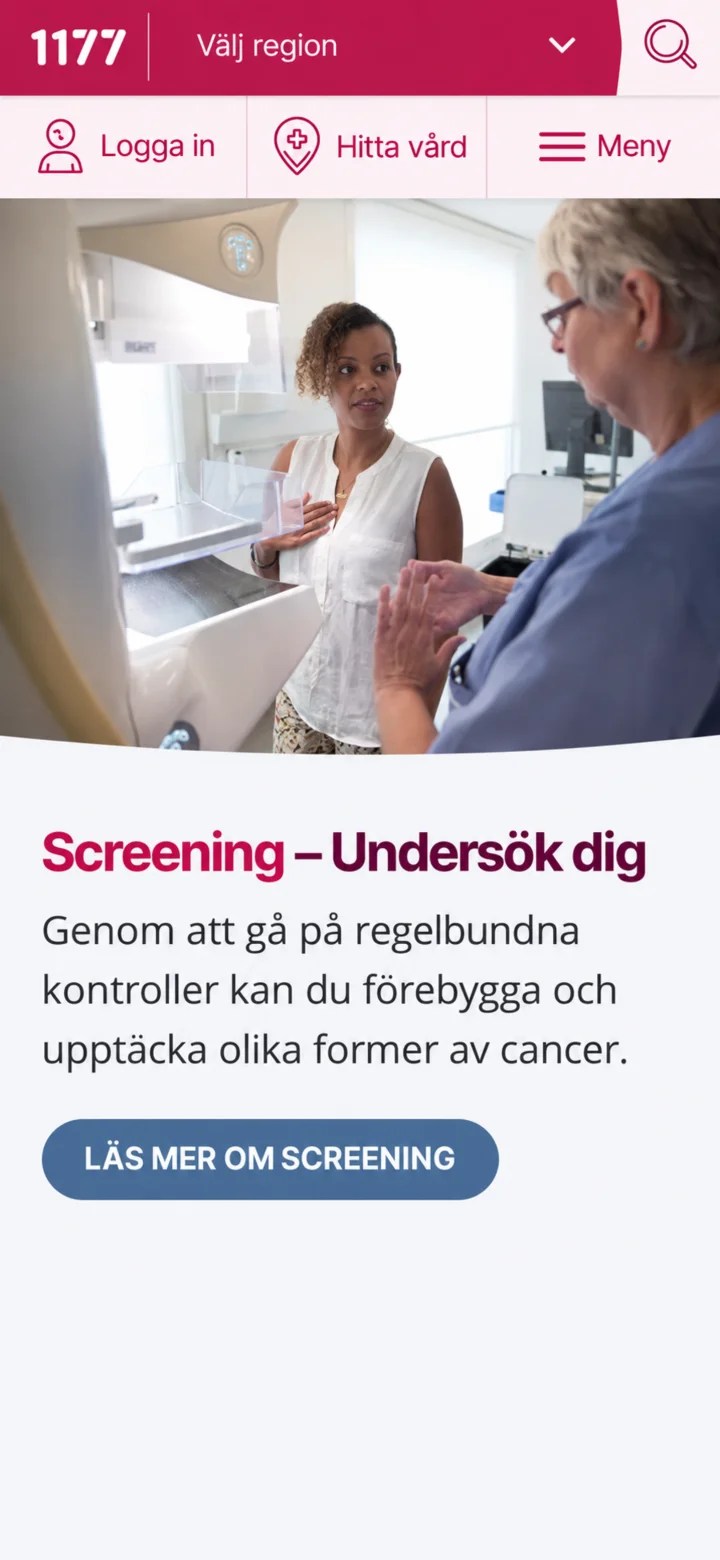 1Step 1 of 10
Open 1177 and tap ”Logga in” (Log in).
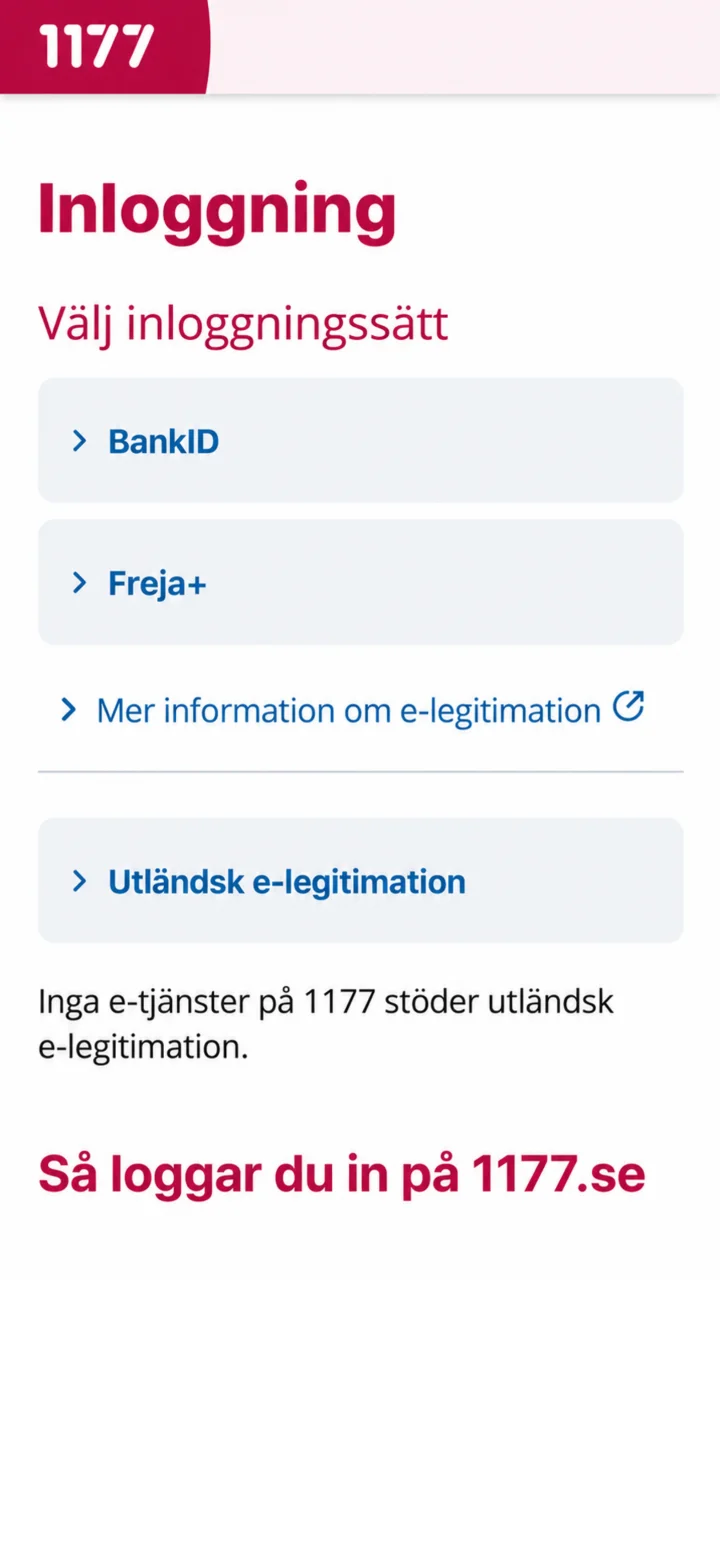 2Step 2 of 10
Choose BankID as your login method.
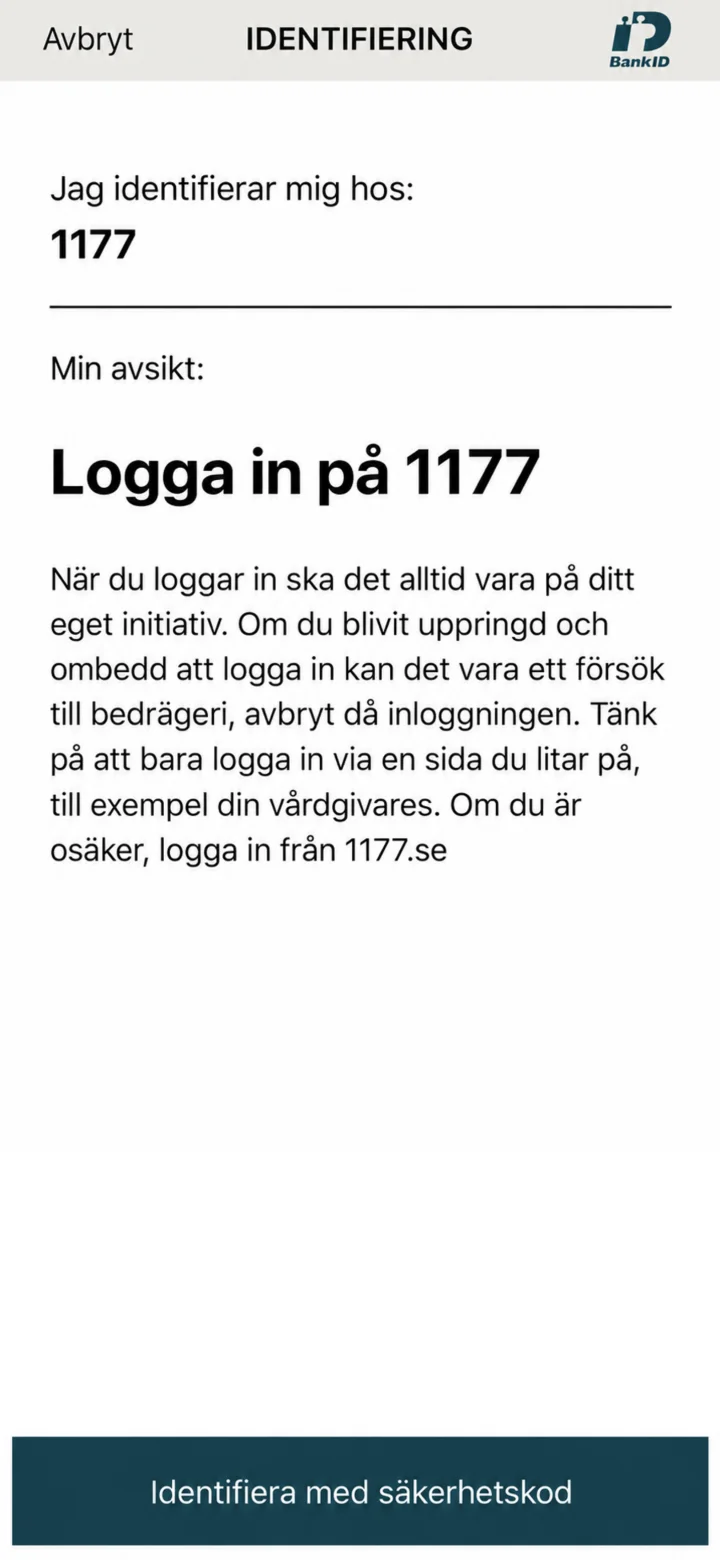 3Step 3 of 10
Kontrollera att identifieringen gäller 1177.
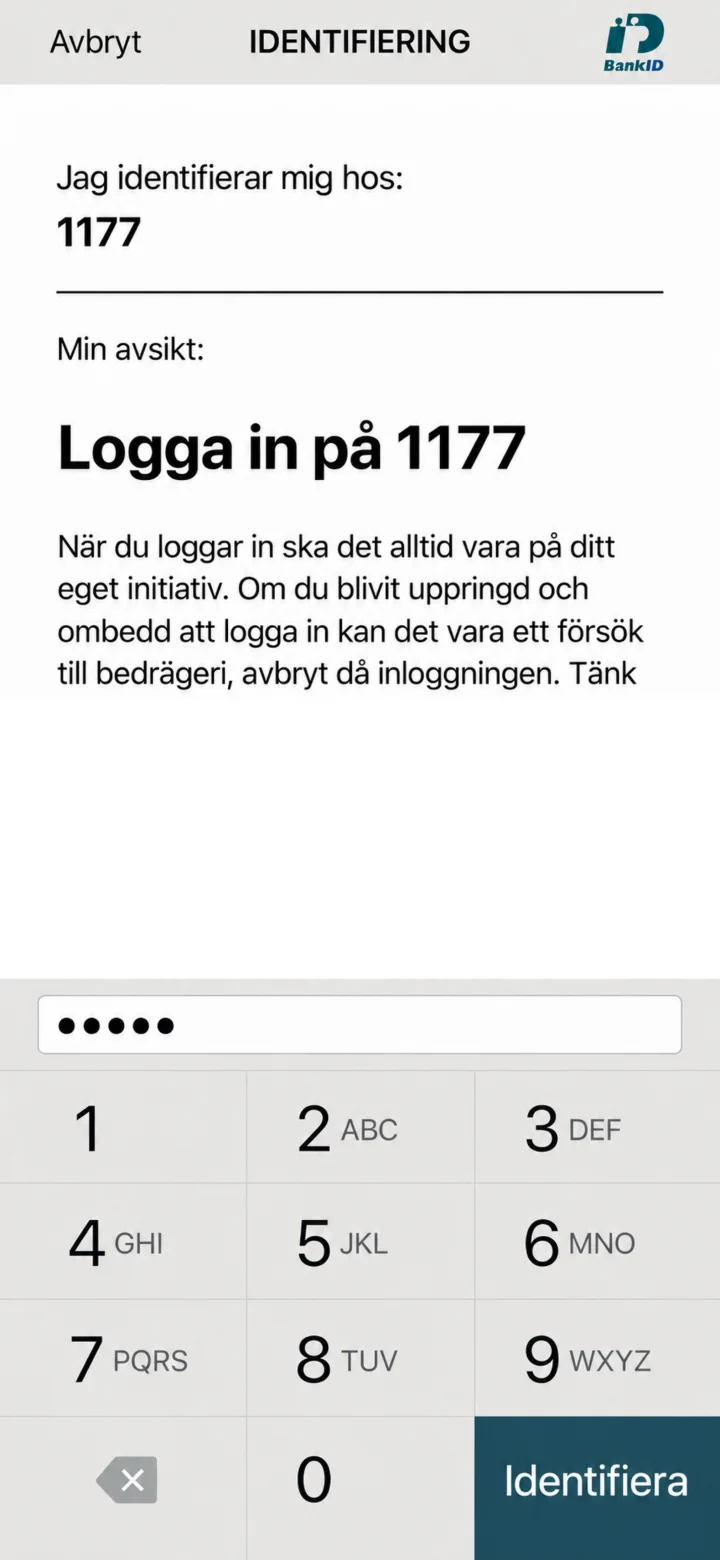 4Step 4 of 10
Enter your security code and tap ”Identifiera” (Identify).
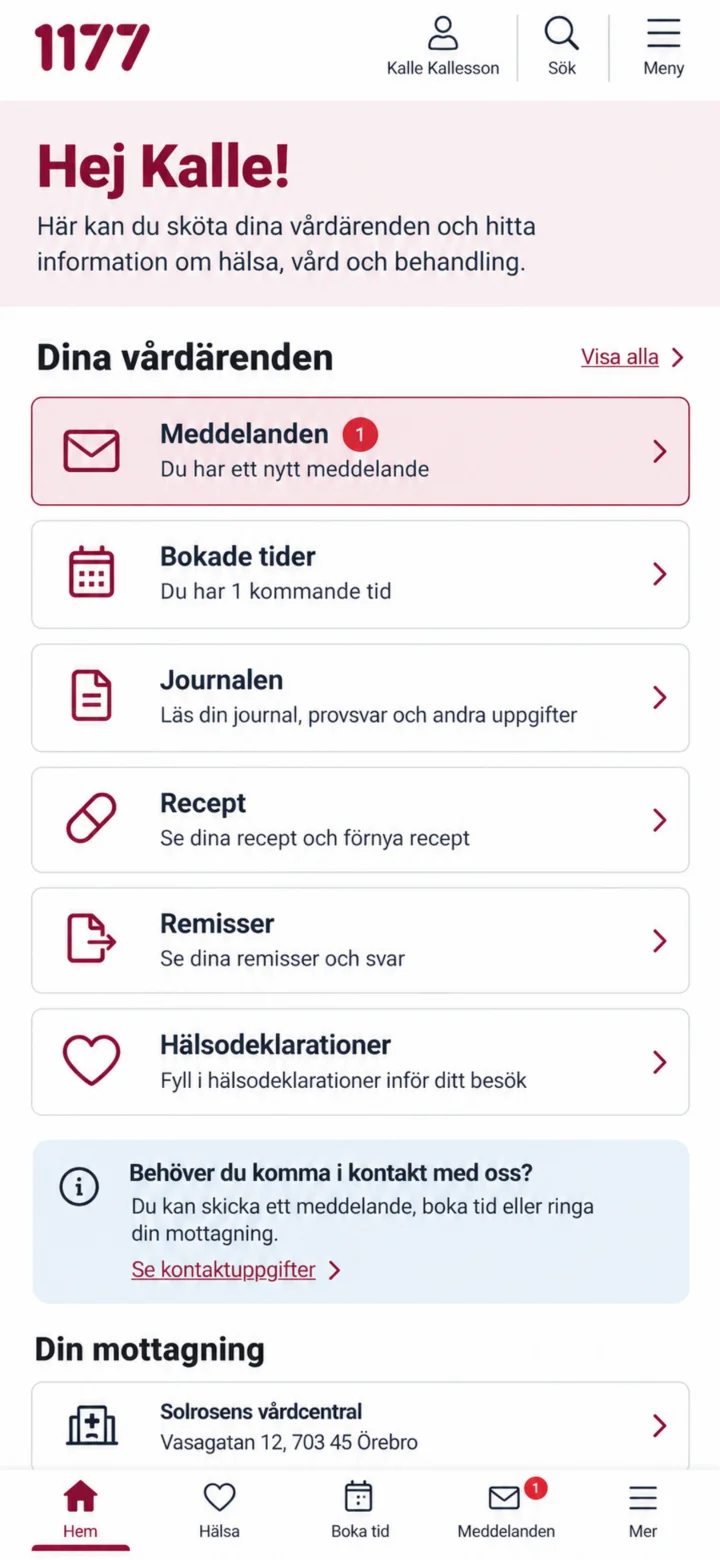 5Step 5 of 10
Once you're logged in, tap ”Meddelanden” (Messages).
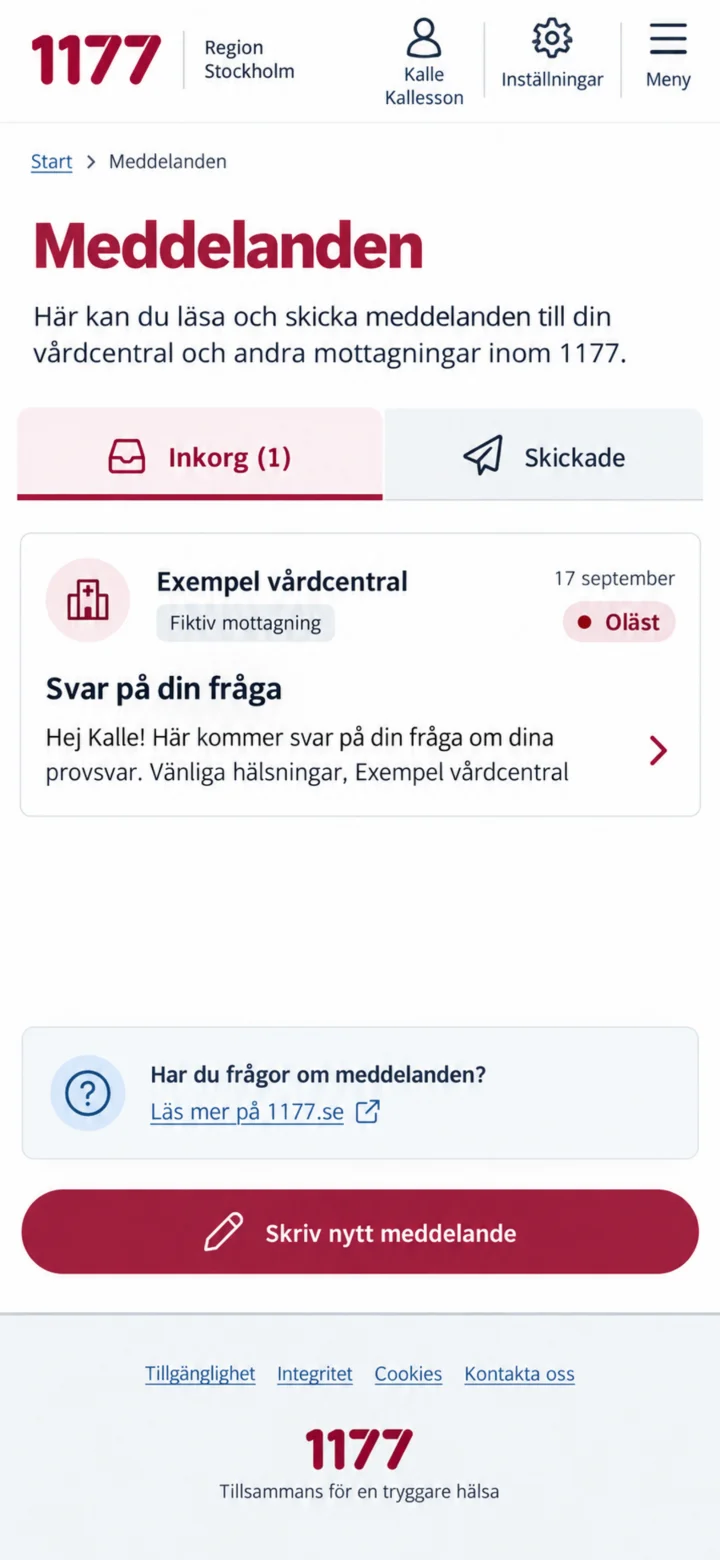 6Step 6 of 10
I inkorgen, tryck på det olästa meddelandet från mottagningen.
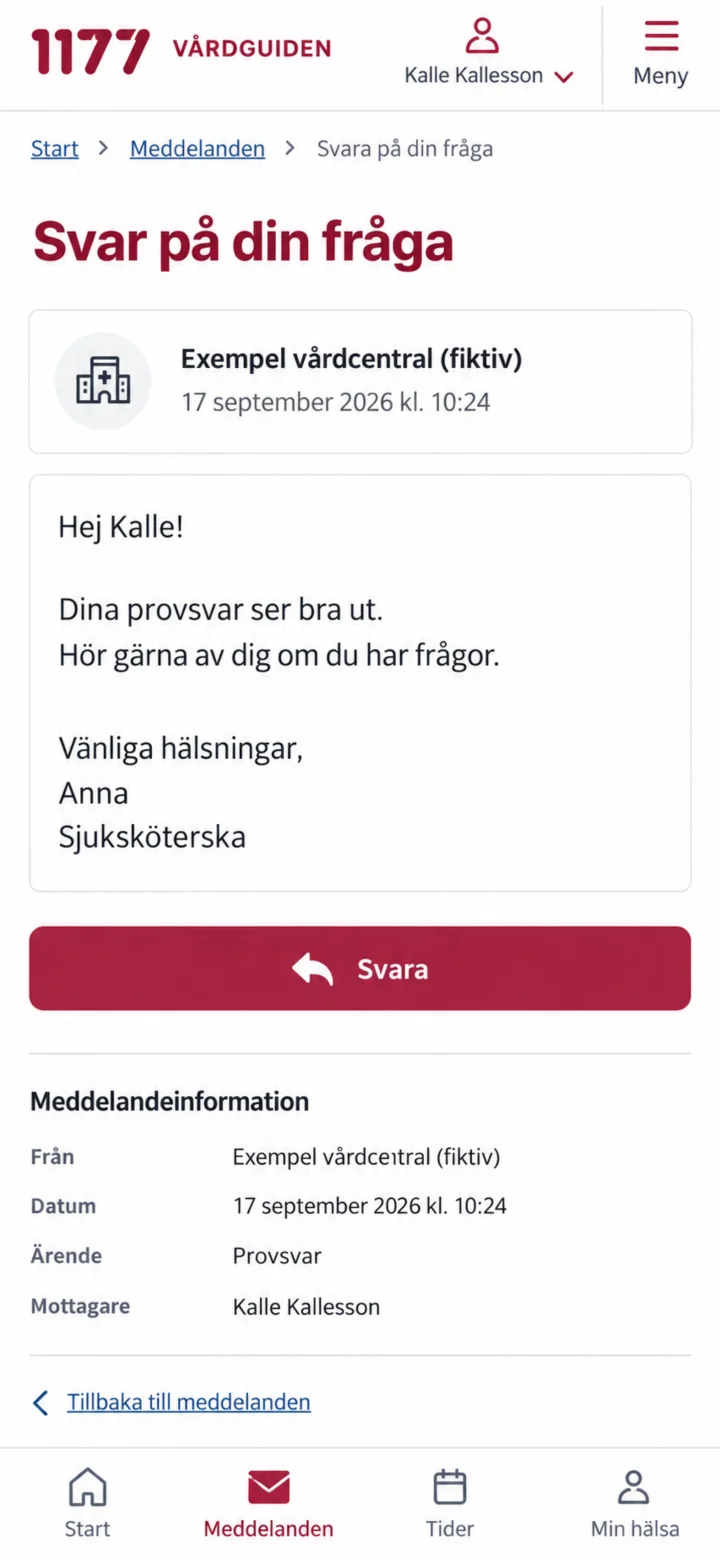 7Step 7 of 10
Read the entire message, then tap ”Svara” (Reply).
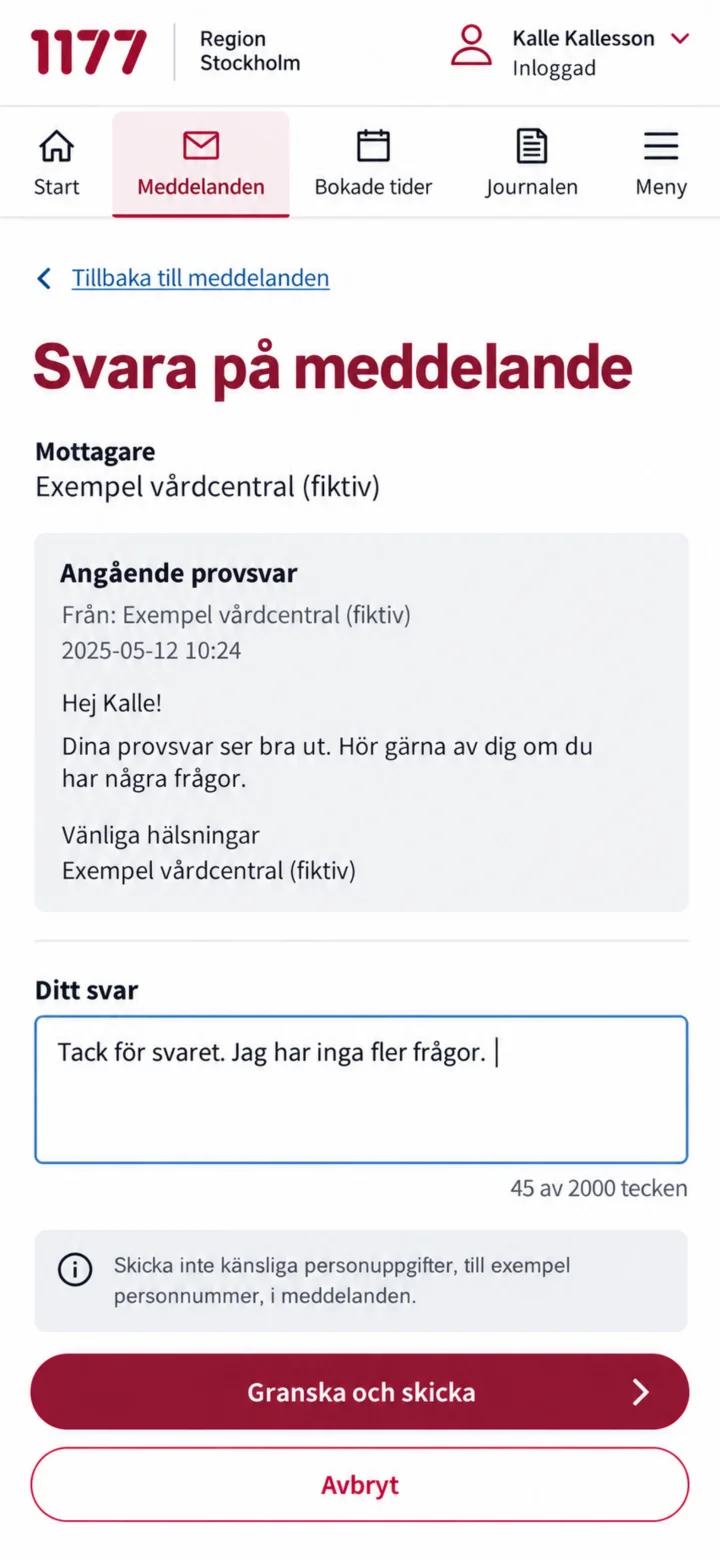 8Step 8 of 10
Write your reply and tap ”Granska och skicka” (Review and send).
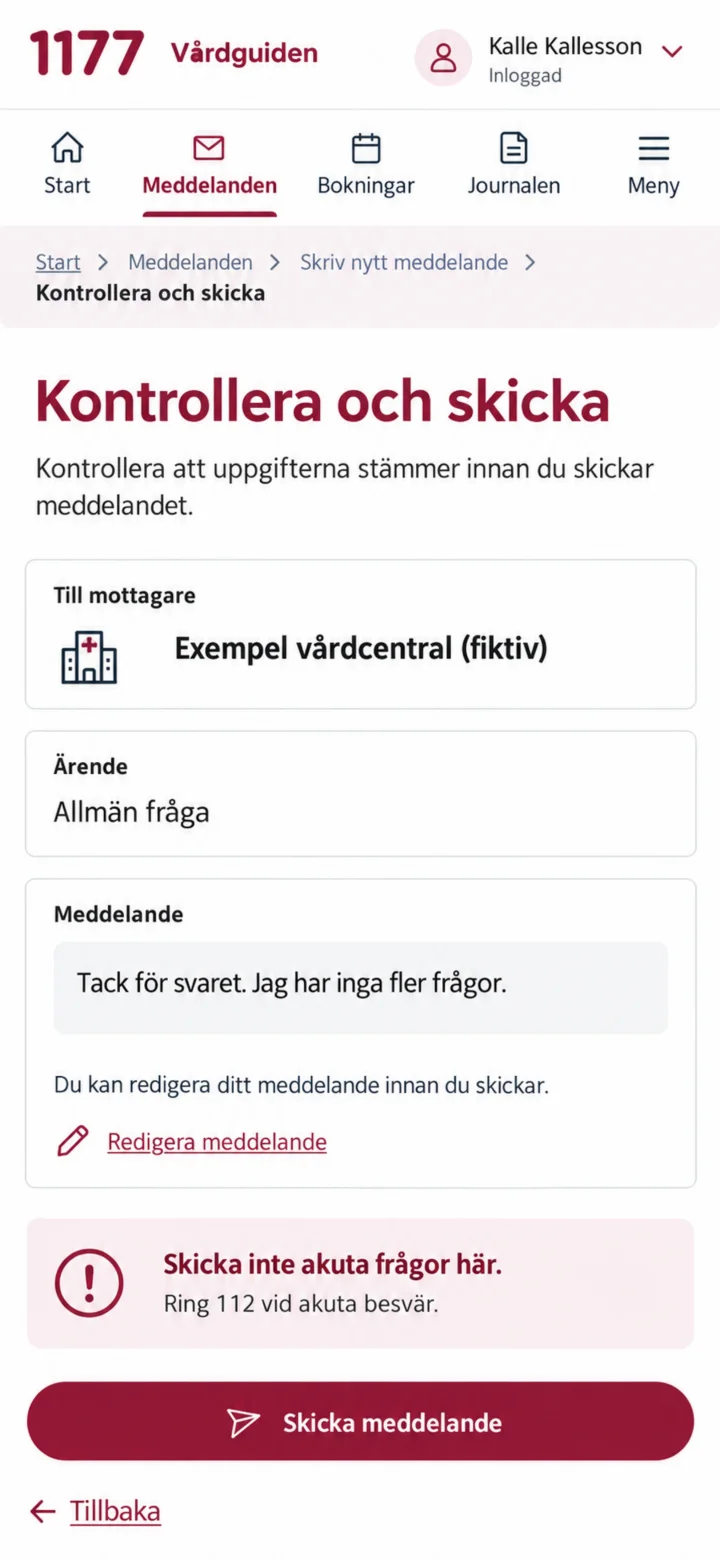 9Step 9 of 10
Check the recipient and your text. Then tap ”Skicka meddelande” (Send message).
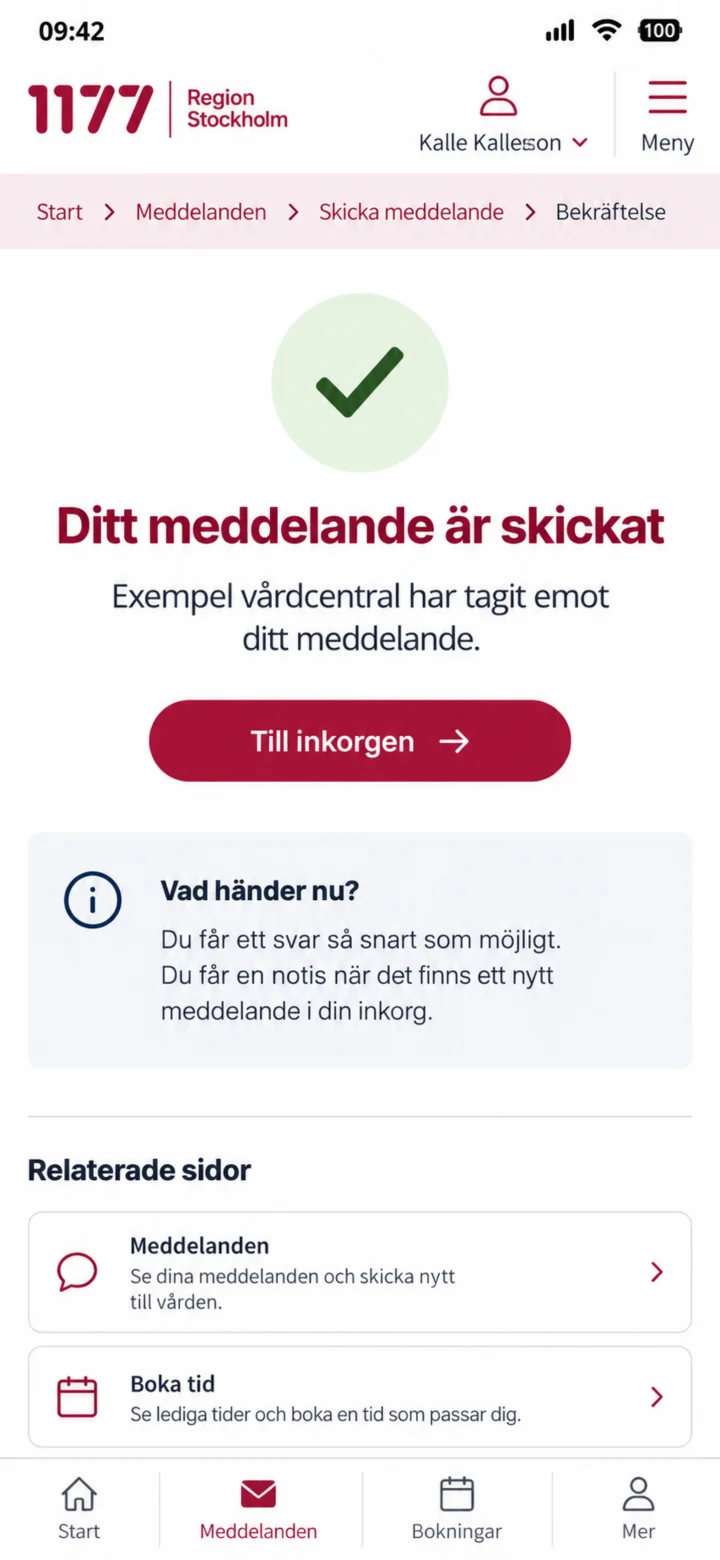 10Step 10 of 10
Your message has been sent, and the reception has received it.