Print the guide and keep it next to your phone while you do the steps.
Tip: untick “Headers and footers” in the print dialog to leave out the web address.
Order over-the-counter products with home delivery
Healthcare and 1177
All phones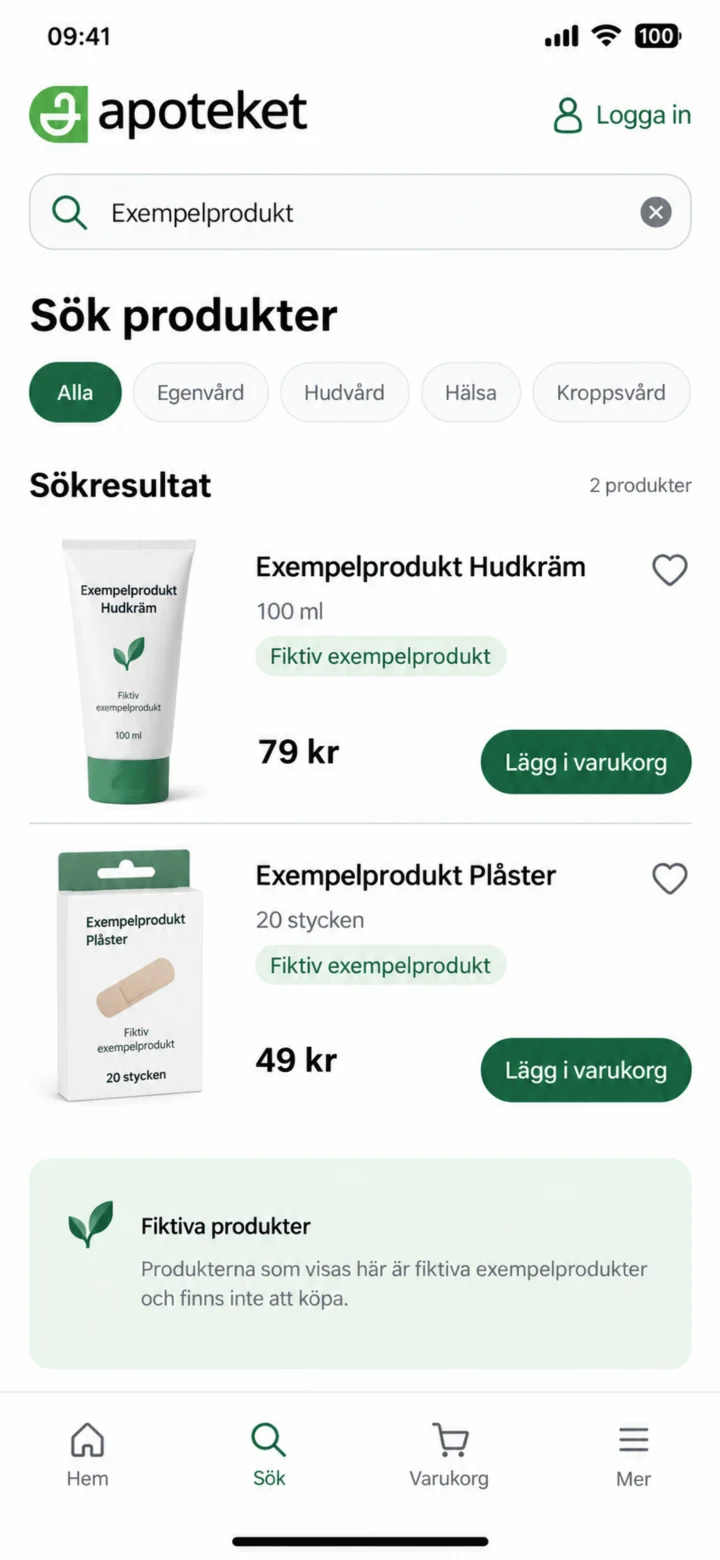 1Step 1 of 7
Search for the product you want. Please check the name, size, and price in the search results.
 2Step 2 of 7
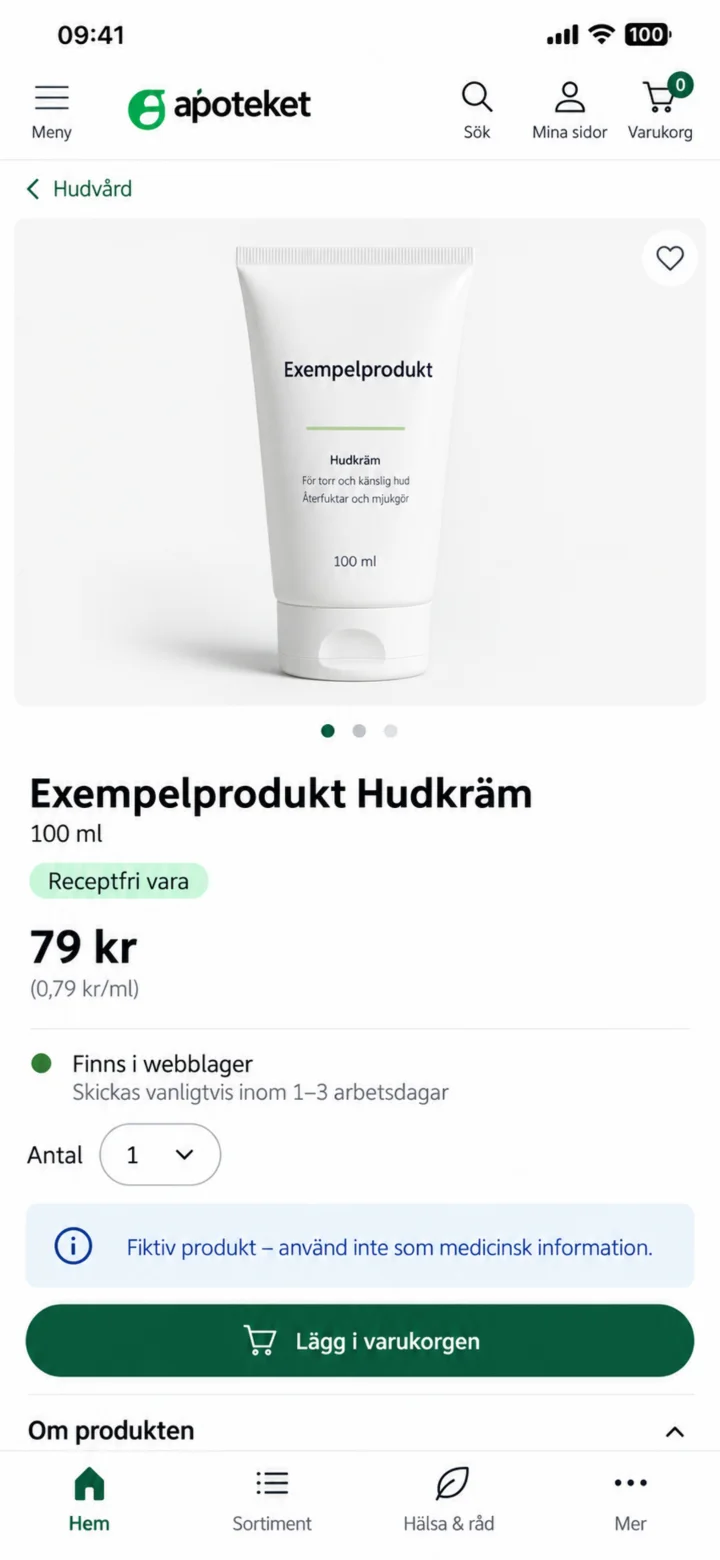
Open the product page. Carefully check the information, quantity, and if it's in stock. Then, add the product to your shopping cart.
 3Step 3 of 7
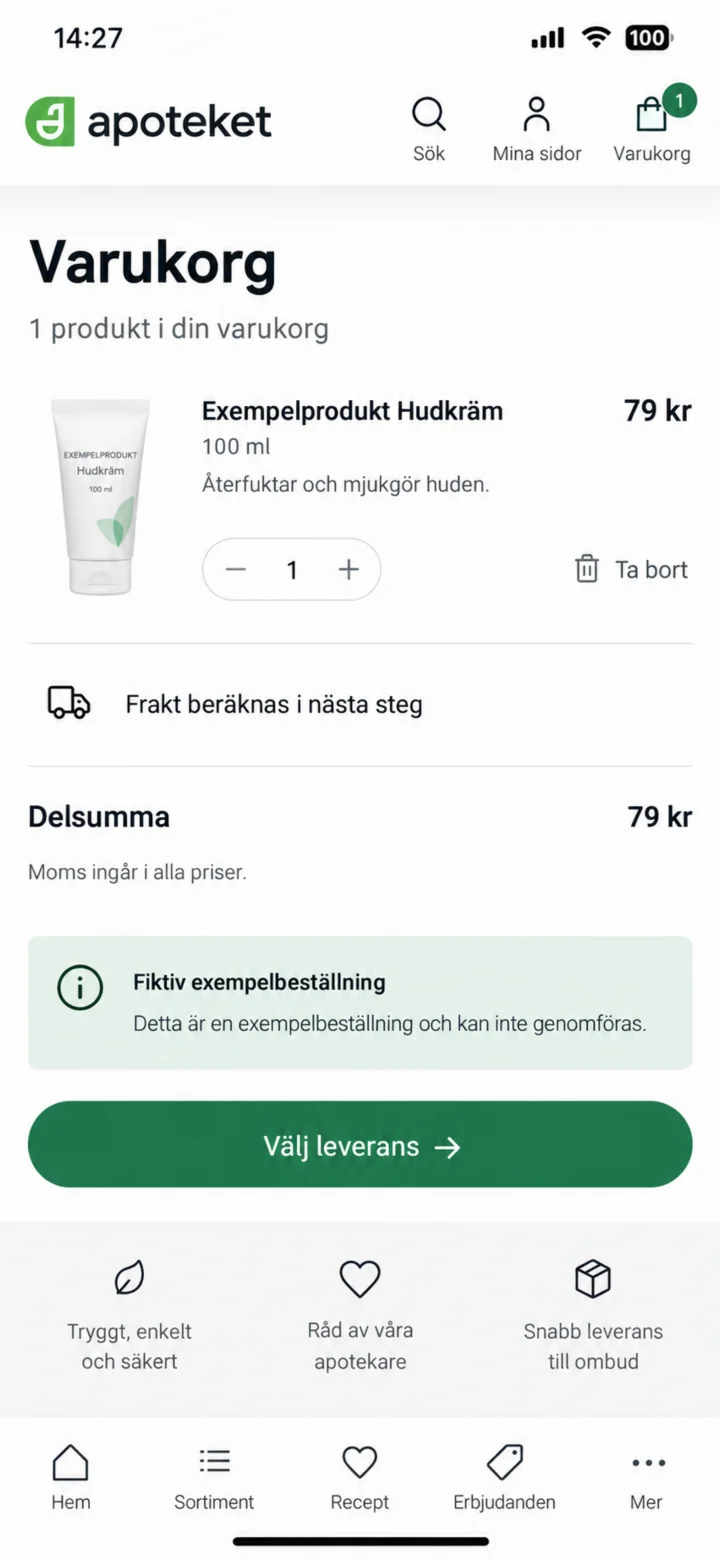
Check the product, quantity, and subtotal. After that, choose your delivery option.
 4Step 4 of 7
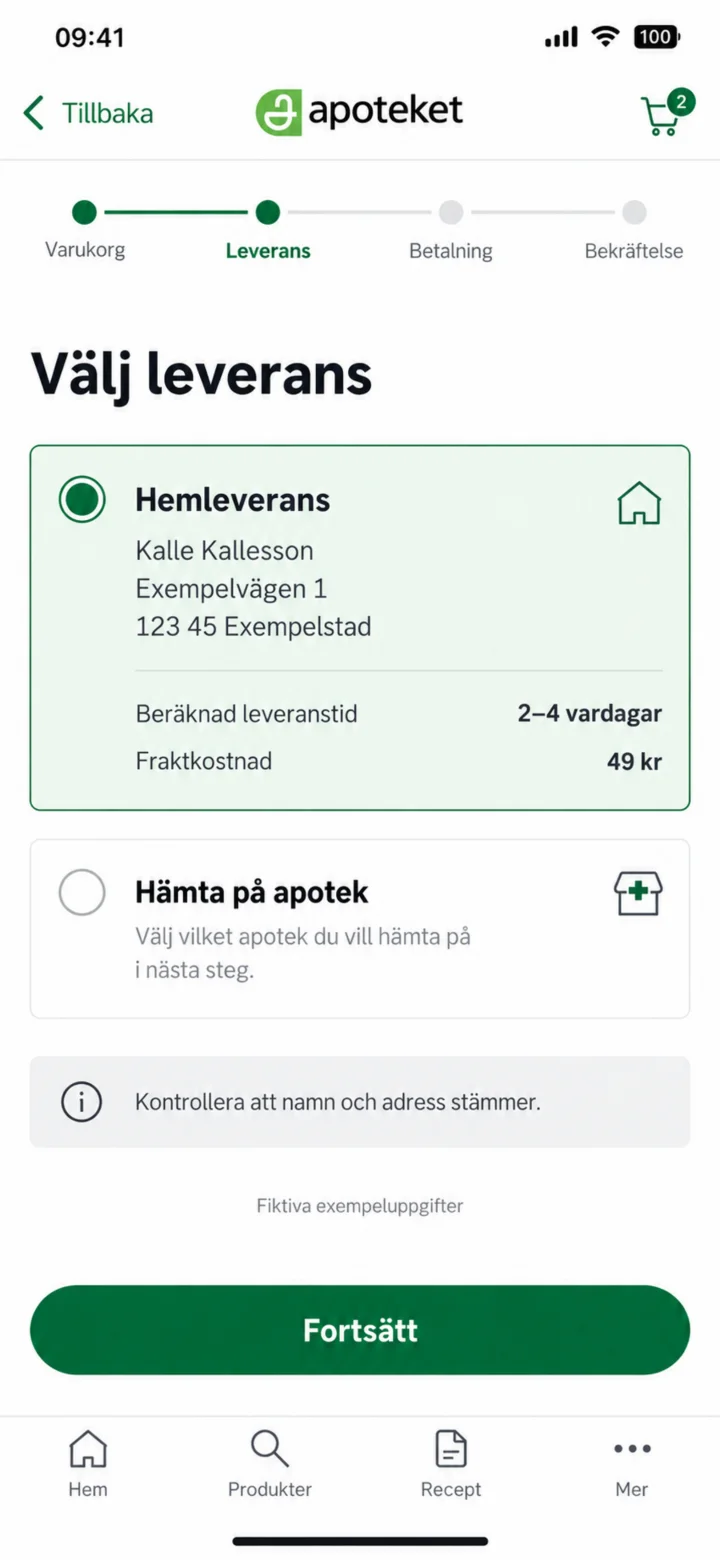
Choose Hemleverans (Home Delivery). Please check that your name and address are correct and see the shipping cost.
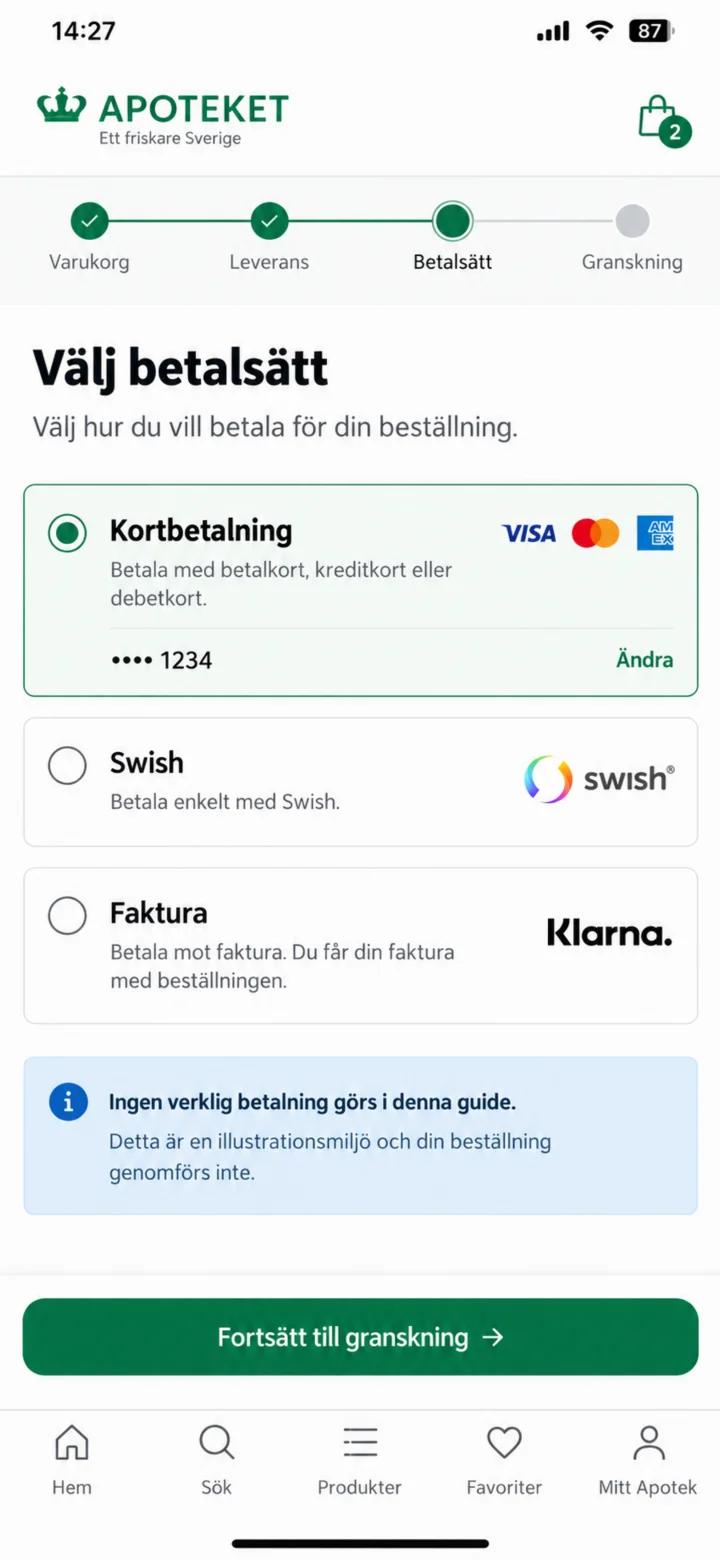 5Step 5 of 7
Välj betalsätt. Betalningsuppgifterna i guiden är påhittade.
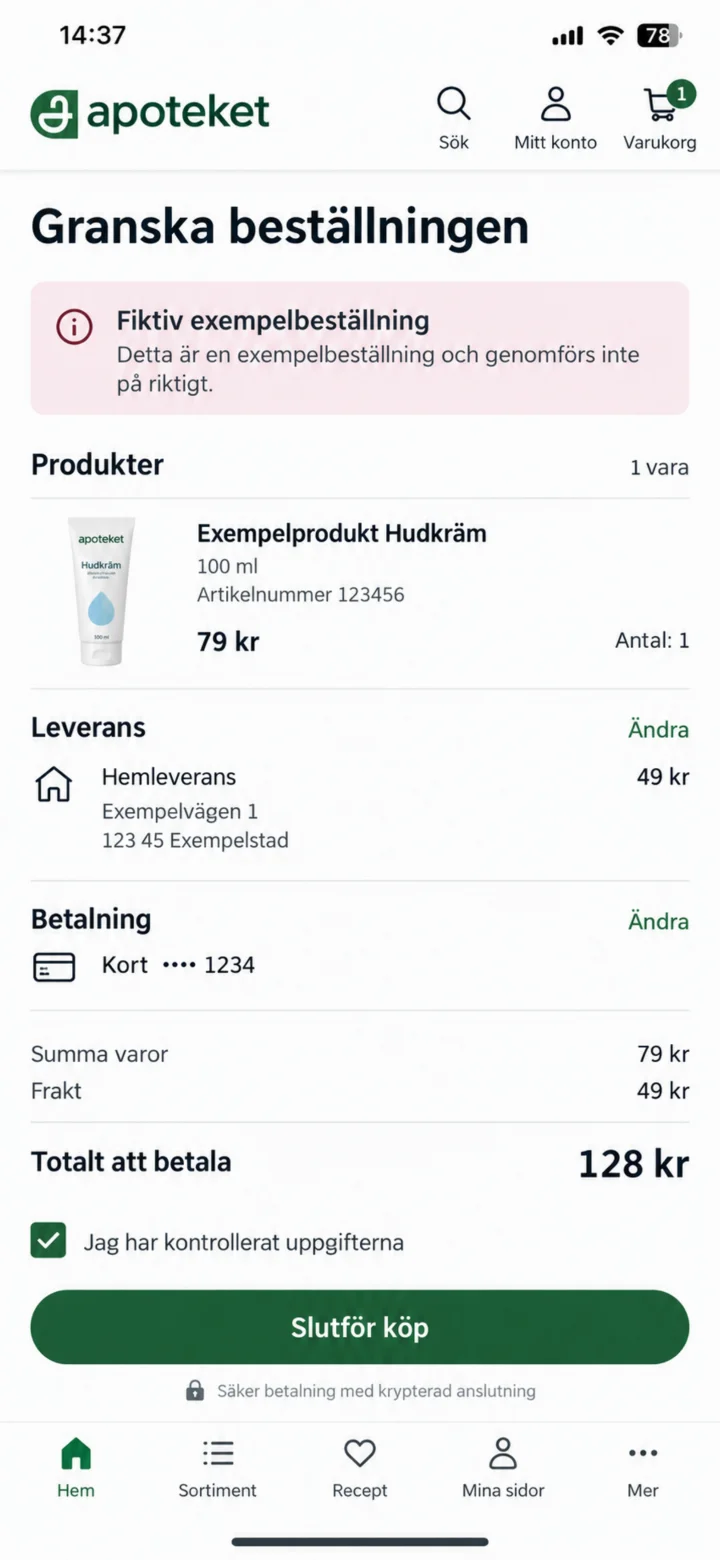 6Step 6 of 7
Before you complete your purchase, please check the product, delivery address, shipping cost, payment method, and the total sum one last time.
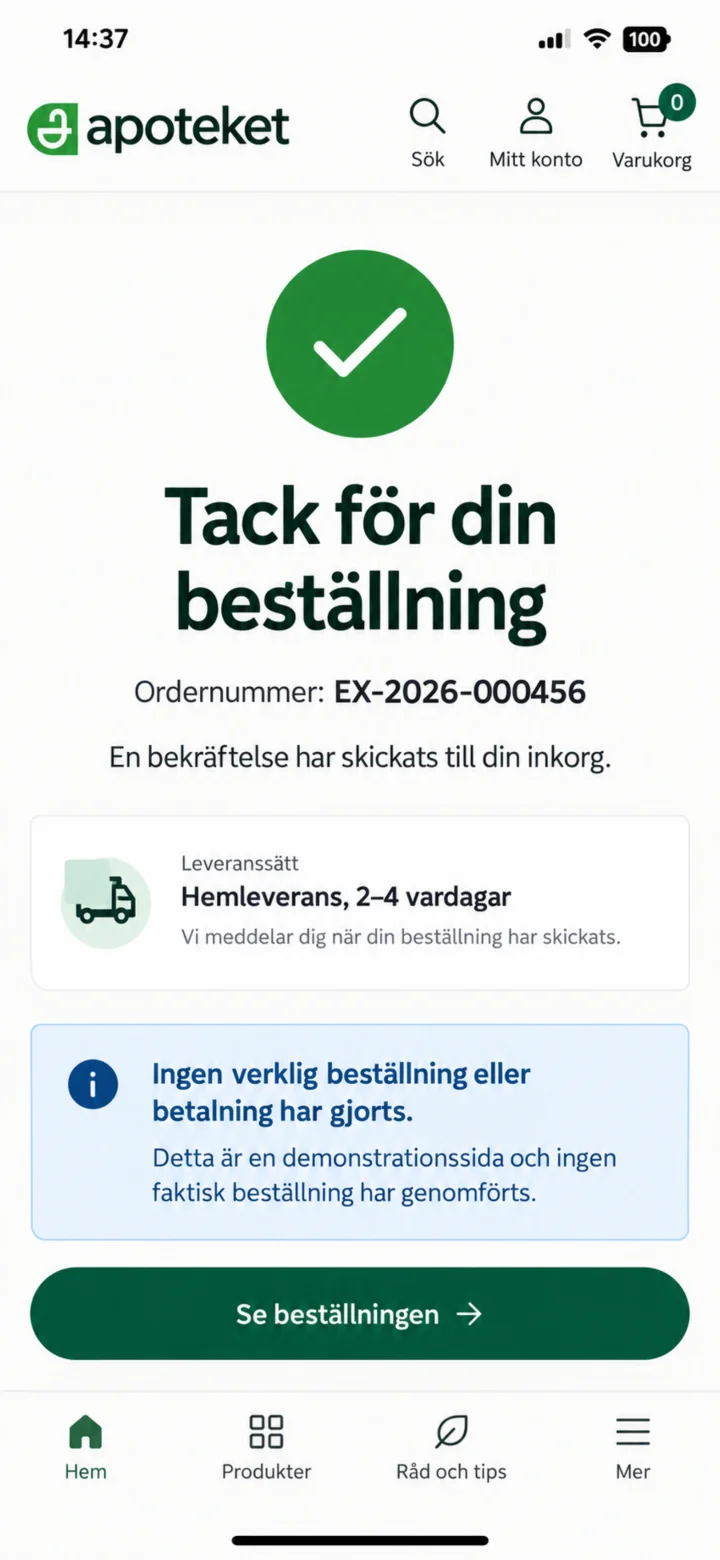 7Step 7 of 7
The confirmation will show your order number and the estimated delivery time. Remember, no actual order or payment has been made in this guide.