Print the guide and keep it next to your phone while you do the steps.
Tip: untick “Headers and footers” in the print dialog to leave out the web address.
Which language should the printout be in?SvenskaEnglishSuomiالعربية (Arabiska)Bosanski/Hrvatski/Srpskiفارسی (Persiska)PolskiEspañol
See your prescriptions and your high-cost protection
Healthcare and 1177
All phones
Scan to listen to the guide
 1Step 1 of 4
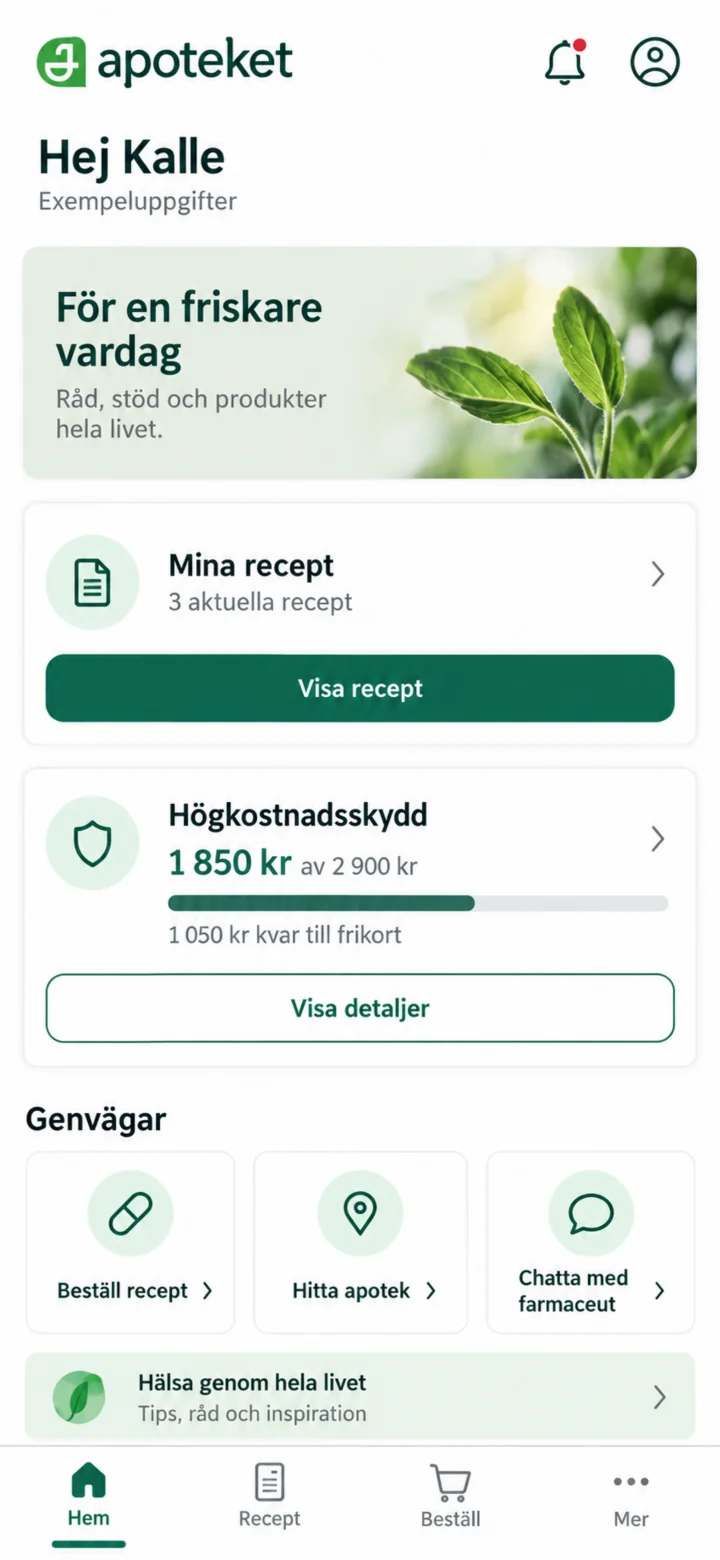
Log in to Apoteket's app. On the home page, you will find Mina recept (My prescriptions) and Högkostnadsskydd (High-cost protection).
 2Step 2 of 4
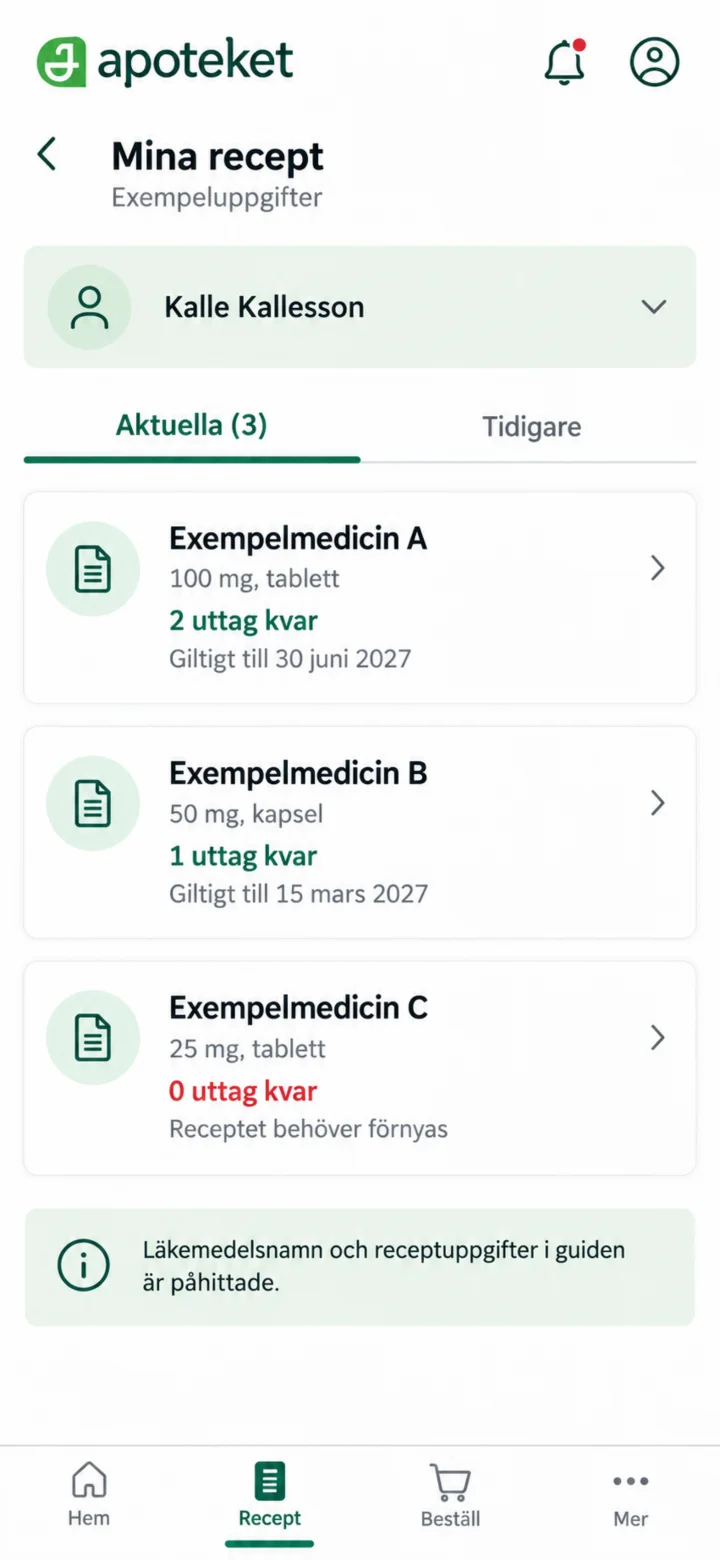
Open Mina recept (My prescriptions). Here you can see your current prescriptions and how many refills you have left.
 3Step 3 of 4
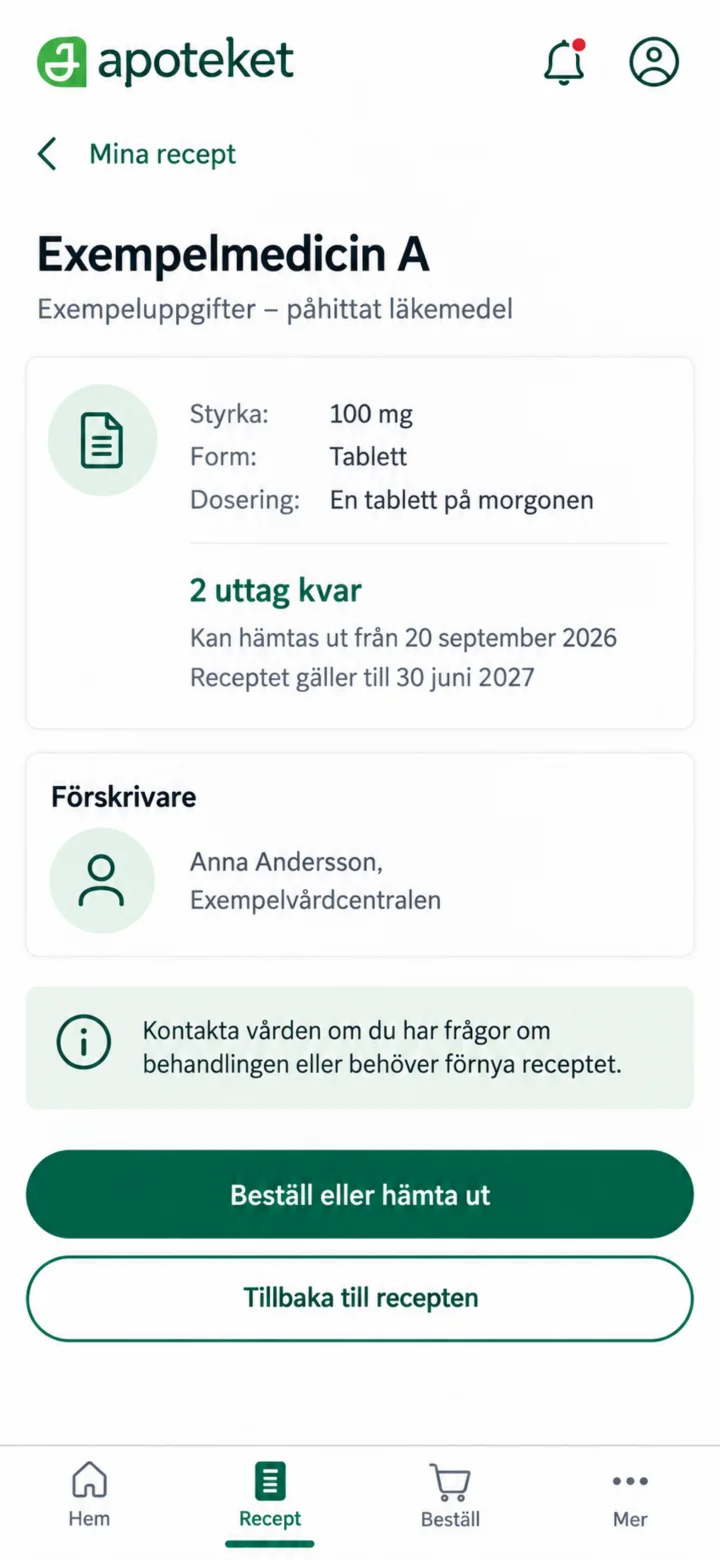
Open a prescription to see its strength, dosage, refills, and validity period.
 4Step 4 of 4
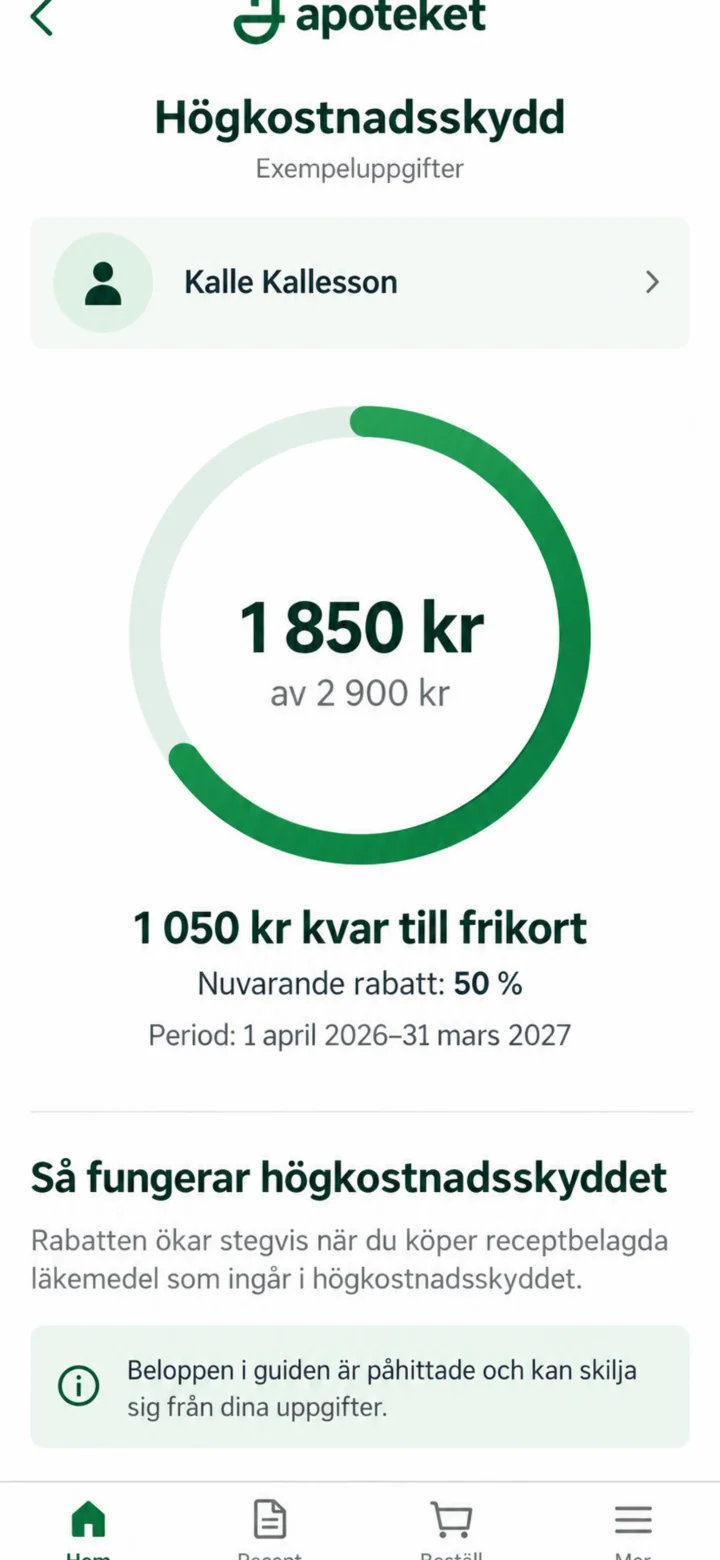
Open Högkostnadsskydd (High-cost protection) to see the registered amount and current period. The amounts in this guide are examples.