Print the guide and keep it next to your phone while you do the steps.
Tip: untick “Headers and footers” in the print dialog to leave out the web address.
Here's how you can reply to a message in the 1177 app
Healthcare and 1177
All phones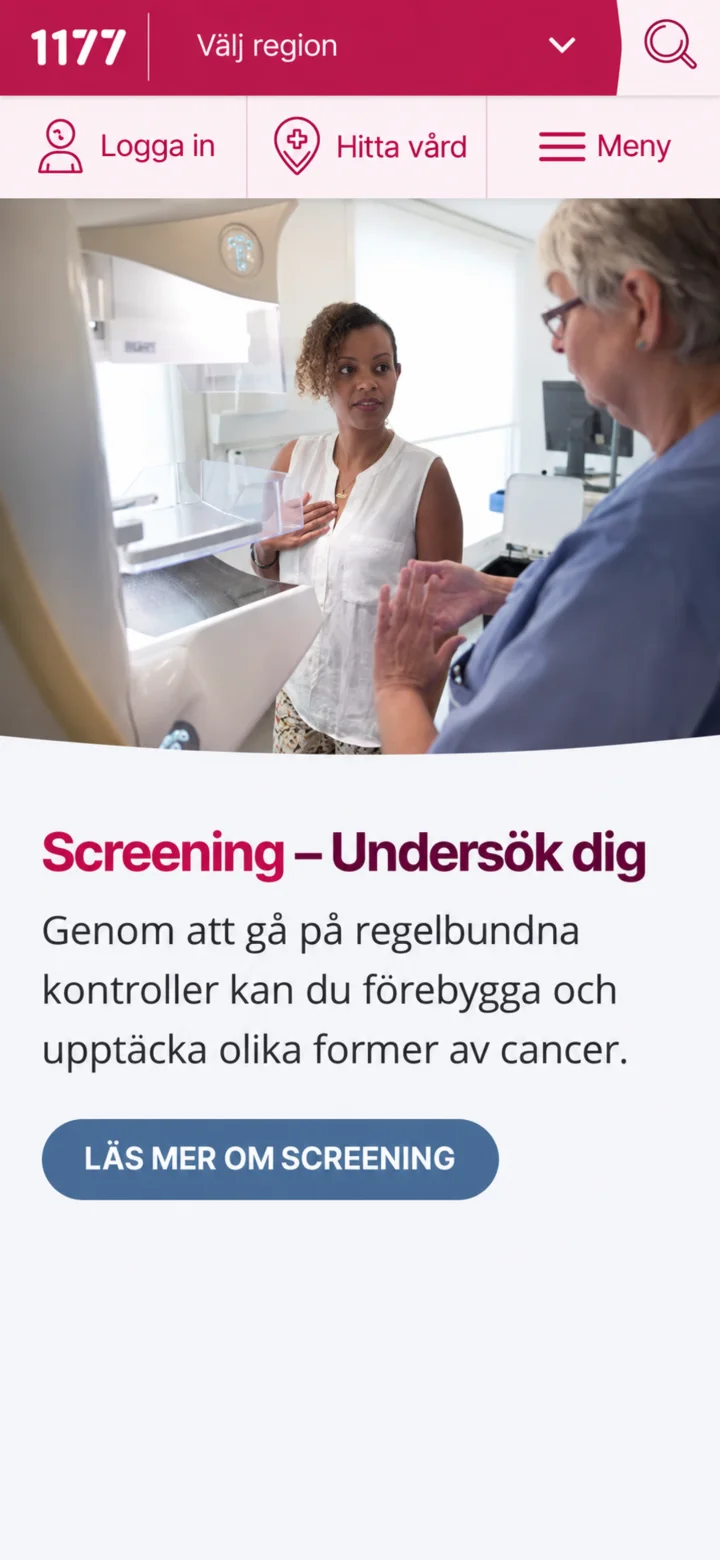 1Step 1 of 10
First, open the 1177 app on your phone and then tap on ”Logga in” (Log in).
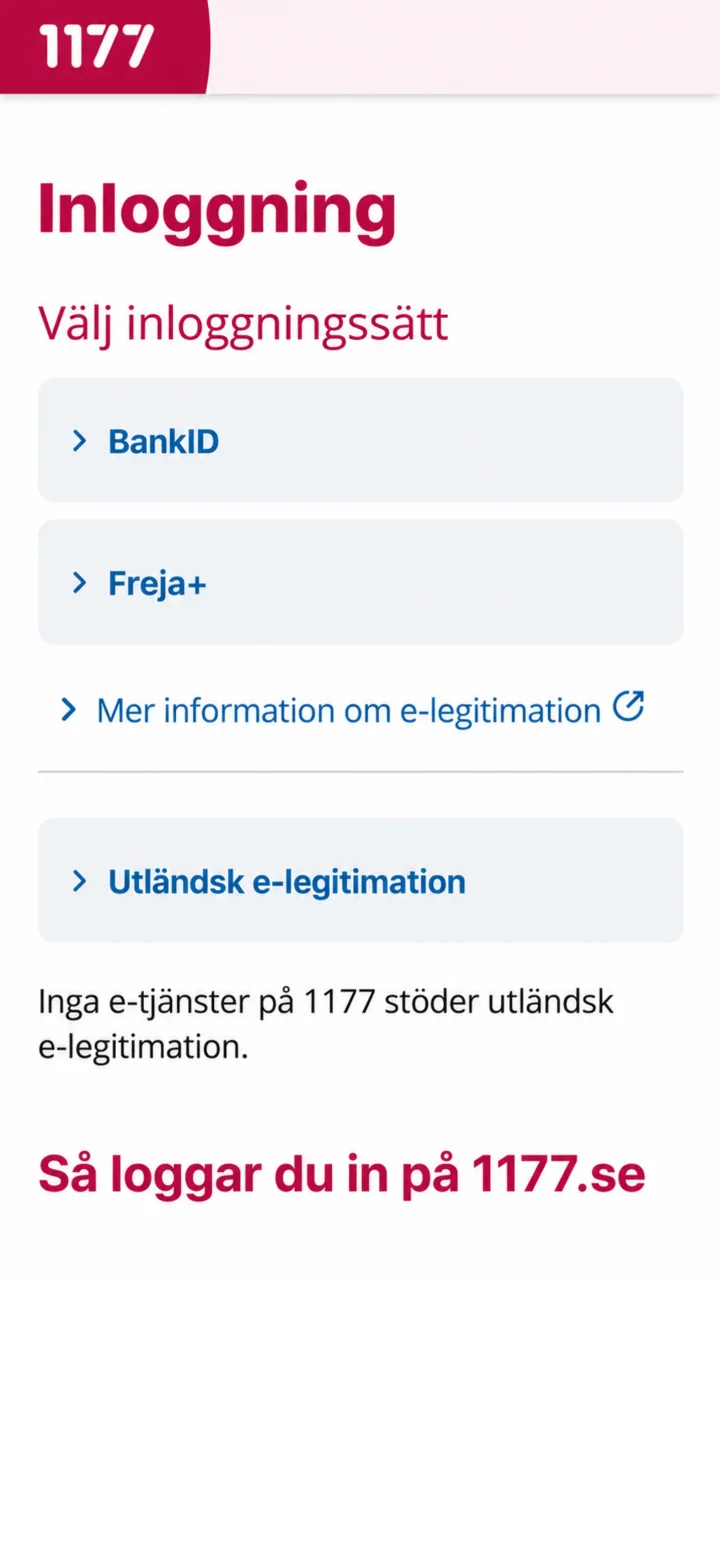 2Step 2 of 10
Next, choose BankID as the way you want to log in.
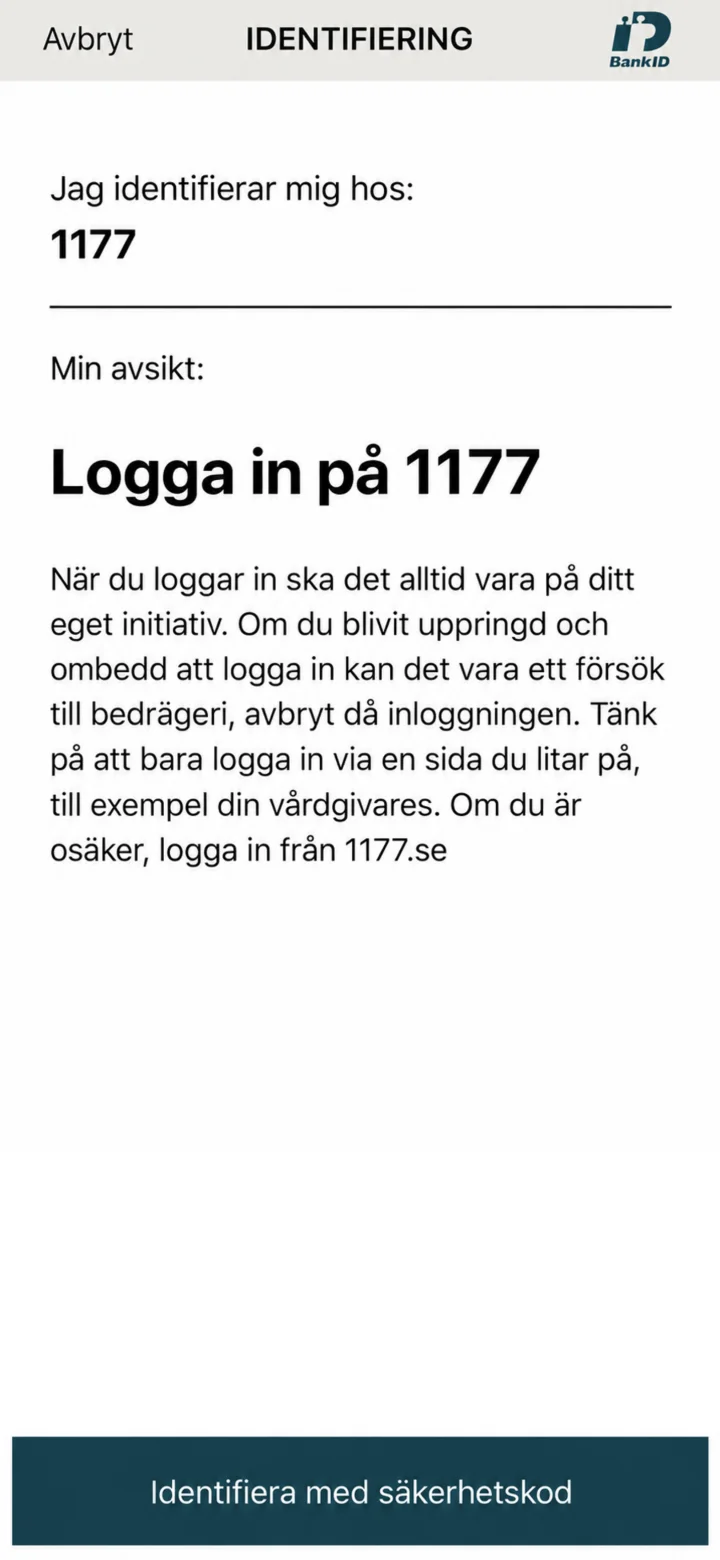 3Step 3 of 10
It's a good idea to double-check that the identification is indeed for 1177.
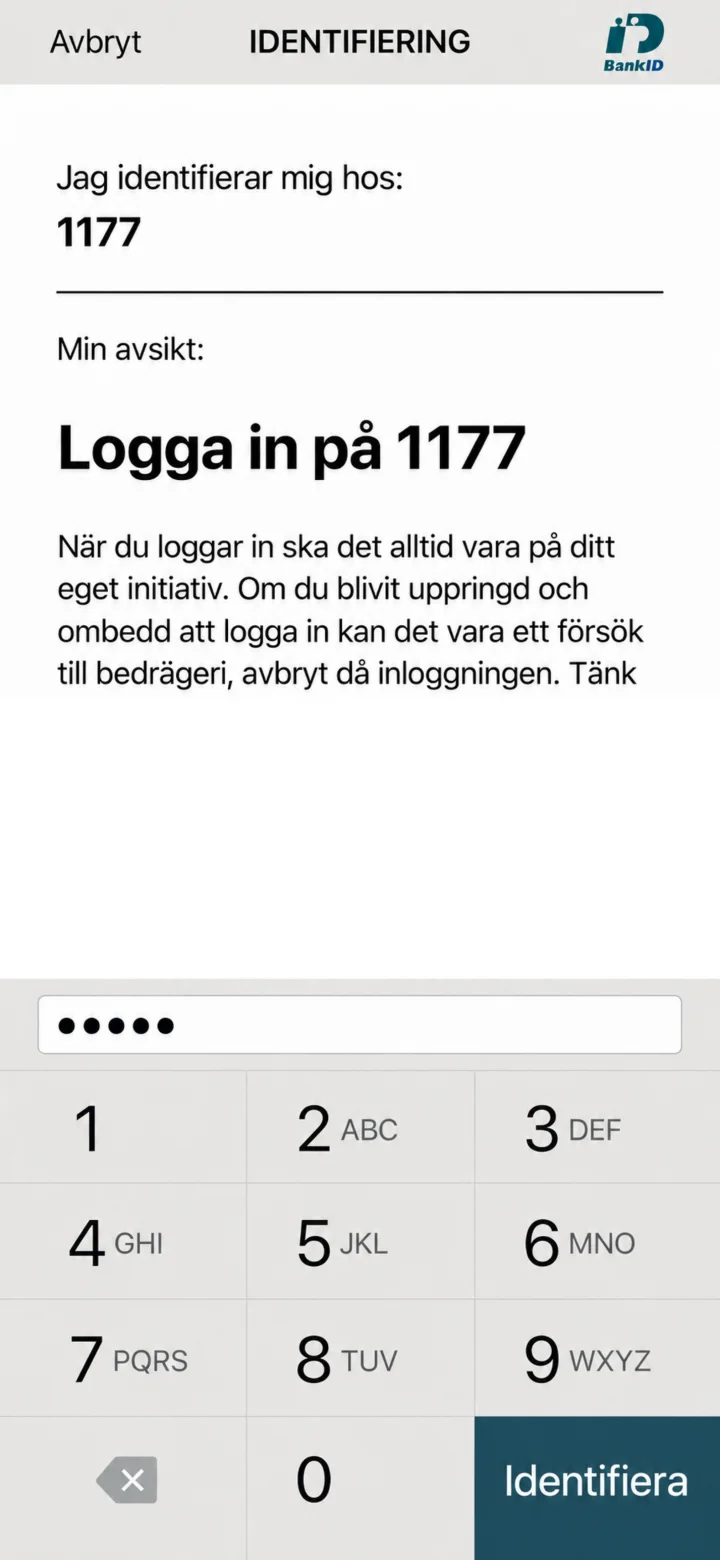 4Step 4 of 10
Now, enter your security code and then tap on ”Identifiera” (Identify).
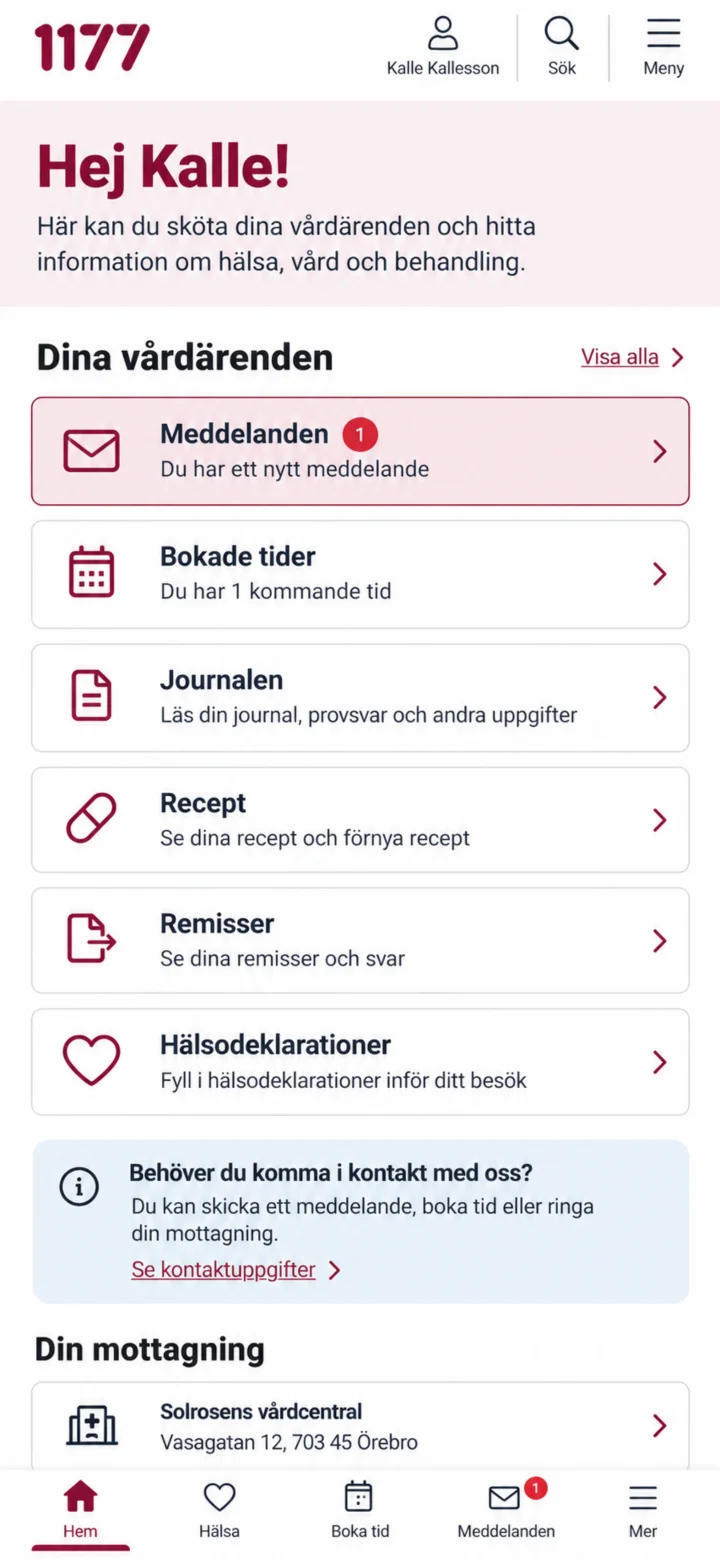 5Step 5 of 10
Once you're logged in, tap on ”Meddelanden” (Messages).
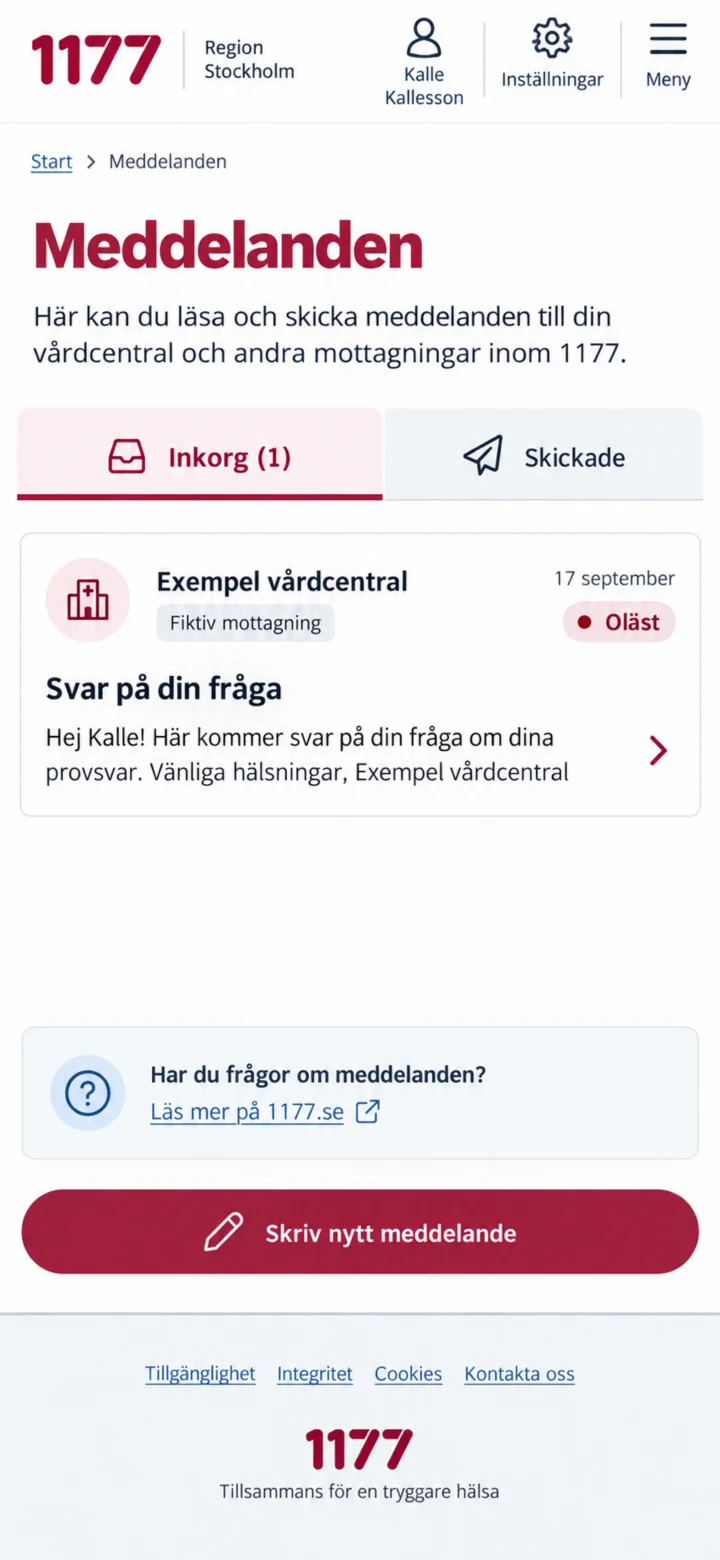 6Step 6 of 10
I inkorgen, tryck på det olästa meddelandet från mottagningen.
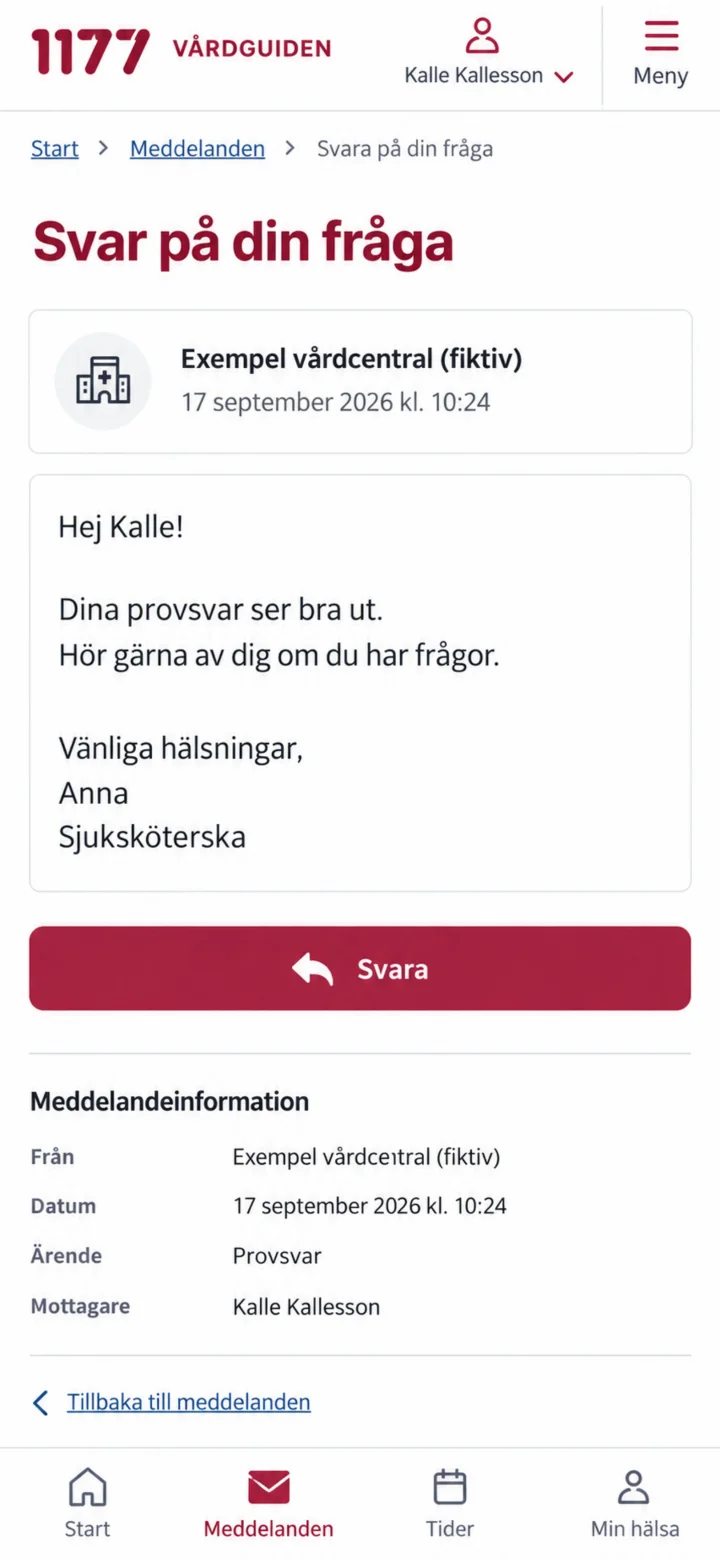 7Step 7 of 10
Läs hela meddelandet och tryck sedan på Svara.
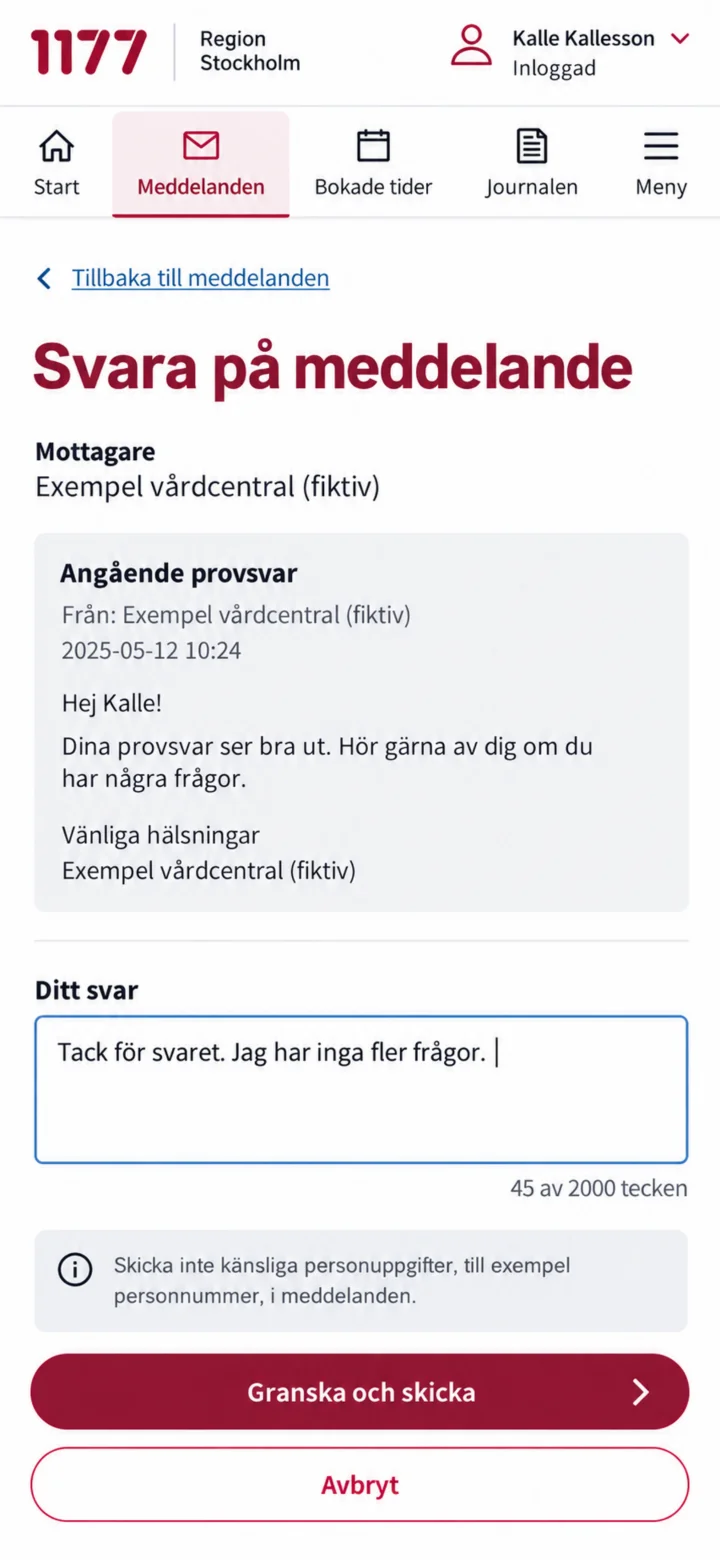 8Step 8 of 10
Write your reply in the text box, and then tap on ”Granska och skicka” (Review and send).
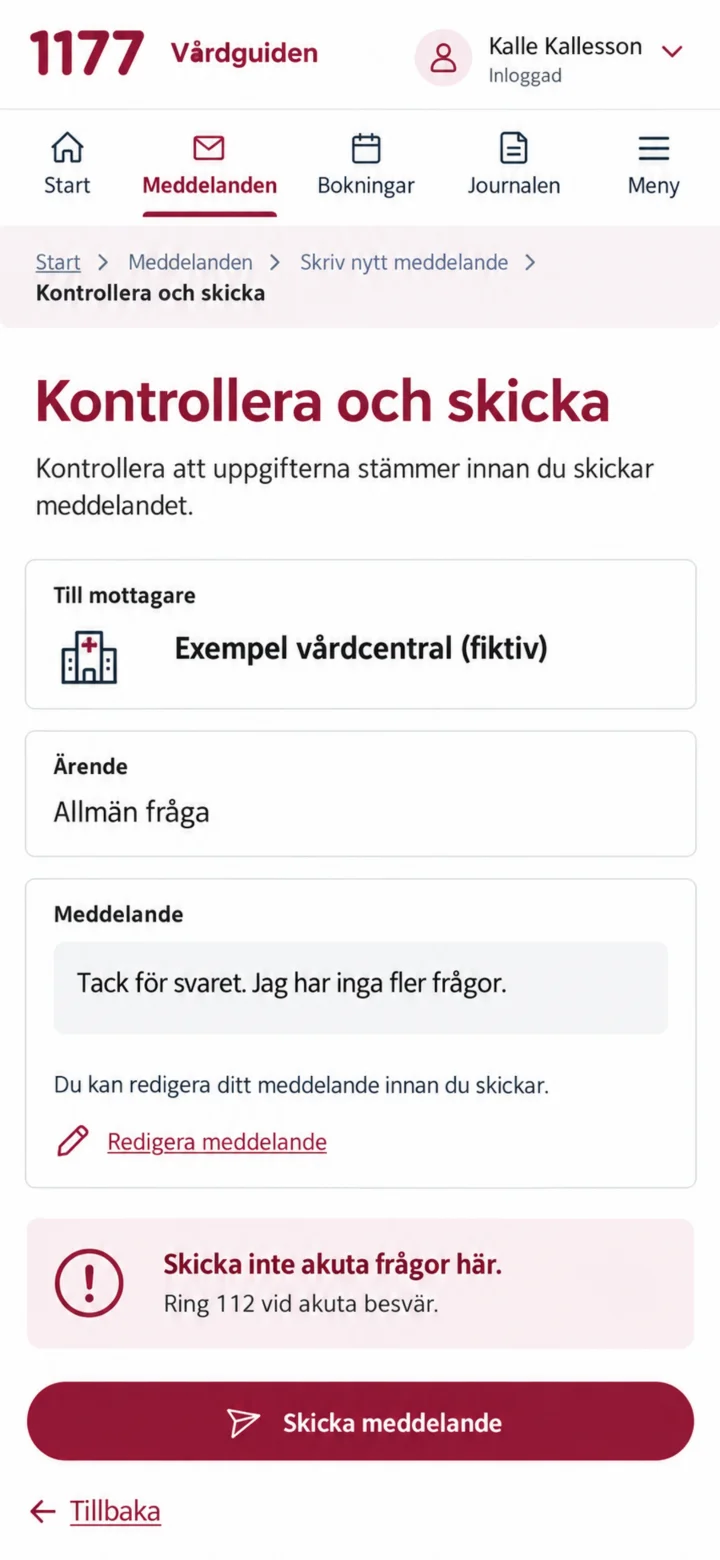 9Step 9 of 10
Take a moment to check the recipient and your message. If everything looks good, tap on ”Skicka meddelande” (Send message).
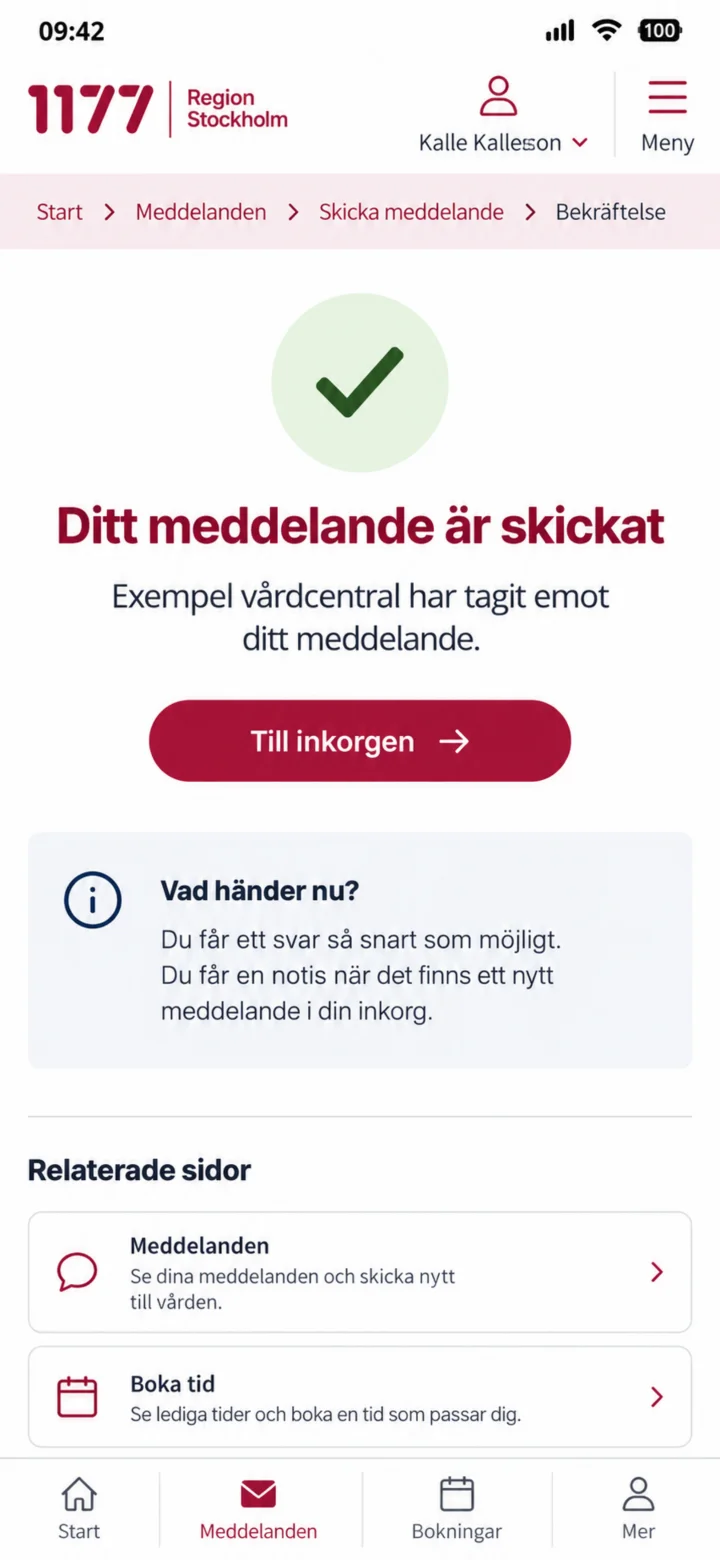 10Step 10 of 10
Great job! Your message has been sent, and the reception has received it.