See your prescriptions and your high-cost protection
Print the guideTranslated automatically.
Step 1 of 4
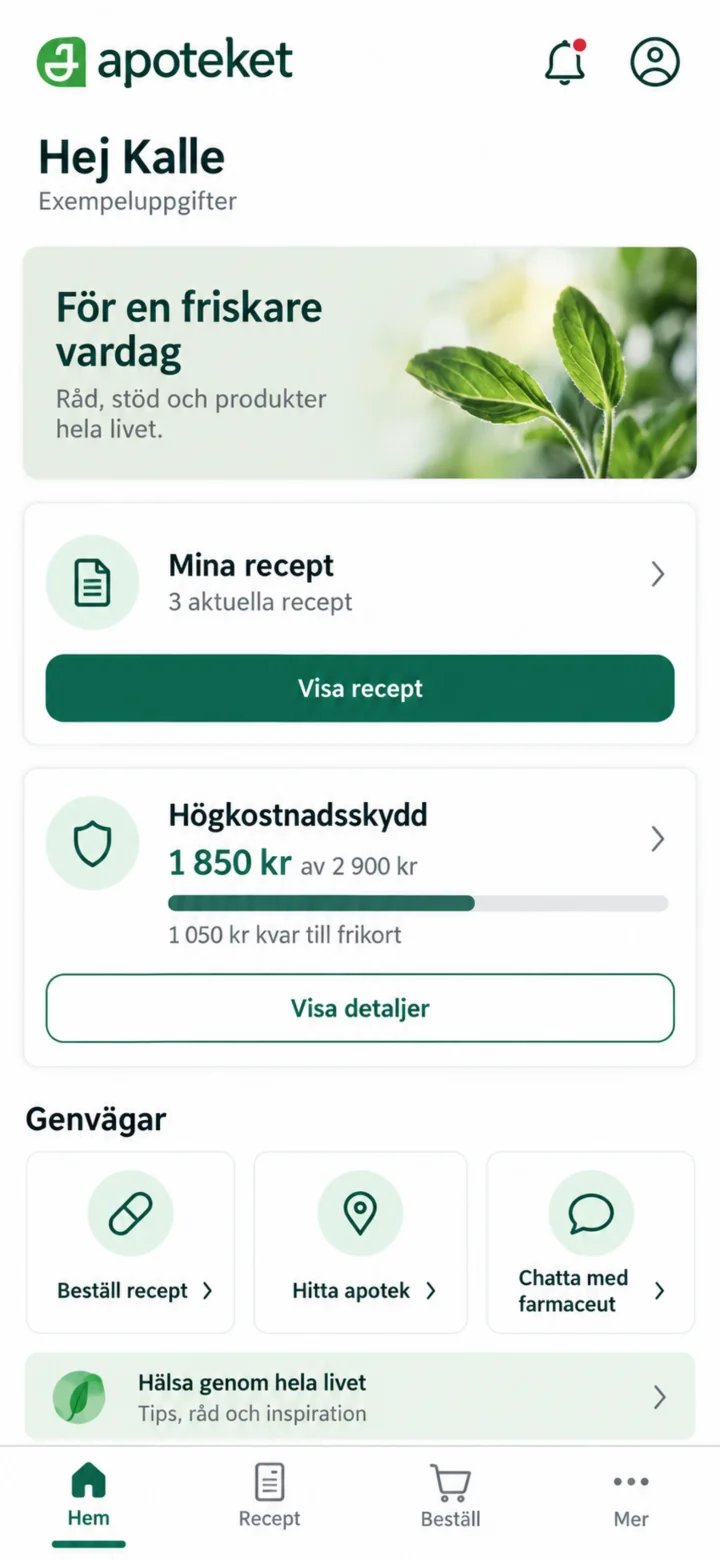
Log in to Apoteket's app. On the home page, you will find Mina recept (My prescriptions) and Högkostnadsskydd (High-cost protection).
The marking on the picture shows where to tap.
Show all steps as text
- Log in to Apoteket's app. On the home page, you will find Mina recept (My prescriptions) and Högkostnadsskydd (High-cost protection).
- Open Mina recept (My prescriptions). Here you can see your current prescriptions and how many refills you have left.
- Open a prescription to see its strength, dosage, refills, and validity period.
- Open Högkostnadsskydd (High-cost protection) to see the registered amount and current period. The amounts in this guide are examples.